As an Amazon Associate we earn from qualifying purchases. We may earn a commission when you buy through links on this page, at no additional cost to you. Read our affiliate disclosure.As an Amazon Associate we earn from qualifying purchases.Purchases through our links may earn us a commission, at no extra cost to you. Read our affiliate disclosure.
Protecting your new MacBook Neo display is essential for maintaining its crisp visuals and longevity. A quality screen protector shields against scratches, dust, and daily wear while preserving clarity.
We evaluated ten top-rated options based on compatibility, clarity, ease of installation, and special features like privacy or anti-glare coatings. Each choice addresses different user priorities and budgets.
Each review highlights key strengths, trade-offs, and ideal use cases to guide your decision. Prices and availability may change, so verify details before purchasing to ensure the best value.
Top 3 Picks for Best MacBook Neo Screen Protector
Best Budget
ProElife 2-Pack Anti Glare Screen Protector for 2026 New MacBook Neo 13 inch with Apple A18Pro Chip/A3404 Anti Scratch Accessories 5H Hardness Matte Protective Shield Film for MacBook Neo 13''
Top 10 Best MacBook Neo Screen Protector in 2026 Compared
The following table compares all ten screen protectors side-by-side. Look at compatibility, material type, special features, and user ratings to find the right match for your MacBook Neo.
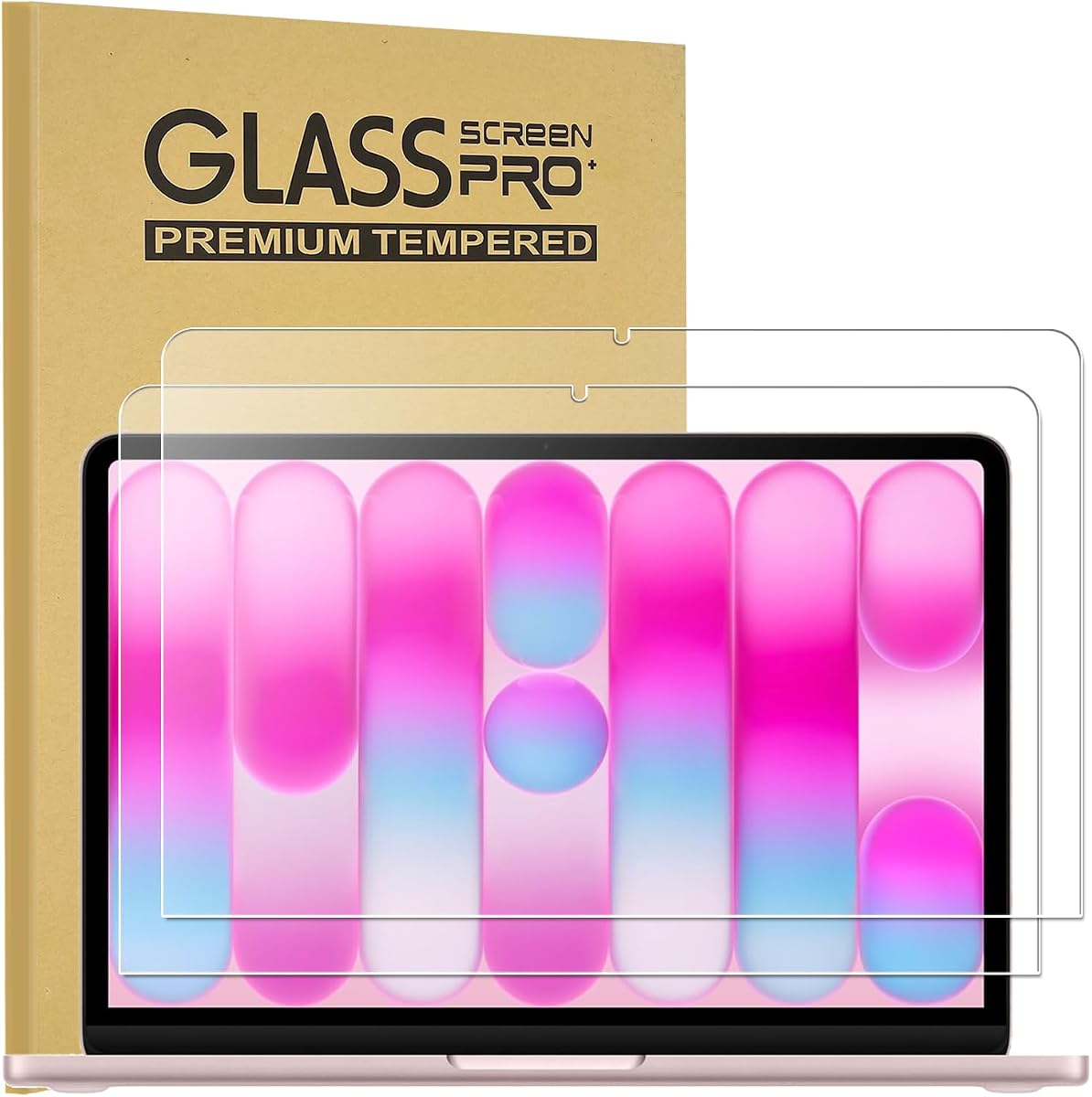
The ProCase 2 Pack offers a premium tempered glass option specifically designed for the 2026 MacBook Neo with the A18 Pro chip. It maintains high clarity while providing robust physical protection against scratches and daily wear.
Pros
Precise laser-cut fit
High light transmittance
Static-cling bubble-free install
9H hardness scratch protection
Includes cleaning kit
Cons
Not anti-glare
Glass may feel slippery
We may earn a commission when you buy through this link, at no additional cost to you.
This protector uses laser-cut dimensions to ensure full edge-to-edge coverage without interfering with the camera or sensors. The static-cling adhesive pushes out air bubbles automatically for a smooth, bubble-free result when applied carefully.
While it offers excellent clarity and hardness, the glass surface may feel slightly slippery compared to matte options. However, the included cleaning wipes and dust absorbers make the installation process straightforward and residue-free.
Ideal for users who prioritize screen clarity and physical durability, this pack provides two protectors for long-term value. It fits the new Neo model perfectly without affecting display quality or lid closure.
Perfect Fit for 2026 Neo
Laser-cut dimensions ensure precise alignment with the 2026 MacBook Neo display, avoiding camera and sensor interference while maintaining edge-to-edge coverage.
High Clarity and Scratch Resistance
HD clear quality maintains true-to-life colors and crisp text, while 9H hardness protects against keys, pens, and daily abrasion without compromising visibility.
The ProElife Anti Glare screen protector delivers excellent value for MacBook Neo users seeking glare reduction and eye comfort. It features a matte finish that minimizes reflections while maintaining screen clarity for daily use.
Pros
Reduces glare effectively
Anti-fingerprint coating
Easy installation with card
Affordable price point
Compatible with Neo 2026
Cons
Lower hardness than glass
Small bubbles may persist initially
We may earn a commission when you buy through this link, at no additional cost to you.
Its anti-fingerprint coating keeps the display clean and smudge-free, enhancing the viewing experience. The package includes a hard card to help remove minor bubbles, though some initial foaming bubbles may appear and settle within 48 hours.
While the PET material offers lower hardness than tempered glass, it provides sufficient scratch resistance for most environments. The installation process is straightforward, aligning easily with the Neo's 13-inch display.
Perfect for students or professionals on a budget, this pack offers two protectors with practical features. It balances affordability with effective glare reduction and easy maintenance for the new MacBook Neo.
Glare Reduction and Comfort
The anti-glare filter reduces reflections and enhances contrast, protecting eyes from strain during extended use in bright environments.
Practical Anti-Fingerprint Design
Low surface energy components repel fingerprints and oil, keeping the screen clean and maintaining clarity throughout the day.
Supershieldz provides a straightforward PET-based screen protector designed for the MacBook Neo. It focuses on maintaining display quality with high definition transparency that ensures maximum resolution and crisp visuals.
Pros
Three-pack value
High definition clarity
Natural touch sensitivity
No residue removal
Japanese film quality
Cons
Basic PET material
Less scratch protection than glass
We may earn a commission when you buy through this link, at no additional cost to you.
The film offers real touch sensitivity for a natural feel and accurate responsiveness. It protects against daily scratches and dust while allowing easy removal without leaving sticky residue behind.
Made from high-quality Japanese PET film, this option emphasizes simplicity and reliability. While it lacks the durability of tempered glass, it suits users who prioritize clarity and budget-friendly protection.
With three protectors included, this pack is ideal for long-term use or sharing. It delivers a clean, clear shield that preserves the Neo's Retina display quality without compromising touch accuracy.
High Definition Clarity
High definition transparency ensures maximum resolution and crisp text, keeping the MacBook Neo display looking as vivid as when first purchased.
Natural Touch Experience
Real touch sensitivity provides a natural feel and flawless screen accuracy, maintaining the device's original responsiveness without interference.
KEANBOLL offers a matte anti-glare screen protector tailored for the 2026 MacBook Neo 13-inch. Its finish reduces glare and reflections, improving visibility in various lighting conditions while keeping the screen clean.
Pros
Reduces reflections
Fingerprint resistant
Durable material
Clear visibility
Specific Neo 2026 fit
Cons
Matte may reduce sharpness
Limited to one size
We may earn a commission when you buy through this link, at no additional cost to you.
The anti-fingerprint coating helps maintain a smudge-free viewing experience, reducing the need for frequent cleaning. Durable material safeguards against scratches, scuffs, and daily wear without compromising clarity.
This protector is specifically designed for the A18 Pro chip model, ensuring a precise fit. Users should double-check their device model to avoid purchasing the wrong size, as it does not fit other sizes.
Suitable for office or home users prone to glare, this pack delivers reliable protection with a comfortable matte finish. It balances visibility, cleanliness, and durability for everyday MacBook Neo use.
Anti-Glare Coating
Matte finish reduces glare and reflections for improved visibility, making it easier to view content in bright environments.
Fingerprint and Scratch Resistance
Anti-fingerprint coating keeps the screen clean and smudge-free, while durable material protects against daily wear and scratches.
This magnetic privacy protector offers a seamless solution for MacBook Neo users prioritizing security. It features strong magnetic attachment for quick, residue-free installation and removal without adhesive or tape.
Pros
One-second magnetic install
Blocks side views beyond 30°
Anti-blue light and glare
No adhesive residue
Case-friendly ultra-thin
Cons
Not always attachable
Higher price than standard
We may earn a commission when you buy through this link, at no additional cost to you.
Advanced 30° privacy technology blocks side views, ensuring clear visibility only from the front. It also includes anti-glare and blue light blocking features to reduce eye strain during prolonged use.
Made from scratch-resistant PET, it protects against abrasion while maintaining high transparency and screen brightness. The ultra-thin 0.065mm design fits most protective cases without affecting lid closure.
Ideal for commuters or professionals in public spaces, this protector balances privacy with visual quality. It delivers reliable data protection and eye comfort while preserving the Neo's display performance.
Advanced Privacy Technology
Blocks side views beyond ±30°, safeguarding private data from unwanted peeping in cafes, airports, and offices.
Eye-Friendly Visual Quality
Anti-glare and blue light blocking technology relieves eye strain while delivering vivid, true-to-life screen visuals.
This magnetic privacy screen filters viewing angles to approximately ±30 degrees, keeping data visible only to those directly in front. It includes an anti-blue light coating and matte finish to reduce glare and filter harmful light.
Pros
Limits viewing angle
Includes storage folder
Anti-blue light coating
Magnetic protection
After-sales support
Cons
Softens screen sharpness
Does not block behind visibility
We may earn a commission when you buy through this link, at no additional cost to you.
The multi-layered filter limits prying eyes effectively, though it may slightly soften screen sharpness. The package includes a storage folder and cleaning kit for convenient handling and maintenance.
Designed for the 2026 MacBook Neo 13-inch, it ensures precise dimensions and a perfect fit. The magnetic attachment allows quick attachment and removal, protecting privacy without permanent adhesive.
Ideal for travelers and office workers, this protector prioritizes data security and eye comfort. While it may reduce sharpness, it provides practical privacy protection for sensitive information on the go.
Multi-Layered Privacy Protection
Privacy filter limits viewing angle to +/- 30 degrees, ensuring data is visible only to persons directly in front.
Anti-Glare and Blue Light
Matte finish filters reduce glare and harmful blue light by up to 90%, minimizing eye strain during extended use.
Peslv offers a magnetic privacy screen with an innovative mounting method. A reinforced magnetic strip at the top enables quick installation by aligning with the bezel, removing the need for adhesive or tape.
Pros
Removable magnetic design
Reduced blue light
Anti-glare matte
High light transmission
Storage clip included
Cons
Does not block behind
Premium price point
We may earn a commission when you buy through this link, at no additional cost to you.
The high-quality materials reduce 95% of blue light and UV light while maintaining anti-glare and anti-scratch performance. Its high-definition layer ensures excellent light transmission and picture quality close to the original screen.
This removable design comes with a storage clip, making it convenient for various occasions like offices or cafes. The filter layer ensures only a +30° angle is visible directly in front of the screen.
Ideal for professionals needing flexible privacy options, this protector balances protection with visual clarity. Its durable construction and ease of use make it a practical choice for the MacBook Neo.
Super Easy Installation
Reinforced magnetic strip allows installation in seconds by simply aligning and pressing, avoiding awkward or sticky application.
Eye and Screen Protection
Filters reduce blue light and UV while anti-glare matte surface intercepts reflected light, protecting vision and screen.
IPROKKO uses innovative blue light filtering to block harmful UV and blue light while maintaining true color accuracy. Unlike traditional filters, it avoids dimming or discoloring the screen, preserving visual clarity.
Pros
Filters harmful blue light
True-to-original color
Eliminates glare
Bubble-free adhesive
Ultra-slim profile
Cons
Matte may reduce contrast
Specialized optical tech
We may earn a commission when you buy through this link, at no additional cost to you.
Made from advanced Japanese PET materials, it eliminates glare and fingerprints without the weight of tempered glass. The nano-silicone adhesive layer self-adheres smoothly for a bubble-free application without complex steps.
This ultra-slim 0.05mm design features a 1:1 fit for the Neo, including camera cutouts and won't interfere with lid closure. It suits sensitive users, students, and professionals seeking eye protection during long work hours.
Ideal for those prioritizing eye health and screen clarity, this protector offers a comfortable viewing experience. Its precision engineering ensures a secure fit and reliable protection without compromising display performance.
Advanced Blue Light Filtering
Filters only harmful blue light and UV with up to 99% efficiency while maintaining true-to-original color and clarity.
Bubble-Free Adhesive
Nano-silicone adhesive layer pushes out air bubbles automatically for a smooth, hassle-free installation without residue.
KEANBOLL offers a tempered glass screen protector specifically for the 2026 MacBook Neo 13-inch. It features ultra clarity transparency and a 9H hardness rating for effective protection against scratches and impacts.
Pros
Ultra clear transparency
9H hardness rating
Scratch resistant
Bubble-free application
Precise Neo fit
Cons
Glass heavier than PET
May not be matte
We may earn a commission when you buy through this link, at no additional cost to you.
The ultra-tough surface ensures long-lasting durability against daily wear and tear. Its bubble-free application simplifies installation, while the precise fit maintains the device's original design and display performance.
Made from high-quality tempered glass, it prioritizes clarity and physical protection. Users should confirm their device model to ensure compatibility, as it fits the A3404 Neo exactly.
Ideal for users seeking premium physical protection with crystal clear visuals, this pack delivers reliable quality. It safeguards the display while preserving the Retina screen's crispness and accuracy.
Ultra Clarity
Tempered glass offers crystal clear transparency for an optimal viewing experience that maintains the Neo's display quality.
Scratch Protection
9H hardness rating and ultra-tough surface effectively protect against scratches, impacts, and daily wear and tear.
SightPro offers a patented removable privacy screen using instant snap-on magnetic attachment. Simply place it along the top bezel to secure it quickly without tape or adhesive, making it easy to remove and reattach.
Pros
Instant snap-on attach
Blocks side views
Anti-glare UV protection
Easy remove/reattach
Microfiber cloth included
Cons
Lid won't close fully
Sleep mode only
We may earn a commission when you buy through this link, at no additional cost to you.
Its multi-layered film filter blocks side views while maintaining a crystal clear screen from the front. It also protects against harmful glare, UV, and blue light for comfortable, protected viewing.
Ideal for open workspaces, travelers, and students, this filter helps safeguard sensitive information. Note that when attached, the laptop lid may not close fully but supports sleep mode for power efficiency.
Perfect for those needing flexible, high-quality privacy, this screen offers superior glare protection and compliance. Its TAA compliance and easy use make it a practical choice for professional and personal environments.
Instant Snap-on Magnetic Attachment
Place along the top bezel and magnets attach instantly, avoiding messy tape or adhesive for quick setup.
Perfect Fit for Neo
Designed to integrate seamlessly with the 2026 MacBook Neo 13-inch Retina display for precise alignment and performance.
We may earn a commission when you buy through this link, at no additional cost to you.
Buying Guide – How to Choose the Best MacBook Neo Screen Protector
Choosing the right screen protector depends on your priorities such as clarity, privacy, glare reduction, and durability. This guide outlines key factors to help you find the best fit for your MacBook Neo.
Compatibility and Fit
Ensure the protector matches your MacBook Neo's 2026 A18 Pro model (Model A3404) and 13-inch size. Mismatched protectors may leave gaps, interfere with sensors, or fail to align properly.
Check product titles for specific model codes to avoid purchasing the wrong variant designed for older or different screen sizes.
Material Type
Tempered glass offers superior scratch resistance and clarity but adds thickness and may feel slippery. PET film is thinner and lighter with options for matte or glossy finishes.
Choose glass for maximum physical protection or PET for a lightweight, flexible option that reduces glare effectively.
Finish and Clarity
HD clear protectors preserve true-to-life colors and sharpness, ideal for media and design work. Matte or anti-glare finishes reduce reflections and improve eye comfort in bright environments.
Balance clarity with comfort by selecting glossy for visual fidelity or matte for glare reduction depending on your workspace.
Privacy Features
Privacy screens use filters to block side views beyond ±30 degrees, protecting sensitive data in public spaces. Magnetic attachments allow removable privacy when needed without adhesive.
Consider privacy options if you work frequently in offices, cafes, or travel where confidential information is visible.
Blue Light and Eye Care
Some protectors include anti-blue light coatings to reduce eye strain during extended screen time. Look for products filtering harmful UV and blue light while maintaining color accuracy.
Opt for blue light filtering if you experience headaches or sleep disruption from prolonged laptop use.
Installation Method
Bubble-free adhesive layers with static-cling simplify installation and reduce residue. Magnetic or snap-on options offer quick, removable setups without cleaning kits.
Select based on your comfort level with application steps and whether you prefer a permanent or removable protector.
Durability and Hardness
Hardness ratings like 9H provide better scratch resistance from keys, pens, and daily use. Lower ratings like 5H offer basic protection suitable for lighter environments.
Assess how often you carry your laptop and how much physical protection the screen needs over time.
Value and Quantity
Multi-pack options offer better long-term value, especially if protectors need replacement due to wear. Ensure cleaning kits are included for proper installation and maintenance.
Compare included accessories and warranty support to maximize your investment and ease of use.
How to Use and Care for Your MacBook Neo Screen Protector
Clean the display thoroughly with the included microfiber cloth and pre-cleaning wipes to remove dust and oils before installation. Ensure the screen is completely dry to prevent bubbles.
Align the protector precisely with the screen edges and camera cutouts. For adhesive types, apply slowly from one side to let air escape and use a card to smooth out remaining bubbles.
Regularly wipe the protector with a soft cloth to maintain clarity and remove fingerprints. Avoid abrasive cleaners or direct water exposure to preserve the coating and adhesive integrity.
Frequently Asked Questions
Will the screen protector interfere with my MacBook Neo's camera or sensors?
Most high-quality protectors are designed with precise laser-cut dimensions that avoid interfering with the camera or ambient light sensors. Always verify product compatibility with your specific model to ensure unobstructed functionality.
Can I use a screen protector with a laptop case?
Many ultra-thin protectors are case-friendly and won't affect lid closure. Magnetic privacy screens may require the lid to remain slightly open for full closure, so check product details before combining with cases.
How long does the protector last before needing replacement?
With proper care, a screen protector can last several months to a year depending on usage. Replace it if scratches accumulate or if the adhesive loses stickiness over time.
Does an anti-glare screen reduce display brightness?
Matte or anti-glare protectors may slightly reduce brightness and contrast but minimize reflections significantly. This trade-off improves eye comfort in bright environments while maintaining acceptable visibility.
Are privacy screens compatible with all viewing angles?
Privacy screens block side views beyond ±30 degrees, meaning direct front visibility remains clear. They do not block visibility directly behind you, so adjust positioning accordingly for full security.
How do I remove bubbles after installation?
Use a hard card or soft cloth to gently push bubbles toward the edges. Small bubbles may also disappear on their own within 48 hours as the adhesive settles.
Final Thoughts on Choosing the Best MacBook Neo Screen Protector
The top picks offer a range of options balancing clarity, protection, privacy, and value. ProCase delivers premium tempered glass quality, ProElife provides budget-friendly anti-glare coverage, and magnetic privacy screens secure sensitive data.
Prioritize the features most relevant to your daily environment. If you work in bright spaces, anti-glare options help comfort. For public travel, privacy filters safeguard your information effectively.
Remember to verify your device model before purchasing to ensure a perfect fit. Check current availability and pricing to secure the best value for protecting your MacBook Neo's display.