
USB Computer Speakers
4.2Editor score
USB C adapter included
Adaptive channel switching
Clip on monitor mount
This guide compares the best MacBook external speakers setup options for enhanced audio quality, connectivity, and desk space efficiency in 2026.
Enhancing your MacBook audio experience often requires external speakers for richer sound and better clarity. A good setup integrates seamlessly with your device while delivering powerful audio for work or entertainment.
We compared ten top-rated external speakers based on connectivity, sound quality, design, and compatibility with macOS. Each option offers unique features to suit different workspace needs and audio preferences.
Each pick highlights key strengths and ideal use cases to help you find the perfect match for your MacBook setup. Please note that product availability and pricing may change over time.
4.2Editor score

4.4Editor score
4.5Editor score
The following comparison table outlines key specifications for each speaker to help you evaluate connectivity, power output, and design features at a glance.




This USB speaker offers an affordable and practical solution for MacBook users seeking better audio. It features dual ultra-magnetic drivers and passive radiators for deep bass and loud sound.
We may earn a commission when you buy through this link, at no additional cost to you.
The adaptive-channel-switching ensures correct stereo positioning regardless of monitor placement. Touch controls allow easy volume and mute adjustments without reaching for your computer.
While it lacks wireless connectivity, the single USB cable simplifies setup and reduces clutter. The clip-on mount saves desk space effectively for tight workstations.
Ideal for budget-conscious users needing reliable sound enhancement, this speaker delivers impressive performance for its size. It is a solid choice for everyday tasks and media consumption.
The patented clamp allows smooth placement on your desk or monitor edges without scratching surfaces.
A built-in G-sensor ensures left and right channels stay correctly positioned whether mounted top or bottom.
We may earn a commission when you buy through this link, at no additional cost to you.
Amazon Basics offers a straightforward external speaker set designed to amplify laptop audio. It includes USB power and a 3.5mm aux input for flexible connectivity options with macOS devices.
We may earn a commission when you buy through this link, at no additional cost to you.
The in-line volume control provides easy access for adjusting sound levels quickly. Metal finish and scratch-free padded base add durability and aesthetic appeal to your desk setup.
While simple, the speaker delivers decent sound with a bottom radiator for springy bass. It lacks advanced features but covers essential needs for basic audio enhancement effectively.
Perfect for users prioritizing simplicity and value, this set integrates seamlessly into any workspace. It is a reliable choice for those who prefer wired connectivity without extra costs.
Power is drawn directly from the USB port of your PC or laptop, eliminating the need for extra power outlets.
Easy-to-reach volume control allows quick adjustments without interrupting your workflow or media playback sessions.
We may earn a commission when you buy through this link, at no additional cost to you.
The Logitech Z207 offers versatile connectivity with Bluetooth wireless and 3.5mm cable options. It is ideal for switching between devices like your MacBook and smartphone easily.
We may earn a commission when you buy through this link, at no additional cost to you.
Easy-Switch technology allows seamless audio transitions by pausing one device and playing another. Each speaker includes an active driver and passive radiator for full-range audio with bass extension.
Convenient controls on the speaker handle power, volume, and Bluetooth pairing. A headphone jack adds flexibility for private listening without disturbing others around your workspace.
This speaker suits users needing multi-device compatibility without complicated setup. It balances performance and convenience well for casual listening and professional calls.
Seamlessly switch between audio devices by pausing one and pressing play on the other without disconnecting.
One passive radiator per speaker provides bass extension for richer sound during music and media playback.
We may earn a commission when you buy through this link, at no additional cost to you.
The Creative Pebble V3 delivers powerful amplified audio with custom-tuned full-range drivers. It supports USB-C connectivity for fuss-free setup with modern MacBooks and includes Bluetooth 5.0 for wireless streaming.
We may earn a commission when you buy through this link, at no additional cost to you.
Clear Dialog audio processing ensures spoken words remain intelligible without affecting background effects. A built-in gain switch allows pushing audio further when connected to sufficient USB ports.
The 45-degree elevated drivers direct sound straight to your ears for an optimal sweet spot. Minimalist design and compact size make it suitable for any home or office desk space.
Ideal for users seeking high-quality audio with flexible connectivity options. It combines modern features like Bluetooth and USB-C for a clutter-free and immersive listening experience.
Engineered processing delivers clear intelligible dialogs for movies and videos without turning up volume unnecessarily.
Supports single USB-C cable for power and audio, keeping desks neat with minimal cabling required.
We may earn a commission when you buy through this link, at no additional cost to you.
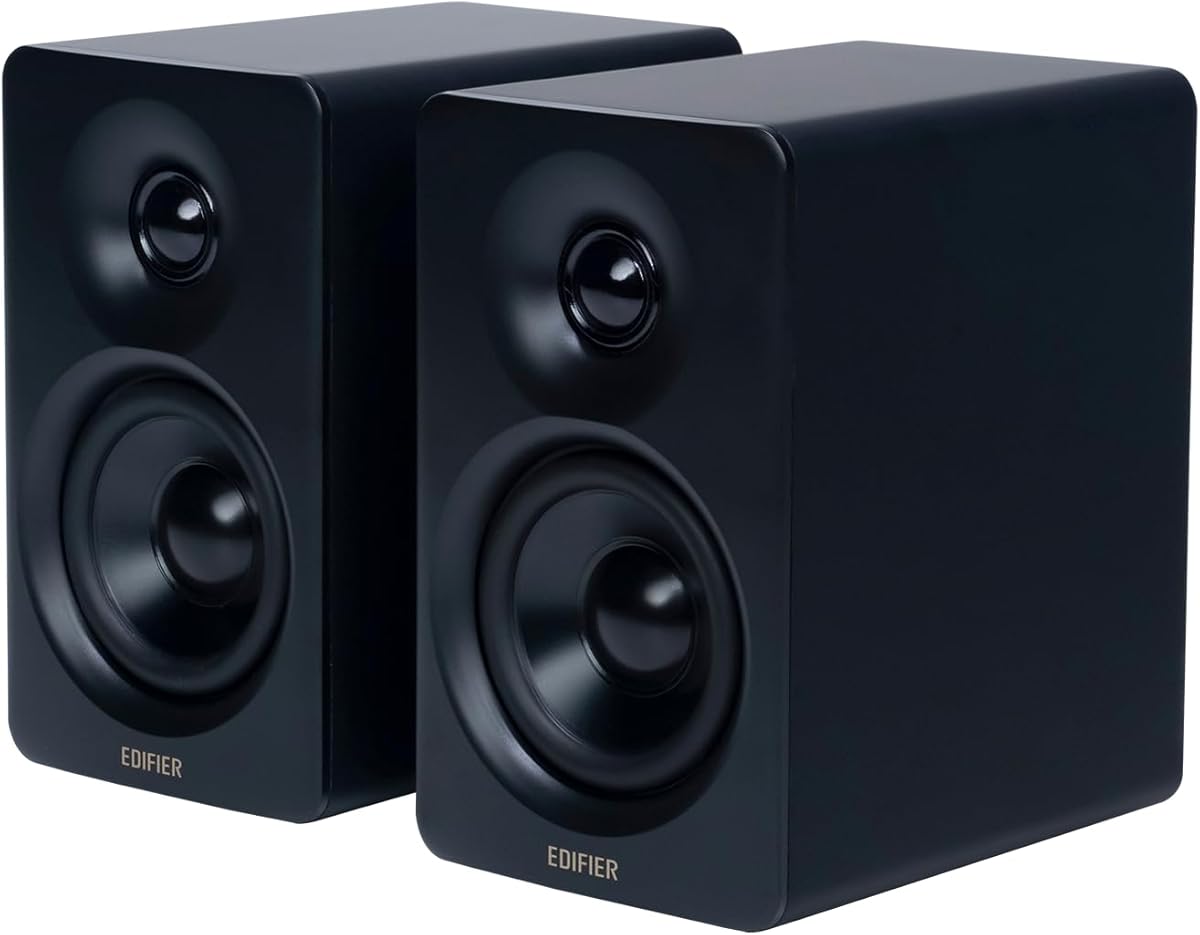
The Edifier M60 offers powerful 66W RMS output with Hi-Res Audio certification for exceptional sound quality. It features silk dome tweeters and aluminum diaphragm drivers for precise two-way active crossover.
We may earn a commission when you buy through this link, at no additional cost to you.
Versatile connectivity includes Bluetooth V5.3 with LDAC support for high-resolution wireless streaming. USB-C and AUX inputs provide wired options, while a touch panel allows intuitive control with automatic backlight.
Aluminum speaker stands are bundled to reduce distortion by directing audio to ear level. The compact design fits any desktop setup without sacrificing performance or aesthetic appeal.
Best for audiophiles and professionals needing high-fidelity sound, this speaker excels in clarity and power. It justifies its price with advanced features and premium build quality.
Delivers high-resolution audio with full digital processing for superior sound during wired and wireless transmission.
Cap-sensitive touch panel activates as hand approaches allowing seamless volume and playback adjustments.
We may earn a commission when you buy through this link, at no additional cost to you.
The Edifier MR3 is a Hi-Res Audio Certified studio monitor designed for accurate sound reproduction. It delivers a flat response from 52Hz to 40kHz ideal for music creation or precise monitoring.
We may earn a commission when you buy through this link, at no additional cost to you.
Rich connectivity includes balanced TRS, RCA, and AUX inputs plus multi-point Bluetooth connection. Customizable sound modes let you switch between Music, Monitor, and Custom settings to suit your needs.
An MDF cabinet reduces distortion ensuring rich full-range sound with 18W RMS output per speaker. Fine-tuning via the ConneX app provides in-depth adjustments and personalized EQ control.
Ideal for creators needing reliable monitoring without compromising on versatility. It offers professional-grade features at a competitive price for home studios and daily listening.
Delivers precise and accurate monitoring from 52Hz to 40kHz ideal for music creation and editing.
Switch between Music, Monitor, and Custom modes to suit different audio needs and environments easily.
We may earn a commission when you buy through this link, at no additional cost to you.
These upgraded USB speakers offer plug-n-play convenience for MacBook and PC users. They feature dual 3W high-excursion drivers and a passive radiator for louder sound and improved bass.
We may earn a commission when you buy through this link, at no additional cost to you.
Setup involves plugging into the USB port and selecting the device in audio settings. One cable provides both audio and power, eliminating the need for messy AUX connections.
Compatible with macOS, Linux, and ChromeOS, making it versatile across different operating systems. While simple, it delivers decent stereo sound for everyday tasks and media viewing.
Best for users seeking an affordable and hassle-free audio upgrade. It works well in basic setups without requiring complex configuration or additional hardware.
Simply plug into computer USB port and select the device for immediate setup without drivers.
One USB cable feeds both audio and power reducing cable clutter on your desk workspace.
We may earn a commission when you buy through this link, at no additional cost to you.
The FUNLOGY Speaker delivers impressive 14W output from a compact palm-sized design. A smart 30-degree tilt optimizes sound delivery directly to your ears for immersive listening.
We may earn a commission when you buy through this link, at no additional cost to you.
Dual 48mm drivers and passive radiators provide clear mids, crisp highs, and punchy bass. Noise-reducing design with gold-plated AUX input ensures consistently clear rich sound without static.
Easy setup requires connecting USB and 3.5mm cables without driver installation. It fits desktops, laptops, and monitors while saving precious desk space with its small footprint.
Ideal for users needing powerful sound from a small speaker without complicated setup. It balances performance and portability effectively for various computing environments.
30-degree upward-facing layout optimizes sound delivery directly to your ears for immersive experience.
Premium components and gold-plated input minimize signal noise ensuring consistent sound quality.
We may earn a commission when you buy through this link, at no additional cost to you.
The Dell Speakerphone is designed for professional meetings with Teams and Zoom certification. It features full duplex audio allowing multiple people to speak clearly during business conferences.
We may earn a commission when you buy through this link, at no additional cost to you.
LED lights indicate call status volume adjustments and mic mute for clear visual feedback. Connect via USB-A or USB-C for intuitive setup across laptops monitors and desktops.
While optimized for calls, it provides decent sound for media playback. The compact aesthetic fits easily on monitor bases or beside laptops without taking up much space.
Best for remote workers and professionals needing reliable conference audio. It simplifies meeting access with a dedicated Teams button for quick notifications and call management.
Multiple people can speak simultaneously and still be heard clearly during business conference calls.
Call status volume and mute indicators are clearly displayed by LED lights for easy monitoring.
We may earn a commission when you buy through this link, at no additional cost to you.
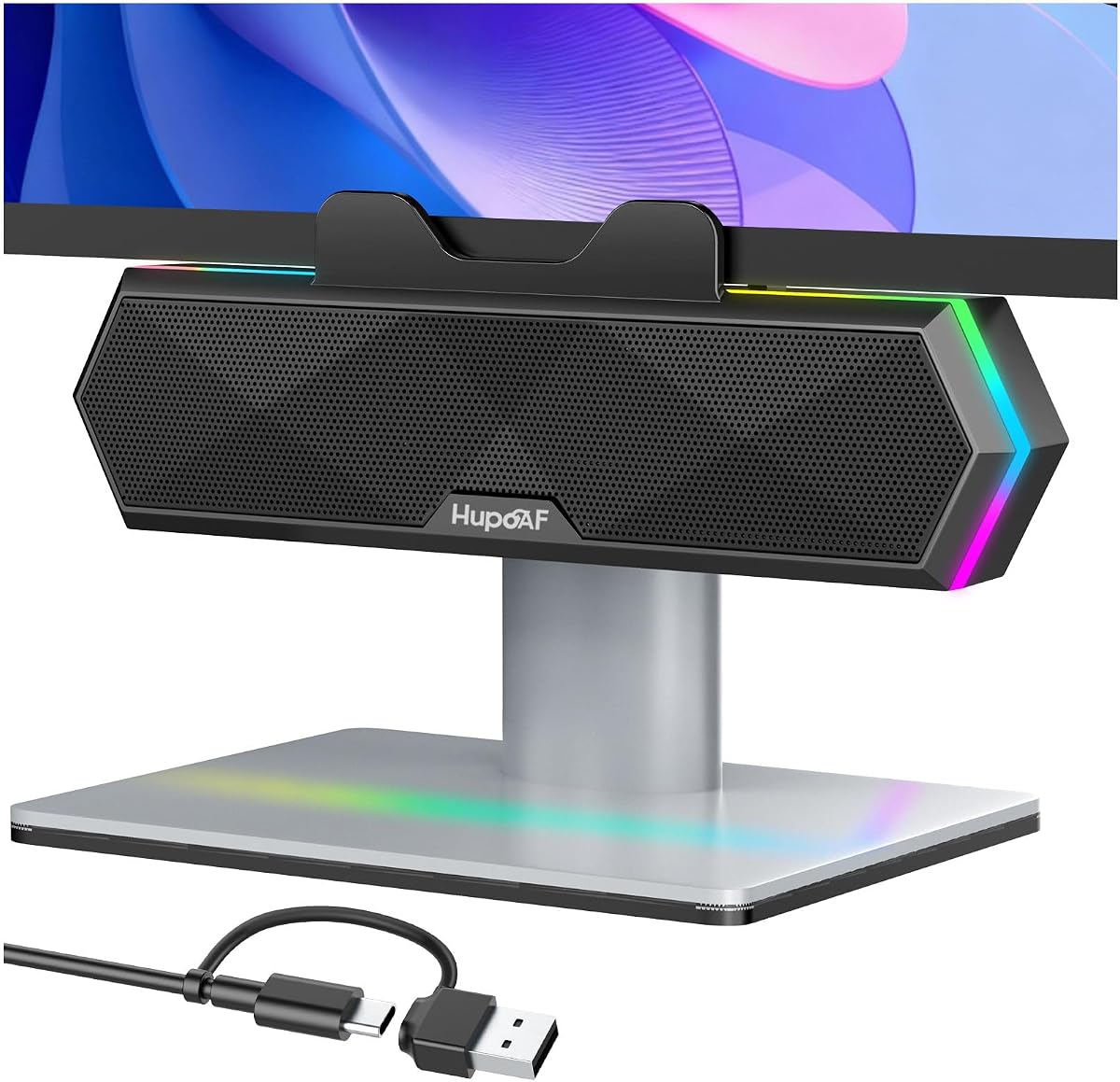
This RGB Clip-On Speaker saves space with a non-slip spring clamp for monitor edges. It delivers sparkling highs crisp mids and deep resonant bass with dual ultra-magnetic drivers.
We may earn a commission when you buy through this link, at no additional cost to you.
Six dynamic RGB lighting modes enhance your setup and can be controlled easily from the top of the speaker. Hassle-free USB setup requires zero drivers allowing instant connection for entertainment.
Muffunction controls let you adjust volume mute playback and lighting directly on the device. It is designed for Windows macOS ChromeOS and Linux for seamless cross-platform compatibility.
Ideal for gamers and streamers seeking aesthetic appeal with powerful sound. It combines style and functionality for an engaging desktop experience.
Six vibrant modes cycle through with a single button press to match gaming rig or mood.
Adjust volume mute playback and lighting directly from the top of the speaker without reaching for computer.
We may earn a commission when you buy through this link, at no additional cost to you.
Choosing the right external speakers for your MacBook depends on connectivity options, sound quality, design, and your specific usage needs.
Ensure the speakers support your MacBook's ports such as USB-C or headphone jack. Some models offer Bluetooth for wireless flexibility while others rely on wired connections.
Check if the speaker includes necessary adapters like USB-C to USB-A for older or newer MacBooks.
Look for dual drivers and passive radiators for better bass and overall audio clarity. Hi-Res Audio certification indicates superior sound fidelity for professional use.
Consider the wattage output to ensure the speakers are loud enough for your room size.
Compact designs with clip-on mounts save desk space while sturdy cabinets reduce vibration distortion. Aluminum or MDF materials contribute to durability and acoustic performance.
Aesthetic elements like RGB lights or minimalistic finishes should match your workspace style.
USB-powered speakers eliminate the need for extra outlets but depend on your computer's port capacity. Some models include external power adapters for stronger performance.
Verify the wattage requirements to avoid draining your MacBook battery if using portable power.
Features like touch controls, volume dials, or app integration enhance user convenience. Bluetooth multi-point connectivity allows seamless switching between devices.
Look for noise cancellation or dialogue processing for clearer audio during calls and videos.
Confirm the speakers work with macOS and any specific audio settings required. Some models are optimized for Windows and may lack Mac-specific driver support.
Universal plug-and-play compatibility ensures easier setup without complex configurations.
Set a realistic budget based on whether you prioritize basic audio or high-fidelity sound. Entry-level speakers offer value while premium models provide advanced features.
Balance cost with essential features like connectivity and sound quality to avoid overspending.
Check the build materials and warranty terms for long-term reliability. Trusted brands often provide better customer support and replacement options if issues arise.
Reading user reviews can highlight common durability concerns before purchase.
Connect the speakers to your MacBook using the appropriate cable or pair via Bluetooth settings. Ensure the correct audio output device is selected in System Preferences to route sound properly.
Adjust the volume and bass settings using the controls provided on the speakers or your computer. Avoid setting volume to maximum for extended periods to prevent potential speaker damage.
Keep the speakers clean by dusting them regularly and avoiding exposure to moisture or direct sunlight. Store them in a safe place when not in use to maintain their condition and performance.
Most modern external speakers are plug-and-play and do not require additional drivers. However, some advanced models may offer optional software for enhanced control. Always check compatibility with macOS before purchasing.
Yes, but you may need a USB-C to USB-A adapter if your older MacBook lacks USB-C ports. Ensure the adapter supports data and power transfer for proper functionality.
Wireless speakers offer convenience and flexibility but wired options often provide more stable sound quality. Choose based on your need for mobility versus audio fidelity.
Check that the correct output device is selected in System Preferences. Ensure cables are securely connected and restart your computer. Verify volume levels and muted settings.
Yes, external speakers improve audio quality during calls. Some models include microphones for built-in conferencing but dedicated speakerphones offer better call performance.
Place speakers at ear level with tweeters directed toward your listening position. Maintain symmetry and avoid corners to reduce distortion for balanced sound.
The top picks include the USB Computer Speakers for budget, Creative Pebble V3 for modern features, and Edifier M60 for premium performance. Each serves different needs and preferences effectively.
Prioritize connectivity, sound quality, and design that fits your workspace. Consider future-proofing with USB-C or Bluetooth support for long-term use.
Remember to check current availability and compatibility with your specific MacBook model. Your ideal setup enhances both productivity and entertainment seamlessly.