
Dell Latitude 5531
4.4Editor score
14-Core CPU
32GB RAM
1TB PCIe SSD
Renewed condition
Finding a laptop with upgradeable RAM is essential for future-proofing your device. As software demands grow, having the flexibility to add more memory ensures your system stays fast and responsive for years to come without needing a full replacement.
We have carefully evaluated ten top models that allow memory expansion. Our comparison focuses on processor power, storage capacity, build quality, and overall value to help you make an informed decision based on your specific workflow and budget requirements.
Each pick below highlights key features and potential trade-offs. Prices and availability can change frequently, so verify the latest details before purchasing. This list aims to guide you toward a reliable machine that grows with your computing needs.
4.4Editor score

4.9Editor score

4.2Editor score
As an Amazon Associate we earn from qualifying purchases.
This side-by-side comparison highlights the core specifications of each model to help you quickly identify which laptop fits your performance needs and budget constraints for long-term use.




This ASUS Vivobook stands out with its powerful Core i9 processor and massive 48GB RAM. It is designed for heavy multitasking and AI workloads. The included 2TB SSD ensures you have ample space for files and applications.
We may earn a commission when you buy through this link, at no additional cost to you.
The performance is elite for users needing fast processing power. The thermal management system helps maintain peak frequency during intense tasks. Security features like the fingerprint reader and physical webcam shield add peace of mind.
While the bundle nature means third-party components, the warranty coverage on upgrades mitigates risk. The PCO Cooler included is a practical addition to prevent overheating during long sessions.
Buyers seeking a machine that can handle demanding creative software or complex simulations should consider this model. It balances high-end specs with professional utility features effectively.
The Intel Core i9-13900H is optimized for next-gen AI tasks, ensuring seamless multitasking and rapid data processing for professional users.
Integrated fingerprint login and a physical webcam shield provide essential data protection for professionals who value privacy in their workflow.
We may earn a commission when you buy through this link, at no additional cost to you.
This refurbished Dell Latitude offers significant value for budget-conscious buyers. The 14-core processor delivers strong performance for business tasks. It comes with 32GB RAM which is excellent for multitasking.
We may earn a commission when you buy through this link, at no additional cost to you.
The renewed status allows access to premium specs at a lower price point. The FHD display is non-touch but clear enough for daily work. Windows 11 Pro ensures enterprise-grade security and management tools.
Buying a renewed unit carries some risk regarding long-term durability. However, the specs provided make it a compelling choice for those needing power without the new device price tag.
Consider this if you need a reliable workhorse and are comfortable with refurbished electronics. It is ideal for students or small businesses needing robust performance on a budget.
Choosing a renewed model lets you access high-end specs like a 14-core CPU and 32GB RAM while saving money on the initial purchase price.
The operating system includes advanced features for remote work and security that are typically reserved for enterprise environments.
We may earn a commission when you buy through this link, at no additional cost to you.
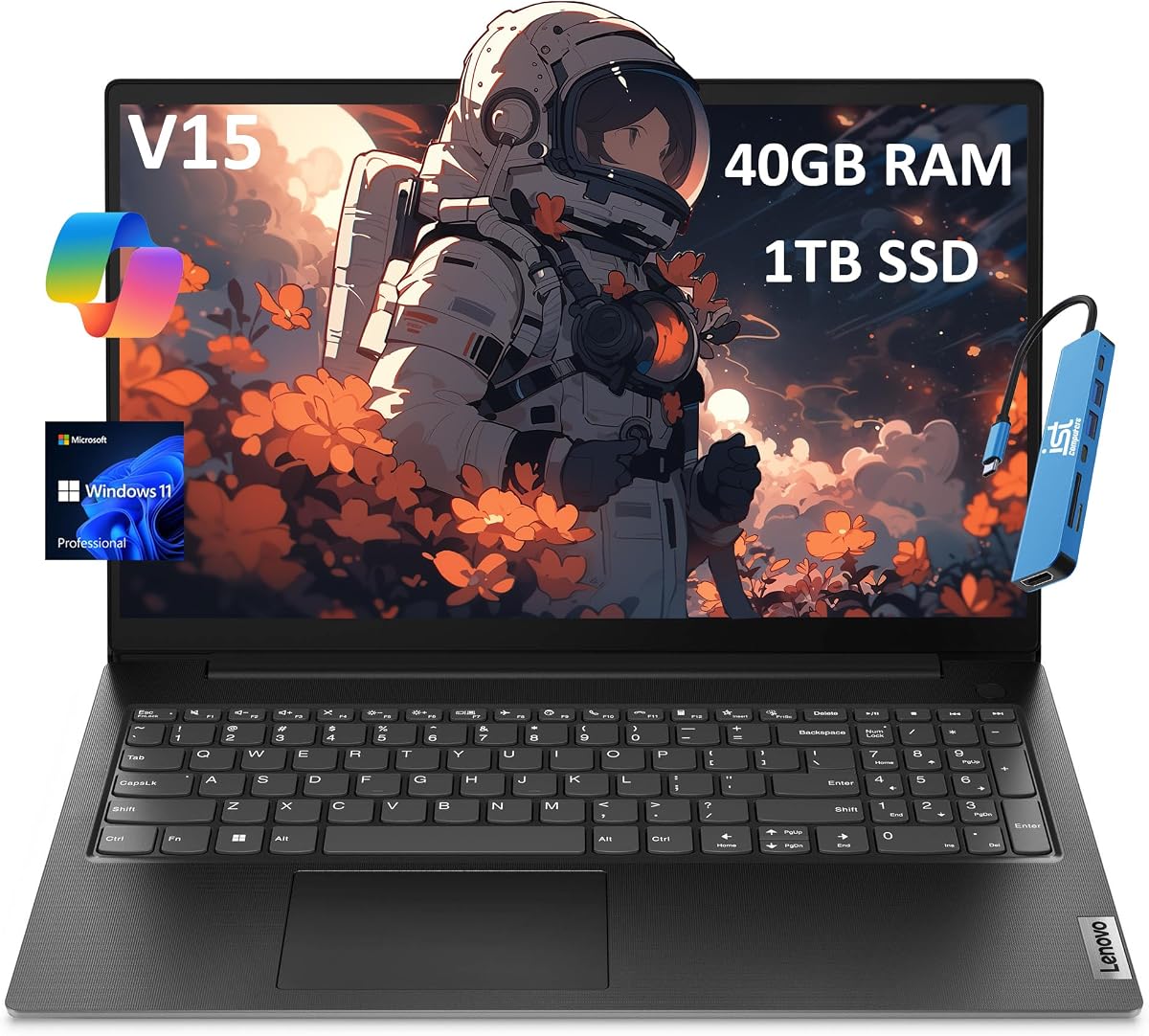
Lenovo V-Series V15 offers a premium business experience with high memory capacity. The 40GB RAM allows for smooth operation of multiple applications. The Ryzen 7 processor handles daily workloads with ease.
We may earn a commission when you buy through this link, at no additional cost to you.
Connectivity options like HDMI and RJ45 make it versatile for office environments. The numeric keypad is a plus for data entry tasks. The build quality is solid for a business-focused device.
The display quality is standard for this price range but sufficient for productivity. It may not be the best for graphic design but excels in general business computing.
This laptop is suitable for professionals who need reliable performance and specific business features. It balances cost and capability well for office work.
With 40GB of RAM, this system can run heavy browser tabs and applications simultaneously without slowing down your workflow.
Includes Ethernet and HDMI for easy connection to external monitors and networked office systems without needing dongles.
We may earn a commission when you buy through this link, at no additional cost to you.
The HP 255 G10 is a solid business laptop with modern connectivity. The Ryzen 7 7730U provides efficient performance for daily tasks. Wi-Fi 6 ensures fast internet speeds in crowded offices.
We may earn a commission when you buy through this link, at no additional cost to you.
It comes with 32GB RAM which is generous for this category. The numeric keypad is helpful for accounting or data entry work. Windows 11 Pro offers necessary security features for enterprises.
The screen is functional but not the brightest. It works well indoors but might struggle in bright environments. The build is sturdy enough for travel though not ultra-premium.
Choose this model if you need a reliable workhorse with good connectivity. It is a practical choice for small business owners or remote workers.
Wi-Fi 6 support ensures you stay connected with fast and stable internet speeds even in areas with many wireless networks.
The Ryzen 7 processor balances speed and battery life making it ideal for all-day use without constant charging.
We may earn a commission when you buy through this link, at no additional cost to you.
This model features a large 16-inch display with higher resolution than standard. It pairs this with a powerful i9 processor and 40GB RAM. The extra storage via docking station adds versatility.
We may earn a commission when you buy through this link, at no additional cost to you.
The larger screen real estate improves productivity for multitasking. The fingerprint reader offers quick secure login. The backlit keyboard helps in low light conditions.
The bundle includes a docking station which adds value but might add complexity to the setup. The weight is higher than smaller laptops making it less portable.
It is great for stationary workstations or home offices needing a big screen. Creative professionals might appreciate the display size and performance.
The 16-inch WUXGA display offers more screen space than 15.6-inch models helping you see more content at once.
Includes a 7-in-1 docking station with storage which expands your connectivity options right out of the box.
We may earn a commission when you buy through this link, at no additional cost to you.
The HP 15 Notebook provides a balanced experience for everyday users. It has 32GB RAM which is rare in this price range. The USB Type-C port supports modern connectivity.
We may earn a commission when you buy through this link, at no additional cost to you.
The i5 processor handles daily tasks efficiently. Windows 11 Home is suitable for personal use. The design is slim and portable for students.
While it lacks Pro features and uses an older CPU, the high RAM count makes it responsive. It is a good option for those who prioritize memory over raw CPU power.
Consider this for general home use or student workloads. It offers a solid foundation for multitasking without a steep price.
The 32GB DDR4 RAM allows you to keep many applications open simultaneously without performance drops.
USB Type-C enables fast data transfer and charging options for newer peripherals and devices.
We may earn a commission when you buy through this link, at no additional cost to you.
This Gen 4 model features a 13th Gen i7 processor for faster speeds. It includes 40GB RAM and 2TB SSD for extensive storage. The privacy shutter adds a layer of security for webcams.
We may earn a commission when you buy through this link, at no additional cost to you.
The processor boost up to 5.0GHz helps with heavy tasks. Windows 11 Pro supports business management tools. The keyboard layout includes a numeric pad for efficiency.
The screen uses a TN panel which limits viewing angles. It is acceptable for single-user office settings but less ideal for collaborative viewing.
Ideal for office workers needing robust security and storage. The specs are competitive for the business class category.
The HD camera includes a physical privacy shutter allowing you to block the lens when not in use.
The i7-1355U offers up to 5.0GHz boost for quick execution of demanding applications.
We may earn a commission when you buy through this link, at no additional cost to you.
Another V15 variant offers a cost-effective option with 40GB RAM. The i5-13420H provides solid performance for general tasks. It meets military grade standards for durability and reliability.
We may earn a commission when you buy through this link, at no additional cost to you.
The Ethernet port ensures stable wired connections. AI Copilot support is included for productivity. The anti-glare display reduces eye strain during long hours.
While it uses a lower CPU tier than the i7 version it still has excellent memory capacity. It is a good choice for budget buyers who need RAM.
Recommended for users prioritizing memory and durability over peak CPU speed. It fits well for home or entry business use.
MIL-SPEC testing ensures the device can withstand harsh conditions better than typical consumer laptops.
Windows 11 Pro includes AI Copilot to help you draft text and organize your workflow faster.
We may earn a commission when you buy through this link, at no additional cost to you.
This entry-level HP model is lightweight and budget-friendly. It features the Ryzen 3 7330U for efficient basic tasks. 16GB RAM is sufficient for web browsing and light work.
We may earn a commission when you buy through this link, at no additional cost to you.
The FHD display provides clear visuals for streaming. It is easy to carry due to thin design. Windows 11 Home supports Android apps which adds utility.
Storage is lower than other models but can be expanded via cloud services. It is not suitable for heavy data workloads or gaming.
Best for students or casual users needing a reliable machine for basic needs. It balances cost and usability for everyday tasks.
The thin and light chassis makes it easy to carry to classes or coffee shops.
The 4-core architecture delivers enough speed for daily apps while conserving battery power.
We may earn a commission when you buy through this link, at no additional cost to you.
This laptop is designed with future upgrades in mind. It features a dual-slot RAM design allowing you to add more memory. The 180-degree flat hinge helps sharing content.
We may earn a commission when you buy through this link, at no additional cost to you.
The privacy camera slider is a useful security feature. Despite base RAM of 4GB the slots allow you to expand to 16GB or more. This makes it truly upgradeable.
The processor is older and slower than modern options. It is best for light tasks where memory expansion is a priority over raw speed.
Buy this if you want a cheap machine you can customize yourself. It is a great DIY project for students learning hardware.
The open slot allows you to easily add RAM sticks to boost performance later.
The hinge lays flat to share the screen with others around a table easily.
We may earn a commission when you buy through this link, at no additional cost to you.
Selecting the right laptop requires balancing immediate needs with future growth. This guide outlines key factors to consider for a smart investment.
Check how much RAM comes pre-installed and whether there are extra slots. More slots mean you can upgrade later without replacing the whole system.
Look for dual slots rather than soldered memory for maximum flexibility.
The CPU determines how fast your machine runs applications. Newer generations offer better efficiency and speed.
Prioritize processors with more cores if you run multiple apps simultaneously.
Ensure the laptop has an SSD for speed. Some models allow adding a second drive later.
SSDs are much faster than HDDs and improve boot times significantly.
A good screen reduces eye strain. Look for FHD resolution and anti-glare coatings.
IPS panels offer better viewing angles than TN panels.
Check for USB Type-C HDMI and Ethernet ports. Having built-in ports saves on dongles.
More ports mean you can connect more devices directly.
Features like fingerprint readers and privacy shutters protect your data. They are essential for professionals.
Windows 11 Pro adds extra security for business use.
Laptops meant for travel should be sturdy. Military-grade testing ensures reliability.
Check warranty terms for coverage on components.
Windows 11 Pro offers management tools for work. Home is fine for personal use.
Ensure the OS supports the software you need to run.
Regularly check for updates to keep your system secure. Install only software you trust to prevent bloat.
Use a soft cloth to clean the screen and keyboard. Avoid spills and keep liquids away.
Keep the vents clear of dust to ensure proper cooling. This extends the life of internal components.
Not all laptops allow RAM upgrades. Some models have soldered memory that cannot be changed. Always check the product specifications for available slots before buying.
16GB is usually sufficient for web browsing and office work. For heavy multitasking or creative work consider 32GB or more.
Many laptops have easy access panels for memory. However some require removing the back cover. Always follow safety guidelines to avoid damage.
DDR4 offers high bandwidth for faster data transfer. It is standard for modern performance laptops and works well with many processors.
Renewed units offer premium specs at lower prices. They have been tested for functionality but may show minor cosmetic wear.
Pro provides advanced features like remote desktop. Home is sufficient for most personal users. Choose based on your specific needs.
It is a physical slider that blocks the webcam lens. It prevents unauthorized access to your camera for better privacy.
Check reviews and specs like processor speed and memory capacity. Look for models with upgrade options for better long-term value.
This guide highlights top models offering flexibility for memory growth. The ASUS Vivobook and Dell Latitude lead in performance and value respectively.
Prioritize RAM capacity and processor speed for future needs. A laptop that can grow with you saves money in the long run.
Prices change often so check current listings before buying. Choose a machine that fits your specific workflow and budget.