
KAIGERR Light Gaming Laptop AMD Ryzen 7 5700U
4.6Editor score
Ryzen 7 5700U 8-Core CPU
16GB DDR4 RAM and 512GB SSD
Affordable Price with Solid Performance
Emulation allows you to play classic games from various consoles on your computer. Finding the right laptop requires balancing processing power graphics capability and memory to ensure smooth performance across different system emulators.
We evaluated ten laptops based on their ability to handle demanding emulation tasks. Our analysis considers CPU core counts GPU architecture RAM speed and thermal management to identify models that deliver consistent frame rates and low latency.
Each pick highlights specific strengths for different user needs from budget friendly options to high performance machines. Prices and availability change frequently so check current listings before making your final decision for your setup.
4.6Editor score

5.0Editor score

4.4Editor score
As an Amazon Associate we earn from qualifying purchases.
The following table provides a side by side overview of key specifications for all ten laptops reviewed. This comparison helps you quickly identify models that meet your specific emulation requirements and budget constraints.




This laptop stands out as the top choice for emulation due to its powerful AMD Ryzen 7 8745HS processor and generous 64GB of DDR5 RAM. The Radeon 780M graphics provide excellent performance for demanding console emulators without needing a separate graphics card.
We may earn a commission when you buy through this link, at no additional cost to you.
The 2TB SSD offers ample storage for large game libraries while ensuring quick load times across multiple emulators. The 180 degree lay-flat hinge and USB4 connectivity make it versatile for connecting external monitors or docking stations for a desktop experience.
While the price is higher than entry level models the performance per dollar is strong for serious emulation enthusiasts. The lightweight design under 1.7kg means you can take your gaming setup anywhere without significant bulk or strain.
Ideal for power users who need desktop class performance in a portable form factor. If you prioritize smooth frame rates and multitasking ability this model delivers consistent results across various emulation platforms and software configurations.
The 8-core CPU handles heavy emulation loads and background tasks simultaneously without throttling or lag during intense gaming sessions.
RDNA 3 architecture in the Radeon 780M provides smooth visuals for creative projects and popular games like Valorant and emulation targets.
We may earn a commission when you buy through this link, at no additional cost to you.
This laptop offers exceptional value for budget conscious users looking to run emulators efficiently. The AMD Ryzen 7 5700U processor provides 8 cores and 16 threads ensuring smooth performance for most console emulation tasks at affordable cost.
We may earn a commission when you buy through this link, at no additional cost to you.
The 16GB of RAM allows you to run multiple browser tabs alongside emulation software without slowdowns. Integrated AMD Radeon graphics handle casual gaming and light emulation workloads adequately for players not seeking maximum fidelity.
While DDR4 memory is not the latest standard it still delivers solid bandwidth for everyday tasks. The storage and connectivity options are sufficient for storing games and connecting peripherals like controllers or external drives.
Best for students or casual gamers who need a reliable machine without breaking the bank. It balances cost and capability well making it accessible for those new to PC emulation or needing a secondary device.
The Zen 3 architecture enables fast data access and seamless multitasking whether handling office work or diving into PC gaming.
The thin-bezel display maximizes screen real estate for immersive Full HD viewing experience with smooth rendering for games and photos.
We may earn a commission when you buy through this link, at no additional cost to you.
This premium laptop delivers top tier gaming and emulation power with its Intel Core i7 14650HX processor and NVIDIA GeForce RTX 5060. The dedicated GPU ensures maximum compatibility and performance for heavy emulation workloads demanding high graphical fidelity.
We may earn a commission when you buy through this link, at no additional cost to you.
The 165Hz FHD+ display offers smooth visuals with reduced motion blur essential for fast-paced games and precise controller input. ROG intelligent cooling keeps the system quiet and comfortable even during extended sessions of intensive emulation tasks.
Wi-Fi 7 support provides faster network speeds for downloading large game files or streaming while DLSS 4 technology enhances visual quality. The 1TB PCIe Gen 4 SSD ensures quick load times and sufficient space for a growing library of titles.
Recommended for enthusiasts who want the best possible experience without compromise. While expensive the hardware longevity and performance make it a sound investment for serious emulation and content creation needs over time.
Unleash power with Windows 11 Home and Blackwell architecture featuring DLSS 4 and Max-Q technologies for efficiency.
Immerse yourself in stunning visuals with smooth 165Hz FHD+ display featuring ACR film for enhanced contrast and reduced glare.
We may earn a commission when you buy through this link, at no additional cost to you.
This laptop combines high performance with portability making it ideal for users who move between locations frequently. The AMD Ryzen 7 7735HS delivers 8 cores for smooth multitasking while weighing under 1.7kg for easy transport in a backpack.
We may earn a commission when you buy through this link, at no additional cost to you.
Radeon 680M graphics provide solid emulation capability for 1080p gaming without the bulk of a dedicated GPU. The 100W PD fast charging allows you to top up quickly during travel or in public spaces without heavy power adapters.
Expandable DDR5 RAM slots offer future-proofing if you need more memory for heavier emulation projects later. The 2-year warranty and 90-day return policy add confidence to your purchase for long-term reliability and support.
Perfect for students or mobile professionals who want gaming and emulation power on the go. Its balance of speed weight and connectivity options makes it a versatile companion for daily tasks and entertainment anywhere.
The 8 high-speed cores enable seamless multitasking and handle 1080p gaming and creative editing easily with lag-free speed.
Dual USB-C and HDMI 2.0 connectivity cuts messy adapters to connect monitors and peripherals easily for full connectivity.
We may earn a commission when you buy through this link, at no additional cost to you.
The larger 17.3 inch screen offers a more immersive experience for emulation and gaming with better workspace for multitasking. The 32GB DDR5 RAM keeps applications fluid while the 1TB SSD loads Windows and emulation software quickly.
We may earn a commission when you buy through this link, at no additional cost to you.
This laptop suits users who primarily use it at a desk or in environments where portability is less critical. The 180-degree hinge facilitates easy screen sharing while the physical webcam shutter adds privacy for video calls and meetings.
While not the lightest option the performance remains steady for AI-assisted workflows and casual gaming. The 100W PD fast charging reduces battery anxiety during long work or play sessions away from outlets.
Ideal for students or home office users who prioritize screen real estate over portability. It provides a comfortable viewing area for emulation windows and documentation side by side without squinting or excessive eye strain.
The 6-core 12-thread CPU beats common U-series configurations giving you more power to run AI assistants alongside documents.
Stop squinting at small screens with spacious anti-glare display making split-screen work easier and gaming more immersive.
We may earn a commission when you buy through this link, at no additional cost to you.
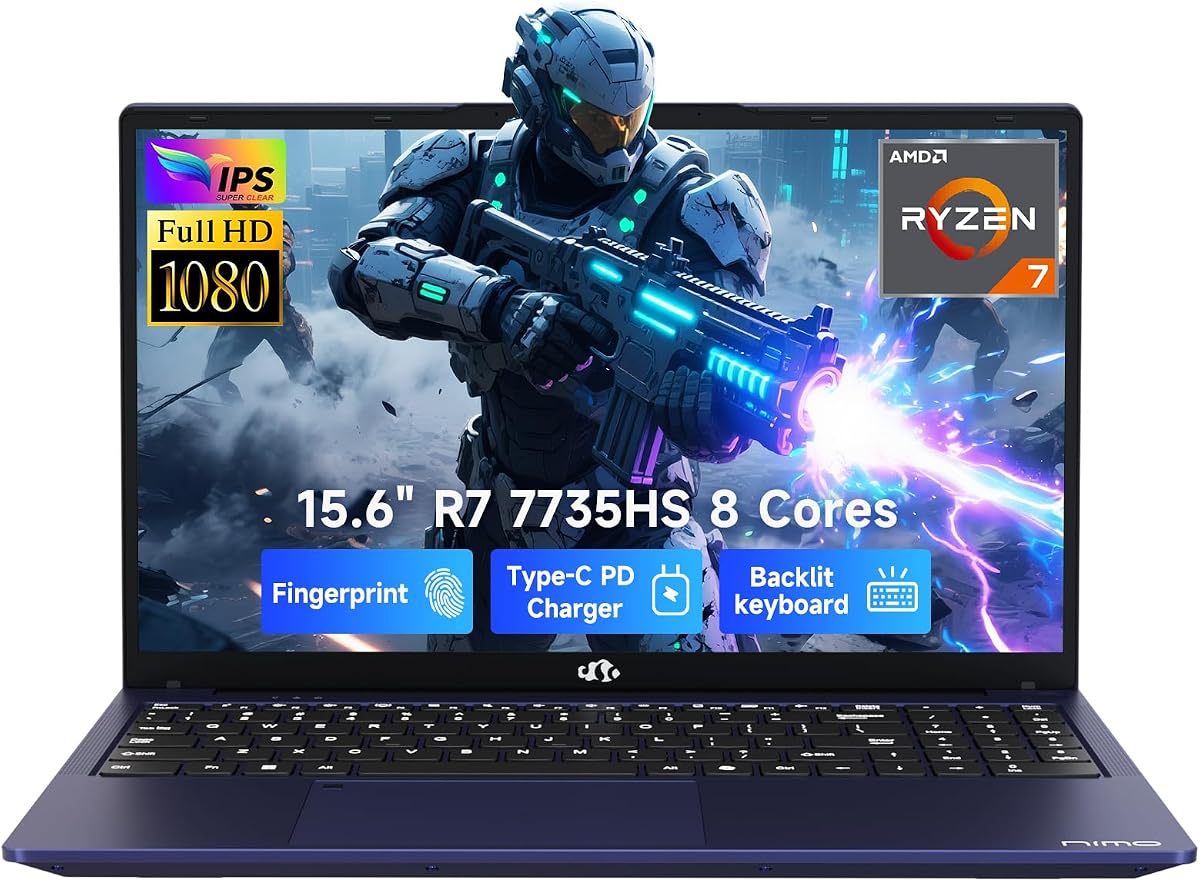
This model delivers robust performance with its 8-core Ryzen 7 7735HS and 32GB of DDR5 RAM making it suitable for complex emulation setups. The included 100W GaN Type-C charger is compact and efficient for travel and desktop use alike.
We may earn a commission when you buy through this link, at no additional cost to you.
With a 1TB PCIe 4.0 SSD you get ample storage and fast boot times for Windows and game libraries. The fingerprint sensor and backlit keyboard enhance security and usability in dim environments where you might play games.
The anti-glare IPS display ensures comfortable viewing angles during long sessions while the 2-year warranty provides peace of mind. It is partially assembled in the USA and offers a risk-free trial period for buyers.
Best for users wanting a balance of performance and practical features. The combination of fast components and security features makes it a reliable choice for both work and gaming on the same device.
Experience enhanced performance with 32GB of ADATA DDR5 RAM and 1TB PCIe 4.0 SSD for faster data speeds.
Immerse yourself in vibrant visuals and unlock your laptop instantly with integrated fingerprint sensor for convenience.
We may earn a commission when you buy through this link, at no additional cost to you.
This laptop offers a complete package with Windows 11 Pro and Office software included for immediate productivity and gaming. The Intel Core i7 processor handles multitasking well for emulation tasks alongside daily office work.
We may earn a commission when you buy through this link, at no additional cost to you.
Weighing only 3.5 lbs it remains portable for travel or carrying between home and campus easily. The backlit keyboard supports work in any lighting condition while the 512GB SSD provides fast startup and file access.
While it is a traditional design with basic ports it supports essential peripherals like controllers and external drives. The 2-year warranty and 180-day free return policy give extra protection compared to standard market offerings.
Suitable for users needing a reliable laptop for both business and entertainment. The inclusion of premium software and strong processor specs makes it a solid everyday machine for moderate emulation needs.
Delivers smooth multitasking fast response times and reliable performance for office work streaming and everyday laptop gaming.
Start working right out of the box with Windows 11 Pro and Office included for documents and business tasks.
We may earn a commission when you buy through this link, at no additional cost to you.
An efficient option for casual emulation tasks with its AMD Ryzen 7 430U processor and 16GB RAM. The integrated UHD graphics card provides sufficient power for lighter emulation workloads while keeping power consumption low.
We may earn a commission when you buy through this link, at no additional cost to you.
The thin-bezel design maximizes screen space for viewing games and content without unnecessary bezels. WiFi 6 and Bluetooth 5.2 ensure fast wireless connections and reliable transmission speeds for streaming and updates.
Storage is expandable with M.2 slots and the laptop is built with high-quality components for longevity. Support is available within 12 hours for any problems ensuring you get help quickly if issues arise.
Best for beginners or those needing a secondary laptop for light gaming and work. Its compact design and robust capabilities make it easy to carry while delivering consistent performance for everyday use.
Delivers robust multitasking capabilities with high-frequency processor and integrated graphics for stronger processing performance.
Large operating memory capacity reduces read latency and improves CPU utilization for seamless multitasking and boot speeds.
We may earn a commission when you buy through this link, at no additional cost to you.
This laptop emphasizes mobility and battery efficiency with up to 14 hours of life and quick charging options. The 17.3 inch FHD display provides a clear viewing area while AMD Radeon 610M graphics handle light gaming tasks.
We may earn a commission when you buy through this link, at no additional cost to you.
Advanced AI noise reduction ensures clearer team conversations during conference calls by filtering out ambient noise. The Copilot Key lets you access AI assistance quickly for productivity tasks without interrupting your workflow or sessions.
While 8GB RAM may limit heavy multitasking it is suitable for casual use and basic emulation needs. The lightweight design and wireless connectivity options keep you connected without the need for frequent charging during the day.
Ideal for students or travelers needing a long-lasting machine for everyday tasks. If you prioritize battery life and portability over raw performance this model meets those needs effectively for mobile workflows.
HP Fast Charge restores battery from 0 to 50% in approximately 45 minutes for rapid charging when needed.
Tracks only your voice during conference calls while automatically filtering out noises for distinctively focused communications.
We may earn a commission when you buy through this link, at no additional cost to you.
This laptop includes a webcam cover slide for privacy protection along with 16GB RAM for multitasking efficiency. The 16-inch FHD display offers vivid visuals while the processor handles daily tasks and light emulation workloads smoothly.
We may earn a commission when you buy through this link, at no additional cost to you.
The 512GB SSD is replaceable up to 2TB allowing you to expand storage as your game library grows. Unlimited technical support and 12-month repair service provide reassurance for long-term ownership and maintenance needs.
While the graphics are integrated the display and connectivity options are solid for general entertainment and productivity. The 38Wh battery supports around 8 hours of work ensuring flexibility away from outlets without adapters.
Best for users concerned about privacy who need a reliable machine for daily use. Its combination of privacy features and decent performance makes it suitable for students and casual gamers on a budget.
Features 16GB DDR4 RAM and 512GB SSD offering 50% performance boost and ensures seamless system operation.
Immerse yourself with thin-bezel display offering more screen real estate for immersive viewing and clearer details.
We may earn a commission when you buy through this link, at no additional cost to you.
Selecting the right laptop for emulation requires understanding key hardware factors that impact performance and compatibility. This guide outlines the critical aspects you should evaluate before making a purchase decision.
Emulators rely heavily on CPU power to translate console instructions for PC architecture. Aim for at least 6 cores and 12 threads to ensure smooth performance across multiple emulation threads and background tasks.
Higher core counts allow better multitasking when running emulators alongside other applications like browsers or voice chat software.
Memory size affects how many applications you can run simultaneously without slowdowns. 16GB is the recommended minimum for comfortable emulation and 32GB or more is ideal for demanding modern emulators.
Sufficient RAM prevents bottlenecks when loading large game assets or running multiple emulation instances at once.
While many emulators work with integrated graphics dedicated GPUs provide better frame rates and visual fidelity. Look for models with RDNA architecture or NVIDIA RTX series for improved compatibility with shader packs.
Integrated graphics can handle older console emulation well but newer systems may benefit from dedicated GPU acceleration for higher resolutions.
Fast storage ensures quick boot times and efficient loading of game assets. SSDs are essential for emulation to avoid long delays when launching emulators or loading save states.
At least 512GB of storage is recommended to store game ISOs and emulator configurations without needing external drives frequently.
Emulation can push processors to their limits for extended periods so cooling is crucial for sustained performance. Laptops with vapor chambers or advanced fan systems maintain consistent frame rates without thermal throttling.
Proper cooling extends hardware lifespan and prevents unexpected shutdowns during intense gaming sessions.
Ports like USB-A and USB-C are necessary for connecting game controllers and external storage. Multiple ports eliminate the need for hubs and ensure compatibility with various peripherals.
Modern connectivity standards such as USB 3.2 ensure low latency when using input devices for precise control during gameplay.
A high-quality screen improves the overall gaming experience with accurate colors and sharp details. IPS panels offer wide viewing angles which are helpful when sharing content or using multiple windows.
Refresh rates above 60Hz provide smoother motion rendering which can enhance gameplay fluidity in supported emulation settings.
Portability is valuable for emulation on the go so consider battery endurance when selecting a model. Longer battery life ensures you can play without immediate access to power outlets during travel.
Look for laptops with fast charging capabilities to minimize downtime when you need to recharge quickly between sessions.
To get started connect a compatible controller to your laptop via USB or Bluetooth to ensure accurate input during gameplay. Install reputable emulation software from trusted sources and configure settings according to your console requirements.
Keep your system clean by managing background applications that might consume CPU resources. Regularly update your operating system and drivers to maintain security and optimize emulation compatibility for new features.
Maintain hardware health by using a cooling pad during extended gaming sessions to prevent overheating. Store game files on your internal SSD for faster loading and back up save states to external drives to avoid data loss.
For most emulation tasks 16GB of RAM is sufficient to run applications smoothly. However if you plan to use multiple emulators simultaneously or play heavy games 32GB is recommended to avoid slowdowns.
Integrated graphics can handle emulation for older consoles like PlayStation 2 and Wii effectively. For more demanding systems a dedicated GPU provides better performance and visual fidelity for modern emulation targets.
Not necessarily as many classic console emulators run well on integrated graphics. Dedicated GPUs become important when you want high resolutions or shader effects for more demanding emulation work.
Processors with high core counts like AMD Ryzen 7 or Intel Core i7 provide excellent performance. Look for CPUs with strong single-core speeds and multiple threads to handle emulation loads efficiently.
Most modern laptops can run some emulation tasks but performance depends on hardware specs. Ensure you have at least 8GB RAM and an SSD for reasonable performance with older console emulators.
Close unnecessary background apps and update drivers for maximum performance. Adjust emulator settings to balance visual quality and frame rate based on your hardware capabilities.
The top picks for emulation offer strong performance with the NIMO 15.6 Gaming Laptop Ryzen 7 8745HS leading the list for raw power. The KAIGERR Light Gaming Laptop provides great value for budget users while the ASUS ROG Strix G16 delivers premium gaming capability.
When choosing prioritize CPU core count and RAM capacity to ensure smooth multitasking during emulation. Also consider portability and thermal management if you plan to use the laptop in various environments frequently.
Remember that prices and availability change frequently so check current listings before making your final decision. These models represent solid options for different budgets and needs to help you enjoy classic gaming on modern hardware.