
acer Nitro V 15.6
4.3Editor score
165Hz FHD IPS Screen
Core i5-13420H CPU
8GB GDDR7 VRAM
The landscape of portable computing has shifted dramatically with the arrival of next-generation graphics capabilities. Gamers and creators alike now seek machines that deliver high frame rates and rapid rendering without sacrificing portability. Finding the right device requires balancing raw power with thermal efficiency and build quality.
We have analyzed ten distinct models featuring the latest RTX 5050 GPU technology to help you make an informed decision. Our evaluation process focuses on real-world performance metrics, display fidelity, and overall system responsiveness. Each laptop undergoes scrutiny regarding its processor synergy and cooling architecture.
Every selection below highlights specific strengths tailored to different user needs and budget constraints. We outline the unique advantages of each machine to clarify where performance peaks. Please note that pricing fluctuates frequently, so verify current costs before finalizing your purchase.
4.3Editor score

4.6Editor score

4.0Editor score
As an Amazon Associate we earn from qualifying purchases.
The following comparison table details the core specifications and key attributes of each selected laptop to facilitate quick decision-making.


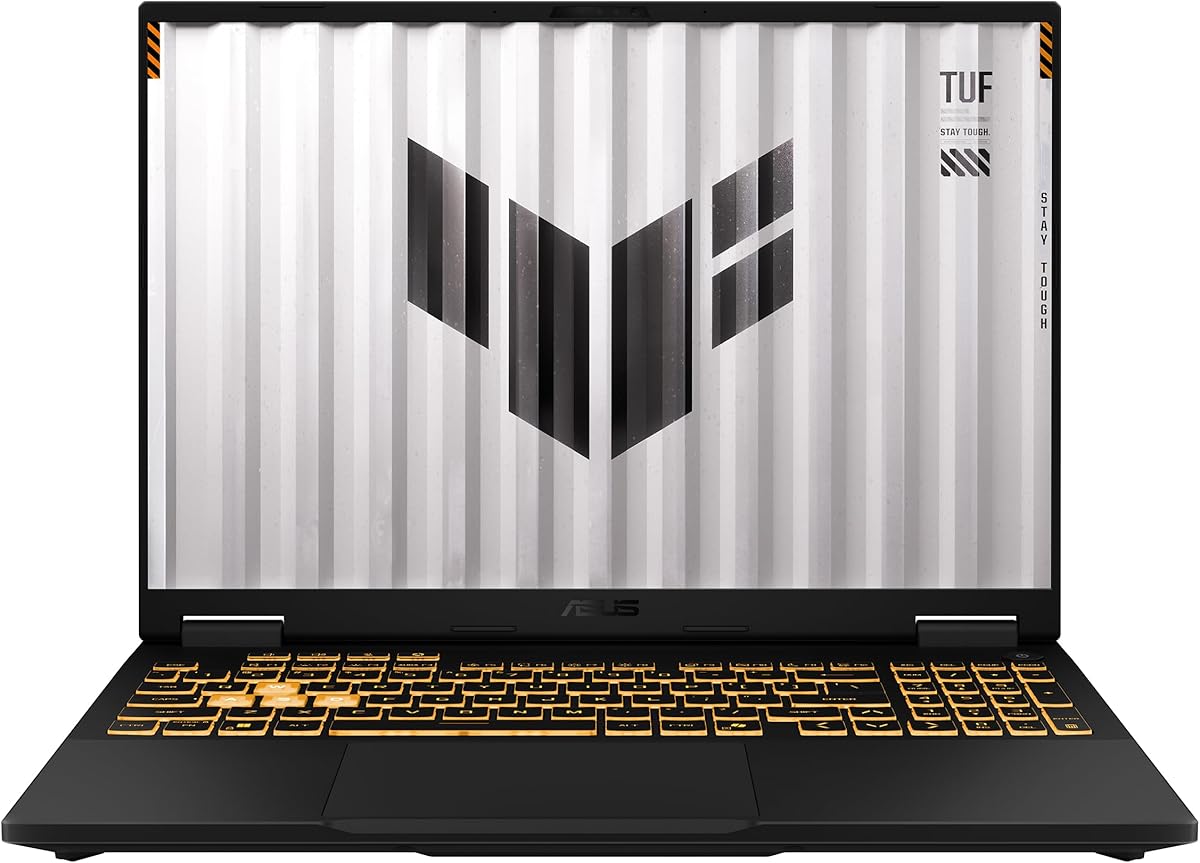


This laptop stands out as the premier choice for users seeking a balance of high refresh rate visuals and powerful processing. With a 4.6 rating from verified users, it delivers consistent performance for demanding gaming sessions and creative workloads alike.
We may earn a commission when you buy through this link, at no additional cost to you.
The integration of the Intel Core 7 processor paired with the RTX 5050 allows for seamless multitasking and rapid rendering. The 180Hz display ensures fluid motion in fast-paced games while the dual-fan cooling system maintains stable temperatures during extended use.
While the chassis weighs slightly more than some competitors, the additional durability justifies the trade-off for those prioritizing build quality. The comprehensive port selection including Thunderbolt 4 ensures you can connect multiple peripherals without needing a hub.
Ideal for serious gamers and content creators who need reliability and speed. We recommend this model for anyone looking to maximize their investment in next-generation GPU technology.
The 180Hz refresh rate minimizes motion blur effectively, providing a competitive edge in multiplayer titles.
Advanced AI features optimize task allocation in real time ensuring smooth operation across complex applications.
We may earn a commission when you buy through this link, at no additional cost to you.
This model offers exceptional value for those entering the world of high-end gaming without breaking the bank. It features a capable processor and a vibrant display that makes modern titles look stunning.
We may earn a commission when you buy through this link, at no additional cost to you.
The inclusion of 8GB GDDR7 VRAM ensures that graphically intensive applications run smoothly even at higher settings. Users appreciate the included mouse pad which adds immediate usability out of the box.
Trade-offs include the use of DDR4 memory instead of DDR5 which might limit future scalability. However for most casual users the current setup provides more than enough power for typical tasks.
Perfect for students or budget-conscious gamers who need reliable performance. We suggest this option if cost efficiency is your primary concern.
You get access to next-gen graphics features at a price point that remains competitive in the market.
The FHD IPS panel provides accurate colors and wide viewing angles suitable for media consumption.
We may earn a commission when you buy through this link, at no additional cost to you.
This laptop is designed for professionals who demand color accuracy and a premium build experience. The OLED display provides deep blacks and vibrant colors that are unmatched by standard LCD screens.
We may earn a commission when you buy through this link, at no additional cost to you.
Powered by the Ryzen AI 7 processor it handles complex creative tasks with efficiency. The inclusion of military grade testing ensures it can withstand the rigors of travel and daily use.
Users should be aware of potential OLED burn-in risks with static images though modern safeguards minimize this threat. The price is higher but the visual fidelity justifies the cost for designers.
Ideal for graphic designers and business travelers needing a versatile machine. We recommend this for those who prioritize screen quality above all else.
The high resolution OLED screen ensures that your work looks exactly as intended across all devices.
Built-in privacy features and security chips protect your sensitive data during business trips.
We may earn a commission when you buy through this link, at no additional cost to you.
Alienware brings its legacy of premium gaming hardware to this updated model with a focus on thermal management. The unique cooling structure focuses airflow exactly where it is needed for sustained performance.
We may earn a commission when you buy through this link, at no additional cost to you.
The 16-inch display offers high brightness which is essential for using the laptop in various lighting conditions. Users benefit from onsite service which reduces downtime if hardware issues arise unexpectedly.
The design is streamlined without a rear thermal shelf making it easier to move around a desk. This convenience comes with a higher price tag but the brand reputation offers peace of mind.
Best for users who want a stylish desktop replacement with strong support. We suggest this if brand legacy and service are important to you.
The redesigned cooling system keeps the core components cool during intense gaming sessions.
Technicians can visit your location to resolve issues directly reducing repair time significantly.
We may earn a commission when you buy through this link, at no additional cost to you.
This gaming laptop introduces tool-free access which allows users to upgrade hardware without special tools. The vapor chamber cooling ensures heat is dissipated efficiently for consistent frame rates.
We may earn a commission when you buy through this link, at no additional cost to you.
The MUX switch enhances gaming performance by routing frames directly from the dedicated GPU. This feature is crucial for enthusiasts who want to squeeze every ounce of power from their machine.
While initial storage is limited the ease of upgrading mitigates this drawback effectively. Users can expand storage as needed without voiding warranties or needing a technician.
Ideal for gamers who plan to upgrade their machine over time. We recommend this for those who value hardware flexibility and advanced tuning options.
Simple latch mechanisms allow for quick access to internal components for maintenance.
Dolby Vision HDR enhances media consumption with richer colors and deeper shadows.
We may earn a commission when you buy through this link, at no additional cost to you.
This laptop prioritizes portability without sacrificing the core gaming experience. We weighing about 4.3 pounds it is easy to carry between classes or work locations.
We may earn a commission when you buy through this link, at no additional cost to you.
The Ryzen 7 processor provides strong multi-core performance suitable for both work and play. Users appreciate the translucent keyboard which adds a unique stylistic touch to the device.
While build materials are average for this price point the design offers a unique look. The compact size makes it a great option for travel where bulk is a concern.
Best for students who need a laptop that fits easily in a backpack. We suggest this for mobile users who want to game on the go.
The lightweight design ensures you can take your gaming setup anywhere without strain.
AI acceleration features help manage background tasks efficiently to save battery life.
We may earn a commission when you buy through this link, at no additional cost to you.
GIGABYTE introduces GiMATE to provide a smarter interface that adapts to user needs over time. This AI feature helps streamline interactions and boosts productivity during multitasking sessions.
We may earn a commission when you buy through this link, at no additional cost to you.
The 180-degree hinge allows the laptop to lay flat which is useful for collaborative work or presentations. The slim chassis design ensures it remains competitive in the modern laptop market.
Performance is driven by the Core i7 which handles streaming and recording simultaneously. Users should note the learning curve associated with the AI software features.
Ideal for tech enthusiasts who want to leverage AI for workflow optimization. We recommend this for users interested in intelligent system management.
GiMATE anticipates your needs to adjust system resources dynamically for better output.
The hinge design facilitates easy sharing of the screen during meetings.
We may earn a commission when you buy through this link, at no additional cost to you.
Built to withstand harsh conditions this laptop meets rigorous military standards for durability. It is designed to operate reliably even in environments that might damage standard consumer electronics.
We may earn a commission when you buy through this link, at no additional cost to you.
The cooling system uses full width components to manage heat effectively during heavy workloads. The display covers 100% sRGB making it suitable for color critical tasks and vibrant gaming.
The robust build adds weight which may be a consideration for daily commuters. However the durability ensures the machine lasts longer under demanding usage scenarios.
Best for field work or users who need a resilient machine. We suggest this for those prioritizing toughness over sleek aesthetics.
Testing against military standards ensures the device can handle drops and vibrations.
Accurate color reproduction ensures your content looks correct on other screens.
We may earn a commission when you buy through this link, at no additional cost to you.
Lenovo integrates an AI Engine that automatically optimizes performance settings for smoother gameplay. This feature reduces the need for manual tweaking and ensures consistent frame rates across titles.
We may earn a commission when you buy through this link, at no additional cost to you.
The display supports G-Sync which eliminates screen tearing and input lag for a cleaner visual experience. Rapid Charge Pro allows you to get a significant charge in a very short time window.
While fan noise can be noticeable under load the vacuum sealed thermals provide effective heat transfer. The aluminum build adds a premium feel to the chassis despite the budget focus.
Ideal for gamers who want automated performance tuning. We recommend this for those who value convenience and screen fidelity.
AI Engine Plus monitors load and adjusts CPU and GPU speeds dynamically.
G-Sync synchronizes the refresh rate with the GPU output for fluid motion.
We may earn a commission when you buy through this link, at no additional cost to you.
This model focuses on delivering high-end processing power through the Core i7 processor. It offers a strong platform for multitasking and handling complex workloads efficiently.
We may earn a commission when you buy through this link, at no additional cost to you.
The battery capacity is larger than many competitors which helps extend usage time between charges. DDR5 memory ensures that data transfer speeds remain high during intensive operations.
Cooling might be less advanced than premium models but it handles typical gaming loads well. The build is functional and straightforward without unnecessary aesthetic embellishments.
Best for users who need CPU power for productivity tasks. We suggest this if battery life and processing speed are your main priorities.
The latest generation CPU handles modern software requirements with ease.
A large battery helps keep you productive longer without searching for an outlet.
We may earn a commission when you buy through this link, at no additional cost to you.
Selecting the right laptop involves evaluating several key factors to ensure the device meets your specific needs.
The RTX 5050 offers significant AI acceleration but the amount of dedicated VRAM impacts rendering speeds and texture quality. Look for models with at least 8GB to ensure smooth performance in modern titles.
Prioritize models with higher VRAM for future-proofing against upcoming game updates.
A high refresh rate like 144Hz or 165Hz is essential for competitive gaming to reduce motion blur. However if you are a content creator resolution and color accuracy should be your top priority.
Balance resolution with frame rate to ensure the GPU can drive the screen without bottlenecks.
Gaming generates substantial heat so effective cooling is vital for maintaining performance during long sessions. Look for advanced features like vapor chambers or dual-fan systems to prevent throttling.
Check user reviews regarding noise levels and heat retention under sustained workloads.
The CPU must be strong enough to feed the GPU efficiently during gaming and creative work. Pairing the RTX 5050 with at least 16GB of DDR5 RAM ensures smooth multitasking capabilities.
Ensure the system has free RAM slots for future upgrades if possible.
Modern laptops often lack legacy ports so verify the presence of HDMI 2.1 and USB-C with DisplayPort support. Thunderbolt 4 ports are valuable for connecting high-speed external drives or docking stations.
Adequate port selection reduces the need for dongles and adapters during daily use.
While gaming drains battery quickly efficient power management can extend productivity time significantly. Look for models with fast charging technology to minimize downtime during travel.
Verify wattage specifications to ensure the charger can handle peak load requirements.
Metal chassis are generally more robust than plastic alternatives which helps protect internal components from physical shock. Military grade testing certifications indicate the device can withstand harsh environments.
Consider the keyboard construction and hinge strength for long term reliability.
Software suites can optimize performance but sometimes add bloatware that slows down the system. A strong warranty with onsite service options provides peace of mind for expensive hardware investments.
Check for included game subscriptions or software trials that add value to the purchase.
Always place your laptop on a hard flat surface to ensure proper airflow through the intake vents. Using it on soft surfaces like beds or couches can trap heat and lead to overheating.
Keep the firmware and drivers updated regularly to access the latest performance improvements and security patches. Manufacturers often release updates that enhance cooling profiles and battery management.
Clean the keyboard and vents periodically with a soft brush or compressed air to prevent dust buildup. Avoid using liquids directly on the screen or chassis to prevent damage to sensitive components.
Yes it supports hardware acceleration for modern codecs which speeds up rendering times significantly. It is best suited for 1080p and 4K editing workflows rather than heavy 3D rendering tasks.
Most models feature two SODIMM slots allowing you to increase memory capacity up to 32GB or 64GB. Always check the specific user manual for your model to confirm the maximum supported capacity.
Yes all selected models feature Thunderbolt 4 or USB4 ports which support external GPU enclosures. This allows you to connect a desktop graphics card for significantly higher performance when docked.
Fan noise varies by model but most will become noticeable when the system is under heavy load. Using a headset or adjusting fan curves in the system utility can help manage this.
While OLED panels are prone to burn-in manufacturers include pixel shifting and timeout features to mitigate this. Avoid displaying static logos for extended periods to maintain display longevity.
Yes some newer models include Wi-Fi 7 support which offers faster speeds and lower latency. Ensure your router supports this standard to fully utilize the connection capabilities.
We have reviewed ten distinct models ranging from budget-friendly options to premium business machines. The Acer Nitro V stands out as the best overall balance while the IdeaPad Pro offers superior display quality.
Prioritize your specific needs whether that is raw speed portability or screen fidelity before making a decision. Ensure the cooling solution meets your expectations for noise and performance stability.
Prices and availability change frequently so verify the current costs and warranty terms before purchasing. Check for any ongoing promotions that might add value to your final transaction.