
iFixit Laptop Cleaning Kit
4.9Editor score
Includes microfiber cloths
Anti-static brush included
Compact tool pouch storage
This guide compares the top laptop fan cleaning kits and electric air dusters to help you choose the best tools for removing dust and debris from your devices.
Keeping your laptop fans clean is essential for maintaining optimal performance and preventing overheating issues that can shorten device lifespan. A reliable cleaning kit ensures you can effectively remove dust and debris without causing damage to sensitive internal components.
We compared ten top-rated cleaning solutions ranging from comprehensive multi-tool kits to powerful electric air dusters. Our evaluation focused on versatility, ease of use, airflow power, and how well each product handles the specific needs of laptop maintenance.
Each pick highlights key features and real-world use cases to help you find the right match for your setup. Please note that product availability and pricing can change over time, so verify current details before making your final purchase decision.
4.9Editor score
4.4Editor score

4.5Editor score
The following comparison table presents key specifications for each of the ten products reviewed in this guide to help you quickly identify the right tool for your needs.




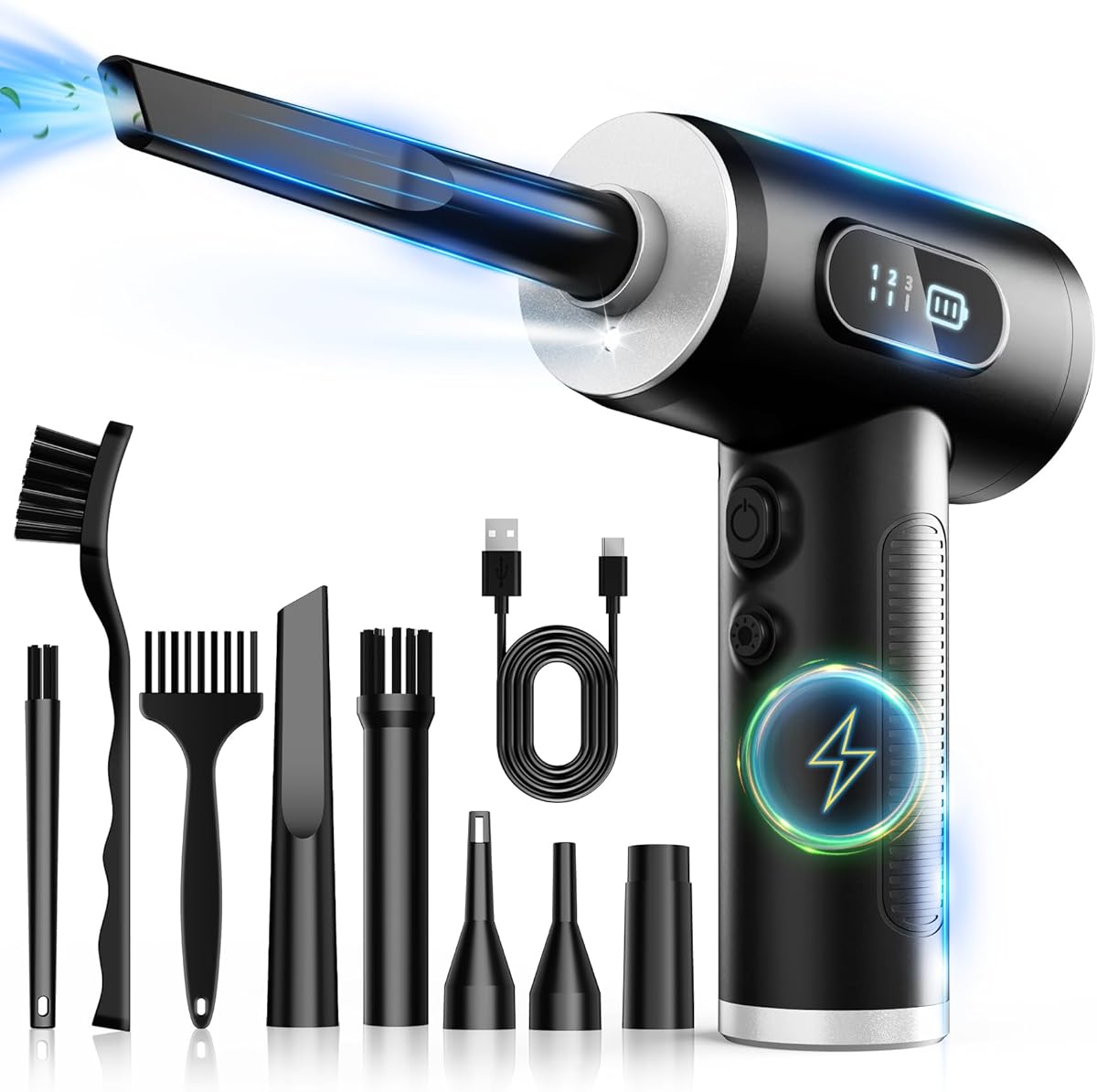
The FRESMOL Compressed Air Duster stands out as a top choice for laptop maintenance due to its powerful 100000 RPM motor and cordless convenience. Users appreciate the bright LED light that illuminates dark corners inside laptop chassis and the adjustable speed settings that allow for precise cleaning.
We may earn a commission when you buy through this link, at no additional cost to you.
This device replaces disposable canned air with a reusable electric blower that delivers consistent airflow without the risk of liquid discharge. The included nozzles and brushes are specifically designed for tight spaces like keyboard gaps and cooling vents making it highly effective for deep cleaning.
While the price point is higher than simple brush kits the longevity and performance justify the investment for frequent cleaners. Some users may find the charging time slightly long but the battery life supports extended sessions without interruption.
Anyone seeking a reliable and versatile tool for laptop fan cleaning should consider this duster highly. Its combination of power portability and thoughtful design makes it a standout option in the current market.
The high RPM motor ensures strong airflow capable of dislodging stubborn dust from fan blades and heat sinks without physical contact.
An integrated LED display shows battery levels and speed modes helping users maintain control during detailed cleaning tasks.
We may earn a commission when you buy through this link, at no additional cost to you.
The iFixit Laptop Cleaning Kit offers a comprehensive solution for general device maintenance including keyboard and fan dust removal. It is highly rated for its inclusion of screen savers and microfiber cloths that ensure your display stays pristine after cleaning sessions.
We may earn a commission when you buy through this link, at no additional cost to you.
This kit emphasizes safety with anti-static brushes that prevent damage to sensitive components during the cleaning process. The dust blower included is sufficient for light debris removal making it ideal for regular maintenance without the need for heavy machinery.
Although it lacks the power of electric dusters it remains a cost-effective option for users who prioritize screen care and light dusting. The compact tool pouch keeps all items organized and ready for use anywhere.
Budget conscious buyers looking for a safe and complete cleaning set will find this kit invaluable. It balances affordability with quality tools that meet the essential needs of laptop owners.
Specialized tools like the screen saver and microfiber cloths protect your display from scratches and streaks during cleaning.
Anti-static materials in the brushes ensure that sensitive electronics are not exposed to harmful static discharge during use.
We may earn a commission when you buy through this link, at no additional cost to you.
The MiaEpic Z3 Electric Air Duster delivers exceptional cleaning power with its brushless motor reaching speeds up to 280000 RPM. This high velocity airflow is perfect for dislodging deeply embedded dust from laptop cooling fans and tight electronic corners.
We may earn a commission when you buy through this link, at no additional cost to you.
Users benefit from the smart LCD screen that displays real-time battery status and speed levels ensuring you never run out of power mid-task. The Type-C fast charging capability further enhances convenience by reducing downtime between cleaning sessions.
While this premium device comes with a higher price tag the durability and performance make it a long term investment. Some users may find it slightly heavier than cordless alternatives but the power output compensates for the weight.
Tech enthusiasts and professionals who demand top-tier performance should consider this duster. Its advanced features and robust construction make it a reliable tool for maintaining high performance devices.
The 280000 RPM motor creates a powerful jet of air capable of clearing stubborn debris from even the smallest vents.
Type-C fast charging allows for quick recharges ensuring the tool is ready for use whenever you need it most.
We may earn a commission when you buy through this link, at no additional cost to you.
The WOLFBOX MegaFlow 50 is designed for portability and ease of use with a lightweight body weighing only 0.45 lb. Its 110000 RPM motor provides sufficient power for routine laptop cleaning tasks while the three adjustable gear settings offer flexibility for different dust levels.
We may earn a commission when you buy through this link, at no additional cost to you.
This model supports up to 240 minutes of runtime on the lowest setting which is ample for extended cleaning sessions without interruption. The 3.5 hour fast charge ensures the tool is ready quickly after use reducing downtime for regular maintenance schedules.
Some users may prefer more advanced display options found on higher-end models but the functional design serves its purpose well. The included lanyard adds convenience for hands-free operation in tight spaces.
For users seeking a balance of power and portability this duster is an excellent choice. Its simple operation and reliable performance make it suitable for both home and office environments.
Weighing under half a pound this duster is easy to carry in a bag for cleaning on the go.
Three gear settings allow users to match airflow strength to the cleaning task preventing potential damage to sensitive parts.
We may earn a commission when you buy through this link, at no additional cost to you.
The Ordilend Keyboard Cleaner Kit is specifically tailored for detailed keyboard maintenance with tools like a retractable brush and keycap puller. It allows users to remove keycaps and clean underneath them ensuring no debris is left behind in hard to reach areas.
We may earn a commission when you buy through this link, at no additional cost to you.
The included mini high-density brush is perfect for scrubbing between keys on laptops and mechanical keyboards without causing damage. Additional tools like the metal pen tip and flocking sponge handle stubborn stains and cleaning earbuds effectively.
While this kit does not include an air duster the mechanical tools are highly effective for deep cleaning tasks. Users should note that it is designed for manual cleaning rather than powered air blowing.
Keyboard enthusiasts who enjoy customizing and deep cleaning their devices will find this kit essential. It provides all the necessary tools for meticulous care without requiring electricity.
Specialized brushes and pullers allow for thorough cleaning between keycaps and tight gaps that air alone cannot reach.
Soft polishing cloths are provided to ensure your screen remains streak-free and clear after cleaning your keyboard.
We may earn a commission when you buy through this link, at no additional cost to you.
This Electric Air Duster boasts a 130000 RPM motor capable of delivering strong airflow to remove even stubborn dust from keyboards and fans. The upgraded AI chip provides overcharge and overheat protection ensuring safe operation during extended use.
We may earn a commission when you buy through this link, at no additional cost to you.
With an 8000mAh battery the device supports long runtime sessions without frequent recharges. The four gear settings offer precise control allowing you to select the right power level for delicate or heavy-duty cleaning tasks.
Users may find the weight slightly higher than average models but the power output justifies it. The included storage bag and lanyard enhance portability making it easy to take anywhere.
For those needing high power for deep cleaning this duster is an excellent investment. Its robust features and safety systems make it suitable for professional and home use.
The 130000 RPM motor ensures a powerful cleaning storm that removes dust quickly and efficiently.
An upgraded AI chip prevents overcharge and overheating ensuring safe operation during extended cleaning sessions.
We may earn a commission when you buy through this link, at no additional cost to you.
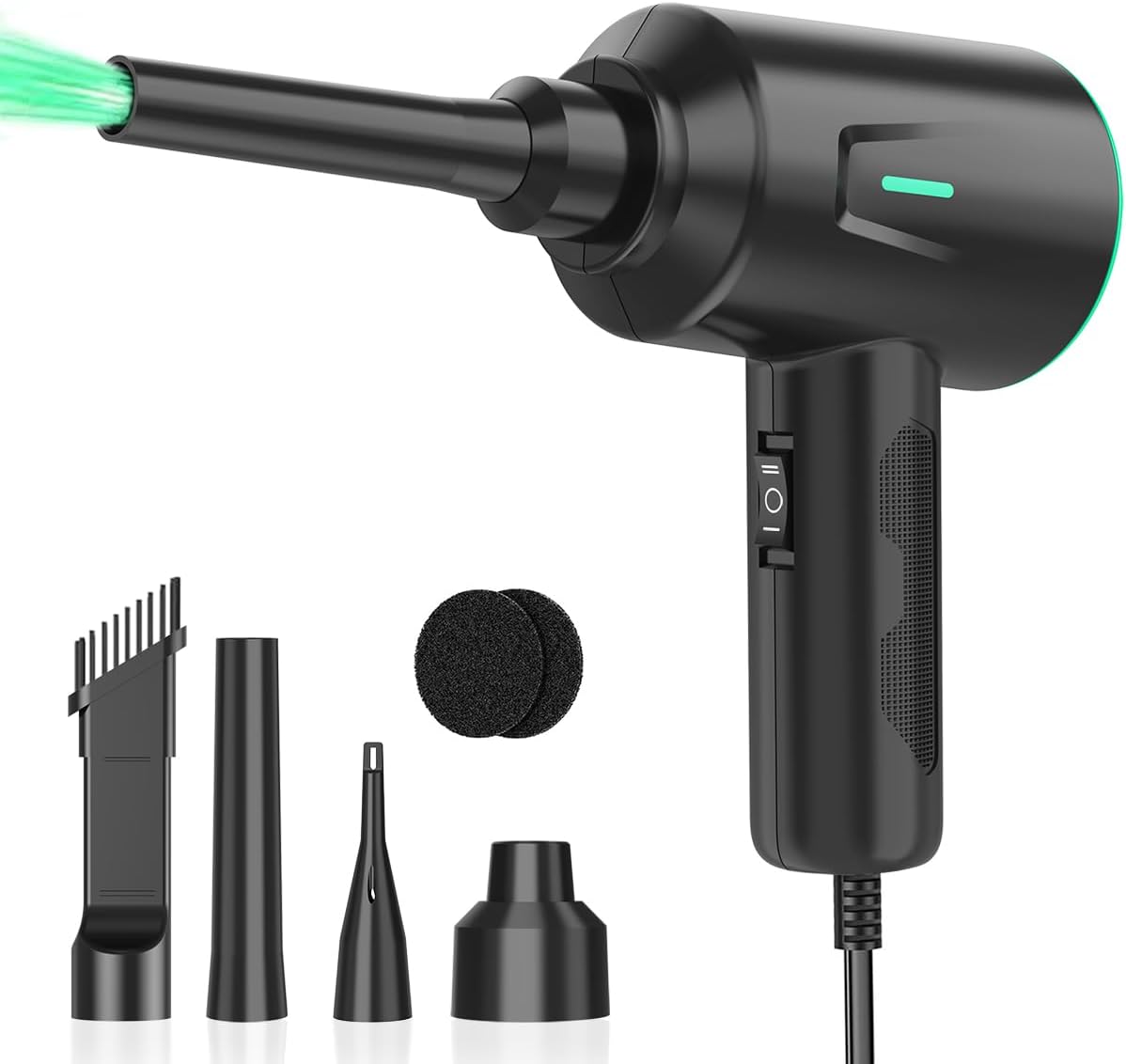
The Meudeen Air Duster offers a unique corded design that eliminates the need for battery charging by drawing power directly from the mains. This ensures consistent performance without the risk of running out of power during a task.
We may earn a commission when you buy through this link, at no additional cost to you.
With a 500W motor and speeds up to 200000 RPM this duster delivers powerful airflow suitable for demanding cleaning scenarios. The extended 8.2 foot cord provides ample reach for desktops and laptops without needing to unplug.
While the cord can limit mobility compared to cordless options the reliability and power are significant advantages. Users should ensure access to a power outlet but the consistent operation is worth it.
For stationary workstations or users who prefer not to manage batteries this model is highly practical. Its powerful motor and reliable operation make it a solid choice for routine maintenance.
Direct mains power ensures the motor runs at full speed continuously without battery drain or interruptions.
The upgraded air duct design minimizes noise making it comfortable to use in quiet office environments.
We may earn a commission when you buy through this link, at no additional cost to you.
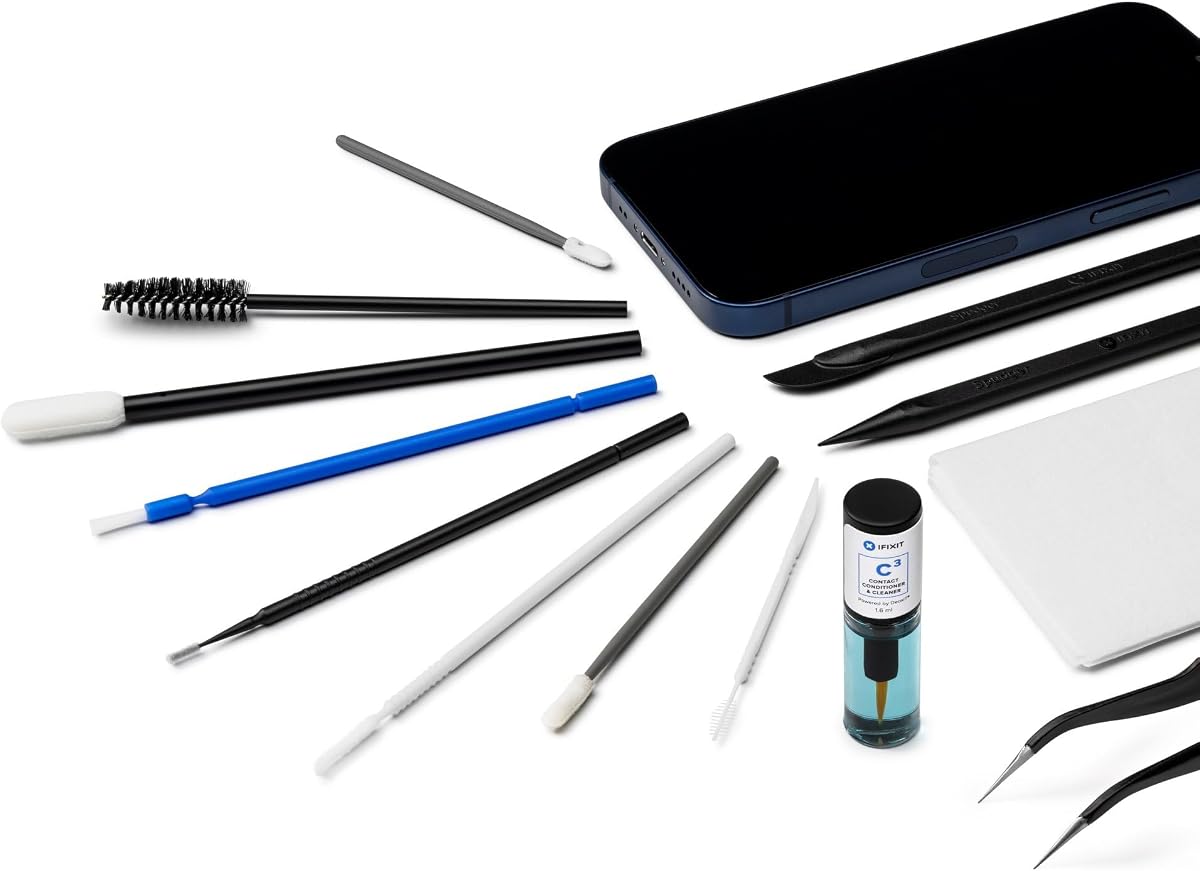
The iFixit Precision Cleaning Kit is designed for users who need precise tools to clean hard to reach areas on laptops and other electronics. It includes specialized items like spudgers and tweezers that allow for careful handling of delicate components.
We may earn a commission when you buy through this link, at no additional cost to you.
This kit is ideal for deep cleaning around ports and connectors where larger tools cannot reach. The lint-free wipes ensure that surfaces are clean without leaving behind fibers that could interfere with device function.
It does not include an air duster meaning users must rely on manual tools for cleaning tasks. This limits its versatility for general dust removal but excels in precision work.
Tech enthusiasts who perform detailed maintenance or repairs will find this kit highly useful. Its professional-grade tools ensure safe and effective cleaning for sensitive hardware.
Tweezers and spudgers allow for exact cleaning of tight spaces and small components without risk of damage.
Lint-free wipes prevent debris from sticking to surfaces ensuring a clean finish after maintenance.
We may earn a commission when you buy through this link, at no additional cost to you.
This set of ten brushes offers a wide variety of sizes to fit different cleaning needs around laptop keyboards and fans. The anti-static nylon bristles ensure that sensitive electronic components are not damaged during the cleaning process.
We may earn a commission when you buy through this link, at no additional cost to you.
The soft bristle brushes are perfect for delicate surfaces like monitors and camera lenses providing gentle care without scratching. Users appreciate the range of sizes that allow for targeted cleaning of small gaps and large areas alike.
While it requires manual effort and lacks air power it remains an affordable solution for regular maintenance. The cost-effective nature of this kit makes it accessible for many users.
For those looking for an inexpensive way to maintain their devices this brush set is a great option. Its variety and safety features make it a reliable companion for daily cleaning tasks.
Ten different sizes ensure there is a brush for every gap and component requiring attention.
Anti-static materials protect sensitive electronics from static discharge during cleaning.
We may earn a commission when you buy through this link, at no additional cost to you.
This electric blower is designed for versatile use across laptops cars and home items making it a highly adaptable tool. The built-in LED light is particularly useful for illuminating dark spaces inside cars or laptops where dust hides.
We may earn a commission when you buy through this link, at no additional cost to you.
Three adjustable speed settings allow users to select the right power level for different surfaces and tasks. The ergonomic grip ensures comfortable handling during extended cleaning sessions without hand fatigue.
While battery life may vary depending on use intensity the rechargeable design remains convenient. Users should note that the nozzles are standard but sufficient for most common cleaning tasks.
For those seeking a multifunctional tool for both home and automotive use this blower is a strong contender. Its adaptability and convenience make it a worthwhile addition to your toolkit.
From laptops to car interiors this tool adapts to various cleaning scenarios with ease.
The integrated LED illuminates dark areas ensuring you can see dust before removing it.
We may earn a commission when you buy through this link, at no additional cost to you.
Choosing the right laptop fan cleaning kit depends on several factors including power source, nozzle variety, and safety features.
Decide between cordless electric dusters and manual brush kits based on your cleaning needs. Cordless options offer convenience and consistent power while manual kits are portable and require no charging.
Consider whether you prioritize mobility or battery life when selecting your power source.
Higher motor speeds typically result in stronger airflow capable of removing stubborn dust from tight spots. Look for models with adjustable speeds to ensure safe cleaning for sensitive components.
Select a model with speed control to adapt to different cleaning tasks.
A good kit should include multiple nozzles and brushes to access various hard to reach areas. This versatility ensures you can clean ports vents and keyboard gaps effectively.
Check that the kit includes attachments that match your specific cleaning needs.
For electric dusters battery life is crucial for extended sessions. Models with Type-C fast charging and higher mAh ratings generally offer better performance and less downtime.
Prioritize models with long runtimes if you plan on cleaning multiple devices.
Safety features like anti-static materials and overheat protection prevent damage to your devices. Ensure the tools are designed specifically for electronics to avoid static discharge risks.
Always verify safety specifications before purchasing to protect your equipment.
A lightweight and ergonomic design makes cleaning easier and less physically demanding. Portability is essential if you need to clean devices in different locations or while traveling.
Choose a model that is easy to hold and carry for regular use.
Balance the cost of the kit with its features and durability. While electric dusters cost more they save money long term by replacing disposable air cans.
Evaluate the total cost of ownership when comparing budget and premium options.
Check user feedback and ratings to gauge real-world performance and reliability. Established brands often provide better quality control and customer support.
Use reviews to confirm that the product meets your expectations.
Always power off and unplug your laptop before cleaning to prevent electrical hazards or short circuits. Allow the device to cool down to avoid burns from hot components.
Use the appropriate nozzle or brush for each area starting with the largest gaps and moving to tighter spaces. Hold the electric duster at a slight angle to avoid pushing dust deeper into vents.
Store your cleaning kit in a dry place to protect brushes and nozzles from dust. Regularly clean the nozzles and empty any collected debris to maintain optimal performance.
Yes compressed air is safe for laptop fans as long as you use it correctly. Avoid holding the can at an angle to prevent liquid discharge and keep the nozzle a few inches away from sensitive parts.
It is recommended to clean laptop fans every three to six months depending on usage and environment. Dust accumulation can significantly impact cooling performance and lead to overheating.
Vacuum cleaners can generate static electricity which may damage electronic components. It is safer to use air dusters or soft brushes that are designed to prevent static discharge.
Electric air dusters are the best tool for cleaning fan blades as they provide strong airflow to dislodge dust without physical contact. Ensure the duster is held at a safe distance.
Opening the laptop is necessary for deep cleaning of internal fans. However surface vents can be cleaned from the outside with compressed air or electric dusters.
Yes excessively high pressure can damage sensitive components or force dust further into the device. Always use adjustable speed dusters to control airflow strength.
We reviewed ten top cleaning kits ranging from electric dusters to precision tool sets. The FRESMOL Compressed Air Duster leads our list for its balance of power and portability.
Prioritize safety features like anti-static protection and adjustable airflow to ensure your laptop remains in top condition. Investing in a quality kit saves money on repairs and extends device life.
Remember to check current prices and availability before purchasing as models change over time. Use our comparison table to quickly find the best match for your specific needs.