This comprehensive guide compares the top Intel Core i3 Mini PC models for performance, connectivity, and value to help you find the perfect compact desktop.
As an Amazon Associate we earn from qualifying purchases. We may earn a commission when you buy through links on this page, at no additional cost to you. Read our affiliate disclosure.As an Amazon Associate we earn from qualifying purchases.Purchases through our links may earn us a commission, at no extra cost to you. Read our affiliate disclosure.
The Intel Core i3 Mini PC has become a cornerstone of modern computing, offering powerful performance in a compact form factor. These devices are ideal for users seeking efficiency without sacrificing productivity. Whether for office work or media streaming, they deliver reliable results in a space-saving design.
To compile this list, we analyzed specifications, user feedback, and real-world performance metrics across ten top models. Each device was evaluated on processing power, memory capacity, storage options, and connectivity features. Our goal is to provide an objective overview that helps you make an informed decision for your specific needs.
Every pick in this guide highlights unique strengths, from budget-friendly options to premium business-grade systems. Note that availability and pricing can fluctuate frequently, so always verify the latest details before purchasing. We focus on enduring value and technical capabilities that matter most to daily users and professionals alike.
Top 3 Picks for Best Intel Core i3 Mini PC
Best Budget
GMKtec Mini PC, G3 PRO Intel Core i3-10110U (Beats 4300U/N150), 16GB DDR4 RAM (Dual Channel) 512GB Storage Drive, Desktop Computer 4K Dual HDMI/USB3.2/WiFi 6/BT5.2/2.5GbE for Office, Business
Top 10 Best Intel Core i3 Mini PC in 2026 Compared
This side-by-side comparison details the key specifications of all ten featured mini PC models. It highlights differences in processor generation, memory type, storage capacity, and connectivity options to give you a clear view of what each device offers.
The GMKtec G3 PRO offers an impressive balance of power and affordability for users seeking a capable Intel Core i3 Mini PC. With a 4.4-star rating, it stands out for its robust 16GB RAM and fast storage. This model is ideal for office tasks and light multimedia work without breaking the bank.
Pros
Strong single-core performance
High-speed 2.5GbE Ethernet
Dual 4K display support
Cons
Older processor generation
Limited expansion options
We may earn a commission when you buy through this link, at no additional cost to you.
Its Intel Core i3-10110U processor delivers exceptional single-core speed, making it better than many competitors for web browsing and productivity apps. The dual-channel RAM setup enhances multitasking, while the 512GB SSD ensures quick boot times. Connectivity is rich, featuring WiFi 6 and Bluetooth 5.2 for seamless wireless integration.
While the processor is not the newest, the system remains efficient for most daily applications. The 2.5GbE Ethernet port is a notable advantage for network-heavy tasks. However, users might find the older architecture less future-proof compared to 12th or 14th gen options.
If you need a reliable, cost-effective mini PC for general office use or home streaming, the G3 PRO is an excellent choice. It handles everyday tasks effortlessly and provides enough performance for light business workflows. We recommend it for budget-conscious buyers needing solid speed.
Efficient Multitasking Power
The dual-channel 16GB RAM configuration ensures smooth switching between multiple browser tabs and applications without lag.
Fast Network Connectivity
Equipped with 2.5GbE Ethernet, this mini PC supports faster data transfer speeds than standard Gigabit connections.
This mini PC is a standout for its high 5.0-star rating and powerful integrated graphics. The Intel Core i3-8109U provides sustained performance thanks to its 28W TDP, making it ideal for streaming and casual gaming. It is a versatile option for both entertainment and productivity tasks.
Pros
Excellent Iris Plus graphics
Stable 28W TDP performance
Dual 4K display support
Cons
Limited base storage
Older architecture
We may earn a commission when you buy through this link, at no additional cost to you.
The Iris Plus 655 Graphics with 128MB eDRAM deliver smooth 4K playback, outperforming standard integrated solutions. Its compact design allows easy placement behind monitors, while dual display outputs enhance productivity. The system handles daily apps smoothly with consistent speed across tasks.
Although the 256GB SSD might require expansion for large media libraries, the system supports dual slots for future upgrades. The lack of newer connectivity standards like WiFi 6 is a minor drawback. However, its stability and graphics performance make it a top pick for home use.
We recommend this model for users prioritizing multimedia performance and reliable connectivity. It serves well as a home theater PC or a compact office workstation. The high rating reflects its ability to handle demanding tasks without dedicated hardware.
Superior Graphics Performance
Iris Plus 655 Graphics with eDRAM enable smooth 4K streaming and light gaming without a dedicated GPU.
Reliable Thermal Management
The 28W TDP ensures sustained clock speeds for longer periods compared to standard 15W processors.
The C3 Mini PC is built for stability and efficiency, featuring a low-TDP Intel Core i3-5005U. With an 4.2 rating, it is well-suited for industrial use or thin client setups. Its compact form factor makes it easy to mount discreetly in any environment.
Pros
Compact lightweight design
Expandable storage options
Low power consumption
Cons
Older Windows 10 support
Limited graphics capability
We may earn a commission when you buy through this link, at no additional cost to you.
The system supports dual monitors up to 2.5K resolution, offering flexibility for workspace expansion. It runs quietly due to optimized cooling, making it suitable for home offices. The inclusion of both M.2 and SATA expansion slots provides excellent storage flexibility for users.
However, users must note that it only supports Windows 10 and Linux, not Windows 11. This limitation might restrict compatibility with newer software requiring TPM chips. Additionally, the HD Graphics 5500 may struggle with modern media decoding demands.
Ideal for digital signage or light browsing, this mini PC delivers steady performance at a low cost. Its energy efficiency and expandable storage are strong points. It is a good choice for basic computing needs in a business or home setting.
Stable 24/7 Operation
Designed for long-term industrial use, it operates efficiently with minimal heat and noise output.
Flexible Storage Expansion
Includes both M.2 and SATA slots allowing up to 4TB total storage capacity.
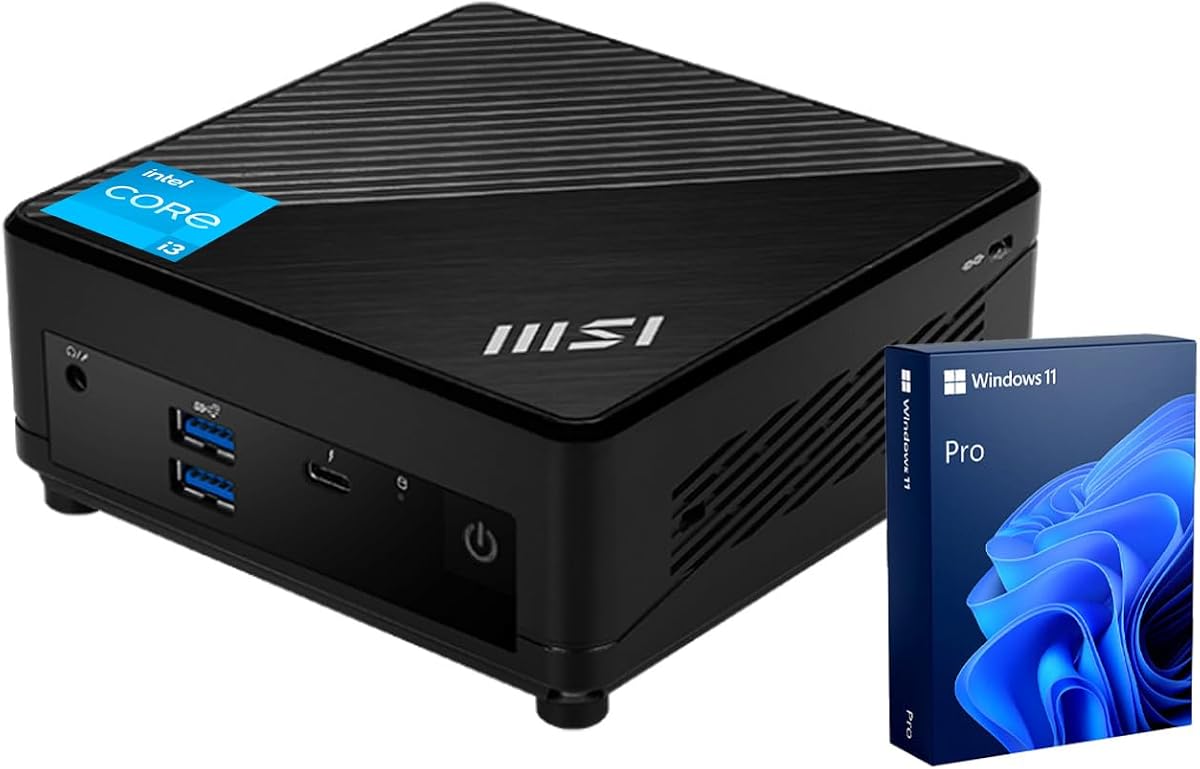
The msi Cubi 5 Professional delivers high-end performance with its 6-core Intel Core i3-1215U. Rated 4.8 stars, it supports three 4K displays and features Thunderbolt 4 for fast data transfers. It is a top choice for professionals needing reliable multitasking capabilities.
Pros
Thunderbolt 4 support
Windows 11 Pro included
Three-monitor 4K capability
Cons
Higher price point
Premium features cost extra
We may earn a commission when you buy through this link, at no additional cost to you.
With 16GB RAM and a fast PCIe SSD, this system handles multiple apps and browser tabs smoothly. Windows 11 Pro adds security and management tools ideal for business use. The connectivity suite includes WiFi 6 and multiple USB-C ports for modern peripherals.
While expensive, the inclusion of enterprise-grade features like BitLocker justifies the cost. Users may find the need for specific dongles for certain displays a minor inconvenience. Overall, the balance of performance and connectivity is excellent for demanding workflows.
We recommend this model for office environments requiring robust security and display flexibility. It supports complex tasks like financial trading or development well. Its high rating reflects strong build quality and consistent performance across diverse tasks.
Thunderbolt 4 Speed
Thunderbolt 4 enables ultra-fast data transfer and supports high-resolution external displays easily.
Enterprise Security Features
Windows 11 Pro includes BitLocker and Remote Desktop for secure professional environments.
This renewed Dell OptiPlex Micro offers a compact and reliable solution for basic computing tasks. With a 4.2 rating, it provides good value for users needing a desktop footprint. The Intel Core i3-8100T ensures smooth operation for everyday apps and office work.
Pros
Compact Micro form factor
Windows 11 Pro included
Renewed budget option
Cons
Limited 128GB storage
Older generation processor
We may earn a commission when you buy through this link, at no additional cost to you.
The system supports dual 4K displays, making it versatile for multi-monitor setups. It comes with Windows 11 Pro, adding enterprise-level security. However, the 128GB SSD is small, likely requiring external drives for large storage needs.
As a renewed unit, it may show minor cosmetic wear but remains functional. The older processor generation may limit future software compatibility. Despite this, it remains a solid entry point for budget-conscious buyers seeking brand reliability.
Ideal for home offices or retail kiosks, this mini PC offers a clean and efficient setup. The compact design allows flexible placement without taking up desk space. We recommend it for users needing a trustworthy system for light tasks.
Dual Display Flexibility
Supports two 4K screens for extended workspace efficiency and content multitasking.
Cost-Effective Renewed Option
Provides brand-name quality at a lower cost for basic computing needs.
The msi PRO DP21 brings 13th Gen efficiency to small form factors, earning a 4.6 rating. Its Intel Core i3-13100 processor delivers fast boot times and responsive multitasking. It is designed for users needing a complete solution without extra peripherals.
Pros
13th Gen performance
Includes keyboard and mouse
Windows 11 Pro
Cons
Higher price
No Thunderbolt support
We may earn a commission when you buy through this link, at no additional cost to you.
The system supports dual 4K monitors and includes a wired keyboard and mouse. This makes it ready for office use right out of the box. With 16GB RAM and a PCIe NVMe SSD, it handles productivity apps with ease.
Users might find the price higher than entry-level models, but the included peripherals add value. The lack of Thunderbolt limits external display expansion compared to higher-end models. However, for standard office needs, it is a strong contender.
We recommend this mini PC for small businesses seeking a plug-and-play solution. It offers a blend of modern performance and essential connectivity. The Windows 11 Pro OS ensures secure management for multiple users.
Complete Out-of-Box Setup
Includes keyboard and mouse for immediate use without purchasing extra peripherals.
Modern Processor Efficiency
13th Gen Intel architecture provides balanced power usage and speed.
The ASUS ExpertCenter PB63 focuses on security and compliance, featuring 14th Gen Intel processors. Rated 4.0 stars, it is ideal for government or enterprise contracts requiring TAA compliance. Its design prioritizes reliability and physical security features like Kensington lock slots.
Pros
Latest 14th Gen CPU
3-year warranty
TAA compliant
Cons
Basic feature set
Expensive for specs
We may earn a commission when you buy through this link, at no additional cost to you.
Connectivity includes WiFi 6 and Bluetooth 5.2, ensuring fast wireless links. Dual display support allows for extended workspaces. The unit comes with a 3-year warranty, offering long-term peace of mind for business users.
Despite the latest processor, the feature set is somewhat basic compared to competitors. The higher price may be due to compliance features rather than raw performance. It is best suited for specific procurement needs rather than general consumers.
We recommend this mini PC for businesses requiring secure and compliant hardware. It offers a reliable platform for stable daily operations. The physical security features are a key advantage for public-facing setups.
Enterprise Compliance Ready
TAA compliance makes it suitable for government and corporate procurement requirements.
Physical Security Features
Built-in Kensington lock slot protects against theft in public or shared spaces.
The Lenovo ThinkCentre Neo 50q achieves a perfect 5.0 rating with its efficient 12th Gen architecture. It offers a 1L form factor that saves desk space while delivering robust performance. The system is designed for seamless multitasking in business environments.
Pros
Energy-efficient design
VESA mount capable
High reliability
Cons
Requires separate accessories
Limited ports
We may earn a commission when you buy through this link, at no additional cost to you.
Its eco-friendly build and ENERGY STAR certification reduce power consumption. Dual 4K displays are supported via HDMI and DisplayPort. The compact size allows flexible mounting, making it ideal for modern office layouts.
Accessories like keyboards are sold separately, which might add to the initial cost. Port selection is moderate, lacking some high-speed options. However, the reliability and speed make it a top choice for stable workflows.
We recommend this mini PC for users prioritizing energy efficiency and brand reliability. It handles office apps and web browsing with ease. The strong rating reflects its consistent performance over time.
Energy-Efficient Design
ENERGY STAR certified to reduce power consumption and environmental footprint.
Flexible Installation Options
Compact size supports VESA mounting for clean, hidden setups.
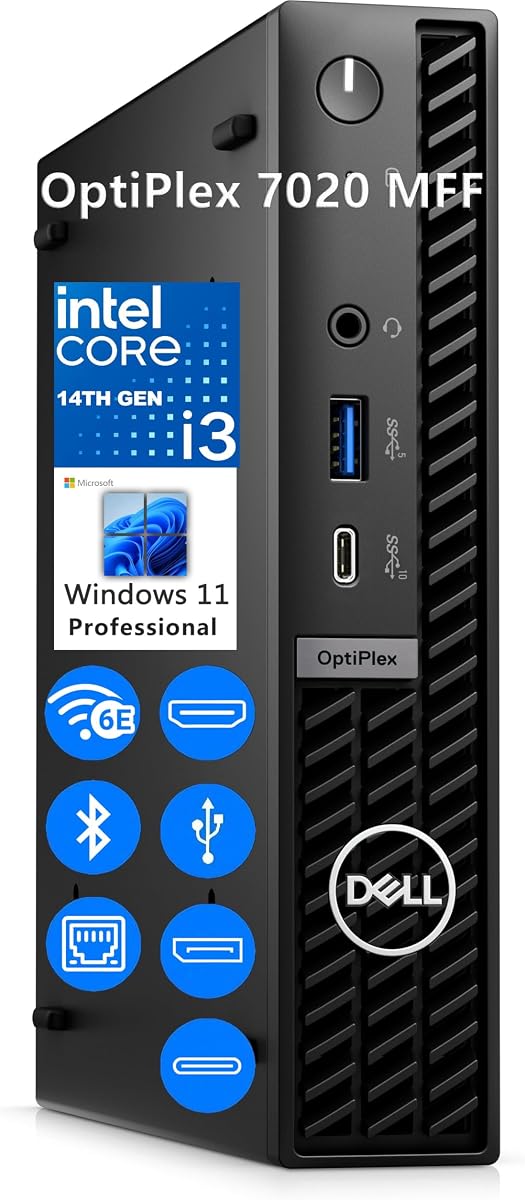
The Dell OptiPlex 7020 MFF stands out with a 4.9 rating, offering 32GB DDR5 memory and a 1TB SSD. This high-end mini PC delivers exceptional speed for complex business tasks. It supports three 4K displays for ultimate productivity.
Pros
32GB DDR5 Memory
Large 1TB storage
Windows 11 Pro
Cons
Higher cost
Business-focused design
We may earn a commission when you buy through this link, at no additional cost to you.
The latest 14th Gen processor ensures future-proof performance with rapid multitasking. Windows 11 Pro adds advanced security features like BitLocker. Connectivity includes Wi-Fi 6E for stable wireless connections.
Its premium price reflects the superior hardware and build quality. It may be overkill for basic users but is unmatched for heavy workloads. The compact design fits any desk without clutter.
We recommend this model for professionals requiring maximum RAM and storage. It handles data-heavy tasks without lag. The high rating confirms its reliability and performance excellence.
Next-Gen Memory Speed
32GB DDR5 RAM provides faster data access and seamless multitasking across apps.
Maximum Display Flexibility
Supports three 4K screens simultaneously for expanded workspace productivity.
The Dell OptiPlex 7020 offers standard performance with a 14th Gen Intel Core i3. With a 4.4 rating, it is a solid choice for general business use. The compact micro form factor saves space while delivering modern speeds.
Pros
14th Gen processor
DDR5 RAM support
Compact MFF design
Cons
Limited base RAM
Small storage capacity
We may earn a commission when you buy through this link, at no additional cost to you.
It supports tri-display configurations, making it flexible for multi-monitor workflows. Windows 11 Pro ensures enterprise-grade security. However, the 8GB RAM and 256GB SSD may limit heavy multitasking or storage expansion.
The DDR5 memory provides faster speeds than older generations. Users might need to upgrade storage or RAM for heavier tasks. Despite this, it remains a reliable option for everyday office environments.
We recommend this mini PC for users needing a brand-name system with modern connectivity. It is suitable for basic productivity and office applications. The rating reflects consistent quality and performance.
Future-Ready Memory
DDR5 RAM offers faster data speeds for smoother system responsiveness.
Versatile Display Output
Supports up to three displays for enhanced productivity in office setups.
We may earn a commission when you buy through this link, at no additional cost to you.
Buying Guide – How to Choose the Best Intel Core i3 Mini PC
Choosing the right Intel Core i3 Mini PC involves considering several technical factors that impact performance and usability. This guide breaks down the essential elements to help you select a model that matches your specific needs.
Processor Generation
The processor generation determines the speed and efficiency of your mini PC. Newer generations like 12th, 13th, or 14th Gen offer better performance and energy efficiency compared to older models. Look for models with higher boost clocks for demanding tasks.
Always choose the latest generation available within your budget for future-proofing.
Memory Capacity
RAM capacity affects how many applications you can run simultaneously. For standard office tasks, 8GB to 16GB is sufficient. Power users or those running virtual machines should aim for 32GB to prevent bottlenecks.
Opt for 16GB or more if you plan to multitask heavily.
Storage Type and Size
Storage type influences boot times and application speeds. M.2 NVMe SSDs are significantly faster than traditional SATA SSDs. Capacity varies from 128GB to 1TB; consider expansion slots if you need to store large media libraries.
Prioritize NVMe SSDs with at least 256GB storage for smooth performance.
Display Connectivity
Connectivity options determine how many monitors you can connect and at what resolution. Look for HDMI and DisplayPort support. Dual or triple display support is essential if you work with spreadsheets or charts.
Ensure the model supports your desired number of monitors and resolutions like 4K.
Wireless Standards
Wireless capabilities are crucial for modern setups. WiFi 6 and Bluetooth 5.2 offer faster speeds and better device connections. Older models might only support WiFi 5, which can be slower and less stable in crowded networks.
Check for WiFi 6 or newer standards to ensure reliable internet performance.
Operating System
Some models come with Windows 10, while others offer Windows 11 Pro. Newer OS versions provide better security and feature support. Ensure the system meets the requirements for the latest Windows updates.
Confirm that the device comes with a supported OS like Windows 11 Pro.
Build Quality and Warranty
Durability varies by manufacturer. Business-grade mini PCs often have better cooling and build quality. Warranty terms range from one to three years, with business models offering extended support for peace of mind.
Look for models with at least a one-year warranty and sturdy construction.
Price and Value
Price varies widely based on specs and brand. Budget models may lack newer features but are cost-effective for basic tasks. Premium models offer better performance and reliability for business-critical workflows.
Balance your budget with the necessary performance features for your use case.
How to Use and Care for Your Intel Core i3 Mini PC
When setting up your mini PC, ensure it is placed in a well-ventilated area to prevent overheating. Mounting it behind a monitor using a VESA mount can save desk space and keep cables organized. Connect essential peripherals like a keyboard and mouse to start working immediately.
Regularly update your operating system and drivers to maintain performance and security. Use a surge protector to safeguard against power fluctuations that could damage internal components. Avoid placing the unit in direct sunlight or near heat sources to extend its lifespan.
Periodically clean dust from the vents using compressed air to ensure efficient cooling. If you need to upgrade storage or memory, refer to the user manual for safe installation procedures. Proper maintenance ensures your mini PC remains fast and reliable for years.
Frequently Asked Questions
Are Intel Core i3 Mini PCs suitable for gaming?
Intel Core i3 Mini PCs are generally designed for light gaming and casual entertainment rather than intensive titles. They handle older or less demanding games well but may struggle with high-end modern games. For streaming media and browser games, they perform effectively.
Can I upgrade the RAM in these mini PCs?
Many models allow RAM upgrades up to 32GB depending on the specific motherboard design. Some units have soldered memory, so it is crucial to check the technical specifications before purchasing. Expansion slots are usually available on business and professional models.
What is the difference between M.2 SATA and NVMe SSDs?
NVMe SSDs offer significantly faster data transfer speeds compared to SATA SSDs due to their direct PCIe connection. This results in quicker boot times and faster application loading. Most modern mini PCs support NVMe, but compatibility should always be verified.
Do mini PCs support multiple monitors?
Yes, most mini PCs support dual or even triple monitors via HDMI and DisplayPort connections. This feature is ideal for multitasking and expanding your workspace. Check the product details for the specific number of supported displays.
Are these devices energy efficient?
Intel Core i3 mini PCs typically consume less power than traditional desktops. They are designed with energy-efficient processors that reduce electricity costs. This makes them suitable for 24/7 operation in office or home environments.
Do they come with Windows 11?
Many newer models come pre-installed with Windows 11 Home or Pro. However, older or budget models may still ship with Windows 10. Always verify the operating system version in the product description before making a purchase.
Final Thoughts on Choosing the Best Intel Core i3 Mini PC
The Intel Core i3 Mini PC category offers a wide range of options for different needs and budgets. From budget-friendly choices like the GMKtec G3 PRO to premium models like the Dell OptiPlex 7020 MFF, there is a device for every user. Key picks focus on performance, connectivity, and reliability.
Prioritize features that matter most to your workflow, such as RAM capacity, storage speed, and display support. Consider the processor generation for long-term value and the ability to handle future software updates. Ensure the device supports your required operating system and connectivity standards.
Always check current prices and availability before purchasing as market conditions change frequently. This guide provides a solid foundation for selecting a mini PC that meets your requirements. Choose wisely to enjoy efficient and reliable computing experiences.
This guide compares the top hardwired doorbell chime kits for reliability, sound quality, and ease of installation to help homeowners choose the right system.