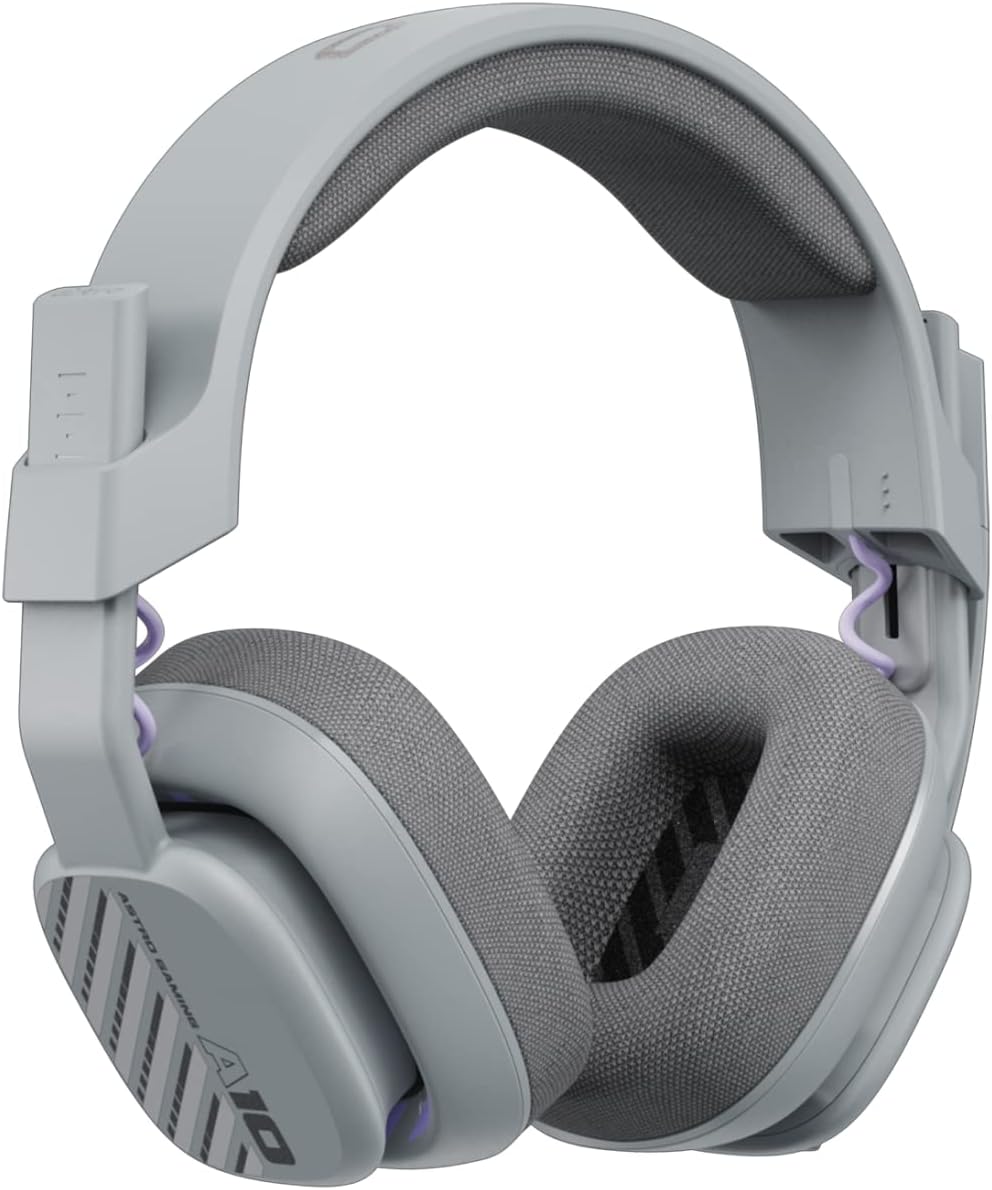
Logitech G Astro A10 Gen 2
3.8Editor score
Durable Aluminum Construction
Flip-to-Mute Microphone
Cross-Platform Compatibility
Discover the top headsets for Dota 2 in October 2026. We compare audio clarity, comfort, and mic quality to help you find the perfect gaming gear.
Finding the right headset for Dota 2 is crucial for competitive play. You need precise audio to hear footsteps and ability cues while maintaining comfort during long sessions. This guide explores ten top-rated options tailored for intense gameplay and clear communication with your team.
We evaluated each headset based on soundstage, microphone clarity, build quality, and connectivity. Our analysis focuses on models that excel in multi-platform support and offer features like spatial audio. Every product listed has been selected for its ability to enhance your Dota 2 experience significantly.
Each pick in this list highlights specific strengths for different player needs. Whether you prioritize wireless freedom or budget-friendly performance, there is a suitable choice here. Please note that prices and availability can change frequently, so check the links for current details before purchasing.
3.8Editor score
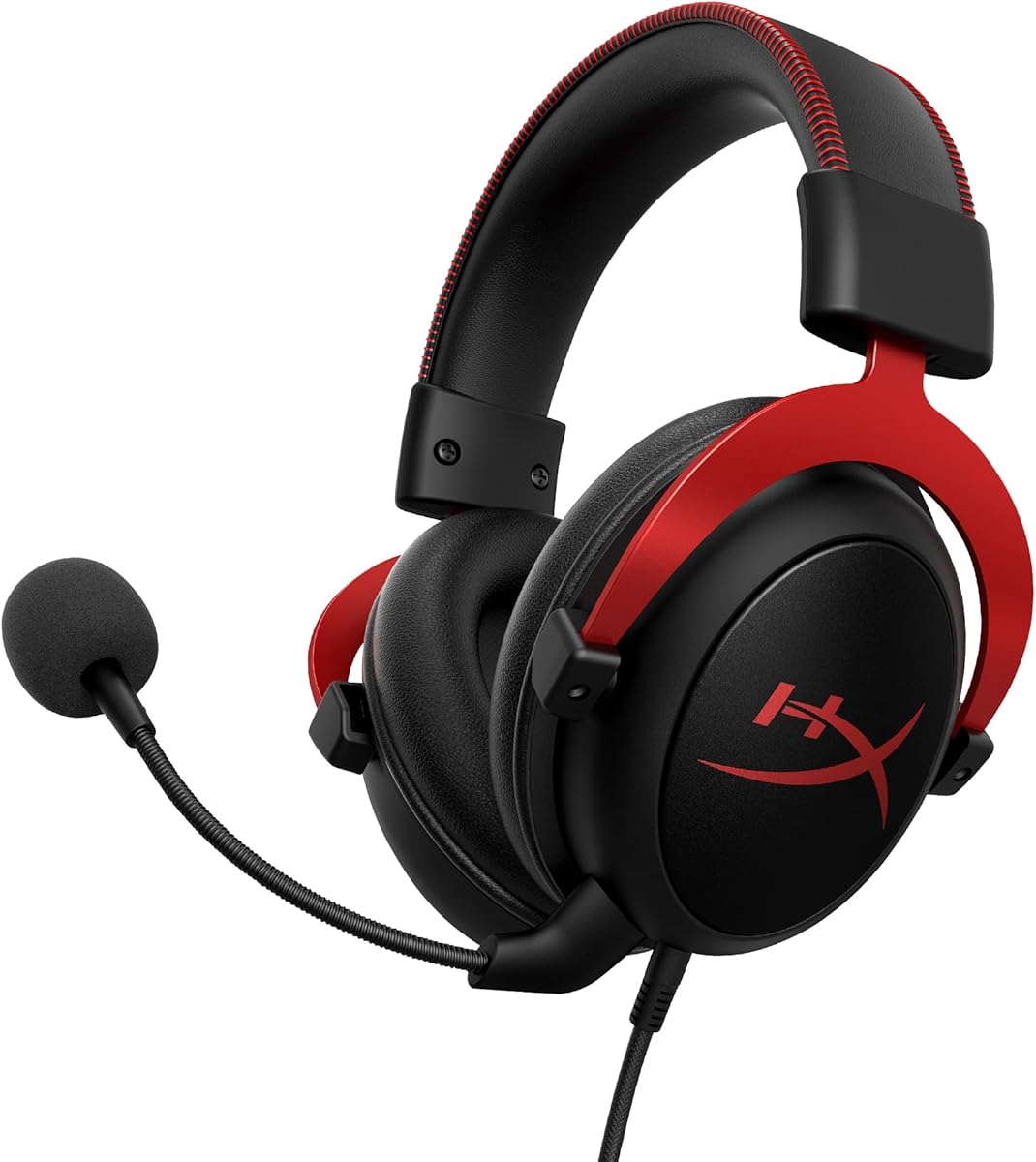
4.5Editor score

4.4Editor score
This side-by-side comparison highlights the key specifications and unique selling points of each headset. We focus on audio drivers, battery life, microphone quality, and platform support to help you make an informed decision quickly and efficiently.


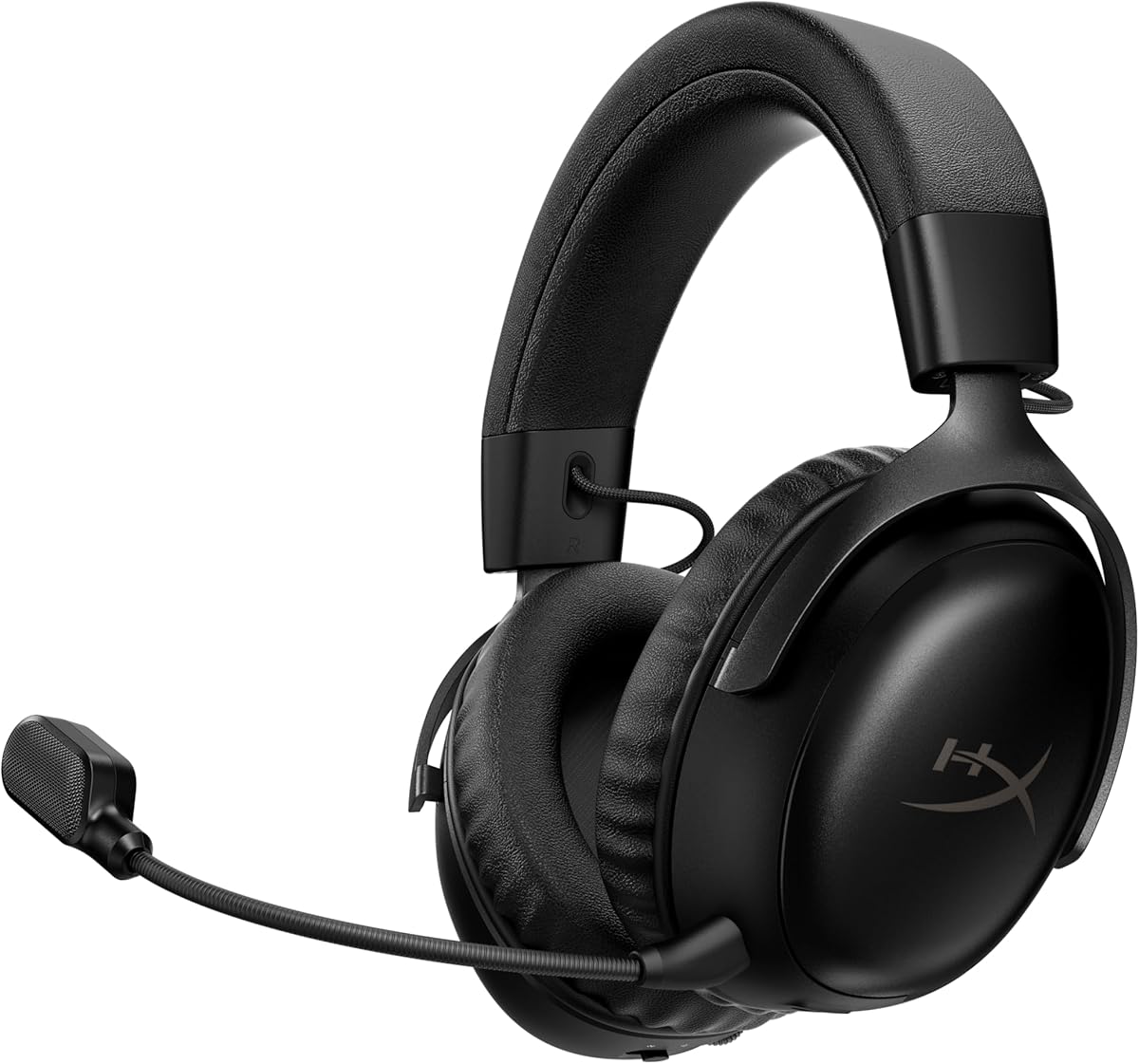


The HyperX Cloud II remains a top contender for Dota 2 players due to its balanced audio profile and enduring comfort. It delivers precise sound cues essential for detecting enemy movements and casting abilities accurately. With a 4.5 star rating, it is widely recognized for reliability and performance in competitive environments.
We may earn a commission when you buy through this link, at no additional cost to you.
Its 53mm drivers provide rich bass and clear highs, allowing you to distinguish between similar sound effects. The closed ear cup design blocks external noise effectively, keeping your focus on the match. The memory foam ear pads and padded headband reduce fatigue during extended ranked sessions or tournaments.
While the 7.1 virtual surround sound is a significant advantage on PC, it may not work as expected on consoles. The wired design is sturdy but restricts movement compared to wireless options. However, the build quality and detachable mic make these trade-offs acceptable for most serious gamers.
This headset is ideal for players seeking a reliable all-rounder that excels in comfort and audio clarity. Whether you play on PC or console, the HyperX Cloud II offers a premium experience at a competitive price point. It remains the best choice for those prioritizing long-term value and performance.
The 7.1 virtual surround sound helps you pinpoint enemy locations accurately. This feature is vital for Dota 2 where audio cues determine strategic decisions and reaction times.
The aluminum frame ensures the headset withstands the rigors of daily gaming. It maintains its shape and integrity over years of use without degradation.
We may earn a commission when you buy through this link, at no additional cost to you.
The SteelSeries Arctis Nova 5 Wireless offers an impressive 60-hour battery life, making it perfect for long gaming sessions. It features a next-gen battery that supports fast charging via USB-C for quick turnaround times. Its versatile connectivity allows you to switch between devices seamlessly without interruption.
We may earn a commission when you buy through this link, at no additional cost to you.
Neodymium magnetic drivers deliver an ultra-detailed soundscape with clear highs and deep bass. This clarity is essential for hearing subtle audio cues in Dota 2. The upgraded ClearCast 2.X microphone provides high bandwidth audio ensuring your callouts are heard clearly by teammates.
Despite its strong performance, the headset relies on an app for some audio customization features. While this adds depth, it may complicate setup for casual users. The price point is higher than average but reflects the advanced technology and battery efficiency included.
This headset is recommended for players who need reliable wireless performance and long battery life. Its ability to handle multiple connections makes it a versatile choice for multi-device setups. If battery longevity and clear communication are your priorities, this is a standout option.
Toggle between 2.4GHz and Bluetooth with a tap of a button. This allows you to listen to game audio while taking calls or playing media.
Access over 100 game-specific audio presets via the companion app. These presets optimize sound profiles for popular titles to enhance immersion and clarity.
We may earn a commission when you buy through this link, at no additional cost to you.
The Logitech G Astro A10 Gen 2 is an excellent budget-friendly option for gamers seeking durability without breaking the bank. It features a robust headband and sturdy construction designed to withstand daily use. The in-line volume control lets you adjust audio levels without pausing the game.
We may earn a commission when you buy through this link, at no additional cost to you.
Custom-tuned 32mm dynamic drivers provide clear audio for hearing teammates and game effects. The flip-to-mute microphone is integrated for convenience, offering privacy when needed. Replaceable ear cushions mean you do not have to buy a new headset when parts wear out.
While audio quality is functional, it lacks the depth and precision found in more expensive models. The wired design limits mobility compared to wireless alternatives. However, its durability and affordability make it a solid choice for younger gamers or those on a tight budget.
This headset is ideal for casual players who value reliability and low cost. Its cross-platform compatibility ensures it works with consoles, PC, and mobile devices. If you need a dependable pair of headphones that will last, the A10 Gen 2 is a reliable pick.
The headband and construction are designed to be ultra durable. This reliability is rare at this price point and ensures long-term usage.
You can remove and replace ear cushions and headband pads as needed. This feature extends the life of the headset significantly without extra cost.
We may earn a commission when you buy through this link, at no additional cost to you.
The Logitech G PRO X 2 Lightspeed is designed collaboratively with pro gamers to help them win competitive matches. It features 50mm graphene drivers that deliver clear immersive audio with low distortion for capturing entire soundscapes. The LIGHTSPEED wireless technology provides reliable connectivity up to 30 meters away.
We may earn a commission when you buy through this link, at no additional cost to you.
Communication is a priority with the detachable cardioid microphone featuring Blue VO!CE technology for clarity and confidence. This technology filters background noise ensuring your voice remains the focus. With up to 50 hours of battery life, you can play for extended periods without recharging frequently.
While excellent, the headset comes at a premium price compared to standard consumer models. The need for a USB dongle for wireless connection may be inconvenient for some setups. However, the audio fidelity and build quality justify the investment for serious esports athletes.
This is the best choice for players who demand professional-grade performance and precision. The dual connectivity options offer flexibility for various gaming environments. If you aim to compete at a high level, this headset provides the tools you need to succeed.
LIGHTSPEED wireless technology ensures audio syncs perfectly with visuals. This is critical for fast-paced games where reaction time matters.
The Blue VO!CE technology filters noise for crystal clear comms. Teammates hear your callsouts without distortion or background interference.
We may earn a commission when you buy through this link, at no additional cost to you.
The Logitech G Astro A50 stands out with its magnetic charging dock ensuring your headset is always ready to play. It features PLAYSYNC Audio to connect to three platforms at once via USB-C for seamless switching. The PRO-G graphene drivers offer groundbreaking clarity for precise audio location and timing.
We may earn a commission when you buy through this link, at no additional cost to you.
Advanced audio processing is handled by a powerful 7-core DSP saved directly on the headset. This allows for detailed sound shaping that persists across system switches. You can also mix Discord comms or music from a mobile device into game audio via Bluetooth.
While the dock adds convenience, it increases the cost and requires additional desk space. The high price is a barrier for many casual gamers. However, for streamers or those with multiple consoles, the features offer unmatched versatility and ease of use.
This headset is ideal for those who want a premium all-in-one solution for multi-platform gaming. The charging dock ensures you never run out of power mid-match. If you value convenience and advanced audio control, the A50 is a top-tier investment.
The included base station ensures the headset charges while docked. This eliminates the worry of running out of battery during a long session.
Switch between Xbox, PS5, or PC with a tap on the headset. This simplifies setup for gamers who own multiple gaming consoles.
We may earn a commission when you buy through this link, at no additional cost to you.
The SteelSeries Arctis Nova 7P Gen 2 is designed to give you a competitive edge with its advanced audio controls. It includes real-time game audio control with over 200 specific presets to optimize sound for different titles. The ClearCast Gen 2 mic reduces background noise effectively so your voice cuts through.
We may earn a commission when you buy through this link, at no additional cost to you.
Simultaneous 2.4GHz and Bluetooth connectivity allows you to mix game and mobile audio at once. This is useful for staying connected with friends while playing on console. The rugged steel frame balances weight and performance making it comfortable for long periods of use.
While the sound quality is top-notch, the full range of features requires the Sonar app for setup. The price is on the higher side but reflects the improved battery life and noise rejection. It is a solid investment for those who value clarity and customization.
This headset is best for console players seeking a premium wireless experience with great audio customization. The battery life supports marathon sessions without interruption. If you want clear voice chat and spatial audio, this is a strong contender for your next upgrade.
Access over 200 game-specific presets to fine-tune your experience. These presets are designed to highlight critical audio cues for better gameplay.
The mic reduces background noise by up to 25dB. This ensures your teammates hear your calls clearly without keyboard clicks or fans.
We may earn a commission when you buy through this link, at no additional cost to you.
The HyperX Cloud III S Wireless pushes the limits with up to 120 hours of battery life on 2.4GHz. Its angled 53mm drivers are tuned by audio engineers to accent dynamic sounds of gaming. HyperX signature memory foam makes the fit plush and comfortable all around your head.
We may earn a commission when you buy through this link, at no additional cost to you.
The detachable mic features an LED mute indicator and mesh filter for capturing high-quality voice audio. You can control audio intuitively with a wireless mode selector and volume wheel on the earcup. This versatility allows you to switch between devices or play media via Bluetooth easily.
While the battery is incredible, the headset might be slightly heavy for some users with smaller heads. Also, activating Spatial Audio 3 requires software on your PC. Still the build quality and comfort make it a great choice for long-term gamers.
This headset is perfect for players who need extended playtime without charging often. The durable aluminum frame ensures it survives travel and daily use. If battery life and comfort are your main priorities, this is a reliable wireless option for your gaming setup.
Experience up to 120 hours of gaming on a single charge. This allows you to game all week without needing to plug in.
Activate Spatial Audio 3 to amp up your immersion on PC. This provides precise sound localization for a virtual 3D sound stage.
We may earn a commission when you buy through this link, at no additional cost to you.
The SteelSeries Arctis Nova Pro Omni is certified for Hi-Res wireless audio ensuring official standards are met. It connects up to five devices simultaneously allowing you to switch seamlessly between PC, console, and mobile. The ClearCast Pro mic provides pro-level voice clarity with AI noise rejection built in.
We may earn a commission when you buy through this link, at no additional cost to you.
Active noise cancellation blocks out up to 40% more background noise versus competitors. This feature helps you focus on critical audio cues during intense battles. The Hi-Res drivers are tuned for clarity with an extended frequency range needed to support certification.
While the performance is outstanding, the price is very high compared to other wireless headsets. The setup may feel complex for those unfamiliar with multiple devices. However, for professionals and streamers needing the absolute best, these features are unmatched.
This headset is best for users who demand top-tier audio quality and maximum connectivity. The ability to manage multiple systems at once simplifies workflows. If you need the best in class and budget is not a concern, the Omni is the ultimate choice.
Omniplay allows you to connect and switch between five systems. This eliminates the need for multiple dongles and cables on your desk.
Block ambient noise effectively to focus on game audio. This ensures you hear footsteps and skill cues without interference from outside.
We may earn a commission when you buy through this link, at no additional cost to you.
The ASUS ROG Delta II Wireless offers immersive high-fidelity audio through 50mm titanium-plated diaphragm drivers. It features Tri-Mode connectivity allowing Bluetooth, 2.4GHz, and wired connections for extensive compatibility. The headset is lightweight weighing only 318g to prevent fatigue during long sessions.
We may earn a commission when you buy through this link, at no additional cost to you.
DualFlow Audio allows you to connect to two devices simultaneously via 2.4GHz and Bluetooth. This makes it easy to switch between PC and mobile for calls or streaming. The super-wideband microphone captures voice with exceptional clarity ensuring your calls are precise.
While audio quality is excellent, it might lack the build feel of more expensive premium models. The price is competitive but still above entry-level options. However, the lightweight comfort and fast charging features provide great value for daily users.
This headset is ideal for players looking for a balance of performance and comfort. The quick charge delivers 11 hours of play from just 15 minutes. If you want lightweight comfort and high-fidelity audio, the Delta II is a solid recommendation.
Simultaneously connect to two devices for mixed audio. This simplifies switching between game and calls without unplugging wires.
Enjoy up to 110 hours of use on a single charge. The quick charge feature ensures you can play longer with less downtime.
We may earn a commission when you buy through this link, at no additional cost to you.
The HyperX Cloud Stinger 2 delivers immersive DTS Headphone:X spatial audio for an engaging gaming experience. It features 50mm drivers providing superior sound for hearing game cues. The swivel-to-mute function is convenient for quick mic muting during matches or calls.
We may earn a commission when you buy through this link, at no additional cost to you.
Comfort is a priority with HyperX signature memory foam and lightweight materials. The adjustable rotating earcups allow you to find a perfect fit. This headset is PC compatible and offers a solid entry point for those new to competitive gaming.
While the build is mostly plastic and wired, it still offers excellent value for the price. It lacks wireless freedom but keeps things simple and reliable. For budget buyers, the audio performance remains strong despite the lower cost.
This headset is best for those seeking an affordable and comfortable option for PC gaming. If you need basic reliability without complex features, the Stinger 2 delivers. It is a practical choice for students or casual gamers needing clear audio.
Immersive DTS Headphone:X audio enhances your gaming experience. This technology provides surround sound without needing expensive software.
The swivel-to-mute function lets you mute instantly. This feature adds practical utility without needing to reach for buttons.
We may earn a commission when you buy through this link, at no additional cost to you.
Choosing the right headset requires considering audio quality comfort connectivity and microphone performance. This guide covers essential factors to help you select the best option for your needs.
For Dota 2 audio quality is paramount. You need a headset with clear sound separation to distinguish between abilities and footsteps. Look for models with good frequency response and drivers that deliver balanced audio.
Prioritize headsets with 50mm drivers or higher for better bass and clarity.
Long sessions are common in Dota 2 so comfort is critical. A good headset should have memory foam ear cushions and an adjustable headband. The weight should not cause fatigue over several hours of use.
Test the fit if possible to ensure the clamping force is not too tight.
Decide between wired and wireless based on your preference. Wireless offers freedom but requires battery management while wired ensures consistent performance without latency issues. Most models support multiple platforms for flexibility.
Ensure your chosen headset is compatible with your PC or console setup.
Clear communication is vital for team coordination. Look for a noise-cancelling microphone that filters out background noise. A detachable mic is useful if you only need it during matches.
Prioritize models with dedicated software for voice enhancement.
Wireless headsets rely on battery life for consistent performance. Aim for models that offer at least 50 hours of use per charge. Fast charging features help mitigate downtime during intense gaming days.
Check the battery specs to ensure it fits your play schedule.
Spatial audio helps in locating enemies and understanding the battlefield. Technologies like DTS Headphone:X or 7.1 surround sound can enhance immersion. Ensure your system supports the specific audio features of the headset.
Spatial audio features can give you a tactical advantage in games.
Your headset should withstand daily wear and tear. Look for sturdy materials like aluminum frames or high-quality plastics. Replaceable ear cushions are a bonus for extending the lifespan of the device.
Investing in a durable headset saves money in the long run.
Set a budget before buying to narrow down your options. High-end models offer better features but budget-friendly ones can still perform well. Find a balance between cost and the features you value most.
Read reviews to ensure the price matches the performance.
To get the best sound experience adjust the earcups to fit your head snugly without pressure. Ensure the microphone is positioned correctly near your mouth for clear voice capture during calls. This setup minimizes background noise and improves communication quality with teammates.
Wireless headsets require charging before your first use. Check the battery indicator before long sessions to avoid unexpected shutdowns. Pair your device carefully following the manufacturer's instructions to prevent connection issues during gameplay.
Keep your headset clean by wiping ear pads with a dry cloth regularly. Avoid exposing the device to extreme temperatures or moisture which can damage electronics. Store it in a cool dry place when not in use to maintain durability.
Good headsets for Dota 2 offer clear audio separation to hear footsteps and abilities. Comfort is vital for long sessions and microphone quality ensures teammates hear you. Look for models with good sound positioning and durable build.
Yes modern wireless headsets use low latency connections that match wired performance. Ensure the headset has 2.4GHz wireless technology to avoid Bluetooth lag. This ensures your audio stays in sync with the game.
Position the mic close to your mouth but not touching it to avoid distortion. Use software filters if available to reduce background noise. Regular cleaning of the mic mesh also helps maintain voice clarity.
They can provide an advantage by pinpointing enemy locations. However physical surround sound is not always necessary if the stereo mix is good. Test a headset before buying to see if it improves your performance.
Use a damp cloth with mild soap to wipe off dust and sweat. Avoid soaking the ear pads to prevent damage to the foam. Let them air dry completely before using them again to avoid moisture issues.
Most modern wireless headsets offer between 20 to 60 hours of battery. High-end models may exceed this range with advanced power management. Check the specific product specs before buying to ensure it fits your needs.
This guide highlights top choices including the HyperX Cloud II for all-around performance and the SteelSeries Arctis Nova Pro Omni for premium features. Each headset offers unique strengths tailored to different player needs and preferences. Consider your specific requirements before making a final decision.
Prioritize audio quality and comfort to enhance your gaming experience. Ensure the microphone is clear for effective communication with teammates. Wireless options offer convenience but wired models can save budget without compromising performance.
Always check current prices and availability before purchasing to get the best deal. Product details may change so review the latest information provided in this guide. With the right headset you can improve your focus and performance in every match.