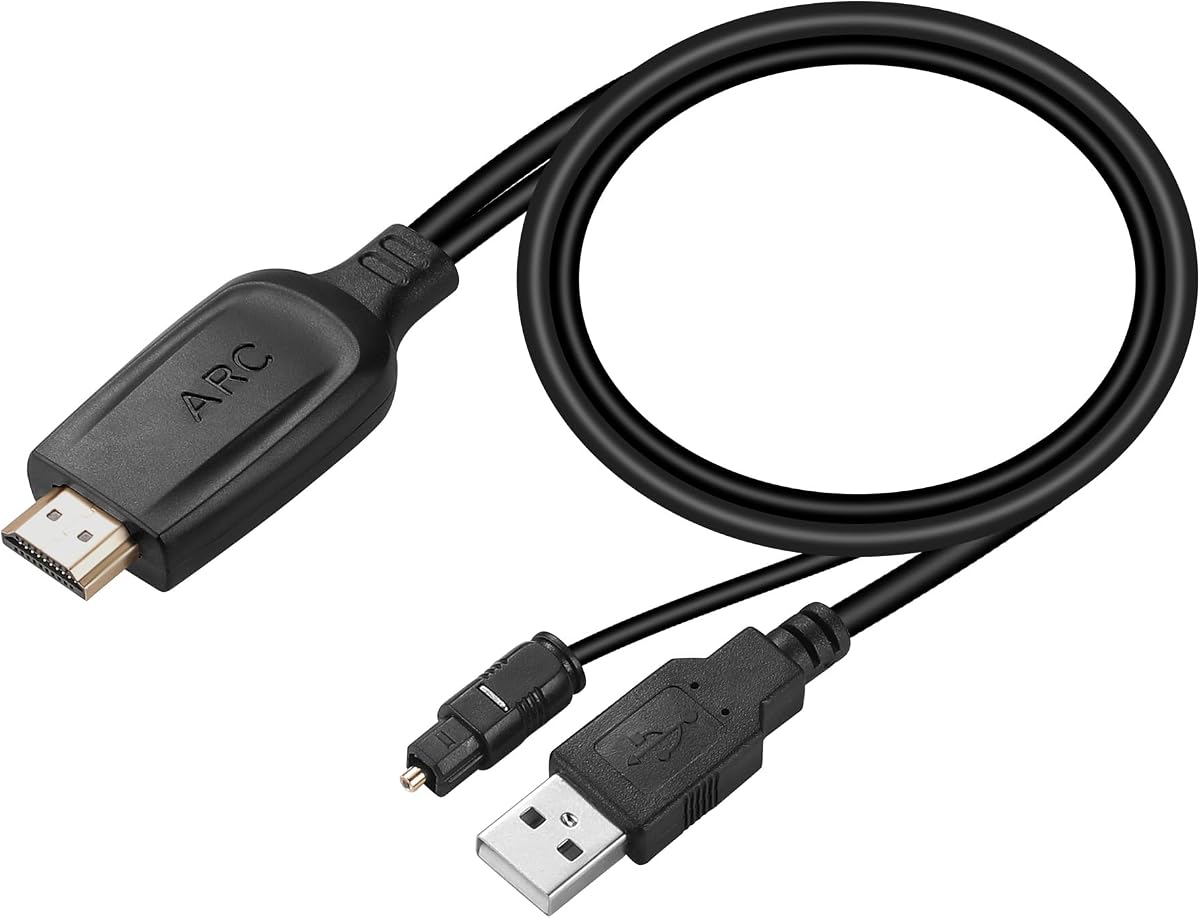
Unstincer 192KHz HDMI ARC to Optical Audio Converter
4.2Editor score
Affordable price point
Supports Dolby 5.1
Includes optical cable
This comprehensive guide compares the top HDMI Arc Adapter for Soundbar models to help you connect your TV audio to external speakers with ease.
Finding the right HDMI Arc Adapter for Soundbar can transform your home theater experience by unlocking superior audio quality from your television. Modern TVs often lack dedicated audio outputs, making these adapters essential for connecting older soundbars or amplifiers without replacing your entire setup. Understanding the differences between ARC and eARC capabilities ensures you get the most out of your investment.
We evaluated ten top-rated adapters based on audio quality, compatibility, ease of setup, and user feedback to create this definitive list. Each product was scrutinized for its ability to handle high-resolution audio formats and maintain stable connections over time. Our goal is to provide you with clear, actionable insights so you can choose the perfect adapter for your specific audio needs.
Every pick in this guide highlights unique strengths, from budget-friendly options to premium models supporting advanced audio protocols. We focus on real-world performance rather than just specifications to ensure you get a reliable device. Please note that product availability and pricing can change frequently, so verify current details before making your final purchase decision.
4.2Editor score

4.9Editor score

4.1Editor score
This side-by-side comparison highlights the key specifications and capabilities of each adapter to help you find the best fit for your home theater setup.


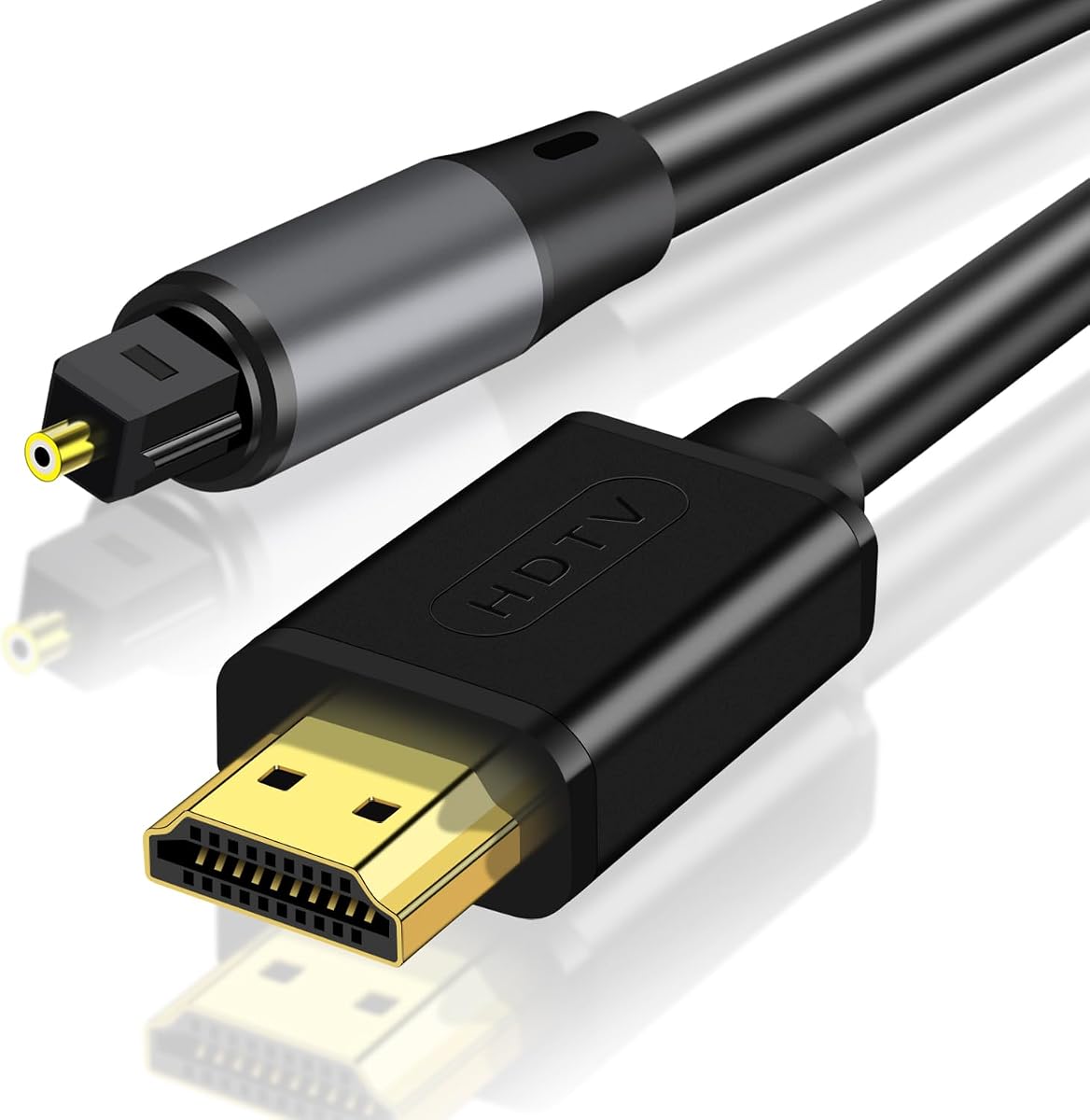
This HDMI ARC to Optical Audio Adapter for TV Soundbar stands out with an impressive 4.9 rating and exceptional performance. It transforms digital audio from your TV into clear optical signals effortlessly. Users praise its reliability and the inclusion of high-quality cables.
We may earn a commission when you buy through this link, at no additional cost to you.
The 192KHz sampling rate ensures pure audio with minimal loss. Gold-plated connectors resist corrosion for long-term signal integrity. It supports a wide range of formats including Dolby and DTS 5.1 for immersive sound.
While it lacks CEC volume control, this is standard for optical adapters. You must adjust volume on your soundbar directly. This limitation does not impact sound quality which remains consistent and robust.
Ideal for anyone needing a reliable bridge between TV and soundbar. It simplifies home theater setups with minimal fuss. We highly recommend this adapter for its overall excellence and ease of use.
The 192KHz sampling rate preserves audio details perfectly for a cinematic experience.
Gold-plated connectors ensure your audio signal stays clean and free from interference over time.
We may earn a commission when you buy through this link, at no additional cost to you.
The Unstincer 192KHz HDMI ARC to Optical Audio Converter offers great value for budget-conscious buyers. It delivers solid performance with a 4.2 rating. This adapter connects TV audio to soundbars easily without extra costs.
We may earn a commission when you buy through this link, at no additional cost to you.
It supports 24-bit/192kHz sampling for clear audio. The included optical cable simplifies installation. Users appreciate the plug-and-play design that requires no drivers or software.
Note that CEC volume control is not supported. You must control volume directly on your soundbar. This is a common trade-off for budget models but acceptable for most.
Perfect for upgrading older systems without spending much. It provides a reliable connection for daily TV viewing. We recommend this for those seeking affordable yet effective solutions.
Get reliable ARC conversion without breaking the bank with this highly rated budget option.
The kit includes necessary cables so you can start using it immediately after unboxing.
We may earn a commission when you buy through this link, at no additional cost to you.
The VPFET HDMI eARC Audio Extractor is designed for users demanding premium audio performance. With support for eARC channels it delivers cinema-grade surround sound. The dual outputs offer versatility for various home theater setups.
We may earn a commission when you buy through this link, at no additional cost to you.
It supports high sampling rates up to 192kHz for accurate reproduction. The coaxial and Toslink outputs let you connect different devices. An indicator light helps verify the connection status easily.
While it lacks CEC volume control the audio quality makes up for it. You will need to adjust volume on your audio device. This limitation is standard for optical extraction devices.
Best suited for advanced users wanting maximum audio fidelity. It transforms built-in streaming into high-quality surround sound. We recommend this for serious home theater enthusiasts.
Connect multiple audio devices simultaneously with both coaxial and optical outputs included.
eARC support allows lossless multi-channel digital audio transmission for immersive sound.
We may earn a commission when you buy through this link, at no additional cost to you.
The eSynic Professional 192Khz eARC & ARC to Optical Audio Extractor is perfect for older soundbars. It pulls high-quality audio from your TV into an optical signal. Users appreciate its simplicity and compact design.
We may earn a commission when you buy through this link, at no additional cost to you.
It supports 192KHz sampling for clean sound. The kit includes optical and HDMI cables for immediate setup. A status LED confirms power and signal connection clearly.
Note that you cannot control volume with your TV remote. Optical connections do not support CEC. This is standard but you must adjust volume on your soundbar.
Ideal for modern TVs paired with legacy optical gear. It avoids the need to buy a new receiver. We recommend this for users upgrading existing setups.
Revive older soundbars and headphones with clean optical output from modern eARC TVs.
Focuses on a pure optical output to reduce cable clutter and confusion.
We may earn a commission when you buy through this link, at no additional cost to you.
The HDMI ARC Adapter 4K60Hz offers simultaneous analog stereo outputs. It supports 192KHz sampling for clear audio. Users like its versatility for connecting speakers and headphones.
We may earn a commission when you buy through this link, at no additional cost to you.
It provides L/R and 3.5mm outputs at once. This allows connecting different audio devices simultaneously. The aluminum casing ensures durability and stable performance.
Note that PCM audio output is required for this to work. Some TVs need manual setting adjustments. CEC volume control is not supported by this adapter.
Great for connecting multiple speakers or headphones to one source. It ensures synchronized audio without delay. We recommend this for flexible home audio setups.
Connect speakers and headphones simultaneously using dual analog stereo outputs.
Made from high-quality aluminum metal material to ensure heat dissipation and stability.
We may earn a commission when you buy through this link, at no additional cost to you.
The HDMI eARC to Optical Audio Converter is designed for compatibility with most major TV brands. It solves the issue of TVs lacking optical interfaces. Users report smooth setup and reliable performance.
We may earn a commission when you buy through this link, at no additional cost to you.
It supports 24-bit/192kHz sampling rates for high-quality sound. The package includes necessary cables for immediate use. You simply connect the USB cable to power it.
Please note that optical ports do not support CEC volume control. You will need to adjust volume on your soundbar. TV settings must be configured for ARC output.
Perfect for Samsung LG or Sony TVs without optical ports. It transforms ARC audio into optical output easily. We recommend this for seamless TV and soundbar integration.
Fix compatibility issues between modern TVs and older audio systems effortlessly.
Maintain studio-grade audio fidelity with 192kHz sampling rates supported.
We may earn a commission when you buy through this link, at no additional cost to you.
The 192kHz HDMI eARC to Optical Audio Adapter comes with a generous 6.6FT cable. This allows flexible placement of your soundbar away from the TV. It supports high-resolution audio for immersive sound.
We may earn a commission when you buy through this link, at no additional cost to you.
Setup is effortless with zero software required. Simply plug the HDMI and USB cables to power it. The optical output connects directly to your speaker system.
Note that CEC volume control is not supported by optical cables. You must adjust volume on your soundbar manually. Ensure your soundbar supports necessary audio formats.
Ideal for users wanting a long cable for flexible setup. It delivers cinematic audio quality easily. We recommend this for versatile home theater installations.
Use the included 6.6FT cable to place your soundbar across the room easily.
Unleash the potential of high-end audio systems with cinematic immersive sound.
We may earn a commission when you buy through this link, at no additional cost to you.
The LiNKFOR HDMI eARC ARC to Optical Audio Converter supports Dolby 5.1 and DTS 5.1 formats. It ensures clear channel indicators for surround sound. Users appreciate the synchronized audio for sports and games.
We may earn a commission when you buy through this link, at no additional cost to you.
It offers 192KHz sampling for pristine sound quality. The plug-and-play design needs no drivers. Advanced audio processing eliminates interference and delay.
Please note that CEC volume control is not supported. You will need to adjust volume on your device manually. Ensure your soundbar supports Dolby or DTS audio.
Best for football parties or sports viewing with clear audio. It transforms your TV into a theater-quality system. We recommend this for immersive surround sound needs.
Enjoy theater-quality surround sound with Dolby and DTS 5.1 format support.
Delivers clear synchronized audio for sports nights and live streaming without delay.
We may earn a commission when you buy through this link, at no additional cost to you.
The HDMI ARC Audio Converter provides seamless ARC audio conversion to optical or AUX. It includes USB and HDMI cables for free. Users like the bonus accessories that save money.
We may earn a commission when you buy through this link, at no additional cost to you.
It supports PCM 2.0 and 5.1 channel surround sound. You get 192KHz resolution for immersive audio. Setup is hassle-free with no drivers needed.
Note that volume control on the TV remote will not function. Adjust volume using playback devices like soundbars. Some settings adjustments may be required for best results.
Perfect for connecting smart TVs to legacy audio devices. It offers flexible output options for various needs. We recommend this for convenient multi-format connectivity.
Free USB power and HDMI cables included save you time and money on purchases.
Supports 5.1 channel surround sound for immersive surround audio experiences.
We may earn a commission when you buy through this link, at no additional cost to you.
The 192KHZ HDMI eARC to Optical Audio Adapter delivers cinematic audio easily. It transforms HDMI ARC signals into optical outputs. Users report reliable performance and flexible cable length.
We may earn a commission when you buy through this link, at no additional cost to you.
It supports 24-bit/192kHz audio for high-quality sound. Setup is effortless with no software required. Just connect HDMI and power cables to begin.
Note that CEC volume control is not supported. You must adjust volume on your soundbar directly. If no sound occurs restart your TV and audio devices.
Ideal for solving TV audio output limitations. It allows users to enjoy immersive sound. We recommend this for reliable home theater integration.
True plug-and-play simplicity requires no software or drivers for immediate use.
Compatible with most TVs that support eARC ports and audio systems.
We may earn a commission when you buy through this link, at no additional cost to you.
Choosing the right adapter involves understanding your TV and soundbar capabilities along with desired audio formats and features.
Ensure your TV supports HDMI ARC or eARC as most adapters require a specific port marked ARC or eARC. Standard HDMI ports will not work for audio return.
Verify your TV's port label and settings before purchasing to avoid compatibility issues.
Check which audio formats your adapter supports such as PCM DTS or Dolby 5.1 to ensure your soundbar can process them correctly. Some adapters require PCM format for stereo output.
Select an adapter that matches your soundbar's supported formats for optimal performance.
Determine if you need optical coaxial or 3.5mm outputs based on your soundbar's input options. Some adapters offer multiple outputs for versatile connections.
Choose an adapter with the specific output type your audio device requires for seamless integration.
Look for adapters supporting high sampling rates like 192KHz for superior audio quality and resolution. Higher rates ensure cleaner sound with minimal loss.
Prioritize adapters with high sampling rates if audio fidelity is your main concern.
Most optical adapters do not support HDMI CEC which means you cannot control volume with your TV remote. You must adjust volume directly on your soundbar or amplifier.
Accept this limitation as standard for optical conversion unless you need integrated remote control.
Consider the length of included optical cables to ensure they reach your soundbar without extra extensions. Longer cables provide more flexibility in speaker placement.
Check cable lengths in the product details to confirm they fit your setup.
Most adapters require USB power for operation. Ensure you have a USB port available on your TV or use an included adapter.
Confirm power requirements before setup to avoid connection issues.
Select adapters with durable materials like aluminum casings to ensure heat dissipation and longevity. High-quality connectors resist corrosion for stable connections.
Prioritize build quality to ensure your adapter lasts longer under regular use.
Begin by connecting the HDMI cable from your TV's ARC or eARC port to the adapter. Ensure your TV settings enable ARC or eARC for audio output.
Plug the USB power cable into a power source or your TV's USB port to activate the adapter. Connect your soundbar using the included optical cable to the adapter.
Adjust audio formats on your TV settings such as PCM or Dolby for the best sound. Regularly check cables for damage and ensure connectors remain clean for stable performance.
Most optical adapters do not support HDMI CEC meaning you cannot control volume with your TV remote. You must adjust volume directly on your soundbar or amplifier.
Yes you should use a high-speed HDMI cable that meets ARC specifications usually HDMI 1.4 or higher. Using the correct cable ensures stable signal transmission.
Yes if your soundbar has an optical input. These adapters convert ARC signals to optical which most soundbars support for connection.
Check that you enabled ARC in TV settings and selected the correct audio output format. Ensure all cables are connected properly and the adapter is powered.
Most adapters do not support Dolby Atmos or multi-channel PCM formats. They typically support PCM 2.0 or 5.1 surround formats.
Yes many adapters work with consoles connected to your TV as long as the TV outputs audio via ARC.
No setup is generally plug and play. Follow the steps to connect cables and adjust TV settings which is straightforward.
CEC helps activate ARC features on some TVs enabling audio return. Enabling it ensures your TV communicates properly with the adapter.
We highlighted ten top adapters offering reliable audio conversion for various needs. Our top picks include the HDMI ARC to Optical Audio Adapter for overall performance and the Unstincer model for budget savings.
When choosing prioritize compatibility with your TV and soundbar as well as audio format support. Ensure your setup matches the adapter's capabilities to avoid connectivity issues.
Always check current prices and availability before purchasing. These adapters provide excellent value to enhance your home theater experience without replacing existing equipment.