
Seagate BarraCuda 8TB
4.7Editor score
Cost effective storage
Proven reliability
Fast sustained speeds
Selecting the right hard drive for RAID 0 configurations requires understanding performance demands and reliability trade-offs inherent to striping data across multiple disks for speed.
We evaluated ten leading models based on throughput speed cache capacity and endurance ratings ensuring each pick delivers consistent performance under heavy workstation or server loads.
Each review highlights key strengths and trade-offs so you can match hardware to your specific workload while noting that availability and pricing fluctuate frequently over time.
4.7Editor score

4.0Editor score

4.6Editor score
As an Amazon Associate we earn from qualifying purchases.
This side-by-side comparison evaluates the technical specifications and performance characteristics of all ten selected drives to help you identify the best fit for your specific RAID 0 setup.






The Seagate BarraCuda 8TB offers a reliable entry point into RAID 0 storage by balancing performance and cost for general desktop and gaming setups.
We may earn a commission when you buy through this link, at no additional cost to you.
Its sustained transfer rate of 190MB/s ensures smooth playback and file transfers making it a solid choice when speed is required without enterprise premiums.
While it lacks specific NAS optimizations like vibration sensors the drive delivers consistent performance for single or dual disk arrays in standard consumer hardware.
Buyers seeking a cost effective solution for expanding storage capacity will find this drive meets daily computing needs without breaking the budget significantly.
The affordable price per terabyte allows users to build high capacity arrays economically.
Backed by two decades of innovation this drive suits general workloads effectively.
We may earn a commission when you buy through this link, at no additional cost to you.
The Seagate IronWolf Pro 4TB brings enterprise-grade reliability to RAID 0 arrays by focusing on low vibration and consistent throughput for multi-user environments.
We may earn a commission when you buy through this link, at no additional cost to you.
With speeds up to 214MB/s and an integrated Health Management system it provides stable performance for shared storage without significant noise or lag.
Inclusion of Rescue Data Recovery Services adds a layer of peace of mind for users relying on this drive for critical data storage tasks.
This model is ideal for users needing a reliable RAID 0 component that handles continuous workloads with minimal risk of downtime or performance drop.
The IronWolf Health Management system helps prevent data loss through proactive drive health insights.
Designed for up to 24-bay NAS environments this drive handles multi-user access efficiently.
We may earn a commission when you buy through this link, at no additional cost to you.
The Seagate IronWolf Pro 16TB stands out as an elite choice for RAID 0 configurations demanding massive storage capacity and uninterrupted 24/7 performance reliability.
We may earn a commission when you buy through this link, at no additional cost to you.
Featuring conventional magnetic recording and a robust workload rating of 550TB per year this drive ensures consistent access speeds for enterprise-level computing tasks.
AgileArray technology with dual-plane balancing optimizes performance in multi-bay environments while reducing vibration that could otherwise affect array stability.
Buyers requiring large, reliable storage for intensive workflows will appreciate the combination of high capacity and enterprise-grade durability offered by this model.
With up to 550TB/year workload rating it handles intense data processing without degradation.
AgileArray reduces vibration ensuring top RAID performance in multi-bay environments.
We may earn a commission when you buy through this link, at no additional cost to you.
The WD Red Plus 12TB delivers stable performance for RAID 0 NAS setups by combining CMR technology with NASware firmware for compatibility.
We may earn a commission when you buy through this link, at no additional cost to you.
Its workload rating supports business environments running 24×7 ensuring data transfers remain consistent over time without unexpected performance dips.
Designed specifically for NAS systems it reduces vibration issues common in multi-bay setups enhancing overall system stability and drive longevity.
This drive is recommended for business users who prioritize compatibility and reliability over raw speed when building their RAID storage arrays.
NASware firmware ensures optimum performance across a wide range of NAS systems.
512MB cache facilitates smoother data transfers during high-volume operations.
We may earn a commission when you buy through this link, at no additional cost to you.
The WD Red Pro 16TB targets high-intensity multi-user environments by offering a workload rating of 550TB per year for continuous RAID 0 operation.
We may earn a commission when you buy through this link, at no additional cost to you.
Its unlimited bay support allows for flexible scaling in large storage arrays where consistent performance and low failure rates are critical.
Extensive testing with NAS vendors ensures compatibility reducing the risk of issues during deployment in complex enterprise storage setups.
Investors and power users requiring maximum capacity and endurance will find this drive meets the rigorous demands of professional data storage.
Flexible scaling allows you to add drives without hitting bay limits.
Rated for 550TB/year workload this drive handles continuous data transfers well.
We may earn a commission when you buy through this link, at no additional cost to you.
The WD Ultrastar DC HC580 provides class-leading 24TB capacity making it ideal for hyperscale environments and data centers requiring massive RAID 0 throughput.
We may earn a commission when you buy through this link, at no additional cost to you.
Delivering fast and predictable performance with a 512MB cache it is engineered for massive scale-out deployments needing high-density storage solutions.
With a 2.5 million hours MTBF rating this enterprise drive ensures durability and dependability even under demanding server workloads.
Users looking for maximum storage density without the premium price of brand-new enterprise hardware will find this renewed drive to be a compelling option.
Built for 24/7 operation with a high MTBF rating ensuring data dependability.
Engineered for high-density data centers and cloud storage applications.
We may earn a commission when you buy through this link, at no additional cost to you.
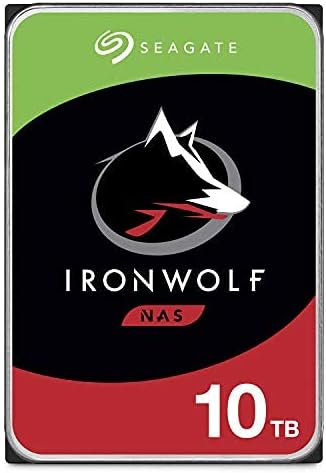
The Seagate IronWolf 10TB balances performance and reliability for RAID 0 NAS systems by offering consistent speeds and vibration sensors for stability.
We may earn a commission when you buy through this link, at no additional cost to you.
Built for 24×7 usage with AgileArray technology it ensures optimal performance for multi-user workloads without suffering from excessive noise or downtime.
Inclusion of a three-year Rescue Data Recovery Service provides an essential safety net for users prioritizing data security in their storage arrays.
This drive is perfect for professionals who need a dependable NAS optimized drive capable of handling continuous data transfers efficiently.
Optimized with AgileArray for RAID this drive balances performance effectively.
Rotational vibration sensors ensure stability in multi-bay NAS environments.
We may earn a commission when you buy through this link, at no additional cost to you.
The Seagate IronWolf 10TB v2 provides a reliable mid-range option for RAID 0 by delivering power-house performance tailored for NAS enclosure environments.
We may earn a commission when you buy through this link, at no additional cost to you.
Designed to reduce wear and tear and ensure little to no noise it is built for continuous operation without compromising on file sharing speed.
Integrated Health Management allows users to monitor drive status easily ensuring long-term reliability for shared storage networks.
Buyers looking for a balance of capacity and reliability in a standard 8-bay setup will find this drive meets their requirements effectively.
Monitor drive health easily with the integrated IronWolf Health Management system.
Built for NAS enclosures delivering less wear and tear over time.
We may earn a commission when you buy through this link, at no additional cost to you.
The Seagate IronWolf 10TB CMR offers consistent performance for RAID 0 by delivering 256MB cache and NAS optimized stability for multi-bay environments.
We may earn a commission when you buy through this link, at no additional cost to you.
Purpose built for NAS enclosures it provides ultra-high capacity with minimal noise and vibration ensuring smooth file sharing performance.
Reliability is enhanced by an integrated Health Management system that helps track drive status for proactive maintenance needs.
Users seeking a reliable drive for general NAS usage will find its balance of capacity and stability suits their needs well.
Ultra-high capacity 10TB provides ample space for extensive RAID storage needs.
Easily monitor drive health using the integrated IronWolf Health Management system.
We may earn a commission when you buy through this link, at no additional cost to you.
The WD Red Plus 14TB offers high capacity and energy efficiency for RAID 0 setups by utilizing 5400 RPM technology and CMR reliability.
We may earn a commission when you buy through this link, at no additional cost to you.
While not designed for high-speed intensive workloads it provides stable performance for general NAS systems needing 24×7 availability without excessive power draw.
Its NASware firmware ensures compatibility with a range of NAS systems making it a versatile choice for standard storage environments.
This model is ideal for users prioritizing cost and power efficiency over raw speed when building their RAID storage arrays.
5400 RPM performance class delivers reliable storage with lower power consumption.
NASware firmware ensures compatibility across various NAS system setups.
We may earn a commission when you buy through this link, at no additional cost to you.
Selecting the ideal hard drive for RAID 0 requires balancing capacity speed and reliability to ensure your data remains safe and accessible.
Determine your total storage needs before selecting a drive since RAID 0 splits data across disks requiring sufficient capacity to avoid bottlenecks.
Choose capacities that match your workload volume to ensure your array meets your storage demands efficiently.
Workload ratings indicate how much data a drive can transfer annually without degrading so look for models rated for high data throughput.
Prioritize drives with higher workload ratings if you plan to use the array for intensive file transfers.
Cache size acts as a buffer for data transfers meaning larger caches can smooth out performance spikes during heavy usage.
Select drives with larger cache sizes to improve responsiveness during large file operations.
Mean Time Between Failures (MTBF) measures expected drive longevity so higher ratings suggest better reliability under continuous operation.
Invest in drives with high MTBF values to reduce the risk of data loss over time.
RAID 0 arrays often operate in enclosed systems where vibration can cause read errors so look for drives with rotational vibration sensors.
Drives equipped with RV sensors maintain stability when mounted in multi-bay setups.
Desktop drives may lack firmware optimizations for 24×7 use while NAS drives are built for continuous operation in enclosed environments.
Choose NAS specific drives for longer uptime and better performance in RAID configurations.
A strong warranty period and access to data recovery services provide peace of mind when storing critical data on RAID 0 arrays.
Always check warranty terms before buying to ensure adequate protection for your investment.
Ensure the drive interface matches your controller such as SATA 6 Gb/s to avoid speed limitations that could bottleneck your array.
Verify interface compatibility to maximize the performance potential of your RAID 0 setup.
Initialize your RAID array through your system BIOS or controller software ensuring all drives are detected and configured correctly.
Monitor drive health regularly using built-in utilities to detect early signs of failure and maintain consistent performance.
Ensure proper ventilation and cooling for your drives since excessive heat can reduce lifespan and cause data corruption over time.
RAID 0 prioritizes speed over redundancy so it is not recommended for critical data unless you have a separate backup strategy. The array loses all data if one drive fails.
While any drives work NAS drives are recommended because they are optimized for 24×7 operation and vibration resistance which ensures stability in RAID environments.
Capacity depends on the largest drive in your setup and your operating system limits. Modern controllers support drives up to 24TB or more easily.
Use manufacturer software or generic monitoring tools to track S.M.A.R.T. data like temperature and error rates regularly to prevent unexpected failures.
CMR drives use conventional recording which provides faster and more consistent write speeds essential for RAID 0 arrays that need reliable throughput performance.
Yes RAID 0 can reduce load times by spreading data across drives allowing for faster read speeds which benefits large game installations and asset loading.
The ten reviewed drives offer diverse options ranging from budget friendly choices to enterprise grade solutions suitable for varying RAID 0 requirements.
Prioritize reliability and compatibility with your system when selecting a drive to ensure smooth operation and data integrity over time.
Always check current availability and pricing before purchasing since market conditions change frequently for storage hardware.