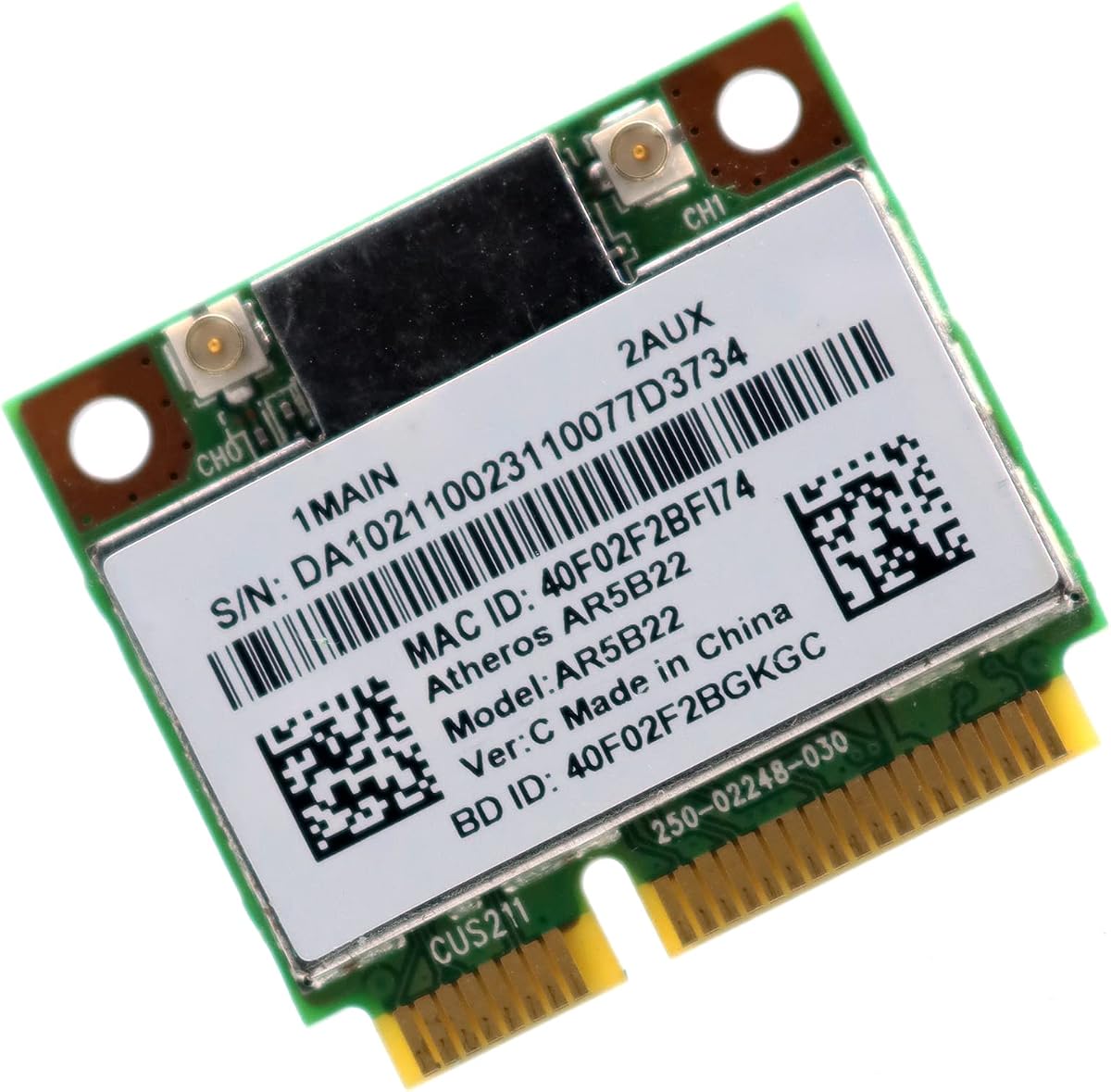
Deal4GO AR5B22 Half Mini PCie Card
4.7Editor score
Dual Band 2.4 and 5GHz
Bluetooth 4.0 Integrated
Budget Friendly Price
This guide compares the top ten Half Mini Pcie WiFi Bluetooth Card models to help you upgrade your laptop connectivity with reliable dual band wireless
Upgrading your laptop wireless connectivity requires choosing the right Half Mini Pcie WiFi Bluetooth Card for your specific hardware needs and performance goals today.
We evaluated ten top rated models based on wireless standards, Bluetooth versions, compatibility lists, and real world performance data from user reports and technical specs.
Each pick highlights key features, pros, and cons so you can decide quickly while noting that availability and pricing may vary by retailer and region daily.
4.7Editor score
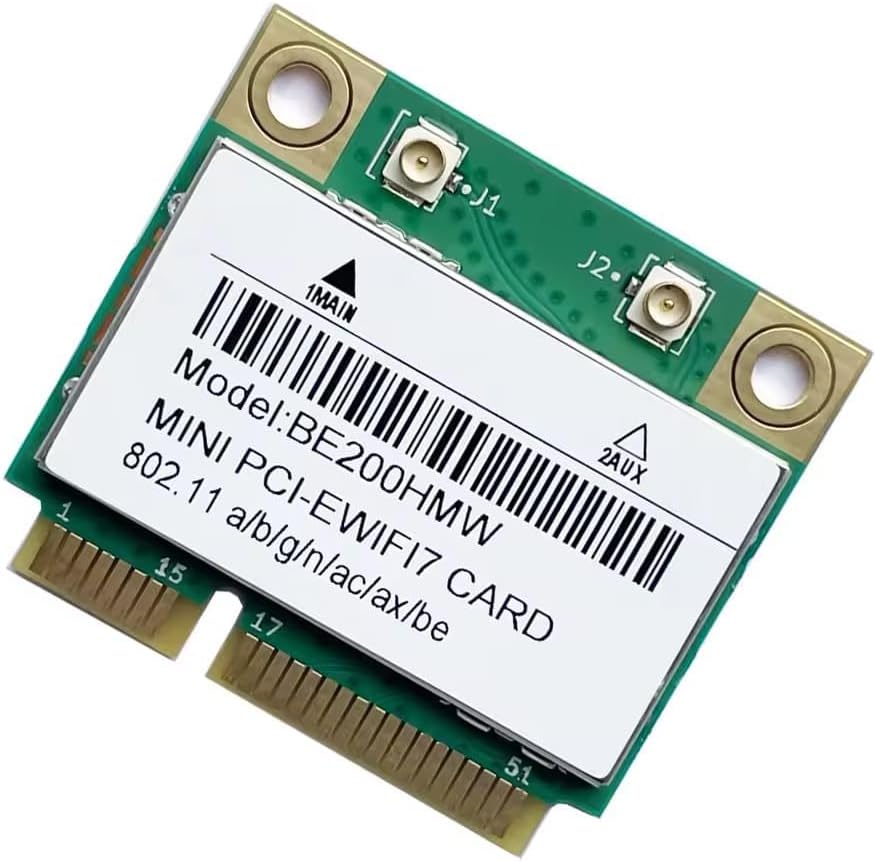
4.6Editor score

4.5Editor score
This side-by-side comparison highlights the core technical specifications and feature sets of all ten reviewed Half Mini Pcie WiFi Bluetooth Card options available today.

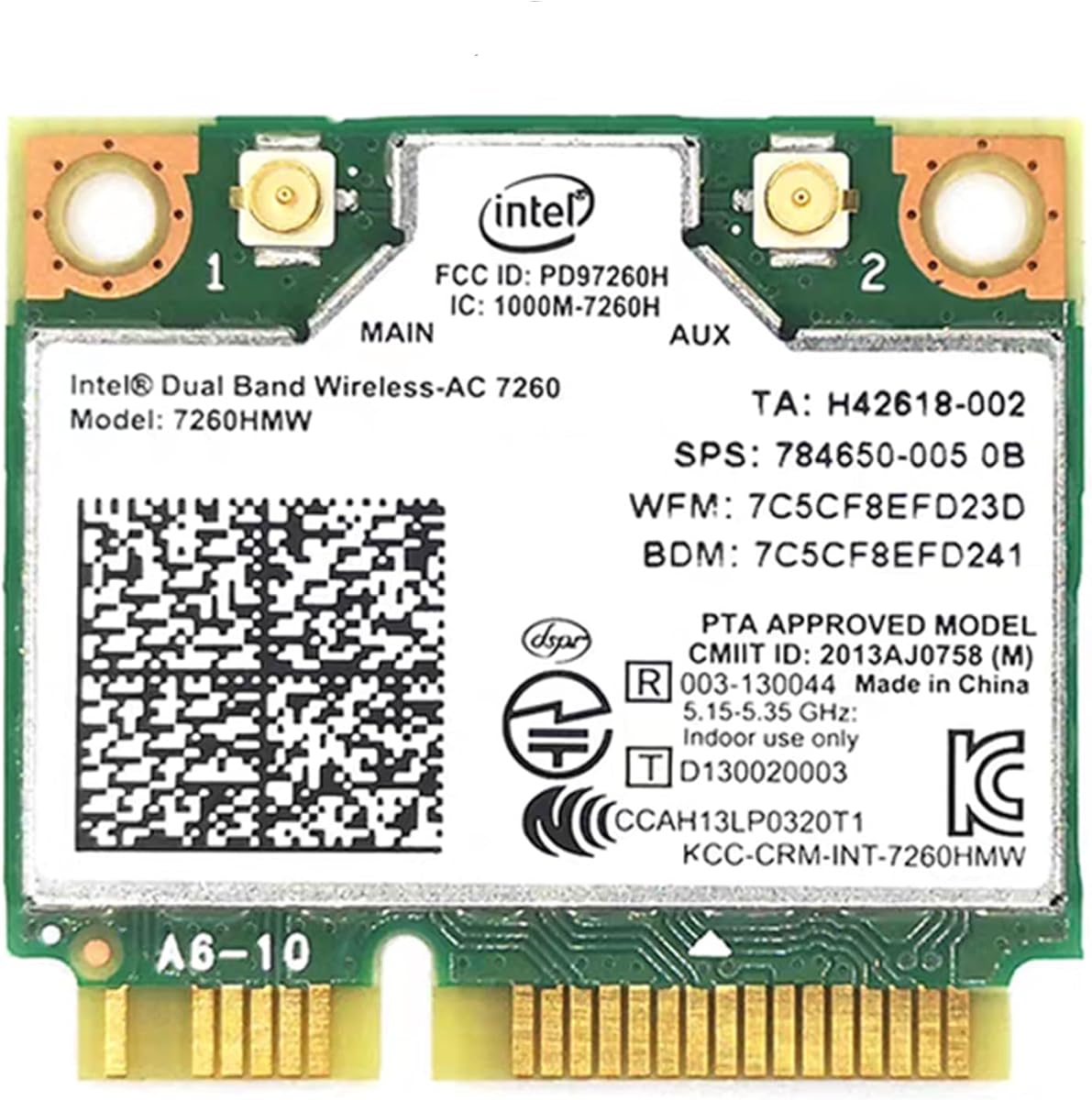


The Wireless BE200 Half Mini PCIe Network Card stands out as the top choice for users seeking modern speed and security in an upgrade card form factor today.
We may earn a commission when you buy through this link, at no additional cost to you.
Its dual-band Wi-Fi performance delivers up to 5.8 Gbps for smoother streaming and lag-free gaming while supporting the latest Bluetooth 5.4 for low energy peripherals.
Although it lacks bundled antennas and excludes M.2 compatibility, the robust security via WPA3 encryption and broad laptop compatibility justify these minor trade-offs easily.
Buy this if you need maximum wireless speed and future-proof Bluetooth connectivity for a compatible Half Mini PCIe laptop system without breaking your budget.
The dual-band design supports massive bandwidth for downloads streaming and online gaming without lag or buffering issues.
Supports Bluetooth 5.4 to connect headsets keyboards and mice with improved range and lower power consumption than older versions.
We may earn a commission when you buy through this link, at no additional cost to you.
The Deal4GO AR5B22 Half Mini PCie Card offers exceptional value for budget conscious users needing reliable dual band Wi-Fi and Bluetooth in a compact form.
We may earn a commission when you buy through this link, at no additional cost to you.
It delivers solid up to 300Mbps speeds on both bands with Bluetooth 4.0 and covers a wide range of operating systems from legacy XP to modern Windows 10.
Users should note it does not support 802.11ac standards and requires BIOS whitelist changes for some Lenovo HP models which may add setup complexity for new buyers.
Choose this card if you want an inexpensive upgrade for older laptops that still need solid connectivity for everyday browsing video calls and file transfers.
Provides both 2.4 and 5GHz bands to balance range and speed at a very low entry price for basic users.
Works with Windows XP Vista 7 8 8.1 and 10 on 32 and 64 bit architectures for flexible legacy system upgrades.
We may earn a commission when you buy through this link, at no additional cost to you.
The EDUP® Intel AX210HMW WiFi Card brings premium Wi-Fi 6E tri-band performance and Bluetooth 5.3 connectivity to compatible Mini PCIe laptops for heavy usage.
We may earn a commission when you buy through this link, at no additional cost to you.
It offers up to 5400Mbps total speed with separate 2.4 5 and 6GHz bands to reduce congestion and provide ultra-low latency for gaming and video streaming.
While it requires manual driver setup and excludes many Lenovo HP laptops due to BIOS whitelists the Intel AX210 chipset ensures top tier reliability and future-proof speeds.
Invest in this card if you demand cutting edge wireless speeds and Bluetooth features for demanding tasks and modern network infrastructure compatibility today.
Uses three frequency bands including 6GHz to maximize throughput and minimize interference for high demand households and devices.
Connects to headsets keyboards and mice with greater energy efficiency and stable pairing for all modern wireless peripherals.
We may earn a commission when you buy through this link, at no additional cost to you.
The 7260HMW Mini PCIe WiFi Card delivers reliable dual band wireless AC connectivity with built-in Bluetooth for seamless peripheral integration in older laptops.
We may earn a commission when you buy through this link, at no additional cost to you.
It reaches up to 867Mbps on 5GHz for faster downloads and stable streaming while supporting Windows 7 through Windows 10 for wide system compatibility.
Its compact form factor fits easily in available slots but relies on older Bluetooth 4.0 which may lack the range and efficiency of newer versions.
This card suits users upgrading older PCs who need solid AC speeds and basic Bluetooth support without requiring the newest Wi-Fi 6E standards.
Combines 2.4 and 5GHz bands to balance range and speed for reliable connectivity in most home and office environments.
Connects headsets speakers and other devices wirelessly without needing extra adapters for a cleaner laptop setup.
We may earn a commission when you buy through this link, at no additional cost to you.
The MQUPIN Dual Band Wirless Intel 7260 offers robust AC performance for compatible laptops but demands a confirmed USB bus for Bluetooth to function properly.
We may earn a commission when you buy through this link, at no additional cost to you.
It supports Linux kernels and Windows 7 through 10 making it flexible for varied setups while its compact lightweight design resists corrosion and abrasion well.
Users must verify their motherboard supports Bluetooth over USB bus before purchase since lack of support disables Bluetooth even if WiFi works on the system.
Pick this card if you need AC speeds and Linux support and have confirmed your system allows Bluetooth via USB bus on the Half Mini PCIe slot.
Supports Linux kernel 4.2 and above for users who run open-source operating systems on their laptop hardware.
Features a high quality circuit module board that resists corrosion and abrasion for long lasting reliable performance.
We may earn a commission when you buy through this link, at no additional cost to you.
This WiFi 6E Mini PCIe Card brings tri-band speeds and Bluetooth 5.3 to old laptops but users must ensure their BIOS does not block third-party wireless cards.
We may earn a commission when you buy through this link, at no additional cost to you.
It delivers up to 5400Mbps with a dedicated 6GHz band and 160MHz channels to eliminate buffering even when many devices share the same network connection.
Installation is quick but some Lenovo HP IBM laptops block the card via BIOS whitelists requiring users to verify compatibility before attempting a swap.
Buy this if you want maximum speeds on a new router and have a compatible Dell Asus Samsung or similar laptop that permits third-party wireless upgrades.
Uses the new 6GHz spectrum to reduce congestion and provide exclusive channels for faster gaming and file transfers.
Adds Bluetooth 5.3 directly to laptops so no extra USB dongles are needed for mice keyboards or headsets.
We may earn a commission when you buy through this link, at no additional cost to you.
The MPE-AX3000H WiFi 6 Card handles heavy multi-device loads with OFDMA and MU-MIMO tech for up to 2.4Gbps speeds on 5GHz with efficient BT 5.2.
We may earn a commission when you buy through this link, at no additional cost to you.
It supports WPA3 security and works well with Dell Acer Asus MSI and Clevo laptops though manual driver downloads and BIOS whitelists may block Lenovo HP brands.
While setup takes a few minutes to install drivers separately the performance boost for video calls gaming and downloads outweighs the initial configuration effort.
Choose this card if your laptop can load third-party cards and you need reliable capacity for multiple connected devices without lag or slowdowns.
Uses OFDMA and MU-MIMO to manage ten or more devices simultaneously without performance drops on busy networks.
Provides twice the speed and four times the range of older Bluetooth versions for stable and efficient connections.
We may earn a commission when you buy through this link, at no additional cost to you.
The BroadCom BCM943228HMB card is a perfect match for specific HP laptops offering reliable 300Mbps speeds and Bluetooth 4.0 with dual frequency support.
We may earn a commission when you buy through this link, at no additional cost to you.
It runs on Windows 2000 XP Vista 7 and 10 for broad legacy compatibility but targets primarily HP Compaq models with dedicated slots and whitelists.
Support teams reply within 24 hours to help install the card and resolve issues making it a safe choice for owners of these specific machines.
Select this only if you own an HP model listed in the specs and need a direct replacement that matches the original hardware and BIOS requirements.
Designed to match exact HP laptop models to ensure seamless installation and full functionality without BIOS conflicts.
Supports both 2.4 and 5GHz bands to balance range and interference for better signal quality across rooms.
We may earn a commission when you buy through this link, at no additional cost to you.
This Intel branded Dual Band Wireless-AC 7260 Half Mini Card provides official quality and consistent dual-band AC performance with integrated Bluetooth for seamless connectivity.
We may earn a commission when you buy through this link, at no additional cost to you.
Users appreciate the reliability of Intel chipsets and support for Windows environments though specific feature details are minimal in the product listing and documentation.
The older Bluetooth version and limited public specs may deter power users seeking maximum speed but it remains a solid replacement for original factory setups.
Choose this official Intel card if you prioritize brand reliability and exact hardware match for your laptop over cutting edge features and advanced specifications.
Intel branded hardware ensures driver consistency and compatibility with systems originally designed for Intel wireless solutions.
Delivers stable 2.4 and 5GHz performance to keep your connection fast and reliable during daily usage.
We may earn a commission when you buy through this link, at no additional cost to you.
The Intel Wireless-n 7260hmw card offers basic legacy connectivity with integrated Bluetooth and fits HP laptops designed for older Half Mini PCIe slot configurations.
We may earn a commission when you buy through this link, at no additional cost to you.
It supports 802.11b/g/n standards and Bluetooth for everyday tasks but lacks AC speeds which limits throughput compared to modern dual-band or tri-band options.
While not ideal for streaming or heavy downloads it provides a dependable and easy installation for users needing simple Wi-Fi and Bluetooth restoration on older HP systems.
Pick this card if you own an HP laptop that requires a legacy replacement and do not need high-speed wireless capabilities for modern apps.
Designed to work with older HP laptops that use standard Mini PCIe slots without advanced compatibility requirements.
Includes Bluetooth capability within the same card to simplify hardware setup and reduce extra USB dongles.
We may earn a commission when you buy through this link, at no additional cost to you.
Selecting the right Half Mini Pcie WiFi Bluetooth Card requires evaluating wireless standards, Bluetooth version, physical slot compatibility, and manufacturer whitelist policies for your laptop.
Check if your laptop needs 802.11b/g/n 802.11ac or Wi-Fi 6E based on your internet speed and router support for optimal network performance.
Newer standards like Wi-Fi 6E offer faster speeds and less interference while older standards remain suitable for basic browsing and legacy systems.
Bluetooth versions range from 4.0 to 5.4 and newer versions provide better range lower power consumption and stronger connections for peripherals and smart devices.
Choose a card with Bluetooth 5.0 or higher if you need stable connections for multiple devices or low-energy peripherals like sensors and headphones.
Confirm your laptop has a Half Mini PCIe slot and not M.2 or CNVio slots since physical form factor mismatches prevent installation regardless of compatibility.
Measure your current slot or consult your laptop manual to ensure the card dimensions match your system before purchasing any wireless upgrade card.
Many Lenovo IBM and some HP laptops block third-party cards via BIOS whitelists so verify your model supports external cards before buying to avoid return hassle.
If your model is restricted consider using official replacement cards or flashing custom BIOS versions if you are experienced with advanced hardware modifications.
Some cards do not include antennas or mounting screws so confirm these accessories are present or available separately for a complete installation kit.
Check if your laptop has existing antenna connectors and ensure they match the new card's connector type to reuse hardware and save on extra costs.
Ensure drivers are available for your operating system and that installation is straightforward to avoid connectivity issues after the hardware swap.
Prefer cards with support for your current OS version especially Windows 10 or 11 and Linux to guarantee immediate functionality after installation.
Cards supporting 160MHz channel width deliver higher throughput and lower latency which benefits gaming video calls and large file transfers significantly.
Look for OFDMA and MU-MIMO support if your router also supports these technologies to maximize capacity and efficiency in multi-device environments.
Modern cards should support WPA3 encryption for stronger network security and better protection against unauthorized access or data interception risks.
Verify the card supports the latest WPA standards especially if you run public or shared networks where security is a high priority.
Before installation download the latest drivers from the manufacturer or Intel website to your desktop to avoid connectivity issues after the card swap.
Power down the laptop remove the battery if possible and use an anti-static wrist strap to protect internal components from static electricity during the upgrade.
Insert the card firmly into the Half Mini PCIe slot secure it with screws and reconnect the antenna cables before powering on the system to ensure proper fit.
Most Lenovo laptops including ThinkPad models use BIOS whitelists that block third-party cards so you must confirm your specific model supports external wireless cards. Some older non-business models may allow it but new models often restrict these upgrades to original equipment cards.
Half Mini PCIe is an older connector with a different keying and pin layout than M.2 which is used in newer ultrabooks and laptops. Cards are not interchangeable so you must match your laptop slot type to the card interface.
Download drivers before removing your old card to ensure immediate connectivity after installation. This prevents network issues if Windows cannot detect the new hardware automatically without pre-installed drivers.
Yes if your existing antennas use matching connector types like IPEX MHF4 or U.FL. Most Half Mini PCIe cards use standard connectors but always check the port layout on both the card and your antenna cables.
Your motherboard may not support USB bus routing for Bluetooth on the Mini PCIe slot. Check your manual and verify if USB bus is open. Some cards also need Bluetooth drivers installed separately in Windows.
Aim for Bluetooth 5.0 or higher like 5.2 5.3 or 5.4 to get better range energy efficiency and stable connections. Older 4.0 cards still work but lack modern advantages for multiple device pairing.
Yes Wi-Fi 6E cards are backward compatible with AC routers but you won't access the faster 6GHz band. You will still benefit from 2.4 and 5GHz improvements in latency and stability.
Check your service manual or open the access panel to see if your slot is a Mini PCIe with a keyed connector and not an M.2 slot. Most older business laptops and some mini PCs use this format.
The Wireless BE200 offers the best balance of speed and modern Bluetooth while the Deal4GO AR5B22 remains ideal for budget constrained upgrades on compatible hardware.
Prioritize BIOS whitelist compatibility and slot type before choosing a card to avoid installation issues and ensure smooth performance across your daily computing tasks.
Prices and availability shift frequently so always check current listings and confirm model support for your specific laptop brand before completing your purchase today.