
Dell 24 Monitor SE2426H
4.7Editor score
144Hz refresh rate
IPS technology
TÜV eye comfort
Gamers often need a display that works independently of a traditional desktop tower. Modern portable and standalone screens now support consoles and mobile devices directly. This guide explores monitors designed for flexibility and performance without a PC.
We evaluated ten top-rated models based on refresh rates, color accuracy, and connectivity options. Each unit was chosen for its ability to deliver smooth visuals and easy setup. Our analysis covers both portable travel units and larger desktop curved screens.
Every pick highlights key strengths and potential trade-offs for different gaming styles. Prices and availability may change so check current listings before buying. Use this resource to find the perfect screen for your next gaming adventure today.
4.7Editor score

4.4Editor score

4.4Editor score
As an Amazon Associate we earn from qualifying purchases.
This side-by-side comparison highlights the key specifications of each monitor. Find the right balance between size, speed, and visual quality for your specific setup and gaming needs.

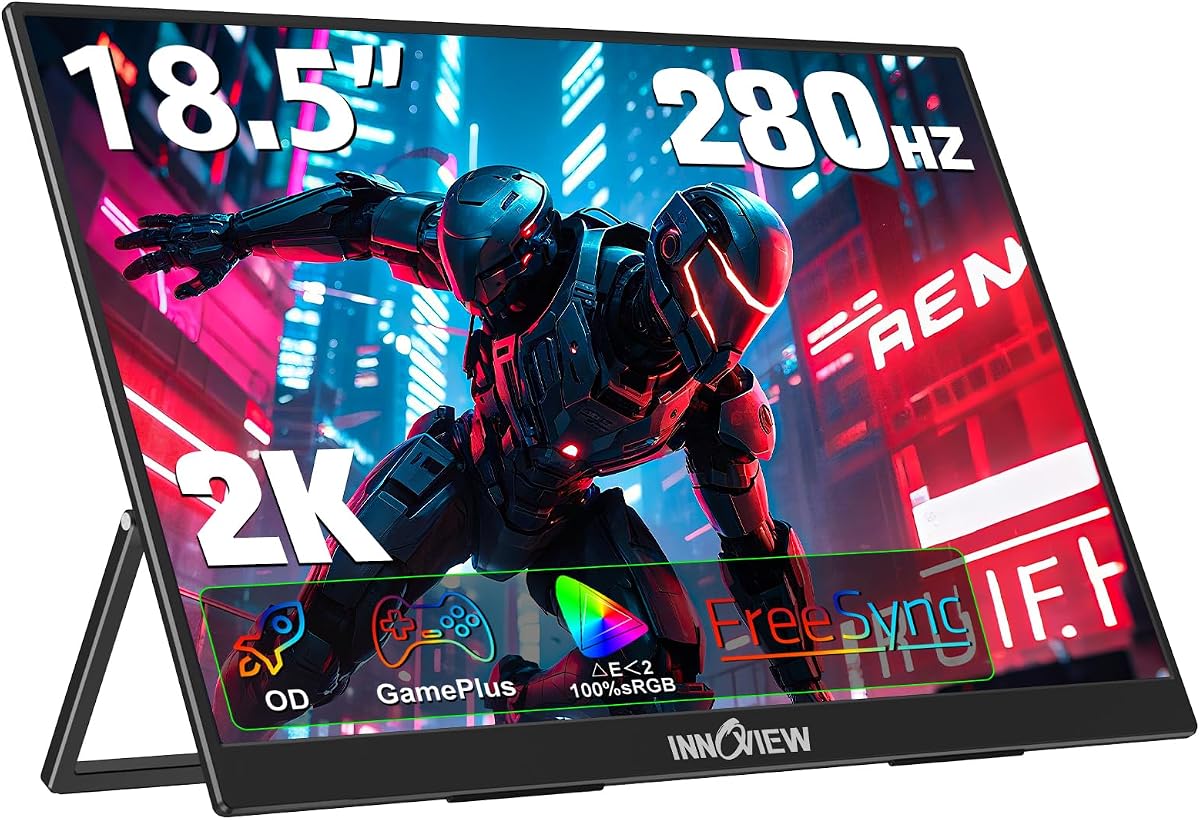


This monitor stands out for its combination of high resolution and fast refresh rates. It delivers sharp visuals and smooth motion for gamers using consoles or mobile devices. The built-in stand adds convenience for various setups.
We may earn a commission when you buy through this link, at no additional cost to you.
The 2K resolution provides excellent detail while the 180Hz rate ensures fluid gameplay. FreeSync technology reduces tearing for a better experience. Connectivity is broad with Type-C and HDMI options for wide compatibility.
Portability is balanced with screen size which may suit desktop users more than travelers. The metal body is sturdy but adds weight. It requires power which limits true plug-and-play use without adapters.
Ideal for home gaming stations needing a secondary screen. The performance justifies the size for focused sessions. Check current specs before buying to ensure power needs are met.
The 100% sRGB coverage ensures accurate colors for media. The high refresh rate minimizes blur during fast scenes.
Dual Type-C ports and HDMI allow flexible connections. It supports laptops and phones without extra drivers.
We may earn a commission when you buy through this link, at no additional cost to you.
This portable unit is built for mobility with a protective case included. It offers a good balance of screen size and weight. The 120Hz rate provides smooth visuals for casual gaming on the go.
We may earn a commission when you buy through this link, at no additional cost to you.
The sleeve case protects the screen during transit effectively. VESA mounting allows for flexible positioning at home or office. The bezels are thin which maximizes viewing space in a small form factor.
It lacks the highest refresh rates found in larger models but still performs well. The 1ms response time helps reduce input lag for responsive play. Power requirements may vary depending on the source device.
Perfect for travelers needing an extra display for work or play. The included case adds value for frequent movers. Consider your typical usage scenario when deciding on size.
The shock absorbing foam in the case prevents damage. It fits easily in backpacks for daily commutes.
The 1ms response time minimizes ghosting effects. The 120Hz rate keeps motion smooth in action games.
We may earn a commission when you buy through this link, at no additional cost to you.
This monitor pushes the limits with an extreme refresh rate for smooth visuals. The 2K resolution ensures sharp details during intense gaming sessions. It includes features like GamePlus to enhance competitive play.
We may earn a commission when you buy through this link, at no additional cost to you.
The high refresh rate delivers exceptional motion clarity in fast paced games. HDR support improves contrast and color depth for richer images. Multiple ports allow connection to various consoles and laptops easily.
Achieving the full refresh rate depends on the host device capabilities. External power is needed which can limit portability without adapters. The stand is stable but adds to the overall weight slightly.
Best for competitive gamers who prioritize frame rates over size. The versatility makes it suitable for work too. Ensure your device supports the high refresh before purchase.
Customizable crosshairs help aim in FPS games. The FPS mode optimizes settings for specific titles.
HDR adds depth to shadows and highlights. The 100% sRGB ensures accurate color reproduction.
We may earn a commission when you buy through this link, at no additional cost to you.
This compact monitor fits easily into small bags for travel. It provides a fluid 144Hz experience despite the smaller size. The lightweight design makes it ideal for frequent transport.
We may earn a commission when you buy through this link, at no additional cost to you.
Single cable USB-C simplifies the setup process significantly. It delivers power to laptops while extending the display. The FreeSync technology ensures smooth gameplay without tearing or stuttering.
The resolution is standard which is fine for mobile use but less sharp. The cover protects the screen from scratches during transit. Some users may find the size too limited for multitasking.
Excellent for users needing an extra screen on the move. The portability and ease of use are major benefits. Check dimensions to ensure it fits your specific bag.
The single cable reduces clutter on your desk. It supports charging while displaying content simultaneously.
The kickstand provides stable support in any orientation. The included cover shields the screen from damage.
We may earn a commission when you buy through this link, at no additional cost to you.
This model offers solid performance at a competitive price point. The color gamut ensures vibrant visuals for media and games. It supports standard inputs for wide compatibility.
We may earn a commission when you buy through this link, at no additional cost to you.
The 144Hz refresh rate provides smooth motion for various genres. The built-in stand makes it ready to use immediately. It works well as a secondary screen for productivity tasks too.
It lacks advanced features like HDR or high resolution compared to premium units. The resolution is standard 1080p which is acceptable for the size. No adaptive sync is noted in the description.
Great for budget conscious buyers needing a secondary display. The balance of features and cost makes it a strong contender. Verify connectivity requirements before connecting to consoles.
The 106% sRGB coverage makes colors pop. It is suitable for casual creative work on the go.
No drivers are needed for basic operation. It connects directly to laptops and phones with cables.
We may earn a commission when you buy through this link, at no additional cost to you.
This large curved monitor wraps around your vision for immersion. The 240Hz rate ensures smooth action during intense games. It is designed for a fixed setup rather than travel.
We may earn a commission when you buy through this link, at no additional cost to you.
The curvature helps reduce eye strain during long sessions. HDR technology brings out details in bright and dark areas. The stand supports tilt for comfortable viewing angles at your desk.
Portability is not a focus as it is quite large and heavy. You will need significant desk space to accommodate the size. Speakers are not included so external audio is required.
Ideal for desktop gaming stations where immersion is key. The speed and size deliver a powerful experience. Ensure your room layout can handle the footprint.
The 1500R curve matches the human field of view. It draws you into the game world effectively.
The 240Hz refresh rate minimizes motion blur. It is perfect for fast paced competitive gaming.
We may earn a commission when you buy through this link, at no additional cost to you.
This unit offers a balance between size and performance for desktop users. The 160Hz rate delivers fluid motion for most games. It includes specific modes for different genres.
We may earn a commission when you buy through this link, at no additional cost to you.
The VA panel provides strong contrast and dark details. The curved design helps keep content within your peripheral vision. Game timers and crosshairs add utility for competitive players.
It is not portable and requires a dedicated spot on a desk. Audio output is handled via an external jack. The warranty policy offers peace of mind for long term use.
Well suited for home office or gaming setups. The versatility and performance make it a solid choice. Check your desk width before installation.
Modes optimize settings for FPS or movie playback. This reduces manual tweaking during sessions.
The VA panel delivers deep blacks for scenes. It enhances visual depth in darker games.
We may earn a commission when you buy through this link, at no additional cost to you.
This portable unit brings premium QLED technology to a travel screen. The brightness ensures visibility in various lighting conditions. It offers accurate colors for creators and gamers alike.
We may earn a commission when you buy through this link, at no additional cost to you.
The high brightness improves visibility outdoors or in bright rooms. Wide color coverage makes media pop with vibrant tones. The slim profile makes it easy to slip into a bag.
It requires a specific power adapter to run at full speed. The price is higher than standard portable options. However the quality and build justify the extra cost for enthusiasts.
Best for professionals who need color accuracy on the go. The performance and design are top tier. Ensure you have the required power supply for full 2K output.
The 100% DCI-P3 covers cinema color spaces. It is excellent for video editing tasks.
At just 2.3 pounds it is very easy to carry. The slim bezels give a modern look.
We may earn a commission when you buy through this link, at no additional cost to you.
This Samsung monitor offers a deep curve for total immersion. The high pixel density ensures sharp text and detailed graphics. It is designed for stationary home gaming setups.
We may earn a commission when you buy through this link, at no additional cost to you.
The 1000R curve wraps the screen around your field of view. It minimizes eye strain during long sessions with the saver mode. Sync tech helps maintain smooth motion across games.
It requires significant space on a desk or mount. It is not designed for frequent transport. The build quality is solid and reliable for daily use.
Great for enthusiasts who want a desktop gaming experience. The visuals and immersion are top notch. Measure your desk space before purchasing.
QHD resolution offers more detail than HD. It is great for reading and gaming.
Reduced blue light helps keep eyes relaxed. Flicker free tech prevents fatigue.
We may earn a commission when you buy through this link, at no additional cost to you.
This Dell model provides a reliable experience with high ratings. The eye comfort certification helps during long use. It uses IPS technology for consistent colors across angles.
We may earn a commission when you buy through this link, at no additional cost to you.
The high rating reflects satisfaction with its performance. It delivers smooth motion for gaming on a budget. The bezels are thin for a clean look.
It does not have advanced features like high contrast or premium build. The design is functional rather than flashy. It remains a dependable option for everyday tasks.
Excellent for users seeking a simple and effective monitor. The comfort features make it great for office and gaming. Check current stock to see availability.
The TÜV certification reduces harmful blue light. This helps prevent fatigue during extended use.
IPS ensures color remains consistent from any angle. It is good for collaborative work or media.
We may earn a commission when you buy through this link, at no additional cost to you.
Selecting the right monitor depends on your specific usage needs and environment. These factors will help you narrow down your choices effectively.
Screen size determines how much space you need for your view. Smaller units are better for travel while larger ones suit desktop setups. Balance portability with your desire for detail.
Choose a size that fits your bag or desk comfortably.
Refresh rate controls how smooth motion looks during fast action. Higher rates like 144Hz or above are essential for competitive gaming. Lower rates may suffice for casual play.
Prioritize higher refresh rates if you play action games.
Check that the monitor supports your device's output. Look for Type-C or HDMI ports to connect to consoles or laptops. Ensure your device provides enough power if needed.
Confirm ports match your available cables and power needs.
Resolution affects how sharp images appear on the screen. Higher resolution like QHD offers more detail than standard HD. Consider if your device can support higher resolutions.
Match the resolution to your device's capabilities.
Panel type influences color accuracy and viewing angles. IPS panels provide consistent color while VA panels offer deeper blacks. Choose based on whether you prioritize color or contrast.
Select IPS for color accuracy or VA for contrast.
Portability is key if you plan to move the screen often. Look for lightweight builds and included cases for protection. Check weight if you need to carry it daily.
Focus on weight and included accessories for travel.
Extra features like HDR or eye care can improve your experience. HDR adds depth to images while eye care reduces strain. Decide which extras are worth the extra cost.
Look for features that solve specific viewing issues.
Budget determines which features you can realistically access. Higher price often means better build and image quality. Set a limit and find the best model within it.
Balance cost with the performance you require.
Start by connecting your source device to the monitor using the appropriate cable. Ensure the power adapter is connected if the device does not supply enough power through the cable.
Adjust the stand or mount to find a comfortable viewing angle. Make sure the monitor is placed on a stable surface to avoid accidental falls.
Clean the screen with a soft dry cloth to remove dust. Avoid harsh chemicals or wet wipes that could damage the coating. Store it in a protective case when not in use.
Yes many portable monitors work with consoles and mobile devices directly. They use standard HDMI or USB-C cables to receive video signals. You just need to ensure your device outputs video.
Some monitors draw power from the device while others need an adapter. Check the specs to see if your laptop or console provides enough wattage. Otherwise an external power bank or wall adapter is needed.
A refresh rate of 144Hz or higher is ideal for smooth gaming. It minimizes blur during fast action and makes movement look fluid. Lower rates like 60Hz work for slower games.
Use a microfiber cloth to gently wipe away dust and fingerprints. Do not spray liquid directly on the screen. If needed use a damp cloth to wipe the edges.
Many portable models are designed for travel with slim profiles. They often come with protective cases. Look for lighter weight and sturdy build for frequent moving.
Most portable and desktop monitors support VESA mounting. You will need a compatible mount bracket to attach them. Check the manual for specific screw patterns before buying.
We have reviewed ten top options that offer flexibility and performance. Each model balances size speed and visual quality in different ways. Consider your primary use case when selecting one.
Prioritize features like refresh rate and connectivity to ensure compatibility. Portable screens are great for travel while larger ones offer immersion. Choose what fits your routine and space.
Prices and availability change so always check the current listings before buying. We hope this guide helps you find the right display for your needs today.