
SUNLU Filament Dryer Box 2026 New Upgrade S1 Plus
4.3Editor score
Includes built-in fan design
Visual LCD display screen
Fits most standard filament types
This guide compares the top filament dryer for 3D printing to help you choose the best model for drying and storing your 3D printer materials effectively.
Moisture is the silent killer of high-quality 3D prints, causing stringing and poor layer adhesion. A dedicated filament dryer for 3D printing actively removes water vapor from spools before and during prints to ensure consistent results.
We evaluated ten leading models based on heating technology, capacity, sealing quality, and ease of use. Our analysis focuses on how well each unit maintains dry conditions for various materials like PLA, PETG, ABS, and Nylon.
Each pick below highlights unique strengths and trade-offs for different user needs. Prices and availability change frequently, so verify current listings before purchasing to ensure you get the best deal today.
4.3Editor score

4.6Editor score

4.5Editor score
The following comparison table lists key specifications for each of the ten models reviewed in this guide. Use this data to quickly identify which dryer matches your specific filament storage and drying requirements.



The Creality Space Pi X4 stands out as a robust solution for users who need to dry multiple spools at once. With a high rating from users, this unit offers dual independent heating chambers that significantly speed up moisture removal compared to single-chamber dryers.
We may earn a commission when you buy through this link, at no additional cost to you.
Its ability to reach 85°C makes it suitable for engineering filaments like ABS and Nylon, which require higher temperatures to dry effectively. The dual chambers allow you to dry two spools faster than standard ovens, and the sealed box maintains humidity control when not actively drying.
While the price is higher than entry-level options, the time saved and the ability to handle high-volume printing justify the investment for serious hobbyists. The window allows you to check spools without breaking the seal, which is a thoughtful design detail.
This dryer is ideal for print farms or users who print multiple colors and need to keep a library of dry filament ready. If you print frequently and use a variety of materials, this model delivers consistent performance.
The two separate heating zones allow you to dry two spools simultaneously without temperature drop, reducing drying time by roughly 30 percent.
Reaching 85 degrees Celsius enables this unit to handle advanced materials like ABS and ASA that standard dryers cannot dry fully.
We may earn a commission when you buy through this link, at no additional cost to you.
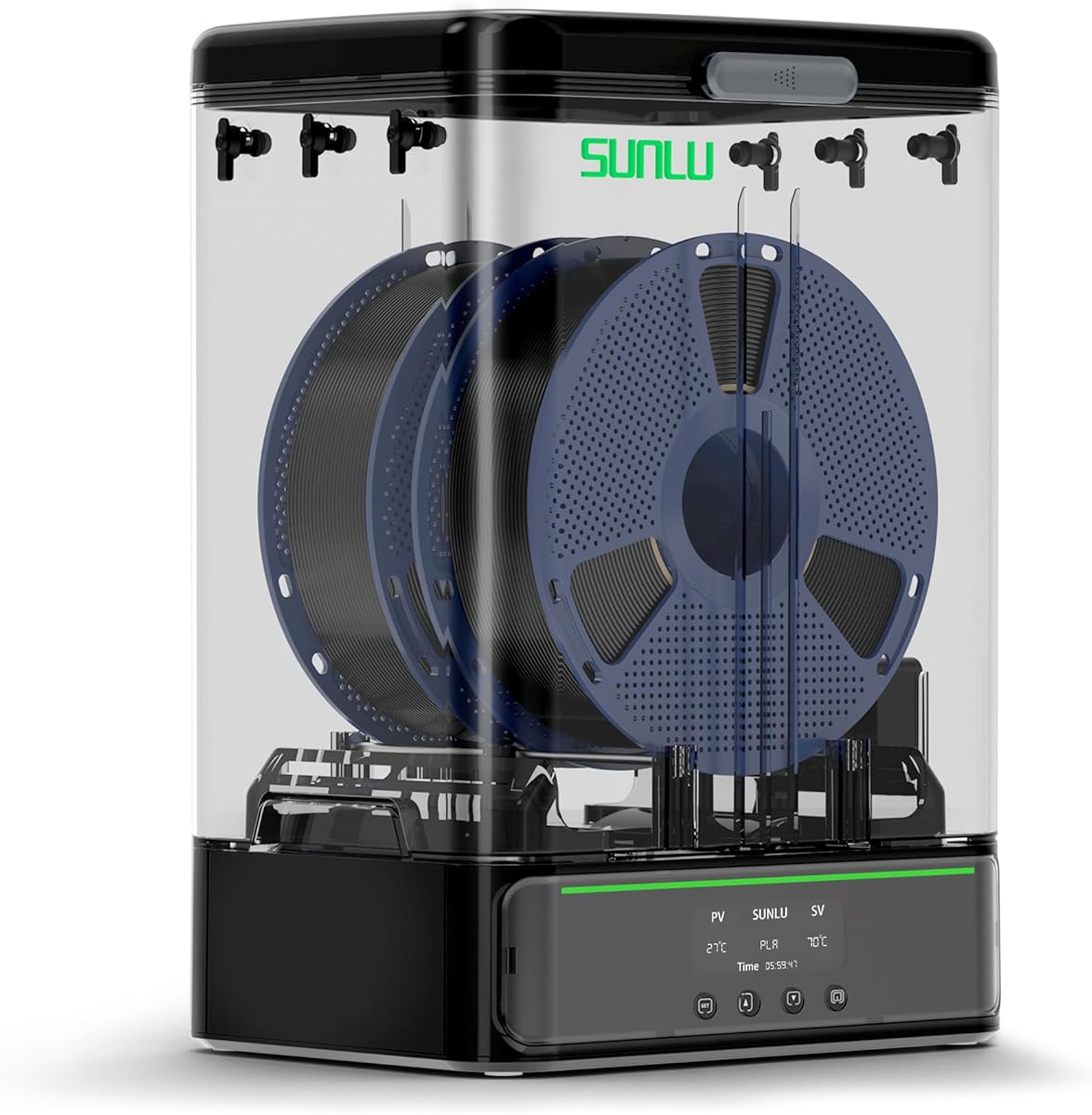
The SUNLU S1 Plus is an excellent entry point for those who want to eliminate moisture issues without spending a fortune. It adds a fan design to improve airflow, which helps discharge excess water more quickly than passive heating boxes.
We may earn a commission when you buy through this link, at no additional cost to you.
Its LCD screen clearly shows temperature, time, and humidity, making it easy to monitor drying progress. You can adjust settings to suit different filaments, and the unit fits standard spools well. This makes it a versatile tool for common materials like PLA and PETG.
The trade-off is a lower maximum temperature, which may not be sufficient for engineering plastics that require higher heat. However, for everyday printing tasks, this unit offers solid performance and helps improve print quality significantly.
If you are new to filament drying or print mostly with PLA, this is a practical and effective choice. It solves the problem of stringing and clogging at a price point that fits most budgets.
The internal fan circulates air to speed up moisture removal, making drying more effective than non-fan models at the same price tier.
The 2-inch screen provides clear, real-time data so you do not need to guess when your filament is ready.
We may earn a commission when you buy through this link, at no additional cost to you.
The SUNLU S4 is a powerhouse designed for users who need to dry large volumes of filament consistently. With a 350W heater and three circulation fans, it delivers 360-degree heating that ensures every part of the spool dries evenly.
We may earn a commission when you buy through this link, at no additional cost to you.
Its eight exit holes allow you to route filament to multiple printers or adjust angles for smoother feeding. The unit is built to handle heavy spools, including 3kg rolls, which makes it versatile for long printing jobs without interruption.
While it is physically large, this size enables the robust performance needed for professional or high-volume environments. The build quality is sturdy, and the controls are intuitive for setting precise temperatures and timers.
This dryer is the best choice if you print often and want to guarantee consistent quality across long runs. The extra capacity and power make it a long-term investment that pays off in reduced print failures.
Three high-quality fans work with the heater to maintain a uniform temperature inside, avoiding cold spots that leave moisture behind.
Eight outlet holes provide flexibility to connect to different printer extruders or feed from different angles.
We may earn a commission when you buy through this link, at no additional cost to you.
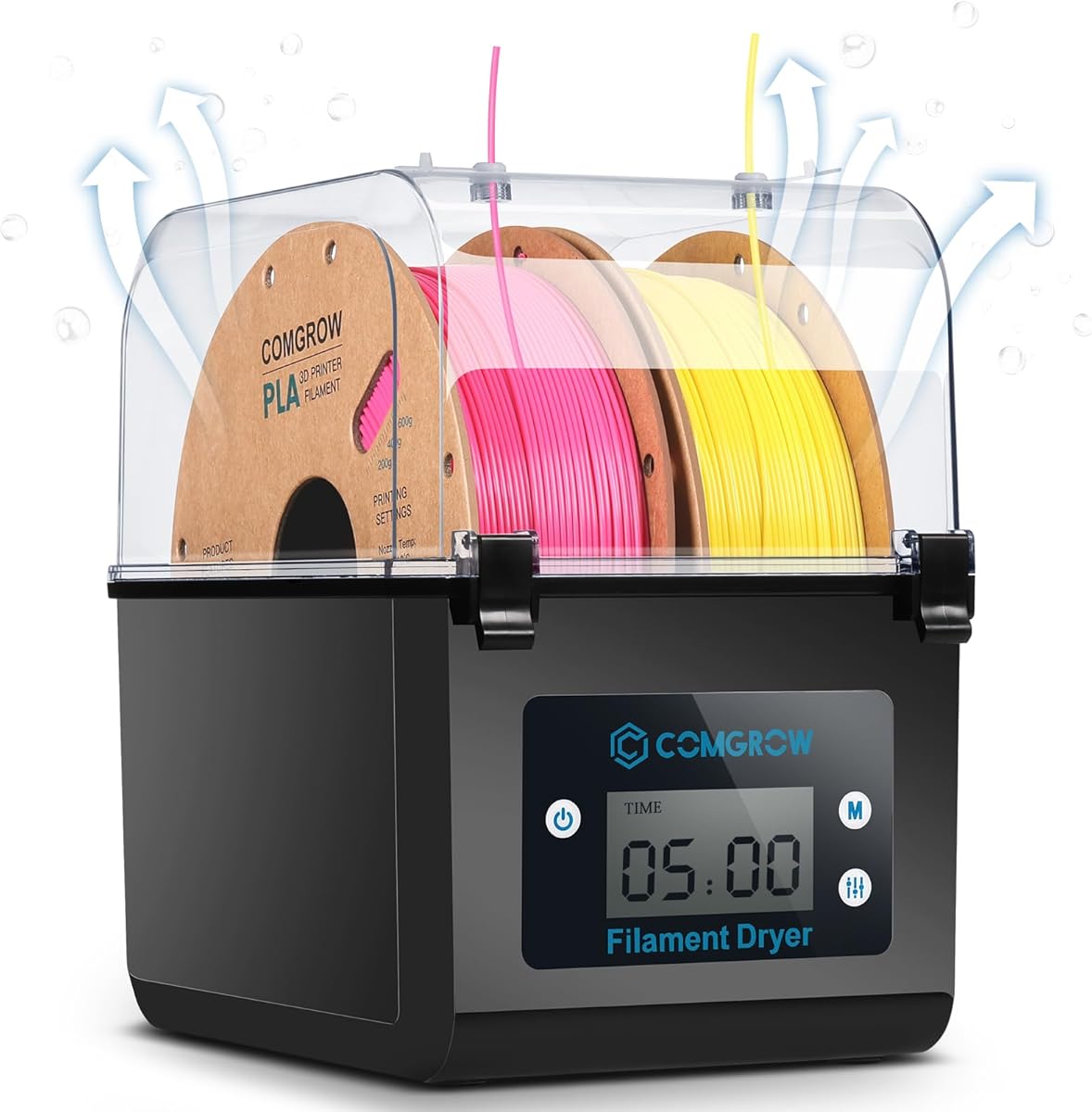
The Comgrow SH01 is a straightforward dryer box that focuses on core functionality without unnecessary complexity. It accommodates two rolls of 1kg spools and uses a simple touch interface to set drying parameters.
We may earn a commission when you buy through this link, at no additional cost to you.
Its sealed design with a silicone outlet plug helps keep moisture out when not in use. The LCD screen displays temperature and humidity, allowing you to verify that conditions remain stable during printing sessions.
The limited temperature range means it is best suited for materials that do not require high heat, like PLA. While the auto-shutoff feature can be cautious, it protects the unit during inactivity and ensures safety.
If you need a compact and budget-friendly solution for basic filament drying, this model is a reliable option. It solves the moisture problem effectively for most common materials.
The clear LCD and touch buttons make it simple to adjust settings without needing to dig through menus.
When drying is complete, the sealed hole keeps filament dry for later use without needing extra vacuum bags.
We may earn a commission when you buy through this link, at no additional cost to you.
The Creality Space PI Plus emphasizes user-friendliness with a large touch screen and preset options for different filaments. This removes guesswork for beginners who may not know exact drying temperatures for each material type.
We may earn a commission when you buy through this link, at no additional cost to you.
The 360-degree heating ensures even circulation, while the humidity monitor helps track moisture levels in real time. You can set a timer up to 48 hours to fully dry moisture-heavy materials before printing.
While the heater is not the most powerful on the market, it is sufficient for most common filaments like PLA and PETG. The interface is intuitive, making daily use simple and efficient.
This model is great for users who value ease of use and clear feedback. If you want a dryer that guides you through settings, this is a practical choice.
Twelve built-in profiles let you select your filament type and start drying immediately with optimized settings.
The 3.7-inch screen is much larger than most competitors, making it easy to see data from across the room.
We may earn a commission when you buy through this link, at no additional cost to you.
Polymaker designed the Polydryer to integrate drying and storage into a single workflow. This means you can dry a spool and immediately seal it within the same environment, reducing exposure to ambient moisture.
We may earn a commission when you buy through this link, at no additional cost to you.
A built-in hygrometer gives you direct feedback on internal humidity, which is critical for materials like Nylon that absorb moisture quickly. The unit also supports desiccant packs for ongoing defense between prints.
While it lacks a large digital screen, the focus is on reliable performance and consistent results. The airflow design ensures even heating without hot spots that could damage filament.
If you print engineering materials and need dependable moisture control, this unit is worth the investment. It simplifies your workflow by combining two essential tasks.
The sealed storage function keeps filament ready for the next print without needing extra bags or containers.
The hygrometer helps you verify dry conditions quickly, which is helpful for troubleshooting print issues.
We may earn a commission when you buy through this link, at no additional cost to you.
The Creality Space Pi SE is a compact option that heats up quickly and provides basic monitoring tools. It uses a PTC heater with a fan to ensure air circulates properly for even drying.
We may earn a commission when you buy through this link, at no additional cost to you.
The knob control combined with a screen makes adjustments simple. You can track humidity levels directly, which helps verify when the drying process is complete without guessing.
While it only holds one spool and caps at 65C, it is sufficient for PLA, PETG, and TPU users. The thermal insulation on the walls helps keep heat in and prevents external surfaces from getting too hot.
This dryer is a solid choice for small workbenches where space is tight. It delivers reliable performance for everyday materials without requiring a large footprint.
The unit reaches target temperature quickly, so you do not waste time waiting for it to warm up.
Real-time monitoring helps you confirm the filament is truly dry before starting a print job.
We may earn a commission when you buy through this link, at no additional cost to you.
This variant of the SUNLU S4 maintains the high performance expected from the model line. With a powerful heater and three fans, it ensures consistent temperatures across the large internal space.
We may earn a commission when you buy through this link, at no additional cost to you.
The eight exit holes make it easy to connect to printers at different angles, reducing stress on the filament. It handles multiple spools and is built for heavy use over time.
Its high rating reflects reliability and effectiveness in real-world printing. Users find that it eliminates moisture issues that cause stringing and adhesion problems during prints.
If you need a dependable dryer for multiple printers or spools, this model is a strong contender. It balances power and usability well.
The fan system circulates hot air so every part of the spool dries uniformly without cold spots.
Multiple outlets let you choose the best path for your printer setup to avoid friction.
We may earn a commission when you buy through this link, at no additional cost to you.
The SUNLU SP2 is tailored for users who use large spools and want to store and dry them together. It heats quickly and maintains a steady temperature, ensuring moisture is removed efficiently.
We may earn a commission when you buy through this link, at no additional cost to you.
Its large capacity means you can dry 3kg spools without needing to break them down. The humidity monitor and desiccant containers help you track conditions over time.
The touch screen is clear and easy to use, providing presets that simplify the process. Sealing latches ensure that the box keeps moisture out when not in use.
If you prefer large spools for long jobs, this dryer accommodates that preference well. It is practical and straightforward for daily use.
Rollers and a bar holder let you fit bigger spools securely for drying and storage.
The HD screen shows temp, time, and humidity clearly so you can adjust settings quickly.
We may earn a commission when you buy through this link, at no additional cost to you.
The SUNLU S2 is a practical dryer that rotates the spool to ensure even heating. This spindle design helps remove moisture uniformly, which improves print quality over non-rotating units.
We may earn a commission when you buy through this link, at no additional cost to you.
You can set the timer up to 99 hours for deep drying of hygroscopic materials. The large touch screen simplifies control and makes it easy to set temperatures and times.
While it is a more basic design than newer models, it remains effective for common filament types. The translucent lid lets you check the filament without opening the box and losing heat.
This dryer is a good option for users who want a simple tool to keep filaments dry. It solves common moisture issues reliably for everyday printing.
Continuous rotation keeps all parts of the spool exposed to heat for even moisture removal.
The clear lid lets you see the filament state without breaking the drying environment.
We may earn a commission when you buy through this link, at no additional cost to you.
Selecting the right dryer involves considering capacity, temperature range, and sealing quality to match your printing needs.
Determine how many spools you need to dry at once and whether you use standard 1kg rolls or larger 3kg spools. Units like the SUNLU S4 and Creality X4 support multiple spools, while compact models fit one or two.
Choose a unit that matches your volume to avoid bottlenecks in your workflow.
Different filaments require different temperatures to dry effectively. PLA and PETG dry well around 50C, while Nylon and ABS may need up to 80C or higher.
Ensure the unit can reach the maximum temperature required by your materials to fully remove moisture.
PTC heaters are efficient and safe, and those with fans or circulation systems distribute heat more evenly than static heaters.
Look for units with fans or rotating spindles to ensure consistent drying across the entire spool.
A good dryer should also act as a storage box to prevent re-absorption of moisture after drying. Sealed designs with latches and silicone plugs help maintain dry conditions.
Check if the unit allows direct feeding from the dryer to your printer to minimize exposure.
LCD screens, humidity sensors, and presets simplify use and help you verify dry conditions. Touchscreens and knobs offer different levels of control depending on your preference.
Prioritize interfaces that make it easy to set and track drying parameters.
Ensure the dryer supports the filament diameter you use, typically 1.75mm or 2.85mm. Some models also support 3.00mm or large rolls.
Check that the outlets and rollers accommodate your spool type to avoid feed issues.
A sturdy build ensures the unit withstands frequent use and maintains seals over time. Consider weight and dimensions to fit your workspace.
Look for units with reliable components that have good user ratings for long-term performance.
Begin by placing your spool inside the dryer and connecting the filament to your printer or securing the outlet plug. Set the temperature according to your filament type, such as 50C for PLA or 65C for Nylon.
Monitor the display for temperature and humidity levels until the filament is dry. Most units recommend running for several hours to fully remove moisture before printing starts.
After drying, seal the unit or store the spool in a dry environment to prevent moisture re-absorption. Clean the interior periodically and check seals to maintain performance over time.
Yes, especially if you print in humid environments or store filament for long periods. PLA and PETG absorb moisture slowly over time, which can cause poor print quality, so drying them regularly helps maintain performance.
Drying time varies by material and initial moisture content. Typically, a few hours are enough for PLA, while Nylon may require 6 to 12 hours. Check your dryer settings for recommended times.
Yes, some dryers like the Creality X4 and SUNLU S4 can hold up to four spools. This saves time and keeps your filament library ready for various print jobs without sequential drying.
Nylon usually requires higher temperatures, often between 65C and 80C. Ensure your dryer supports this range, as standard PLA dryers may not remove enough moisture from Nylon.
Many modern dryers include sealed storage features to keep filament dry after the drying cycle. This helps maintain moisture-free conditions between prints without needing extra vacuum bags.
Use the humidity monitor if your dryer has one, or follow recommended drying times. If prints show reduced stringing or layer adhesion issues, the filament is likely dry.
Most dryers support standard diameters like 1.75mm and 2.85mm from any brand. Check the outlet size and spool holder to ensure compatibility with your specific spool types.
The top picks in this guide cover a range of needs, from budget-friendly options to high-capacity professional units. Each model offers unique benefits to improve print quality and reduce moisture issues.
Consider your typical materials and workspace size when choosing. Higher temperature ranges and larger capacity come at a higher price but can save time and improve results significantly.
Remember to check current prices and availability before purchasing. A good filament dryer is a smart investment that pays for itself through fewer failed prints and better material longevity.