
Creality K2 Plus Combo 3D Printer
4.0Editor score
Large 350mm build volume
Multi-color printing with CFS
High speed up to 600mm/s
Dual AI cameras included
Discover the top Fdm Printer for Large Prints models for 2026. This guide compares build volume, speed, and features to help you choose the right machine.
Finding the right Fdm Printer for Large Prints can transform your creative workflow. Whether you need oversized prototypes or functional parts, size matters. A good large format printer offers stability, speed, and reliability for demanding tasks.
We evaluated ten top models based on build volume, print quality, speed, and ease of use. Our analysis focuses on real-world performance for creators and professionals seeking consistent results across diverse materials and project sizes.
Each pick highlights key strengths and ideal use cases for different needs. Note that availability and offers change frequently, so check current listings before purchasing to ensure you get the best value for your specific requirements.
4.0Editor score

4.5Editor score

4.4Editor score
This side-by-side comparison highlights key specifications and capabilities across the top ten Fdm Printer for Large Prints models available in the market today.




The Bambu Lab P1S stands out as a top choice for those seeking a reliable Fdm Printer for Large Prints. With its high speed and enclosed design, it handles a variety of materials efficiently. Users appreciate its ease of use and consistent print quality.
We may earn a commission when you buy through this link, at no additional cost to you.
Its speed of up to 500mm/s significantly reduces print times. The enclosed body improves performance with advanced filaments. Automatic bed leveling ensures a great first layer. Multi-color capabilities via the AMS enhance creative possibilities without complex manual swaps.
While it requires the AMS accessory for full multi-color functionality, the integration is smooth. The price is higher than entry-level models but justified by performance. Overall, it balances speed, reliability, and ease of use well for various projects.
This printer is ideal for creators wanting speed and quality without extensive tinkering. If you need reliable large prints with minimal hassle, the P1S is a strong recommendation. It excels in both hobbyist and professional environments where time matters.
Printing at 500mm/s with high acceleration ensures faster project completion compared to standard models.
Connecting the AMS enables up to 16 colors, allowing complex designs without manual filament changes.
We may earn a commission when you buy through this link, at no additional cost to you.
The Snapmaker U1 offers unique advantages for multi-material printing with its independent toolheads. Its SnapSwap system reduces tool change time drastically. This model excels in creating complex parts with different materials in one job.
We may earn a commission when you buy through this link, at no additional cost to you.
With speeds up to 500mm/s and CoreXY stability, it delivers quality. The automatic tool changer minimizes waste and time. It supports diverse materials including flexible and engineering filaments. The built-in model library and smart features simplify use.
While the build volume is smaller than some rivals, its versatility is unmatched for specific needs. The cost reflects advanced features like tool changing. It is best suited for users needing multi-material prints without manual intervention.
Consider this if your workflow demands frequent material changes. The speed and reliability of the tool changer justify the investment for professionals. It is a powerful tool for detailed prototypes and functional parts.
The 5-second tool changer reduces downtime significantly compared to traditional filament swapping methods.
Independent toolheads allow combining rigid and flexible materials in a single print for advanced applications.
We may earn a commission when you buy through this link, at no additional cost to you.
The Creality Ender 5 Max is designed for expansive builds and efficiency. Its 400mm cube volume allows oversized prototypes without splitting. The CoreXY system delivers high speeds while maintaining precision for demanding projects.
We may earn a commission when you buy through this link, at no additional cost to you.
The all-metal frame ensures stability for tall prints. WLAN control makes it ideal for print farms managing multiple machines. Dual-gear extruder supports continuous production. Fast heating bed improves workflow speed.
While it offers great size and speed, some users may need to tune settings. The noise level during operation is noticeable but manageable. It balances performance and cost well for production environments.
This model is a strong choice for businesses needing large parts quickly. The network capabilities enhance scalability. It provides a robust platform for both prototyping and batch production tasks.
The 400mm cube space allows printing full-size items or multiple parts without complex slicing.
Networked control enables efficient management of several printers for scaled production workflows.
We may earn a commission when you buy through this link, at no additional cost to you.
The Creality K2 Plus Combo is a flagship model offering advanced features for serious users. With CFS multi-color printing and high-speed capabilities, it stands out in the market. Its large build volume supports big projects with ease.
We may earn a commission when you buy through this link, at no additional cost to you.
The combination of 600mm/s speed and 350mm volume is impressive. Dual AI cameras monitor prints closely to prevent failures. The heated chamber supports engineering materials well. This makes it versatile for functional parts.
The price is high but justified by the extensive feature set. New users might find the automation features complex initially. It is best for those needing top-tier speed and color capabilities.
If you want a comprehensive solution for complex prints, this is a top pick. The automation reduces manual oversight. It delivers professional results with a modern feature set.
The CFS system allows up to 16 colors, reducing manual filament swaps and post-processing.
Two AI cameras monitor the print process for failures and optimize flow rates automatically.
We may earn a commission when you buy through this link, at no additional cost to you.
The ANYCUBIC Kobra X provides impressive value for multi-color printing. Its native support for four colors without expensive upgrades makes it accessible. The design saves space while delivering good performance for many users.
We may earn a commission when you buy through this link, at no additional cost to you.
Speed is high, reducing time on projects. The LeviQ leveling ensures accurate first layers. Low waste features help save on material costs. It balances budget and capability well for small businesses.
While the build volume is smaller, it is sufficient for many parts. The cost is lower than comparable multi-color models. It is a great entry point for color printing.
Consider this if you need color versatility on a budget. It handles standard materials well. The efficiency features make it a smart choice for production needs.
Supports 4 colors natively, with expansion up to 19 for more creative options.
Shortened filament change length reduces purge waste by over 80% for efficiency.
We may earn a commission when you buy through this link, at no additional cost to you.
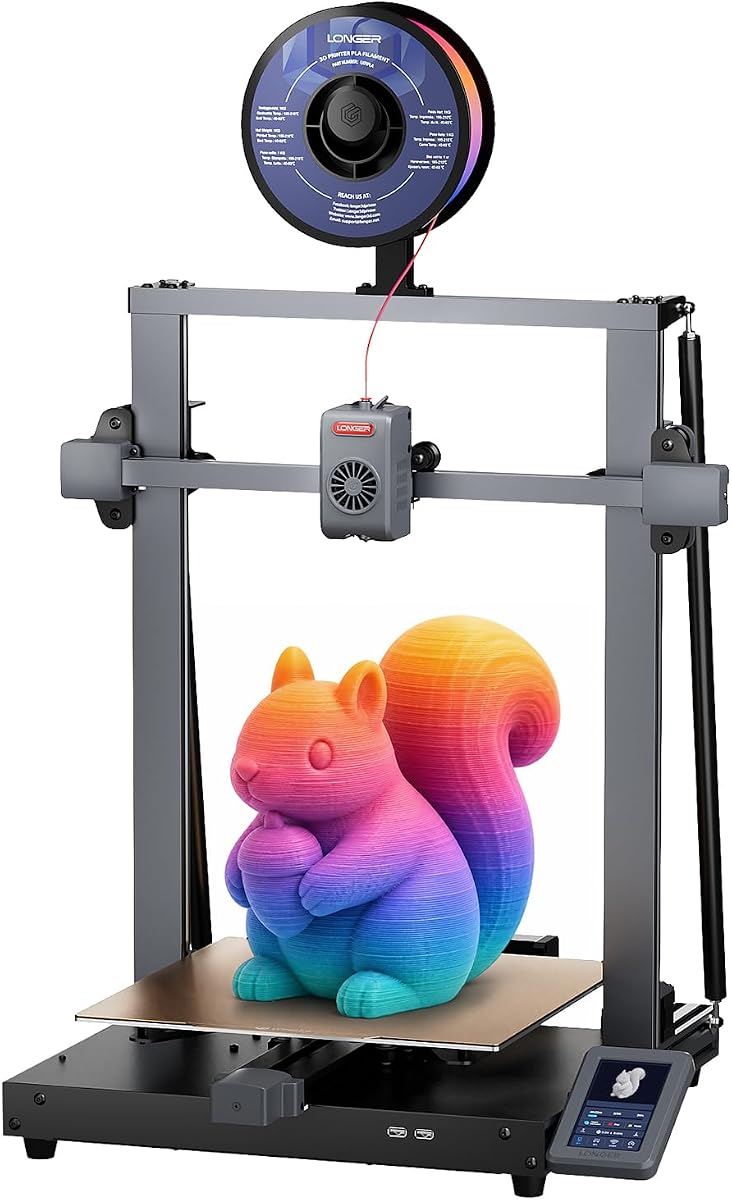
The LONGER LK10 Plus is a straightforward option for large prints. Its build volume allows for big models or batch production. The Klipper firmware enables high speeds with stability for efficient workflows.
We may earn a commission when you buy through this link, at no additional cost to you.
Auto leveling makes setup simpler for beginners. Power-loss recovery ensures long prints complete. Dual-band WiFi enables remote control. It is a solid choice for those needing space without high cost.
The interface is basic compared to smart models. Material compatibility is standard. However, for basic large print needs, it offers good value.
This model suits those prioritizing size and speed on a budget. It is reliable for everyday printing tasks. Consider it for prototyping or educational projects.
Klipper allows for faster printing speeds while maintaining stable quality and accuracy.
The 320x320x400mm space accommodates large prints in one go reducing assembly.
We may earn a commission when you buy through this link, at no additional cost to you.
The QIDI Max4 Combo is built for industrial-grade printing needs. With a large volume and heated chamber, it handles difficult materials effectively. The speed is unmatched in its class for quick production.
We may earn a commission when you buy through this link, at no additional cost to you.
Closed-loop motors ensure stability during fast prints. High-flow hotend supports abrasive materials. The AI camera detects issues early. It is a robust machine for professional applications.
The cost is high but reflects the build quality and features. Some accessories require separate purchase. It is ideal for those needing reliability and performance.
If you need to print complex industrial parts, this is a top contender. The features reduce failure rates. It offers a powerful solution for demanding workflows.
The 65C chamber prevents warping on high-temp materials like ABS-CF and PC.
Closed-loop motors provide high precision and stability at 800mm/s print speeds.
We may earn a commission when you buy through this link, at no additional cost to you.
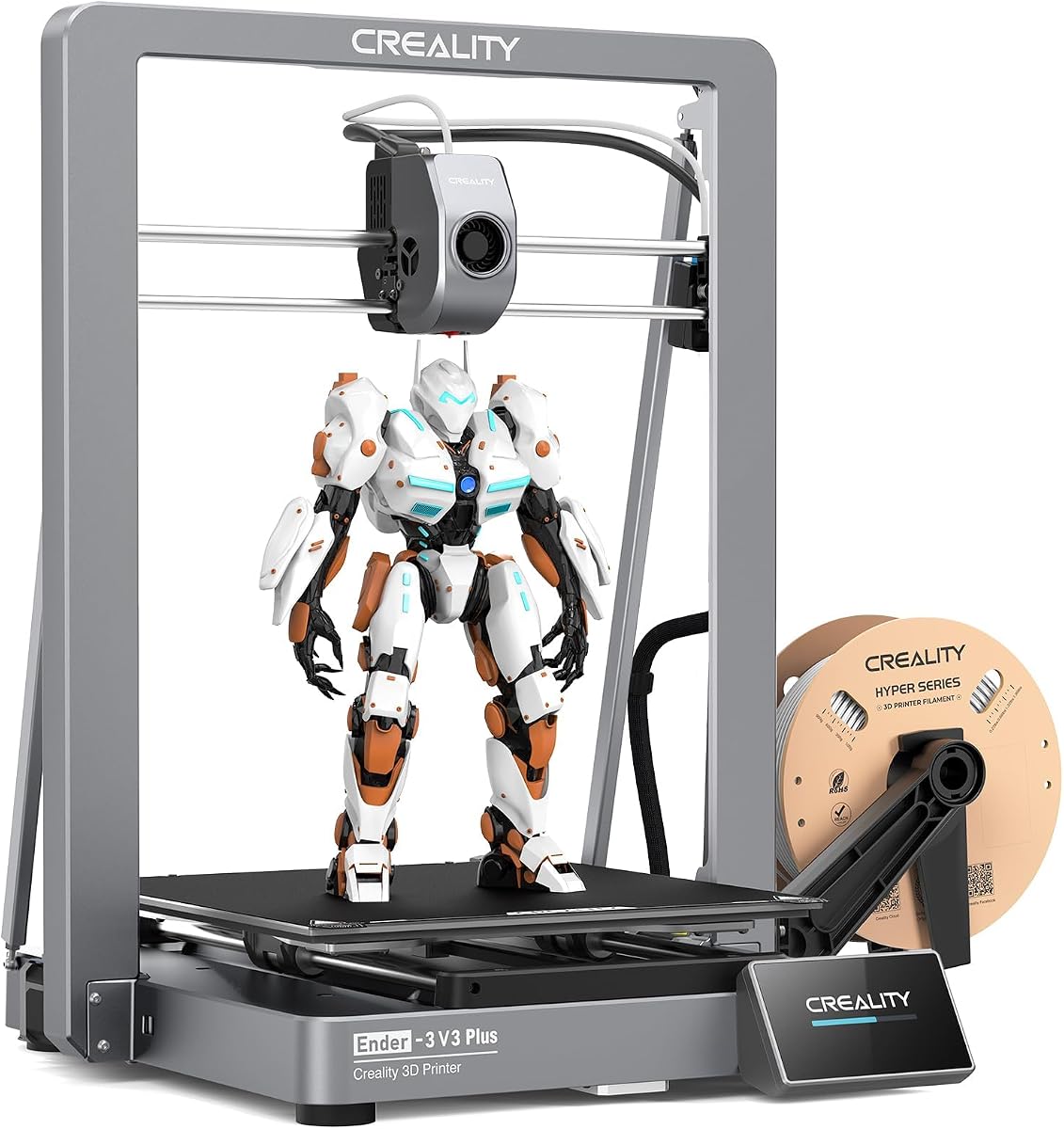
The Creality Ender 3 V3 Plus brings high speed to a budget-friendly package. Its CoreXZ system supports 600mm/s prints effectively. It is a solid choice for hobbyists wanting better performance.
We may earn a commission when you buy through this link, at no additional cost to you.
Auto calibration simplifies setup. The tri-metal nozzle is durable for wear. Y-axis motors improve stability. It offers good value for entry-level users.
While the volume is smaller, it suits many projects. Some units may need adjustments out of the box. It is best for those needing speed at low cost.
This printer is great for quick prototyping on a budget. It balances features and price well. Consider it for learning or small-batch production.
The CoreXZ system allows for 600mm/s speeds with stable and smooth movement.
One-tap auto leveling and calibration reduce manual setup time significantly.
We may earn a commission when you buy through this link, at no additional cost to you.
The LONGER LK5 Pro 3 is a solid option for beginners. With 90% assembly done, it saves time. Open-source firmware allows custom settings for users. The build size supports large models well.
We may earn a commission when you buy through this link, at no additional cost to you.
Silent drivers ensure quiet operation. The touch screen simplifies navigation. Resume printing prevents loss during outages. It is a cost-effective choice for hobbyists.
While older than new models, it offers reliability. Some manual tweaks may be needed. It is best for those wanting a customizable machine.
If you need a beginner-friendly large printer, this works well. It provides good value and flexibility. Ideal for learning 3D printing basics.
Open-source firmware lets users modify G-code for customized printing results.
The 90% pre-assembled structure reduces setup time for new users.
We may earn a commission when you buy through this link, at no additional cost to you.
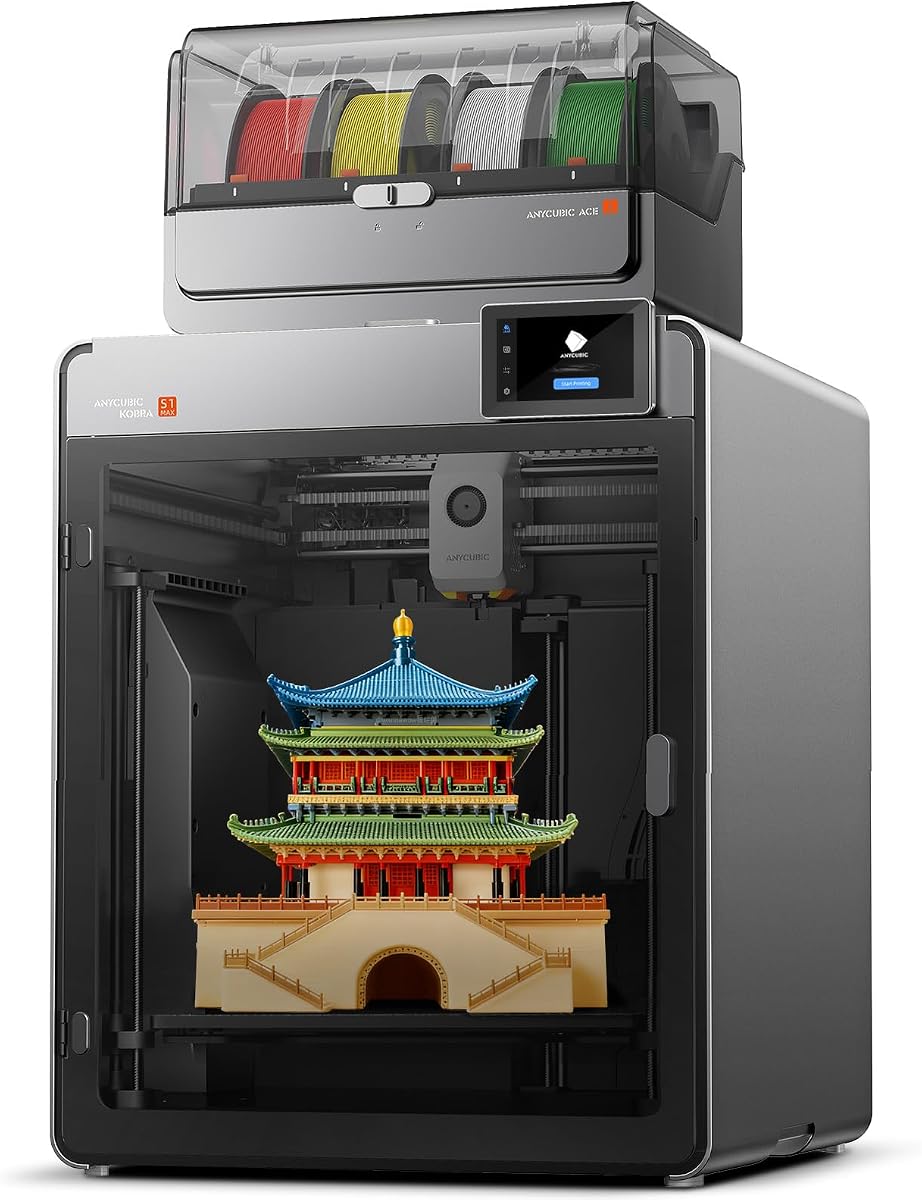
The Anycubic Kobra S1 Max Combo combines size and speed effectively. With CoreXY stability and 600mm/s speeds, it handles big prints well. Multi-color capability adds versatility for users.
We may earn a commission when you buy through this link, at no additional cost to you.
Smart protection features prevent print failures. The heated chamber aids with varied materials. It is a modern machine for diverse projects. It offers competitive features for its class.
Some users report varied experiences on setup. However, once set, it delivers stable results. It is good for creators needing color and volume.
If you want a balanced machine for large color prints, this is a strong choice. It combines features and performance well. Consider it for professional or hobbyist use.
The fully enclosed CoreXY system provides stability and speed up to 600mm/s.
ACE 2 Pro support allows expansion to 16 colors for complex models.
We may earn a commission when you buy through this link, at no additional cost to you.
Selecting the right Fdm Printer for Large Prints depends on your specific needs for volume, speed, and material capability.
The build volume determines the maximum size of objects you can print in one go. Look for dimensions that exceed your typical project size to avoid splitting models. A larger volume allows for more efficient batch production.
Ensure the printer fits in your workspace while meeting your size requirements.
Fast speeds are essential for large prints to reduce wait times. High acceleration and motion systems like CoreXY improve efficiency. Balance speed with quality to ensure details remain sharp.
Prioritize speed if you produce high volumes of parts regularly.
An enclosed chamber helps control temperature for advanced filaments like ABS. It reduces warping and improves adhesion. Active heating is beneficial for consistent results across large areas.
Choose enclosed designs for engineering materials and temperature stability.
Auto leveling simplifies setup and ensures consistent first layers. Features like mesh bed leveling improve reliability. Save time on manual adjustments by choosing smart calibration options.
Look for multi-point leveling systems for larger beds.
Multi-color systems add versatility but increase cost and complexity. Decide if you need color printing based on your project goals. Some printers support expandable systems for future upgrades.
Opt for native multi-color systems if frequent color swaps are needed.
Advanced monitoring helps prevent failed prints via AI cameras. Remote control enables checking status from anywhere. User-friendly slicing software streamlines the workflow.
Select printers with AI detection to reduce material waste and downtime.
Reliable machines minimize downtime in professional settings. Check community support and manufacturer service options. Durable components ensure longevity under continuous use.
Consider warranty terms and availability of spare parts for long-term use.
Balance initial cost with long-term benefits and features. Higher-priced models often offer better automation and speed. Evaluate return on investment based on your production needs.
Invest in features that directly impact your workflow efficiency.
Start by leveling the bed properly using the auto or manual tools provided. This ensures good adhesion and prevents print failures. Regular cleaning of the nozzle and bed helps maintain quality over time.
Use appropriate slicing settings for large models to manage print times. Adjust layer heights and infill to balance detail and speed. Keep firmware updated to access the latest performance improvements.
Store filaments in dry conditions to avoid moisture issues. Inspect belts and moving parts for wear regularly. Lubricate rails as needed to ensure smooth operation and consistent speed.
The ideal build volume depends on your typical project sizes. For most large prints, a minimum of 300mmx300mmx300mm is recommended. This allows for most parts to be printed without splitting.
Yes, many models like the Snapmaker U1 and K2 Plus support multiple materials. They use specialized systems to switch tools automatically. This enables mixing rigid and flexible materials in one job.
Use an enclosed chamber and heated bed to maintain consistent temperatures. Apply adhesives like glue sticks to improve adhesion. Keep drafts away from the printer during operation.
Quality often requires lower speeds to maintain precision. A range of 100mm/s to 300mm/s is ideal for details. High speeds are better for structural parts where detail is less critical.
Most printers work with standard slicers like Cura or PrusaSlicer. Some brands offer custom software with specific features. Always check compatibility with your chosen filament types.
Clean the bed regularly with alcohol to remove oils. Recalibrate the bed level as needed for accuracy. Use a fresh sheet or fresh adhesive if surface adhesion drops.
Yes, industrial-grade FDM printers can produce functional parts. Use engineering filaments like ASA or Nylon for durability. Ensure the printer has enough power and stability for these materials.
Look for systems that minimize waste during color changes. Fast tool changers reduce downtime. Ensure compatibility with the filament types you plan to use.
The top picks like the Bambu Lab P1S and Creality K2 Plus Combo offer excellent balance of speed and features. Each model serves specific needs depending on your budget and project complexity.
Prioritize build volume and speed if you produce high volumes. Ensure the printer supports your chosen materials for best results. Consider maintenance and software support for long-term use.
Always check current listings for updated offers and specs. Prices and availability change frequently so verify before purchasing. The right machine will boost your creative and production capabilities significantly.