
32GB FAT32 USB 3.0 Flash Drive
4.5Editor score
USB 3.0 with C adapter
Metal design with heat dissipation
Wide device compatibility
This guide compares the top FAT32 USB Flash Drive models for compatibility and speed across devices to help you choose the right storage solution.
Finding a reliable FAT32 USB Flash Drive is essential for seamless data transfer across various modern and legacy devices. These drives offer broad compatibility with computers, TVs, and car systems without needing special formatting tools.
We evaluated ten top-rated models based on build quality, transfer speeds, and real-world performance metrics. Our analysis focuses on drives that maintain stable connections and deliver consistent read write rates during daily use.
Each pick highlights specific strengths like compact design or metal durability to match different user needs. Prices and availability may change quickly so check current listings before making your final purchase decision.
4.5Editor score

4.5Editor score
4.6Editor score
This side-by-side comparison highlights key specifications and design features across all ten selected models. We focus on interface types, capacity, and unique selling points to help you differentiate between similar options.





This drive stands out as the top choice for users needing reliable USB 3.0 speeds. It features a robust metal body that aids heat dissipation during extended data transfers.
We may earn a commission when you buy through this link, at no additional cost to you.
The included USB-C adapter makes it versatile for modern laptops and devices lacking traditional ports. Users report consistent read speeds reaching over 100MB/s which is impressive for this price tier.
While the metal casing feels premium it can get warm during large file writes. The adapter is compact which is great for portability but requires careful handling to avoid losing it.
Anyone needing a fast and compatible storage solution for work or school will find this model excellent. It balances performance build quality and future-proof connectivity better than most competitors.
The dual interface support ensures you can connect to almost any computer or vehicle audio system without hassle.
Built with stable A+ chips this drive delivers consistent performance for backups and media transfers.
We may earn a commission when you buy through this link, at no additional cost to you.
This model offers exceptional value for users who prioritize cost over raw speed. It provides a straightforward storage solution for documents and media files.
We may earn a commission when you buy through this link, at no additional cost to you.
The red LED indicator gives clear visual feedback when data is being written or read. This helps prevent accidental removal during transfers which is crucial for data safety.
Since it uses USB 2.0 transfers take longer than modern USB 3.0 drives. However for text files and small photos this difference is often negligible in daily use.
Ideal for budget-conscious buyers or those who need a drive for older systems that lack USB 3.0 ports. It is simple reliable and gets the job done effectively.
The built-in LED light ensures you know exactly when the drive is active and safe to remove.
The ABC plastic casing keeps weight down and offers enough protection for everyday transport.
We may earn a commission when you buy through this link, at no additional cost to you.
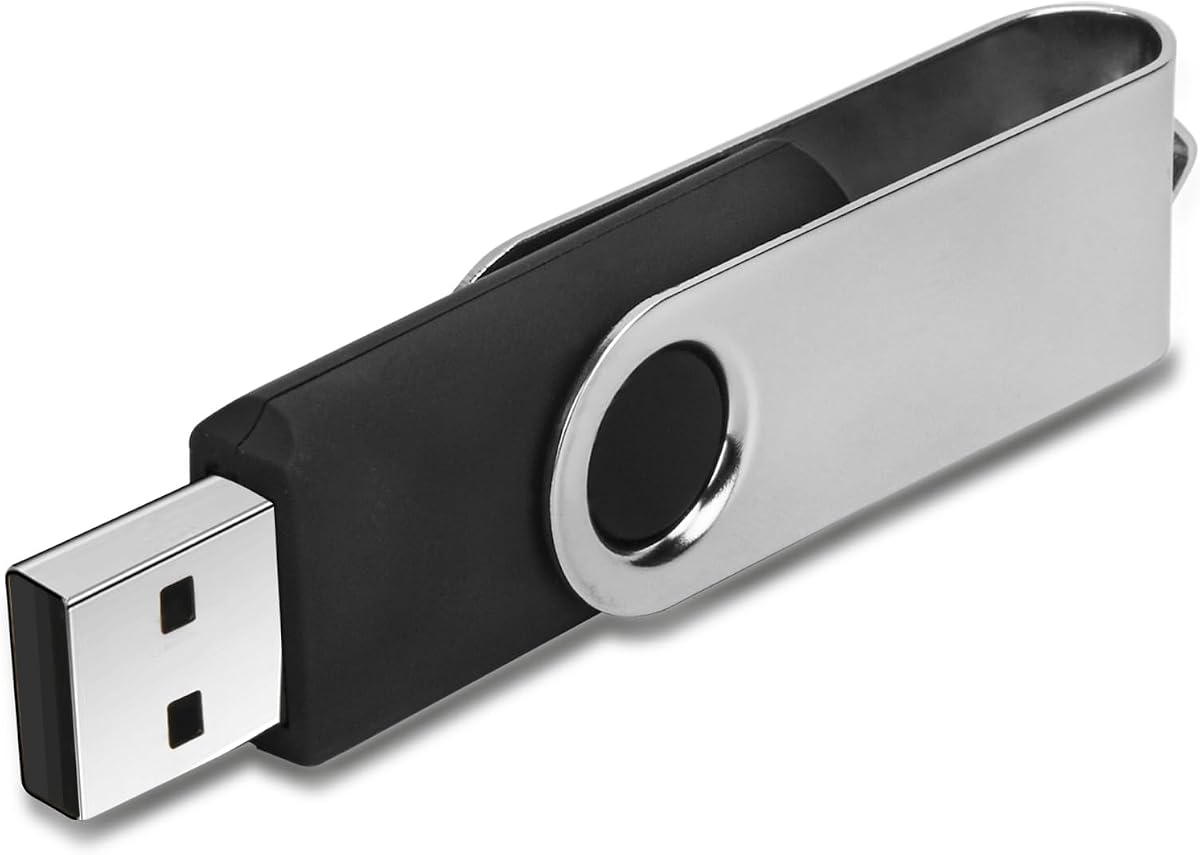
This drive excels with its innovative swivel design that eliminates the need for a separate cap. The metal cover rotates to protect the connector and keeps everything secure in one piece.
We may earn a commission when you buy through this link, at no additional cost to you.
The attached keychain makes it incredibly easy to carry without worrying about losing the drive. It fits comfortably on key rings or backpack zippers for instant access to your files.
While 16GB may seem limited it is often sufficient for essential documents and a library of music. The lack of a cap means you avoid the common frustration of losing the protective cover.
Best suited for students or professionals who need a reliable drive for daily documents. The build quality feels solid and the convenience of the swivel design adds real value.
The rotating metal cap ensures the USB connector is always covered and protected from damage.
With the keychain attached you can keep your storage solutions directly on your keys at all times.
We may earn a commission when you buy through this link, at no additional cost to you.
This drive is designed for straightforward data sharing and storage needs. It supports a wide range of file formats making it versatile for various media types.
We may earn a commission when you buy through this link, at no additional cost to you.
The simple design features a string attachment slot which allows for easy key chain integration. Users appreciate the LED light that confirms when data is actively moving.
Transfer speeds are typical for USB 2.0 standards which may be slow for large video files. However it remains effective for documents and standard software distribution tasks.
A solid choice for general users who need a reliable thumb drive for school or office work. It offers sufficient capacity and ease of use for everyday tasks.
Compatible with MP3 MP4 and PDF files this drive handles a wide variety of media formats well.
The lightweight build and hang rope design make it easy to attach to your daily carry items.
We may earn a commission when you buy through this link, at no additional cost to you.
This two-pack allows you to organize data separately using the distinct black and blue colors. It is perfect for separating work and personal files without needing to reformat.
We may earn a commission when you buy through this link, at no additional cost to you.
The metal clip rotates fully around the body providing a secure way to attach it to a laptop or bag. This prevents the drive from falling out when connected in ports.
Having two drives means you can always have a backup ready in case one gets lost. The 12-month warranty adds peace of mind for long-term usage.
Great for families or teams that need multiple drives for different projects. The color coding simplifies identification and ensures everyone knows which drive to use.
Different colors help distinguish between personal and business data quickly and easily.
The rotating metal clip keeps the drive securely attached to your gear during transport.
We may earn a commission when you buy through this link, at no additional cost to you.
This drive is exceptionally small and fits discreetly in any port without obstructing neighbors. It is ideal for laptops with tight USB port spacing.
We may earn a commission when you buy through this link, at no additional cost to you.
Despite its size it delivers solid USB 3.0 speeds for quick file transfers. The textured metal body adds a premium feel and aids in heat dissipation.
The included USB-C adapter is tethered via lanyards so it stays with the drive. This prevents the common issue of losing the adapter when it is needed.
Perfect for travelers who need to save space in their tech bag. The compact design and included adapter make it a complete package for modern connectivity.
The tiny profile ensures it doesn't block adjacent ports on crowded laptops or hubs.
Built-in lanyards keep the adapter connected to the drive so you never lose it.
We may earn a commission when you buy through this link, at no additional cost to you.
The TEWENE drive features a unique clip that secures it to bags and keys securely. It combines this practicality with USB 3.1 Gen 1 speed for quick file access.
We may earn a commission when you buy through this link, at no additional cost to you.
Read speeds reach up to 85MB/s which handles video and large photo files efficiently. The USB-C adapter included ensures you can plug directly into modern smartphones.
The clip is sturdy and designed to stay attached even with frequent use. This reduces the risk of losing the drive when attached to daily carry items.
Recommended for active users who need reliable storage that stays attached to their belongings. The combination of speed and durable design makes it a versatile option.
The exclusive clip design ensures your drive stays attached to bags or backpacks securely.
With USB 3.1 Gen 1 technology file transfers are significantly faster than older models.
We may earn a commission when you buy through this link, at no additional cost to you.
This drive offers a massive 128GB of space for those with large media libraries. The metal casing is sleek and durable protecting internal components from impact.
We may earn a commission when you buy through this link, at no additional cost to you.
Read speeds of up to 150MB/s make it one of the fastest options available. You can transfer a full movie in under 30 seconds according to testing.
SanDisk SecureAccess software adds a layer of security for private files. You can set a password to protect sensitive documents and photos from unauthorized access.
Ideal for photographers and creatives who need to store and transport high-resolution files. The combination of speed and capacity makes it a powerful tool for professionals.
Built-in password protection allows you to keep sensitive data private and safe from prying eyes.
With read speeds up to 150MB/s transferring large files is efficient and time-saving.
We may earn a commission when you buy through this link, at no additional cost to you.
This three-pack provides excellent value for households or groups needing multiple storage units. The drives are lightweight and feature a push-button retractor for convenient connector protection.
We may earn a commission when you buy through this link, at no additional cost to you.
Speeds of up to 100MB/s ensure quick data movement across modern devices. Lexar DataShield allows you to create password-protected areas on the drive securely.
The retractable design eliminates the need for a cap but requires careful use over time. It ensures the connector is always covered when not in use for added durability.
Great for users who need a backup for every device. The security features and speed make it a practical solution for protecting and accessing data.
Lexar DataShield encrypts files and creates a secure safe that cannot be recovered after deletion.
The push-button mechanism allows you to extend the connector instantly without losing any parts.
We may earn a commission when you buy through this link, at no additional cost to you.
A classic and trusted drive with a reputation for reliability. The black design is simple yet effective and it offers solid USB 3.0 performance.
We may earn a commission when you buy through this link, at no additional cost to you.
Transfer speeds reach 100MB/s which is sufficient for most media and document tasks. The SecureAccess software provides essential password protection for personal files.
This model includes a five-year limited warranty which speaks to its long-term durability. It is a safe choice for users who prefer established brands.
Best for general users who want a dependable drive without extra features. It performs consistently and offers good protection for your data over years.
The five-year warranty provides significant assurance regarding the lifespan of this drive.
SecureAccess software ensures your private files are encrypted and protected from unauthorized access.
We may earn a commission when you buy through this link, at no additional cost to you.
Selecting the right drive involves considering capacity, speed, and design features. This guide breaks down the key factors to ensure you get a reliable storage solution.
Consider how much data you need to store. For documents and photos 16GB to 32GB is often sufficient. For large media libraries 128GB offers more room.
Choose a capacity that matches your typical file sizes and number of documents you carry.
USB 3.0 and 3.1 drives offer much faster transfer rates than USB 2.0 models. This impacts how long it takes to backup large files.
Opt for USB 3.0 or higher if you frequently move videos or large datasets.
Metal bodies dissipate heat better than plastic and feel more durable. Capless designs prevent losing protective covers during travel.
Select a design that feels comfortable and fits securely on your keychain or bag.
Modern laptops often lack USB-A ports so a USB-C adapter is useful. Ensure compatibility with your current and future devices.
A dual-compatible drive ensures you can connect anywhere without extra dongles.
Some drives include password protection software for sensitive files. This adds a critical layer of security against unauthorized access.
Prioritize security features if you carry confidential work documents or private photos.
Look for drives with sturdy clips or lanyards for secure attachment. A robust build protects against drops and accidental impacts.
Choose a design that keeps the drive attached to your gear during daily transport.
Long warranties indicate confidence in product quality. Some manufacturers offer up to five years of coverage against defects.
Check the warranty terms to ensure you are protected if the drive fails prematurely.
Ensure the drive is recognized by your specific operating system. Most modern drives support Windows macOS and Linux out of the box.
Verify compatibility if you use non-standard operating systems or older hardware.
Connect the drive to a USB port on your computer or compatible device. Wait for the operating system to recognize the drive and assign it a drive letter.
To eject safely right click the drive icon and select eject option before physical removal. This ensures all data is fully written to the drive.
Store your drive in a cool dry place away from direct sunlight or magnetic fields. Avoid bending or dropping the drive to maintain its internal components.
FAT32 is a file system that allows maximum compatibility with older devices like TVs and car stereos. It is widely supported across different operating systems and hardware platforms.
Yes you can format most drives to exFAT if you need files larger than 4GB. Keep in mind some older devices may not recognize exFAT properly.
You can use built-in benchmark tools or third-party software to test read and write speeds. This helps verify performance matches the manufacturer claims.
Yes USB 3.0 drives work in USB 2.0 ports but will run at slower 2.0 speeds. They are fully backward compatible with older ports.
Use password protection software if available or keep sensitive files encrypted. Always eject the drive safely before unplugging it.
Try plugging it into a different USB port or restart your computer. Check Disk Management to ensure the drive has a valid partition.
The top picks offer a range of features from budget-friendly options to high-speed USB 3.0 models. Each drive delivers reliable performance for data storage and transfer tasks.
Prioritize speed and build quality if you use the drive frequently for large media. Otherwise a basic model with ample capacity may suit casual needs.
Always check current availability and compatibility before purchasing to ensure you get the best value for your specific requirements.