
SSK Portable SSD 1TB
4.5Editor score
1050MB/s read speeds
Lightweight 36.6g design
IP65 water resistance
This guide compares the top external SSD for MacBook Air options available in October 2026 based on speed, durability, and value.
Finding the right external SSD for MacBook Air is essential for professionals who need reliable storage expansion. Modern workflows demand fast transfer speeds and durable builds to handle large media files efficiently.
We compared ten top-rated portable drives using speed tests, build quality analysis, and user feedback. Each selection balances performance with portability to suit the unique needs of Mac users on the go.
Each pick highlights specific strengths like read write, or ruggedness. Note that product prices fluctuate frequently so verify current deals before finalizing your purchase decision today.
4.5Editor score

4.7Editor score

4.6Editor score
The following table provides a side-by-side overview of all ten selected portable solid state drives. It highlights key specifications including maximum read speeds, capacity options, and unique features for each model.


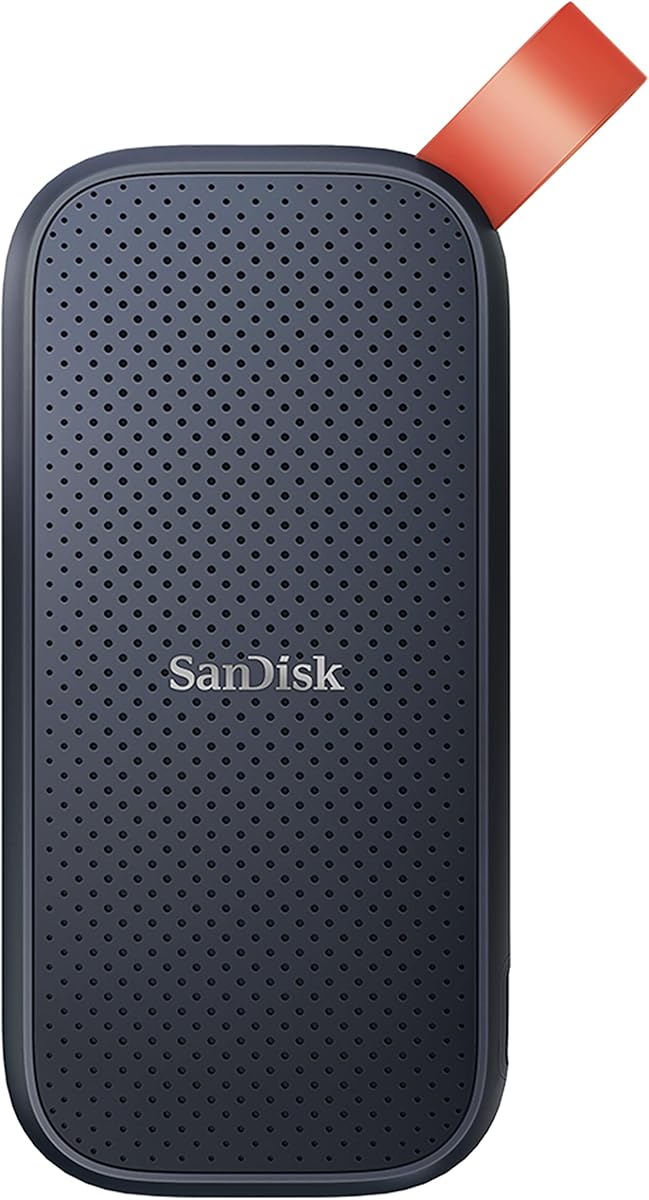




The Sandisk 2TB Extreme Portable SSD stands out as the top choice for Mac users needing robust performance and durability. With its high rating and fast NVMe speeds, it handles large media files effortlessly while keeping data secure.
We may earn a commission when you buy through this link, at no additional cost to you.
Its IP65 rating ensures protection against water and dust, making it ideal for field work. The included hardware encryption keeps sensitive files safe, and the carabiner loop allows for easy attachment to bags.
While it is not the cheapest option on the market, the trade-off is justified by its reliability and speed. Users may find it slightly heavier than ultra-portable alternatives but the durability compensates for the extra weight.
This drive is perfect for photographers and videographers who need quick access to large project files. For anyone seeking a balance of speed, security, and ruggedness, this is the recommended external SSD for MacBook Air.
The drive meets IP65 standards for water and dust resistance while also offering up to 3-meter drop protection.
Password protection with 256-bit AES hardware encryption ensures your private content remains secure during transit.
We may earn a commission when you buy through this link, at no additional cost to you.
The SSK Portable SSD 1TB offers an excellent entry point for users seeking high performance without breaking the bank. Its competitive rating and fast speeds make it a reliable choice for daily storage tasks.
We may earn a commission when you buy through this link, at no additional cost to you.
Weighing just 36.6 grams, this drive is incredibly portable. The aluminum alloy case helps manage heat effectively, ensuring that performance stays consistent even during long file transfers or 4K video capture.
The main trade-off is the lack of a dedicated software ecosystem found in premium brands. However, for users who prioritize raw speed and portability over extra features, this drive delivers exceptional value.
Ideal for students and freelancers needing a quick storage boost, this drive handles iPhone and Mac connections seamlessly. It is a smart pick for anyone wanting fast transfer speeds at a budget-friendly price.
At only 36.6 grams, the SSK SSD is one of the lightest options available for easy daily carry.
The aluminum case design keeps temperatures low during heavy usage to prevent performance throttling.
We may earn a commission when you buy through this link, at no additional cost to you.
The Samsung T7 Portable SSD 1TB is a favorite among creators for its blend of speed and durability. It boasts a high rating and offers reliable performance for everything from photo backups to video editing.
We may earn a commission when you buy through this link, at no additional cost to you.
Its solid aluminum unibody construction is designed to withstand daily wear and tear. With shock resistance up to 6 feet, users can feel confident carrying it in a backpack without worrying about damage.
While it lacks some of the advanced software features found in newer models, the T7 remains a stable choice. The only minor issue is that the aluminum case can heat up slightly during sustained heavy use.
This drive is perfect for everyday Mac users and professionals alike. If you need a reliable, fast, and durable storage solution that lasts, the Samsung T7 is the ultimate recommendation.
Built to endure drops up to 6 feet, the T7 ensures data safety even in demanding environments.
Available capacities range up to 4TB allowing users to scale storage as their project needs grow.
We may earn a commission when you buy through this link, at no additional cost to you.
The Lexar ES3 1TB Portable SSD is designed for those who value portability above all else. Its thin profile makes it easy to slip into a pocket, while maintaining solid performance for general storage needs.
We may earn a commission when you buy through this link, at no additional cost to you.
At only 10.5mm thick and 42 grams, it is one of the most portable options available. The inclusion of DataShield encryption software adds a layer of security that is often missing from budget drives.
While it is a great daily driver, it lacks some advanced compatibility features for older iPhone models. Users should check device compatibility before purchasing if they plan to use it with mobile devices.
This drive is well-suited for travel and commuting where space is limited. If you prioritize a compact footprint and basic security features, the Lexar ES3 delivers a solid experience.
At just 10.5mm thick, the ES3 fits easily into tight pockets or small compartments.
Lexar DataShield software provides 256-bit AES encryption to protect sensitive files.
We may earn a commission when you buy through this link, at no additional cost to you.
The Samsung T9 Portable SSD 1TB represents the cutting edge of portable storage speed. With read speeds up to 2000MB/s, it significantly reduces waiting times for large file transfers and video editing tasks.
We may earn a commission when you buy through this link, at no additional cost to you.
Its Dynamic Thermal Guard technology ensures that the drive stays cool during heavy workloads. This prevents performance throttling and extends the lifespan of the drive, making it ideal for intense professional usage.
While this performance comes at a premium price, the speed gains are substantial for professionals. However, to utilize the full speed, users need a host device that supports USB 3.2 Gen 2×2 interfaces.
This drive is perfect for editors and creatives who need every second of efficiency. If you demand the highest speed and reliability from your external storage, the Samsung T9 is the top choice.
The Dynamic Thermal Guard actively manages heat to ensure consistent high speeds under load.
Samsung Magician software allows for firmware updates and drive health monitoring.
We may earn a commission when you buy through this link, at no additional cost to you.
The Sandisk 1TB Portable SSD is a legacy model that still provides reliable performance for many users. With a solid rating and durable build, it serves well for general backup needs and daily data transport.
We may earn a commission when you buy through this link, at no additional cost to you.
Its 800MB/s read speed is sufficient for most document and photo backups. The included rubber hook allows for easy attachment to bags, adding convenience for on-the-go usage without needing extra accessories.
While it does not match the speeds of newer Gen 2 drives, it remains a solid option for those on a budget. The main drawback is that newer models offer better performance for the same price range.
This drive is suitable for casual users who do not need the fastest transfer rates. If you prefer a trusted brand with a simple durable design, this model remains a viable option.
The included rubber hook makes securing the drive to a belt loop or backpack easy.
Sandisk is a well-known brand trusted by professionals for years of consistent performance.
We may earn a commission when you buy through this link, at no additional cost to you.
The Lexar 2TB ES3 External SSD offers a larger storage capacity for users with growing file libraries. It maintains fast transfer speeds and includes features like graphite sheets for heat dissipation to ensure reliability.
We may earn a commission when you buy through this link, at no additional cost to you.
Built with durability in mind, it can withstand drops up to 2 meters. The 2-in-1 USB-C/USB-A cable makes it easy to connect to both modern Macs and older devices without needing adapters.
While it carries a higher price tag than the 1TB version, the extra space is valuable for media professionals. The cooling design helps maintain speed during large transfers which is critical for 4K workflows.
This drive is ideal for users needing significant storage space without sacrificing speed. If you need room for large video projects or extensive photo archives, the 2TB capacity is a strong selling point.
At 2TB, this drive provides ample room for large libraries of media files and backups.
Built-in double layer graphite sheets quickly conduct heat to keep the drive cool.
We may earn a commission when you buy through this link, at no additional cost to you.
The Lexar 1TB Go Portable SSD w/Hub combines storage with multi-port connectivity in one device. This unique design eliminates the need for a separate dongle and simplifies setups for mobile professionals.
We may earn a commission when you buy through this link, at no additional cost to you.
With four USB Type-C ports on the hub, users can connect multiple peripherals directly to the drive. This makes it easier to manage peripherals during shoots or work sessions without cluttering the Mac ports.
While the added hub functionality increases the price, it offers real convenience for on-the-go work. The trade-off is that the hub draws power from the drive which may impact battery life on mobile devices.
This device is perfect for creators who need both storage and connectivity. If you value a streamlined workflow and want to avoid carrying extra adapters, this integrated solution is a smart investment.
The included hub offers four USB Type-C ports for connecting cameras or other peripherals.
Ultracompact design ensures the SSD and hub stay lightweight for daily travel.
We may earn a commission when you buy through this link, at no additional cost to you.
The Sandisk 1TB Extreme PRO Portable SSD brings high-end performance to a more accessible price point. As an older model, it still offers 2000MB/s speeds that compete with newer drives in the market.
We may earn a commission when you buy through this link, at no additional cost to you.
Its aluminum chassis acts as a heatsink to maintain performance during large transfers. The IP65 rating ensures it is protected against dust and water, making it tough enough for adventure or travel.
One trade-off is that it may not receive the same level of firmware updates as the latest models. However, for users who do not need the absolute latest tech, this drive offers incredible value.
This drive is best for users who want premium speed without the premium price tag. If you need reliable high performance for video editing, this model is a strong contender for your storage needs.
Up to 2000MB/s read speeds allow for rapid access to large 4K video files.
A forged aluminum chassis provides heat dissipation and physical toughness.
We may earn a commission when you buy through this link, at no additional cost to you.
The Sandisk 2TB Extreme Portable External SSD is a value-packed option for those needing large storage. With an excellent rating and a high capacity, it is ideal for backing up vast libraries of photos and videos.
We may earn a commission when you buy through this link, at no additional cost to you.
Its 550MB/s read speed is adequate for general use though not the fastest available. The shock-resistant core provides basic durability for daily handling, while the compact design ensures it fits easily in a pocket.
While it lacks the latest USB 3.2 speeds, it is a reliable choice for cost-conscious users. The trade-off is slower transfer times for very large files which may matter for professional workflows.
This drive is perfect for students and casual users needing extra space. If you prioritize capacity and affordability over maximum speed, this model delivers solid performance for everyday storage tasks.
With 2TB of capacity, users can store thousands of photos or hours of 4K footage.
This model offers one of the most cost-effective ways to gain high capacity storage.
We may earn a commission when you buy through this link, at no additional cost to you.
Choosing the right external SSD for your MacBook Air involves evaluating speed, durability, and connectivity. This guide helps you understand key factors to ensure you select a drive that fits your workflow and budget.
Speed is critical for efficient workflows especially when dealing with 4K video or large datasets. Look for drives with USB 3.2 Gen 2 support offering speeds up to 1050MB/s or higher for faster transfers.
Prioritize NVMe technology for sustained performance that minimizes waiting time during file operations.
Since portable drives are often carried in bags, ruggedness is a key consideration. IP65 water and dust resistance along with drop protection ensures data safety in unpredictable environments.
Choose models with shock-resistant cores and metal casings to withstand daily wear and tear effectively.
Determine how much space you need based on your file types. A 1TB drive suits general users while 2TB is better for media professionals storing large video files and project archives.
Balance capacity with your budget since larger drives typically cost more per unit of storage.
MacBook Air users often value compact designs that do not add bulk to their setup. Lightweight aluminum or rugged plastic cases make it easy to slip a drive into a small bag.
Look for models under 50 grams and thin profiles that fit easily in a pocket or wallet.
Ensure the drive supports USB-C which is the standard port on modern MacBook Airs. Most drives come with USB-C to USB-C cables but verify if USB-A adapters are included for older devices.
Check if the drive supports Thunderbolt 3 or 4 for future-proofing your connection speeds.
Protecting sensitive data is vital for professional workflows. Look for built-in 256-bit AES hardware encryption to secure your files against unauthorized access during transit.
Hardware encryption is more secure than software solutions and often does not slow down transfer speeds.
Reputable brands often provide better firmware support and customer service. Check for warranties of three years or more to ensure peace of mind regarding potential hardware failures.
Trusted manufacturers are more likely to release updates that fix bugs and improve performance over time.
Some brands offer management software for backups and health monitoring. Tools like Samsung Magician or SanDisk Memory Zone simplify maintenance and help extend the life of your drive.
Choose a drive with software that integrates well with macOS to streamline your backup routine.
Connect your SSD to your MacBook Air using the provided USB-C cable. Ensure your macOS is updated to the latest version to maintain optimal performance and security standards.
Eject the drive safely via Finder before unplugging it to prevent data corruption. Always click the eject icon next to the drive name on the desktop to complete data writes.
Store your SSD in a cool dry place away from extreme temperatures. Avoid leaving it in hot cars or direct sunlight to prevent heat-related performance issues or damage.
The Samsung T9 and Sandisk Extreme PRO offer speeds up to 2000MB/s. Ensure your Mac supports USB 3.2 Gen 2×2 to utilize these maximum speeds effectively.
Most SSDs come with USB-C cables. Verify your MacBook model supports USB-C Gen 2 or Thunderbolt 3 for full performance. Older models may require specific adapters.
Yes you can run apps and even boot macOS from an external drive. Performance depends on the drive speed and macOS compatibility features.
Use drives with hardware encryption like the Sandisk Extreme or Samsung T7. This ensures your files remain secure even if the drive is lost or stolen.
Yes SSDs are faster more durable and more power efficient. They offer superior performance and reliability for storing critical data or applications.
A high-quality SSD can last for several years of daily use. Proper handling and avoiding extreme temperatures helps maximize the drive lifespan.
The Samsung T7 offers the best all-around experience for most users with its balance of speed and durability. For budget-conscious shoppers the SSK Portable SSD provides excellent value.
Prioritize speed for media work and durability for travel. Ensure your chosen drive supports your current macOS version to avoid connectivity issues.
Prices change frequently so check current listings before purchasing. Verify warranty details and support options to ensure long-term satisfaction.