
MNN 15.6" FHD
4.3Editor score
Full HD 1080P
USB-C HDMI Ports
Slim Lightweight Design
Finding the right external monitor for your MacBook Neo can significantly boost your productivity and enhance your visual experience. Whether you need a portable solution for travel or a high-quality display for creative work, the options available today are vast and varied.
This guide evaluates ten top-rated portable monitors based on screen resolution, connectivity options, build quality, and user feedback. We focus on models that integrate seamlessly with MacBook Neo, ensuring compatibility with USB-C and Thunderbolt ports for effortless setup.
Each recommendation highlights key features, pros, and cons to help you make an informed decision. Prices and availability may change, so we encourage you to verify details on the product pages before making your final purchase choice.
4.3Editor score

4.8Editor score
4.8Editor score
As an Amazon Associate we earn from qualifying purchases.
The following table provides a side-by-side comparison of the ten best external monitors for MacBook Neo. Reviewing these specifications side by side helps you quickly identify which model fits your specific needs regarding size, resolution, and connectivity.


The VisionOwl Portable Monitor stands out as the top choice for MacBook Neo users seeking high performance. With a 2.5K QHD resolution and 144Hz refresh rate, it delivers stunning clarity and smooth visuals ideal for both work and play.
We may earn a commission when you buy through this link, at no additional cost to you.
Its 16:10 aspect ratio matches MacBooks perfectly, eliminating black bars during mirroring. The panel supports over a billion colors, ensuring accurate reproduction for creative tasks. Brightness reaches 470 nits, making it usable even in well-lit environments.
While the price is higher than basic options, the premium features justify the cost. Users may need a powerful USB-C port for single-cable operation, but the included kit covers most connectivity needs effectively without additional dongles.
This monitor is perfect for professionals and gamers who need a reliable second screen. Whether editing photos, coding, or playing games, the VisionOwl provides the quality and versatility required for a premium mobile workspace experience today.
The 16:10 aspect ratio ensures full-screen mirroring without black bars, enhancing immersion during video calls or content creation on your MacBook Neo.
With 110% sRGB coverage and 470 nits brightness, this monitor offers vibrant, true-to-life visuals suitable for graphic design and video editing tasks.
We may earn a commission when you buy through this link, at no additional cost to you.
The MNN Portable Monitor offers exceptional value for budget-conscious buyers. It provides a solid 1080P Full HD display that is sharp enough for daily tasks, meetings, and casual entertainment without breaking the bank.
We may earn a commission when you buy through this link, at no additional cost to you.
Its lightweight design and included smart cover make it ideal for travelers. The cover doubles as a stand, offering flexibility in portrait or landscape modes. Plug-and-play via USB-C simplifies setup significantly for any compatible device.
While it lacks the high refresh rate of gaming monitors, it performs well for office work and media consumption. The IPS screen ensures colors remain consistent across wide viewing angles, which is crucial for collaborative settings.
This monitor is a great entry point for those needing an extra screen on a budget. If you prioritize portability and cost over high-end specs, the MNN delivers reliable performance and solid protection for on-the-go productivity needs.
Weighing less than a pound with a smart cover stand, this monitor slips easily into backpacks, making it a top choice for students and frequent travelers.
With dual USB-C ports and HDMI, connecting to MacBook Neo is seamless, supporting power and video transmission with a single cable when device supports DP Alt Mode.
We may earn a commission when you buy through this link, at no additional cost to you.
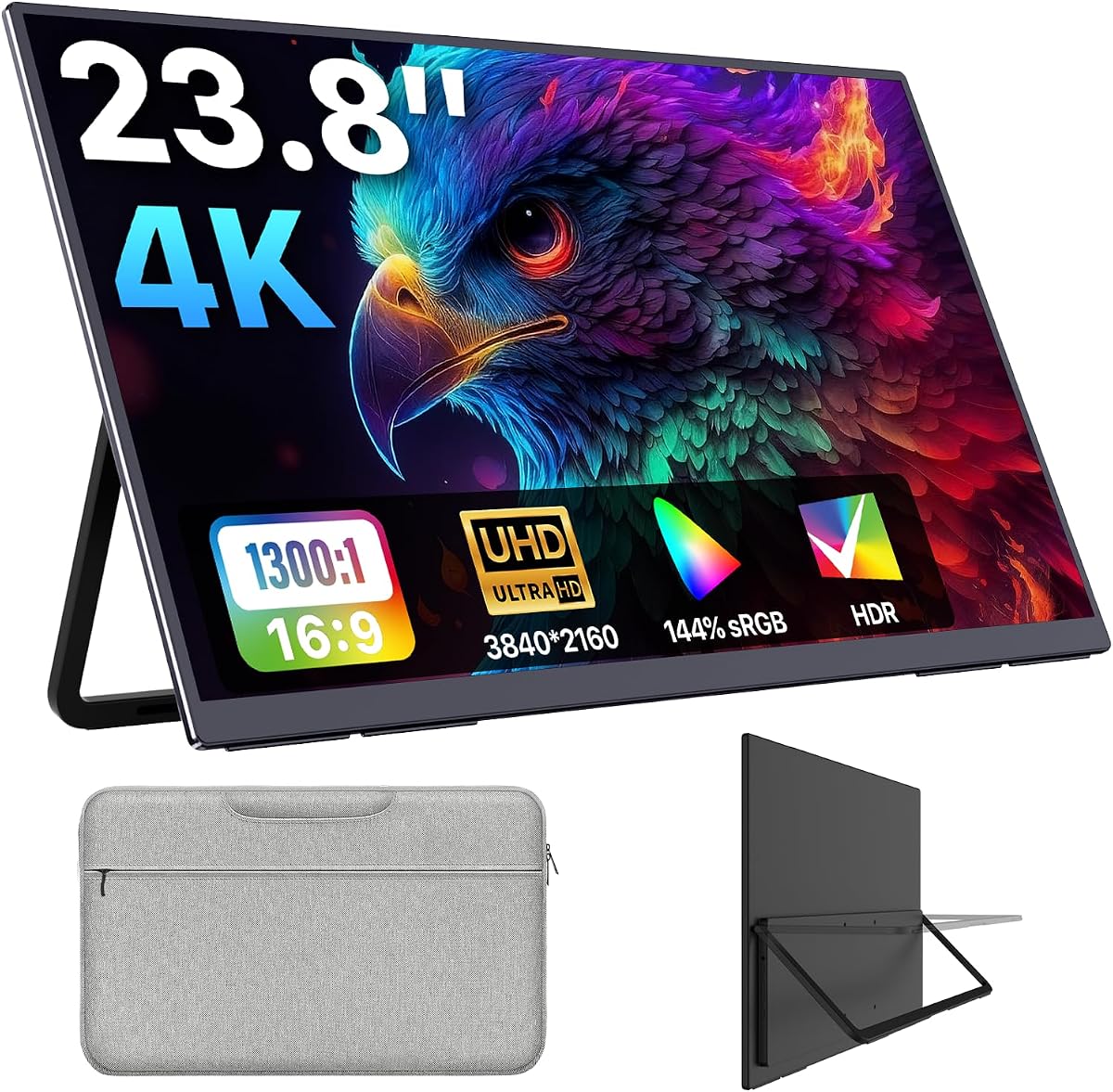
The Upperizon 23.8-inch 4K monitor redefines portable large screens. With a resolution of 3840×2160, it offers incredible detail for photo editing and video production. Its 144% sRGB coverage ensures professional-grade color fidelity for creative workflows.
We may earn a commission when you buy through this link, at no additional cost to you.
The frameless design maximizes screen real estate, making it easy to share content with teams. Anti-glare coating reduces reflections, improving visibility in various lighting conditions. Built-in speakers provide decent audio without needing extra peripherals.
While heavier than standard portable monitors, it remains manageable for travel. The kickstand allows flexible viewing angles, and VESA compatibility offers mounting options for fixed desks. Note that it may need its own power adapter for full performance.
This display is best suited for professionals requiring large, high-resolution screens on the go. If you need a near-desktop experience in a portable form factor, the Upperizon 4K monitor delivers unmatched clarity and workspace expansion capabilities.
With 144% sRGB coverage and 1.07 billion colors, this monitor ensures accurate image reproduction, critical for designers and editors working on MacBooks.
The 23.8-inch screen provides ample space for multitasking, allowing multiple windows to be open simultaneously without feeling cramped.
We may earn a commission when you buy through this link, at no additional cost to you.
The ASUS ZenScreen is designed with user comfort in mind. Its TÜV-certified low blue light and flicker-free technology reduces eye strain during long sessions. This makes it an excellent choice for those working late hours on their MacBook Neo.
We may earn a commission when you buy through this link, at no additional cost to you.
The anti-glare surface helps minimize reflections in bright offices or outdoor settings. It is ultra-slim, fitting easily into laptop sleeves. The hybrid-signal solution ensures compatibility with both USB-C and Type-A ports via an adapter.
While it lacks modern gaming features, its reliability is proven. ASUS offers a robust three-year warranty, providing peace of mind for business users. The kickstand is sturdy, holding the monitor at a comfortable viewing angle securely.
Ideal for professionals prioritizing eye health, the ZenScreen delivers consistent performance without strain. If you need a dependable monitor for daily business tasks and want certified comfort, this model stands out as a reliable, safe investment.
TÜV Rheinland certification for flicker-free and low blue light ensures your eyes remain comfortable even after hours of continuous use.
The 3-year warranty reflects ASUS's confidence in its build quality, making it a safe choice for corporate environments and frequent travelers.
We may earn a commission when you buy through this link, at no additional cost to you.
InnoView offers a well-rounded portable monitor with essential accessories. The included protective sleeve shields the screen from scratches during transport. This attention to detail ensures your investment lasts longer, making it a smart practical purchase.
We may earn a commission when you buy through this link, at no additional cost to you.
The built-in stand adjusts up to 90 degrees, allowing users to find the perfect angle for typing or viewing. Its ultra-slim profile fits neatly into any bag. The A+ IPS panel provides accurate colors suitable for general multimedia consumption.
Connectivity is straightforward with both HDMI and USB-C options. Users can switch modes quickly without extra dongles. The warranty support is responsive, helping resolve minor issues swiftly. This makes it a stress-free option for new users.
Best for those wanting a complete kit ready to use out of the box, this monitor balances price and functionality. If you value protection and ease of use over high-end specs, InnoView is a solid companion for your MacBook.
The included sleeve and cables mean you can start using the monitor immediately upon delivery without searching for additional accessories or adapters.
The 90-degree adjustable stand offers versatility, allowing you to work comfortably in different environments, from airplanes to coffee shops.
We may earn a commission when you buy through this link, at no additional cost to you.
InnoView adds value with integrated audio, eliminating the need for external speakers in a pinch. This is convenient for quick video calls or watching presentations on the go. The speakers deliver clear sound for basic needs without extra devices.
We may earn a commission when you buy through this link, at no additional cost to you.
The dual USB-C ports simplify cable management. You can connect power and video simultaneously if your MacBook supports it. The protective case ensures safe travel, preventing damage from bumps. HDR support enhances visuals for supported content.
While not a replacement for high-quality audio gear, the integrated system works well for casual use. The 1080P resolution is sharp enough for most tasks. The IPS screen provides good color accuracy, making it versatile for office work.
This model is great for travelers who want an all-in-one solution. If you need a portable monitor that handles audio and video without clutter, InnoView offers a practical, straightforward setup for everyday productivity and entertainment.
Built-in speakers provide convenient sound output for media and meetings, removing the need to carry separate speakers or headphones.
Dual USB-C ports ensure you can connect to most modern devices easily, supporting power pass-through for streamlined setup.
We may earn a commission when you buy through this link, at no additional cost to you.
The cocopar monitor targets creatives with its wide color gamut. With 110% sRGB coverage, it displays vibrant, accurate colors essential for design work. The 2.5K resolution ensures text and images remain crisp. It balances performance and portability well.
We may earn a commission when you buy through this link, at no additional cost to you.
Its metal chassis adds durability without excessive weight. At just 1.5 pounds, it travels easily. The kickstand is adjustable and robust. Built-in speakers complement the visual experience. VESA holes allow mounting on arms for flexible desk setups.
Gaming and multimedia enthusiasts appreciate the 144Hz refresh rate. It provides smooth motion, reducing blur. For content creators, the color performance is top-tier. The USB-C connection is reliable, simplifying cable management for MacBook Neo users.
This model is excellent for artists and designers needing color precision. If you require high-resolution visuals with broad color support in a portable format, cocopar offers a premium experience that rivals desktop displays in accuracy and quality.
The 110% sRGB gamut ensures that every color is rendered accurately, making it ideal for photo and video editing workflows.
Unlike many plastic monitors, the metal chassis provides a premium feel and better resistance to wear and tear during daily travel.
We may earn a commission when you buy through this link, at no additional cost to you.
KEFEYA offers a unique clamshell attachment that sits directly over your MacBook keyboard. This dual-screen setup expands your workspace without cluttering a desk. It is perfect for situations where desk space is limited, such as on planes or trains.
We may earn a commission when you buy through this link, at no additional cost to you.
The monitor rotates 180 degrees, allowing for various viewing configurations. Setup is plug-and-play via USB-C or HDMI. It supports both Mac and Windows systems effectively. The 1080P resolution ensures clear text and sharp images for daily tasks.
While it might obscure the keyboard slightly when fully open, the productivity gains are significant. You can reference documents on one screen while typing on the other. The light design ensures it doesn't strain your laptop hinge.
Ideal for commuters needing extra space, the KEFEYA extender is a niche but valuable tool. If you want a portable second screen that attaches directly to your laptop for seamless multitasking, this model provides an efficient, clever solution.
By attaching directly to your laptop, this extender creates a dual-screen setup without needing external stands or desk space.
The 180-degree rotation allows you to adjust the screen angle easily, adapting to different seating positions or tasks.
We may earn a commission when you buy through this link, at no additional cost to you.
The kksmart monitor bridges the gap between portability and screen real estate. At 18.5 inches, it offers more space than typical 15-inch options without becoming a desktop unit. This extra space helps with complex spreadsheets or code.
We may earn a commission when you buy through this link, at no additional cost to you.
Its frameless design maximizes visual immersion. The 100Hz refresh rate provides smooth motion, better than standard 60Hz. It includes built-in speakers for added convenience. VESA compatibility allows mounting on monitor arms for flexible setups.
Weighing just 2.24 pounds, it remains travel-friendly despite its size. The kickstand is adjustable for comfortable viewing angles. USB-C connectivity ensures easy connection to MacBook Neo. It supports a wide range of devices including consoles.
Best for users needing a balance of size and portability, this monitor offers a compelling alternative to smaller screens. If you want more workspace but still need to carry your monitor regularly, kksmart delivers a versatile, capable display.
At 18.5 inches, this monitor offers significantly more workspace than standard options while remaining light enough for regular travel.
The frameless design minimizes bezels, providing a larger visual area and a more immersive experience during content consumption.
We may earn a commission when you buy through this link, at no additional cost to you.
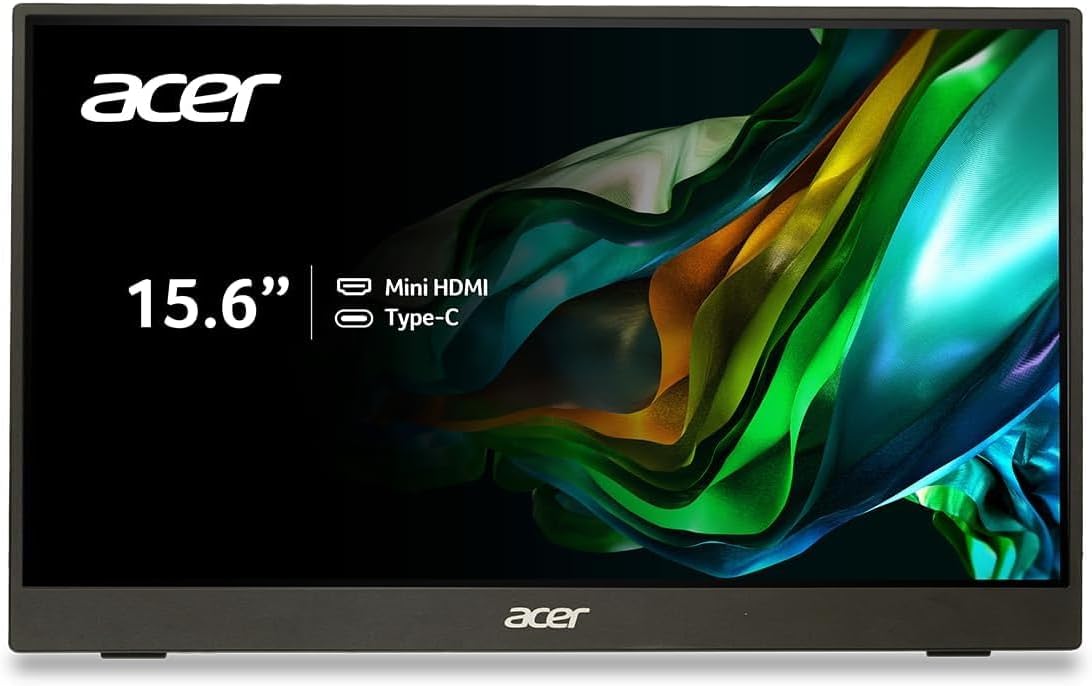
Acer is a reputable name in displays, and the PM161Q reflects that reliability. It offers a standard FHD IPS display that is dependable for general use. The ultra-slim design makes it easy to fit into various carrying cases or bags.
We may earn a commission when you buy through this link, at no additional cost to you.
AMD FreeSync technology helps reduce screen tearing for gaming. This is a notable feature for a basic portable monitor. The ergonomic tilt range supports comfortable viewing positions. VESA compliance allows easy attachment to monitor arms.
While it lacks extra features like speakers or HDR, it focuses on core performance. For business users or students needing a no-fuss display, it fits the bill perfectly. The build quality meets industry standards for durability and safety.
Ideal for those who prefer established brands, this monitor offers straightforward value. If you prioritize brand trust and basic connectivity over advanced specs, the Acer PM161Q provides a reliable, simple solution for your MacBook Neo.
Acer's reputation ensures consistent quality and support, giving you confidence in the monitor's longevity and performance.
AMD FreeSync support reduces screen tearing, offering a smoother experience when gaming or watching fast-paced content.
We may earn a commission when you buy through this link, at no additional cost to you.
Choosing the right external monitor involves balancing size, resolution, and connectivity. This guide breaks down key factors to consider for your specific needs.
Screen size affects portability versus workspace. 15 to 16 inches are standard for travel, while 18+ inches offer more space. Resolution determines clarity; 1080P is sufficient for text, but 4K is better for design.
For MacBook Neo users, 1080P or 2.5K offers a good balance of sharpness and performance. Consider your use case to decide on the best fit.
Refresh rate measures how many times the screen updates per second. 60Hz is standard for office work. Gaming or smooth motion benefits from 120Hz or 144Hz.
If you play games or edit video, a higher refresh rate improves responsiveness. Otherwise, standard rates save money without sacrificing productivity.
MacBook Neo relies heavily on USB-C and Thunderbolt. Ensure the monitor supports USB-C with power delivery for single-cable simplicity. HDMI is useful for older devices or consoles.
Look for full-function USB-C ports to avoid needing dongles. Compatibility with your device's specs ensures seamless setup.
For creative work, color accuracy is vital. Look for high sRGB coverage like 100% or more. IPS panels generally offer better color consistency.
If you edit photos or design, prioritize high color gamut. For general use, standard panels are adequate and cost-effective.
Portability is key for travelers. Monitors between 1.5 to 2.5 pounds are easy to carry. Slim profiles fit into laptop bags.
Check dimensions and weight before buying. A heavier monitor may not be ideal if you move frequently between locations.
Some monitors include speakers, eye-care modes, or VESA mounts. Built-in speakers reduce clutter but vary in quality.
Decide which extra features add value. Eye-care technology helps if you work long hours, while VESA mounts offer mounting flexibility.
Budgets vary significantly. Basic models start under $50, while premium ones cost over $300. Warranty terms protect your investment.
Set a clear budget before shopping. A longer warranty provides peace of mind for professional or daily use.
Most monitors use 16:9, but 16:10 matches MacBooks better. This ratio reduces black bars when mirroring.
For a seamless experience, 16:10 is ideal. However, 16:9 is widely supported and compatible with various content.
Connect your monitor using a USB-C cable for power and video if supported. If using HDMI, ensure you have a separate power source. Macs detect displays automatically; adjust settings in System Settings.
Clean the screen with a microfiber cloth and mild solution. Avoid harsh chemicals that damage coatings. Keep the monitor dry and store it in a protective case when not in use.
Use the built-in stand or VESA mount to adjust height for ergonomics. Take breaks to prevent eye strain. Keep software drivers updated if required for advanced features.
It depends on the monitor's power draw. Some support single-cable power delivery via USB-C. Others require an external adapter. Check specifications to see if your device supports the necessary wattage for direct power.
Yes, as long as your MacBook has USB-C or HDMI. Older models may need adapters for USB-C. Modern monitors often include versatile ports to support various laptop generations effectively.
Most plug-and-play monitors work with macOS without extra drivers. However, specific features like color profiles may require third-party tools. Always check compatibility notes for your operating system version.
Yes, if the monitor has HDMI input. Many support consoles like PS5 or Xbox. Ensure the refresh rate matches the console's output for smooth gameplay on the go.
Use the physical buttons on the monitor to access the OSD menu. Adjust brightness and contrast there. Some models allow control via connected software on your MacBook.
Many models support VESA mounting with 75x75mm holes. Check specifications to confirm compatibility. Mounting allows flexible desk setups or wall installations.
We have reviewed ten top options for external monitors suitable for MacBook Neo users. Whether you prioritize resolution, portability, or price, there is a model here to fit your needs.
Consider your specific usage scenarios when making a decision. Gamers may prefer high refresh rates, while creatives need color accuracy. Travelers should focus on lightweight designs and durability.
Prices and availability fluctuate, so always verify details before purchase. With the right monitor, you can significantly enhance your workspace experience on the go or at home.