
Canon Color imageCLASS LBP646Cdw
4.1Editor score
Fast 26 PPM output
Simple wireless setup
Compact single function design
This guide compares the top duplex color laser printers for speed and quality to help you choose the right model for your office or home workspace needs.
Finding the right duplex color laser printer can transform your workflow by delivering sharp documents and vibrant graphics with ease. These machines save time and paper through automatic two-sided printing while maintaining professional quality for every page.
We evaluated ten top models based on speed connectivity security and overall value. Our comparison looks at key features like wireless setup mobile compatibility and toner capacity to ensure you get the best performance for your specific printing demands.
Each pick highlights unique strengths and ideal use cases so you can decide with confidence. Keep in mind that availability and pricing may shift over time so check current listings before making your final purchase decision.
4.1Editor score

4.4Editor score

4.2Editor score
Here is a side by side view of all ten models evaluated in this guide. Each entry lists essential specs and a link to see current availability and detailed product information on Amazon.


The Canon Color imageCLASS MF753Cdw II is a versatile all-in-one machine that handles print scan copy and fax duties with ease. It earns a solid 4.2 star rating thanks to its balanced performance and compact design that fits well in modern offices.
We may earn a commission when you buy through this link, at no additional cost to you.
This model stands out for its wireless capability and duplex printing which saves paper and boosts workflow efficiency. The system supports mobile devices seamlessly and delivers sharp color documents that look professional in any business setting.
While the paper tray is standard and might need refills during heavy use the overall speed and quality justify the investment. Its small footprint is ideal for shared workspaces where space is at a premium.
Buyers looking for a reliable office solution that combines multiple functions in one box will find this printer delivers consistent results. It is a strong pick for small teams needing professional output without taking up too much room.
Setup takes minutes and lets you print from phones or laptops without cables cluttering your desk.
Despite its all-in-one capabilities the unit stays compact enough for tight office corners or home desks.
We may earn a commission when you buy through this link, at no additional cost to you.
The Brother HL-L3220CDW is an excellent choice for home offices needing color laser quality without breaking the bank. With a rating of 3.9 stars it offers dependable performance and a straightforward design that keeps things simple.
We may earn a commission when you buy through this link, at no additional cost to you.
Its 19 PPM speed is adequate for most home tasks and the duplex feature helps reduce paper waste. The 250-sheet tray means fewer refills and wireless printing ensures you can work from any device in the house.
While it lacks advanced scanning or fax capabilities the focus on printing quality and ease of use shines through. The build is sturdy enough for daily use and fits neatly into smaller workspaces.
This model is best for freelancers or remote workers who prioritize cost efficiency and reliability. It provides a clean professional output that supports invoices reports and marketing materials with minimal fuss.
Vibrant colors and crisp text are achievable at a price point that suits tight budgets easily.
Compatible with major platforms to let you print jobs directly from your phone or tablet instantly.
We may earn a commission when you buy through this link, at no additional cost to you.
The Canon Color imageCLASS LBP646Cdw focuses solely on printing which allows it to deliver fast and consistent results. It holds a 4.1 star rating and is ideal for users who need high-volume color output without extra features.
We may earn a commission when you buy through this link, at no additional cost to you.
Its 26 PPM speed means documents appear quickly and the duplex printing helps manage paper usage. The wireless setup is straightforward and the 5-inch screen makes navigating settings easy even for non-technical users.
Because it lacks scanning and copying functions it is best paired with a separate device if you need those tasks. However for pure printing needs the performance and reliability are hard to beat in this price range.
Buyers should choose this if their workflow revolves around frequent color reports or presentations. The high-capacity toner keeps costs down over time and the compact design fits easily into any desk setup.
Jobs start appearing in about ten seconds so you spend less time waiting around the office.
Print from smartphones using AirPrint or the Canon app for seamless workflow on the go.
We may earn a commission when you buy through this link, at no additional cost to you.
The Brother MFC-L3720CDW offers a rich interface with a 3.5-inch color touchscreen that simplifies access to common tasks. With a 4.0 star rating it balances performance and usability for mixed office environments.
We may earn a commission when you buy through this link, at no additional cost to you.
Its 50-sheet auto document feeder is handy for multi-page scans and the dual-band wireless ensures stable connections. The screen allows customizable shortcuts to cloud services making document management faster for daily work.
While the print speed is solid at 19 PPM it is not the fastest on the market but remains sufficient for most needs. The design supports mobile printing and keeps workflow efficient without needing a PC to manage jobs.
This printer is best for teams that scan frequently and value an easy-to-use control panel. It delivers consistent color output and handles fax duties well which completes the all-in-one package for small businesses.
Set up direct links to Dropbox or Google Drive so common tasks are one tap away.
Dual-band support prevents dropouts even when multiple devices connect to the network simultaneously.
We may earn a commission when you buy through this link, at no additional cost to you.
The Brother MFC-L8900CDW is a powerhouse business machine that combines speed with top-tier security features. It stands out with a 4.4 star rating and is built for environments where data protection and productivity are critical.
We may earn a commission when you buy through this link, at no additional cost to you.
Its 33 PPM speed keeps up with heavy workflows and the integrated NFC card reader adds a layer of authentication. The 7-inch touchscreen offers deep navigation and quick access to cloud apps or email scanning.
While the upfront cost is higher the long-term value is strong due to low-cost toner options and durability. The compact design relative to previous models saves floor space while offering robust functionality for larger teams.
Buyers focused on enterprise-level security and high output will appreciate this model most. It handles sensitive documents well and ensures your network stays protected while printing at a fast pace.
Use ID badges to release print jobs which keeps sensitive docs secure from unauthorized access.
Two-sided scanning reaches up to 104 ipm so multi page tasks finish in seconds.
We may earn a commission when you buy through this link, at no additional cost to you.
The Brother HL-L3280CDW brings a unique blend of wireless and Ethernet connectivity for flexible networking. With a 3.9 star rating it is a dependable printer for shared spaces needing consistent performance.
We may earn a commission when you buy through this link, at no additional cost to you.
Its 27 PPM speed ensures quick output and the Ethernet port provides stability where Wi-Fi might be shaky. The touchscreen supports direct printing from cloud apps making it simple to grab files stored online.
While it is a single-function printer the focus on print quality and network flexibility makes it useful for offices. The compact form factor fits easily into cubicles or smaller rooms without sacrificing output quality.
This model is best for teams that need a wired connection but want modern mobile features. It delivers clean sharp documents and supports varied workflows through its versatile connectivity options.
Use the Ethernet port for secure stable connections when Wi-Fi is crowded or unavailable.
Send jobs from Dropbox or Google Drive directly through the touchscreen for seamless workflow.
We may earn a commission when you buy through this link, at no additional cost to you.
The Canon Color imageCLASS MF665Cdw offers peace of mind with a three-year limited warranty that is rare in this category. It holds a 3.9 star rating and suits users needing reliable 3-in-1 performance.
We may earn a commission when you buy through this link, at no additional cost to you.
Its duplex ADF scans both sides in one pass which saves time on large documents. The 5-inch touchscreen is intuitive and wireless setup is quick for immediate use in home or office settings.
While it lacks fax capabilities the print and scan quality are top notch and the toner capacity is efficient. The unit remains compact so it does not overwhelm your workspace despite its advanced feature set.
Buyers wanting long-term protection and fast duplex scanning will find this model appealing. It delivers consistent results and the warranty support ensures help is available if issues arise over time.
Three years of coverage reduce worry about breakdowns and keep costs predictable for your budget.
One pass scanning saves time on multi page docs and keeps pages in order without manual flipping.
We may earn a commission when you buy through this link, at no additional cost to you.
The Canon Color imageCLASS MF662Cdw combines speed and warranty support in a sleek design ideal for tight spaces. With a 4.0 star rating it is a solid pick for basic scanning copying and printing tasks.
We may earn a commission when you buy through this link, at no additional cost to you.
Its 26 PPM speed ensures documents are ready quickly and the touchscreen makes navigation simple. The wireless setup is user-friendly and the three-year warranty adds significant value over competing models.
Since it lacks an automatic document feeder scanning multi-page items requires manual effort which can be a drawback. However for single-page needs and small teams the performance and support make it a reliable choice.
Buyers seeking a balance of speed and service coverage will like this model. It fits well in small offices and delivers clean color prints with minimal setup hassle.
The three-year limited warranty gives you assurance and easy support channels if issues arise.
The 5-inch screen lets you adjust settings quickly so jobs start faster.
We may earn a commission when you buy through this link, at no additional cost to you.
The HP Color Laserjet Pro 3201dw stands out with self-resetting Wi-Fi that keeps connections stable even if issues arise. It has a 3.4 star rating but offers robust features suited for office use.
We may earn a commission when you buy through this link, at no additional cost to you.
Its 26 PPM speed ensures quick job completion and the TerraJet toner delivers vivid colors for reports and presentations. The compact design fits neatly into office corners without sacrificing performance or build quality.
While the lower rating may stem from cartridge restrictions the hardware itself performs well for daily printing tasks. The Wi-Fi self-reset feature reduces IT overhead and keeps workflows moving without manual intervention.
Buyers prioritizing connection stability and brand trust will find this printer useful. It delivers professional results and its intelligent connectivity helps avoid downtime in busy environments.
Self-reset Wi-Fi detects and fixes signal issues automatically so you stay productive.
TerraJet toner ensures colors are sharp and consistent for high-quality marketing and docs.
We may earn a commission when you buy through this link, at no additional cost to you.
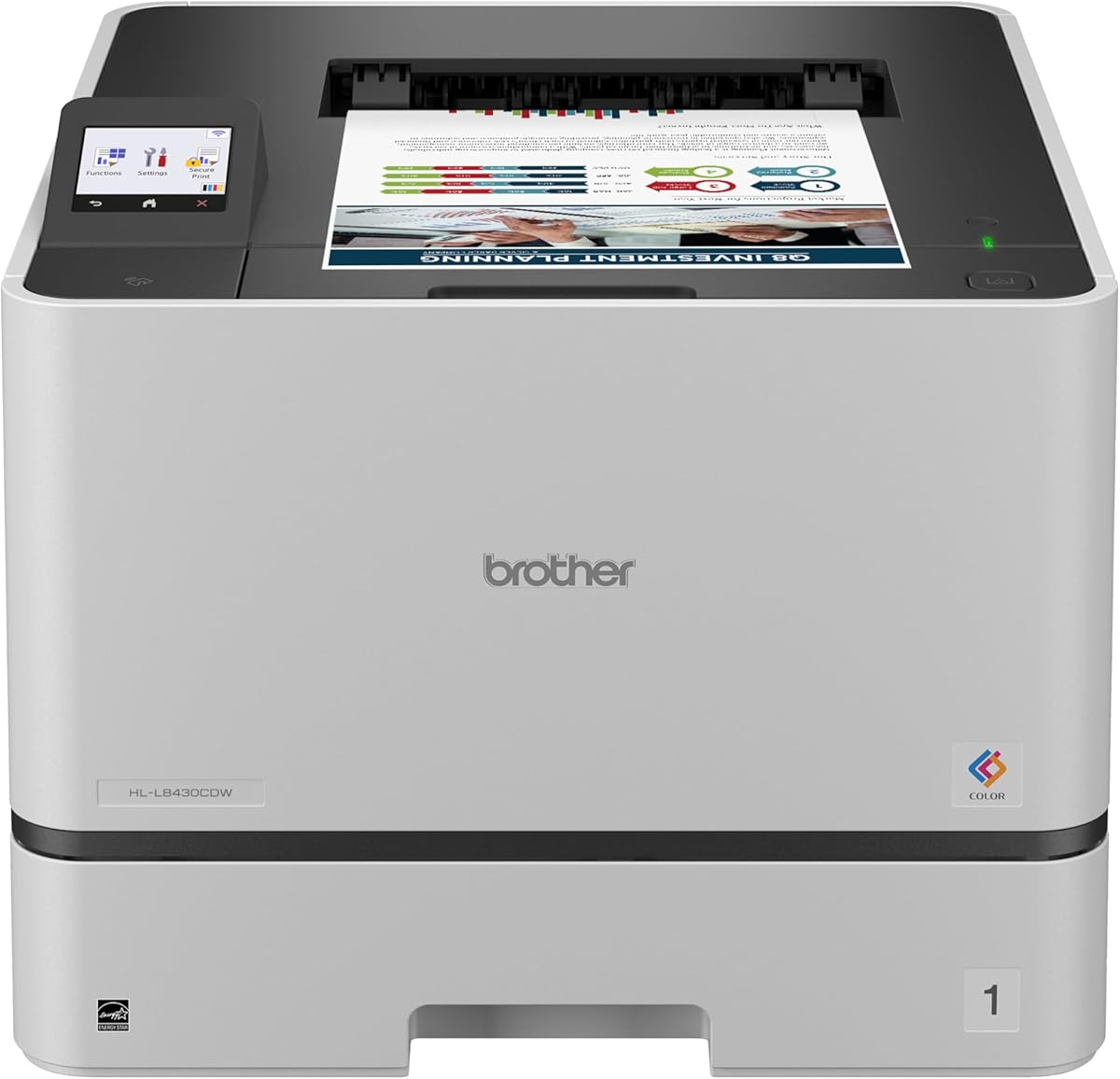
The Brother HL-L8430CDW is built for demanding offices that need speed and security in a single-function device. With a 4.0 star rating it excels at high-volume color printing while keeping costs low.
We may earn a commission when you buy through this link, at no additional cost to you.
Its 33 PPM output keeps pace with busy schedules and the NFC card reader allows secure badge authentication. Expandable trays mean you can boost capacity as your printing needs grow without extra hardware.
While it lacks multifunction features the focus on print quality and throughput makes it ideal for shared workstations. The security suite protects your network and the eco-friendly build aligns with sustainability goals.
Buyers needing raw speed and secure printing will find this model powerful. It delivers crisp documents and the expandable design ensures it scales with your office growth.
NFC reader ensures only authorized staff can release print jobs to protect sensitive data.
Add optional trays to reach up to 1340 sheets so refills stay minimal.
We may earn a commission when you buy through this link, at no additional cost to you.
Choosing the right duplex color laser printer involves balancing speed features and budget. This guide breaks down key factors to help you make an informed decision.
Print speed measured in pages per minute (PPM) impacts how quickly documents are ready. For high-volume office environments aim for 25 PPM or higher to avoid bottlenecks. Smaller home offices may find 19 to 26 PPM sufficient for daily tasks.
Choose a speed rating that matches your peak workload so you avoid delays during busy periods.
Multifunction units combine printing scanning copying and faxing which saves space and adds versatility. Single-function printers focus solely on printing and often deliver faster throughput for the same price. Decide if you need scanning or copying regularly before buying.
If scanning is occasional a single printer plus a separate scanner might save cost.
Look for wireless dual-band Wi-Fi Ethernet and mobile app support to ensure flexibility. Some models include NFC readers or cloud shortcuts for modern workflows. Reliable connectivity prevents downtime and supports remote or hybrid teams.
Prioritize dual-band Wi-Fi for stable performance in crowded network environments.
Standard trays range from 250 to 500 sheets and some models allow expansion. Larger capacity reduces refill frequency and keeps output flowing. If you print large batches or custom media verify the input tray and multipurpose slot sizes.
Opt for expandable trays if your volume grows over time.
Business printers often include encryption secure protocols and badge authentication. Advanced units offer triple-layer security or NFC readers to protect sensitive data. For offices handling confidential files this factor is critical to prevent breaches.
Ensure the model supports firmware updates and secure print release for safety.
Evaluate toner capacity and cost per page before buying. High-yield cartridges reduce frequent replacements and lower long-term costs. Some brands offer subscription services that automate supply delivery and save money over time.
Check page yields and replacement prices to estimate your ongoing expenses accurately.
Touchscreens with intuitive menus simplify navigation and setup. Larger displays allow shortcuts to apps or settings which speeds up tasks. A user-friendly interface reduces training time for staff and improves daily efficiency.
Look for customizable options and cloud integration to streamline workflows.
Longer warranty periods like three years provide peace of mind and reduce repair costs. Reliable customer support ensures issues are resolved quickly to minimize downtime. Check if the brand offers onsite service or mail-in options.
Select models with strong warranty coverage if the printer is mission-critical.
First set up the printer using the guided on-screen instructions to connect to Wi-Fi and register your devices. This ensures seamless integration with your network and lets mobile users print immediately without issues.
Regularly clean the glass and ADF rollers with a soft cloth to prevent smudges and jams. Use high-quality paper and replace toner when alerts appear to maintain consistent output quality and color vibrancy.
Keep firmware updated through the printer settings or mobile app to benefit from security patches and performance improvements. Schedule monthly checkups to clear paper trays and verify connections so your printer remains reliable for daily tasks.
Duplex printing allows the printer to print on both sides of a sheet automatically. This feature saves paper and reduces bulk which helps lower costs and makes documents easier to manage. Most modern models support this to promote eco-friendly office practices.
Color laser printers deliver sharper text and vibrant graphics ideal for business reports and marketing. They often offer faster speeds than inkjets and lower long-term costs per page. If you print colored docs regularly the investment is usually worthwhile.
Connect your phone to the same Wi-Fi network as the printer then use the app or AirPrint to send jobs. Most models support mobile apps from the manufacturer and enable quick setup without a computer.
Many models come with expandable trays and high-capacity toner designed for large batches. Look for features like automatic duplex and high PPM speeds to keep output flowing smoothly during peak times.
Office models often include encryption secure protocols and card readers to protect data. Check for firmware update capabilities and secure print release to prevent unauthorized access to confidential documents.
Duplex units save paper costs by printing on both sides which reduces waste. Toner costs are similar to single-sided models but efficiency gains often lower overall operating expenses.
The top picks in this guide offer a mix of speed versatility and security suited to diverse needs. Whether you need a compact home office solution or a robust business unit there is a model here to fit.
Prioritize factors like print speed connectivity and security based on your workflow requirements. Investing in the right features will save time and money over the long run and improve your office efficiency.
Always check current availability and offers before purchasing to get the best deal. Prices and promotions can change so reviewing the latest listings ensures you make a timely and informed decision.