
Behringer X AIR XR18
4.6Editor score
Tablet controlled
WiFi module
18 inputs
This guide compares the top ten digital mixing consoles for live sound and studio recording, evaluating features, connectivity, audio quality, and ease of use
Digital mixing consoles have transformed how professionals and enthusiasts manage audio for live events and studio recordings. These powerful devices offer precise control over multiple input channels, effects processing, and routing options that were once limited to large analog setups.
We evaluated the leading models available in the market based on their input capacity, sound quality, interface usability, and connectivity options. Our comparison focuses on real-world performance metrics and user feedback to ensure you find a console that meets your specific production needs.
Each selection in this list highlights unique strengths tailored to different budgets and application requirements. While we provide detailed insights, remember that prices and availability can fluctuate, so always verify current details before making your final purchase decision.
4.6Editor score

4.7Editor score

4.5Editor score
The following table provides a side-by-side comparison of key specifications for each model. This overview helps you quickly identify the right fit based on channel count, outputs, and unique features offered by each manufacturer.




The Behringer X32 stands out as a top-tier digital mixing console offering exceptional versatility for both live sound and studio applications. With a rating of 4.7 stars, it delivers professional-grade audio quality through its 32 MIDAS-designed mic preamps and extensive routing capabilities.
We may earn a commission when you buy through this link, at no additional cost to you.
Its 40 input channels and 25 buses provide the flexibility needed for complex setups. The 25 fully automated motorized faders allow for instant overview and powerful scene management. The individual LCD Scribble Strips make channel assignment intuitive and efficient during live performances.
While the X32 offers immense power, it requires time to master its interface. The lack of a built-in touchscreen in the standard model means users rely on physical controls or external software. However, these trade-offs are acceptable given the robust feature set and audio fidelity.
Ideal for touring bands, churches, and recording studios, this console ensures reliable performance. Its deep feature set supports detailed mixing tasks that other consoles simplify too much. If you need a workhorse that scales with your production needs, the X32 is the definitive choice.
The 32 MIDAS-designed preamps ensure audiophile sound quality across all channels, minimizing noise and maximizing dynamic range for critical listening environments.
With 16 XLR outputs and 6 additional line inputs, the X32 accommodates diverse signal sources and monitoring needs without requiring external hardware.
We may earn a commission when you buy through this link, at no additional cost to you.
The Yamaha DM3 brings renowned sound quality to a small footprint, making it perfect for tight spaces or mobile setups. Its 4.4-star rating reflects user satisfaction with its 96kHz sample rate and professional preamps that capture audio with clarity.
We may earn a commission when you buy through this link, at no additional cost to you.
Featuring 22 channels and a best-in-class 9-inch touch screen, the DM3 simplifies complex mixing tasks. The 16×18 USB audio interface supports playback and recording directly. This integration reduces the need for external interfaces in modern production workflows.
However, the channel count limits use in large venues where more inputs are required. The compact nature also means fewer physical faders compared to larger consoles. Despite this, it remains a strong option for small bands or podcast studios prioritizing portability.
For users needing a streamlined workflow without sacrificing quality, the DM3 is ideal. Its intuitive touch interface allows quick adjustments during live shows. If space is at a premium, this ultracompact console delivers impressive performance in a small package.
The large touch screen provides visual control over parameters, reducing the complexity of navigating deep menus during live mixing sessions.
Built-in USB audio interfacing allows direct connection to computers for multitrack recording, eliminating the need for additional hardware.
We may earn a commission when you buy through this link, at no additional cost to you.
The Behringer WING offers unmatched scalability for large-scale productions with its 48 channels and 28 buses. Rated 4.2 stars, it combines premium MIDAS PRO preamps with advanced connectivity for professional live sound environments.
We may earn a commission when you buy through this link, at no additional cost to you.
Its 24 motorized faders are split into configurable sections, enabling efficient scene management. The Klark Teknik SuperMAC technology ensures ultra-low jitter and latency over AES50 ports. This connectivity allows up to 144 signals without signal degradation.
The main display and touch-sensitive editing section provide precise control over channel properties. However, the high cost and complexity may be overkill for small venues. The system is designed for engineers who need maximum flexibility and expansion options.
Ideal for large touring productions or broadcast facilities, the WING handles demanding workflows effortlessly. Its robust architecture supports detailed processing and routing that standard consoles cannot match. If you need top-tier performance, the WING justifies its investment.
Klark Teknik SuperMAC on AES50 ports provides ultra-low jitter and latency for reliable transmission of multiple audio signals over long distances.
Three separate fader sections allow custom layouts tailored to specific mixing needs, enhancing speed and accuracy during live operations.
We may earn a commission when you buy through this link, at no additional cost to you.
The Yamaha MGX12 is a standout choice for entry-level professionals needing versatile features without a steep price. Its perfect 5.0 rating highlights its ease of use and solid performance for small venues or streaming setups.
We may earn a commission when you buy through this link, at no additional cost to you.
Featuring tactile faders and a 4.3-inch touchscreen, the MGX12 balances simplicity with control. New MGX preamps with 86 dB gain range handle diverse sources. The bundled software like Cubase AL enhances recording capabilities immediately.
Assistive features like Auto Gain and Scene Recall reduce the learning curve significantly. While routing is less flexible than larger boards, it covers essential needs well. Users appreciate the USB-HDMI interface for video capture, making it great for hybrid events.
Perfect for podcasters or small bands, the MGX12 offers a complete package out of the box. The combination of hardware and software provides immediate value. If you want a reliable mixer that grows with your skills, this model is highly recommended.
Integrated DSP processing ensures professional sound with latency-free monitoring, crucial for vocal monitoring during live performances.
Bluetooth audio input allows easy playback from mobile devices, simplifying music selection during breaks or intros.
We may earn a commission when you buy through this link, at no additional cost to you.
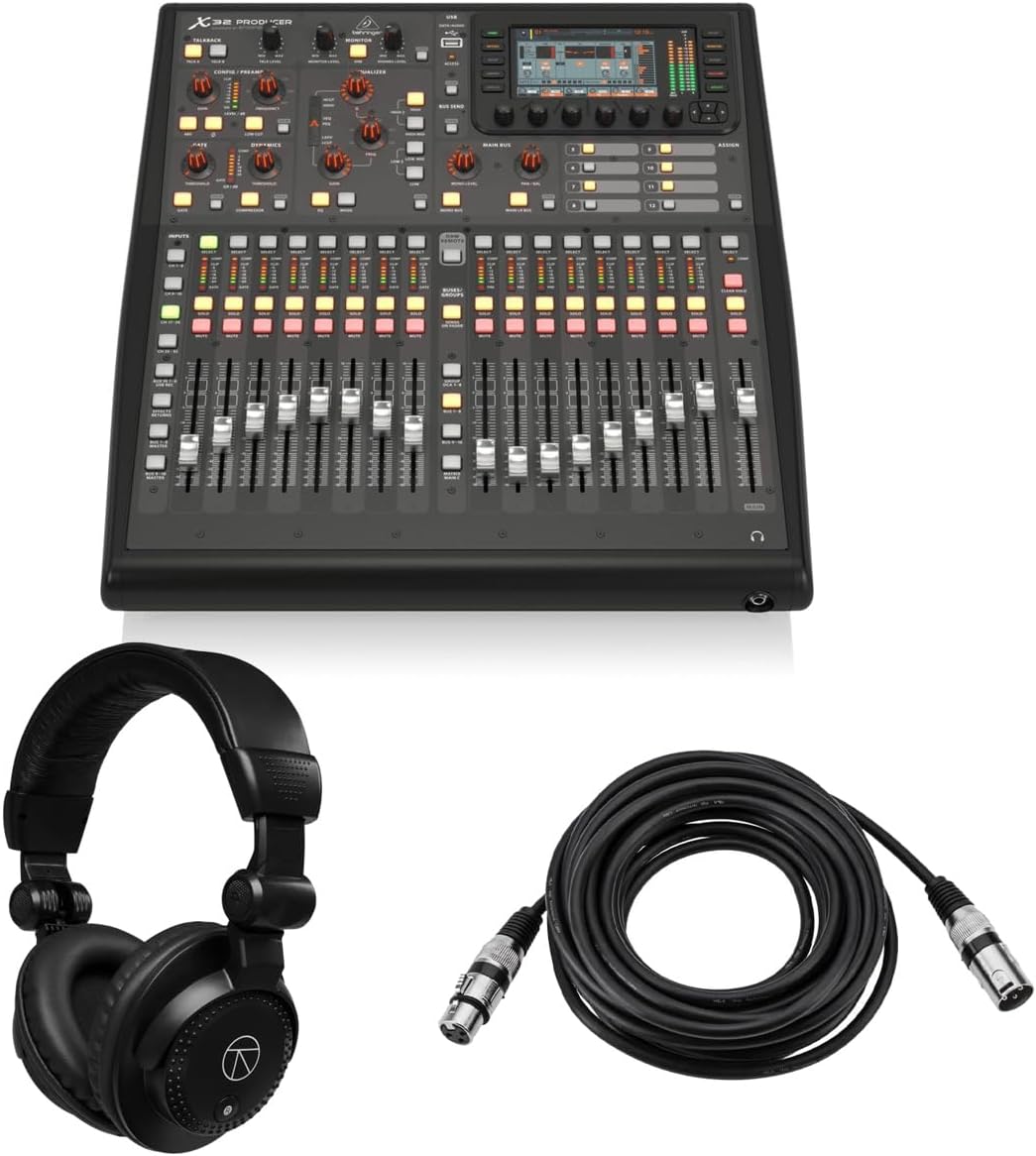
The X32 Producer delivers a complete setup for users needing power without the full console size. With a 5.0 rating, it impresses with its bundle that includes essential accessories for immediate use in various recording scenarios.
We may earn a commission when you buy through this link, at no additional cost to you.
Its rack-mountable design saves space while maintaining 40 input channels. The 16 MIDAS preamps ensure pristine audio quality. The included headphones and cable make it ready for use right out of the box, adding significant value.
While it lacks a built-in screen and relies on external control, the feature set remains robust. Virtual FX rack simulations like Lexicon 480L provide professional sound. The trade-off in physical controls is balanced by powerful processing and recall scenes.
Ideal for home studios or tight venues, the X32 Producer offers versatility in a compact form. The bundle provides everything needed for a full recording session. If you need a portable yet powerful solution, this console is an excellent starting point.
High-end FX simulations provide studio-quality effects directly on the console, reducing the need for external processors.
8 DCA groups and mute groups allow quick management of complex channel sets, streamlining the mixing process.
We may earn a commission when you buy through this link, at no additional cost to you.
The X32 Compact retains the power of the flagship model but in a smaller chassis. Rated 4.7 stars, it is perfect for users who need full routing capabilities but have limited desk space in their control room.
We may earn a commission when you buy through this link, at no additional cost to you.
With 40 input channels and 25 buses, it handles complex setups effortlessly. The 17 motorized faders provide instant overview and control. The Scribble Strips maintain intuitive channel distinction. This design ensures professional workflows in smaller environments.
While it reduces physical controls compared to the full version, the core features remain intact. The talkback section and robust outputs support live and studio needs. This balance makes it a favorite among semi-pro engineers seeking efficiency.
Best for fixed installations or smaller stages, the X32 Compact delivers flagship performance without the bulk. Its reliability and depth ensure consistent results. If you value space savings without compromising power, this model is a top contender.
Powerful scene management allows quick recall of mixer states, essential for multi-show events or quick setup changes.
Multiple outputs and line inputs provide flexible routing options for monitors and recording devices.
We may earn a commission when you buy through this link, at no additional cost to you.
The PreSonus StudioLive Classic 16.0.2 is a reliable workhorse for recording and live sound. With a 3.9 rating, it is favored for its simple interface and powerful Class A preamps that capture detailed audio tracks.
We may earn a commission when you buy through this link, at no additional cost to you.
Its 18-in/16-out USB interface records all channels and the main mix. Fat Channel processing on all inputs offers professional control. The included software like Studio One Artist streamlines production. These features make it a strong start for musicians.
While older than newer touchscreen models, its simplicity appeals to those who want hands-on control. The 31-band graphic EQ on the main bus helps refine the overall sound. Despite some limitations, it remains a solid option for studios.
Ideal for bands needing a direct recording workflow, the StudioLive integrates seamlessly with DAWs. The software bundle adds significant value. If you prioritize audio quality and recording ease over advanced routing, this mixer serves well.
Comprehensive processing including EQ and compressor on every channel allows precise tone shaping at the source.
UC Surface and QMix software enable control from tablets, offering flexibility during complex mixes.
We may earn a commission when you buy through this link, at no additional cost to you.
The X AIR XR18 revolutionizes mobile mixing by placing control entirely on tablets. With a 4.6 rating, it is a top budget choice for users who want professional audio quality without investing in large physical hardware.
We may earn a commission when you buy through this link, at no additional cost to you.
It features 16 MIDAS preamps and 18 inputs for versatile setups. The built-in WiFi router allows direct connection to devices. This eliminates the need for external networks, simplifying the setup process for quick gigs.
The lack of physical faders may feel limiting initially but enables total remote control. Users can manage sound from the audience area easily. The USB interface supports multitrack recording, making it ideal for bands on a budget.
Best for DJs and small live acts, the XR18 offers incredible value for the price. Its portability and feature set exceed expectations. If you need a lightweight, powerful solution, the XR18 is the ultimate budget mixer.
Dugan-style Auto-mixing manages microphone gain sharing, ensuring consistent levels without manual intervention.
Built-in Tri-mode Wi-Fi allows direct operation without external routers, reducing setup time and hardware costs.
We may earn a commission when you buy through this link, at no additional cost to you.
The Allen & Heath Qu-5 delivers exceptional audio quality through its FPGA processing and flexible architecture. With a 4.5 rating, it appeals to professionals who demand low latency and high-fidelity sound for demanding production environments.
We may earn a commission when you buy through this link, at no additional cost to you.
It features 38 inputs and 12 configurable mixes for detailed control. The 96kHz processing ensures precise audio reproduction. Connectivity options like USB-C and SLink offer extensive expansion possibilities. This flexibility supports complex routing needs.
Recording capabilities are robust with multitrack options. The touchscreen workflow simplifies navigation. However, the premium price and learning curve may deter casual users. These trade-offs are acceptable for those needing top-tier performance.
Ideal for professional install and live sound, the Qu-5 sets a high standard for digital mixing. Its quality ensures long-term satisfaction. If you want the best sound and expandability, the Qu-5 is a premium choice.
Configurable channel layers and matrix outputs allow custom setups that adapt to changing production requirements.
6 multi-FX engines provide a wide range of sound processing options without external hardware.
We may earn a commission when you buy through this link, at no additional cost to you.
The QSC TouchMix-16 is designed for speed and simplicity, making it ideal for solo engineers and small teams. With a 4.4 rating, it offers powerful mixing capabilities in a compact form factor for rapid deployment.
We may earn a commission when you buy through this link, at no additional cost to you.
It supports 20 full function inputs including XLR and TRS. 4-band full parametric EQ on all channels ensures precise tuning. Direct TRS aux outs drive In-Ear Monitors. This design reduces the need for extra hardware for monitoring.
While the system simplifies routing, it sacrifices some advanced features. The gate and compressor on inputs help manage levels effectively. The included bag adds convenience for transport. It is a practical choice for consistent performance.
Best for church services or local venues, the TouchMix-16 balances usability with power. Its focus on core features means you can focus on mixing. If you need reliable sound without complexity, this mixer is an excellent fit.
TRS aux outs drive wired In-Ear Monitors directly, simplifying monitor mixes for performers on stage.
4-band EQ on every channel allows detailed frequency shaping to suit different instrument needs.
We may earn a commission when you buy through this link, at no additional cost to you.
Selecting the right digital mixing console requires balancing your technical needs with your operational environment. Consider factors like channel count, processing power, and interface design to find a model that fits your workflow.
Ensure the console has enough inputs for your current needs and enough outputs for your monitoring and recording setup. Expandable systems allow you to grow your setup without replacing the main unit.
Check how many physical inputs are available before adding remote racks to avoid running out of channels during live shows.
High-quality mic preamps and converters are essential for capturing detailed audio. Look for consoles with reputable preamp designs like MIDAS or Class A architecture for clean sound.
Premium preamps reduce noise and distortion, ensuring your recordings and live mixes sound professional under all conditions.
Decide between physical knobs and screens versus touchscreen-only interfaces. Touchscreens are intuitive for menus, but physical controls are faster for live tweaks.
Hybrid consoles offer the best balance, allowing quick adjustments without navigating deep digital menus during critical moments.
Modern consoles must support various digital and analog connections. Check for USB interfaces, Ethernet, and AES50 ports for connecting devices and expanding I/O.
Robust connectivity ensures your console works seamlessly with recording interfaces, digital stage boxes, and other networked equipment.
Look for consoles with powerful internal effects engines and dynamics processing. High-quality reverbs and compressors reduce the need for external pedals or processors.
Strong built-in processing allows you to shape sound completely within the console, saving money on additional gear.
Remote control via tablets or computers provides flexibility for engineers working in the house or audience area. Ensure the software supports your devices and operating systems.
Wireless control allows real-time adjustments from anywhere, improving your interaction with performers and the audience.
If you move your gear often, choose a rugged, lightweight model. Rack-mountable options save space in tight venues, while compact designs fit easily in car trunks.
Durable build quality ensures your console survives the rigors of touring and frequent transport without failing.
Multitrack recording support is vital for capturing live shows or studio sessions. Check if the console supports USB recording or SD card storage directly.
Integrated recording features let you archive performances and create mixes without relying on external recording hardware.
To use your console effectively, start by reading the manual to understand the layout and default settings. Label your channels and set up gain stages carefully to avoid clipping. This foundational step ensures clean audio throughout your mix.
Regularly update the firmware to access new features and bug fixes. Keep your backups of your show files on an external drive or cloud storage. This protects your work from data loss due to equipment failure.
Maintain your console by keeping it clean and dry. Avoid liquid spills and store it in a safe case when not in use. Periodically check connections and cables to ensure they remain secure and free from damage.
Digital mixing consoles use digital signal processing to offer advanced features like recallable scenes and built-in effects. Analog consoles rely on physical circuits and are often simpler but lack the flexibility of digital storage.
Most digital consoles operate independently, but a computer is useful for recording and remote control. Some smaller models require a tablet for full functionality.
Yes, most digital mixers include multitrack recording via USB or SD cards. This allows you to capture every input individually or mix down to stereo.
While they offer more features, digital mixers can be more complex initially. However, modern interfaces simplify common tasks, making them intuitive with practice.
Connect the main outputs of the mixer to the inputs of your power amplifiers or active speakers using balanced cables like XLR for best results.
A motorized fader moves automatically to reflect saved scenes or recall settings. This feature allows you to see fader positions without manually checking every channel.
For professionals needing flexibility and sound quality, yes. If you only use simple mixes, analog might suffice. Digital offers long-term value for growing setups.
The right digital mixing console depends on your specific needs, from channel count to portability. The models reviewed here cover a wide range of applications, ensuring you find a solution that fits your budget and workflow.
Prioritize features that matter most to your daily tasks, such as sound quality or ease of use. Balancing performance with simplicity will help you avoid features you won't need.
Remember to check current prices and availability before purchasing as models evolve rapidly. Investing in a quality console ensures reliable performance for years of professional audio production.