
reMarkable Paper Pro with Marker Plus
4.2Editor score
11.8 inch Canvas Color display
Unmatched paper-like writing
Organized note system
Color E Ink tablets offer a unique reading experience with paper-like displays that reduce eye strain. These devices are perfect for prolonged reading sessions and note-taking without the distraction of notifications or blue light exposure.
We evaluated ten leading models based on screen technology, stylus support, battery performance, and overall usability. Our analysis focuses on how each device handles color content, document formats, and everyday tasks to ensure you find the right fit.
Each pick highlights key strengths and potential trade-offs to guide your decision. Prices fluctuate frequently so check current listings before purchasing. We include direct links to verified retailers for your convenience and safety.
4.2Editor score

4.3Editor score

4.0Editor score
As an Amazon Associate we earn from qualifying purchases.
This table provides a side-by-side comparison of all ten selected Color E Ink tablets. It highlights key specifications like screen size, resolution, memory, and unique features to help you quickly identify the best model for your needs.



The Amazon Kindle Scribe Colorsoft stands out as a top contender with its 11 inch Colorsoft display. It achieves a 4.3 rating by delivering high-contrast color that is easy on the eyes. The included pen never needs charging which adds significant convenience.
We may earn a commission when you buy through this link, at no additional cost to you.
Its custom-built display ensures smooth paper-like writing without distracting flashes. Users can take notes in the built-in notebook and use AI tools to find information or generate summaries. The large screen provides ample space for comfortable reading and writing sessions.
While it is purpose-built for reading and writing, it lacks the versatility of an open Android tablet. The glare-free display works well in bright sunlight but does not support high refresh rate apps. This trade-off ensures better battery life and focus.
Buyers focused on reading and note-taking will find this device ideal. It offers a premium experience with cloud service support and excellent battery performance. If you want a distraction-free workspace this is a strong recommendation.
The Colorsoft display delivers high-contrast color that mimics paper while reducing eye strain significantly.
Built-in AI tools allow you to convert handwriting to text and generate summaries instantly.
We may earn a commission when you buy through this link, at no additional cost to you.
The reMarkable Paper Pro with Marker Plus offers an ultra-slim portable design with a massive 11.8 inch Canvas Color display. It is designed exclusively for writing and reading in color with an unmatched paper-like feel. The included Marker Plus pen has a built-in eraser for precise control.
We may earn a commission when you buy through this link, at no additional cost to you.
This device allows you to sort notes with folders and tags while converting handwriting to typed text instantly. The low-glare display reflects natural light making it comfortable for outdoor use. An adjustable reading light ensures you can work day or night without eye strain.
It is not designed for media consumption or complex apps which keeps the experience focused. The premium price reflects the build quality and specialized features. For professionals who value distraction-free writing this trade-off is often acceptable.
Ideal for those who want a digital notebook that feels like real paper. The organization tools and cloud sync enhance workflow efficiency. If you need a premium note-taking device this model delivers exceptional quality.
The Marker Plus pen delivers precise control and incredible responsiveness that mimics paper friction.
Sort notes with folders and tags and convert handwriting to text instantly for better organization.
We may earn a commission when you buy through this link, at no additional cost to you.
The BOOX Tablet Go Color 7 Gen II provides an affordable entry into color E Ink technology. It features a 7 inch Kaleido 3 display with 300 ppi B/W and 150 ppi color resolution. The Android 13 OS supports a wide range of document formats and apps.
We may earn a commission when you buy through this link, at no additional cost to you.
Users benefit from front light with CTM for warm and cold settings along with G-sensor auto rotation. It supports Active Stylus InkSense though the stylus is sold separately. The 4GB RAM and 64GB ROM ensure smooth performance for reading and note-taking.
Color E Ink technology has inherent limitations compared to LCD screens which may appear darker. Refresh modes help reduce ghosting during content viewing. This trade-off is standard across the category and ensures long battery life.
This model suits budget-conscious buyers needing a compact device. The OS flexibility allows for versatile usage beyond just reading. If you want a portable color reader under a lower cost this is a great choice.
Offers 7 inch Kaleido 3 color display and Android 13 support at an affordable price point.
Front light with CTM and multiple document formats allow comfortable reading in various conditions.
We may earn a commission when you buy through this link, at no additional cost to you.
The Ocean C 64GB+4GB 7 inch color eBook reader offers a highly rated experience with a 4.5 score. It features a 7 inch Color E Ink display with glare-free touchscreen and brightness adjustment. The Octa-core processor with 4GB RAM ensures seamless multitasking for readers.
We may earn a commission when you buy through this link, at no additional cost to you.
It mimics paper texture for natural control and supports Musnap Stylus Pen compatibility for writing. The device handles various formats like PDF EPUB and audiobooks with ease. Users appreciate the long battery life for marathon reading sessions.
While it lacks a built-in stylus it provides excellent flexibility through Bluetooth and Wifi connect. The 7 inch form factor is portable for travel and daily use. Refresh rates are optimized for static content to avoid eye strain.
This model is great for readers seeking a high-rated compact device. The performance and battery life stand out for the price. If you need a reliable color E Ink reader this is a solid option.
Octa-core processor with 4GB RAM ensures seamless multitasking and fast page turns.
Engineered for note-taking with Musnap Stylus Pen compatibility for natural control.
We may earn a commission when you buy through this link, at no additional cost to you.
The reMarkable Paper Pro with Marker Plus and Basalt Book Folio combines the premium tablet with a stylish cover. It features a 11.8 inch Canvas Color display for writing and reading in color. The included Marker Plus pen provides precise control and built-in eraser capabilities.
We may earn a commission when you buy through this link, at no additional cost to you.
This bundle enhances value by adding a Mosaic weave cover and USB-C cable. The note system allows sorting with folders and tags for easy organization. The low-glare display reflects natural light for comfortable reading anywhere.
It focuses exclusively on reading and writing without unnecessary distractions. The organization tools and handwriting conversion features boost productivity. For those who want a complete package this adds significant convenience.
Ideal for users needing a full ecosystem with protection. The build quality and writing experience are top-tier. If you want a premium bundle this model delivers exceptional value.
Includes Book Folio and USB-C cable for a ready-to-use premium experience.
Sort notes with folders and tags and convert handwriting to typed text instantly.
We may earn a commission when you buy through this link, at no additional cost to you.
The BOOX Tablet 10.3 Note Air 5 C features a large 10.3 inch Kaleido 3 display with 4096 colors. It runs Android 15 and supports 3rd-party apps with 6GB RAM for smooth performance. The device includes fingerprint recognition and 3700mAh battery.
We may earn a commission when you buy through this link, at no additional cost to you.
It offers front light with CTM and G-sensor auto rotation for comfort. Document support is extensive covering PDF EPUB and DOC formats. The refresh modes help reduce ghosting during content viewing.
Color E Ink displays may appear darker than LCD screens which is a standard trade-off. The device is heavier due to the larger screen but offers more workspace. Users should be aware of refresh rate limitations.
This model suits those needing a larger canvas for documents. The high RAM and Android OS flexibility are key benefits. If you need a spacious color tablet this is a strong option.
10.3 inch display provides ample space for detailed document review and writing.
6GB RAM and Android 15 OS ensure smooth multitasking and app support.
We may earn a commission when you buy through this link, at no additional cost to you.
The Penstar eNote Pro C updates the screen with Kaleido 3 for a vivid reading experience. It includes a digital stylus B6 with 8192 levels of pressure sensitivity. The device offers AI note summarization and real-time voice-to-text for productivity.
We may earn a commission when you buy through this link, at no additional cost to you.
Users get 128GB storage and 6500mAh battery for up to 3 weeks of use. The bundle includes an extra nibs kit and folio cover for convenience. It supports over 35 file formats for versatile document handling.
E Ink uses microscopic pigment particles for a natural reading experience. While not optimized for video it excels at focused writing. The AI tools enhance workflow significantly.
This model is great for note-takers needing AI features. The high pressure sensitivity ensures precise input. If you want a smart notebook this device delivers advanced tools.
Boost productivity with real-time voice-to-text and note summarization features.
8192 pressure levels ensure precise control and responsive feedback during writing.
We may earn a commission when you buy through this link, at no additional cost to you.
The BOOX Tablet Go Color 7 Gen II offers a portable 7 inch Kaleido 3 display. It supports Active Stylus InkSense and runs Android 13 for app versatility. The device weighs only 195g making it easy to carry anywhere.
We may earn a commission when you buy through this link, at no additional cost to you.
Users can use HD Mode or Fast Mode to reduce ghosting during content viewing. It supports extensive document formats and 3rd-party apps. The 4GB RAM ensures smooth performance for daily tasks.
Color E Ink technology has inherent limitations compared to LCD screens. The refresh rates are slower but ensure low power consumption. This trade-off is standard for eye-friendly reading.
This model suits mobile users needing a lightweight device. The OS flexibility and portability are key benefits. If you want a travel-friendly color reader this is a good choice.
Weighs only 195g making it easy to carry anywhere in your bag.
Android 13 OS supports extensive document formats and 3rd-party apps.
We may earn a commission when you buy through this link, at no additional cost to you.
The reMarkable Paper Pro Move is designed for travelers needing a distraction-free workspace. It features a 7.3 inch Canvas Color display for writing and reading in color. The device comes with the Marker Plus pen and 6 spare tips.
We may earn a commission when you buy through this link, at no additional cost to you.
Notes sync to the cloud and mobile apps for easy access anywhere. It allows searching handwritten notes when subscribed to Connect. The form factor slips into a jacket pocket for convenience.
This focus on writing and reading removes unnecessary apps. The cloud sync ensures your thoughts are safe even without the device. For business travel this is a strong choice.
Ideal for professionals on the go. The portability and note organization enhance productivity. If you need a digital notebook for travel this model delivers.
Ultra-portable design slips into a jacket pocket for easy carrying.
Cloud sync and folder tags keep your thoughts organized and accessible anywhere.
We may earn a commission when you buy through this link, at no additional cost to you.
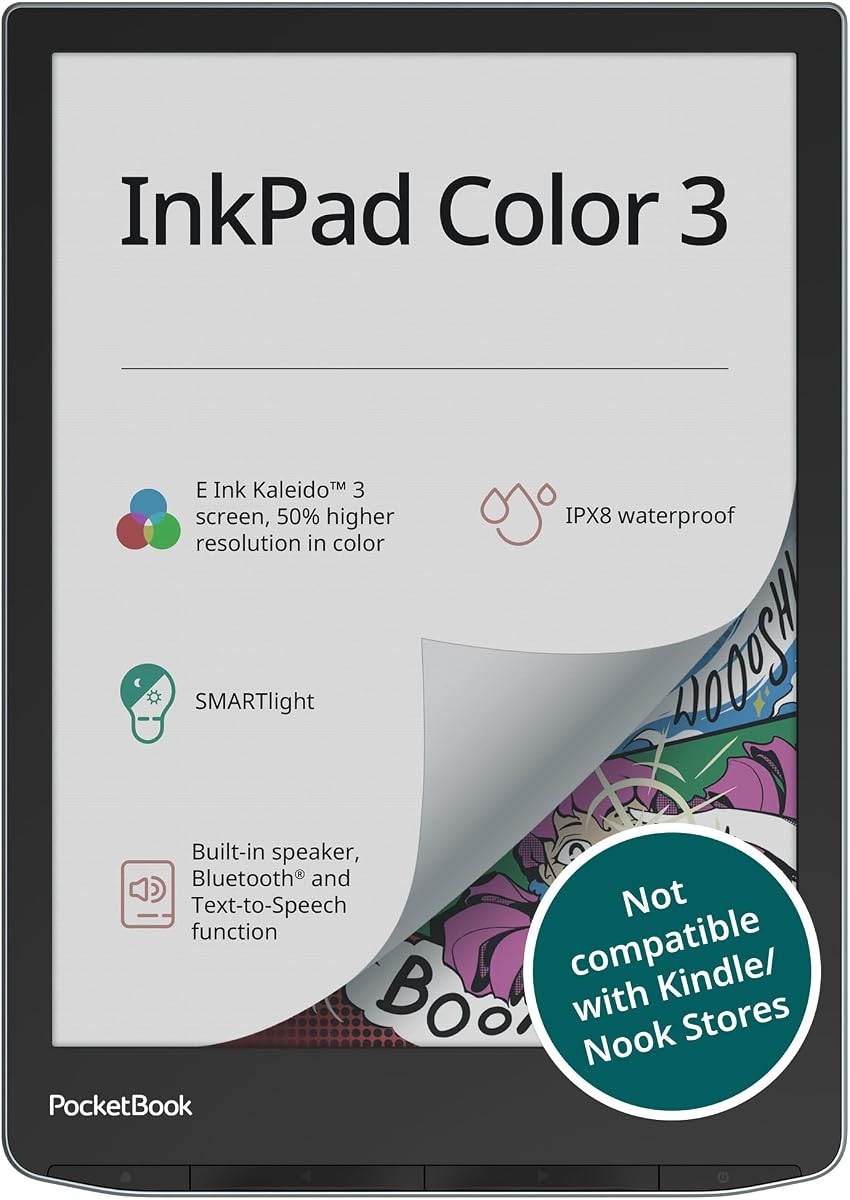
The PocketBook InkPad Color 3 offers a vibrant 7.8 inch color E-Paper display with eye-friendly reading. It features IPX8 water protection for travel or outdoor reading. The built-in speaker and Text-to-Speech support enable audiobook listening.
We may earn a commission when you buy through this link, at no additional cost to you.
It saves thousands of ebooks with 32GB internal space and external memory support. Dual band wireless and Bluetooth allow seamless syncing with other devices. The battery lasts up to one month on a single charge.
Waterproof design makes it unique for poolside or bath reading. The audio features provide versatility beyond just reading text. This is ideal for audiobook fans.
This model suits readers needing durability and audio. The battery life and storage are key benefits. If you want a waterproof color reader this is a great option.
IPX8 water protection ensures safe reading during travel or outdoor use.
Built-in speaker and Text-to-Speech support enable audiobook listening.
We may earn a commission when you buy through this link, at no additional cost to you.
Selecting the right Color E Ink tablet requires understanding display technology, file support, and use cases. We break down key factors to help you find a device that meets your reading and writing needs.
Color E Ink tablets typically use Kaleido 3 technology which offers 4096 colors but lower color resolution than B/W. Expect a slightly darker screen compared to LCDs which is standard for eye strain reduction. Look for front light with CTM for warm and cold settings.
Prioritize models with adjustable lighting for night reading and ensure the screen supports your preferred content types.
Some models include a pen with eraser while others require purchasing separately. Check pressure sensitivity levels for writing precision and responsiveness. A good stylus should feel natural with minimal lag.
Verify stylus inclusion and pressure sensitivity specs before buying to ensure the right writing experience.
Open Android OS allows third-party apps and cloud service support but closed systems offer focus. If you need specific tools like Google Drive pick an Android model. For distraction-free work consider purpose-built devices.
Decide between open flexibility and focused simplicity based on your workflow requirements.
Most Color E Ink tablets offer weeks of battery life due to low power consumption. Look for capacities above 3000mAh and efficient refresh modes. Charging time is usually short but planning for long trips is wise.
Ensure battery capacity matches your usage intensity to avoid frequent charging interruptions.
Smaller devices around 7 inches are portable while larger 11 inch screens offer more workspace. Consider your primary use case whether it is reading or note taking. Larger screens add weight but improve document visibility.
Choose a size that balances portability with the workspace you need daily.
Internal storage typically ranges from 32GB to 128GB. If you have large libraries or note files consider expandable memory via microSD. Cloud syncing also helps manage space but requires internet access.
Select storage that fits your library size and consider expandable options for flexibility.
E Ink uses microscopic pigment particles which require processing time for refresh. Look for models with multiple refresh modes to reduce ghosting. Faster modes are better for scrolling but may sacrifice contrast.
Check refresh modes to ensure the device handles dynamic content in a way that suits you.
Budget models provide core reading features while premium ones offer better build quality and pens. Consider what you value most like display technology or included accessories. Prices change frequently so verify current listings.
Balance cost with the features that truly matter to your daily usage needs.
Start by exploring the refresh modes available in settings to optimize screen clarity. Use HD Mode for static content and Fast Mode for scrolling to reduce ghosting.
Clean the screen with a soft cloth to avoid scratches and keep the stylus tip clean for precision. Avoid direct sunlight exposure to prevent overheating.
Charge the device using the provided USB-C cable and check for firmware updates regularly. Store in a protective case to maintain the screen's integrity during travel.
Yes they are designed to reduce eye strain with glare-free paper-like displays. They support various ebook formats and provide comfortable long-form reading without distracting apps.
Use the included or compatible stylus to write directly on the screen. Most models support pressure sensitivity for precise handwriting and offer note conversion tools for productivity.
Open Android models do support apps like browsers or readers but performance may vary. Closed systems focus on built-in tools to maintain distraction-free experiences.
Most models offer weeks of battery life due to low power consumption. Expect usage times between 2 to 4 weeks depending on screen brightness and note taking frequency.
Yes they use reflectance technology that mimics paper reducing blue light exposure. This design minimizes eye strain during prolonged reading sessions compared to LCD screens.
Yes most models support handwriting with a stylus and offer tools to organize notes. Some convert handwriting to text instantly while others require manual export to cloud services.
They typically support PDF EPUB DOC and image formats. Check specific product specs for less common formats like CBZ or MOBI to ensure compatibility.
Some models include a pen with eraser while others require separate purchase. Always verify the box contents before buying to avoid unexpected costs.
The Amazon Kindle Scribe Colorsoft and reMarkable Paper Pro lead the category with premium displays and writing tools. For budget options the BOOX Tablet Go Color 7 Gen II offers excellent value.
Prioritize display technology and stylus experience based on your primary use case. Ensure the device supports your preferred file formats and offers enough storage for your library.
Remember prices fluctuate frequently so check current listings before purchasing. Direct links to verified retailers help you find the best deals safely and efficiently.