
Pankia Auto Keyboard Clicker
3.2Editor score
15 random click speeds
Hands-free operation
Wide device compatibility
This guide compares the top ten automated keyboard clicker devices for gaming and productivity, highlighting speed, compatibility, and build quality.
An automated keyboard clicker is a physical tool designed to simulate keystrokes or mouse clicks without constant manual input. These devices help users keep systems active or automate repetitive tasks efficiently.
We compared ten models based on speed settings, physical adjustability, and compatibility with various devices. Our analysis focuses on reliability, ease of use, and user satisfaction ratings from verified buyers.
Each pick highlights specific strengths and trade-offs to help you choose the right tool for your needs. Keep in mind that prices and availability may change frequently on retail platforms.
3.2Editor score

4.0Editor score

4.3Editor score
The following table provides a side-by-side comparison of all ten automated keyboard clicker models reviewed in this guide. We list key specifications to help you differentiate between features like speed control, physical design, and intended use cases.




The Pankia Auto Keyboard Clicker serves as an entry-level physical tool for automating clicks. With a rating of 3.2, it offers basic functionality for users needing simple automation without complex software. The device provides fifteen random click speeds to mimic human variability effectively.
We may earn a commission when you buy through this link, at no additional cost to you.
Its standout quality lies in its three adjustable ports which allow independent speed control. Users can set different speeds for each port to match various keyboard or mouse requirements. The indicator light system makes mode selection straightforward even for first-time users.
However, the device lacks advanced programmable features like timed rest periods or loop settings. It requires manual pressing to start and stop, which may not suit long unattended sessions. The physical arm design is functional but might need adjustment for larger keyboards.
This clicker is best for users on a tight budget needing quick automation. It is ideal for short gaming sessions or keeping systems active briefly. The satisfaction guarantee adds a layer of security for buyers trying it out for the first time.
The fifteen random speeds help avoid detection by systems that monitor for robotic patterns.
Three ports allow you to control multiple keys or mice simultaneously with different speeds.
We may earn a commission when you buy through this link, at no additional cost to you.
The Physical Keyboard Clicker is our top choice due to its robust programmable features. With a rating of 4.0, it balances ease of use with advanced control options. Users can define loop times, click intervals, and random time ranges to suit diverse clicking needs.
We may earn a commission when you buy through this link, at no additional cost to you.
Key strengths include the three independent ports which allow different speeds for different tasks. The ability to set rest periods makes it suitable for long sessions without overheating. This programmable nature makes it versatile for both gaming and general task automation.
Trade-offs exist regarding the manual adjustment of the clicking arm and potential heat issues. Users must avoid clicking more than five times per second to prevent heat-related damage. The physical setup requires some patience to align correctly with the target keys.
This device is ideal for users who need reliable automation without software dependencies. It works well for game assistance or keeping systems active during idle times. The hardware-based approach ensures consistent performance regardless of system updates or security settings.
You can customize click counts and durations to match specific game mechanics or workflow needs.
Built-in rest periods help maintain device longevity and prevent motor overheating.
We may earn a commission when you buy through this link, at no additional cost to you.
The Pankia Box Physical Click is a standard option for users needing a simple simulated finger tapper. With a 3.6 rating, it offers basic functionality with three adjustable ports for speed control. The device is designed to keep computers active during gaming or idle periods.
We may earn a commission when you buy through this link, at no additional cost to you.
Its main advantage is the ability to adjust speeds separately for each port. This flexibility allows users to fine-tune the clicking action based on specific game or application needs. The physical design avoids software installation, reducing security risks.
However, it lacks advanced features like random intervals or programmable loops found in other models. Users must manually start the device, and the adjustment parts might need frequent tweaking. The build is functional but lacks premium materials found in higher-end versions.
This model is best for users who need a no-frills solution for occasional automation. It works well for keeping systems active without complex setup requirements. The satisfaction guarantee provides peace of mind for those trying physical clickers for the first time.
Three ports allow you to manage different speeds independently for versatile use cases.
Running without software means no risk of antivirus interference or system instability.
We may earn a commission when you buy through this link, at no additional cost to you.
The Physical Click Auto Keyboard features a unique digital display that shows click speeds numerically. With a rating of 3.8, it supports complex timing logic for advanced automation needs. The device can execute up to six clicks per second with combined fixed and random timing.
We may earn a commission when you buy through this link, at no additional cost to you.
Its standout feature is the ability to set arbitrary combinations of fixed and random times. Users can configure groups of settings without needing to write code or install software. The digital display ensures you know exactly what speed you are running at any time.
The device is bulky and requires some time to master the menu system. It supports various power sources including mobile chargers and power banks which is very convenient. However, the lack of rest periods might lead to wear if used continuously for long times.
This tool is ideal for power users who need precise control over their automation. It works well for complex gaming mechanics that require specific timing intervals. The physical interface ensures reliability but requires patience to learn the group execution logic.
The digital display clearly shows numbers for easy monitoring of your speed settings.
Groups A, B, and C allow for complex sequential task execution without coding.
We may earn a commission when you buy through this link, at no additional cost to you.
These Keyboard Clickers are mechanical switches designed for replacement or 3D printed builds rather than an automated arm. With a high rating of 4.7, they offer premium tactile feedback and durability up to 50 million cycles. The switches are dustproof and waterproof for longevity.
We may earn a commission when you buy through this link, at no additional cost to you.
Their primary strength lies in the crisp clicky sound and reliable performance over time. They are suitable for users building custom keyboards or fidget toys. The clear blue housing complements LED backlighting on gaming setups effectively.
However, these are not automated devices but rather components for building. Users need technical skill to install them into keyboards or 3D printed parts. They do not provide the automated clicking action found in physical arms or movers.
This product is best for enthusiasts who want to upgrade their keyboard tactile feel. It serves well as a source for parts in DIY automation or fidget projects. Ensure your keyboard supports 3-pin switches before purchasing to avoid compatibility issues.
Waterproof and dustproof materials ensure long service life in various environments.
Crisp feedback helps relieve stress and improves typing precision for mechanical keyboard users.
We may earn a commission when you buy through this link, at no additional cost to you.
This Physical Click Auto Keyboard boasts a perfect 5.0 rating for its quiet and reliable operation. It is designed to prevent systems from going offline by simulating activity efficiently. The motor is engineered to operate with low noise for unobtrusive use.
We may earn a commission when you buy through this link, at no additional cost to you.
The standout quality is its ability to mimic human activity with random click intervals. This randomness helps maintain natural patterns that avoid detection by automated systems. The sturdy build ensures it withstands repetitive motion without breaking easily.
While it performs exceptionally well, the height adjustment is manual and might need trial and error. It works independently of your computer software which is a security plus for enterprise environments. The motor does not heat up which supports longer run times.
This device is ideal for users who prioritize quiet operation and reliability. It works well in shared spaces where noise would be disruptive to others. The random setup enhances its effectiveness for keeping systems active naturally without constant manual input.
The low noise motor ensures the device operates silently in quiet environments.
Random intervals mimic human behavior to avoid detection by activity monitors.
We may earn a commission when you buy through this link, at no additional cost to you.
This product is the Clicking Arm only, requiring the Pankia Box to function. With a 3.2 rating, it is intended for users who already own the base unit and need a replacement. It allows you to click keyboards or mice without using your hands directly.
We may earn a commission when you buy through this link, at no additional cost to you.
Its primary use is as a replacement part rather than a full solution. The arm has three adjusting parts to help position the click point on keys effectively. It supports wide compatibility but cannot operate independently without the main controller.
The trade-off is that buyers must ensure they have the compatible box before purchasing. It is not a complete tool for new users seeking automation from scratch. The manual activation means you still need to interact with the device to start or stop it.
This arm is best for existing users needing a spare or replacement part. It helps maintain your current setup without replacing the entire system. Ensure compatibility with your Pankia Box model to avoid any installation issues.
Use this arm to replace worn parts on your existing Pankia Box system.
Three adjustable sections help align the click arm with different keyboard layouts.
We may earn a commission when you buy through this link, at no additional cost to you.
The Auto Keyboard Clicker offers premium features like adjustable height and wide range time settings. With a rating of 4.3, it provides realistic manual clicking simulation for tablets and desktops. The rubberized cover protects keyboards from damage and reduces sound.
We may earn a commission when you buy through this link, at no additional cost to you.
Its key strength is the ability to set click times from 0.1 to 999 seconds easily. Users can directly set the time on the host without programming which simplifies use. The adjustable height ensures it fits various keyboard setups securely.
The rubberized cover is a thoughtful touch that prevents key damage during operation. It is suitable for gaming and general tasks requiring automated inputs. The price is higher than basic models but justified by the build quality and adjustability.
This clicker is ideal for users needing reliable performance on multiple device types. It works well for protecting sensitive keyboards while automating repetitive tasks. The wide time range allows flexibility for different workflows and gaming requirements.
Rubberized cover prevents damage to keys while reducing noise during operation.
Set click times anywhere from 0.1 to 999 seconds without complex programming.
We may earn a commission when you buy through this link, at no additional cost to you.
This 2-pack offers two distinct fidget toys: one quiet pink one and one clicky green one. With a 4.1 rating, they provide tactile feedback for stress relief without needing a computer connection. Each uses four mechanical-style keys for a satisfying press feel.
We may earn a commission when you buy through this link, at no additional cost to you.
The standout quality is the ability to choose between silent and audible feedback based on your environment. They include keychain clips for easy carrying during commutes or breaks. This makes them ideal for shared spaces where noise might be an issue.
However, these are not automated tools for clicking keyboards or computers. They are personal fidget devices designed for hands-on stress relief. The mechanical feel is accurate but limited to four keys per unit.
This set is best for users seeking portable stress relief tools for work or travel. It helps reduce anxiety during busy moments with a familiar typing sensation. The dual pack allows you to share one or use different sound profiles as needed.
Choose between quiet pink for office use and clicky green for home settings.
Keychain clips make it easy to carry the fidget tool anywhere you go.
We may earn a commission when you buy through this link, at no additional cost to you.
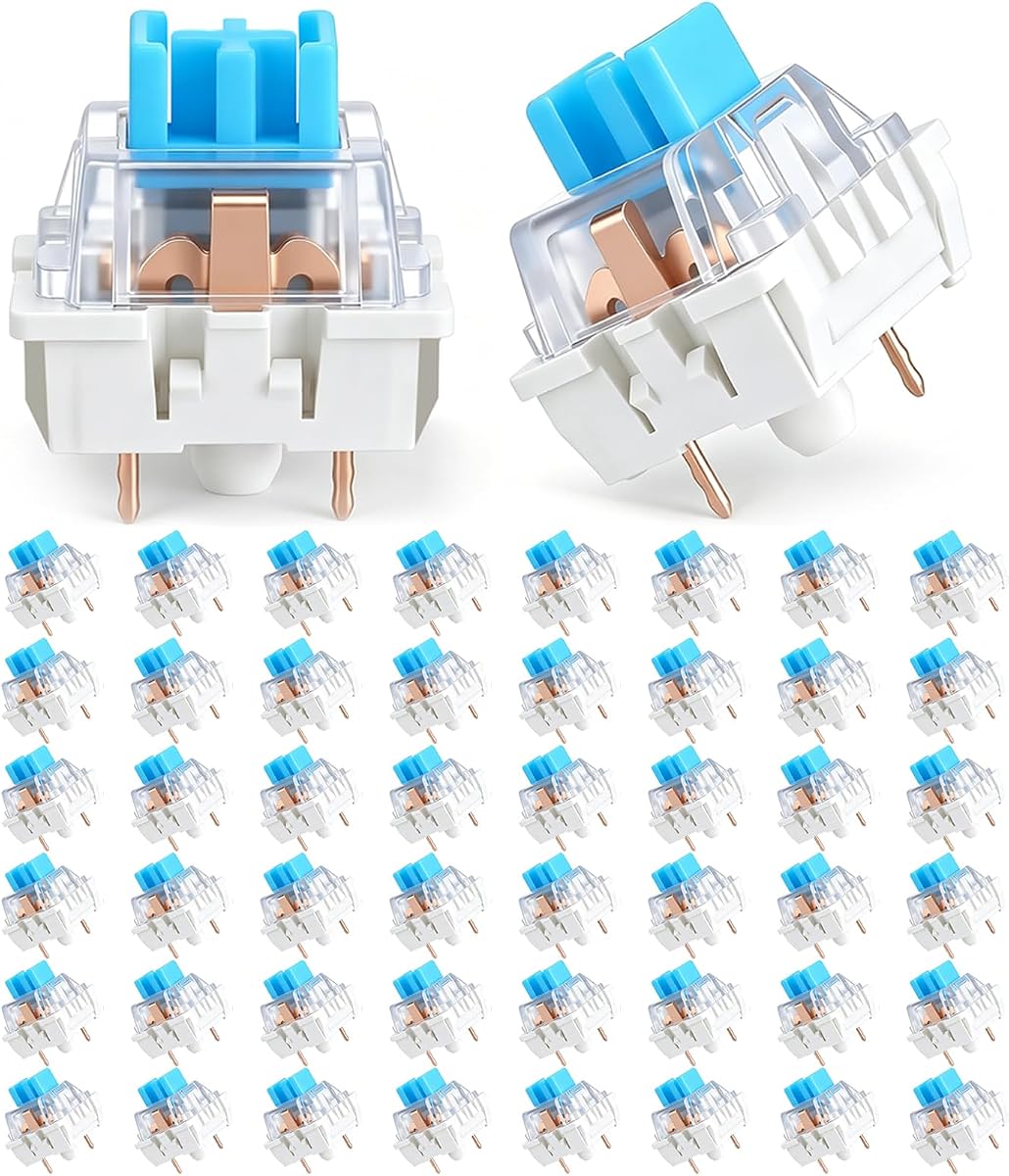
These are 108 blue mechanical switches designed for 3D prints or custom keyboard builds. With a 4.5 rating, they offer distinct tactile feedback and up to 80 million cycles of life. The switches are housed in a protective PVC plastic box for safety.
We may earn a commission when you buy through this link, at no additional cost to you.
Their main advantage is the high count and durable materials like POM shaft cores. They provide rapid and responsive travel that minimizes fatigue during extended use. The design is suitable for users creating custom mechanical keyboard projects.
Users should note these switches are loud and unsuitable for quiet environments. They require technical skill to install correctly into keycaps or printed parts. This product is not an automated clicker but a component for building custom hardware.
This pack is ideal for enthusiasts wanting to build custom keyboards or fidget toys. It offers great value with 108 units for multiple projects. Ensure you have the right tools and skills for installation before purchasing.
POM shaft core and copper spacers ensure long service life and consistent feel.
108 pieces allow for large projects or replacement kits for multiple devices.
We may earn a commission when you buy through this link, at no additional cost to you.
Selecting the right automated keyboard clicker depends on your specific needs and the tasks you want to automate.
Look for devices that offer a range of speeds to match your needs. Some models allow independent speed control for different keys which provides more flexibility.
Choose a model that covers the speeds required for your specific game or task.
The clicking arm should be adjustable to fit different keyboard layouts and heights. A device with multiple adjustment parts ensures it can target keys accurately.
Prioritize models with flexible arms that do not slip during operation.
Advanced users may need programmable loops and rest periods. Devices that allow setting click intervals and random times are better for avoiding detection.
If you need simple clicks, basic models work well without complex settings.
Most devices run via USB but some support power banks or mobile chargers. Consider where you will use the device and whether wall outlets are available.
Flexible power options increase portability for use in various locations.
If you work in a shared space, choose a model with low noise operation. Some motors are designed specifically to minimize sound during clicks.
Quiet operation helps avoid disturbing colleagues or others nearby.
Look for sturdy materials that withstand repetitive motion. Devices with metal parts or reinforced plastic tend to last longer.
Durable builds reduce the need for replacements over time.
Simple interfaces with clear buttons or displays make setup easier. Avoid complex systems if you only need basic automation.
Prioritize user-friendly designs that require minimal learning time.
Ensure the device works with your keyboard type and operating system. Physical devices generally work universally but check specific requirements.
Verify compatibility before purchasing to avoid return hassles.
Start by placing the clicking arm on the desired key or mouse button. Adjust the height and angle so it presses the surface fully during operation.
Set the speed and timing preferences according to your needs. Use rest periods if available to prevent motor overheating during long sessions.
Clean the device regularly to remove dust and debris. Store it in a dry place to ensure long-term functionality and reliability.
Most physical keyboard clickers do not require software installation as they operate via USB hardware. This makes them secure and compatible across different operating systems.
Yes, automated clickers simulate human activity to keep systems active. They are effective at preventing idle timeouts by mimicking mouse or keyboard input.
Physical clickers use mechanical arms to press keys while software clickers simulate input via the operating system. Physical devices are more secure and do not risk software conflicts.
Speed adjustment is typically done via physical buttons or dials on the device. Refer to the manual to cycle through available speed modes accurately.
Using these tools depends on the game provider policies. Some games allow them while others may ban their use so check the terms of service first.
With proper care, physical clickers can last thousands of hours. Durability depends on build quality and how often they are used for automation tasks.
We reviewed ten automated keyboard clicker models ranging from basic arms to programmable tools. The top picks include the Pankia Auto Keyboard Clicker for budget users and the Physical Keyboard Clicker for those needing advanced features.
When choosing prioritize adjustability and programmability to match your specific needs. Consider noise levels and build quality if you plan to use the device in shared spaces.
Remember that prices and availability may change so check current listings before purchasing. Select a device that offers the best balance of features and reliability for your tasks.