
Google TV Streamer 4K
4.3Editor score
High-speed 4K streaming
Integrated voice remote control
Smart home management features
This guide compares the top Android TV Box models for 2026 based on performance, features, and value to help you choose the right streamer.
An Android TV Box transforms any standard television into a smart entertainment hub capable of streaming high-resolution content and running popular applications. These devices offer flexibility and powerful hardware that often surpasses built-in smart TV systems found in modern displays. Whether you seek cinematic visuals or seamless gaming, selecting the right box matters.
We evaluated ten leading models based on processor speed, memory capacity, connectivity options, and overall user experience. Our analysis focuses on real-world performance during streaming, app navigation, and multi-device compatibility. This list covers diverse price points to suit every household entertainment setup.
Each pick highlights specific strengths like 4K decoding, voice control integration, and storage flexibility for media libraries. Please note that product availability and pricing fluctuate frequently across online retailers. Always verify current specifications before making your final purchase decision for your home theater.
4.3Editor score

4.4Editor score

4.2Editor score
This side-by-side comparison highlights key specifications and performance capabilities across the top ten Android TV Box models available today. It helps you quickly identify which device matches your specific needs for resolution, storage, and connectivity options.


The Xiaomi TV Box S 3rd Gen stands out as a powerful streaming device rated highly for its performance and visual clarity. It supports 4K resolution at 60 frames per second ensuring smooth playback during high-motion scenes. The integrated Google TV platform offers personalized recommendations that adapt to your viewing habits over time.
We may earn a commission when you buy through this link, at no additional cost to you.
Its hardware includes a quad-core processor and 2GB of RAM which helps multitasking and app switching run without noticeable lag. Dolby Vision and Atmos support bring cinematic quality to compatible content allowing you to enjoy enhanced contrast and immersive sound directly from your living room. The device also features HDMI 2.1 which is vital for modern gaming consoles and high frame rate streams.
While the 32GB of internal storage may feel limited if you plan to install many large apps, the Google Play Store is extensive enough for most users. The compact form factor ensures it blends into entertainment centers without dominating space. Overall it delivers a reliable and feature-rich experience that balances cost with capability effectively.
If you want a versatile media center that handles 4K streaming effortlessly while offering smart assistant integration this device is an excellent choice. It is ideal for households seeking a balance between premium features and manageable pricing without compromising on core streaming functionality or visual quality standards.
Support for Dolby Vision and Atmos ensures that compatible content looks and sounds more vibrant with deeper colors and richer soundscapes.
Google TV organizes your apps and content in one unified interface making it easy to discover new shows across different services.
We may earn a commission when you buy through this link, at no additional cost to you.
This Android TV Box is powered by the latest Android 14.0 operating system which provides a stable and user-friendly interface for daily entertainment. It offers substantial memory with 4GB of RAM and 64GB of storage allowing you to download and store plenty of apps and files without constraints. The quad-core processor ensures that loading media and games happens quickly with minimal wait times.
We may earn a commission when you buy through this link, at no additional cost to you.
The device supports 4K Ultra HD resolution at 60Hz along with HDR technology to deliver vibrant colors and sharp details on your screen. Built-in dual-band WiFi and Bluetooth 4.2 enable reliable wireless connections for streaming and pairing external devices like speakers or gamepads. Its plug-and-play design makes it easy to upgrade any standard TV into a functional smart TV.
While it lacks official Google certification which may limit some pre-installed services it excels in hardware performance and customization options. Users looking to sideload apps or manage files directly will appreciate the large storage capacity and USB ports. It is a robust choice for tech-savvy viewers who prioritize system flexibility.
If you value a modern Android experience with ample storage for media libraries this box provides excellent value for performance. It is suitable for those who want to run various streaming apps and local media players efficiently while benefiting from the latest operating system features and connectivity standards.
The quad-core processor and large RAM allow for smooth multitasking and lag-free navigation across different applications and content.
USB 3.0 and LAN ports provide strong compatibility with external hard drives and wired internet connections for stable streaming.
We may earn a commission when you buy through this link, at no additional cost to you.
The Xiaomi Android Google TV Box S 3rd Gen is designed to deliver a premium audiovisual experience with its support for 4K UHD resolution and advanced audio formats. It features a 6nm high-performance platform ensuring smooth operation and efficient power usage during extended streaming sessions. The device integrates deeply with Google TV for personalized content discovery and cross-app search capabilities.
We may earn a commission when you buy through this link, at no additional cost to you.
Dolby Atmos and DTS:X support create an immersive environment that fills your room with sound while the 360° Bluetooth remote allows for intuitive voice control from any angle. Wi-Fi 6 technology provides greater bandwidth and faster transmission speeds enabling instant playback of online content without buffering. You can also cast content directly from your phone or tablet for flexible viewing.
While the storage is limited to 32GB it is sufficient for essential apps and media if you manage space carefully. The device focuses on quality audio-visual performance rather than raw storage capacity making it ideal for pure media consumption. It is a reliable choice for households already invested in the Google ecosystem.
For those seeking cinematic sound and easy voice command integration this box stands out as a top contender in the smart TV box market. It is well-suited for viewers who prioritize picture quality and smart home compatibility over extensive local storage options or gaming performance requirements.
Dolby Atmos and DTS:X audio support provides three-dimensional sound that enhances movies and shows with clear and dynamic audio effects.
Wi-Fi 6 support ensures faster data transmission and better handling of multiple connected devices without lagging or interruptions.
We may earn a commission when you buy through this link, at no additional cost to you.
This 2026 Android TV Box is built for modern home media playback with a mature Android 14 system that ensures fluent daily operation. It comes equipped with a quad-core processor and a massive 128GB of internal storage which allows for extensive app installations and offline media storage. The device supports 8K HDR decoding providing true color restoration and fine image details for future high-resolution content.
We may earn a commission when you buy through this link, at no additional cost to you.
Upgraded dual-band WiFi 6 technology ensures fast network transmission and strong anti-interference capability for reliable streaming. Bluetooth 5.0 connection matches seamlessly with wireless peripherals including speakers and headsets for a comprehensive entertainment setup. The inclusion of both USB 2.0 and USB 3.0 ports meets high-speed transmission and storage expansion needs effortlessly.
Although 8K content remains rare at this time the hardware is ready to handle it when availability increases. The box is designed to be plug-and-play making it simple for users to upgrade existing TVs into fully functional smart systems quickly. It offers a balanced approach to performance and storage for power users.
If you require plenty of space for downloads and want a device ready for next-generation video resolutions this box is a smart investment. It is ideal for users who value storage capacity and connectivity options while maintaining compatibility with standard streaming services and offline media files.
The 128GB internal storage allows you to install a wide variety of games and applications without worrying about running out of space.
Support for 8K HDR ensures that the device can decode ultra-high definition content as it becomes more widely available online.
We may earn a commission when you buy through this link, at no additional cost to you.
This Xiaomi device offers a cohesive smart TV entertainment center with 4K UHD image quality that delivers exceptional clarity for your content. It features the powerful 6nm platform which ensures smooth operation and quick access to popular apps like Netflix and YouTube. The Google TV interface provides personalized recommendations based on your interests helping you find new shows across different subscriptions easily.
We may earn a commission when you buy through this link, at no additional cost to you.
Equipped with Wi-Fi 6 connectivity the device ensures fast and stable data transmission for high-bandwidth streaming without interruptions. Voice control allows for hands-on interaction which simplifies searching and controlling playback during viewing. The HDMI 2.1 port supports advanced display features and ensures compatibility with modern televisions.
While the storage is modest the cloud-based nature of Google TV reduces the need for local app caching. Users benefit from an interface that learns from habits to surface relevant content on the home screen. It serves well as a primary streaming hub for family use.
If you want a unified dashboard that organizes all your subscriptions this box is a compelling option for streamers. It is best suited for households seeking a straightforward way to access live TV and on-demand content with minimal setup effort and reliable performance.
Google TV aggregates movies and shows from multiple services into one feed making it easier to choose what to watch next.
High-speed Wi-Fi 6 supports buffer-free streaming even with multiple devices connected to your home network simultaneously.
We may earn a commission when you buy through this link, at no additional cost to you.
The TiVo Stream 4K simplifies your viewing by enabling a centralized place for searching and creating watch lists across all your apps. It supports 4K UHD and Dolby Vision HDR ensuring that picture quality remains vivid and detailed. Powered by Android TV it provides access to essential services while integrating Google Assistant for easy voice control and smart home commands.
We may earn a commission when you buy through this link, at no additional cost to you.
Its low power consumption means it uses minimal energy compared to larger boxes which is ideal for users keeping a device plugged in constantly. The device includes popular apps like Netflix and Disney+ so you can get to your shows fast without downloading each one separately. Recommendations across all apps help surface content based on what you love rather than where it is hosted.
While it lacks extensive features like gaming support it excels at delivering a streamlined experience for casual viewers. The plug-and-play setup makes it a breeze to upgrade any standard TV into a smart screen in minutes. It is a cost-effective solution for households focused purely on media consumption.
If you prioritize simplicity and unified content discovery this device is an excellent starting point for smart TV upgrades. It is designed for users who want to avoid app menus and prefer a clean interface that highlights what matters most on your entertainment screen.
TiVo organizes your apps in one screen reducing the time spent navigating between different services to find your favorite shows.
With a maximum power consumption of just 5W this box uses very little electricity compared to traditional media players.
We may earn a commission when you buy through this link, at no additional cost to you.
The Google TV Streamer 4K delivers favorite entertainment quickly and easily with a highly personalized interface that adapts to each family member. It supports up to 4K HDR with Dolby Vision for captivating true-to-life detail and allows connection with speakers that support Dolby Atmos for immersive 3D sound. You can see movies and TV shows from all your services right from your home screen without switching inputs.
We may earn a commission when you buy through this link, at no additional cost to you.
Smart home integration is seamless enabling voice control to dim lights or manage devices alongside media playback. The device allows you to access over 800 free channels and easily add interesting shows to watchlists on any device. It uses a modern architecture for fast streaming ensuring that playback starts instantly when you select a title.
While it requires a separate HDMI 2.1 cable for full feature access its performance justifies the premium cost for many users. The hardware is optimized for stability and speed making it ideal for households using Google services regularly. It offers a polished experience that prioritizes user convenience and visual fidelity.
If you value a seamless integration with Google services and want top-tier audio visual quality this streamer is the top choice. It is best suited for users seeking a reliable premium media player that simplifies entertainment management and supports the latest smart home features.
Dolby Vision and Atmos support deliver superior contrast and sound depth enhancing the viewing experience significantly.
You can add shows to your watchlist on the app and watch them on the TV without missing a step.
We may earn a commission when you buy through this link, at no additional cost to you.
The Ugoos AM6B Plus TV Box adopts the powerful Amlogic S922X-J chip with a hexa-core CPU that ensures smooth operation for demanding tasks. It features 4GB of LPDDR4 RAM and 32GB storage allowing you to download massive resources from the internet without lag. The device includes OTA updater which means you can update firmware automatically without manual intervention saving you time.
We may earn a commission when you buy through this link, at no additional cost to you.
Its high-performance CPU combined with GPU ensures excellent heat dissipation preventing overheating during long gaming or movie sessions. WiFi6 and 1000Mbps LAN provide stable data output for 24/7 streaming without jerking or interference. USB 3.0 supports fast USB transfers making it easy to move media files onto the device quickly.
Although it runs an older version of Android its hardware power makes it a favorite for those who need raw speed and customization. The Ugoos settings board offers unique controls not found in standard boxes appealing to enthusiasts. It is a robust choice for those who value technical performance over latest software versions.
If you need a device that can handle high-bitrate local media files and heavy multitasking this box is highly recommended. It serves well for advanced users who want full control over their network connections and appreciate advanced hardware capabilities in their streaming setup.
The hexa-core processor allows for seamless playback of high-resolution content and complex local file operations.
The device maintains low temperatures during extended use ensuring that performance does not drop due to overheating.
We may earn a commission when you buy through this link, at no additional cost to you.
This Android TV Box runs Android 12.0 which powers the Allwinner H618 Quad core CPU ensuring stable performance for loading movies and games. It offers 4GB of RAM and 64GB of ROM allowing you to download more movies and files without running out of space quickly. The device supports 6K and 3D playback decoding almost all popular audio and video formats for diverse content enjoyment.
We may earn a commission when you buy through this link, at no additional cost to you.
H.265 image processing technology ensures that movies play smoothly with the same picture quality as lower bitrate files saving bandwidth. WiFi 6 and Bluetooth 5.0 make using the mini keyboard and headphones more enjoyable with fast and high quality signals. You can browse websites and run programs with a reliable connection that reduces buffering significantly.
While it has a lower average user rating it still provides strong hardware specifications for the price point. Users who prioritize local file management and video format support will find it versatile for home use. It serves well as a secondary device for specific playback needs.
If you want a box that can handle high resolution decoding and offers a solid amount of memory for games this model is a strong contender. It is suitable for those who need reliable performance for offline content and appreciate the inclusion of Bluetooth for modern peripherals.
Support for 6K and H.265 ensures that even high detail video content plays smoothly on supported displays.
Bluetooth 5.0 pairing allows for seamless connection to wireless keyboards and speakers without latency issues.
We may earn a commission when you buy through this link, at no additional cost to you.
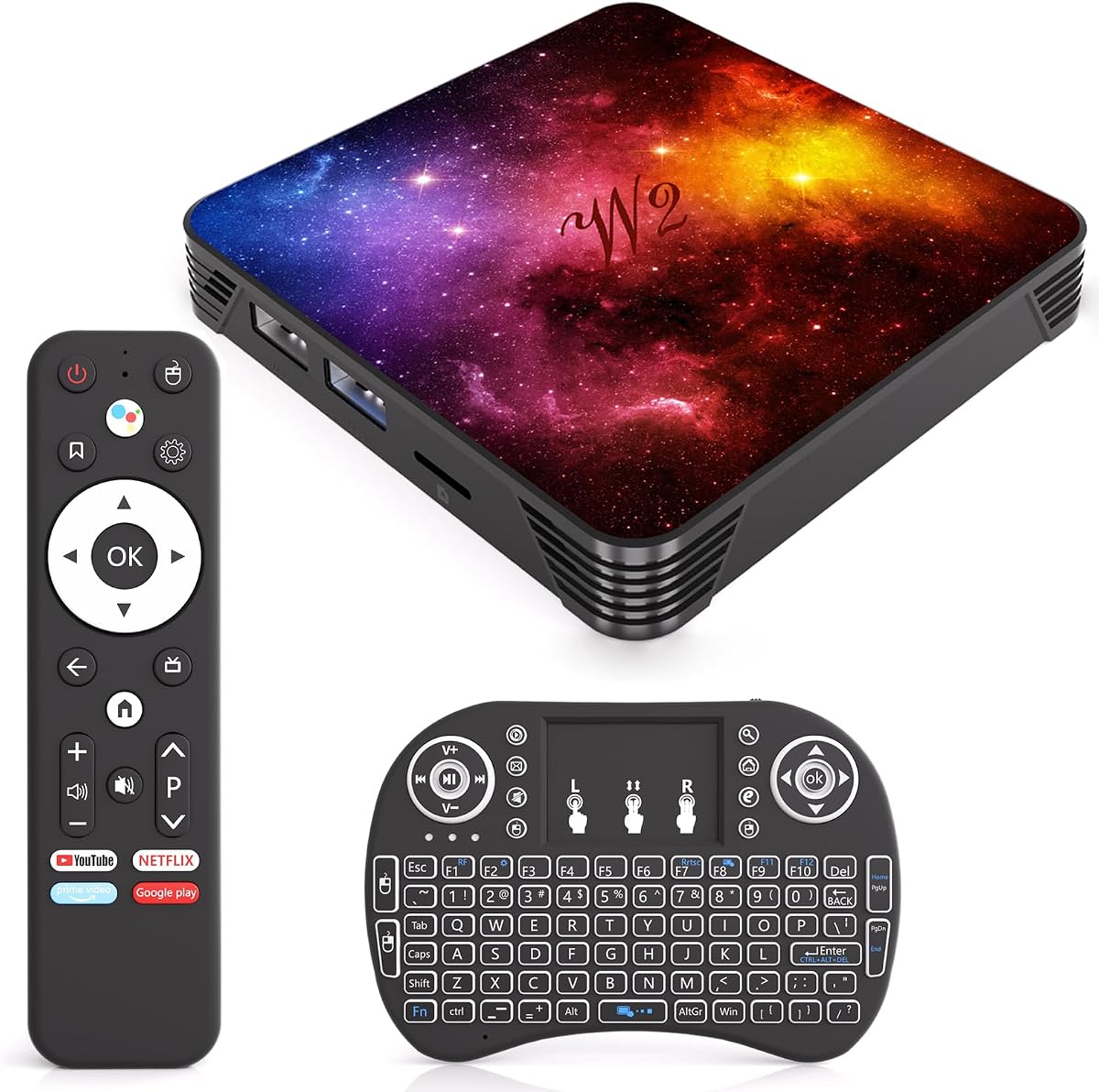
This 8K Android TV Box runs Android 13.0 which delivers premium-grade image output paired with a robust graphics processor for visual rendering. It features 4GB of RAM and 64GB of ROM ensuring smooth system operation and background switching while streaming. The included mini keyboard makes text search and menu navigation far easier than a standard remote which is helpful for typing passwords.
We may earn a commission when you buy through this link, at no additional cost to you.
The built-in multi-screen interaction feature lets you seamlessly cast and share content from your mobile phone directly to your TV for a larger experience. It supports 2.4GHz/5GHz dual-band WiFi with strong signal reception ensuring buffer-free streaming even with high-bandwidth content. HDR10 technology reproduces rich authentic and lifelike colors with sharp delicate detail on the screen.
While user reviews are mixed the hardware specifications suggest it is capable of handling advanced tasks if configured correctly. The focus on usability via the keyboard and casting features makes it accessible for those who dislike remote-only navigation. It serves as a flexible option for those seeking specific input convenience.
If you need a device that simplifies text entry and offers strong visual capabilities this box is worth considering. It is best suited for users who want to cast content easily and appreciate the convenience of a physical keyboard for browsing and search tasks.
The included mini keyboard allows for fast text input and navigation that is often difficult with standard remotes.
HDR10 and 8K decoding deliver vibrant colors and sharp details that enhance the quality of your display output.
We may earn a commission when you buy through this link, at no additional cost to you.
Choosing the right Android TV Box requires evaluating several key factors to ensure the device meets your streaming and usage needs effectively.
A powerful processor such as a quad-core or hexa-core unit ensures smooth multitasking and fast app loading without lag. Look for chipsets that support hardware decoding for high-resolution video to reduce strain on the main CPU and prevent buffering.
Prioritize boxes with higher clock speeds and modern chip architectures to guarantee long-term performance as apps become more demanding over time.
RAM determines how well the device handles background apps and multitasking while storage dictates how many apps and files you can keep locally. Aim for at least 4GB of RAM and 64GB of storage if you plan to install multiple large streaming services or games.
Ensure the device supports external storage via USB if you anticipate needing to store large libraries of downloaded videos or media files.
Select a box that supports at least 4K resolution with HDR10 or Dolby Vision to match your display capabilities. These features ensure you get the best picture quality from streaming services and local media files.
Check if the model supports higher resolutions like 8K if you plan to upgrade your TV to future standards for long-term usability.
Wi-Fi 6 and Bluetooth 5.0 are essential for stable wireless streaming and connecting peripherals like gamepads or headphones. Wired Ethernet ports provide extra stability for high-bandwidth tasks where wireless interference might be an issue.
Verify the presence of HDMI 2.1 to support high refresh rates and ensure compatibility with modern televisions and gaming consoles.
The Android OS version affects app compatibility and security so choose a box with the latest or near latest release. Newer versions offer better optimization for modern apps and ensure access to the latest Google Play features.
Devices with regular firmware updates are preferable to maintain system stability and security against emerging vulnerabilities.
Integrated voice assistants like Google Assistant allow for hands-free searching and smart home control which simplifies the user experience. A remote with backlit buttons or a companion keyboard can make navigating menus and entering text much faster.
Look for models that support 360-degree Bluetooth remotes to avoid aiming issues and ensure reliable connection during use.
For a true cinematic experience the box should support Dolby Atmos and DTS:X to deliver immersive surround sound through compatible speakers. Audio pass-through ensures that your home theater system gets the raw audio signal without quality loss from processing.
Check if the device supports Bluetooth audio output if you plan to connect wireless soundbars or speakers for cable-free setups.
Energy efficient devices reduce electricity costs and run cooler which extends the lifespan of the hardware in your entertainment center. Low power consumption is vital for devices that remain plugged in and active 24/7 in your home.
Prioritize models with power saving modes and efficient hardware designs to minimize energy usage during long streaming sessions.
Start by connecting the HDMI cable from the box to your TV's HDMI port and plug the power adapter into a wall outlet. Turn on your TV and select the corresponding HDMI input source to see the setup screen on your display. Follow the on-screen prompts to connect your device to your Wi-Fi network and sign into your Google account.
After setup use the remote to download streaming apps from the Google Play Store and sign into your services to begin watching. Customize your home screen by rearranging app tiles to prioritize the channels and media you use most often. Use voice commands to search for specific titles or launch apps without navigating through multiple menus.
To maintain performance clear the app cache regularly through the settings menu to prevent slowdowns over time. Keep the device in a well-ventilated area to avoid overheating and dust buildup which can impact internal components. Update the system firmware whenever available to ensure you have the latest security patches and performance improvements.
An Android TV Box adds smart capabilities to any TV while a smart TV has those features built into its hardware. Boxes often offer better processing power and app selection compared to the limited interfaces found on cheaper TVs. They allow you to upgrade your entertainment system without replacing the entire television.
No basic subscription is required to operate the hardware though some apps and streaming services may need monthly fees. The device itself allows free access to open-source apps and local media playback without any ongoing costs. You pay only for the specific services you choose to subscribe to.
Yes these boxes support various Android games and can connect to Bluetooth controllers for a better experience. High-end models with strong processors and RAM can run demanding titles smoothly without overheating or lag. Check compatibility for specific games to ensure the hardware meets the necessary requirements.
No they vary significantly in processor speed, storage capacity, and software support from different manufacturers. Some offer official Google certification while others rely on modified versions of the operating system. Always check specifications before buying to ensure the device fits your needs.
Use a wired Ethernet connection instead of Wi-Fi for the most stable bandwidth and lowest latency. Ensure your router supports modern standards like Wi-Fi 6 for better handling of multiple devices. Clear the cache of apps periodically to prevent performance degradation over time.
Most modern boxes support 4K streaming though performance depends on the specific hardware and bandwidth available. Look for models certified for 4K Ultra HD with HDR support to get the best visual quality available. Ensure your HDMI cables also support the necessary bandwidth for these resolutions.
The Google TV Streamer 4K and Xiaomi TV Box S 3rd Gen stand out for their premium audio visual performance and smart ecosystem integration. These models offer excellent 4K streaming and intuitive interfaces that simplify media consumption for households of all sizes.
Prioritize your needs for storage capacity and processing power when selecting a model to ensure it handles your preferred apps smoothly. A device with sufficient RAM and a modern processor will provide a more responsive experience during multitasking and high-resolution playback.
Remember to check current prices and availability as they can fluctuate frequently across online retailers. Verifying the latest specifications ensures you get the best value for your investment when upgrading your home entertainment setup today.