
Ai Pen, Chat Gpt Pen
5.0Editor score
Built-in GPT Integration
Offline Translation
HD Touchscreen Interface
Finding the right study tool can transform how you learn and work. AI Scan Pens with Chatgpt combine optical character recognition with intelligent processing to turn printed text into digital insights instantly.
We evaluated ten leading devices based on scanning accuracy, AI integration, translation capabilities, and ease of use. Our analysis focuses on real-world performance for students, professionals, and language learners.
Each pick highlights specific strengths like dyslexia support or offline translation. Keep in mind that product availability and specifications may shift over time as technology advances rapidly.
5.0Editor score

3.3Editor score

4.0Editor score
As an Amazon Associate we earn from qualifying purchases.
This side-by-side comparison breaks down the core capabilities of each device to help you find the perfect match for your specific academic or professional needs.




The Scanmarker AI Pen stands out as a top choice for transforming printed text into digital formats instantly. With a rating of 3.3 stars, it offers reliable OCR technology that scans words directly onto its built-in screen.
We may earn a commission when you buy through this link, at no additional cost to you.
Its core strength lies in the seamless integration of text-to-speech features. Users can hear text read aloud clearly to maintain focus and improve understanding. This is particularly useful for reducing reading fatigue during long study sessions.
While the device offers significant value, some users note that advanced connectivity features vary. However, the ability to save, export, and stay organized keeps everything in one place for faster review.
This pen is ideal for students and adults who need a portable reading tool. If you want to turn reading into clean notes for homework and research with less effort, this device delivers strong performance.
Slide and scan printed words to watch them appear on-screen in seconds without typing.
Store scans and record key moments in Favorites for easy editing and sharing later.
We may earn a commission when you buy through this link, at no additional cost to you.
The NEWYES AI Pen is tailored for readers with dyslexia and language learners. It features a dyslexia-friendly design with adjustable word reading speed and pause time to reduce reading stress.
We may earn a commission when you buy through this link, at no additional cost to you.
This device integrates AI Dictionary, AI Homework Checker, and real-time AI Chat to act as a 24/7 study buddy. It handles text scanning and photo translation using a 5MP built-in camera effectively.
Six reading levels allow the pen to grow with users from pre-readers to advanced readers. Syncing to phones or computers without extra software makes data management straightforward and efficient.
It is a great fit for students and adults needing versatile translation. If you want to translate between 112 languages instantly and manage files easily, this pen adapts to your pace.
Scan questions and get answers to explore the world around you all in one device.
Slide to scan and text appears instantly on the screen for quick access to info.
We may earn a commission when you buy through this link, at no additional cost to you.
The XNote Smart Pen offers a unique blend of analog comfort and digital efficiency. It allows users to enjoy the comfort of real pen and paper while syncing every stroke to the XNote app.
We may earn a commission when you buy through this link, at no additional cost to you.
AI-Powered Organization features summarize lectures and auto-tag notes to make studying faster. The 17-hour battery life ensures the pen lasts through all-day use without interruption.
While the pen itself does not include a microphone, audio recording is handled through the XNote Companion App. This integration works with Google Meet and Zoom for comprehensive meeting notes.
This set is perfect for professionals and creatives who write naturally but need digital organization. If you want to capture handwritten notes and searchable records immediately, it is a strong choice.
Capture every stroke instantly and sync to the app via Bluetooth without lag.
Record and transcribe conversations to combine audio and notes into one record.
We may earn a commission when you buy through this link, at no additional cost to you.
This device is designed to solve cross-language pain points with its 142 online languages and offline support. It serves as an assistive tool for dyslexia and adult language learners effectively.
We may earn a commission when you buy through this link, at no additional cost to you.
The pen covers voice dialogue, scanning translation, and photo translation synchronously. Equipped with 5MP HD cameras, it identifies complex text scenarios and supports precise OCR text scanning.
Users can sync text excerpts to mobile phones for editable file extraction. This replaces manual typing and improves document sorting and material organizing efficiency significantly.
It is ideal for travelers and office workers needing barrier-free translation. If you want to record meetings and learn languages efficiently with a single device, this offers high performance.
Accurately identify various complex text scenarios using high-definition photo text recognition.
Supports offline scan and photo translation for outdoor use without internet connection.
We may earn a commission when you buy through this link, at no additional cost to you.
This pen offers seamless communication with real-time translation and voice recording features. It is designed for users who need instant AI answers for subjects like Math and History.
We may earn a commission when you buy through this link, at no additional cost to you.
The HD touchscreen interface ensures clarity while utilizing advanced voice recording for lectures. Smarter Studying with Built-In GPT provides intelligent suggestions to make learning more effective.
Fast scanning allows you to organize notes across 60+ languages quickly. The portable design combines translation, scanning, and file storage into a compact device for ultimate convenience.
It is perfect for on-the-go professionals and students alike. If you want an essential tool for lectures and interviews that fits easily in your pocket, this is a great fit.
Intelligent suggestions help you make studying more effective and engaging instantly.
Combines translation, scanning, and file storage into a compact device for portability.
We may earn a commission when you buy through this link, at no additional cost to you.
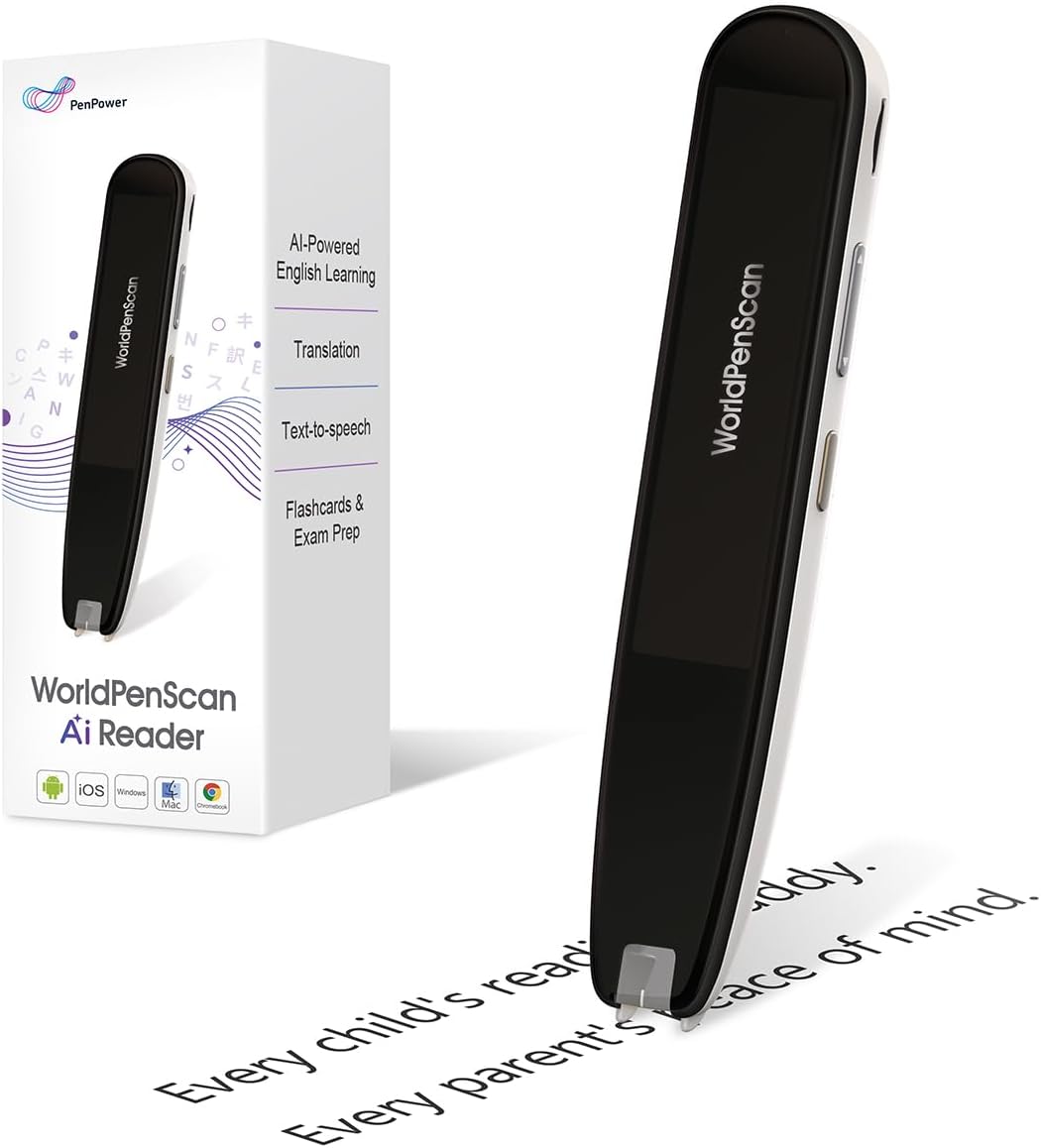
The WorldPenScan AI Reader helps children stay engaged with every book by scanning difficult words instantly. It offers reading-level explanations to reduce frustration and build independent reading skills.
We may earn a commission when you buy through this link, at no additional cost to you.
Quick AI helps children understand complex ideas without leaving the page. Every scan syncs to the AI Reading Buddy for deeper learning insights and fun facts beyond the text.
Offline tools like Text-to-Speech and a built-in dictionary ensure uninterrupted reading anywhere. This is particularly valuable for ESL learners and students who need extra reading support.
It is designed to build confidence in young readers. If you want a tool that reinforces comprehension and allows children to solve challenges on their own, this works well.
Discover big ideas and fun facts by syncing scans to the AI Reading Buddy app.
Receive clear explanations in seconds without interrupting your reading flow.
We may earn a commission when you buy through this link, at no additional cost to you.
The Pen Gpt bridges analog and digital learning by digitizing books and documents easily. It offers ChatGPT integration to boost productivity with an intuitive AI interface for users.
We may earn a commission when you buy through this link, at no additional cost to you.
Multilingual mastery is available through offline translation for over 50 languages. The vibrant 3.5-inch HD touchscreen allows you to view instant translations and interact with knowledge directly.
Voice recording allows you to capture lectures and meetings with a single tap. Syncing files wirelessly to devices pairs audio with scanned notes for a complete review experience.
This device is a must-have for professionals working across cultures. If you want to brainstorm ideas and refine essays through an AI interface, it offers powerful capabilities.
Ask questions and refine essays through an intuitive AI interface effectively.
Sync files wirelessly to devices to pair audio with scanned notes easily.
We may earn a commission when you buy through this link, at no additional cost to you.
The Smart Pen Notebook Set transforms ideas into reality with AI voice transcription technology. The built-in microphone catches sound with clarity to convert voice into text in real time.
We may earn a commission when you buy through this link, at no additional cost to you.
Handwriting recognition enables you to write meeting notes while activating voice transcription. This innovation makes recording more convenient and efficient by generating editable Word documents.
Reusable pencil refills allow you to write, erase, and rewrite without worry. Wireless charging simplifies the start of your device by using a single touch to turn it on.
It is designed for users needing versatile transcription tools. If you want to record inspirations and meeting content effortlessly with smart recognition, this is a strong option.
Converts voice into text in real time to support multiple language translations.
Erasable markings allow you to write and rewrite without using extra paper.
We may earn a commission when you buy through this link, at no additional cost to you.
The Scanmarker Pal is a versatile translator and reading pen for kids and adults. It scans and translates text in over 100 languages including offline support for major languages.
We may earn a commission when you buy through this link, at no additional cost to you.
Text-to-speech technology reads text aloud instantly with highlighted words on the screen. This improves comprehension for auditory learners or those with reading challenges significantly.
You can scan text with precision and export as a digital file easily. Its lightweight and portable design make it perfect for on-the-go use in various environments.
It is ideal for travelers needing quick accurate translations. If you want to connect Bluetooth headphones for an immersive audio experience anywhere, this works well.
Text-to-speech reads text aloud instantly with highlighted words on screen.
Lightweight and portable design perfect for on-the-go use anywhere.
We may earn a commission when you buy through this link, at no additional cost to you.
This portable scanning pen supports 142 languages for online scanning translation and 10 offline languages. It provides a multilingual communication solution for learners and people with reading disabilities.
We may earn a commission when you buy through this link, at no additional cost to you.
Photo translation allows you to aim the camera at any text for automatic translation. It also serves as a recorder for important interviews and meetings with quick translation.
The text excerpt extraction feature syncs translated documents with your phone for easy editing. This captures important documents anytime anywhere for professionals and travelers effectively.
It is suitable for travel, study, and business meetings. If you want a device that supports simultaneous interpreting, music playing, and video playing, this is versatile.
Aim the camera at any text for automatic translation in images.
Synchronizes scanned and translated documents with your phone for editing.
We may earn a commission when you buy through this link, at no additional cost to you.
Choosing the right device depends on understanding your specific needs for translation, note-taking, and AI features.
High-quality Optical Character Recognition is essential for converting printed text into digital files accurately. Look for devices that can handle complex layouts without errors to save time editing later.
Ensure the pen scans text clearly even on slightly curved pages to maintain accuracy.
The core advantage of these devices is their ability to use AI models like Chatgpt. You should check if the device allows direct queries or summarization of scanned notes within the app.
Look for pens that offer real-time AI chat or homework checking features to maximize utility.
Language learners need extensive translation support. Some models offer over 140 languages online and offline. Verify that the device supports the specific languages you need for your work or travel.
Prioritize models with strong offline capabilities to use them during international travel.
Audio feedback is vital for accessibility and comprehension. A quality pen should read text aloud clearly with adjustable speeds to accommodate different learning styles.
Check that the audio quality is clear and supports pause or speed adjustments effectively.
Seamless sync to other devices is key for productivity. Ensure the pen supports Bluetooth or WiFi to export scans to your computer or smartphone without hassle.
Select a device that allows direct file transfer via standard formats like PDF or Word.
Long usage hours are necessary for studying or business meetings. Look for pens that promise at least 15 hours of continuous scanning on a single charge to stay productive all day.
Fast charging features can also reduce downtime significantly between sessions.
Internal storage is useful for offline use. Devices with 16GB or more allow you to store thousands of pages without needing immediate cloud connection.
Verify that the internal storage is easily accessible through the companion app.
The pen should be comfortable to hold and fit in a pocket. Compact designs with intuitive interfaces prevent frustration during long scanning sessions.
Prioritize models that feel sturdy and fit well in your hand for prolonged use.
To get started, charge the device fully and download the companion app on your smartphone. Install the software and pair the pen via Bluetooth to enable syncing capabilities.
For scanning, hold the pen steady and glide it smoothly over the text at a consistent speed. Ensure the surface is flat to allow the camera to capture the words clearly for conversion.
Maintain the pen by keeping the sensor clean from dust or debris with a soft cloth. Store it in a cool dry place to preserve battery health and prevent physical damage.
Most basic scanning features work without a subscription. However, advanced AI chat or unlimited cloud storage might require a paid plan. Check the app details before purchasing to confirm costs.
Yes, many models support offline translation and scanning. Ensure you download the required language packs beforehand to access these features without an internet connection.
High-quality pens convert text with high accuracy on standard print. Handwritten notes may require specific settings to achieve reliable digital conversion results.
Absolutely. They help summarize lecture notes and translate foreign texts quickly. The audio reading feature is also excellent for studying complex vocabulary effectively.
Most apps allow you to export text to formats like Word or PDF. This enables you to edit and organize your notes directly on your computer or phone.
You can recharge the device quickly to resume scanning. Some models store notes offline so you do not lose data when power runs out temporarily.
Devices with HD cameras can handle some non-standard text. However, complex layouts or heavily stylized fonts might need extra care for accurate scanning.
Most vendors provide a standard warranty for the device. Check the specific product page for details on return policies and support coverage.
We have reviewed ten top models ranging from budget options to premium sets. Each device offers unique strengths like offline translation or real-time AI integration for specific needs.
Prioritize features that match your workflow such as transcription or text-to-speech. Selecting the right pen will streamline your study process and boost productivity significantly.
Remember to check the latest availability and specifications before buying. Technology evolves quickly so ensuring the model fits your current needs is essential for satisfaction.