
EurekaMind Lite
4.4Editor score
Web search integration
Free starter plan
Slim credit card size
This comprehensive guide compares the top AI lapel devices for recording and transcribing meetings, helping you choose the perfect wearable assistant for
AI lapel devices are transforming how professionals capture conversations by combining wearable hardware with powerful artificial intelligence. These gadgets record audio, transcribe speech, and summarize key points automatically, saving you hours of manual note-taking and allowing you to focus on the discussion at hand.
We evaluated the leading models available this year based on audio quality, transcription accuracy, battery life, and ease of use. Our team analyzed real-world performance across meetings, interviews, and lectures to ensure every recommendation delivers reliable results for students, journalists, and business leaders alike.
Each pick below highlights specific strengths like privacy features or multimodal input options so you can find the right tool for your workflow. Please note that product availability and pricing can change over time, so verify current details on the retailer site before making your final decision today.
4.4Editor score

4.5Editor score

4.8Editor score
The following comparison table breaks down the core specifications and unique capabilities of each device so you can quickly identify which model aligns with your specific recording and organizational needs without reading through lengthy descriptions.




The Plaud Note Pro stands out as the top choice for professionals who need a reliable and feature-rich recording companion. It combines sleek hardware design with advanced AI capabilities to ensure you never miss a critical detail during important conversations or collaborative sessions.
We may earn a commission when you buy through this link, at no additional cost to you.
Its multimodal input allows you to enrich recordings with typed notes and images while the directional audio ensures clear capture even in noisy environments. The Ask Plaud feature lets you interact directly with your recordings to extract insights or draft follow-up emails instantly.
While the device commands a premium price and offers optional subscription tiers for expanded storage or minutes, the base performance is robust enough for daily use. Privacy standards like ISO compliance make it suitable for handling sensitive business or medical information securely.
If you prioritize audio clarity and seamless integration into your workflow, this device is the strongest option available today. It balances portability with powerful processing to become an indispensable tool for meeting managers and executives alike.
The Ask Plaud feature transforms passive recordings into active knowledge bases you can query for specific details or summaries.
Built-in encryption and compliance with international standards ensure your conversations remain private and controlled by you.
We may earn a commission when you buy through this link, at no additional cost to you.
Pocket AI Voice Recorder offers a unique advantage for iPhone users by attaching directly to your device via MagSafe technology. This hands-free capability makes it incredibly easy to capture meetings or lectures without fumbling with buttons or carrying an extra device.
We may earn a commission when you buy through this link, at no additional cost to you.
The interface is straightforward with one-tap recording and automatic transcription that produces organized summaries and action items. The battery life supports up to four days of use which reduces the anxiety of charging before every important event or travel day.
Some advanced features are locked behind optional subscriptions so you might miss out on deep analysis if you stick to the core plan. The reliance on MagSafe also means Android users or those without compatible cases will not get the same attachment convenience.
For mobile professionals seeking simplicity and seamless attachment to their phones this device delivers significant value. It removes friction from the note-taking process allowing you to focus entirely on the conversation instead of the technology.
MagSafe attachment ensures the device stays secure on your phone for effortless capture without needing to hold it.
Recordings are automatically turned into structured maps and summaries so you can review key points quickly.
We may earn a commission when you buy through this link, at no additional cost to you.
The Plaud NotePin S is designed for users who want a wearable that adapts to various situations through multiple accessories. Whether clipped to a shirt or worn as a necklace it ensures the microphone is always positioned correctly for optimal audio capture.
We may earn a commission when you buy through this link, at no additional cost to you.
It supports translation across over one hundred languages making it ideal for international meetings or travel scenarios where language barriers exist. The dedicated physical button gives you tactile control to start recording without unlocking your phone or navigating a screen.
The build is very lightweight which might feel less durable than bulkier competitors but it ensures comfort for all-day wear. Access to advanced translation models requires upgrading your plan so basic users may find the default capabilities somewhat limited.
If you need a discreet recorder that fits naturally into your outfit this model is an excellent choice. Its focus on versatility and global language support sets it apart for professionals who work in diverse environments.
Support for over one hundred languages enables seamless cross-border conversations and real-time translation assistance.
The pin or clip design keeps the device out of sight while still capturing audio clearly from your perspective.
We may earn a commission when you buy through this link, at no additional cost to you.
EurekaMind Lite proves that you do not need to spend a fortune to get solid transcription and summarization features. It offers unlimited transcription in the free plan which is a significant advantage for users with high volumes of daily meetings.
We may earn a commission when you buy through this link, at no additional cost to you.
Its ability to search the web for deeper insights means the AI can contextually enrich your notes with external facts during analysis. The credit card sized form factor allows you to slip it into a wallet or phone case easily for true portability.
The lack of a display screen means you rely entirely on the app to see recording status or battery levels which might be inconvenient. Some advanced features like calendar sync are reserved for paid upgrades so core functionality remains essential but basic.
For students or budget-conscious professionals looking for entry-level AI assistance this device is highly recommended. It balances cost and capability effectively making AI-powered note-taking accessible to a wider audience.
Ask AI features search the web to provide contextually relevant answers beyond just your recorded audio content.
The starter plan includes unlimited transcription so you can record freely without hitting monthly minute limits.
We may earn a commission when you buy through this link, at no additional cost to you.
Comulytic Note Pro distinguishes itself by offering free unlimited transcription which removes a common barrier for heavy users. The inclusion of industry-specific templates ensures that transcripts are formatted correctly for fields like law or real estate right out of the box.
We may earn a commission when you buy through this link, at no additional cost to you.
Its triple mic array with AI noise reduction helps maintain clarity in crowded rooms while Wi-Fi syncing ensures your notes are available instantly on other devices. The built-in language translator adds significant value for bilingual meetings or travel without needing separate apps.
Advanced analysis tools require a premium subscription so users relying strictly on the free plan might find deep insights limited. The battery life is adequate for most days but heavy users might need a mid-day charge compared to longer-lasting competitors.
If you want a professional tool that adapts to specific industries this model is a strong contender. The combination of unlimited basics and specialized templates makes it a practical choice for business consultants and freelancers.
Templates for fields like law and real estate ensure transcripts match professional formatting standards automatically.
Wi-Fi connectivity pushes recordings to the cloud at speeds much faster than traditional Bluetooth connections.
We may earn a commission when you buy through this link, at no additional cost to you.
Comu Action Pro takes automation to the next level by generating editable documents like slides and emails directly from your conversations. This feature saves substantial time for executives who need to turn meeting outcomes into formal deliverables quickly.
We may earn a commission when you buy through this link, at no additional cost to you.
The six-mic setup ensures superior audio capture even in challenging acoustic environments while the battery life supports multiple days of continuous recording. It integrates well with mobile workflows via MagSafe allowing for hands-free operation in many standard phone cases.
The advanced document generation requires using the app and relies on internet connectivity which can limit utility in remote areas. The higher cost reflects these premium features so budget users might find standard transcription tools more sufficient for simple needs.
For teams that need immediate follow-up actions from meetings this device is a transformative tool. It bridges the gap between recording and execution ensuring nothing is lost after the discussion ends.
Automatic generation of actionable documents reduces manual typing and ensures consistent follow-up after meetings.
A dedicated directional mic and bone conduction sensor work together to isolate voice and reduce noise.
We may earn a commission when you buy through this link, at no additional cost to you.
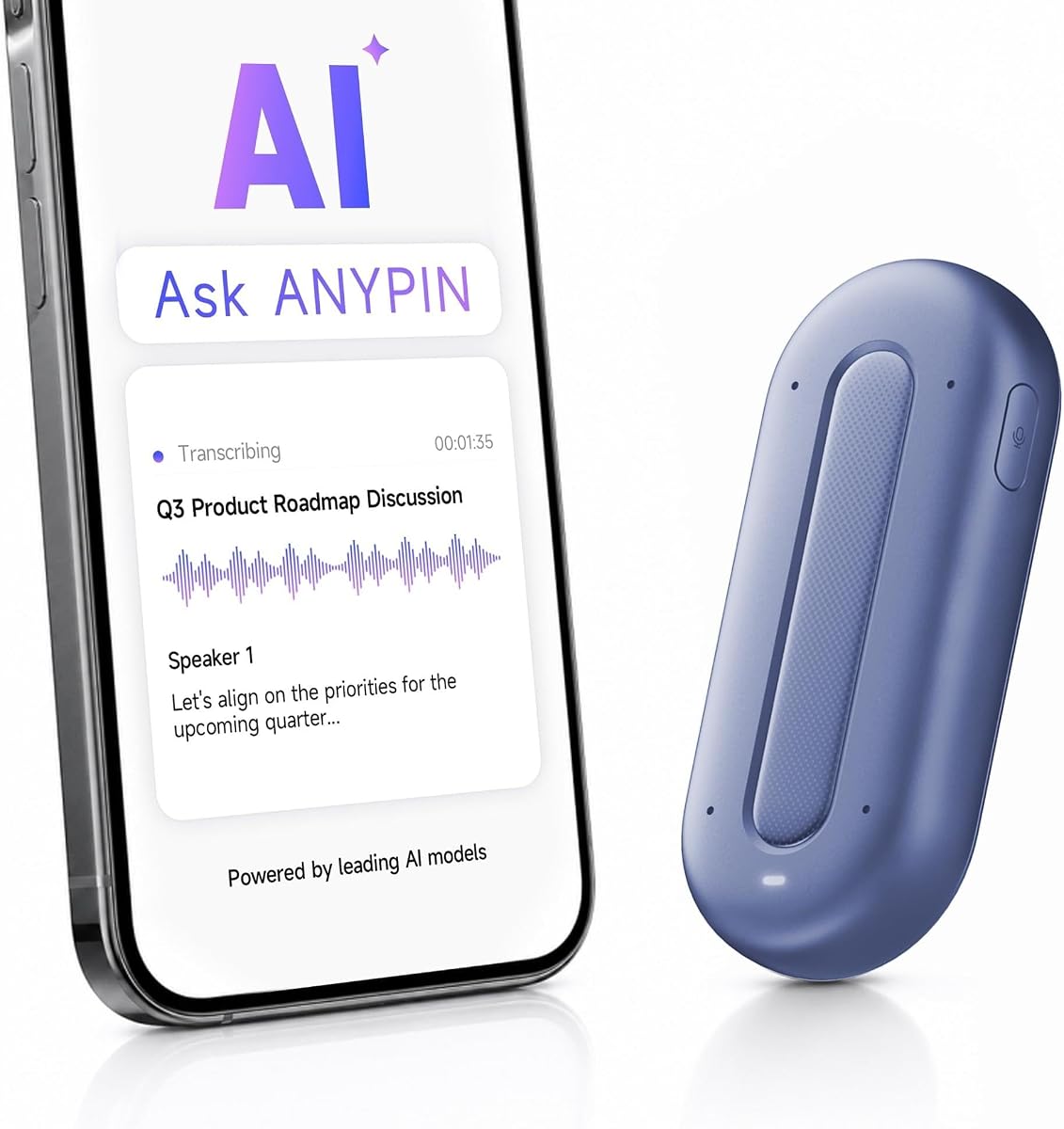
ANYPIN Note Pod P1 offers a compelling package with a full year of unlimited transcription included at no extra cost. This generous inclusion makes it accessible for users who want to try advanced AI features without immediate subscription pressure.
We may earn a commission when you buy through this link, at no additional cost to you.
The emphasis on privacy is strong with on-device encryption ensuring data stays secure before syncing to the cloud. It supports over a hundred languages for translation and includes a four-mic array to capture audio from a reasonable distance.
Some users report slightly lower ratings compared to top competitors regarding software stability or ease of use. The reliance on Wi-Fi for syncing rather than USB might limit utility in locations with poor connectivity or strict network policies.
For privacy-conscious users who want a trial of unlimited features this is a solid starting point. It balances security and functionality well enough for general business or academic recording tasks.
Data remains encrypted on the device until synced ensuring control over who can access your recordings.
A full year of unlimited transcription helps users explore capabilities without needing to pay monthly fees.
We may earn a commission when you buy through this link, at no additional cost to you.
The Z01 PRO focuses heavily on translation making it a specialized tool for travelers or international business professionals. It supports over one hundred languages and processes data locally which is useful for maintaining privacy during sensitive conversations.
We may earn a commission when you buy through this link, at no additional cost to you.
The design allows for personalization with custom wallpapers turning it into a stylish accessory rather than just a utilitarian gadget. It connects via Bluetooth to your phone providing a smart assistant interface without needing constant Wi-Fi access.
As a companion device it may lack the robust transcription and summarization features found in dedicated recorders. The battery life is good for daily tasks but might require frequent charging if used constantly for long sessions.
If translation is your primary need this badge serves as a convenient pocket assistant. It blends utility with style effectively for those who want to break language barriers on the go.
Data stays on the device during processing enhancing privacy for sensitive or personal queries.
Upload custom wallpapers to match your outfit or mood making the device a unique fashion accessory.
We may earn a commission when you buy through this link, at no additional cost to you.
The Z02 Wearable Badge has achieved a perfect user rating suggesting high satisfaction with its performance and usability. It combines a voice recorder and translator with eight AI tools that handle tasks like meeting minutes and mind maps effectively.
We may earn a commission when you buy through this link, at no additional cost to you.
Customization is a key highlight allowing you to add custom wallpapers and even video content to the screen. This personal touch makes the device feel more like a daily companion than just a piece of office equipment.
Full functionality depends on downloading the dedicated app and maintaining a network connection which may limit offline use. While the hardware is basic the software integration provides a comprehensive suite of tools for organizing your thoughts.
For users who want a highly customizable and well-rated assistant this badge is a great choice. It balances practical utility with personal expression to suit modern digital needs.
Built-in tools for meeting minutes and mind maps help structure your thoughts automatically after recording.
Upload custom images or videos to the screen to make the device truly unique to your style.
We may earn a commission when you buy through this link, at no additional cost to you.
The SYNCO AI Mini is a versatile microphone designed specifically for Android creators who need high-quality audio for content. Its AI noise reduction and auto voice leveling ensure that recordings sound professional even in less-than-ideal acoustic environments.
We may earn a commission when you buy through this link, at no additional cost to you.
It integrates with an app to organize speech into mind maps and summaries without charging a subscription for these tools. This lifetime free access makes it cost-effective for independent creators who want to streamline their post-production workflow.
The focus on USB-C connectivity means it may not work seamlessly with iPhones or tablets without adapters. As a microphone first and recorder second it relies on your phone for storage and processing which is a consideration for offline work.
If you are an Android content creator looking for a reliable audio source with AI assistance this mic is perfect. It simplifies the recording process so you can focus on storytelling rather than technical adjustments.
Designed for content creation tasks like vlogging and interviews to ensure clear voice capture.
Access to summaries and mind maps comes at no extra cost making it a value-driven tool.
We may earn a commission when you buy through this link, at no additional cost to you.
Selecting the right AI lapel device requires balancing hardware features with software capabilities to ensure it meets your daily workflow needs effectively.
Look for devices with multiple microphones and noise cancellation technology to ensure clear recordings in noisy environments. Directional mics are particularly useful for focusing on a specific speaker during meetings or lectures.
Prioritize models with hardware that minimizes background noise and optimizes voice clarity for accurate transcription.
Check if the device supports the languages you need and offers high accuracy rates for your industry. Some models provide specialized templates for professions like law or medicine which can improve the relevance of your notes.
Choose a device that offers robust language support and specific templates if you work in a specialized field.
Ensure the battery can last through your longest typical workday or travel trip without requiring mid-day recharging. Devices offering multiple days of standby time or continuous recording for hours are ideal for heavy users.
Select a device with enough battery capacity to cover your daily usage without frequent interruptions.
Review the security certifications and data handling policies to ensure your recordings remain confidential and protected. On-device processing and encryption are valuable features if you handle sensitive business or personal conversations.
Prioritize devices with strong security certifications and clear data protection policies for confidential use.
The companion app should allow you to easily review, edit, and share transcriptions without complex navigation. Features like cloud sync and integration with calendars or email clients can significantly enhance productivity.
Choose a model with a user-friendly app that offers seamless sync and useful productivity integrations.
Consider how the device attaches to your clothing or phone to ensure it is comfortable for extended wear. Lightweight designs with multiple attachment options like clips or magnets provide flexibility for different outfits or activities.
Select a design that fits comfortably and stays secure during your daily activities.
Compare upfront costs against potential monthly fees for transcription minutes or premium features. Some devices offer generous free tiers or unlimited plans which can be more cost-effective long-term than paying for add-ons.
Evaluate total cost of ownership including any recurring subscription fees to stay within your budget.
Check whether the device uses Bluetooth or Wi-Fi for syncing as Wi-Fi generally offers faster data transfer speeds. Ensure compatibility with your existing devices such as Android or iOS smartphones to avoid connectivity issues.
Prefer models with versatile connectivity that match your device ecosystem and transfer speed needs.
Begin by charging the device fully before your first use and pairing it with the companion app on your smartphone. Familiarize yourself with the physical buttons or gestures needed to start and stop recordings quickly during meetings.
After recording, sync the audio to the app to allow the AI to process and transcribe your conversation. Review the generated summaries to ensure accuracy and use the edit tools to refine any notes before sharing them with your team.
Keep the device clean and dry to maintain microphone performance and battery health over time. Avoid exposing it to extreme temperatures or direct sunlight which can degrade the materials and internal components prematurely.
Most models allow you to choose between local storage on the device itself or cloud synchronization. Local storage is ideal if you need to record without internet access while cloud options enable easy sharing across multiple devices.
Transcription accuracy is generally high for major languages but may vary depending on accents and background noise. Most premium models support over one hundred languages with specialized features to improve accuracy for specific regional dialects.
Many devices offer specific modes for capturing phone calls either by placing them near the speaker or using internal audio routing. Check the specific compatibility for your phone model to ensure smooth integration with call recording features.
Yes, many models offer enterprise-grade security with encryption and compliance certifications like HIPAA or SOC 2. However, always review the specific privacy policy of the device to confirm it meets your organization's security standards before use.
Many devices offer free basic features like transcription for a limited time or duration without a monthly fee. Premium features like advanced analytics or unlimited storage often require a subscription but are not necessary for core recording tasks.
Most devices continue recording and storing data locally even without internet connectivity. You will need to sync later to upload the audio to the cloud for AI processing but the original files remain safe on the device.
Use a soft dry cloth to gently wipe the exterior surfaces including microphone openings to remove dust and debris. Avoid using liquids or harsh chemicals as they can damage the sensitive internal components and degrade audio quality.
Many AI lapel devices support syncing with calendar apps to automatically tag recordings by meeting time and attendees. This integration helps organize notes chronologically so you can quickly retrieve information from specific dates or events.
We explored ten top options ranging from the versatile Plaud Note Pro to the budget-friendly EurekaMind Lite to help you find the ideal recording companion. Each device offers unique strengths such as auto-generated docs or superior language support to suit various professional needs.
When making your decision prioritize features like audio quality and battery life over flashy additions that may not add daily value. Consider how the device fits into your existing workflow and whether it simplifies your note-taking process effectively.
Remember to verify the current availability and pricing on retailer sites before finalizing your purchase to get the best deal. Investing in a reliable tool now will pay dividends in productivity and clarity for all your future meetings and lectures.