
ARCTIC P12 Pro A-RGB
4.7Editor score
Fluid dynamic bearing
High static pressure
3000 RPM max speed
This comprehensive guide compares the top ten addressable RGB fans for PC cooling, evaluating airflow, noise levels, lighting effects, and build quality to
Addressable RGB fans have transformed PC building from a purely functional task into an immersive visual art form. Modern enthusiasts expect their cooling systems to deliver both silent operation and stunning light effects that sync seamlessly with their motherboard ecosystems. Choosing the right fan involves balancing static pressure, airflow capacity, bearing durability, and the richness of the lighting control software.
We have rigorously evaluated ten leading addressable RGB fan models available in the current market. Our comparison focuses on real-world performance metrics like CFM airflow, decibel noise levels, and the flexibility of daisy-chain connectivity. Each product was selected based on user ratings, manufacturer specifications, and the overall value proposition they offer to builders.
Each pick in this list highlights a specific strength, from budget-friendly bulk packs to premium reverse blade designs. You will find detailed breakdowns of pros, cons, and technical specs to guide your decision. Please note that pricing and availability fluctuate frequently on retail platforms, so verify current deals before finalizing your purchase.
4.7Editor score

4.7Editor score
4.8Editor score
This side-by-side comparison details the key specifications and unique selling points of every selected model to help you identify the perfect fit for your chassis.




The Thermalright TL-C12C-S stands out as the definitive choice for builders seeking reliable cooling without overspending. With a robust 4.7 rating from thousands of users, it balances performance and price effectively. The S-FDB bearing ensures smooth operation over years of use, making it a smart long-term investment.
We may earn a commission when you buy through this link, at no additional cost to you.
Performance-wise, this fan delivers impressive airflow at 66.17 CFM while keeping noise levels incredibly low at 25.6dBA. The 17 ARGB modes allow for rich customization through your motherboard software. The packaging includes five fans, ensuring you can outfit an entire mid-tower or full tower chassis with a single purchase.
While it lacks the modern reverse blade design found in newer premium units, its standard airflow direction works perfectly for traditional setups. The lighting is bright but soft enough to avoid visual fatigue during long sessions. The PWM cable length is generous, helping reduce cable clutter inside tight cases.
If you need a bulk pack of reliable, quiet fans that light up your build beautifully, this is the top recommendation. It suits budget gamers, workstation builders, and anyone needing to replace aging stock fans. The value proposition is unmatched in the current market landscape.
The S-FDB bearing minimizes friction and vibration, extending the lifespan of the fan significantly compared to sleeve bearings.
The atomizing ARGB blades diffuse light evenly, creating a premium look without needing expensive diffuser strips.
We may earn a commission when you buy through this link, at no additional cost to you.
For users invested in the CORSAIR ecosystem, the RS120 ARGB triple pack offers seamless integration and superior performance. It features a magnetic dome bearing that reduces noise significantly compared to traditional ball bearings. The daisy-chain design simplifies cabling, which is a major plus for clean builds.
We may earn a commission when you buy through this link, at no additional cost to you.
The RS120 pushes 72.8 CFM of airflow, which is excellent for high-static pressure scenarios like radiators. The eight LEDs per fan provide vibrant colors that sync perfectly with other CORSAIR peripherals. The triple pack ensures you have enough fans for dual radiator setups or front and top intake/exhaust configurations.
However, these fans come at a premium price compared to generic alternatives. The proprietary connection style means you cannot easily switch to non-CORSAIR controllers without adapters. If you already own other CORSAIR hardware, the integration cost is justified by the unified software experience.
This pick is ideal for enthusiasts who want a cohesive visual theme across their entire PC. It pairs exceptionally well with CORSAIR cases and AIO coolers. The airflow performance ensures your CPU and GPU stay cool even during intense gaming sessions.
The magnetic design centers the rotor perfectly, reducing wobble and noise even at high speeds.
Connecting fans in a chain reduces port usage on your motherboard, keeping your system tidy.
We may earn a commission when you buy through this link, at no additional cost to you.
The ARCTIC P12 Pro A-RGB proves that high performance does not require a high price tag. It offers an unbeatable value proposition with a fluid dynamic bearing that ensures longevity. The fan can ramp up to 3000 RPM, providing massive cooling potential when needed.
We may earn a commission when you buy through this link, at no additional cost to you.
What sets this fan apart is its static pressure capability, making it ideal for radiators and dense air filters. The lighting is subtle and effective without overpowering the chassis interior. The PWM control allows for precise adjustments, ensuring the fan is quiet when the system is idle.
While it lacks advanced software integration found in more expensive brands, the hardware performance is robust. The price per fan is among the lowest available, allowing you to build a full cooling system on a tight budget. It is a no-frills workhorse for thermal management.
Builders on a strict budget should prioritize this option for their radiator mounts or rear exhausts. It pairs well with any standard motherboard ARGB header. The performance-to-price ratio is simply the best in this comparison list.
Self-lubricating technology minimizes noise and extends the operational life of the fan significantly.
The wide speed range allows you to tune the fan precisely for your specific cooling needs.
We may earn a commission when you buy through this link, at no additional cost to you.
The Thermaltake CT120 EX introduces a magnetic connection system that simplifies wiring significantly. This design allows for clean cable management by eliminating the need for individual wires between fans. The hydraulic bearing ensures smooth rotation with minimal noise generation.
We may earn a commission when you buy through this link, at no additional cost to you.
With 9 addressable LEDs per fan, the lighting effects are vivid and highly customizable. The MagForce 2.0 technology ensures the fans lock securely together. The anti-vibration mounting system helps isolate noise from the chassis frame, making it a quieter option overall.
While the magnetic connections are innovative, they can be slightly bulky. You need to ensure your case supports the mounting depth. However, the visual impact of the lighting and the ease of installation make this a strong contender for builders focused on aesthetics.
This pack is perfect for those who prioritize cable management alongside cooling performance. It suits modern ATX cases where visibility is key. The magnetic design is a unique selling point that sets it apart from traditional wired fans.
Magnetic daisy-chaining reduces clutter and speeds up the installation process for triple fan packs.
Provides excellent reliability and low noise operation suitable for long-term gaming sessions.
We may earn a commission when you buy through this link, at no additional cost to you.
This bundle stands out because it includes reverse blade fans, solving a major issue for side intake mounts. The set contains four forward fans and two reverse fans, ensuring consistent lighting from all angles. It comes with a combined hub that simplifies controller needs.
We may earn a commission when you buy through this link, at no additional cost to you.
The lighting is intense, with 28 LEDs per fan, offering superior brightness compared to many competitors. The three-sided prism design enhances the visual appeal by reflecting light from multiple edges. The controller allows for independent lighting modes without needing constant motherboard interaction.
However, the overall build quality and software integration are not as refined as premium brands. The hub is useful but adds another point of failure. Despite this, it offers a complete solution for builders who want reverse airflow without buying separate expensive reverse fans.
It is an excellent choice for modern mid-tower cases with glass side panels. The reverse fans ensure your lighting remains visible even when installed as intake. This package provides the most comprehensive visual solution in a single box.
Reverse fans maintain lighting visibility on intake mounts, preventing dark patches in your build.
The prism blades create layered lighting effects that stand out in darkened rooms.
We may earn a commission when you buy through this link, at no additional cost to you.
For users needing exactly three fans for a single radiator or a specific case configuration, this triple pack is the perfect fit. It shares the same high-quality specs as the five-pack but is sold in a smaller quantity. The consistency across the three fans ensures balanced airflow.
We may earn a commission when you buy through this link, at no additional cost to you.
The S-FDB bearing and PWM control provide reliable silence and performance. This pack is ideal for 360mm AIO coolers or front intake setups where you need three specific units. The price remains very competitive, offering great value for focused cooling needs.
While it lacks the bulk quantity of the five-pack, it reduces the risk of having extra unused units. The wiring is straightforward with standard connectors. It matches the build quality of the larger pack perfectly, ensuring uniform lighting effects.
Choose this if you have a smaller case or just need to upgrade a specific section of your PC. It pairs well with other Thermalright coolers for a cohesive aesthetic. The value and quality remain top-tier for a three-unit bundle.
Getting exactly three fans helps avoid the clutter of unused units in a smaller build.
Uniform specs ensure balanced pressure and noise across all mounted fans in your case.
We may earn a commission when you buy through this link, at no additional cost to you.
This five-pack version provides everything you need to fill a full-sized ATX case completely. It offers the same performance characteristics as the other TL-C12C-S models but includes five units for a complete overhaul. It is an excellent upgrade path from stock blue fans.
We may earn a commission when you buy through this link, at no additional cost to you.
The noise level remains impressively low at 25.6dBA even under load. The ARGB synchronization is handled smoothly through your motherboard. The five-pack ensures you have enough fans for front intake, top exhaust, and rear exhaust simultaneously.
The cables are robust and long enough to reach most motherboard headers comfortably. You may need to manage the extra length carefully to avoid airflow obstruction. However, the performance and price balance make it a top choice for full rebuilds.
If you are building a new PC or replacing all fans in an old one, this is the most efficient bulk option. It guarantees uniform lighting and airflow across your chassis. The quality is consistent and reliable for years of use.
Five fans allow full coverage for intake and exhaust in even large mid-tower cases.
Long cables offer flexibility but require careful tucking to maintain optimal internal airflow.
We may earn a commission when you buy through this link, at no additional cost to you.
The CT120 ARGB is designed with a seven-blade profile that optimizes the balance between noise and airflow. In a dual pack, it suits dual-radiator AIO setups perfectly. The hydraulic bearing provides smooth, reliable performance with minimal mechanical noise.
We may earn a commission when you buy through this link, at no additional cost to you.
The 2000 RPM speed allows for high airflow when needed, and the RGB synchronization is seamless with standard boards. The daisy-chain feature simplifies wiring between the two units. It is a reliable choice for those who prefer a straightforward installation.
While the software support is basic, the hardware is robust enough for most users. The price is competitive for a dual pack of branded fans. The performance is solid for both CPU and GPU cooling setups.
Select this if you need exactly two fans for your radiators or specific exhaust spots. The design focuses on practical cooling efficiency while maintaining a stylish look. It is a dependable workhorse for everyday computing needs.
Seven optimized blades improve efficiency, delivering better airflow per rotation.
Perfect for dual-radiator liquid coolers or adding intake to an existing setup.
We may earn a commission when you buy through this link, at no additional cost to you.
The LE120 ARGB comes with a 3-way PWM splitter, making installation exceptionally easy. The nine-blade design ensures excellent airflow of 66.1 CFM without excessive noise. The hydraulic bearing supports long-term stability, making these fans ideal for 24/7 operation.
We may earn a commission when you buy through this link, at no additional cost to you.
The lighting is vibrant and supports standard sync protocols. The package includes everything you need to mount three fans quickly. The splitter reduces the number of headers needed on your motherboard, keeping your connections tidy.
While the speed range is fixed compared to some high-end units, it performs very well within that range. The build quality is durable and resistant to wear. It is a practical choice for standard cooling needs without complex custom tuning.
Buy this if you want a ready-to-install package with all necessary cables included. It suits most general-purpose builds efficiently. The airflow performance ensures your components stay cool even under moderate loads.
A 3-way PWM splitter saves you from buying extra cables for triple-fan setups.
Nine blades deliver higher CFM, ensuring effective heat dissipation for your system.
We may earn a commission when you buy through this link, at no additional cost to you.
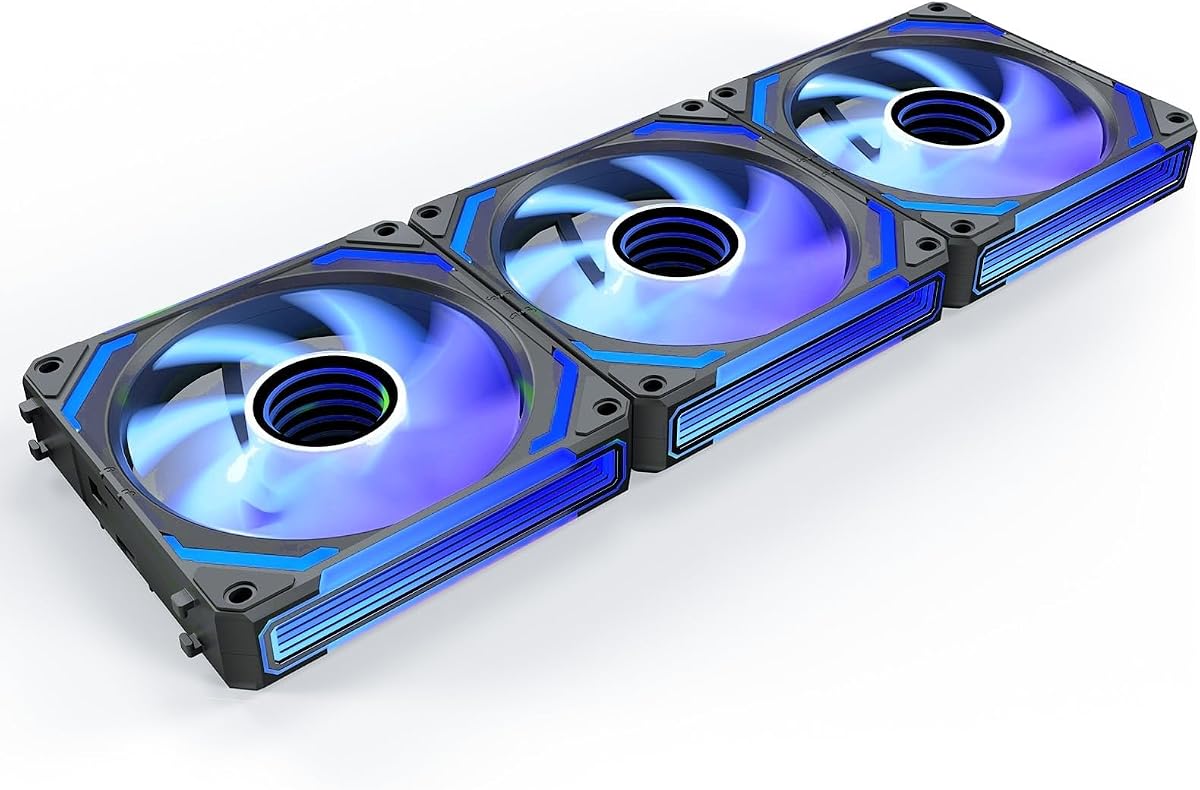
The AsiaHorse COSMIQ offers a premium visual experience with its infinity mirror lighting and reverse blade design. The lighting depth is unmatched, creating a layered effect that transforms your case into a glowing landscape. It includes a music sync module for dynamic light reactions.
We may earn a commission when you buy through this link, at no additional cost to you.
The reverse fan option ensures your lighting remains visible on intake mounts. The airflow is strong at 68.5 CFM, and the FDB bearing keeps noise low even at 2000 RPM. A dedicated controller allows independent control without relying solely on motherboard software.
The price is higher than standard fans, but the features justify the cost for enthusiasts. The build quality is robust and supports complex customization. It is the ultimate choice for those who prioritize aesthetics above all else.
Choose this if you want the most visually impressive RGB fans available. The infinity mirror and reverse blades offer a unique look that stands out. It pairs well with high-end gaming rigs where style is as important as performance.
The layered lighting creates a deep, glowing visual that captures attention.
The built-in module reacts to ambient sound, adding interactivity to your build.
We may earn a commission when you buy through this link, at no additional cost to you.
Selecting the right fans involves considering airflow, noise, connector compatibility, and lighting control features.
Airflow (CFM) measures the volume of air moved, while static pressure indicates the ability to push air through resistance. High static pressure fans are better for radiators, while high airflow fans are best for open case intake.
Check your mounting location to decide between pressure and airflow prioritization.
Bearing technology determines lifespan and noise levels. Fluid Dynamic Bearings (FDB) offer excellent balance of noise and durability, while hydraulic bearings are quieter but may wear faster.
Choose FDB for silent, long-term performance in gaming rigs.
Ensure your motherboard supports the RGB connector type your fans use. Most modern fans use a 3-pin 5V addressable header, while older systems may require 4-pin 12V RGB headers.
Mismatching connectors can damage your motherboard or prevent lighting control.
Reverse blade fans allow the lights to remain visible when installed as intake. Standard fans often hide their lighting when mounted on the front or side intake of modern cases.
Opt for reverse blades if you want consistent lighting from all angles.
Daisy-chain designs allow multiple fans to connect to a single header, reducing cable clutter. This feature simplifies wiring and keeps your case interior organized.
Prioritize fans with daisy-chain headers for cleaner builds.
PWM (Pulse Width Modulation) allows the motherboard to adjust fan speed dynamically based on temperature. This ensures quieter operation during idle and maximum cooling under load.
Always look for 4-pin PWM connections for optimal thermal management.
Install fans using the provided rubber mounts to reduce vibration and noise. Align airflow arrows so intake fans push cool air in and exhaust fans push hot air out.
Connect RGB headers carefully to avoid pin damage. Use the provided hubs if your motherboard lacks sufficient ports to prevent overloading the system.
Clean dust from the blades and filters periodically with compressed air. Excess dust buildup can unbalance the fans and increase noise over time.
Most modern RGB fans use a 5V 3-pin addressable connector. You need a motherboard with a compatible ARGB header to control the lighting effectively via software.
Yes, as long as they share the same voltage and pin configuration. Software control may be limited to specific ecosystems like iCUE or Aura Sync.
RGB uses 4-pin 12V headers and shows one color at a time, while ARGB uses 3-pin 5V headers to allow individual LED control and complex effects.
Reverse fans are designed to be mounted on intake spots so the lighting remains visible. They work with any case but are essential for glass-side panels.
Quality fans operate between 20-30dBA at normal speeds. Look for models with FDB bearings for the quietest experience during daily use.
Use daisy-chain capable fans or a dedicated RGB hub. This reduces the number of cables reaching your motherboard headers significantly.
Our top recommendations cover every budget and build style. The Thermalright TL-C12C-S remains the overall leader for balance of price and performance.
Prioritize bearing quality and connector compatibility to ensure your build runs quietly for years. Always check your motherboard specs before purchasing.
Prices fluctuate regularly so verify the current deal before clicking buy. We hope this guide helps you create the coolest, most vibrant PC possible.