
EMEET C960 1080P Webcam
4.4Editor score
Built-in privacy cover included
90-degree wide-angle view
Dual omnidirectional microphones
Compare the top 1080p webcams for streaming and meetings. This guide reviews features, image quality, microphones, and privacy options to help you choose.
Finding the right webcam can transform your video call experience significantly. A good 1080p webcam ensures you look clear and professional in any setting. It captures details sharply and handles lighting changes without much effort from you.
We compared ten leading models based on video quality, audio performance, and ease of use. Our analysis covers popular brands and reliable options suited for different needs. You will see how each camera performs in real-world scenarios.
Each pick highlights key strengths and ideal use cases for buyers. Remember that prices fluctuate frequently so check current listings before buying. Our goal is to help you find the perfect match for your setup.
4.4Editor score

4.6Editor score

4.4Editor score
This side-by-side comparison highlights key specifications and features across all ten models to help you quickly identify the best fit for your needs.




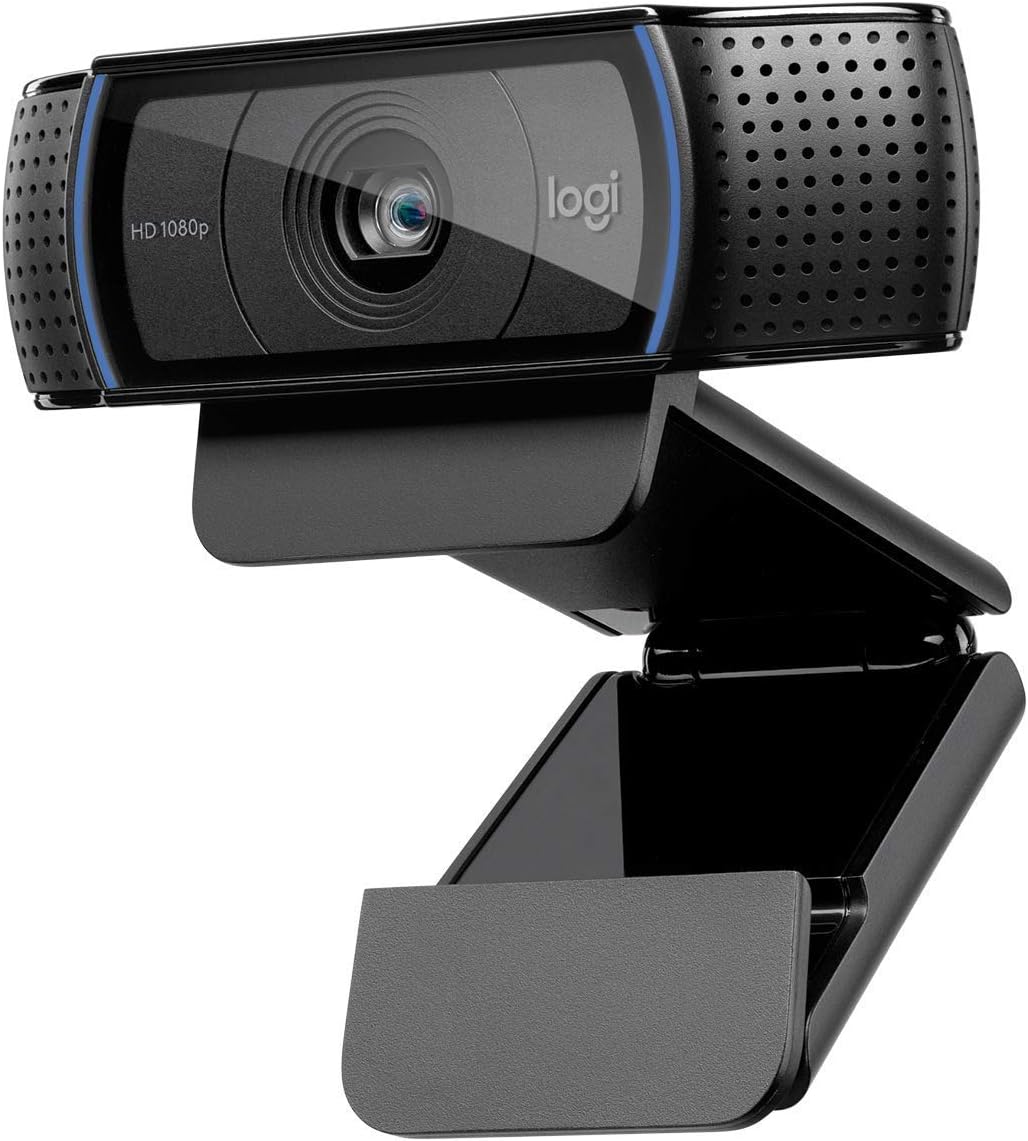


The Logitech C920x HD Pro Webcam stands out as a top choice for many users seeking quality video conferencing. It delivers Full HD 1080p video at 30fps with consistent clarity. Its autofocus and HD lighting adjustment ensure you look sharp in various environments.
We may earn a commission when you buy through this link, at no additional cost to you.
This webcam excels in audio capture with stereo mics that pick up your voice clearly. The lens produces detailed images with vibrant colors suitable for streaming. Compatibility with major platforms like Zoom and Teams makes it a versatile choice for work and play.
While it lacks a privacy shutter, you can cover the lens manually. The FOV is fixed at 78 degrees which may not capture wide scenes. However these limitations do not hinder its core performance in meetings and calls.
If you need a dependable camera for daily use this model is highly recommended. It balances price and performance effectively. You will appreciate its steady output and professional look during video interactions.
The C920x maintains high resolution and sharp focus even when moving. Its light correction technology helps in dim rooms.
Dual microphones provide natural stereo sound. Background noise is handled well for a device at this price point.
We may earn a commission when you buy through this link, at no additional cost to you.
The Logitech Brio 101 is an affordable option that delivers solid 1080p quality for everyday calls. It includes a handy slide privacy cover for peace of mind. RightLight technology boosts brightness by up to 50 percent to reduce shadows on your face.
We may earn a commission when you buy through this link, at no additional cost to you.
This webcam is designed with sustainability in mind using at least 77 percent recycled plastic. It connects via USB A for reliable plug-and-play functionality. You can customize zoom and framing through the Logi Options+ app.
The fixed focus and USB A connection limit some advanced uses. It may not suit high-end streaming needs compared to pricier models. Still it works well for standard video conferencing and casual streaming.
Buyers looking for a simple reliable camera at a great price should consider this. It offers essential features without complexity. Your video presence will look polished and professional in most settings.
Physical privacy cover ensures safety when not in use. The use of recycled materials appeals to eco-conscious users.
Logi Options+ allows adjustments to settings easily. This adds flexibility to your video experience.
We may earn a commission when you buy through this link, at no additional cost to you.
The Logitech C920S HD Pro adds a privacy shutter to a classic design. It records in Full HD 1080p at 30fps for clear calls. The glass lens captures vibrant colors and fine details effectively.
We may earn a commission when you buy through this link, at no additional cost to you.
Audio performance is strong with stereo sound from dual microphones. Autofocus keeps your image sharp as you move around. Light correction adapts to different room conditions automatically.
It does not include the XSplit VCam license found in other variants. The viewing angle is fixed which restricts wider framing. These are minor issues given the overall quality.
This model is ideal if you want a proven camera with added security. It fits well for work and home streaming. Expect professional results with minimal effort.
A glass lens enhances image clarity and color fidelity. This distinguishes it from cheaper plastic alternatives.
The snug fitting cover protects the lens when idle. This physical block is more secure than software controls.
We may earn a commission when you buy through this link, at no additional cost to you.
The Logitech C920e HD is designed for workplace integration with certifications for Zoom and Teams. It provides a balanced frame for individual users with a 78-degree field of view. Audio comes through two integrated omnidirectional microphones for natural sound.
We may earn a commission when you buy through this link, at no additional cost to you.
Auto light correction ensures you look good in all meeting environments. The attachable privacy screen offers quick visual confirmation of camera status. A sturdy clip allows mounting on laptops or monitors easily.
It may feel more industrial than consumer models. The fixed view is optimal for single users but limits group shots. This is acceptable for most office scenarios.
Enterprise users will appreciate its reliability and compliance. It ensures seamless integration into corporate systems. Expect consistent performance across different devices.
Certified for major platforms ensures compatibility. This reduces setup issues in corporate IT environments.
Tripod threads add versatility for fixed setups. The adjustable clip works on most screens.
We may earn a commission when you buy through this link, at no additional cost to you.
The EMEET C960 offers a 90-degree view for more participants without adjustment. It delivers realistic 1920x1080p video with a fixed focus range. A privacy cover is included and can be removed automatically when needed.
We may earn a commission when you buy through this link, at no additional cost to you.
Two omnidirectional microphones pick up voice clearly for calls. Automatic exposure adjustment helps maintain stable image performance. It supports both USB A and C connections for broader compatibility.
The fixed focus works well for standard distances but may blur close objects. Lack of speakers means you need headphones for best audio. These are common trade-offs in budget webcams.
Small teams or casual users will find this camera practical. It captures more space and keeps cost low. Expect clear video for standard calls and meetings.
A 90-degree lens fits small group calls easily. Less frequent camera adjustments are needed.
USB A-to-C adapter ensures modern laptop support. This extends usability across different setups.
We may earn a commission when you buy through this link, at no additional cost to you.
The NexiGo N60 delivers sharp videos at 1920×1080 with 30fps. A glass lens provides crisp images at typical desk distances. The built-in noise-cancelling microphone improves sound quality by reducing background noise.
We may earn a commission when you buy through this link, at no additional cost to you.
Privacy cover blocks the lens when idle for security. It works with a wide range of operating systems including Mac and Linux. Setup is quick requiring no additional drivers.
Some users may experience audio delays that need firmware updates. It is not compatible with game consoles. These issues are manageable for general use.
This camera is good for users prioritizing privacy and OS flexibility. It handles calls and recordings reliably. You get essential features without high cost.
Noise cancellation helps focus on your voice. This aids clarity in noisy environments.
Runs on Windows Mac and Linux easily. No driver installation is required for most systems.
We may earn a commission when you buy through this link, at no additional cost to you.
The EMEET S600 features a Sony sensor for exceptional image quality. It offers 4K streaming at 30FPS or smooth 1080p at 60FPS. PDAF autofocus provides faster and more stable performance than typical autofocus.
We may earn a commission when you buy through this link, at no additional cost to you.
Audio clarity is enhanced with proprietary noise-filtering algorithms. The FOV adjusts at 1080p to focus on you or surroundings. A rugged design ensures it stays securely in place during use.
You may need higher-end hardware to utilize 4K fully. Software customization adds complexity for basic users. Still these factors support advanced content creation needs.
Streamers and creators seeking top-tier visuals will value this model. It balances resolution and functionality well. Expect professional results for live content.
Phase detection autofocus tracks movement smoothly. The Sony sensor improves light sensitivity and detail.
Adjustable FOV at lower resolutions aids framing. This allows focusing on people or backgrounds.
We may earn a commission when you buy through this link, at no additional cost to you.
The Logitech HD Pro C920 remains a reliable workhorse for video calls. It produces Full HD 1080p video with natural tones. Its widescreen format fits most viewing contexts without cropping.
We may earn a commission when you buy through this link, at no additional cost to you.
The design is straightforward with no extra features beyond core performance. It works seamlessly on both desktops and laptops. Setup is easy via USB connection.
Advanced features like privacy shutters or AI enhancements are absent. This simplicity can be a drawback for tech-savvy users. However it delivers consistent quality over time.
Ideal for those who want a no-fuss camera for daily tasks. It avoids unnecessary complexity while performing well. Trust it for standard meetings and chats.
Produces stable HD images without glitches. Colors remain true in different lighting.
Minimal setup steps required for most OS. Connect and start calling immediately.
We may earn a commission when you buy through this link, at no additional cost to you.
The Logitech Brio 105 offers 1080p clarity at a budget-friendly price. RightLight 2 improves image quality in suboptimal lighting. An integrated webcam cover provides privacy confidence especially for home work.
We may earn a commission when you buy through this link, at no additional cost to you.
It is certified for major operating systems including Chromebook. Plug-and-play functionality makes it simple to deploy in groups. The built-in mic handles basic audio capture needs.
Audio is not as refined as higher-end models. Advanced controls are missing which limits customization. This suits standard business calls well.
Enterprises seeking cost-effective uniform cameras will find this ideal. It ensures employees look confident on calls. Expect solid performance for daily meetings.
RightLight 2 balances shadows automatically. This keeps faces visible in dim rooms.
Logitech Sync supports remote device management. This simplifies IT oversight for large teams.
We may earn a commission when you buy through this link, at no additional cost to you.
The Logitech Brio 100 Renewed provides Full HD 1080p resolution at 30fps for smooth streaming. It offers a wide 58-degree diagonal field of view to capture surroundings. The integrated audio capture creates an all-in-one solution.
We may earn a commission when you buy through this link, at no additional cost to you.
As a renewed product it offers savings compared to new units. It works seamlessly with video conferencing applications. Plug-and-play compatibility ensures quick setup.
The FOV is narrower than some competitors which limits group scenes. Renewed items may have cosmetic signs but work well. These factors suit solo users well.
Eco-conscious buyers wanting HD quality at lower cost should consider this. It delivers reliable performance with minimal setup. Check current condition notes before purchasing.
Renewed units save cost while keeping quality. They undergo testing to ensure functionality.
A 58-degree diagonal view fits personal desks. This frames you neatly for one-on-one calls.
We may earn a commission when you buy through this link, at no additional cost to you.
Selecting the right webcam involves balancing resolution features and price to match your specific needs. Consider these factors to find a model that fits your workflow.
For 1080p webcams look for Full HD 1920×1080 at 30fps or higher. Higher frame rates offer smoother motion but require more bandwidth. Ensure your system can support the resolution you choose for optimal performance.
Choose 1080p for professional meetings and streaming. Balance this with your computer power and internet speed.
Autofocus keeps your image sharp as you move around the room. Light correction adjusts exposure to prevent dark or washed-out faces in varying conditions. These features greatly improve overall video quality without manual tweaks.
Look for models with automatic light balance for consistent results. Autofocus helps maintain clarity during dynamic meetings.
Integrated microphones vary widely in clarity. Dual mics with noise cancellation help isolate your voice from background sounds. Stereo audio provides a more natural listening experience for participants.
Prioritize dual mics with noise reduction if audio matters. External mics may be needed for high fidelity.
Physical privacy shutters or covers offer the safest way to block the lens. Software controls exist but a mechanical cover prevents accidental access completely. This is crucial for home work or sensitive meetings.
Always check for a built-in privacy cover. It ensures you can disable the camera easily.
Field of view determines how much of your room appears on screen. Wider angles help capture more people while narrower ones frame you better. Mounting options like clips or tripod threads affect placement flexibility.
Pick a FOV based on your typical meeting size. Ensure stable mounting to avoid shaky footage.
Verify the webcam supports your operating system like Windows or macOS. USB connections should match your ports such as A or C. Compatibility with apps like Teams or Zoom is standard but always double check.
Ensure USB compatibility with your devices. Check certification for your main video apps.
Sturdy build quality ensures the camera survives daily use and transport. Materials and design affect how securely it stays on your monitor. Plastic quality impacts longevity and appearance over time.
Opt for models with robust construction. Check user feedback on long term reliability.
Prices vary widely from budget options to premium models. Identify which features matter most and avoid paying for extras you will not use. Compare value rather than just the lowest cost.
Balance cost against necessary features. Mid range often offers the best value.
Set your webcam at eye level for a flattering angle during calls. Use soft lighting in front of you to avoid shadows on your face. This improves how you appear on screen without needing extra gear.
Keep the lens clean with a soft cloth to maintain image clarity. Dust and fingerprints can blur video and look unprofessional. Clean gently without using harsh chemicals on the plastic.
Check your privacy settings regularly to ensure you control when the camera is active. Use physical covers or app toggles to turn it off when not needed. This prevents unwanted access and keeps your privacy intact.
A 1080p webcam produces 1920×1080 resolution which is sufficient for most meetings. 4K cameras offer higher detail but require more processing power and bandwidth. For standard work calls 1080p is often enough and more cost effective.
Many webcams include built-in mics that work well for standard calls. However a dedicated mic provides better sound quality and noise reduction. Use the webcam mic for casual calls and external gear for recording.
Position a light source in front of you facing your face. Avoid strong backlights that cast shadows on you. Some webcams offer light balance features that help in low light conditions.
Physical privacy covers are a reliable way to block the lens when not in use. They provide peace of mind against unauthorized access. Most modern webcams include these for convenience and security.
Webcams typically connect via USB which may not support phones directly. Some models work with adapters or specific apps. Check compatibility before trying to link to mobile devices.
Try reconnecting the USB cable to a different port. Restart your computer and check camera permissions in settings. If issues persist update your drivers or try another computer to isolate the problem.
We reviewed ten options ranging from budget picks to business-grade models. The C920x and Brio 101 stand out for their balance of features and reliability. Each camera offers clear video quality for different needs.
Prioritize privacy features and light correction if you work from home. A reliable mic and wide field of view enhance meeting participation. Choose based on your most frequent use cases to maximize value.
Prices can change so verify current listings before buying. Compare models against your specific requirements to find the best fit. With the right webcam your video calls will look and sound professional.