
NOYAFA NF-488
4.5Editor score
Affordable multifunctional testing
Backlit LCD screen for dark areas
Remote wiring continuity checks
This guide compares the top inline POE testers for network pros. We review ten models for power testing, cable verification, and real-time diagnostics.
Finding the right inline POE tester is essential for network professionals who need to verify power delivery quickly. These tools help diagnose issues with switches and powered devices without disrupting live data traffic on your network infrastructure.
We evaluated ten leading models based on their testing modes, display clarity, and ability to handle various standards like 802.3af at and bt. Our comparison focuses on accuracy, portability, and ease of use for field technicians and IT managers alike.
Each pick below highlights specific strengths such as battery-free operation or OLED screens. Remember that product prices and availability can change frequently so always verify current details before making your final purchasing decision for your toolkit.
4.5Editor score

4.1Editor score

The following table provides a side-by-side comparison of all ten models we reviewed. Use this to quickly identify key specifications and features that match your specific network testing requirements.



The TRENDnet TC-NTP1 stands out as a top choice for professionals needing reliable inline testing. It features Gigabit ports and supports modern standards like 4PPoE and PoE+ for versatile deployment scenarios.
We may earn a commission when you buy through this link, at no additional cost to you.
Its battery-free operation ensures you never run out of power in the field. The step button allows you to lock specific readouts like wattage for real-time monitoring during critical installations.
While it lacks an OLED screen, the display is clear enough for most tasks. The NDAA compliance makes it a safe choice for government and enterprise projects with strict procurement requirements.
Network technicians and installers should consider this model for its durability and support. It offers a balanced mix of features that justify its price for serious testing needs.
NDAA compliant testing ensures safe adoption for public sector networks and federal infrastructure projects.
Lock the display to wattage to watch power consumption as devices boot up or under load.
We may earn a commission when you buy through this link, at no additional cost to you.
The PoE-T100 brings a bright OLED display to budget-friendly testing. It reads voltage current and power on a single page for quick diagnostics without switching modes constantly.
We may earn a commission when you buy through this link, at no additional cost to you.
It supports a wide DC range from 12 to 57V which covers many non-standard passive PoE systems. The self-powered design means you rely on the line for energy always.
While it focuses on essential data the OLED screen is a premium touch at this price point. It is ideal for installers who need clear visibility in dark ceilings or racks.
Choose this tool if you want modern display tech without spending a premium. It reduces downtime by providing critical power data instantly during network setup.
The bright OLED screen ensures you can read values clearly even in dim server rooms or ceilings.
Measure DC supplies from 12 to 57V to verify compatibility with diverse network devices and power sources.
We may earn a commission when you buy through this link, at no additional cost to you.
The PoE Texas Tester delivers professional-grade features in a compact ergonomic body. It eliminates battery worries with infinite usage powered directly by the PoE line in any environment.
We may earn a commission when you buy through this link, at no additional cost to you.
It measures both Mode A and Mode B standards and supports up to 280 watts at 56 volts. This range covers the latest 802.3bt standards for high-power devices like PTZ cameras.
The 25 percent smaller design makes it easy to hold and store in your pocket. It is a premium choice for technicians who prioritize portability and reliability over flashy screens.
Invest in this model for long-term reliability in demanding field conditions. It ensures you never miss a voltage drop or compatibility issue during installation.
The curved body is 25 percent smaller than previous gens for comfortable grip during extended use.
Handle high power loads up to 280 watts with accurate current detection at various voltage levels.
We may earn a commission when you buy through this link, at no additional cost to you.
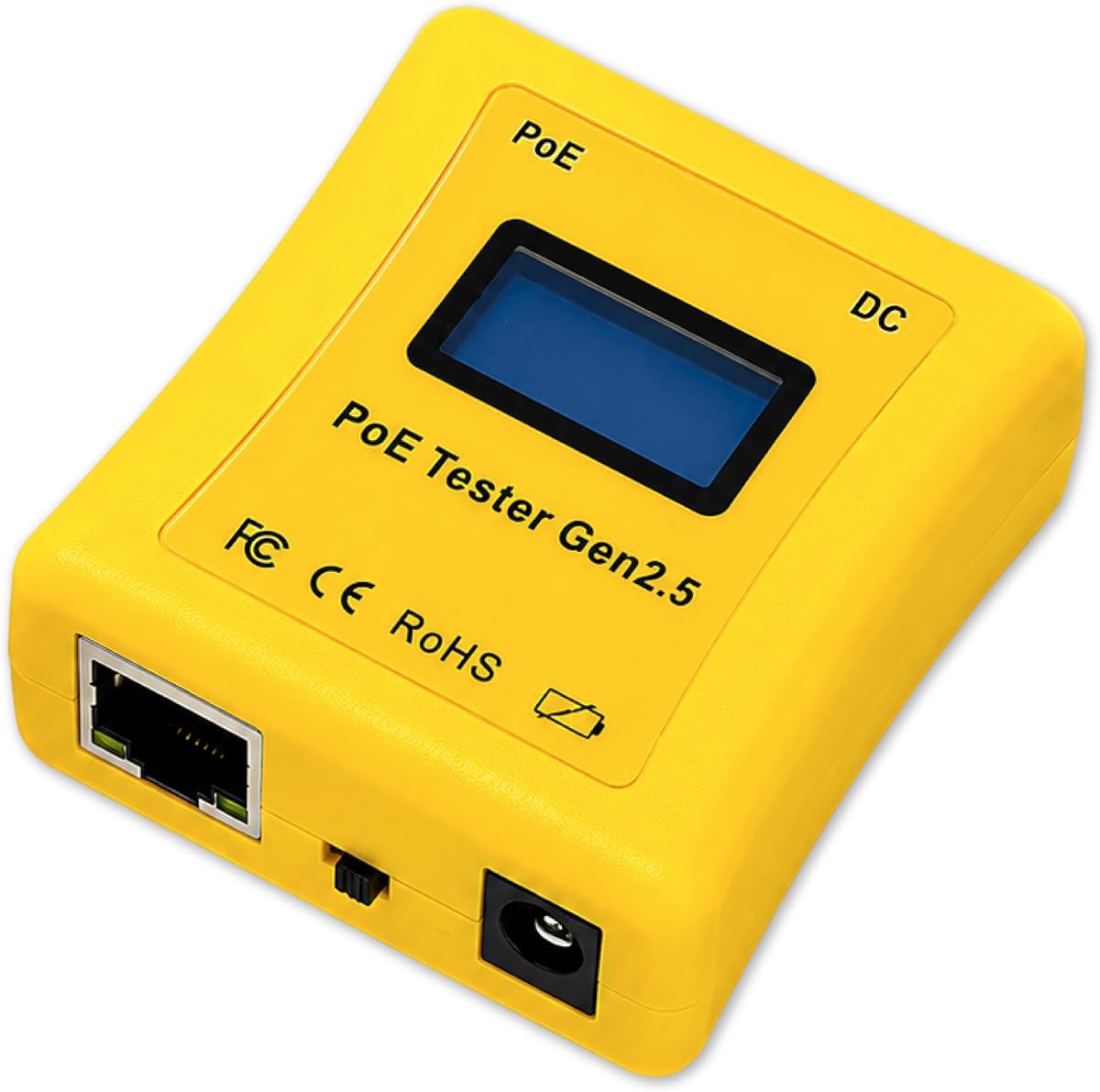
The NOYAFA NF-488 offers strong value for testing and continuity checks. It identifies standard PoE information and checks for open or short circuits in network cables efficiently.
We may earn a commission when you buy through this link, at no additional cost to you.
The backlit LCD ensures visibility in dark server racks or under desks. It also supports loop-back tests to help diagnose switch problems without extra hardware.
While the screen is basic the anti-slip casing makes it comfortable to hold. This model is perfect for entry-level technicians needing a reliable tool for multiple tasks.
Choose this if you need versatility for both PoE and network cable faults. It saves time by combining multiple diagnostic functions into one affordable device.
Test for open short and crossover faults to ensure your network infrastructure is reliable.
The clear backlit screen lets you read results instantly in poorly lit installation areas.
We may earn a commission when you buy through this link, at no additional cost to you.
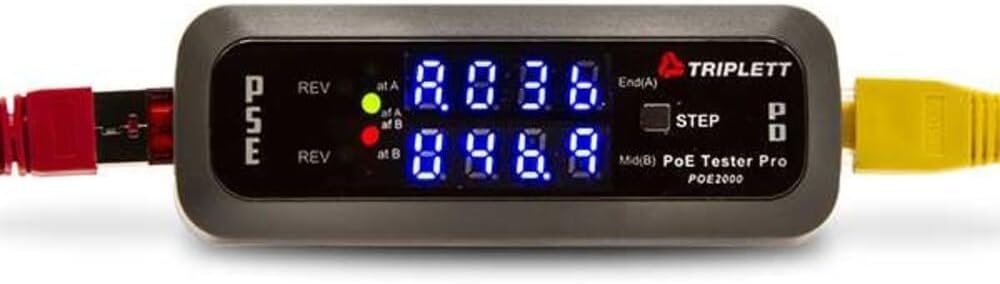
The Triplett POE2000 focuses on clear visual indicators for power sources. Dual LEDs show if the source is End Span Mid Span or across all four pairs instantly.
We may earn a commission when you buy through this link, at no additional cost to you.
Two yellow LEDs alert you to reversed polarity which prevents damage during testing. The step button alternates between voltage current and power for detailed readings.
While it has a lower rating than others it offers solid basic functionality. It is a straightforward tool for verifying power existence and type without complex menus.
Consider this if you prefer simple LED feedback over complex screens. It works well for quick checks where detailed analytics are not required.
Reversed polarity yellow LEDs warn you of wiring issues that could damage your equipment.
Identify End Span or Mid Span sources quickly to plan your network topology effectively.
We may earn a commission when you buy through this link, at no additional cost to you.
The Triplett POE3000 is designed to speed up installation and troubleshooting. Four LEDs indicate IEEE standards while yellow ones highlight reversed polarity for safety.
We may earn a commission when you buy through this link, at no additional cost to you.
It detects PSE type class power source and polarity inline. This comprehensive detection ensures you know exactly what you are working with on the network.
While reviews are scarce its feature set aligns with professional needs for clarity. The inline monitoring helps verify that devices receive stable power throughout setup.
Opt for this model if you value simple visual feedback for standard checks. It is a reliable option for maintaining network safety and accuracy.
Visual indicators confirm IEEE 802.3af at and bt compliance instantly for quick verification.
Monitor power levels directly inline to ensure consistent delivery to your connected devices.
We may earn a commission when you buy through this link, at no additional cost to you.
The Jonard Tools POE-1 combines PoE and cable testing in one package. It verifies continuity for various cable types and measures resistance to ensure data transmission.
We may earn a commission when you buy through this link, at no additional cost to you.
You can use it without batteries or include AA batteries for unpowered cables. The kit includes a remote and adapter for flexible testing scenarios.
While it focuses on basics the included belt clip aids portability. It is a good option for teams that need comprehensive testing without separate tools.
Choose this if you need a complete kit for diverse network tasks. It supports both standard PoE and passive variants effectively.
Verify continuity and resistance for Cat5 Cat6a cables to ensure data integrity.
Includes remote and adapter so you can test cables without needing extra components.
We may earn a commission when you buy through this link, at no additional cost to you.
This IEEE compliant tester adds cable length measurement to its capabilities. It supports runs from 5 to 300 meters for verification in long-distance scenarios.
We may earn a commission when you buy through this link, at no additional cost to you.
The rechargeable battery ensures extended sessions without hunting for replacements. Auto-shutoff settings help conserve power during breaks in your workflow.
Port flash detection helps locate active ports quickly in large networks. It is a solid tool for installers who need both power and physical verification.
Use this model for jobs requiring cable length verification alongside power tests. The battery life supports full day field work comfortably.
Measure runs from 5 to 300 meters to verify installation quality efficiently.
Customizable auto-shutoff saves battery life while maintaining ready access to tools.
We may earn a commission when you buy through this link, at no additional cost to you.
This Inline tester provides fundamental verification for Cat5 and Cat6 networks. It serves as a basic tool for checking PoE and network power presence.
We may earn a commission when you buy through this link, at no additional cost to you.
The DVM power panel feature allows for simple voltage and current monitoring. It is suitable for teams needing a straightforward interface for daily tasks.
Due to limited specifications in public descriptions it is best for basic needs. It offers a simple way to check connectivity without advanced features.
Consider this for basic network checks where detailed analytics are not required. It fits well into legacy network environments.
Provides a straightforward way to check for PoE and network power in legacy systems.
The power panel allows for quick monitoring of voltage and current levels.
We may earn a commission when you buy through this link, at no additional cost to you.
The NF-488 Network Tester offers multi-functional testing with loop-back diagnostics. It supports Cat5e and Cat6 cables while detecting DC power accurately.
We may earn a commission when you buy through this link, at no additional cost to you.
The built-in LED lamp helps you see in low-light environments during testing. Lifetime friendly customer service adds value for long-term product support.
It covers basic DC voltage and current ranges for standard devices. This model is suitable for users who need reliable performance with minimal fuss.
Choose this for comprehensive network checks with added customer support. The LED lamp ensures usability in dark or cramped spaces.
Diagnose loop problems quickly to prevent network bottlenecks and connectivity issues.
The included LED lamp makes it easy to work in dark cabinets or under desks.
We may earn a commission when you buy through this link, at no additional cost to you.
Selecting the right inline POE tester requires understanding your specific network needs and testing environments. This guide outlines key factors to consider.
Different testers support PD Inline or DC modes. Ensure the model matches the types of devices you will install or maintain daily.
Verify that the tester supports all standards you encounter such as 802.3af at and bt.
A clear display helps you read values in dark server rooms. Consider OLED or backlit LCD options for better visibility.
Look for features like lockable displays to monitor real-time changes.
Most inline testers are battery-free and draw from the line. If you work with unpowered cables check for battery or adapter options.
Ensure the power source does not limit testing scenarios or cause downtime.
Field technicians need compact tools that fit in pockets. Check the size and weight to ensure ergonomic handling.
A belt clip or durable case adds value for on-the-go work.
Some models include continuity or resistance checks for various cable types. Ensure it matches your infrastructure including Cat6a.
Look for loop-back tests to diagnose switch issues effectively.
Ensure the voltage range covers standard and non-standard PoE. Passive systems often require higher voltage detection like 57V.
Check for DC testing capabilities for devices without PoE.
Government or enterprise contracts may require NDAA compliance. Verify the model meets any regulatory standards for your project.
This factor ensures you can bid on public sector work.
Reliable customer service can save time when issues arise. Check the warranty period and availability of English-speaking support.
A strong warranty reflects confidence in product durability.
Start by connecting the tester inline between the switch port and your powered device. Ensure the cables are securely seated in the Gigabit ports for accurate readings.
Use the step button to cycle through voltage current and power values. If your model has a lock feature, secure the readout for continuous monitoring.
After use, disconnect the device and store it in a dry safe place. Avoid exposing it to extreme temperatures or moisture to maintain calibration and durability.
Most modern inline testers operate without batteries by drawing power directly from the PoE line. Some models offer an option to use AA batteries for unpowered cable testing.
Yes many testers support passive PoE devices in the range of 12V to 57V. Ensure the model explicitly lists non-standard or passive testing capabilities before purchase.
Inline mode tests power between the source and device. PD mode simulates a device to test the power source itself for accurate diagnostics.
Yes they are designed to be safe for live networks without disrupting data traffic. They operate as passive inline tools to maintain network integrity during tests.
Look for a tester that displays IEEE 802.3af at or bt standards. Visual indicators or LCDs usually show these details clearly during testing.
Some advanced models include cable length measurement features. Check the specifications to see if length verification is included for your project needs.
The TRENDnet TC-NTP1 and NOYAFA NF-488 stand out as top picks for their balance of features and value. They address most professional needs for testing and verification.
Prioritize display clarity and power mode support when choosing. A clear readout and versatile testing modes will save you time and headaches.
Prices and availability change frequently so verify details before ordering. Ensure you select a model that matches your specific infrastructure and compliance needs.