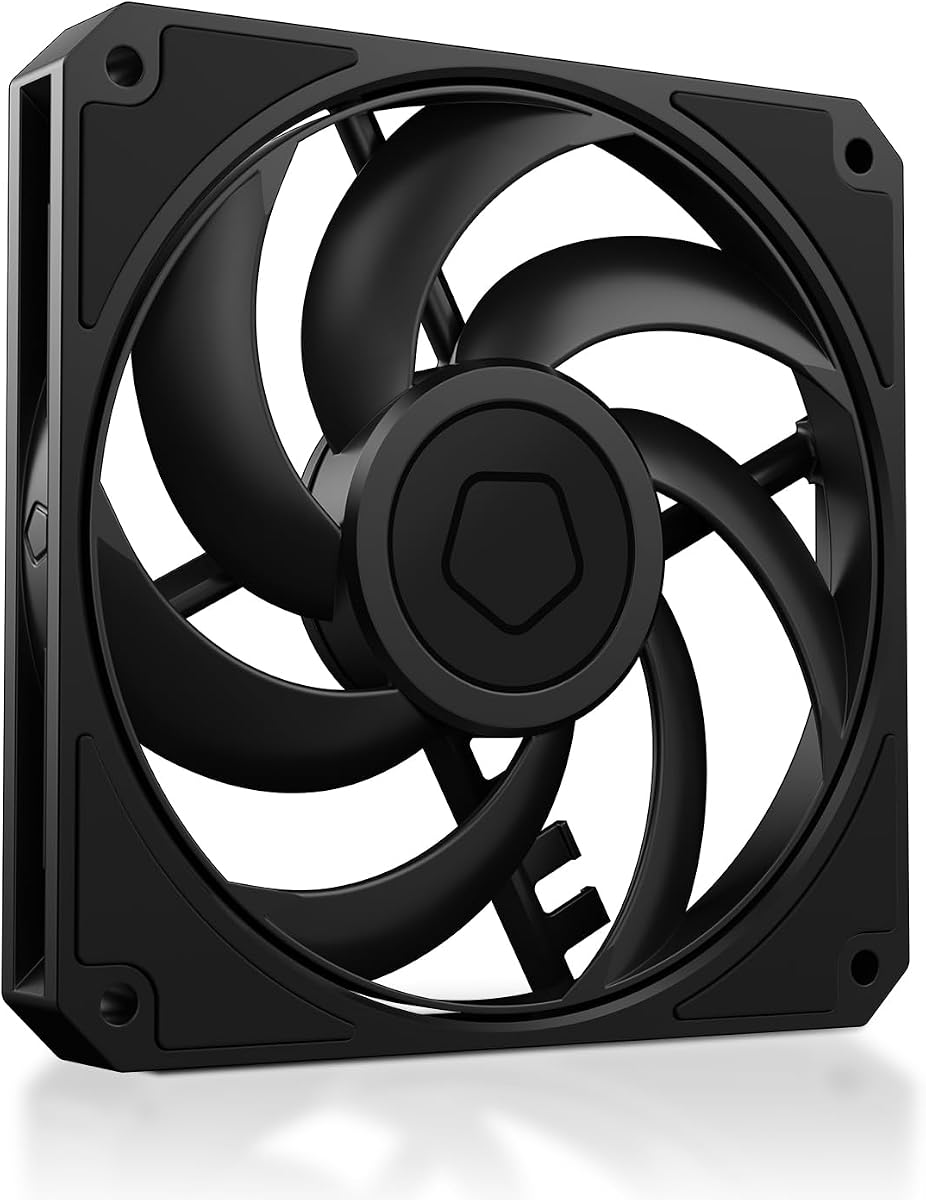
ID-COOLING AM-120-SLIM
4.8Editor score
15mm ultra-slim design
59.6 CFM high airflow
4-pin PWM control support
This guide compares the top 10 low profile case fans for small form factor builds, focusing on cooling performance, noise levels, and compatibility with tight
Low profile case fans are essential for builders working with compact chassis where standard fans simply will not fit without compromising clearance or airflow dynamics inside the system.
We compared ten leading models based on static pressure, airflow capacity, noise output, and build quality to determine which slim fans deliver the best value for restricted environments.
Each pick highlights specific strengths and limitations to help you choose the right fan for your CPU cooler or radiator setup while keeping system noise levels manageable.
4.8Editor score

4.9Editor score

4.8Editor score
The following table provides a side-by-side technical comparison of all ten reviewed models, highlighting key specifications such as dimensions, speed ranges, noise levels, and bearing technology to assist in rapid selection.



The Noctua NF-A12x15 PWM stands out as the premier choice for builders needing reliable cooling in tight spaces while maintaining exceptional acoustic performance standards across various usage scenarios.
We may earn a commission when you buy through this link, at no additional cost to you.
Its Flow Acceleration Channels and Advanced Acoustic Optimisation frame work together to reduce turbulence and noise, allowing it to move air efficiently through restrictive radiators or heatsinks without excessive auditory distraction.
While the price is higher than budget alternatives, the build quality and included accessories like anti-vibration mounts and extension cables justify the investment for those prioritizing long-term reliability and quiet operation.
This fan is ideal for users building HTPCs or ITX systems where every decibel counts and you need a fan that will perform consistently without needing constant speed adjustments via software.
The frame design minimizes resonance at the motor mounts, ensuring that the sound produced is a smooth low-frequency hum rather than an irritating high-pitched whine.
With a rated mean time between failures exceeding 150,000 hours, this fan is built to last through years of continuous operation without significant degradation in performance or bearing noise.
We may earn a commission when you buy through this link, at no additional cost to you.
For those seeking maximum cooling performance without breaking the bank, the ID-COOLING AM-120-SLIM offers a compelling package that challenges more expensive competitors on pure technical specifications.
We may earn a commission when you buy through this link, at no additional cost to you.
Its ability to generate high static pressure makes it particularly effective when pushing air through dense radiator fins or heatsink fins where standard fans would struggle to maintain adequate airflow.
The trade-off is that at maximum speed the noise level becomes noticeable, though this can be easily mitigated by using PWM curves to keep the fan in its quieter operating range during normal use.
This fan is best suited for budget-conscious builders who need a functional slim fan for radiator cooling or tight cases and do not require premium acoustic refinement or color customization.
The blade design and motor torque are tuned to overcome resistance, making this an excellent choice for AIO radiators mounted in confined cases where air cannot flow freely.
The hydraulic bearing reduces friction and extends the lifespan of the fan, ensuring that it remains quiet and effective over years of daily operation without requiring maintenance.
We may earn a commission when you buy through this link, at no additional cost to you.
Building a monochrome black system often requires specialized components that match the build theme, and this chromax.black.swap edition delivers the same legendary performance as the standard model in a stylish all-black finish.
We may earn a commission when you buy through this link, at no additional cost to you.
It inherits all the acoustic and airflow benefits of the A-series design, ensuring that you do not have to compromise on cooling efficiency to achieve a cohesive look across your entire system.
The included self-adhesive anti-vibration pads come in multiple colors, allowing you to further customize the fan to match your case accents or cable colors for a truly bespoke PC build.
Ideal for enthusiasts who demand top-tier cooling and aesthetic consistency, this fan justifies its cost through superior build quality and the ability to blend seamlessly into dark chassis environments.
The matte black finish and rubber mounting points are designed to reduce light pollution and visual noise, keeping the focus on your components rather than the cooling hardware.
When the PWM signal drops to zero, the fan stops completely, allowing for silent idle operation in cooler ambient conditions without manual intervention or BIOS configuration.
We may earn a commission when you buy through this link, at no additional cost to you.
Purchasing fans in a three-pack significantly reduces the cost per unit, making this an excellent option for users who need to equip multiple radiator zones or intake and exhaust points simultaneously.
We may earn a commission when you buy through this link, at no additional cost to you.
Each fan is pressure-optimised to ensure that even when air resistance is high, such as when mounted on a thick radiator, the fan can maintain stable speeds without stalling or struggling.
The PST technology allows you to daisy-chain multiple fans to a single motherboard header, which simplifies cable management and frees up connectors on your system for other critical components.
This pack is perfect for budget builds or large chassis that require multiple slim fans, offering a balance of price and performance that is hard to match when buying individual units.
The PST daisy-chain feature means you only need to plug one fan into your motherboard, reducing cable clutter inside the case and improving airflow paths by eliminating loose wires.
The blade geometry is specifically tuned to maintain air velocity through restrictive mediums, ensuring that your cooling solution performs reliably even under high static pressure conditions.
We may earn a commission when you buy through this link, at no additional cost to you.
This model shares the exact same specifications and performance capabilities as the premium brown edition, offering a reliable solution for those who prefer a standard package without extra customization kits.
We may earn a commission when you buy through this link, at no additional cost to you.
It delivers the same high static pressure and low noise output, ensuring that your system remains cool and quiet even during heavy workloads that generate significant amounts of heat.
The inclusion of a low-noise adaptor allows you to cap the maximum speed at a lower RPM, providing a simple hardware method to limit noise without needing to configure BIOS settings.
Buyers looking for consistent performance and trust in the Noctua brand will appreciate this straightforward option that focuses purely on cooling efficiency and longevity without extra bells and whistles.
By removing the chromax features, you get the core cooling technology at a stable price point, ensuring that the fan performs consistently across a wide range of temperatures and voltages.
The included Low-Noise Adaptor provides a hardware-based speed reduction, which is useful for users who want to limit fan speed without accessing software or motherboard interfaces.
We may earn a commission when you buy through this link, at no additional cost to you.
Older motherboards often lack 4-pin PWM headers, making this FLX version a practical solution that maintains high-quality cooling while relying on 3-pin voltage control or fixed speed adaptors.
We may earn a commission when you buy through this link, at no additional cost to you.
The design ensures that you can still achieve low noise levels through the included adaptors, which allow you to set the fan to run at slower, quieter speeds depending on your system needs.
While it lacks automatic speed control, the fixed speeds provided are well-tuned for general use, offering a balance between cooling performance and acoustic comfort without complex configuration.
This fan is ideal for legacy system upgrades or builds where the motherboard does not support PWM, ensuring you can still use a high-end slim fan without compatibility issues.
The 3-pin interface allows the motherboard to adjust voltage to control speed, which can be simpler for users who do not want to manage complex BIOS fan curves.
The 3:4-pin adaptor included in the box lets you plug this fan into modern headers if needed, giving you flexibility to use it across different system generations.
We may earn a commission when you buy through this link, at no additional cost to you.
If your case supports a 140mm fan but lacks the depth for a standard 25mm model, this slim variant offers the larger surface area benefits without compromising on the narrow clearance requirements.
We may earn a commission when you buy through this link, at no additional cost to you.
The 140mm size allows for better airflow at lower RPMs compared to smaller 120mm fans, which contributes to a smoother, quieter sound signature even when pushing significant volumes of air.
With the PST feature, you can connect multiple units in series, ensuring that your entire intake or exhaust zone runs from a single header while maintaining consistent performance across all connected fans.
This fan is the top choice for larger compact cases that utilize 140mm mounting points but are limited by internal height due to GPU clearance or radiator positioning constraints.
The larger blade surface moves more air with less rotation, reducing the frequency of noise generated by the fan and making it less noticeable in quiet environments.
At only 16mm thick, this fan fits into tight gaps where standard 140mm units would not, allowing for flexible placement inside modern gaming cases that prioritize slim components.
We may earn a commission when you buy through this link, at no additional cost to you.
This fan is explicitly designed with the goal of minimizing noise, utilizing a frame optimized for radiators and blades that reduce vibration while moving air efficiently through restricted spaces.
We may earn a commission when you buy through this link, at no additional cost to you.
The rifle bearing ensures that the fan maintains smooth rotation over an extended period, providing consistent performance and preventing the noise that often develops as bearings wear out over time.
While it may not have the extreme static pressure of specialized radiator fans, its focus on silence makes it a strong candidate for users who prioritize acoustic comfort over absolute maximum cooling throughput.
It is best suited for quiet builds where the system does not generate excessive heat and you need a fan that will operate nearly inaudibly even when running at moderate speeds.
The specialized bearing design reduces friction and wear, extending the operational life of the fan and ensuring that it does not develop rattling noises as it ages.
The ability to operate at very low minimum RPMs ensures that the fan is virtually silent when your system is idle, contributing to a completely quiet environment.
We may earn a commission when you buy through this link, at no additional cost to you.
For systems constrained to 92mm mounting points, this model offers an impressive performance-to-size ratio, delivering high-speed cooling capability in an exceptionally thin profile that fits where larger fans cannot.
We may earn a commission when you buy through this link, at no additional cost to you.
The chromax.black.swap edition matches the style of the rest of your components, ensuring that even the smallest fans do not detract from the overall visual theme of your compact build.
The HS-PWM version allows for precise speed control, meaning you can tune the fan to run faster only when necessary, keeping noise levels low during idle and light workloads.
This fan is the definitive choice for low-profile CPU coolers or specific small form factor cases that require a 92mm slim solution without sacrificing cooling performance or acoustic comfort.
Despite its small size, the fan can move a surprising amount of air, making it suitable for CPU coolers that have tight clearance requirements due to RAM or case constraints.
The HS-PWM version supports a wide speed range and stops at zero PWM, providing flexibility for semi-passive cooling strategies that prioritize silence when the system is under light load.
We may earn a commission when you buy through this link, at no additional cost to you.
The Thermalright TL-C12015 offers a well-rounded package that balances airflow, pressure, and noise effectively, making it a solid option for builders who need reliable cooling without premium branding costs.
We may earn a commission when you buy through this link, at no additional cost to you.
Its S-FDB bearing design minimizes friction and extends the lifespan of the fan, ensuring that it continues to spin smoothly without developing the squeaks or rattle associated with worn-out bearings.
With 52 CFM airflow and decent static pressure, it can handle a variety of tasks from case ventilation to radiator cooling, providing versatility that makes it suitable for many different build scenarios.
This fan is an ideal middle-ground choice for users who want performance that rivals higher-end models but are willing to forgo some of the extra features and accessories provided by top brands.
The Sleeve Fluid Dynamic Bearing technology reduces friction significantly, ensuring that the fan operates quietly and efficiently for a longer period than traditional sleeve bearings.
The included vibration-absorbing pads help dampen noise generated by the fan motor, contributing to a quieter overall system sound profile even when the fan is spinning at full speed.
We may earn a commission when you buy through this link, at no additional cost to you.
Selecting the right low profile fan requires evaluating several technical factors to ensure the fan fits your case constraints and delivers the cooling you need without excessive noise.
The defining characteristic of a low profile fan is its thickness, typically measured in millimeters. Standard fans are 25mm thick, but slim fans range from 10mm to 20mm. Always measure your case or cooler clearance before purchasing to ensure the fan will fit.
Check the internal depth of your radiator mounting area or CPU cooler space. If you have 15mm available, look for a 15mm slim fan to avoid interference with RAM modules or cables.
Airflow (CFM) measures how much air the fan moves in free air, while static pressure (mmH2O) measures how well it pushes air through resistance. For cases, prioritize airflow; for radiators, prioritize static pressure.
If you are mounting the fan on a radiator or heatsink, choose a model with high static pressure to ensure it can push air through the fins. For open case ventilation, high airflow models are sufficient.
Noise is measured in decibels (dB). Lower numbers indicate quieter operation. Look for fans with dB ratings below 25dB for silent builds, and understand that higher RPMs usually result in higher noise.
Prioritize fans with PWM control so you can lower speeds during idle. Acoustic optimization features like rubber mounts also help reduce vibration noise that adds to the overall sound.
PWM (4-pin) allows for automatic speed control via the motherboard, while 3-pin (Molex) requires fixed speeds or manual voltage adjustment. For modern systems, 4-pin PWM is the standard recommendation.
Consider whether you need daisy-chaining capabilities like PST to save motherboard headers. If your board has limited headers, choose a fan that supports chaining to simplify your build.
The bearing technology determines the fan's lifespan and maintenance needs. S-FDB and hydraulic bearings are quiet and durable. Ball bearings are robust but can be louder. Sleeve bearings are cheap but wear out faster.
Check the Mean Time Between Failures (MTBF) rating. A higher MTBF indicates a longer lifespan. For long-term builds, invest in fans with fluid dynamic bearings to avoid replacements.
While thickness is critical, width and length also matter. Standard sizes are 120mm, 140mm, and 92mm. Ensure your case supports the diameter you choose. Some slim fans come in 120mm x 15mm profiles.
If you are upgrading an existing system, match the size of your old fans to keep mounting points consistent. Mixing sizes may require new fan brackets or spacers.
Many slim fans do not include screws or brackets. Check the package contents to see if anti-vibration mounts or extensions are included. This can save you from buying extra parts later.
If you are mounting the fan in a tight spot, flexible mounts or extension cables can make installation easier. Verify what is included before buying to ensure you have everything needed.
Fans come in brown, black, white, or RGB options. If aesthetics matter, choose a color that matches your build. Chromax editions or plain black fans look better in dark cases than brown frames.
Consider lighting visibility if your case has side panels. Fans with black frames reduce light leakage compared to light-colored frames. Matching cable and fan colors creates a cohesive look.
When installing slim fans, ensure they are oriented correctly for intake or exhaust. Typically, the arrow on the frame indicates airflow direction, aligning intake fans with open slots and exhaust with mesh panels.
Regular dust cleaning is essential for maintaining performance. Use compressed air to blow dust out of the fan blades and motor housing. Dirty blades increase vibration and noise, reducing cooling efficiency over time.
Check cable connections regularly to ensure secure mounting. Loose wires can cause vibration or interfere with fan blades. If you hear rattling, re-secure the fan or add anti-vibration pads to dampen resonance.
Standard fans are typically 25mm thick while low profile slim fans are 15mm or less. Slim fans are designed for tight clearances in SFF cases or on compact coolers. Both provide similar airflow but slim fans sacrifice some thickness for space efficiency.
Slim fans can match the performance of standard fans if designed well. High-quality slim models maintain airflow and static pressure. However, they may run at higher RPMs to achieve the same cooling, which can increase noise levels.
Yes, most slim fans use the same 120mm or 140mm screw holes. They will mount easily on standard brackets. The only difference is that there may be a gap between the fan frame and the case wall if the case expects a thick fan.
Slim fans can be louder if pushed to high RPMs to compensate for reduced surface area. However, high-end models use better motor technology to remain quiet. The noise difference often depends on the specific brand and bearing quality.
A PWM connector allows automatic speed control based on temperature. While not strictly required, it helps manage noise and power usage. Fans without PWM will run at fixed speeds or rely on voltage control for speed adjustments.
Slim fans use similar bearings to standard fans, so lifespans are comparable. Fluid dynamic bearings typically last 50,000 to 100,000 hours. Dust and high temperatures can reduce this, so keeping the system clean is important.
Yes, stacking fans can increase pressure and airflow but often adds noise. Ensure your power supply and motherboard headers can support the extra fans. Using PST daisy-chain connectors simplifies the setup if available.
Slim fans are ideal for thick radiators where a standard 25mm fan might not fit due to clearance. However, standard fans usually have higher airflow for the same price. Use slim fans only if space is limited on your radiator.
We highlighted top performers like the Noctua NF-A12x15 PWM and ID-COOLING AM-120-SLIM for their balance of quiet operation and cooling power in tight spaces. These models set the standard for slim fan performance.
Consider your specific needs such as static pressure for radiators or pure airflow for case ventilation. The right fan keeps your system cool without sacrificing space or introducing excessive noise into your environment.
Always verify compatibility with your specific chassis before buying. Prices and availability fluctuate so check current listings to ensure you get the best value for your budget when shopping for cooling hardware.