
Liene PixCut S1 Color
4.2Editor score
Dye-sublimation printing
Precision auto-cutting
300 DPI resolution
This guide compares the top AI sticker printer maker models for kids and creators, evaluating voice control, print quality, and ease of use to help you choose
Artificial intelligence is transforming how children and creative enthusiasts interact with physical media. AI sticker printer maker devices allow users to convert spoken ideas or digital images into tangible stickers instantly. These machines combine thermal printing with generative art to deliver endless creative possibilities without requiring traditional drawing skills.
We evaluated ten leading models based on print quality, voice recognition accuracy, ease of setup, and safety features for children. Our analysis focuses on devices that offer reliable performance, intuitive interfaces, and robust privacy protections. Each product was assessed for its ability to inspire creativity while remaining simple enough for young users to operate independently.
This guide presents detailed reviews of the top ten picks, highlighting key strengths and potential limitations for each device. You will find information on included accessories, connectivity options, and specific use cases like journaling or classroom activities. Please note that product availability and pricing may vary over time, so check current listings before purchasing.
4.2Editor score

4.8Editor score

5.0Editor score
This side-by-side comparison highlights the key specifications and capabilities of each ranked device. Use this table to quickly identify which model fits your specific needs for portability, color output, or voice control features.
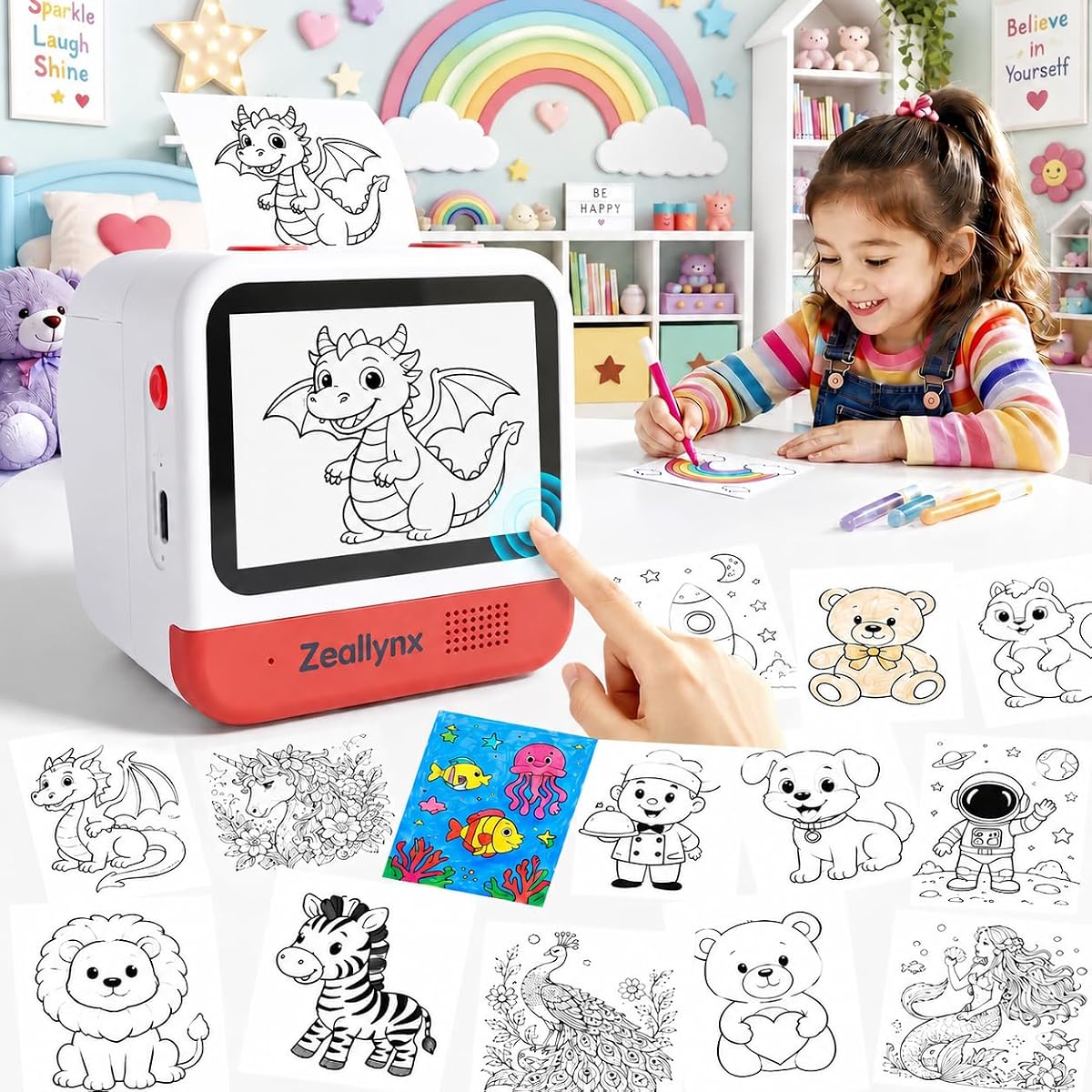

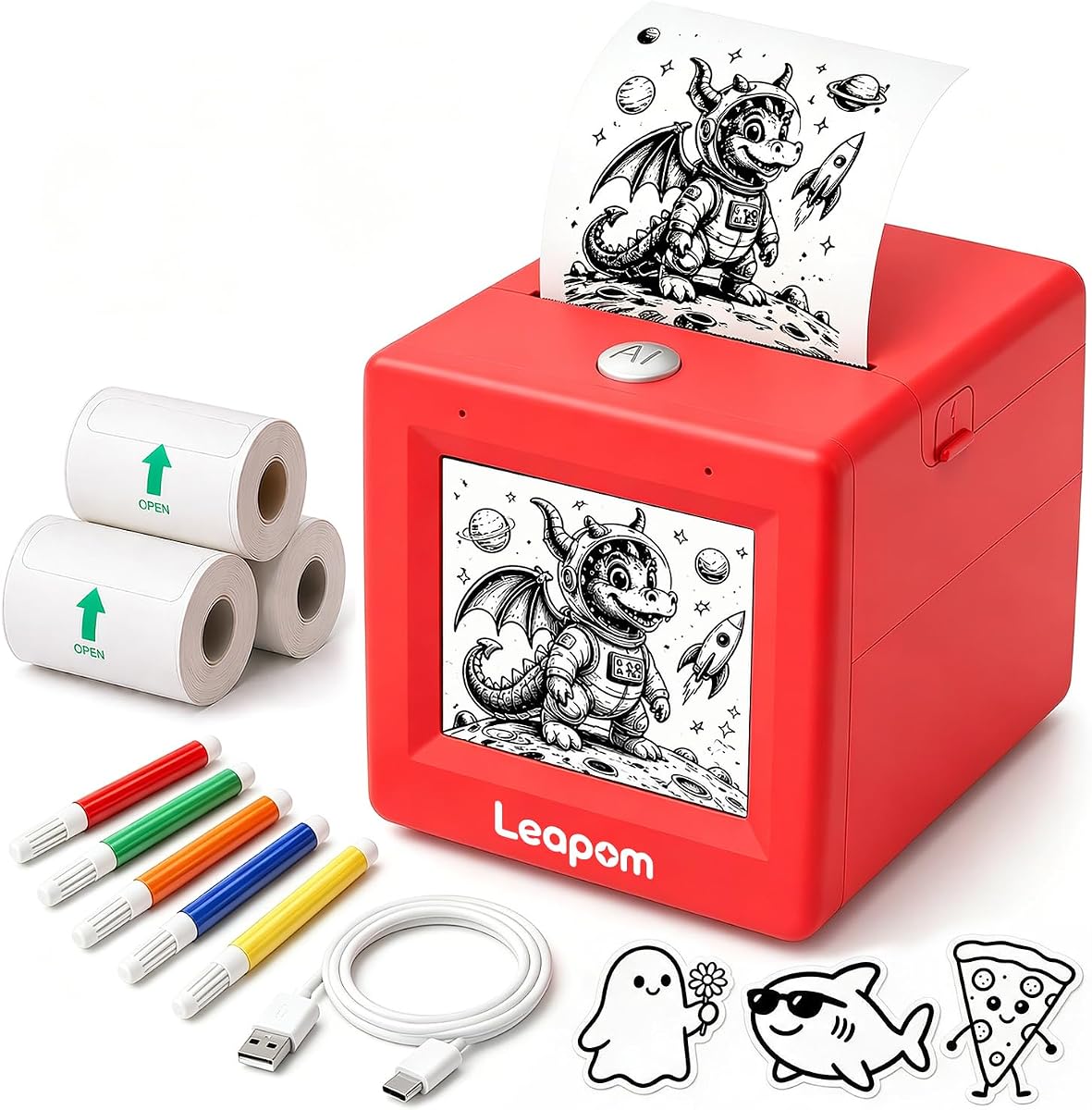


This AI sticker maker stands out for its seamless voice-to-sticker functionality that requires no app installation. It receives high ratings for ease of use and safety features designed specifically for children ages four and up. The touchscreen interface makes navigation simple while the privacy-first design ensures no personal data is stored on the device.
We may earn a commission when you buy through this link, at no additional cost to you.
The device allows kids to speak their ideas and generate corresponding cartoon stickers instantly. Users can select from various styles on the touchscreen before printing. The thermal printing technology produces crisp black-and-white outlines that children can color with the included watercolor pens. This dual-step process encourages artistic expression beyond just printing.
While the lack of color printing might limit some creative projects, the thermal approach eliminates messy ink cartridges. The content filtering mechanisms ensure prompts remain age-appropriate without parental monitoring. Setup is quick via Wi-Fi and there are no subscription fees required to use the core features.
Parents seeking a creative toy that combines technology with hands-on art will find this model ideal. It is suitable for home use, school projects, or as a gift for imaginative children. The inclusion of paper rolls and coloring tools makes it ready to use immediately after unboxing.
The device processes voice prompts locally or through secure channels without storing data. This ensures children can speak freely without concerns about data privacy or voice recording.
By printing line art specifically for coloring, the printer encourages fine motor skill development. This bridges the gap between digital generation and traditional artistic activities.
We may earn a commission when you buy through this link, at no additional cost to you.
The Liene PixCut S1 offers professional-grade color printing with integrated cutting capabilities. It uses thermal dye-sublimation technology to produce vibrant images with 300 DPI resolution. This makes it suitable for creating custom labels, gifts, and high-quality stickers for small businesses or serious hobbyists.
We may earn a commission when you buy through this link, at no additional cost to you.
AI image extraction allows users to remove backgrounds from photos automatically before printing. The precise cutting system follows every edge of the printed design with accuracy. Users can create stickers in just two minutes from the app with seamless Bluetooth connectivity. The four-layer thermal process laminates prints during production for durability.
While the price is significantly higher than basic thermal printers, the color quality and cutting features justify the cost. The device requires a smartphone app for operation which adds a layer of complexity for younger users. However, the app offers extensive free templates and design elements without hidden fees.
This model is ideal for adults or older teens who need professional results for DIY projects. It excels at producing long-lasting stickers that resist water and scratches. Small business owners can use it for custom packaging or product labels effectively.
The dye-sublimation process ensures colors are rich and true-to-life. This is essential for photo stickers where accurate skin tones and gradients matter.
Print and cut operations happen in one streamlined device. This removes the need for separate cutting tools or manual trimming with scissors.
We may earn a commission when you buy through this link, at no additional cost to you.
This compact sticker printer offers excellent value with its voice-to-sticker generation and affordable price point. It has achieved a perfect rating from users who appreciate its ease of use and creative capabilities. The color LED display allows children to preview designs before printing to save paper.
We may earn a commission when you buy through this link, at no additional cost to you.
Users can generate designs from spoken prompts and choose from seven unique art styles like anime or sketch. The thermal printing technology is inkless and mess-free making it safe for daily use. The device is lightweight at only half a pound which makes it easy to carry in backpacks.
While it lacks advanced cutting features or color printing, it excels at its core function of instant sticker creation. The preview screen helps reduce frustration and wasted paper when generating ideas. It includes four rolls of paper so users have plenty to start creating immediately.
This is an excellent entry-level option for families wanting to try AI sticker printing without a large investment. It works well for journaling crafts and educational activities. The USB-C charging and long battery life ensure it remains usable for hours without being plugged in.
The color LED display shows designs in real-time before printing. This helps users refine their prompts and select the best style before using paper.
The compact design fits easily into pockets or bags. This makes it suitable for travel camping or outdoor activities where creativity is needed on the go.
We may earn a commission when you buy through this link, at no additional cost to you.
This model removes the need for external apps by offering full functionality through an onboard touchscreen. It connects directly via 2.4GHz WiFi to start creating right away. Users appreciate the simplicity of operation and the wide range of creative modes available including comics and stories.
We may earn a commission when you buy through this link, at no additional cost to you.
The device supports voice input alongside touchscreen selection to give kids multiple ways to interact. It includes thermal sticker paper and plain paper rolls for different uses. The TF card support allows users to save favorite designs locally to revisit later for printing.
While it does not print in color it provides high quality black-and-white output suitable for coloring. The lack of app dependency means less setup time and no account management. This makes it a robust choice for classrooms or family activities where speed is essential.
Parents who want to minimize screen time on personal devices will find this device ideal. It focuses entirely on the printer interface so children remain engaged with the machine rather than a tablet. The 10 creative modes keep the experience fresh over time.
The device handles all functions internally without needing a smartphone. This reduces distractions and keeps the focus on the creative process directly.
Built-in TF card support allows saving artwork directly on the printer. Users can reprint favorite images anytime without needing to regenerate them via AI.
We may earn a commission when you buy through this link, at no additional cost to you.
Stickerbox focuses on a kid-first philosophy with safety certifications and no screen requirements. It allows children to turn spoken ideas into physical stickers instantly. The device listens only when the button is pressed and never stores personal data to protect privacy.
We may earn a commission when you buy through this link, at no additional cost to you.
This design encourages hands-on play and storytelling without digital distractions. Children can color the printed stickers with included pencils to extend the fun offline. The thermal printing technology ensures crisp black-and-white results that are safe for daily use.
While the price is higher than some competitors the safety features and durability justify the investment. It is ideal for parents who want creative toys without excessive screen time. The design supports imagination and communication skills effectively.
This product is best suited for families prioritizing child safety and offline activities. It makes a great gift for birthdays or holidays where creative play is the goal. The included accessories ensure the device is ready to use immediately out of the box.
Removing screens reduces eye strain and keeps children engaged with physical objects. This design promotes tactile learning and artistic expression through coloring.
Built-in filters ensure every voice prompt is age-appropriate. This allows parents to give children freedom to speak without worrying about inappropriate results.
We may earn a commission when you buy through this link, at no additional cost to you.
This portable sticker maker is designed specifically for journaling and creative doodles. It transforms spoken words into sticker designs instantly. The device includes markers so children can color directly after printing without waiting.
We may earn a commission when you buy through this link, at no additional cost to you.
The official app offers additional templates and photo printing capabilities if users choose to download it. It is completely free to use without credit card requirements for the main features. The design is lightweight and easy for small hands to use independently.
The thermal technology ensures prints are clear and vibrant for black-and-white stickers. It is safe for daily use and environmentally friendly since it requires no ink cartridges. Setup is straightforward and ready for young children to use quickly.
Parents looking for a journaling tool will appreciate the inclusion of coloring supplies. It encourages children to document their ideas or stories in visual form. This model works well for school projects or personal creative collections.
The compact design fits easily into school bags or craft kits. This allows children to carry their creativity anywhere for inspiration.
While not required the app unlocks templates and photo printing. This adds versatility for users who want more than voice-to-sticker features.
We may earn a commission when you buy through this link, at no additional cost to you.
This device combines an HD screen with voice activation for easy sticker creation. It includes regular and adhesive paper rolls to cover various projects like labeling and coloring. The simple controls make it accessible for family activities at home or during travel.
We may earn a commission when you buy through this link, at no additional cost to you.
It produces clear black-and-white prints that children can customize with markers. The thermal technology ensures smudge-free prints every time. This makes it ideal for labeling books toys or organizing spaces effectively.
While it lacks advanced AI art styles it focuses on reliable and instant printing. The five rolls of included paper ensure long use without immediate refills. It serves well as a creative learning gift for younger users.
Families who want a practical tool for organization and play will find this useful. It bridges the gap between functional labeling and creative activities. The portability ensures it can be used in classrooms or at home equally well.
The HD screen provides clear visual confirmation of printed designs. This helps users see exactly what they are creating before finalizing.
Inclusion of both regular and adhesive paper expands use cases. This allows for labeling as well as artistic projects in one device.
We may earn a commission when you buy through this link, at no additional cost to you.
The T02 is a versatile mini printer suitable for students and note-taking. It features AI photo cutout functions and a scan feature for study materials. Bluetooth connection allows quick pairing with smartphones to print text and images easily.
We may earn a commission when you buy through this link, at no additional cost to you.
It is designed for creating study notes, flashcards, and diagrams for various subjects. The thermal technology ensures inkless printing which is convenient for school environments. The palm-sized design fits easily in backpacks or pockets for on-the-go printing.
While it requires a smartphone app it supports both iOS and Android devices well. The scan function helps copy text or graphics from physical sources to print instantly. This makes it a strong tool for nursing students or school assignments.
Students who need portable study aids will find this printer highly practical. It supports learning goals by allowing custom study materials to be created quickly. It is also suitable for general sticker making and small business needs.
The scan feature allows converting physical text into printable digital format. This is useful for copying diagrams or notes from books without typing.
The device is built for durability and portability in school settings. It supports various subjects from anatomy to math with clear printouts.
We may earn a commission when you buy through this link, at no additional cost to you.
This model offers both WiFi and Bluetooth connectivity to suit different user preferences. It features six unique art styles ranging from anime to sketch. The device is safe for children and includes filters to ensure appropriate content during printing.
We may earn a commission when you buy through this link, at no additional cost to you.
Every sticker becomes a hands-on coloring activity encouraging creativity and personalization. The thermal printing ensures ink-free operation which is clean and safe. Setup is simple with the app supporting various design options and customization.
While the print quality is basic black-and-white it serves well for journals and cards. The dual connectivity ensures users can print via voice or app as needed. This flexibility makes it suitable for different age groups and skill levels.
Families who want flexible connection options will appreciate this versatility. It allows for independent use via voice or guided use via smartphone. This device is an excellent gift for birthdays or travel activities.
Support for both WiFi and Bluetooth ensures reliable connection in any setting. This provides flexibility for printing without specific network requirements.
Six distinct art styles allow users to match designs to specific projects. This variety keeps the experience engaging for different creative interests.
We may earn a commission when you buy through this link, at no additional cost to you.
This device features a 3.5-inch touchscreen that allows direct creation without app installation. It includes a built-in AI chat that inspires creativity and answers questions. This makes it both a creative tool and an educational companion for children.
We may earn a commission when you buy through this link, at no additional cost to you.
The push-to-talk voice input activates only when children choose to speak ensuring privacy. It connects via simple WiFi setup without Bluetooth pairing complexity. The thermal technology produces smudge-resistant designs on adhesive paper for journaling and labels.
While it does not offer color printing it focuses on simplicity and ease of use. The AI chat feature adds an interactive element that other models lack. This encourages children to ask questions and explore new ideas freely.
Parents seeking an educational toy that promotes self-expression will find this valuable. It helps children develop communication and creative confidence simultaneously. The design ensures a controlled environment for safe creative exploration.
The chat feature suggests ideas and answers questions directly on the device. This adds an interactive learning layer to the creative process.
Voice input only activates when the button is pressed. This ensures children control exactly when the microphone is listening to their input.
We may earn a commission when you buy through this link, at no additional cost to you.
Selecting the right AI sticker printer maker requires evaluating several key factors to ensure it meets your specific needs for creativity, safety, and durability.
Most devices in this category use thermal printing which produces black-and-white outputs. This requires coloring for full designs but is mess-free and cost-effective. If color is essential look for dye-sublimation models which offer vibrant results but cost more.
Prioritize black-and-white thermal printing for kids who enjoy coloring. Choose dye-sublimation for professional projects requiring high-fidelity color reproduction without extra steps.
Voice-to-sticker functionality relies on AI models that interpret spoken prompts. Look for devices that support multiple languages and have robust error handling for unclear inputs. Accuracy determines how closely the sticker matches the child's intent.
Test voice commands with various accents or phrasing. Ensure the device understands context to generate meaningful artwork without frequent errors.
Connectivity options vary between direct Wi-Fi Bluetooth and app-based systems. Devices that require apps add a layer of complexity but offer more features. Wi-Fi only models are often simpler for families without technical expertise.
Choose direct connectivity for simplicity. If you want advanced design options an app-based system might be more suitable for older users.
Safety certifications like COPPA compliance or kid-safe ratings are crucial for devices used by children. Ensure the device blocks inappropriate content and does not store voice data locally. Privacy-first designs prevent data collection without parental consent.
Check for content filtering and data storage policies. Avoid devices that transmit voice recordings to third-party servers without clear privacy policies.
Consider the cost and availability of replacement paper rolls. Some devices use proprietary rolls that can be expensive over time while others accept standard thermal paper. Also check if adhesive or plain paper is included for immediate use.
Look for universal paper sizes to reduce long-term costs. Ensure the initial kit includes enough rolls for a trial period.
For travel or outdoor use select a model that is lightweight and has a rechargeable battery. Compact devices fit in backpacks easily and offer hours of continuous use. Consider the charging method and battery lifespan.
Prioritize USB-C charging and long standby times. Ensure the device is durable enough to withstand drops or travel conditions.
Evaluate the variety of art styles and templates available. Some devices offer comic strip modes or note options while others focus on character art. More modes mean more creative freedom for the user.
Select devices with multiple modes if you plan to use it for diverse projects. Check for additional features like cutting or drawing tools.
Prices range from budget-friendly options to premium models with color printing. Consider the total cost including paper refills. A higher initial investment might pay off if the device offers better durability or features.
Set a budget based on frequency of use. For occasional use a basic model suffices while daily use justifies a premium purchase.
To begin using your device start by connecting it to your Wi-Fi network or pairing it via Bluetooth. Ensure the device is fully charged before first use to prevent interruptions during the setup process. Follow the on-screen prompts to calibrate any sensors or voice recognition features.
When generating a sticker speak clearly into the microphone and wait for the AI to process your prompt. Review the generated design on the screen to confirm it meets your expectations before printing. If you are using the coloring feature add markers to your project immediately after printing.
For maintenance keep the thermal print head clean by gently wiping it with a dry cloth. Avoid exposing the device to extreme temperatures or humidity as this can affect the thermal paper quality. Store unused paper rolls in a sealed container to prevent them from darkening over time.
Most of the models reviewed operate without monthly subscriptions. They offer free features directly on the device or through a free app. Some third-party apps might have premium tiers but core printing capabilities remain accessible without recurring fees.
The majority of devices use thermal printing which only produces black-and-white images. To get color you must color the printed outline manually. Only premium dye-sublimation models like the Liene PixCut S1 can print full-color images directly.
Yes devices designed for kids include strict content filters that block inappropriate words. They often operate without recording or storing voice data locally. Always check specific privacy policies to ensure data protection aligns with your family's needs.
Most thermal printers require specific paper rolls that match the device's width. Some accept standard thermal sticker paper which is widely available. Always verify the compatible paper size and type in the manual before purchasing refills.
Battery life varies by model but typically ranges from 3 to 5 hours of continuous use. Many devices support USB-C charging which allows for quick top-ups. Standby time can extend to several days depending on usage patterns.
Absolutely adults can use these devices for custom labels, small business branding, or journaling. While they are marketed for kids the creative potential is versatile. Advanced users may prefer models with higher resolution or cutting capabilities.
Not all devices require a smartphone. Many modern models include built-in touchscreens and Wi-Fi controls for standalone use. However some advanced features like photo printing might still need an app connection.
If a jam occurs open the paper compartment gently and remove any crumpled paper. Ensure the roll is inserted correctly with the adhesive side facing the printing mechanism. Avoid pulling forcefully to prevent damaging the thermal print head.
The market for AI sticker printer makers offers a wide range of options from budget-friendly thermal devices to premium color printing machines. Our top picks highlight devices that balance creativity, ease of use, and safety features effectively for different age groups.
When choosing a model prioritize the features that align with your intended use such as portability, voice recognition, or color capability. Consider the ongoing cost of paper refills and whether a smartphone app is necessary for your workflow.
Prices and availability for these innovative devices change frequently so we recommend checking current listings before finalizing your purchase. With the right model you can unlock endless creative possibilities for yourself or your children.