
4 Pack HDMI Dummy Plug 4K HDR, Virtual Monitor EDID Emulator
4.8Editor score
True 4K@60Hz HDR Virtual Display
Industrial-Grade Durability
Plug-and-Play Simplicity
This guide compares the top ten HDMI dummy plug options for headless PC setups, remote desktop access, and GPU activation across various budgets and needs.
An HDMI dummy plug is a small device that tricks your computer into thinking a monitor is connected. This allows your graphics card to remain active even when no physical screen is attached to the system.
We evaluated ten leading models based on resolution support, build quality, compatibility, and value. Each product was analyzed for its ability to maintain system stability and performance during headless operations.
Each pick below shows key features and real-world suitability for different tasks. Prices fluctuate frequently so please check the current listings before making your final purchase decision today.
4.8Editor score
4.6Editor score

4.6Editor score
The following table provides a side-by-side comparison of all ten models reviewed in this guide. It highlights key specifications and features to help you distinguish between each option quickly.


The UGREEN HDMI Dummy Plug is a top choice for users needing reliable headless operation. It supports true 4K@60Hz HDR performance ensuring your GPU stays active for demanding tasks like remote desktop and video editing.
We may earn a commission when you buy through this link, at no additional cost to you.
Its robust aluminum shell enhances heat dissipation which is critical during intensive workloads. The LED light provides a quick visual check of connection status making troubleshooting simpler for IT professionals managing multiple machines.
While it requires no drivers or external power the LED indicator can be bright in dark server rooms. Additionally there is no power cable included so users must rely on the HDMI port for energy.
We recommend this for server farms and SOHO setups needing consistent performance. Its universal compatibility and durable construction make it a dependable investment for long term headless PC deployments.
This device ensures high-performance remote desktop operations without lag by activating the GPU to create a virtual display environment.
Designed for durability the sturdy aluminum shell enhances heat dissipation to prevent overheating during intensive tasks.
We may earn a commission when you buy through this link, at no additional cost to you.
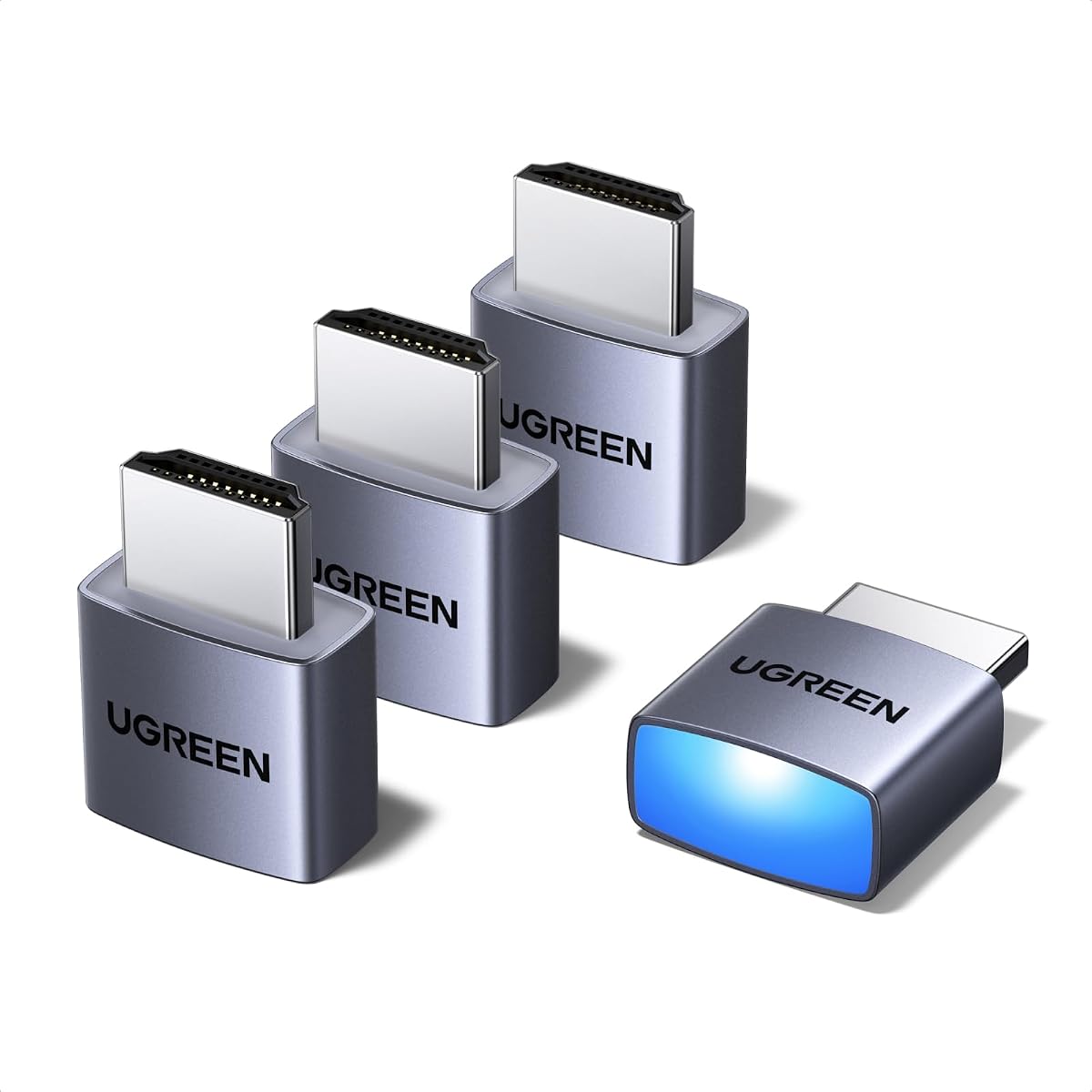
This 4 Pack HDMI Dummy Plug offers exceptional value with its True 4K@60Hz HDR virtual display capability. It activates your GPU to create a lag-free virtual monitor ideal for seamless remote desktop operations.
We may earn a commission when you buy through this link, at no additional cost to you.
The industrial-grade aluminum armor resists overheating during marathon computing tasks. The built-in status LED provides real-time connection verification blending military-grade resilience with user-friendly visual feedback for mission-critical setups.
While it delivers high performance the packaging can be bulky for some users. It is also limited to 4K resolution which may not meet future needs for ultra-high-definition setups.
We recommend this for cryptocurrency mining rigs and automated trading stations. Its plug-and-play simplicity and cost-effective design make it perfect for deploying multiple headless systems.
Revolutionize headless deployments in server farms and colocation centers with this HDMI emulator maintaining 24/7 system stability.
Works flawlessly with NVIDIA AMD and Intel GPUs across Windows macOS and Linux systems.
We may earn a commission when you buy through this link, at no additional cost to you.
The DTech HDMI Dummy Plug is designed to enable your GPU for high resolution GPU accelerated remote desktop and GPGPU operations. It emulates a high resolution up to 4K 4096×2160 display.
We may earn a commission when you buy through this link, at no additional cost to you.
Its gold plated HDMI dummy dongle ensures stable digital signal and unlocks the full potential of the graphics card. It is ideal for game-streaming VR and using Mac Mini server with screen sharing.
The lack of a status indicator light means you cannot quickly verify connection status by sight. It is also sold in a 3 pack which may not be enough for larger server deployments.
We recommend this for users needing a compact virtual screen monitor emulator. It solves the Apple OSX headless display issue effectively making it a reliable choice for developers and IT staff.
Compact HDMI headless ghost adapter emulates a high resolution display to make a computer run headless without a keyboard mouse or monitor.
Gold plated HDMI dummy dongle ensures stable digital signal and unlocks the full potential of graphics card.
We may earn a commission when you buy through this link, at no additional cost to you.
This HDMI Dummy Plug Headless Ghost Display Emulator is a simple and effective solution for basic needs. It will work with any graphics card that has HDMI output and acts exactly the same as a real LCD monitor.
We may earn a commission when you buy through this link, at no additional cost to you.
The ultra-compact low profile design fits easily into tight spaces. It features no drivers no configuration and no power cable making it a true set and forget device for remote desktop access.
The primary limitation is the lower resolution which is capped at 1920×1080. The plastic build quality is also less durable than aluminum options available in this category.
We recommend this for users who do not need high resolution output. It is ideal for basic GPU tasks such as crypto currency mining where visual fidelity is not a primary concern.
Ultra-compact low profile design works with Windows OSX Linux and just about everything else.
No drivers no configuration no power cable just set and forget for easy installation.
We may earn a commission when you buy through this link, at no additional cost to you.
This 3 Pack HDMI Dummy Plug offers robust functionality with its ability to simulate high resolution for remote control up to 4K@60HZ. It is designed to make a computer run headless effectively.
We may earn a commission when you buy through this link, at no additional cost to you.
The gold-plated HDMI interface guarantees complete signal transmission and reliable connectivity. You get a two years unconditional warranty which adds significant peace of mind for your purchase.
There is no physical status light to indicate connection status which can be inconvenient during troubleshooting. The packaging materials are also basic and may not protect the units well during shipping.
We recommend this for users needing a stable virtual display solution with strong warranty support. It is a great choice for server and colocation farms requiring reliable remote management.
Simulate high resolution for remote control up to 4K@60HZ compatible with 1080P-60HZ/120HZ.
Provides 2 years unconditional warranty for customer peace of mind.
We may earn a commission when you buy through this link, at no additional cost to you.
This display emulator plug creates a virtual screen by simulating an active HDMI connection. It keeps your GPU active even without a physical monitor ideal for tasks like remote desktop and game streaming.
We may earn a commission when you buy through this link, at no additional cost to you.
The high-quality construction features gold-plated connectors and full board copper pouring for signal stability. It simulates vivid output with peak brightness up to 1015 nits making it suitable for color-sensitive applications.
The default resolution is 1080P which might be lower than some users expect for HDR. The price is higher than standard models due to these advanced features.
We recommend this for users needing high refresh rates and stable signal. It is perfect for high-performance systems requiring consistent 1440P performance for development and testing.
Full board copper pouring enhances signal stability and reduces electromagnetic interference.
Designed for headless setups such as mini PCs home labs colocation centers and remote-deployed workstations.
We may earn a commission when you buy through this link, at no additional cost to you.
The 4K 120Hz HDMI 2.1 Dummy Plug is a new generation headless adapter designed to support higher refresh rates. It can enable the PC to enable the GPU to create a virtual display for tasks.
We may earn a commission when you buy through this link, at no additional cost to you.
It supports up to 4K@60HZ/120HZ making it ideal for game streaming VR and using Mini server with screen sharing. The gold plated fit-headless HDMI dummy plug dongle ensures stable digital signal.
You must ensure your graphics card interface supports HDMI 2.1 to achieve 4K/120HZ refresh rates. On Win11 systems you may only achieve a maximum of 4K60HZ HDR due to compatibility issues.
We recommend this for gamers needing high frame rates via Moonlight or Steam Link. It is also suitable for users streaming from a main PC to a Steam Deck or ROG Ally.
Supports up to 4K@60HZ/120HZ compatible with 1440@60HZ/120HZ and 1080P@60HZ/120HZ.
Gold plated fit-headless hdmi dummy plug dongle ensures stable digital signal for reliable connection.
We may earn a commission when you buy through this link, at no additional cost to you.
This model features a default resolution of 1440P making it distinct from the 1080P defaults. It supports up to 3840×2160@60Hz and 2560X1440@120/144HZ for high-performance systems.
We may earn a commission when you buy through this link, at no additional cost to you.
The high-quality construction includes full board copper pouring to enhance signal stability and reduce electromagnetic interference. You get eight units in one package which is excellent for bulk deployments.
The packaging size is large which can make storage difficult. It is also limited to 4K resolution which may not be sufficient for 8K specific setups.
We recommend this for colocation centers needing multiple units. The cost savings on bulk buys make it a strong contender for large-scale headless server farms.
Full board copper pouring enhances signal stability and reduces electromagnetic interference for reliable operation.
Eight units in one package make this an ideal solution for large scale deployment needs.
We may earn a commission when you buy through this link, at no additional cost to you.
This model sets the default resolution to 2160P ensuring you start with 4K capabilities. It supports up to 3840×2160@60Hz and 2560X1440@120/144HZ for high-performance systems.
We may earn a commission when you buy through this link, at no additional cost to you.
The high-quality construction includes full board copper pouring to enhance signal stability and reduce electromagnetic interference. It also provides vivid output with peak brightness up to 1015 nits.
The higher price point reflects the advanced default resolution. You must ensure your graphics card supports HDMI 2.1 for the full refresh rate benefits.
We recommend this for color-sensitive applications and video preview work. The native 4K default makes it a great choice for professional content creators needing a reliable virtual monitor.
Full board copper pouring enhances signal stability and reduces electromagnetic interference for reliable operation.
Default resolution of 2160P ensures native 4K capabilities right out of the box.
We may earn a commission when you buy through this link, at no additional cost to you.
This premium model supports resolutions up to 7680 x 4320@30Hz making it future-proof for high-end setups. It supports up to 4k@120Hz and 1440/1080@144Hz for advanced users.
We may earn a commission when you buy through this link, at no additional cost to you.
It is ideal for game streaming VR and using Mini server with screen sharing. The gold plated fit-headless HDMI dummy plug dongle ensures stable digital signal and reliable connectivity.
The cost is high compared to standard models which may not be necessary for all users. You also need an HDMI 2.1 graphics card to access these advanced features.
We recommend this for users needing maximum future-proofing and high refresh rates. It is perfect for advanced headless setups requiring 4K 120hz or even 8K capabilities.
Supports resolutions up to 7680 x 4320@30Hz making it future-proof for high-end setups.
Graphics card interface must support HDMI 2.1 version to achieve 4K/120HZ refresh rates.
We may earn a commission when you buy through this link, at no additional cost to you.
Selecting the right HDMI dummy plug depends on your specific use case. Here are key factors to consider before making a purchase.
The most critical factor is the resolution and refresh rate your setup requires. Some plugs support standard 1080p while others offer true 4K@60Hz or even 1440P and 8K capabilities. For gaming or video editing you need higher refresh rates like 120Hz or 144Hz to maintain smooth performance.
Always check the product description to confirm it supports the resolution you need for your specific tasks.
Ensure the dummy plug works with your operating system. Most models support Windows macOS and Linux but specific drivers may be needed for older systems. Compatibility with virtualization software like VNC or Remote Desktop is also essential for remote access.
Verify compatibility with your OS and remote access tools before buying.
Durability is key for devices that stay plugged in for months. Aluminum shells provide better heat dissipation than plastic. Gold-plated connectors ensure stable signal transmission and prevent corrosion over time.
Choose models with metal housing and gold-plated connectors for long term reliability.
HDMI dummy plugs draw power directly from the HDMI port so they generally require no external power. However some models may consume more power which can matter for battery-powered laptops or low-energy server setups.
Look for low power consumption models if energy efficiency is a priority.
Consider how many headless systems you need to manage. Buying a 4-pack or 8-pack is often more cost-effective than single units. This is crucial for server farms or businesses with multiple machines.
Opt for multi-packs if you need multiple units to manage multiple systems.
Some models include an LED light to show connection status. This is helpful for troubleshooting if a plug fails to activate the GPU. However in dark server rooms bright LEDs can be distracting.
Decide if you need a visual status indicator based on your environment.
Prices range widely based on capabilities. A basic 1080p plug is cheap while 8K capable models cost significantly more. Determine if you need high-end features or if standard performance is sufficient.
Balance the cost against the actual features you require for your tasks.
Check the warranty terms. Some manufacturers offer unconditional warranties which add peace of mind. Good customer support can help resolve compatibility issues quickly if they arise.
Prioritize products with solid warranty coverage and accessible customer support.
To install your HDMI dummy plug simply insert it into the HDMI port on your computer or laptop. Ensure it is securely seated to establish a stable virtual display connection. Your system should automatically recognize it as a monitor.
Keep the plug clean and dry to prevent damage. If dust accumulates gently blow it out with compressed air. Avoid bending the connector or pulling it out forcefully to prevent port damage.
Regularly check your system settings to confirm the resolution matches your needs. If you encounter connection issues try unplugging and replugging the device. This ensures the GPU remains active and the virtual display works correctly.
A HDMI dummy plug is a small device that mimics a monitor. It tricks your computer into thinking a display is connected which keeps your graphics card active even without a physical screen.
Most HDMI dummy plugs are plug-and-play and require no drivers. They are designed to work automatically with standard operating systems like Windows macOS and Linux.
Yes. A HDMI dummy plug allows your GPU to run at full load without a monitor. This is useful for cryptocurrency mining rigs and automated trading stations.
Yes. Most models support macOS. However macOS may sometimes need specific settings to recognize the virtual display correctly.
Yes. You can use it with remote desktop apps or for streaming. It ensures your GPU stays active for high frame rate streaming.
It draws a small amount of power from the HDMI port. It does not need external power cables. This makes it convenient for low power setups.
It depends on the model. Some support up to 1080p while others offer 4K or 8K. Always check the specs for your needs.
The UGREEN and 4 Pack options stand out for their balance of performance and value. They are reliable for headless deployments and remote access without breaking the bank.
Prioritize resolution support and build quality when selecting a model. If you need higher refresh rates or bulk units consider the 8 pack or 2160P defaults.
Prices change regularly so verify the current listing before buying. These tools make managing headless systems easier and more efficient for any setup.