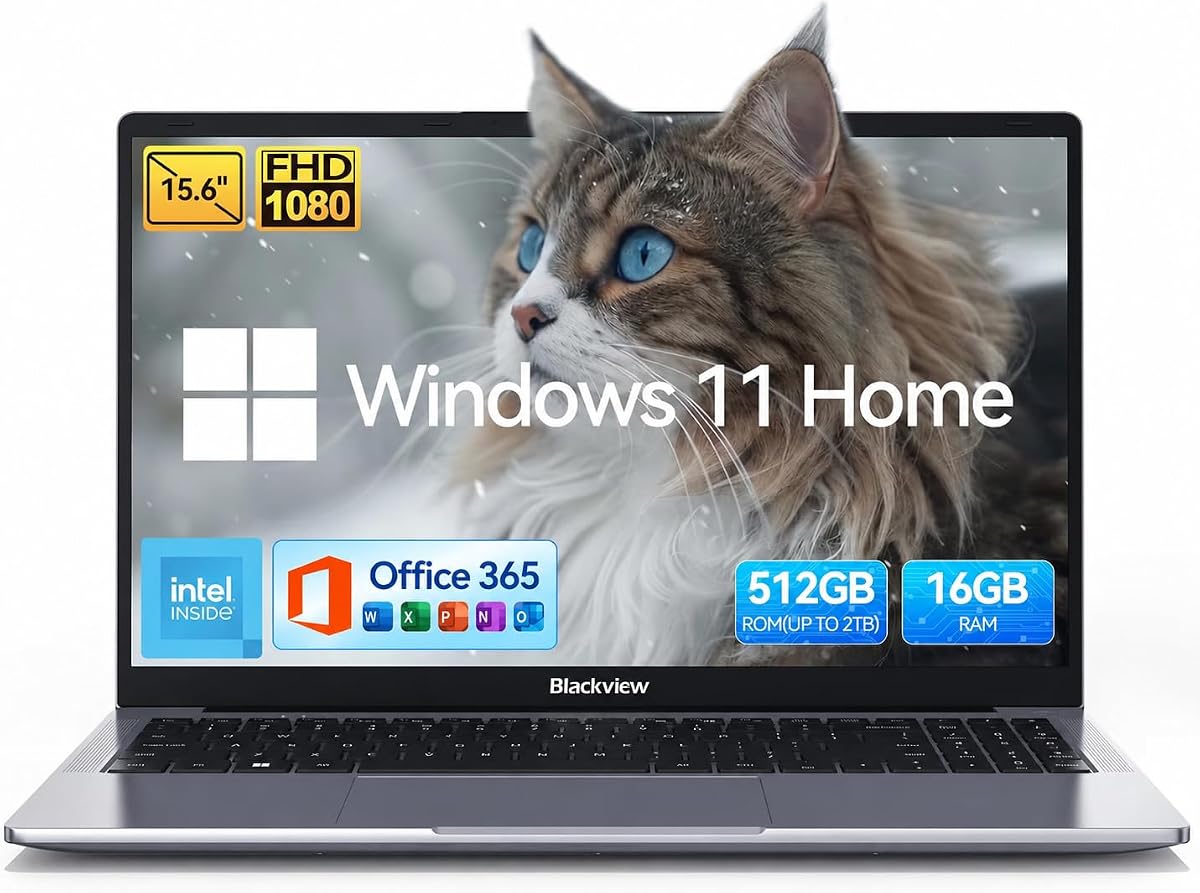
BlackView Acebook 6
4.6Editor score
Triple display support via USB-C and HDMI
Affordable price for student multitasking
Lightweight design for portable productivity
Finding a laptop with 2 HDMI ports is essential for professionals who need multiple external displays without dongles. This guide explores models that offer versatile connectivity for seamless workflow and productivity across various tasks.
We compared ten top-rated laptops based on performance, screen quality, and port availability. Each selection includes detailed specifications and real-world use cases to ensure you find the perfect match for your needs.
Each pick highlights key features and potential trade-offs to help you decide confidently. Prices and availability may change frequently, so verify current details before purchasing to ensure you get the best value today.
4.6Editor score

4.6Editor score

4.4Editor score
As an Amazon Associate we earn from qualifying purchases.
This comparison table provides a side-by-side overview of the ten selected laptops, highlighting key specifications like processor, RAM, storage, and display details to help you quickly identify the best fit.


This HP 15.6-inch laptop stands out as a top choice for users seeking robust performance and versatility. With a high rating of 4.6 stars, it delivers reliable computing for business and student use.
We may earn a commission when you buy through this link, at no additional cost to you.
The device features a powerful AMD Ryzen 5 7530U processor paired with 32GB RAM, ensuring smooth multitasking even with dozens of browser tabs open. The 1TB SSD offers ample storage for files and media.
While it lacks multiple HDMI ports, users can expand via USB-C. The IPS touchscreen provides excellent color accuracy, and the backlit keyboard aids productivity in low-light conditions.
Ideal for professionals needing efficiency, this laptop balances performance and cost. It suits anyone requiring a capable device for daily tasks without compromising on speed or display quality.
The 32GB RAM allows seamless switching between apps and virtual machines without lag, enhancing productivity.
The responsive touch interface supports intuitive navigation and creative tasks like sketching or presentations.
We may earn a commission when you buy through this link, at no additional cost to you.
This Lenovo V-Series laptop is engineered for demanding business environments. With a 4.4 rating, it offers exceptional specs including an AMD Ryzen 7 processor and 40GB RAM.
We may earn a commission when you buy through this link, at no additional cost to you.
The 2TB SSD provides vast storage for enterprise data, while the numeric keypad streamlines spreadsheet work. Windows 11 Pro enhances security with features like TPM encryption.
Users may find it slightly heavier, but this is balanced by its robust build. The HDMI port ensures easy external display connectivity for presentations or dual setups.
Recommended for power users needing maximum RAM and storage, this laptop excels in handling complex workflows. It is a solid investment for professionals prioritizing performance and reliability.
Windows 11 Pro and TPM chips protect sensitive data from cyber threats effectively.
The numeric keypad and Ethernet port offer convenience for office tasks without extra peripherals.
We may earn a commission when you buy through this link, at no additional cost to you.
The BlackView Acebook 6 is an excellent budget-friendly option for students and casual users. Rated 4.6, it provides reliable performance for everyday tasks at an accessible price.
We may earn a commission when you buy through this link, at no additional cost to you.
Its standout feature is triple display support, allowing users to connect two external monitors for expanded workspace. The Intel N150 processor handles multitasking and media streaming smoothly.
While not ideal for heavy gaming, it is perfect for web browsing and document editing. The lightweight build makes it easy to carry to classes or coffee shops.
Best suited for budget-conscious buyers needing portability and multi-monitor setups, this laptop offers great value. It meets the needs of learners and light users effectively.
Connect up to two external displays via USB-C and HDMI for a wide workspace.
At 1.7 kg, it remains light enough for daily commuting without straining your back.
We may earn a commission when you buy through this link, at no additional cost to you.
HP 17 Laptop targets users who prioritize screen real estate. With a 4.2 rating, it delivers a spacious 17.3-inch display ideal for media and multitasking.
We may earn a commission when you buy through this link, at no additional cost to you.
The 64GB RAM ensures extreme multitasking capabilities, while the 2TB SSD holds vast data. Intel Core i7-1255U keeps performance steady for demanding applications.
Trade-offs include weight and size, making it less suitable for travel. However, for desktop replacement or home office use, its screen and memory are unmatched.
Best for users who value a large workspace and high memory, this laptop fits stationary setups. It delivers strong performance for content creators and power users.
The 17.3-inch screen provides ample room for side-by-side window management.
64GB RAM supports heavy virtual machines and data processing without slowing down.
We may earn a commission when you buy through this link, at no additional cost to you.
The Dell Inspiron 16 Plus focuses on visual fidelity with a 2.5K display. Rated 4.4, it offers crisp visuals for creative work and detailed viewing.
We may earn a commission when you buy through this link, at no additional cost to you.
The 16:10 aspect ratio provides more vertical space, improving document reading. Intel Core i7-13620H handles productivity tasks efficiently with DDR5 RAM.
While it lacks some ports, the build quality and screen make up for it. ComfortView Plus reduces blue light for long sessions, aiding eye health.
Best for professionals needing accurate colors and resolution, this laptop is a strong contender. It serves designers and writers who prioritize screen performance over portability.
Certified ComfortView Plus reduces eye strain during extended daily usage significantly.
The taller 16:10 ratio lets you view more lines of code or text at once.
We may earn a commission when you buy through this link, at no additional cost to you.
DELL Inspiron 15 3530 caters to businesses needing advanced OS features. With a 4.1 rating, it offers Windows 11 Pro for better security and management tools.
We may earn a commission when you buy through this link, at no additional cost to you.
Its specs include 32GB RAM and 2TB SSD, ensuring smooth performance and storage. The touchscreen adds versatility to the 15.6-inch FHD display.
Though battery life is average, the build supports enterprise environments. The HDMI port allows easy external screen connectivity for meetings.
Ideal for corporate users needing OS flexibility, this laptop delivers solid utility. It is a practical choice for teams requiring centralized management features.
Windows 11 Pro allows group policies and remote desktop access for IT admins.
The responsive touchscreen simplifies navigation and presentation interactions in meetings.
We may earn a commission when you buy through this link, at no additional cost to you.
The HP New Core i7 is recognized for outstanding battery performance. Rated 5.0, it ensures users stay productive throughout the day without constant charging.
We may earn a commission when you buy through this link, at no additional cost to you.
Powered by an Intel Core i7-1255U, it handles tasks quickly. The 1TB SSD offers ample space, and privacy features like a camera shutter enhance security.
While it has limited ports, the portability makes up for it. The lightweight design is perfect for commuters who need reliability on the go.
Best for mobile professionals and students, this laptop balances power and battery life. It is a trustworthy choice for daily tasks and extended use.
Optimized energy use allows for many hours of active work unplugged.
Built-in camera shutter gives users peace of mind during idle moments.
We may earn a commission when you buy through this link, at no additional cost to you.
Dell Pro 15.6 delivers simplicity with modern specs. Rated 4.5, it offers DDR5 RAM and a 120Hz display for smooth visuals.
We may earn a commission when you buy through this link, at no additional cost to you.
It handles everyday tasks well with 16GB RAM. The Intel Core 3 100U is energy-efficient, keeping power costs down.
Storage is limited at 256GB, so external drives might be needed. However, the build quality and display make it a smart budget option.
Ideal for general users and students, this laptop provides reliability. It meets basic computing needs without unnecessary complexity or cost.
The 120Hz refresh rate makes scrolling and video playback appear very fluid.
DDR5 RAM ensures faster data access for current software demands.
We may earn a commission when you buy through this link, at no additional cost to you.
Lenovo V15 Gen 4 focuses on security and reliability. With a 4.4 rating, it features TPM 2.0 and Windows 11 Pro for robust data protection.
We may earn a commission when you buy through this link, at no additional cost to you.
Military-grade testing ensures durability. The Ethernet port provides stable wired internet, and the camera shutter protects privacy.
Performance is moderate, suited for office tasks rather than heavy work. The backlit keyboard aids typing in dark rooms.
Best for security-conscious users, this laptop offers peace of mind. It is ideal for business travelers needing reliable protection on the go.
TPM 2.0 chip ensures critical data like passwords are encrypted securely.
MIL-SPEC 810H compliance ensures resistance to shocks and harsh conditions.
We may earn a commission when you buy through this link, at no additional cost to you.
Lenovo Essential 15.6 is the most basic and affordable option. Rated 4.1, it provides essential computing for simple tasks and browsing.
We may earn a commission when you buy through this link, at no additional cost to you.
It includes 8GB DDR5 RAM for decent speed. The 128GB storage is limited, requiring cloud use for large files.
While it handles basic needs, it may slow with multiple heavy apps. The portability and low cost make it a good entry point.
Ideal for users needing a simple device, this laptop fits basic requirements. It serves well for casual users or secondary home computers.
Low cost ensures accessibility for basic computing needs without financial burden.
Inclusion of DDR5 RAM in a budget device improves performance over older models.
We may earn a commission when you buy through this link, at no additional cost to you.
Selecting a laptop with multiple HDMI ports requires evaluating performance and connectivity to ensure it meets your specific professional or personal needs.
The processor determines how quickly the laptop handles tasks. For multitasking with multiple displays, a powerful Core i7 or Ryzen 7 is recommended.
Choose a recent generation processor for better efficiency and longevity in your daily work.
RAM affects how many applications you can run simultaneously. 16GB is the minimum, but 32GB or more helps avoid lag.
Select higher RAM if you use heavy software or keep many browser tabs open.
SSD storage offers faster boot times than traditional drives. Aim for at least 512GB to store files and software efficiently.
Larger capacities like 2TB are beneficial if you store large media files or data.
Besides HDMI, check for USB-C and USB-A ports for peripherals. A good balance ensures you can connect everything without extra adapters.
Ensure the HDMI version supports your desired resolution and refresh rate.
A high-resolution screen reduces eye strain during long sessions. Look for Full HD or higher with anti-glare features.
Consider the aspect ratio for better vertical workspace and productivity.
Windows 11 Pro offers advanced security and management features for businesses. Home is suitable for general use.
Choose an OS that aligns with your organizational policies and software needs.
A durable build ensures longevity in various environments. Lightweight designs are crucial if you travel frequently.
Balance portability with screen size based on your mobility needs.
Long battery life is essential for working on the go. Look for models promising 8 hours or more of real-world use.
Consider charging speed and battery health management features for long-term value.
To maximize your laptop's utility, connect external monitors via HDMI for extended displays. Configure display settings in the system menu to extend or mirror your screen as needed.
Regularly clean the HDMI ports and USB connections to prevent dust buildup. Use a soft brush or compressed air carefully to avoid damage.
Update drivers for your graphics card to ensure smooth output across all screens. Keeping software current helps maintain performance and stability.
Yes, most laptops support dual external displays if you have multiple HDMI ports. Configure your settings in the display menu to extend your desktop across screens.
Compatibility depends on the HDMI version. HDMI 2.0 supports 4K at 60Hz. Check specs to ensure your laptop supports the resolution you need.
You can use USB-C to HDMI adapters to expand connectivity further. Many laptops allow connecting multiple screens via USB hubs and docks.
Check cables and try a different HDMI port or monitor. Update graphics drivers and restart the laptop to refresh the display settings.
Windows 11 Pro offers advanced features like Snap Layouts for easier multi-monitor use. Home is sufficient for basic dual-screen setups.
These are Windows laptops, so they work best with Windows ecosystems. You can connect Mac devices via external peripherals but they run on Windows OS.
More RAM allows smoother operation when multiple screens load heavy applications. Aim for 16GB or more to prevent lag during multitasking.
USB-C can transmit video, data, and power simultaneously. It is more versatile but HDMI remains standard for many monitors and TVs.
We reviewed ten top laptops offering versatile connectivity and performance for users needing multiple displays. Each model brings unique strengths to different workflows and budgets.
Consider your priorities like RAM, display quality, and port selection to find the best fit. Balance portability with power to ensure it meets your daily demands.
Prices and availability change frequently. Always check current listings for up-to-date deals before making a purchase decision.