
WAVLINK USB 3.0 and USB C
4.4Editor score
Supports offline cloning
USB 3.0 and USB C
Built-in power control
Finding a reliable hard drive duplicator cloner docking station is essential for anyone needing to back up data or clone drives quickly. These devices allow you to copy storage without a computer, saving time and reducing hardware strain. A good model supports multiple drive sizes and offers fast transfer speeds for efficient workflows.
We evaluated ten top-rated docking stations based on cloning speed, drive compatibility, build quality, and ease of use. Our analysis includes dual bay and triple bay options with USB 3.0 and USB-C connectivity. Each product was assessed for offline cloning capabilities and overall value for home and professional users.
Each pick below highlights key features and performance traits to help you choose the right tool for your needs. Remember that availability and stock levels can shift frequently online so checking current listings is recommended before purchasing to ensure you get the latest version available.
4.4Editor score

4.5Editor score

4.5Editor score
As an Amazon Associate we earn from qualifying purchases.
The following table provides a side-by-side comparison of all ten selected hard drive duplicator cloner docking stations to help you quickly identify key specifications and features that matter most for your storage tasks.




This ICY BOX docking station stands out as the top choice for users needing high-speed cloning across both SATA and NVMe drives. Its triple-bay design allows you to manage multiple drives at once, making it ideal for complex data migration tasks.
We may earn a commission when you buy through this link, at no additional cost to you.
The USB 3.2 Gen 2 interface ensures transfer speeds up to 10Gbps, significantly faster than standard USB 3.0. The offline cloning feature works seamlessly with a single touch, removing the need for software installation or a connected computer.
While it is pricier than basic options, the versatility of supporting M.2 NVMe alongside traditional SATA drives justifies the cost. It avoids compatibility headaches when working with newer SSDs and older HDDs in the same workflow.
Ideal for IT professionals or power users who need a single tool for diverse storage media. Its robust build and reliable performance make it a solid investment for frequent data handling.
The combination of 10Gbps transfer rates and support for NVMe and SATA drives offers unmatched speed and flexibility for modern storage needs.
Tool-free installation and one-touch cloning make setup and operation straightforward, even for those with limited technical experience.
We may earn a commission when you buy through this link, at no additional cost to you.
The WAVLINK docking station offers excellent value for users needing basic SATA cloning without breaking the bank. It supports both 2.5 and 3.5 inch drives and includes offline cloning for quick backups.
We may earn a commission when you buy through this link, at no additional cost to you.
Its UASP protocol boosts transfer speeds up to 6Gbps, outperforming standard USB 3.0 rates. The inclusion of both USB 3.0 and USB-C connectivity ensures compatibility with a wide range of modern laptops.
While it lacks advanced features like NVMe support, it covers the essentials well for HDD and SATA SSD users. The built-in power switch helps manage energy use effectively during idle times.
A great pick for home users or small offices needing reliable cloning on a budget. It performs consistently for routine backups and data transfers.
Delivers strong performance through UASP technology at a very competitive price point for budget-conscious buyers.
Dual connectivity via USB 3.0 and USB-C ensures flexibility across different computer setups.
We may earn a commission when you buy through this link, at no additional cost to you.
This StarTech.com dock is a powerhouse for IT pros needing mass duplication and secure data wiping. It supports up to four drives simultaneously and includes robust eraser tools for sanitizing drives.
We may earn a commission when you buy through this link, at no additional cost to you.
The LCD menu provides clear control over cloning and erasing modes without requiring a PC. Its build quality is designed for heavy daily use in professional environments where reliability is critical.
The inclusion of both USB 3.0 and eSATA gives flexible connection options depending on your host system. Secure erase compliance makes it suitable for data security compliance needs.
Best suited for businesses or technicians who need advanced wiping and large scale cloning. It justifies its cost with professional grade features and durability.
NIST compliant secure erase ensures sensitive data is completely removed before drive disposal or reuse.
One-to-three cloning allows rapid deployment of identical systems across multiple machines.
We may earn a commission when you buy through this link, at no additional cost to you.
SABRENT offers a dependable option for those needing straightforward cloning for larger SATA drives. Its USB 3.0 connection delivers solid speeds and supports drives up to 10TB without issues.
We may earn a commission when you buy through this link, at no additional cost to you.
The offline cloning feature allows you to duplicate drives without a computer, which is great for quick backups. It works as a standard USB adapter when connected to a PC for file transfers.
While it lacks USB-C compatibility and extra bays, it remains a solid choice for users who prioritize stability and ease of use. It handles large capacity drives effectively.
A good fit for general home use or office backups where cost and simplicity matter. It does the job reliably without unnecessary complexity.
Supports drives up to 10TB ensuring it remains useful as storage capacities increase.
Plug and play setup means no software installation is needed for immediate use.
We may earn a commission when you buy through this link, at no additional cost to you.
The MAIWO dock provides added convenience with three extra USB 3.0 ports for connecting peripherals while cloning. Its high power supply ensures stable operation even with multiple large drives attached.
We may earn a commission when you buy through this link, at no additional cost to you.
With support for 48TB total capacity across two bays, it accommodates high density storage arrays well. LED indicators make tracking the cloning progress easy without needing a screen.
It is a strong performer for users who need both data access and expansion options. The separate power supply prevents power throttling during intensive cloning tasks.
Recommended for users needing a central hub for drives and accessories. Its practical design balances function and usability well.
Built-in USB hubs allow you to connect flash drives or other peripherals without extra adapters.
Dedicated 12V 3A adapter ensures consistent power for reliable performance.
We may earn a commission when you buy through this link, at no additional cost to you.
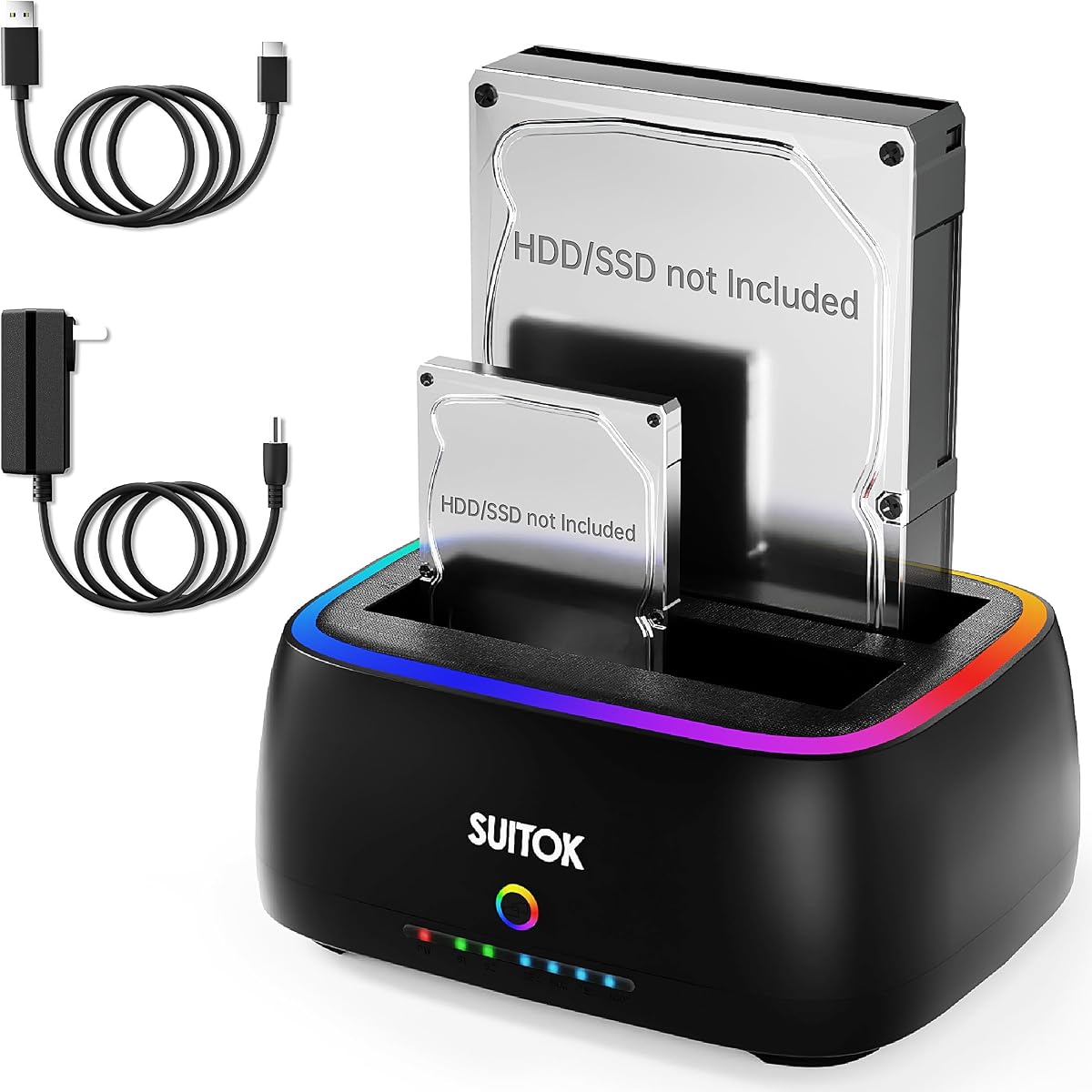
This model features a modern USB-C interface with high-quality RTL9201DP bridge chip for stable transfers. It supports TRIM for SSD health and provides 40TB total capacity for extensive backups.
We may earn a commission when you buy through this link, at no additional cost to you.
The LED progress bar ensures you can monitor cloning status clearly. Its tool-free design allows fast swapping of drives in seconds without extra hardware.
RGB lighting adds a aesthetic touch for desktop setups though it is purely optional. It is a solid choice for users wanting a contemporary design and reliable performance.
Good for general backups and gaming console expansions. Its feature set covers most common home and office needs.
USB-C ensures compatibility with newer devices and laptops lacking traditional USB ports.
TRIM support helps maintain SSD performance over repeated read and write cycles.
We may earn a commission when you buy through this link, at no additional cost to you.
StarTech is known for reliability and this duplicator matches that reputation with fast 28GB/min cloning rates. Its top-loading design and durable casing are built for professional use.
We may earn a commission when you buy through this link, at no additional cost to you.
Supporting both USB-C and USB-A ensures compatibility across a wide range of systems. TRIM support helps maintain SSD health during repeated cloning operations.
The 2-year warranty and lifetime technical support make it a low-risk choice for long-term use. It is ideal for IT shops and data centers.
Recommended for users who prioritize build quality and support. It delivers professional grade performance without compromises.
High-speed sector-by-sector copying reduces downtime during critical migrations.
Lifetime technical assistance provides peace of mind for enterprise users.
We may earn a commission when you buy through this link, at no additional cost to you.
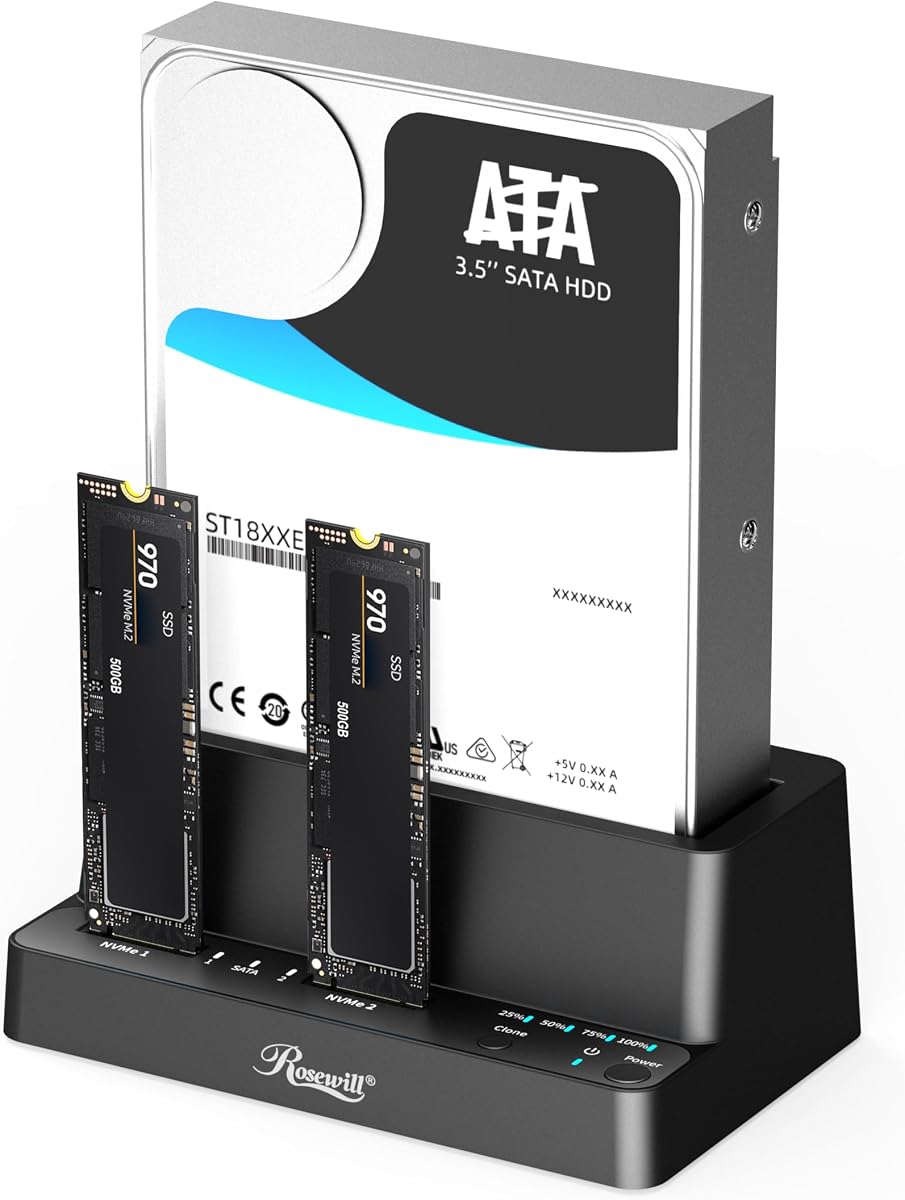
Rosewill offers a portable triple bay option that supports both NVMe and SATA drives. Its compact design makes it easy to carry for on-site work or travel.
We may earn a commission when you buy through this link, at no additional cost to you.
USB 3.2 Gen 2×1 ensures transfer speeds up to 10Gbps for fast data handling. Offline cloning works smoothly for quick duplications without host software.
While it lacks an external power supply, it performs well for typical usage. It is a great choice for mobile techs or gamers on the go.
A versatile pick for users needing portability and modern drive support. It balances performance and size effectively.
Lightweight and compact build makes it easy to transport between locations.
Support for both NVMe and SATA ensures readiness for latest storage media.
We may earn a commission when you buy through this link, at no additional cost to you.
The ORICO 5-bay station provides massive capacity for users with many drives to manage. Its one-button 1:4 cloning allows simultaneous duplication across multiple targets.
We may earn a commission when you buy through this link, at no additional cost to you.
Built with aluminum alloy for efficient heat dissipation and durability. It supports up to 100TB total which suits photographers or media producers.
While user ratings are slightly lower than others, the capacity is unmatched in this price range. It can handle complex workflows efficiently.
Recommended for power users managing large media libraries. Its feature set justifies its complexity and cost.
Up to 100TB capacity supports large scale storage projects without external enclosures.
One-button 1:4 cloning saves time when replicating data across many drives.
We may earn a commission when you buy through this link, at no additional cost to you.
This SABRENT dock brings USB-C connectivity to basic SATA cloning tasks. It supports offline cloning and allows direct access to both drives when connected to a PC.
We may earn a commission when you buy through this link, at no additional cost to you.
Tool-free access makes swapping drives simple and quick. Its design ensures stable transfer speeds for reliable backups and file moves.
While it does not support NVMe, it is excellent for traditional drive users needing modern ports. It provides a simple plug and play experience.
A solid pick for users upgrading to newer computers with USB-C ports. It handles everyday cloning and access tasks well.
USB-C ensures compatibility with latest laptops and devices without adapters.
Tool-free operation streamlines setup and maintenance for all users.
We may earn a commission when you buy through this link, at no additional cost to you.
Selecting the right docking station involves considering key factors that match your specific storage and cloning needs.
Check whether the dock supports your drive types such as 2.5 or 3.5 inch SATA drives or M.2 NVMe SSDs. Some models are limited to SATA while others support modern NVMe formats for higher speeds. Ensure the interface matches the drives you plan to use regularly.
Choose a dock that matches your current and future drive formats to avoid obsolescence or the need for multiple adapters.
Offline cloning allows you to duplicate drives without a host computer which is essential for quick backups. Look for clear instructions and LED indicators that show cloning progress. This feature reduces reliance on software installation and network connections.
Prioritize models with reliable offline cloning to streamline data migration tasks and reduce system downtime.
USB 3.0 offers 5Gbps while USB 3.2 Gen 2 provides up to 10Gbps speeds for larger file transfers. UASP support can boost performance significantly for SSDs. Faster speeds reduce wait times during backups and cloning.
Opt for higher speed interfaces like USB-C with UASP if you work with large files or frequent transfers.
Dual bay docks allow access to two drives while triple or five bay models provide more capacity for multi-drive cloning. More bays support simultaneous access but may require more power and space. Select based on how many drives you handle at once.
Match the bay count to your typical workload to balance capacity with desk space and complexity.
Metal or aluminum alloy designs dissipate heat better than plastic for stable long-term use. Anti-vibration pads reduce noise and wear on hard drives during operation. Durable construction extends the lifespan of the dock.
Choose a unit with solid build quality and cooling features to ensure reliability during intensive use.
External power adapters provide consistent energy for multiple drives especially during cloning operations. Some models use USB bus power but may struggle with multiple drives. Adequate power prevents disconnections and data loss.
Ensure the dock includes a dedicated power supply for reliable performance with large drives.
Features like USB hubs secure erase tools and LCD displays add utility to basic docking stations. Secure erase is important for data privacy and compliance. Hubs allow connecting peripherals without extra cables.
Look for features that address your specific workflow needs such as data wiping or peripheral expansion.
Prices range from budget friendly to premium professional models. Longer warranties indicate manufacturer confidence and provide protection against defects. Consider the cost relative to expected lifespan and usage frequency.
Invest in a model with solid warranty support to safeguard your purchase for long-term use.
Begin by inserting the source drive into the designated slot and ensuring it is properly seated. For offline cloning press the clone button after inserting the target drive which should be equal or larger in capacity than the source. Observe the LED indicators to confirm successful completion.
When using the dock with a computer connect the USB cable securely and wait for the system to recognize both drives. Use file transfer tools to move data between them or copy backups. Always safely eject drives before unplugging to prevent data corruption.
Keep the docking station in a well-ventilated area to avoid overheating during extended operations. Clean dust from vents regularly and avoid stacking heavy items on top. Proper care extends device life and maintains performance reliability.
Yes many docking stations support offline cloning allowing you to duplicate a source drive to a target drive without a host PC. Simply insert both drives press the clone button and wait for the process to finish as indicated by LEDs.
SATA docks work with traditional hard drives and SATA SSDs using standard 2.5 or 3.5 inch connectors. NVMe docks support modern M.2 solid state drives which offer faster speeds but require specific connectors and interfaces.
USB-C docks are better for newer laptops and devices that lack traditional USB-A ports and often support faster speeds. USB 3.0 docks remain useful for older systems and provide ample speed for most general backup tasks.
Many modern docking stations support drives up to 20TB or even 40TB total capacity. Always check the product specifications to ensure the dock supports your drive size to avoid compatibility issues.
TRIM support helps maintain SSD performance by allowing the operating system to inform the drive which data blocks are no longer in use. This prevents slowdowns and extends the lifespan of solid state drives during frequent use.
Cloning generates heat which can harm drives if ventilation is blocked. Always ensure the docking station is in a well-ventilated area and avoid continuous operation for many hours without breaks to maintain drive health.
Some docks offer read-only access which helps prevent overwriting damaged drives during recovery. Use caution and connect the drive as read-only if possible to preserve existing data until recovery software is used.
Check that the drive is inserted correctly and that the power adapter is connected if required. Ensure the USB cable is functional and try different ports. Restart your computer to refresh drive detection.
Our top picks offer reliable solutions for everyone from budget conscious home users to professional IT teams. The ICY BOX USB-C NVMe Cloner leads for versatility while the StarTech 4-Bay provides enterprise grade tools.
Prioritize features that match your specific needs such as offline cloning speed and drive type support. Investing in a quality dock ensures data integrity and saves time during future migrations.
Always verify current availability and specifications before purchasing as models may update frequently. Choosing the right tool now will simplify your workflow for years to come.