
Redragon M612 Wired RGB Optical Gaming Mouse 8000 DPI Remapping Keys
4.6Editor score
Five adjustable DPI levels
Nine programmable buttons
Ergonomic claw-grip design
Dynamic RGB backlighting modes
Discover the top 10 drag click mice for gaming and productivity. This guide compares sensors, ergonomics, and features to find your perfect match.
Drag click mice have revolutionized competitive gaming by allowing players to execute rapid clicks with minimal finger movement. These specialized peripherals are designed to maximize clicks per second, making them essential for high-level play in various genres.
Our team evaluated ten top-rated models based on sensor accuracy, ergonomic design, programmability, and overall build quality. We analyzed real-world performance data and user feedback to ensure every recommendation meets the demands of serious gamers and professionals alike.
Each pick highlights specific strengths such as wireless connectivity, lightweight frames, or extensive macro support. Please note that product availability and pricing may fluctuate regularly, so verify current details before making your final purchase decision today.
4.6Editor score

4.6Editor score

4.6Editor score
This detailed comparison table breaks down the core specifications of every model featured in our guide. Use it to quickly assess sensor capabilities, connectivity options, weight distributions, and button configurations across the entire selection.

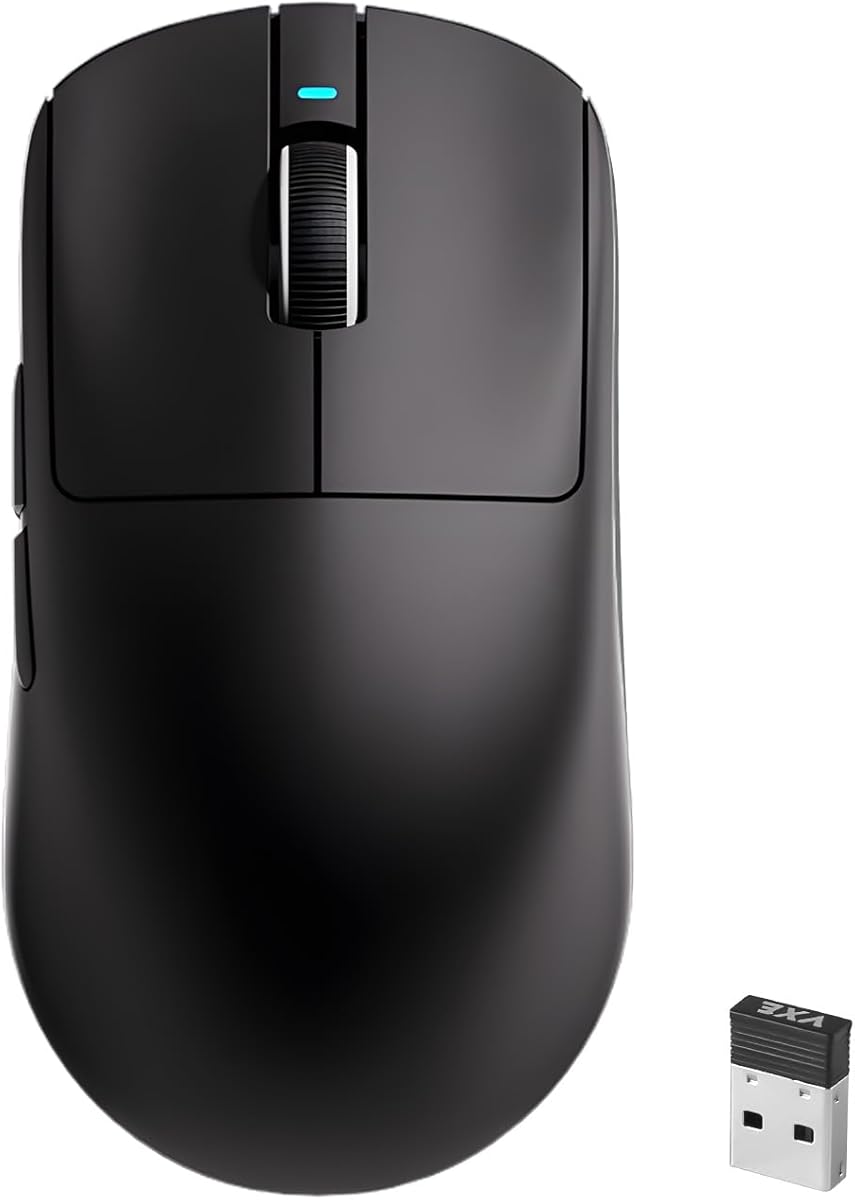



The Redragon M612 stands out as an exceptional entry-level option for gamers seeking reliable performance without breaking the bank. With a solid rating of 4.6 stars, it delivers consistent tracking and a comfortable design suitable for long sessions.
We may earn a commission when you buy through this link, at no additional cost to you.
Its five redefinable DPI levels allow users to switch between precision and speed effortlessly, while the nine programmable buttons offer ample customization for tactical keybinds. The skin-friendly frosted coating ensures a secure grip without slipping during intense gameplay.
While the wired connection limits mobility compared to wireless models, it ensures zero latency which is crucial for competitive play. The RGB lighting adds a nice aesthetic touch, though the software interface may feel less polished than premium brands.
This mouse is ideal for budget-conscious gamers or those new to drag clicking who want a dependable tool to practice their skills. Its ergonomic design reduces fatigue, making it a strong recommendation for anyone starting their journey into competitive gaming setups.
Users can fully tailor button functions and DPI settings to match specific game requirements or personal preferences through dedicated software.
The streamlined shape and textured side grips work together to support natural hand positioning and reduce strain during extended use periods.
We may earn a commission when you buy through this link, at no additional cost to you.
The Redragon M923 PRO bridges the gap between affordability and high-end features by offering versatile wireless connectivity options. Its 4.6 star rating reflects strong user satisfaction with its precision and comfort during daily use.
We may earn a commission when you buy through this link, at no additional cost to you.
With support for Bluetooth, 2.4Ghz, and wired modes, this mouse adapts seamlessly to different devices and environments. The 24000 DPI sensor provides pinpoint accuracy, while the eight programmable buttons ensure you can execute complex commands without missing a beat.
Although it is not the lightest on the market, the ergonomic design compensates by providing a natural grip that minimizes hand fatigue. The dynamic RGB lighting enhances the gaming atmosphere, though users should manage settings to preserve battery longevity.
Ideal for gamers who need flexibility across multiple devices, this model delivers impressive performance for its price point. It is a smart choice for those seeking wireless freedom without compromising on essential drag click capabilities.
Switch between Bluetooth for office work and 2.4Ghz for gaming to maintain optimal performance across various scenarios and devices.
The high DPI sensor ensures smooth tracking on multiple surfaces, allowing for precise movements that are critical for competitive gameplay.
We may earn a commission when you buy through this link, at no additional cost to you.
The Razer Viper V3 Pro represents the pinnacle of wireless esports engineering, designed specifically for elite competitive play. Its 4.6 star rating is well deserved given its flawless performance and ultra lightweight construction that feels almost invisible in hand.
We may earn a commission when you buy through this link, at no additional cost to you.
Featuring the Focus Pro 35K optical sensor and 8000Hz polling rate, this mouse delivers unmatched precision and responsiveness. The optical switches ensure zero double-clicking issues with a rapid 0.2 ms actuation speed, giving you a competitive edge in high-pressure moments.
At just 44 grams, the Viper V3 Pro minimizes wrist strain while allowing for swift flicks and precise tracking on glass or rough surfaces. The 95-hour battery life ensures you can play through long tournaments without worrying about frequent recharges or interruptions.
While the price is higher than budget options, the performance and reliability justify the investment for serious gamers. This mouse is the best choice for players who demand the absolute best technology to dominate in fast-paced environments.
Developed with world-class esports pros, the balanced design enables swift, precise movements that match every intention during critical plays.
Optical switches eliminate mechanical bounce, providing immediate feedback and a longer click lifecycle for consistent performance over time.
We may earn a commission when you buy through this link, at no additional cost to you.
The ATK R1 SE+ offers a compelling alternative for gamers seeking a lightweight wireless experience with extensive customization options. Its 4.6 star rating highlights its success in delivering stable performance and ergonomic comfort across various usage scenarios.
We may earn a commission when you buy through this link, at no additional cost to you.
Supporting wired, 2.4G, and Bluetooth connections, this mouse adapts to both gaming rigs and office setups effortlessly. The PAW3395SE sensor provides accurate tracking up to 18000 DPI, while the web-driven interface allows for quick adjustments without installing heavy software.
Weighing only 55 grams, it ensures effortless control during rapid movements, reducing fatigue during long sessions. The ergonomic shape fits natural hand curves, making it suitable for palm, claw, or fingertip grip styles equally well.
This model is perfect for users who value flexibility and modern features without breaking the bank. It delivers a balanced mix of performance and comfort, making it a smart contender for those exploring wireless drag click solutions.
Adjust DPI, polling rates, and button functions directly through a web interface for instant setup without traditional driver installations.
Careful crafting based on ergonomic principles ensures the mouse supports your hand comfortably, preventing soreness even after long gaming periods.
We may earn a commission when you buy through this link, at no additional cost to you.
The Redragon M910-K is a reliable choice for gamers prioritizing wired stability and extensive macro support. With a 4.5 star rating, it offers robust performance and customization features that cater to both competitive and casual play styles.
We may earn a commission when you buy through this link, at no additional cost to you.
Its five redefinable DPI levels and nine programmable buttons provide ample flexibility for executing complex commands and macros. The fire button feature allows one-click rapid fire, which can be a game-changer in specific titles requiring high click rates.
The ergonomic contour fits comfortably in various hand sizes, ensuring fatigue-free gaming over extended periods. Users can switch between five profiles to match different scenarios, making it versatile for both work and gaming environments.
While it lacks wireless capabilities, the stable connection ensures zero lag, which is crucial for precise movements. This mouse is an excellent value for those who prefer traditional wired setups and need reliable macro functionality.
The ability to record and assign complex macros to buttons simplifies gameplay, allowing you to execute multiple actions with a single click.
The ergonomic shape is crafted to fit naturally in the hand, providing support that reduces strain during long hours of intense activity.
We may earn a commission when you buy through this link, at no additional cost to you.
The MOJO Pro Performance gaming mouse is designed for players who need high performance without disturbing others. With a 4.0 star rating, it combines silent buttons with robust sensor capabilities, making it ideal for shared environments or late-night sessions.
We may earn a commission when you buy through this link, at no additional cost to you.
Its hand-sculpted ergonomic design ensures a comfortable grip, while the silent buttons eliminate noise without sacrificing tactile feedback. The PMW3336 sensor supports up to 12000 DPI and 1000 Hz polling, ensuring accurate tracking and smooth movements during intense battles.
Although it is heavier than modern ultralight models, the weight provides a stable feel that some users prefer for precision. The fully customizable software allows for detailed profile setup, including LED controls and macro configurations.
This model is perfect for streamers or individuals who need to keep noise levels low while gaming. It offers a unique blend of quiet operation and competitive features, making it a standout option for specific user needs.
Silent buttons ensure you can play through the night without bothering others, maintaining focus without acoustic distractions.
The advanced sensor delivers flawless tracking up to 12000 DPI, ensuring your movements translate accurately on screen for precise aiming.
We may earn a commission when you buy through this link, at no additional cost to you.
The Redragon M913 Impact Elite is tailored for MMO players who require extensive button access and reliable wireless connectivity. Its 4.4 star rating reflects strong satisfaction with its ability to handle complex keybinds and prolonged gaming sessions.
We may earn a commission when you buy through this link, at no additional cost to you.
Featuring twelve side buttons and sixteen programmable buttons total, this mouse maximizes input options for executing skills and macros quickly. The optical sensor provides accurate tracking up to 16000 DPI, ensuring precision across various game genres.
With a 45-hour battery life and dual-mode connectivity, it offers the freedom of wireless play without sacrificing the stability of a wired connection. The RGB lighting adds a customizable aesthetic that complements any gaming setup.
Ideal for MMO enthusiasts, this mouse provides the necessary control for managing large inventories or complex rotations. Its ergonomic design supports comfortable use over time, making it a practical choice for dedicated players.
The twelve side buttons provide quick access to skills and items, streamlining gameplay and reducing the need for keyboard reliance.
A robust battery capacity ensures extended play without frequent interruptions, keeping you focused on victory rather than charging.
We may earn a commission when you buy through this link, at no additional cost to you.
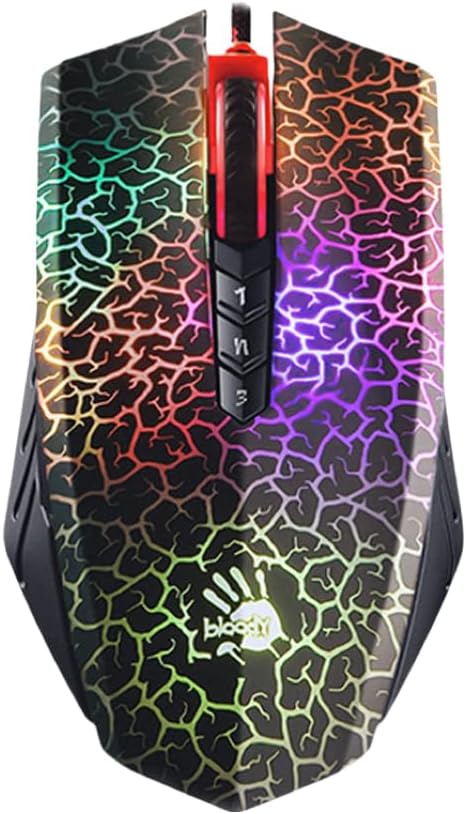
The Bloody A70 II is engineered for speed and durability, featuring Light Strike switch technology that delivers rapid response times. With a 4.5 star rating, it stands out for its ability to provide fast, noiseless clicks that are ideal for competitive environments.
We may earn a commission when you buy through this link, at no additional cost to you.
Its optical engine offers up to 8000 DPI adjustable precision, paired with X'GLIDE ARMOR feet for smooth movement across surfaces. The mouse is designed to work best with specific pads, ensuring optimal tracking consistency during high-speed maneuvers.
With a lifespan of over 20 million clicks and a response time under 0.2 ms, this mouse minimizes physical resistance and enhances feedback. It supports advanced macros and full programmability, giving users deep control over their gameplay tactics.
This mouse is best suited for players who prioritize raw speed and durability in their peripherals. While it requires specific conditions for peak performance, the results are often worth the effort for dedicated gamers.
Optical switches eliminate mechanical bouncing, offering zero noise and incredibly fast response for rapid clicking and drag clicking.
Reinforced feet and robust internal components ensure the mouse withstands intense usage, maintaining performance over a long lifespan.
We may earn a commission when you buy through this link, at no additional cost to you.
The Logitech G PRO X2 SUPERSTRIKE pushes boundaries with its haptic inductive trigger system and ultra-fast click technology. Rated 4.6 stars, it offers a unique immersive experience that enhances precision and feedback in a way few other mice can match.
We may earn a commission when you buy through this link, at no additional cost to you.
Featuring the HERO 2 sensor, it delivers tracking accuracy exceeding 44000 DPI with zero smoothing for pixel-precise movements. The haptic feedback provides real-time cues, allowing you to react faster and more intuitively during critical gameplay moments.
Its thin-wall case and lightweight design ensure minimal fatigue, while the 8 kHz polling rate keeps inputs tight and responsive. With up to 90 hours of battery life, it supports extended play without the need for constant charging.
This mouse is a top choice for professionals or enthusiasts seeking the absolute cutting edge in gaming technology. Its advanced features justify the premium cost for those who demand unparalleled performance and feedback.
The breakthrough haptic system gives real-time feedback for an unmatched immersive experience tailored to any game scenario.
With a sensor capable of over 44000 DPI, you get pinpoint accuracy that champions rely on for every play in intense matches.
We may earn a commission when you buy through this link, at no additional cost to you.
The Razer Basilisk V3 offers a perfect balance of ergonomics and customization for gamers who need comfort alongside performance. With a 4.6 star rating, it supports long sessions with its thumb rest and adjustable scroll wheel features.
We may earn a commission when you buy through this link, at no additional cost to you.
Its 11 programmable buttons allow for extensive macro assignment, while the HyperScroll tilt wheel switches between free-spin and tactile modes as needed. The Focus Plus 26K DPI optical sensor ensures flawless tracking with zero smoothing for pixel-perfect precision.
The optical switches provide crisp execution with zero unintended misclicks, maintaining reliability over millions of clicks. RGB lighting zones add a personalized touch, reacting dynamically with supported games for an enhanced visual experience.
This mouse is an excellent choice for those who favor ergonomic shapes and need robust customization features. It delivers consistent performance and comfort, making it a strong contender for both gaming and professional tasks.
The iconic design with a thumb rest supports the hand perfectly, ensuring quick access to buttons without fatigue during long sessions.
Twelve programmable buttons and Chroma RGB lighting allow you to tailor the mouse to your exact preferences and game needs.
We may earn a commission when you buy through this link, at no additional cost to you.
Selecting the right drag click mouse requires evaluating several critical factors that influence performance and comfort. This guide breaks down the essential elements you should consider before making a purchase.
The optical sensor determines how accurately your movements are tracked on screen. High DPI ratings allow for greater sensitivity adjustments, which are essential for switching between precise aiming and fast movement.
Look for sensors with high max DPI and low acceleration to ensure consistent tracking across different surfaces without jitter or lag.
Comfort is key during long gaming sessions, so the mouse shape should fit your hand size and grip style naturally. Weight also affects agility, with lighter mice allowing for faster flicks and less strain on the wrist.
Choose a model that feels balanced and lightweight enough to reduce fatigue while maintaining a solid build quality.
Connectivity options include wired, wireless, or hybrid setups that offer flexibility depending on your setup. Wireless models provide freedom of movement but require battery management, while wired ones offer consistent zero-lag performance.
Decide based on whether you prioritize absolute stability with a cable or the convenience of a wireless experience.
Programmable buttons allow you to map macros and custom commands for enhanced gameplay efficiency. More buttons offer greater versatility, especially in genres like MMO or tactical shooters that rely on complex inputs.
Ensure the software supports intuitive customization so you can assign functions without needing deep technical knowledge.
Switch technology dictates the click feel and response time, with mechanical and optical options available. Optical switches generally offer faster actuation and longer lifespans, making them ideal for rapid click techniques.
Select a switch type that aligns with your preference for tactile feedback and durability over time.
For wireless models, battery life is a critical factor that influences how long you can play without interruption. Fast charging capabilities help minimize downtime, ensuring your setup stays ready for extended sessions.
Prioritize mice with longer battery endurance and convenient charging options to maintain uninterrupted gameplay.
Build quality affects how well the mouse withstands daily wear and tear. Materials like high-grade plastics and reinforced feet contribute to longevity and a premium feel during use.
Look for reviews or specs indicating durable construction to ensure your investment lasts for years of competitive play.
Price and value should be weighed based on the features and performance you require. Budget models may lack advanced wireless tech, but premium models offer high-end sensors and customization.
Identify your priority features and choose a mouse that offers the best balance of cost and functionality for your needs.
To maximize drag click efficiency, ensure your mouse surface is clean and dry to reduce friction. Use the software to set optimal DPI and acceleration settings that match your preferred play style.
Regularly clean the sensor and feet with a soft cloth to prevent debris buildup that can affect tracking. Adjust lighting and macro settings periodically to keep your experience fresh and efficient.
Store your mouse in a cool, dry place when not in use to extend battery life and component longevity. Avoid exposing it to extreme temperatures or direct sunlight that may degrade materials over time.
A drag click mouse is designed to maximize clicks per second by allowing users to slide their finger across the button to register multiple clicks. This technique is often used in competitive gaming to perform rapid actions efficiently.
Modern wireless mice offer low latency and consistent performance comparable to wired models. Advanced technologies like HyperPolling ensure responsiveness that rivals traditional cables for competitive play.
Optimize DPI by setting it to a level that balances speed and precision based on your hand movement speed. Lower DPI often provides better control for consistent drag clicks during rapid actions.
Optical switches generally have a longer lifespan than mechanical switches because they do not suffer from physical wear and tear. They also offer faster response times and reduce double-click issues.
High-quality optical sensors with high polling rates are best for drag clicking as they track movement smoothly without skipping. These ensure that rapid clicks register accurately on screen.
While many mice can technically support drag clicking, specialized models with lighter switches and better ergonomics perform more consistently. It is recommended to use a mouse designed for high click rates.
Clean your mouse sensor by gently wiping it with a dry, soft cloth or using compressed air to remove dust. Avoid using liquids that could damage the internal components.
Battery life determines how long you can use the mouse without interruption or charging. Long battery life ensures uninterrupted gaming sessions and reduces the need to keep chargers nearby.
Our guide highlights the top performers across budget, wireless, and premium categories. From the affordable Redragon M612 to the high-end Logitech G PRO X2, each option offers unique strengths tailored to specific gaming needs.
Prioritize features that align with your primary use case such as sensor accuracy for competitive play or comfort for long sessions. A well-chosen mouse can significantly improve your control and performance in any game.
Prices and availability change regularly, so always verify current deals and stock before buying. With the right choice, you will gain a reliable tool that enhances your gameplay experience effectively.