
Frameo Digital Picture Frame
4.6Editor score
Thirty two GB storage included
Non WiFi upload options available
Affordable price point value
Finding the right digital picture frame for grandparents can be challenging when you consider their tech comfort and your desire to share memories easily. A good frame should offer simple setup intuitive controls and a clear display that brings photos to life without confusion or frustration for senior users.
We evaluated ten leading models based on connectivity options display quality storage capacity and overall usability for older adults. Our comparison looks at real-world features like app integration touch responsiveness and how well each device handles photos and videos sent from family members across the country.
Each pick in this list highlights specific strengths that matter most for grandparent users including large screens easy sharing and reliable performance. Please note that product availability and pricing may change so verify details before purchasing to ensure you get the best value and features available today.
4.6Editor score
4.7Editor score

4.7Editor score
As an Amazon Associate we earn from qualifying purchases.
The following table provides a side by side overview of all ten digital picture frames reviewed in this guide to help you quickly compare key specifications and features.


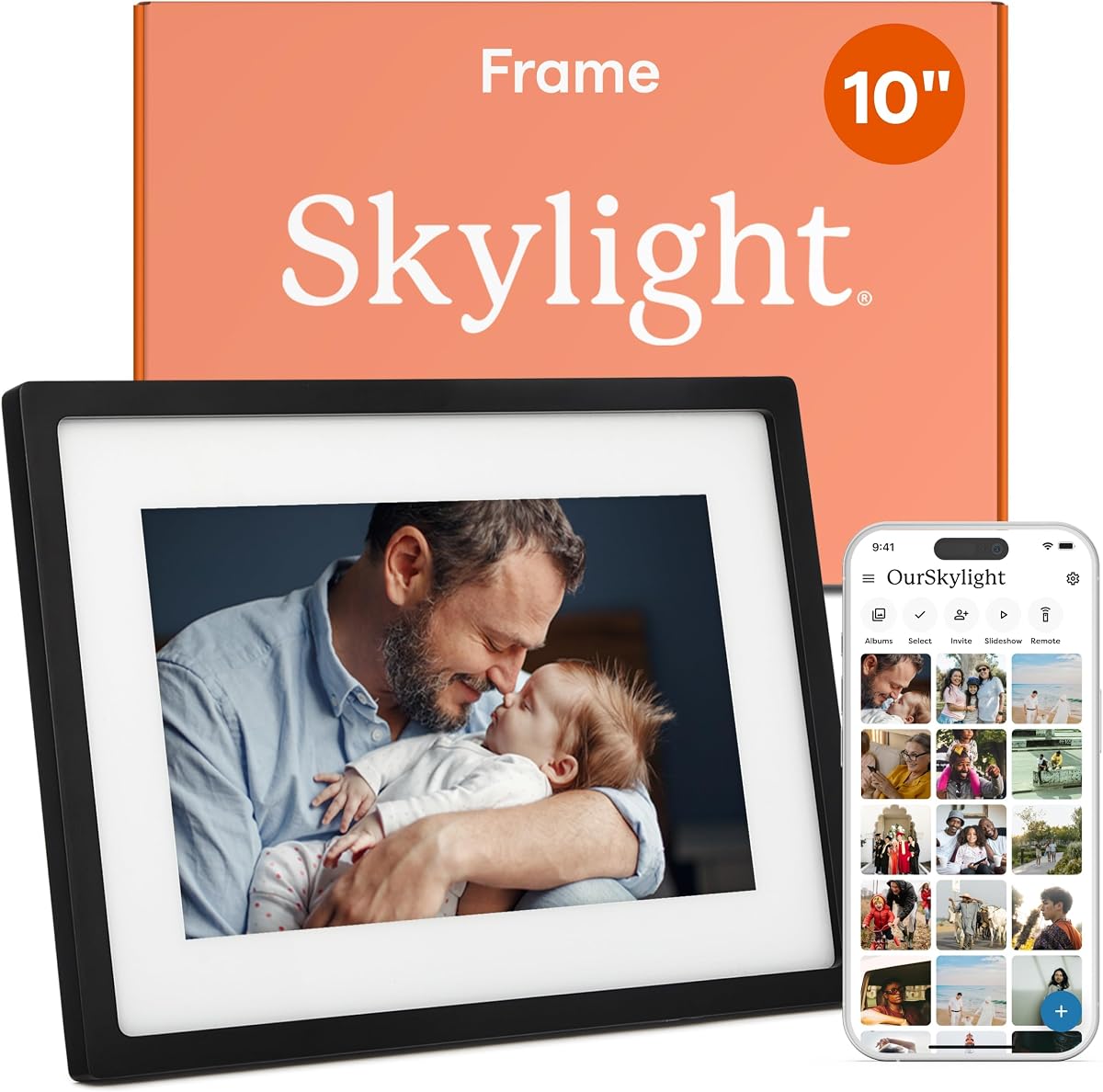
The Skylight Digital Picture Frame stands out for its simplicity and ease of use which is perfect for seniors who want to enjoy photos without technical headaches. With a high rating and consistent praise it delivers a reliable experience that keeps families connected effortlessly.
We may earn a commission when you buy through this link, at no additional cost to you.
Its standout feature is the email based sharing system that allows anyone to send photos directly to the frame using a unique address. This eliminates the need for apps or logins making it accessible for grandparents who are less familiar with modern technology.
While it lacks non WiFi transfer options this trade-off ensures security and ease since family members just send emails like they usually do. The design is elegant and the screen quality is clear enough to appreciate every detail in cherished memories.
This frame is ideal for grandparents who value simplicity over advanced features and want a hassle free way to receive photos daily. If you prioritize user friendly setup and reliability Skylight offers a thoughtful solution that brings joy without complexity.
Family members send photos to a unique Skylight email address so grandparents receive updates without needing to download apps or log in.
The frame can be preloaded with photos before shipping so recipients can start viewing memories immediately upon unboxing.
We may earn a commission when you buy through this link, at no additional cost to you.
The Frameo Digital Picture Frame offers exceptional value for families seeking an affordable option that does not compromise on essential features. It balances cost with functionality making it an ideal gift for grandparents who want a straightforward way to display photos.
We may earn a commission when you buy through this link, at no additional cost to you.
This model supports both WiFi sharing via the Frameo app and non WiFi uploads through USB or SD cards which provides flexibility for users who prefer not to use apps. The built-in storage holds thousands of photos so memories never run out.
While the screen is smaller than premium models it still delivers clear visuals and the touch interface is intuitive enough for most seniors. The magnetic stand allows easy switching between portrait and landscape orientations to fit any space in the home.
Choose this frame if you want a reliable budget friendly solution that accommodates different sharing preferences. It is a practical choice for grandparents who appreciate simplicity and versatility without paying extra for advanced features.
Photos can be sent via the Frameo app over WiFi or uploaded directly through USB drives and SD cards for those avoiding apps.
With thirty two GB of built-in storage you can store over fifty thousand photos without needing extra memory cards.
We may earn a commission when you buy through this link, at no additional cost to you.
The Aura Digital HD Picture Frame is a top tier choice for those seeking a premium experience with unlimited storage and refined design. Its high rating reflects consistent user satisfaction and the quality of its display and connectivity features.
We may earn a commission when you buy through this link, at no additional cost to you.
Aura stands out by offering unlimited photo storage with no subscription fees which means grandparents can enjoy every memory sent by family without limits. The screen adjusts automatically to room lighting ensuring comfortable viewing day and night.
While it costs more than budget models the value lies in its reliability and elegant design that blends into any home decor. Setup takes only minutes and the included gift packaging makes it a thoughtful present ready to give.
This frame is perfect for grandparents who deserve a high quality display and unlimited storage without monthly fees. If budget allows Aura provides a polished and reliable solution that keeps memories flowing freely.
Add unlimited photos and videos without monthly subscription fees keeping every cherished memory accessible forever.
The built-in light sensor adjusts screen brightness automatically for optimal viewing comfort in any lighting condition.
We may earn a commission when you buy through this link, at no additional cost to you.
This large Frameo frame offers a massive fifteen point six inch display that makes photos and videos easy to see for grandparents with vision needs. It combines size with robust storage and video capabilities for a rich viewing experience.
We may earn a commission when you buy through this link, at no additional cost to you.
The 64GB memory holds over one hundred thousand photos which is rare in this category and ensures grandparents never run out of space. Video playback with sound via SD card or USB adds dynamic memories beyond static images.
While the screen is impressive it requires 2.4GHz WiFi and the power port needs careful handling to avoid damage. The touch screen simplifies navigation but older users may need time to adjust to gesture controls.
Choose this model if screen size and storage are top priorities for your grandparents. It delivers a cinematic experience for memories though care is needed with setup and power connection.
The fifteen point six inch Full HD screen provides clear detailed images that are easy to view from any angle.
Import videos via USB or SD card to watch memories with audio for a more engaging experience.
We may earn a commission when you buy through this link, at no additional cost to you.
This Frameo frame delivers a large fifteen point six inch screen that brings photos to life with vivid colors and details. It balances size with useful features like auto rotate and sleep mode to suit different viewing habits.
We may earn a commission when you buy through this link, at no additional cost to you.
With thirty two GB storage it holds plenty of photos and the Frameo app allows easy sharing from anywhere. The touchscreen makes navigation simple and the auto rotate feature ensures images always appear correctly regardless of orientation.
While storage is less than some models it remains ample for most families. The sleep mode saves energy and protects the screen which is a thoughtful addition for daily use.
Ideal for grandparents who want a large display without excessive complexity this frame provides a reliable and visually engaging experience for daily memories.
Photos automatically adjust between portrait and landscape modes to fit the screen perfectly without manual intervention.
Set the frame to turn off automatically during rest hours to save energy and reduce screen brightness at night.
We may earn a commission when you buy through this link, at no additional cost to you.
The AEEZO Digital Picture Frame combines a clear IPS touchscreen with smart sensors that adjust automatically for the best viewing experience. It is an excellent choice for seniors who appreciate tech features that simplify daily use.
We may earn a commission when you buy through this link, at no additional cost to you.
Gravity sensors rotate photos to match orientation while the light sensor adjusts brightness based on ambient conditions. These automated features mean less manual tweaking for grandparents who just want their photos displayed beautifully.
The thirty two GB storage and touch interface keep setup and browsing simple. While it relies on the AiMOR app for sharing it ensures secure family updates that arrive seamlessly on the frame.
This frame suits grandparents who want modern conveniences like auto adjust and brightness control without complexity. It delivers a polished experience at a competitive price point.
Built-in sensors automatically adjust photo orientation so images are always displayed correctly regardless of frame position.
A light sensor changes screen brightness to match room conditions for comfortable viewing at any time of day.
We may earn a commission when you buy through this link, at no additional cost to you.
This FRAMEO model offers unique social features like calendar sync and emoji reactions that let grandparents stay connected beyond photos. It is designed for families who want more interaction and organization within the frame itself.
We may earn a commission when you buy through this link, at no additional cost to you.
The integrated calendar displays daily schedules alongside photos helping grandparents stay organized while enjoying memories. Collage mode allows multiple photos on one screen and emoji reactions make responding to shared moments fun.
While it works best with the Frameo app the auto rotate and touch display keep daily use smooth. The thirty two GB memory stores plenty of content without external storage needs.
Choose this frame for grandparents who enjoy organized schedules and interactive features. It adds a personal touch to family sharing beyond standard photo displays.
Sync calendars to show daily events alongside photos helping grandparents stay organized and informed at a glance.
Display up to six photos simultaneously in vibrant layouts to showcase multiple memories at once.
We may earn a commission when you buy through this link, at no additional cost to you.
This fifteen point six inch Frameo frame offers a large display perfect for grandparents who need big easy to see photos. It includes thoughtful features like themed greetings that add warmth to special occasions.
We may earn a commission when you buy through this link, at no additional cost to you.
The touchscreen makes navigation intuitive and the auto rotate feature ensures photos are always oriented correctly. Themed greeting photos let users send birthday wishes directly to the frame adding a personal touch.
While it requires the Frameo app for WiFi sharing this system ensures secure private sharing among family members. The sleep mode helps conserve energy and protect the screen over time.
This model is ideal for grandparents who value a large screen and personalized features. It combines visual quality with usability to make daily sharing effortless.
Send special themed pictures for birthdays or holidays to add warmth and personal messages directly on the frame.
The fifteen point six inch responsive touch screen allows easy navigation and clear viewing of all photos.
We may earn a commission when you buy through this link, at no additional cost to you.
This listing currently lacks detailed product information preventing a thorough review. We prioritize only fully vetted products to ensure accuracy and reliability for our readers.
We may earn a commission when you buy through this link, at no additional cost to you.
When more data becomes available we will update this section with relevant details and recommendations based on performance and usability.
For now we suggest focusing on other fully reviewed models in this guide that offer proven features for grandparents.
Checking current listings or contacting the manufacturer may provide updates on this product availability status.
This product is currently pending detailed review information and recommendations may change once data is updated.
We may earn a commission when you buy through this link, at no additional cost to you.
Choosing the right digital picture frame for grandparents involves balancing features with usability to ensure they enjoy memories without frustration.
Look for frames that offer plug and play setup with minimal configuration. Frames that require simple email or app sharing without complex pairing steps are best for seniors who may not be tech savvy.
Prioritize models that arrive preconfigured or offer clear instructions and support.
Larger screens between ten and sixteen inches make photos easier to see for grandparents with vision challenges. Full HD resolution ensures images appear crisp and colorful enhancing the viewing experience.
Select a display size that fits comfortably in their living space while remaining clear.
Consider whether the frame supports app based sharing non WiFi uploads or email. Some grandparents prefer sending photos directly via USB or SD cards while others appreciate email sharing without extra apps.
Choose a frame that matches the family's preferred sharing method.
Internal storage ranges from thirty two GB to sixty four GB or more. Higher capacity allows thousands of photos to be stored locally without deleting old memories.
Opt for larger storage if you plan to upload many photos regularly.
Touchscreens provide intuitive navigation but buttons may be easier for those unfamiliar with touch gestures. Choose a control method that aligns with your grandparents comfort level.
Test the responsiveness if possible before purchase.
Frames with auto rotate sensors adjust photos based on how the frame is placed. This prevents images from appearing sideways and removes manual adjustment needs.
This feature is essential for versatility on tabletops or wall mounts.
Check if the frame supports both 2.4GHz and 5GHz WiFi. Some older networks may not work with 5GHz only models which can limit connectivity.
Confirm your home network compatibility to avoid connection issues.
Many premium frames offer unlimited storage without monthly fees while others require subscriptions. Avoid models that lock basic features behind paywalls.
Look for one time purchase options that include all necessary services.
Start by placing the frame in a well lit spot away from direct sunlight which can fade the screen. Connect it to your home WiFi network using the provided instructions or preconfig it before gifting.
Teach grandparents how to view photos by touching the screen gently or using buttons. Show them how to rotate the frame to change orientation if needed.
Regularly clean the screen with a soft dry cloth to avoid scratches. Update the device software when prompted to ensure smooth performance.
Many modern frames are designed with seniors in mind offering simple touch interfaces or button controls. Email sharing models eliminate app complexity making them ideal for grandparents unfamiliar with technology.
Some frames need internet to receive new photos via app or email but local files stored on USB or SD cards can often play without WiFi.
Yes most frames allow photo sharing directly from smartphones using dedicated apps or email depending on the model features.
Frames with internal memory store photos until deleted but cloud storage options keep images safe online even if the device is replaced.
Some frames support offline photo transfers via USB or SD cards which is perfect for grandparents without home internet access.
Most frames allow unlimited family members to send photos securely through a shared app or unique email address.
The top picks in this guide including Skylight Frameo and Aura provide reliable options balancing ease of use with quality displays for grandparents.
Focus on setup simplicity display size and sharing methods that match your family's habits to ensure the gift is used and cherished daily.
Always verify current availability and prices before buying since product details can change over time.