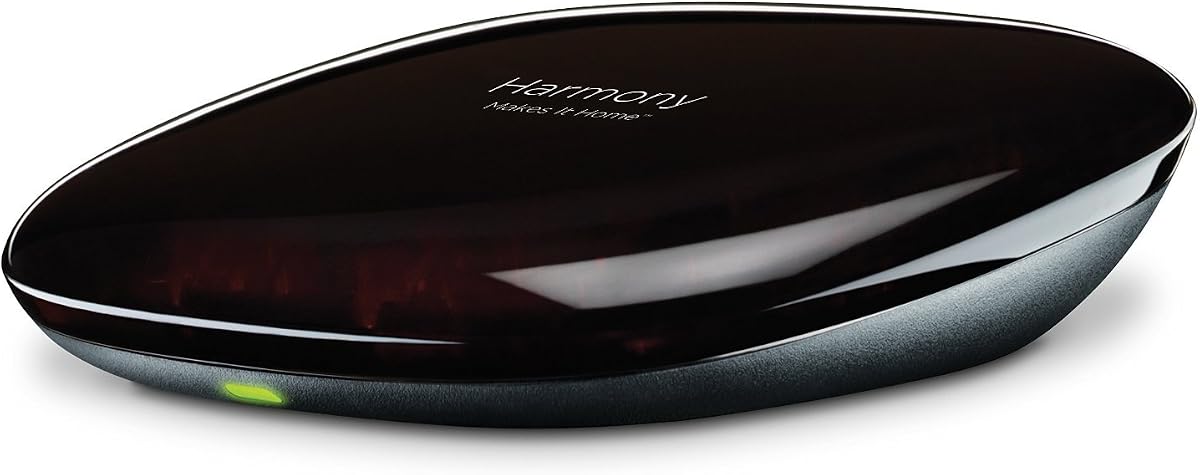
Logitech Harmony Home Hub
3.9Editor score
Compatible with Alexa voice control
Controls up to eight devices
Closed cabinet control included
This guide compares the top Logitech Harmony Home Hub models to help you find the best universal remote solution for your smart home and entertainment setup
Finding the right control solution for your home entertainment and smart devices can be challenging. A good hub unifies multiple remotes into one seamless experience, allowing you to manage everything from your TV to your lights with ease.
We evaluated ten distinct Logitech Harmony products based on compatibility, features, and user feedback. This list covers everything from basic hubs to elite touchscreens, ensuring you find the perfect match for your specific needs and device ecosystem.
Each pick highlights key capabilities and potential trade-offs to help you decide quickly. Please note that availability and pricing can fluctuate frequently, so checking the latest details before purchasing is always recommended for the best value.
3.9Editor score

3.7Editor score

3.8Editor score
The following comparison table outlines the core specifications and capabilities of each model to help you visualize the differences at a glance before making your final selection.


The Logitech Harmony Elite stands out as a powerful universal remote solution designed for those who want maximum control over their home entertainment and smart home devices. With a rating reflecting mixed but generally positive user feedback, it offers a robust set of features that streamline daily interactions with technology.
We may earn a commission when you buy through this link, at no additional cost to you.
Its interactive full-color touchscreen allows users to navigate through channels, volume, and settings with simple swipes and taps. The ability to manage up to fifteen devices through one tool makes it ideal for complex setups involving TVs, streaming boxes, and smart lighting systems like Philips Hue.
While the device is highly capable, the setup process can be intricate for some users who may not be tech-savvy. Additionally, the price point is higher than basic remotes, which might be a consideration for budget-conscious buyers looking for simple functionality.
This remote is best suited for power users who want a centralized command center for their entire home. If you value seamless integration and voice control via Alexa, the Harmony Elite provides the advanced features necessary to elevate your home automation experience.
The Harmony Elite integrates effortlessly with smart home ecosystems, allowing you to control lights, locks, and thermostats directly from the interface or app.
Compatible with Amazon Alexa, this remote lets you issue voice commands to start activities or control devices without touching the screen or app.
We may earn a commission when you buy through this link, at no additional cost to you.
The Logitech Harmony Smart Control offers a flexible approach to managing entertainment devices by combining a physical remote with a robust smartphone app. With a strong rating from users, it provides a balance between traditional remote functionality and modern app-based control.
We may earn a commission when you buy through this link, at no additional cost to you.
This system includes a hub that allows you to control devices hidden behind cabinet doors, which is a significant advantage for clean home theater setups. The app supports swipe and tap gestures to manage favorites, volume, and media playback on iOS and Android devices.
One trade-off is the limitation to eight devices, which might not be enough for larger households with extensive equipment. Additionally, the reliance on internet access for some features means connectivity issues could temporarily disrupt control capabilities.
This model is ideal for users who prefer using their phones as remotes but still want a physical backup. If you need to control hidden equipment and value app integration, the Harmony Smart Control delivers reliable performance at a reasonable level of complexity.
The included hub enables infrared signal transmission to devices tucked away in cabinets, ensuring you can control everything without line of sight.
The smartphone app transforms your device into a universal remote, offering customizable channel icons and easy access to media functions.
We may earn a commission when you buy through this link, at no additional cost to you.
The Logitech Harmony Ultimate Hub serves as a central unit for controlling up to eight entertainment devices through a mobile app. Users appreciate its ability to integrate with streaming media players and hidden cabinets, making it a practical choice for modern living rooms.
We may earn a commission when you buy through this link, at no additional cost to you.
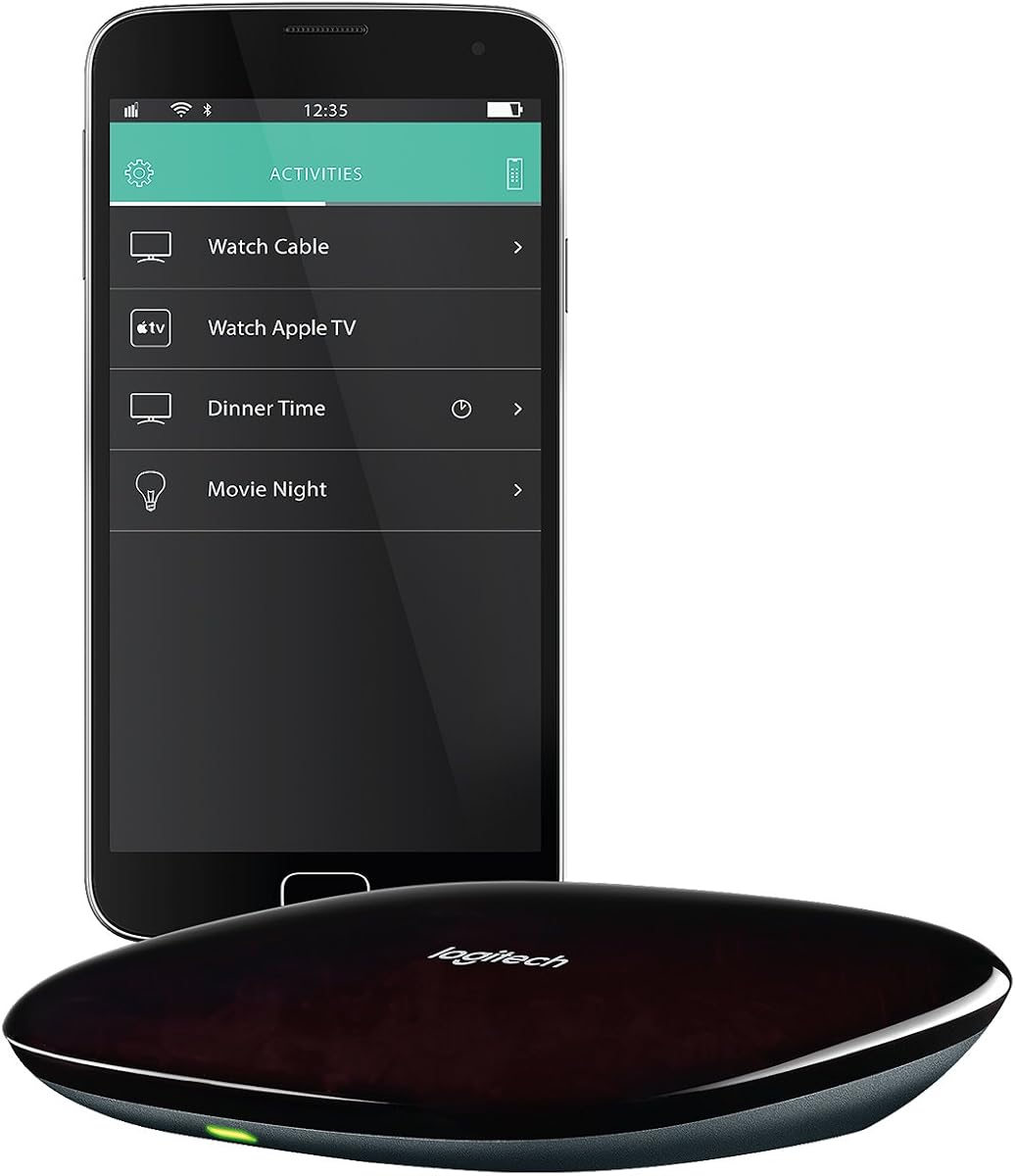
With the Harmony mobile app, you can turn your smartphone into a powerful remote, using simple touch gestures to select favorites and navigate content. The hub works with an IR mini-blaster to reach devices that are not directly visible to the remote.
The limitation to eight devices may restrict scalability for homes with extensive setups, and you need to ensure you have the mini-blaster for closed cabinet control. However, for standard entertainment needs, it offers sufficient coverage and convenience.
This hub is recommended for those who want to reduce clutter by relying on their phone for most tasks. If you have devices hidden in furniture and need a reliable way to manage them, the Ultimate Hub provides a solid foundation for control.
The mobile app offers a sleek interface for controlling your home, allowing you to manage devices from anywhere in the house.
Access Internet services like Netflix and YouTube directly through the app, enhancing your viewing experience without multiple remotes.
We may earn a commission when you buy through this link, at no additional cost to you.
The Logitech Harmony Home Hub offers a budget-friendly entry point into the Harmony ecosystem, allowing smartphone control of up to eight devices. This renewed option provides significant savings while maintaining core functionality like voice control and activity customization.
We may earn a commission when you buy through this link, at no additional cost to you.
Users can combine multiple remotes into one easy-to-use app, creating customized activities such as Date Night to adjust lights and launch media services. Compatibility with Alexa ensures you can manage entertainment with voice commands, adding convenience to daily use.
Buying a renewed product carries some risk regarding condition and longevity, though it is a cost-effective solution. The limit of eight devices may be restrictive if you plan to add more components to your system in the future.
This hub is perfect for budget-conscious buyers who want essential features without paying a premium. If you need basic automation and voice control for a standard setup, the Harmony Home Hub delivers excellent value for the price.
Easy control of entertainment devices with voice commands via Alexa enhances accessibility and simplifies interactions during use.
Create tailored routines that trigger multiple devices at once, streamlining your experience and reducing the need for manual adjustments.
We may earn a commission when you buy through this link, at no additional cost to you.
This renewed version of the Logitech Harmony Elite brings premium features like a full-color touchscreen and voice control to users at a reduced cost. While ratings vary due to the nature of renewed goods, the capabilities remain attractive for those seeking advanced control.
We may earn a commission when you buy through this link, at no additional cost to you.
The all-in-one control of up to fifteen devices allows you to manage a complex home theater and smart home setup from one place. The one-touch Activities feature simplifies daily use by automating device power on and setting adjustments with a single tap.
Potential buyers should be aware that renewed items may have cosmetic imperfections or limited warranty coverage. Additionally, setting up the system requires time and patience to ensure all devices communicate correctly with the hub.
This model is suitable for enthusiasts who want top-tier features but are comfortable with the nuances of buying renewed electronics. If you prioritize a touchscreen interface and voice integration, the Harmony Elite is a strong candidate for your setup.
Navigate channels and settings easily with a responsive color screen that brings a modern interface to your remote control experience.
Initiate complex tasks with a single touch, automatically configuring multiple devices to the right settings for your chosen activity.
We may earn a commission when you buy through this link, at no additional cost to you.
The Logitech Harmony Elite Remote Control kit provides the hub and remote together in a renewed package, offering a complete solution for home automation. This setup allows you to control entertainment devices and smart home gadgets with a cohesive system.
We may earn a commission when you buy through this link, at no additional cost to you.
Using the smartphone app, you can turn your mobile device into a universal remote, extending control beyond the physical unit. The kit is designed to work with a wide range of brands and devices, ensuring compatibility with most modern equipment.
As a renewed product, the condition may vary, and battery life might not match that of a brand-new unit. It is important to test all features upon arrival to ensure the hub and remote communicate effectively with your devices.
This option is ideal for users who need a full system but want to save money. If you are looking for a universal remote that covers both entertainment and smart home needs, this kit provides a comprehensive starting point.
The combination of hub and remote ensures you have physical and digital options for managing your home entertainment environment.
Leverage your smartphone to control devices from any room, adding flexibility to how you interact with your home setup.
We may earn a commission when you buy through this link, at no additional cost to you.
This renewed Logitech Harmony Elite remote emphasizes control over a vast array of devices, supporting over 270,000 products. The full-color touch screen and activity features make it a versatile tool for managing complex home theater and lighting setups.
We may earn a commission when you buy through this link, at no additional cost to you.
Users can create One-Touch Activities to automatically power on and switch devices to the right settings, simplifying the viewing experience. The remote works with smart home devices like Philips Hue lights, expanding its utility beyond just entertainment systems.
Connectivity issues can arise with refurbished electronics, so troubleshooting may be necessary to ensure consistent performance. The lack of a comprehensive warranty compared to new items is another factor to consider when making a purchase decision.
This remote is best for those who need broad compatibility and automation features at a lower cost. If you want to control up to fifteen devices with a touchscreen interface, the Harmony Elite offers the functionality required for a modern home.
Support for hundreds of thousands of devices ensures you can integrate almost any brand into your unified control system.
Extend control to lights, locks, and sensors, allowing for a truly integrated smart home experience from a single remote.
We may earn a commission when you buy through this link, at no additional cost to you.
The Logitech Harmony 1100 is a classic model that introduces RF wireless capability, allowing you to control devices without line of sight. Its 3.5-inch full-color touch screen offers a large interface for managing commands and settings easily.
We may earn a commission when you buy through this link, at no additional cost to you.
Users appreciate the rechargeable battery and charging stand, which add convenience for daily use. The interface allows for customizable commands and icons, letting you tailor the remote to your specific preferences and layout needs.
However, this model is older and may lack some of the advanced smart home integrations found in newer versions. It is designed primarily for entertainment devices and may not support the same range of smart home tools as newer remotes.
This remote is suitable for users who prioritize RF control and a large screen over the latest smart home features. If you have a standard setup and value the reliability of wireless communication, the Harmony 1100 remains a solid option.
Control devices hidden behind cabinets or in other rooms without line of sight thanks to RF wireless technology.
Adjust commands and icons to match your habits, creating a personalized interface that works best for your setup.
We may earn a commission when you buy through this link, at no additional cost to you.
The Logitech Harmony Hub provides basic functionality for controlling up to eight entertainment devices through a centralized system. While discontinued by the manufacturer, it remains a viable option for those seeking simple control without advanced features.
We may earn a commission when you buy through this link, at no additional cost to you.
It integrates with smartphone apps to offer control capabilities, making it easier to manage devices without needing a physical remote. This makes it a good choice for older setups that do not require the latest smart home integration capabilities.
Since the product is discontinued, finding support or replacement parts may be challenging. Additionally, it lacks some of the modern connectivity options found in newer models, which could limit its usefulness for advanced users.
This hub is recommended for those who need a straightforward solution to manage a limited number of devices. If you want a compact hub to simplify your entertainment setup, the Harmony Hub offers essential features at a basic level.
Bring multiple remotes into one hub, reducing clutter and simplifying the way you interact with your entertainment system.
Support older devices that may not work with newer smart home protocols, ensuring continued control over existing equipment.
We may earn a commission when you buy through this link, at no additional cost to you.
The Logitech Harmony Ultimate Home offers a premium touchscreen interface designed for intuitive control of various home entertainment devices. As a renewed unit, it provides access to high-end features at a lower price point than new versions.
We may earn a commission when you buy through this link, at no additional cost to you.
The black design and responsive screen allow for easy navigation through channels and settings, enhancing the user experience. It is built to offer universal control, supporting a wide range of devices so you can manage your home from one remote.
Renewed items come with some uncertainty regarding condition and battery health, so inspection is recommended upon receipt. The learning curve for setting up a touchscreen remote may be steeper than a standard button-based remote for some users.
This remote is ideal for those who want a sleek, modern look and advanced interface options. If you are comfortable with the nuances of buying renewed electronics, the Harmony Ultimate Home delivers a premium feel for your entertainment setup.
The sleek black touch screen design provides a modern aesthetic and responsive controls for managing your home devices.
Swipe and tap to navigate through options, making it easy to find and control specific functions within your setup.
We may earn a commission when you buy through this link, at no additional cost to you.
Selecting the right Harmony Hub involves evaluating compatibility, device limits, and additional features to ensure it meets your specific home automation needs.
Check how many devices the hub can control. Some models support up to eight devices, while others like the Elite support up to fifteen. Ensure the count matches your current and future setup needs.
Choose a hub with enough capacity for all your TV, streaming, and lighting devices to avoid needing multiple systems.
Decide between Wi-Fi, Bluetooth, and RF capabilities. Some hubs use IR blasters for hidden devices, while others use RF for line-of-sight control.
Opt for models with RF or IR blasters if you plan to hide devices inside cabinets for a cleaner look.
Look for compatibility with smart home ecosystems like Philips Hue, Alexa, or Google Assistant. This allows you to control lights and locks alongside your entertainment.
Prioritize hubs with voice assistant support if you want to manage your devices hands-free for convenience.
Touchscreen remotes offer a more modern interface but cost more. Traditional button remotes are durable and may be easier for some users.
Select a touchscreen model if you prefer a customizable interface, or choose buttons for simplicity and durability.
Most Harmony hubs allow you to use your smartphone as a remote. Check if the app supports swipe, tap, and activity features.
Ensure the app is user-friendly and supports your operating system for seamless control from your mobile device.
Renewed options save money but may have limited warranties or cosmetic issues. New units come with full manufacturer support and assurance of condition.
Consider renewed units if budget is a priority, but verify warranty terms and condition details before purchasing.
Features like one-touch activities allow you to automate tasks like dimming lights and starting a movie. These simplify complex routines.
Look for hubs that support customizable activities if you want to automate your daily home entertainment experiences.
Some remotes are rechargeable while others have removable batteries. Consider the convenience of charging or replacing power sources.
Choose a rechargeable model for eco-friendly use, or removable batteries for easy swaps when power runs low.
Begin by connecting the hub to your home Wi-Fi network and downloading the Harmony app on your smartphone. Follow the on-screen instructions to add devices by selecting their brand and model from the list.
Create activities by selecting multiple devices to turn on or off together. This allows you to control complex setups with a single command or tap on your screen.
Keep the remote and hub clean by using a soft cloth to wipe down surfaces. Avoid exposing the devices to extreme temperatures or moisture to maintain optimal performance and battery health.
Yes, most Logitech Harmony hubs are compatible with a wide range of TV brands and models, including older ones, as long as they have an IR port. The database includes support for thousands of legacy devices to ensure broad compatibility.
You can control smart lights like Philips Hue using the Harmony app if your setup supports smart home integration. This feature allows you to dim lights and change colors directly through the remote or app interface.
A hub is the central unit that connects to your network and sends signals to devices, while a remote is the handheld interface used to interact with the hub. Together they provide comprehensive control over your entertainment system.
To set up closed cabinet control, you need to use the IR mini-blaster included with the hub. Place the blaster in front of the device hidden inside the cabinet so it can receive infrared signals.
Yes, the Harmony app is available for both iOS and Android devices, allowing you to use your smartphone as a remote. This ensures you can control your devices regardless of your mobile platform.
Yes, many Harmony hubs are compatible with Alexa, enabling you to use voice commands to control your entertainment devices. This integration streamlines interactions and allows for hands-free operation.
If the hub loses Wi-Fi, it may still control IR devices directly but app control might be interrupted. You can restart your router to restore connectivity and resume full app functionality.
No, there are no subscription fees required to use the Harmony app. All features, including device setup and activity creation, are free to access without additional costs.
Choosing the right Harmony hub depends on your device count and preferred interface style. The Elite models offer the most features for complex setups, while basic hubs suit smaller entertainment centers.
Prioritize models with the features that matter most to you, such as voice control or RF support. This ensures you get the best value and functionality for your specific home environment.
Remember to check current availability and pricing before making a final decision to ensure you find the best deal for your needs.