
Thermalright Assassin X120 Refined SE
4.7Editor score
Four heat pipes for thermal transfer
PWM fan control for speed adjustment
Agp technology for gravity independence
This guide compares the top ten Htpc CPU Cooler options for quiet performance and compact designs in small form factor builds during October 2026.
Building a home theater PC requires balancing powerful performance with silent operation. A quality Htpc CPU Cooler ensures your processor stays cool without drowning out your movies or music with fan noise.
We evaluated ten top-rated coolers based on thermal efficiency, noise levels, and case compatibility. Each model offers unique advantages for Mini ITX and other small form factor chassis environments.
Every pick highlights specific strengths like height restrictions and fan PWM control. Note that retail pricing fluctuates frequently so verify current availability before making your final hardware selection decision.
4.7Editor score

4.7Editor score

4.7Editor score
The following table provides a side by side comparison of all ten selected Htpc CPU Cooler models. Review the specifications and features to find the ideal match for your specific build requirements and thermal goals.



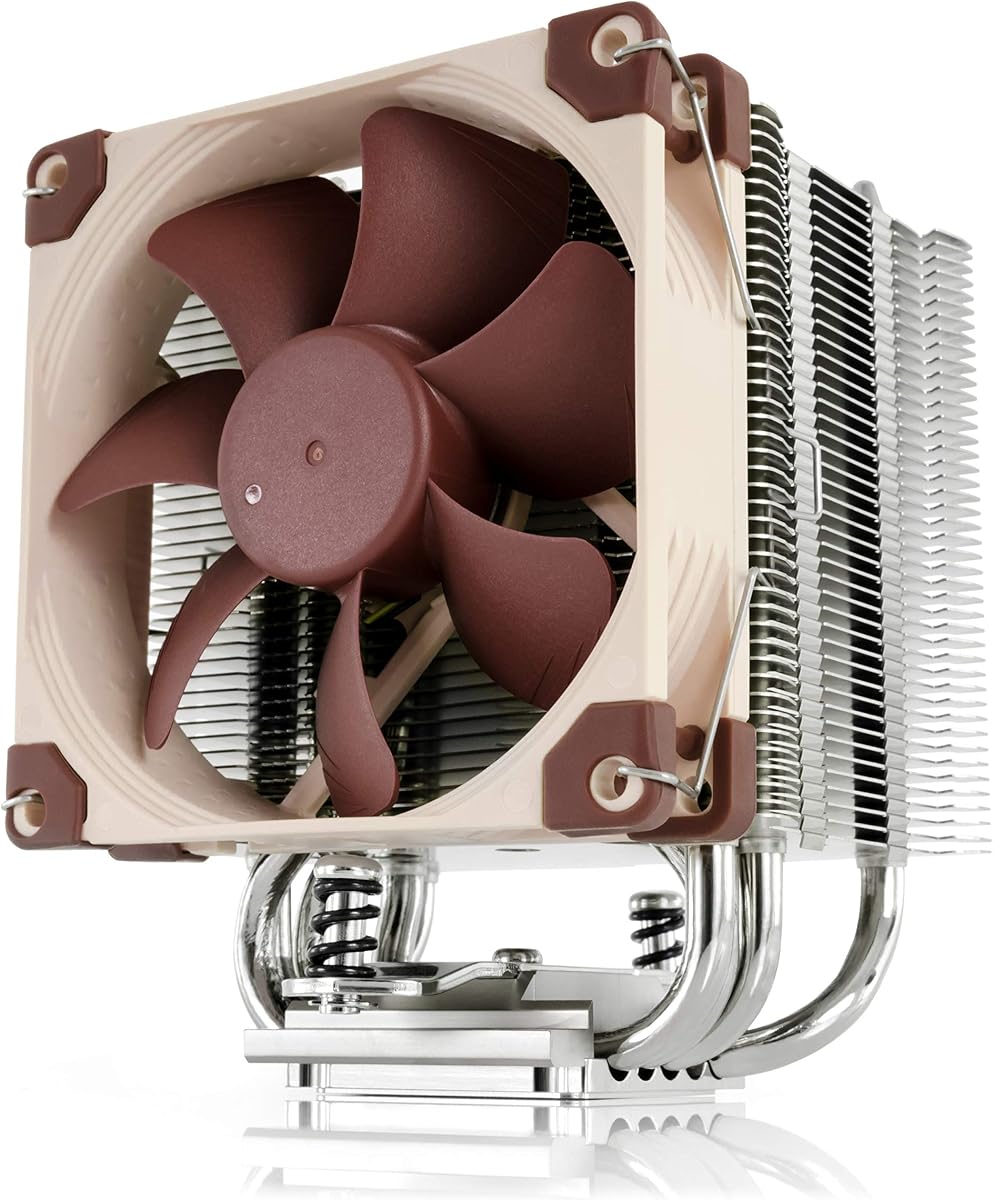


The Noctua NH-L9x65 stands out as a top choice for HTPC builds requiring silence and efficiency. With a 4.7 star rating, it delivers reliable cooling without compromising case clearance.
We may earn a commission when you buy through this link, at no additional cost to you.
Its highly optimized NF-A9x14 fan provides automatic speed control via PWM support. This ensures ultra-quiet operation while maintaining excellent thermal performance for low to moderate heat dissipation needs.
While the price is higher than budget options, the quality justifies the cost. The included NT-H1 paste and SecuFirm2 mounting system simplify installation on most motherboards.
This cooler is ideal for users prioritizing acoustic comfort. If you need a reliable solution for Mini-ITX systems, this model offers the best balance of performance and size.
The NF-A9x14 fan uses advanced aerodynamic design to reduce noise while moving air efficiently for cooling.
Its compact footprint ensures it does not overhang memory modules or PCIe slots on most boards.
We may earn a commission when you buy through this link, at no additional cost to you.
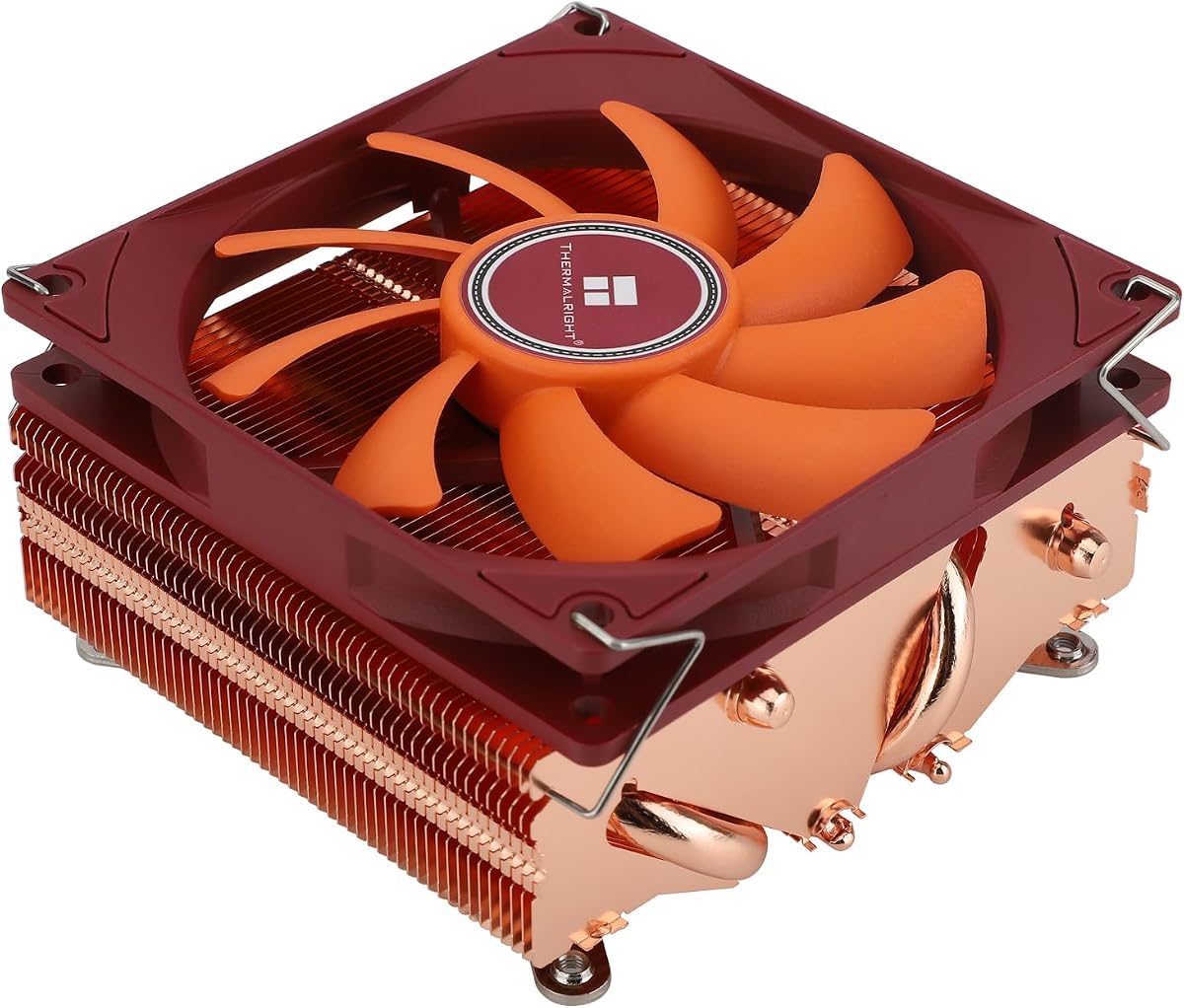
The Thermalright Assassin X120 Refined SE offers exceptional value for budget-conscious builders. With a 4.7 rating, it combines four heat pipes and a reliable PWM fan for effective cooling.
We may earn a commission when you buy through this link, at no additional cost to you.
Its AGHP technique solves inverse gravity effects, allowing flexible orientation in various case setups. The TL-C12C fan provides up to 66 CFM of airflow for efficient heat dissipation.
While it is taller than strict low-profile models, it fits medium-sized cases well. Users get industrial strength materials and long service life bearings without breaking the bank.
This is the top pick for those needing high performance on a tight budget. It balances cost and efficiency better than most competitors in its class.
This technology ensures the heat pipes work effectively regardless of the cooler's orientation in your case.
You get high-quality thermal performance for a fraction of the cost of premium brand alternatives.
We may earn a commission when you buy through this link, at no additional cost to you.
The Noctua NH-L12S is a premium low-profile cooler designed for high-performance HTPC builds. It earns a 4.7 rating by combining a 70mm height with a large 120mm fan.
We may earn a commission when you buy through this link, at no additional cost to you.
Its NF-A12x15 fan ensures automatic speed control and ultra-quiet operation. This setup allows for better cooling capacity while staying under the typical height limits for small form factors.
Although it costs more, the engineering quality is unmatched. The SecuFirm2 mounting system and included thermal paste make setup straightforward on modern motherboards.
Buyers seeking the absolute best acoustic performance should choose this model. It offers superior cooling headroom for demanding CPUs without excessive noise.
A 120mm fan moves more air at lower RPM, resulting in significantly less noise than smaller fans.
The larger fin array provides better dissipation for CPUs that run hotter under gaming loads.
We may earn a commission when you buy through this link, at no additional cost to you.
The ID-COOLING IS-67-XT Black delivers high heat dissipation with six pipes in a slim design. It rates 4.5 stars for its ability to handle heat efficiently in small spaces.
We may earn a commission when you buy through this link, at no additional cost to you.
Its 67mm height makes it ideal for ITX builds. The copper base and 120mm PWM fan ensure excellent heat transfer and adjustable cooling speeds based on load.
While the build quality is good, it may not match premium brands. However, for the price, it offers robust thermal capacity for most modern processors.
This cooler is great for users needing extra heat pipe capacity. It balances low height requirements with strong dissipation capabilities effectively.
Six heat pipes provide a faster path for heat to move from the CPU to the fins.
The design ensures compatibility with memory modules on Mini-ITX motherboards without interference.
We may earn a commission when you buy through this link, at no additional cost to you.
The Thermalright Peerless Assassin 120 SE offers high-end performance at a value price. Rated 4.7 stars, it uses dual fans and six heat pipes for extreme cooling.
We may earn a commission when you buy through this link, at no additional cost to you.
AGHP technology ensures the heat pipes work in any orientation. This makes it reliable even if your build has vertical or horizontal constraints.
At 155mm height, it fits medium cases but not strict low-profile ones. For those needing high performance cooling, this is a top choice.
Users needing to cool powerful CPUs should consider this model. It delivers massive thermal capacity without the premium price tag.
Two fans push more air through the fins, increasing cooling capacity for high heat CPUs.
This tech ensures the pipes work efficiently even when the case is positioned vertically.
We may earn a commission when you buy through this link, at no additional cost to you.
The Noctua NH-U9S is a compact single-tower cooler that balances size and performance. With a 4.8 rating, it fits well in small cases while maintaining excellent silence.
We may earn a commission when you buy through this link, at no additional cost to you.
Its highly optimized NF-A9 fan provides ultra-quiet operation. This makes it perfect for users who prioritize low noise in their media center setups.
While it does not match the cooling of larger dual towers, it is efficient for standard CPUs. The included mounting system ensures a secure fit.
Choose this model if you need a balance of cooling and noise. It is a reliable option for general purpose builds.
A single tower offers better airflow than some dual towers while taking up less case space.
The 92mm fan moves enough air for moderate loads without generating significant noise.
We may earn a commission when you buy through this link, at no additional cost to you.
The Noctua NH-L9a-AM4 is a specialized cooler for AMD AM4 sockets. With a 4.7 rating, it offers extreme height efficiency for tight builds.
We may earn a commission when you buy through this link, at no additional cost to you.
At only 37mm tall, it fits the thinnest HTPC cases. The NF-A9x14 fan ensures silent operation without compromising thermal performance.
This model is ideal for users needing maximum clearance for RAM. The included thermal paste simplifies installation for quick setup.
Choose this if you have a very small case and need maximum height clearance. It is a reliable and quiet choice for AM4.
This height allows installation in cases where other coolers would not fit at all.
The mounting system is optimized for AMD AM4 CPUs for easier and secure installation.
We may earn a commission when you buy through this link, at no additional cost to you.
The Thermalright AXP90-X53 Full Copper is built for maximum thermal efficiency. Rated 4.5 stars, its pure copper design ensures excellent heat transfer.
We may earn a commission when you buy through this link, at no additional cost to you.
With a height of 53mm, it fits many small form factor cases. AGHP technology ensures it works regardless of orientation, adding flexibility to builds.
The pure copper material offers better conductivity than aluminum but adds weight. This makes it ideal for users prioritizing cooling over lightness.
Choose this model if you need efficient cooling in a small case. It balances copper performance with modern heat pipe technology.
Copper conducts heat better than aluminum, allowing for faster dissipation from the CPU.
The fin design reduces wind damage and increases heat dissipation efficiency in small cases.
We may earn a commission when you buy through this link, at no additional cost to you.
The ID-COOLING IS-40-XT Black offers one of the lowest profiles available. With a 4.6 rating, it fits in the most restrictive cases easily.
We may earn a commission when you buy through this link, at no additional cost to you.
At 47mm tall, it leaves plenty of room for RAM. The 92mm PWM fan ensures decent cooling without taking up much space.
While it does not match larger coolers, it is effective for low TDP CPUs. The all-black design looks great in modern builds.
Choose this if height is your primary constraint. It provides reliable performance for budget builds and tight enclosures.
This height allows for maximum compatibility with high-profile memory sticks in ITX cases.
The signature look ensures it blends seamlessly with black-themed computer hardware.
We may earn a commission when you buy through this link, at no additional cost to you.
The Thermalright AXP90 X36 Black is designed for the tightest HTPC builds. With a 4.6 rating, it delivers cooling in an ultra-slim package.
We may earn a commission when you buy through this link, at no additional cost to you.
At only 36mm tall, it fits where few others can. The AGHP technology ensures efficient heat transfer even in this compact form.
While it is not suitable for high heat loads, it works well for low power chips. The included fan runs quietly to maintain a peaceful environment.
This is the ultimate choice for extreme height restrictions. Prioritize it if you need to fit a cooler in the smallest case possible.
This height is ideal for cases that only allow for very thin cooler designs.
The 92mm fan provides just enough airflow for low power CPUs without noise.
We may earn a commission when you buy through this link, at no additional cost to you.
Selecting the right Htpc CPU Cooler depends on balancing thermal needs with physical constraints. Understanding key factors ensures your system remains cool and silent.
The height of your cooler must match your case's maximum CPU cooler height. Low-profile models range from 36mm to 70mm. Measure your case before buying.
Check your case manual for CPU cooler limits. If the cooler is too tall, it will block RAM or the case lid.
Larger fans like 120mm usually run slower and quieter than smaller fans. However, low-profile cases often require 92mm fans. Look for PWM support.
PWM allows the fan to slow down when the CPU is idle. This reduces noise during media playback.
Match the cooler to your CPU's Thermal Design Power (TDP). High power CPUs need more heat pipes. Ensure the cooler supports your specific CPU wattage.
A cooler rated for 65W will struggle with a 125W CPU. Always check the manufacturer's compatibility list.
Some coolers overhang memory slots. Look for models that mention RAM clearance. Low-profile coolers are designed to avoid this issue entirely.
If you use tall RAM heat spreaders, ensure the cooler base is offset or narrow enough to clear them.
Verify the cooler supports your motherboard socket. Intel LGA1700 and AMD AM5 are standard. Older sockets may need specific kits.
Some brands offer universal mounting kits. This simplifies installation when you upgrade your system.
Copper bases conduct heat better than aluminum. Some full copper coolers exist but are heavier. Aluminum fins are lighter and cheaper.
High quality heat pipes improve thermal transfer. Look for sintered copper pipes for durability.
Many premium coolers include thermal paste like NT-H1. This saves you from buying it separately. Check the packaging details carefully.
If paste is not included, buy a quality tube to ensure good contact between the CPU and cooler.
Quality coolers often come with long warranties. This protects against manufacturing defects. Check the terms before you buy.
Brands like Noctua offer six-year warranties. This indicates high confidence in product durability.
Ensure the cooler is seated evenly on the CPU before tightening screws. Uneven mounting causes hotspots and reduces cooling efficiency.
Clean dust filters and fan blades regularly. Dust buildup restricts airflow and raises temperatures. Use compressed air for best results.
Check fan PWM control in BIOS settings. If the fan is noisy, adjust the curve to balance performance and silence.
An Htpc CPU Cooler is designed to be low-profile and quiet. Regular coolers are often too tall for media cases. This difference ensures silent operation and compact fit.
It depends on the fan quality and PWM support. High-quality fans run quietly at low speeds. Check noise ratings before purchasing to ensure peace and quiet.
Usually not. Standard coolers exceed height limits. Using one may block RAM or stop the case from closing. Always measure before installation.
Yes. Even if included, apply a pea-sized amount. It ensures good contact between the CPU and the cooler base for efficient heat transfer.
AGHP solves gravity issues in vertical cases. It allows heat pipes to work in any orientation. This increases cooling efficiency regardless of case position.
Copper conducts heat faster than aluminum. This improves dissipation. However, they are heavier. Ensure your case can support the extra weight.
Clean it every three to six months. Dust reduces airflow and increases noise. Use compressed air to clear fins and fan blades effectively.
Lower RPM means less noise. Use PWM to keep fans under 1000 RPM. Ensure your CPU temperatures stay within safe limits while doing so.
We highlighted the top 10 Htpc CPU Cooler options for 2026. From the efficient Noctua NH-L9x65 to the affordable Thermalright Assassin X120, there is a pick for everyone.
Prioritize height and noise over raw power for media builds. A silent system matters more than a tiny temperature gain in an HTPC environment.
Prices change quickly. Always verify the current availability and cost before clicking buy. This ensures you get the best deal available today.