
PROZOR 192KHz Digital to Analog Audio Converter DAC
4.4Editor score
Supports up to 192KHz 24bit audio
Converts Optical Coaxial to RCA 3.5mm
Aluminum alloy housing for durability
Discover the top audio converters for Mac to enhance your digital listening experience with high-resolution support and seamless compatibility.
Finding the right audio converter for Mac can transform your listening experience significantly. These devices bridge the gap between digital sources and analog outputs ensuring high fidelity sound reproduction for music enthusiasts and professionals alike.
We compared ten leading models based on build quality signal clarity compatibility with macOS and user feedback. Our analysis focuses on features that matter most for Mac users including driver support and connectivity options for versatile setups.
Each pick highlights specific strengths like budget friendliness premium performance or portability. Please note that product availability and pricing may change over time so verify details before making your final purchasing decision today.
4.4Editor score

4.6Editor score

4.5Editor score
This side by side comparison outlines the key specifications and capabilities of each selected audio converter to help you identify the model that best fits your Mac setup needs.
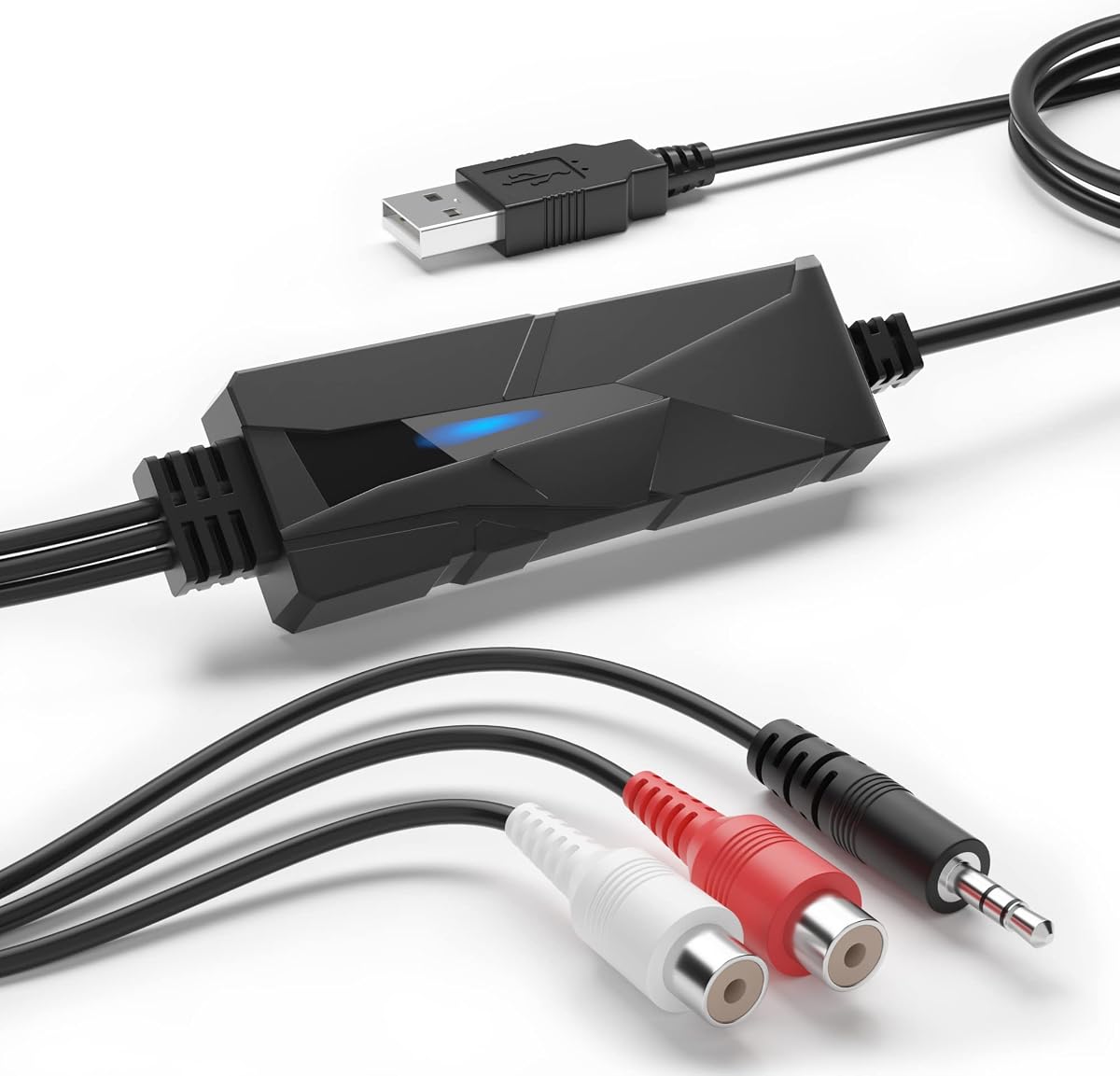


The DriverGenius AudioXfer stands out as a dedicated tool for converting analog audio sources like cassette tapes into digital formats. With a rating of 4.2 it offers a straightforward solution for users looking to preserve old music recordings on their Mac systems.
We may earn a commission when you buy through this link, at no additional cost to you.
Its primary strength lies in the simple connection options using 3.5mm and RCA inputs to capture live audio directly. The included Audacity software provides a starting point for editing and saving tracks to MP3 or WAV ensuring your memories are saved digitally for long term listening.
However users should note that this device is specifically designed for analog capture rather than high fidelity digital conversion. The software compatibility requires specific versions for 64-bit Macs which might demand extra steps during setup compared to more modern plug and play solutions.
This converter is ideal for collectors or nostalgic listeners wanting to digitize old tapes and records without complex gear. If your goal is archiving physical media the AudioXfer offers a budget friendly path to making those analog memories accessible on your Mac.
Use this device to capture audio from cassettes and turn it into playable files on your computer for easy sharing and storage.
The included Audacity software allows for basic editing and format conversion to ensure your digitized tracks are ready for playback.
We may earn a commission when you buy through this link, at no additional cost to you.
The Fosi Audio K5 Pro is a versatile desktop audio solution that combines a DAC and headphone amplifier in a compact unit. It earns a 4.3 rating by offering robust connectivity for both digital and analog inputs making it a strong choice for Mac users who game or listen to music.
We may earn a commission when you buy through this link, at no additional cost to you.
Its standout feature is the dual input capability allowing you to connect via USB Type C or optical coaxial sources. This flexibility ensures that whether you are routing audio from a PC or external source you can maintain high quality sound with minimal signal loss.
The device uses a Texas Instruments NE5532 op-amp chip to ensure a low noise floor and clear audio output. While it supports high resolution audio the design is optimized for general use providing enough power to drive a wide range of headphones effectively.
For Mac users seeking an all in one upgrade for their desktop setup the K5 Pro delivers excellent value. It bridges the gap between console gaming and computer audio giving you a single device that handles multiple audio needs with ease.
Connect your Mac via USB Type C or use optical coaxial inputs to route high quality digital audio to your headphones or speakers.
The built-in amplifier drives headphones up to 300 Ohm ensuring you get sufficient volume and clarity from high impedance models.
We may earn a commission when you buy through this link, at no additional cost to you.
The PROZOR 192KHz Digital to Analog Audio Converter is an excellent budget friendly option for Mac users needing optical to analog conversion. With a rating of 4.4 it proves that high quality audio conversion does not need to be expensive or complicated to set up effectively.
We may earn a commission when you buy through this link, at no additional cost to you.
Its key advantage is the ability to convert Toslink optical signals to both RCA and 3.5mm analog outputs simultaneously. The aluminum alloy housing not only looks premium but also helps dissipate heat and shield against electromagnetic interference ensuring stable performance during long listening sessions.
While it supports high resolution audio up to 192KHz and 24bit users must configure their source device to output PCM format. This requirement might confuse beginners but once set the device delivers clean distortion free sound that works well with powered speakers or headphones.
This DAC is perfect for anyone wanting to connect an Apple TV or similar device to analog speakers without spending a lot. It offers reliable performance and a durable build making it a practical choice for everyday audio conversion tasks on your Mac setup.
Enjoy 192KHz 24bit audio output ensuring your music sounds crisp and detailed on your Mac connected stereo system.
The aluminum housing protects internal components and provides better thermal management than standard plastic units for long term reliability.
We may earn a commission when you buy through this link, at no additional cost to you.
The Douk Audio U2PRO targets audio enthusiasts who need a high performance digital to analog conversion solution. Rated 4.1 it delivers pristine lossless audio by using the XMOS XU316 chip to ensure stable signal transmission and minimal jitter for your Mac setup.
We may earn a commission when you buy through this link, at no additional cost to you.
Its ability to convert USB signals into simultaneous Optical Coaxial and I2S outputs makes it highly versatile for connecting to external DACs. This is especially useful for Mac users who want to bypass internal sound cards and send a pure digital signal to professional audio gear.
The device supports PCM up to 32bit 768kHz and DSD512 which caters to high resolution streaming needs. While this level of performance comes at a cost the U2PRO provides a significant upgrade in sound clarity and dynamic range compared to standard USB audio adapters.
If you have an external DAC that lacks USB inputs this adapter is a perfect bridge. It allows you to leverage your Macs processing power while enjoying the superior conversion quality of your dedicated gear for an immersive listening experience.
Listen to your favorite tracks in 32bit 768kHz PCM or DSD512 formats for maximum detail and dynamic range in your recordings.
The built-in reclocker technology minimizes timing errors in the digital signal ensuring the audio reaches your DAC cleanly.
We may earn a commission when you buy through this link, at no additional cost to you.
The SMSL SU-1 is a compact DAC designed for users who want high resolution audio streaming capabilities. With a rating of 4.2 it stands out for its native support of MQA which allows you to decode master quality audio files directly on your Mac.
We may earn a commission when you buy through this link, at no additional cost to you.
At its core is the AKM AK4493S DAC chip which is known for delivering incredibly low distortion. This ensures that your music is reproduced with high fidelity and minimal noise making it a great choice for critical listening sessions in a quiet environment.
Its USB connectivity supports 32bit 768kHz PCM and DSD512 ensuring it can handle the highest quality digital files available. While it is optimized for Mac users it also works with Linux and other systems providing broad compatibility for various setups.
If you subscribe to MQA streaming services like Tidal this decoder is essential to unlock the full audio quality. It provides a direct link between your Mac and high resolution audio ensuring you hear every detail in your music collection.
Decode Master Quality Authenticated files directly to hear the studio quality sound with enhanced clarity and detail on your Mac.
The AK4493S chip ensures distortion remains incredibly low preserving the integrity of your audio tracks for a pure listening experience.
We may earn a commission when you buy through this link, at no additional cost to you.
The SMSL PO100 PRO is a highly rated 4.6 portable USB DAC that offers significant power in a tiny form factor. It is designed for users who need high performance audio conversion on the go or for desktop setups requiring minimal space.
We may earn a commission when you buy through this link, at no additional cost to you.
Its standout feature is the USB Type-C input combined with I2S and Coaxial outputs allowing flexible connectivity for various devices. The internal XMOS XU316 chip supports asynchronous transmission which ensures stable data transfer and high fidelity playback even at high sample rates.
The device supports native MQA playback and DOP64 for high resolution audio streaming without needing extra software on your Mac. This convenience allows you to enjoy quality sound from streaming services directly by connecting the PO100 PRO to your USB-C port.
For travelers or those with limited desk space this mini DAC is an ideal choice. It fits easily in a bag and provides reliable performance making it perfect for connecting to laptops or tablets for immediate audio upgrades anywhere.
Carry high resolution audio anywhere with this compact DAC that fits in your pocket and connects easily to your Mac or phone.
The asynchronous transmission reduces timing errors ensuring accurate playback of your music files with precise digital-to-analog conversion.
We may earn a commission when you buy through this link, at no additional cost to you.
The Sound Blaster Play! 3 is a straightforward USB audio adapter designed to improve sound quality on Macs without complex installation. With a rating of 4.5 it provides a reliable way to bypass internal audio limitations and access higher fidelity playback for headphones and speakers.
We may earn a commission when you buy through this link, at no additional cost to you.
It supports 24-bit 96kHz audio which is significantly better than the standard 16-bit output on many older computers. This allows for clearer sound with better dynamic range making it a good choice for casual listening or professional tasks that need decent audio quality.
The device includes a downloadable control panel that gives you access to audio enhancements and equalizer settings. You can customize the sound profile to match your preferences and headphones ensuring a personalized listening experience tailored to your specific needs.
This adapter is perfect for users who want a quick upgrade without installing drivers or dealing with complex configurations. If you need a simple plug and play solution for better headphone sound on your Mac this is a trusted and easy option to consider.
Access 24-bit 96kHz audio output to enjoy music with clearer details and better sound quality on your connected speakers.
Use the included software to adjust equalizer settings and apply audio enhancements to tailor the sound to your personal taste.
We may earn a commission when you buy through this link, at no additional cost to you.
The iFi Audio Go Link Max is a premium portable dongle that brings high resolution audio to your Mac on the go. It holds a 4.5 rating for its ability to deliver clean balanced sound using dual ESS Sabre DAC chips in a tiny USB-C form factor.
We may earn a commission when you buy through this link, at no additional cost to you.
Its unique feature is the balanced 4.4mm output which provides up to 241mW of power for headphones. This allows you to connect high impedance headphones directly and get full volume without needing a larger dedicated amplifier for your mobile setup.
Supporting PCM up to 384kHz and native DSD256 ensures that you never compromise on audio quality even when traveling. The device also includes Dynamic Range Enhancement technology to improve the clarity and impact of your music on the go.
For Mac users who want audiophile grade sound in a pocket sized package this is an excellent choice. It is perfect for commuting or travel where you want to carry minimal gear but still enjoy the highest possible sound quality from your music.
Use the balanced 4.4mm output to connect headphones and enjoy reduced noise and higher power for better sound isolation.
Access 384kHz PCM and DSD256 formats to hear the full fidelity of your high resolution music files without downsampling.
We may earn a commission when you buy through this link, at no additional cost to you.
The Fosi Audio Q6 is an exceptional desktop DAC that combines high performance specs with a solid build. Rated 4.6 it offers a versatile range of inputs including USB-C Optical and Coaxial making it a perfect centerpiece for a Mac based audio system.
We may earn a commission when you buy through this link, at no additional cost to you.
Its AKM AK4493S DAC chip ensures distortion remains below 0.00012 percent for clean signal conversion. This level of purity means your music is played back exactly as intended with no coloration from the device allowing your amplifiers and speakers to shine.
The device supports PCM 32bit 768kHz and DSD512 which is more than enough for most audiophile setups. You get both RCA and Sub-Out outputs giving you the flexibility to connect to stereo amplifiers powered speakers or even a subwoofer for a full range experience.
If you need a reliable converter that handles multiple sources and high resolution files this is the best choice. It is compact enough for any desk but powerful enough to drive a serious audio system for immersive home listening sessions.
Connect your Mac via USB or use optical and coaxial inputs to easily switch between different audio sources on your desk.
Enjoy 32bit 768kHz PCM playback for studio quality sound that captures every subtle detail and dynamic nuance of your tracks.
We may earn a commission when you buy through this link, at no additional cost to you.
The Shure MVX2U is a professional audio interface designed for content creators using Mac computers. With a rating of 4.5 it provides a streamlined way to connect XLR microphones and get clean consistent audio for podcasting or livestreaming without extra gear.
We may earn a commission when you buy through this link, at no additional cost to you.
Its onboard DSP includes features like Auto Level Mode and Real-Time Denoiser to keep your voice sounding professional. This processing happens on the device so it adds no latency ensuring you can monitor your audio in real time while you speak or record.
The interface offers up to 60 dB of clean gain and 48V phantom power so it works with both dynamic and condenser microphones. This versatility means you can use your existing mic setup and still get studio quality results on your Mac or mobile device.
For creators who need reliable sound quality and easy control this interface is the premium choice. It simplifies the recording process so you can focus on your content while the device handles the audio processing and connection stability.
Use the Auto Level Mode and denoiser to ensure your voice sounds clear and consistent without needing complex editing after recording.
Monitor your voice with zero latency to hear yourself in real time which is crucial for recording accurate and confident audio tracks.
We may earn a commission when you buy through this link, at no additional cost to you.
Selecting the right audio converter involves understanding your specific needs and technical requirements to ensure seamless integration with your Mac.
Check what inputs your audio source uses such as USB Optical or Coaxial and ensure the converter supports them. For Macs you typically want a USB-C compatible unit or one that works with USB-A via adapters. Outputs should match your speakers or headphones such as RCA 3.5mm or XLR.
Always verify connector types before buying to avoid needing extra cables or adapters that can degrade signal quality.
High resolution audio is defined by higher sample rates and bit depths like 96kHz 24bit or 32bit 768kHz. If you listen to high quality files look for a DAC that supports these formats to avoid downsampling. Standard 44.1kHz 16bit is fine for regular streaming.
Prioritize converters that support at least 96kHz 24bit if you want future proof performance for high fidelity music.
Some converters require specific drivers to work on macOS while others are plug and play. Check if the product explicitly states support for your version of macOS like Monterey Ventura or Sonoma. Plug and play units save time by avoiding driver issues.
Choose a driverless option to ensure immediate setup and fewer compatibility problems on your Mac system.
Materials like aluminum alloy help protect internal components from heat and electromagnetic interference. A solid build ensures the device lasts longer and performs better in multi device environments. Look for gold plated connectors to prevent corrosion over time.
Select a unit with a sturdy metal body for long term reliability in your desktop setup.
Look for key specs like Signal to Noise Ratio SNR and Total Harmonic Distortion THD. High SNR means cleaner sound while low THD means less distortion. Aim for high SNR above 100dB and low THD below 0.001 for excellent fidelity.
Focus on high SNR and low THD numbers to ensure your music sounds clear and undistorted.
Many converters are bus powered via USB but some need an external power adapter for stable operation. If you plan to connect to a Mac laptop ensure the unit draws enough power from the USB port. External power helps avoid buzzing noises.
Prefer USB powered units for portability but check requirements if using higher output models with multiple devices.
Determine if you need a converter for headphones speakers or professional recording. Desktop DACs are great for fixed setups while portable dongles suit travel. Multi input options allow you to switch between devices easily.
Choose a unit that matches how you use your audio gear whether it is for fixed desktop use or on the go.
Reputable brands often provide better firmware updates and customer support which is vital for Mac compatibility issues. Check reviews for long term performance and if the manufacturer responds to queries about Mac OS updates.
Opt for established brands with positive user feedback to ensure you get reliable support if you face any issues.
Start by connecting your converter to your Mac using the appropriate cable. If it is USB powered plug it into a USB port and wait for the system to recognize it automatically. Ensure your converter is placed in a well ventilated area to prevent overheating.
Configure your Mac audio settings by selecting the converter as the default output device in System Preferences. Set your audio format to the highest resolution supported by both your Mac and the converter for best sound quality.
Regularly check for firmware updates from the manufacturer to maintain compatibility with new macOS versions. Clean the connectors with a dry cloth to remove dust and avoid using excessive force when plugging in cables to prevent damage.
Most modern converters in this list are plug and play and do not require drivers. However some models may need specific versions of software like Audacity to function fully. Always check the product description for macOS support details before purchasing.
Yes many models support USB-C or USB-A connections with adapters to work with iOS devices. Ensure the converter supports the required power draw and is compatible with the iOS audio standards for seamless operation.
A DAC converts digital audio signals to analog for playback while an interface handles both input and output often for recording. If you only need to play music a DAC is sufficient but for recording choose an interface with mic inputs.
If you have passive speakers you will need an external amplifier. Some converters include RCA outputs that connect to powered speakers or amplifiers but check if the device has internal amplification before buying.
Most of the top picks are designed to work with current macOS versions. Always verify the specific support on the product page to ensure compatibility with the latest updates.
Cables vary by model but usually include USB power and audio cables. Some products come with optical cables as well while others expect you to use your own. Check the package contents in the product details.
Yes a dedicated converter typically offers better sound quality than internal Mac audio outputs due to higher sample rates and lower noise. It is a noticeable upgrade for anyone using high quality headphones or speakers.
Generally you select one audio device at a time in System Preferences. Using multiple converters simultaneously is not standard unless you use specific software like Aggregate Device which requires extra setup.
Choosing the right audio converter can significantly enhance your listening experience by bridging the gap between digital sources and high fidelity analog outputs. The top picks include the PROZOR converter for budget users the Fosi Q6 for versatility and the Shure MVX2U for professional streaming needs.
When selecting a model consider your specific use case whether it is for casual listening music production or content creation. Prioritize compatibility with your Mac and check for features like sample rate support and build quality to ensure long term performance.
Remember that product availability and pricing can change so always verify the latest details on the retailer site before purchasing. With the right converter you can enjoy clear immersive sound on your Mac tailored to your personal audio preferences.