Amazon Fire TV Stick HD
4.1Editor score
Wi-Fi 6 support
Alexa Voice Remote included
Direct power via TV USB
This guide compares the top HDMI streaming devices for 2026, evaluating performance, resolution support, and smart features to help you choose the right player.
Finding the right HDMI streaming device can transform your viewing experience significantly. Modern players offer high resolution, smart interfaces, and voice control for effortless navigation through your favorite apps and content libraries.
We compared ten leading models based on resolution support, processing speed, connectivity options, and user interface quality. Each product was evaluated for its ability to deliver smooth playback and reliable performance across various network environments.
Each pick highlights key strengths and ideal use cases for different viewer needs. Note that availability and pricing may change frequently, so verify current details before making your final purchasing decision for your home setup.
4.1Editor score

4.4Editor score

4.6Editor score
The following comparison table outlines the core specifications and key capabilities of each model to help you quickly identify which device matches your specific home entertainment requirements and budget constraints.



The Roku Ultra stands out as a top-tier streaming player designed for viewers who demand speed and high-quality audio. It has earned a solid 4.4 rating based on user feedback regarding its reliable performance and rich feature set.
We may earn a commission when you buy through this link, at no additional cost to you.
Its interface is 30 percent faster than other Roku players, ensuring apps launch instantly. The Dolby Atmos audio support provides immersive sound without needing external hardware, while Wi-Fi 6 ensures smooth streaming even in crowded networks.
While the price is higher than stick models, the included rechargeable remote and Ethernet port justify the cost for dedicated home theaters. The backlight on the remote is helpful for nighttime viewing without needing extra lights.
This device is ideal for households that want premium performance and reliable connectivity. If you value speed and audio quality over budget constraints, the Roku Ultra is the recommended choice for your HDMI port.
Supports HDR10 Plus and Dolby Vision for vivid colors alongside immersive Dolby Atmos audio for a cinematic experience.
Includes an Ethernet port for wired stability and Wi-Fi 6 for wireless speed in busy households.
We may earn a commission when you buy through this link, at no additional cost to you.
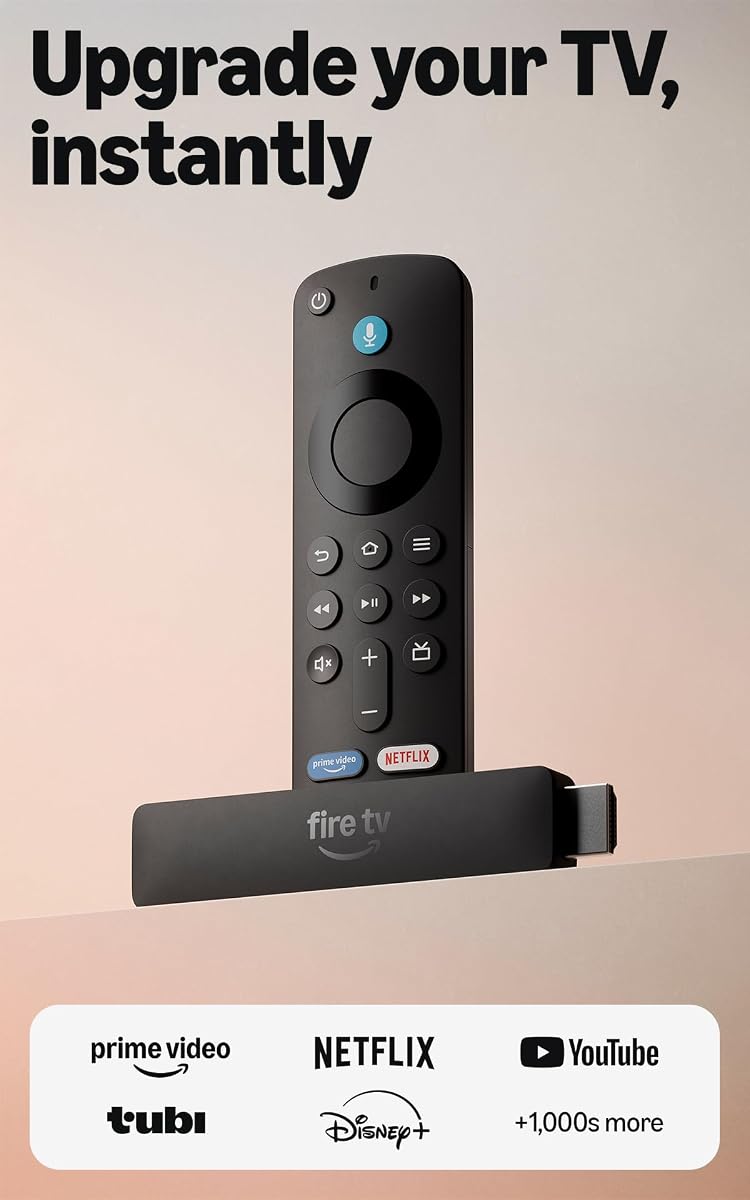
The Amazon Fire TV Stick HD offers an affordable entry point into modern streaming with the latest connectivity options. Users appreciate its quick setup and ability to deliver clear Full HD picture quality for standard televisions.
We may earn a commission when you buy through this link, at no additional cost to you.
Despite being a budget model, it includes Wi-Fi 6 support which helps reduce buffering when other devices are connected. The remote includes dedicated power and volume buttons to control your TV directly without juggling multiple devices.
The main trade-off is the lack of 4K support, making it best for TVs without 4K capabilities. However, its direct power feature eliminates the need for an extra wall adapter, simplifying your cable management significantly.
This stick is perfect for secondary rooms or older TVs where 4K is not required. If you want a fast, simple, and cost-effective way to access your favorite apps, this model delivers strong value.
Direct power via your TV's USB port removes the need for a separate wall outlet adapter.
Alexa+ helps you find shows faster across apps and lets you control smart home devices easily.
We may earn a commission when you buy through this link, at no additional cost to you.
The Amazon Fire TV Stick 4K Max delivers premium performance with the latest Wi-Fi 6E technology for fastest speeds. It has earned a 4.6 rating for its fluid navigation and robust storage capacity for apps.
We may earn a commission when you buy through this link, at no additional cost to you.
Its powerful processor supports lightning-fast app starts and smooth cloud gaming experiences. The sixteen gigabytes of storage double that of other sticks, allowing you to install more apps and games without constant management.
While the price is higher, the benefits of Wi-Fi 6E and increased storage make it a future-proof choice for serious streamers. The ambient experience feature also allows you to turn your TV into digital art when not in use.
If you need the absolute best wireless performance and storage on a stick, this is the top pick. It is best for users with large libraries who want to minimize interruptions and maximize their viewing setup.
Supports Wi-Fi 6E for reduced congestion and smoother streaming in connected homes.
With sixteen gigabytes of storage, you can keep more apps and games installed without deleting.
We may earn a commission when you buy through this link, at no additional cost to you.
The Roku Streaming Stick 4K balances performance and size effectively with its compact form factor. It holds a high 4.7 rating for its ability to deliver crisp 4K visuals and easy navigation for users.
We may earn a commission when you buy through this link, at no additional cost to you.
Its long-range Wi-Fi receiver ensures you can place the device anywhere in the house even if far from the router. The picture quality is stunning with Dolby Vision and HDR10 Plus support that enhances color and detail.
While it lacks Ethernet or a remote finder, its small size means it does not block other HDMI ports which is a practical benefit. The simple remote provides voice control for searching content without needing a complex interface.
This stick is excellent for travelers or those with multiple TVs who want consistent performance. It is a solid choice for living rooms where 4K quality and reliable connectivity are the primary priorities.
Delivers sharp 4K resolution with HDR10 Plus and Dolby Vision for lifelike clarity on screen.
Sleek design stays hidden behind TV and does not block neighboring HDMI ports.
We may earn a commission when you buy through this link, at no additional cost to you.
The Roku Ultra LT offers a powerful streaming experience with 4K resolution at a competitive price point. It has a solid 4.6 rating for its reliability and fast channel loading speeds for everyday viewing needs.
We may earn a commission when you buy through this link, at no additional cost to you.
This model comes with a USB extension cord and HDMI cable which simplifies setup behind the TV. The dual-band Wi-Fi provides a strong connection for streaming content smoothly without frequent buffering interruptions.
While it lacks the premium features of the Ultra model like Ethernet or Bluetooth audio, it still delivers high-quality picture with Dolby Vision. It is a cost-effective alternative for users who want 4K without the high cost.
This device is well-suited for households that want quality streaming without the extra cost. If you need basic 4K capabilities and reliable Wi-Fi performance, the Ultra LT provides strong value for your investment.
Includes an HDMI cable and USB extension cord to help you hide wires and power easily.
Features a lightning-fast interface and channels that launch in a snap for quick access.
We may earn a commission when you buy through this link, at no additional cost to you.
The Amazon Fire TV Stick 4K Plus offers advanced 4K performance with the latest wireless standards. It has a 4.6 rating for its smooth operation and ability to handle high-resolution content without lag on most networks.
We may earn a commission when you buy through this link, at no additional cost to you.
You can stream cloud games directly without a console using compatible controllers and subscriptions. The Wi-Fi 6 support ensures stable connections even when other devices like laptops or phones are connected to the network.
This stick is a balanced option for those wanting premium video quality and gaming options at a reasonable price. The Alexa Voice Remote simplifies navigation and allows you to control TV power and volume easily.
If you want a reliable 4K stick with gaming potential, this model delivers well. It is best for users looking to maximize their entertainment options without needing bulky external hardware.
Stream popular titles via cloud gaming with Xbox Game Pass or Luna with a controller.
Supports Dolby Vision HDR10 Plus and Dolby Atmos for a cinematic audio experience.
We may earn a commission when you buy through this link, at no additional cost to you.
The Amazon Fire TV Stick 4K Select provides essential 4K capabilities for an accessible price. It has received a 4.1 rating for its reliable performance and straightforward interface that gets you to content quickly.
We may earn a commission when you buy through this link, at no additional cost to you.
Setup is simple with just a plug and Wi-Fi connection required to start streaming your favorite apps. The AI-powered search helps you find shows faster across your installed services using natural voice commands.
While it lacks some advanced features like Ethernet, it supports cloud gaming and smart home control via Alexa. This makes it a versatile tool for those who want basic 4K quality and smart home integration.
This device is ideal for users who want 4K streaming without complexity. If you need a basic solution for a guest room or secondary TV, this model offers the essentials efficiently.
Plug in and connect to Wi-Fi for smooth streaming with minimal initial configuration steps.
Use Alexa to search for content and control compatible lights and devices.
We may earn a commission when you buy through this link, at no additional cost to you.
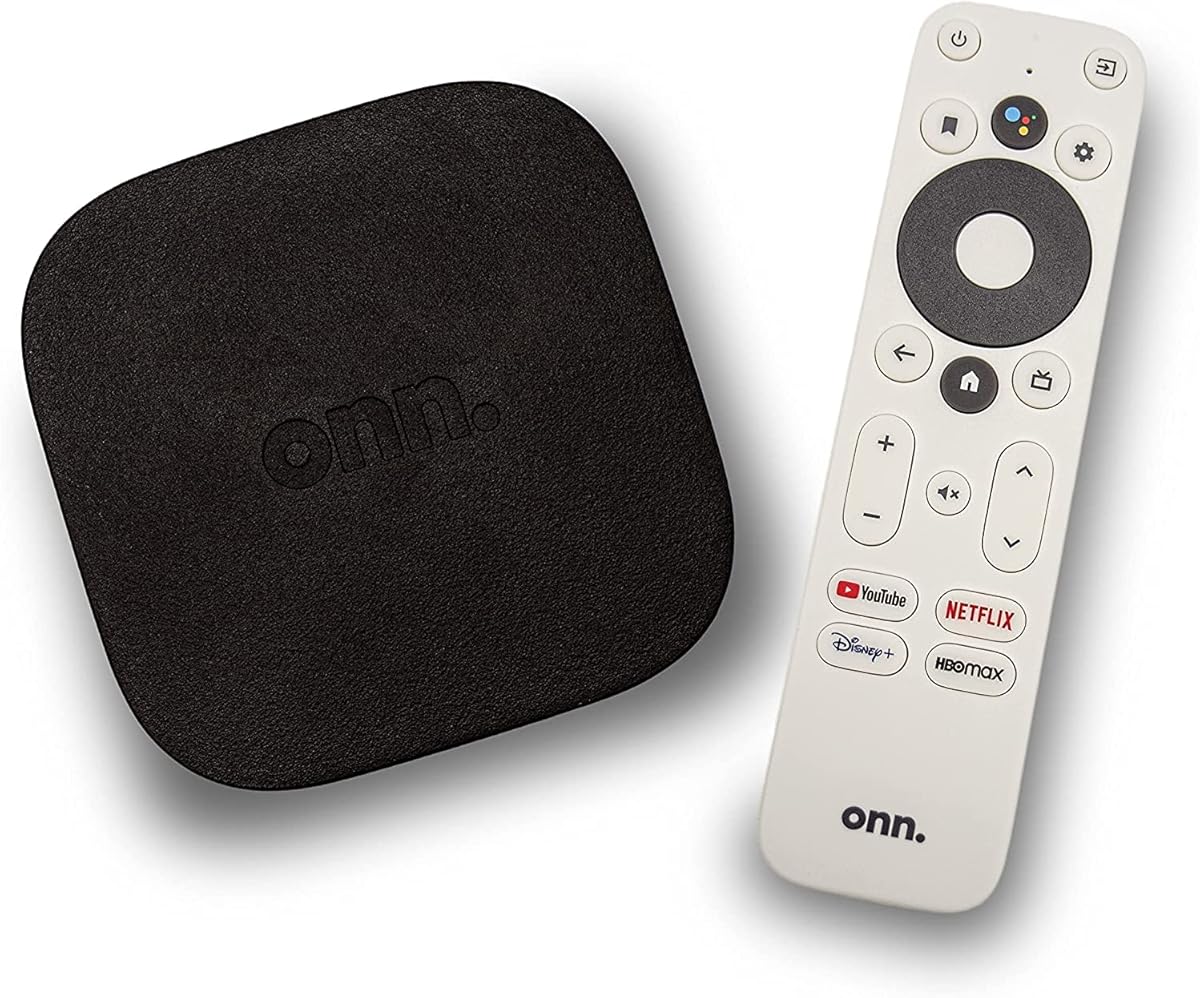
The ONN Android TV 4K offers access to the extensive Google Play Store for a wide app selection. It holds a 4.4 rating for its strong resolution and seamless casting capabilities from mobile devices to the screen.
We may earn a commission when you buy through this link, at no additional cost to you.
You can cast content directly from your phone using the built-in Chromecast which is convenient for sharing media. The voice remote with Google Assistant helps you find content and control playback hands-free.
While the Android interface can be more complex than Roku, it provides more customization for tech-savvy users. The device comes with a high-speed HDMI cable to ensure compatibility and ease of setup.
This device suits those who prefer Android's ecosystem and app variety. If you want to cast photos and videos easily and access a vast library of apps, this is a capable choice.
Access the best content with the infinite applications available through the Google Play Store.
Cast movies shows and photos from your Android or iOS device directly to the screen.
We may earn a commission when you buy through this link, at no additional cost to you.
The Roku Ultra LT (2023) provides fast Wi-Fi performance and private listening capabilities for quiet viewing. It has a 4.6 rating for its reliable streaming quality and robust build quality for daily use.
We may earn a commission when you buy through this link, at no additional cost to you.
You can plug headphones directly into the remote for private listening which is useful for late night watching. The Ethernet port ensures a stable wired connection for the highest quality streaming without wireless interference.
While it is an older model than the Ultra, it still offers strong 4K performance and easy navigation. The quad-core processor ensures apps load quickly and navigation remains smooth over time with regular use.
This player is excellent for users who want private listening and wired connection options. It is a solid choice for households that prioritize connectivity stability and personal audio options.
Plug headphones into the Roku remote with headphone jack for private listening without waking others.
Features an Ethernet port for the most stable wired connection available.
We may earn a commission when you buy through this link, at no additional cost to you.
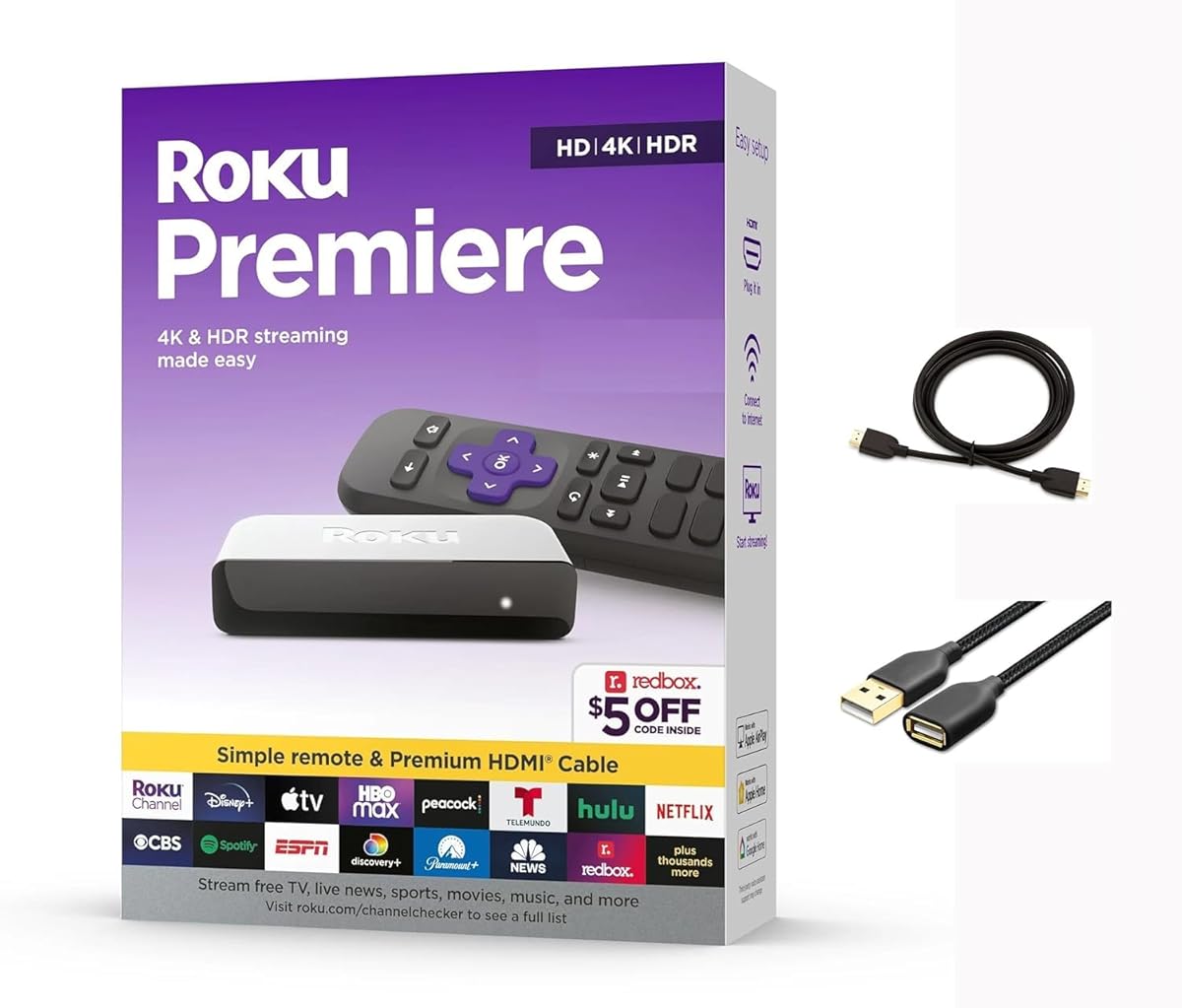
The Roku Premiere offers incredible picture quality and exceptional value for those seeking reliable 4K streaming. It has a 4.4 rating for its simplicity and ability to run popular apps smoothly on most networks.
We may earn a commission when you buy through this link, at no additional cost to you.
It supports Apple AirPlay which allows you to share videos and photos from your iPhone or iPad to the TV. The Simple Remote includes shortcut buttons for popular streaming channels making navigation straightforward for everyone.
While the remote lacks voice control, it covers all essentials for basic streaming without complexity. The package includes a high-speed HDMI cable and USB extension cord to simplify physical installation behind the TV.
This player is perfect for users who want a no-fuss 4K experience. If you prefer simplicity and AirPlay compatibility without advanced features, this device provides strong performance at a reasonable price.
Share videos photos music and more from your Apple devices to your TV via AirPlay.
Sharp resolution and vivid color optimized for your TV whether streaming 4K or HD.
We may earn a commission when you buy through this link, at no additional cost to you.
Selecting the right streaming device involves balancing resolution, connectivity, and budget to match your home setup.
Ensure the device supports at least 4K Ultra HD if you have a modern TV. Models like the Roku Ultra or Fire TV Stick 4K Plus offer Dolby Vision and HDR10 Plus for enhanced color accuracy and contrast.
Check that your content subscription services support these formats to fully utilize the hardware capabilities.
Look for devices with Wi-Fi 6 or Wi-Fi 6E support to reduce lag in busy networks. Ethernet ports on models like the Roku Ultra provide a stable connection for uninterrupted streaming.
Bluetooth headphone modes allow private listening without needing external audio hardware or speakers.
Faster processors ensure apps launch quickly and navigation remains smooth. Devices like the Amazon Fire TV Stick 4K Max offer enhanced performance that minimizes loading times.
Consider processors that are 30 percent faster than previous generations for a more responsive experience.
Voice remotes simplify finding content and controlling smart home devices. Look for remotes with dedicated buttons for power and volume to reduce device switching.
Integration with assistants like Alexa or Google Assistant helps you manage your TV and smart home with natural commands.
Higher storage allows you to keep more apps and games installed without deleting them. The Fire TV Stick 4K Max offers 16GB which doubles the capacity of other sticks.
Sufficient storage is vital if you plan to use cloud gaming services or install multiple streaming apps.
Rechargeable remotes reduce the need for batteries and often include features like backlighting. Headphone jacks on remotes enable private listening for late night viewing.
Check if the remote supports lost remote finders to keep track of the controller easily.
Models that include USB extension cords or HDMI cables simplify installation. Direct power via TV ports can reduce clutter from wall adapters.
Ensure the device comes with a high-speed HDMI cable compatible with 4K signals for best quality.
Choose between Roku OS and Fire TV based on your preferred app layout and ecosystem. Roku offers simplicity while Fire TV provides deeper integration with Amazon services.
Both platforms support major streaming apps so focus on user interface preferences for your final decision.
Start by connecting the device to your TV's HDMI port using the included cable. Use the provided USB extension cord if needed to reach a power source conveniently.
Connect to your Wi-Fi network through the settings menu using your remote. Ensure your internet speed matches your desired resolution to avoid buffering.
Keep the device well ventilated to prevent overheating during long sessions. Update software regularly through the system settings to ensure security and performance stability.
Use an HDMI port labeled ARC or 4K if available for best performance. If unsure, check your TV manual for the highest bandwidth port to ensure crisp picture quality.
Press the voice button on your remote and follow the setup wizard to link your account. This enables hands-free search and smart home control instantly.
Yes, most devices work with older TVs if they have an HDMI port. You may get Full HD resolution instead of 4K but streaming still functions normally.
Not strictly since Wi-Fi is standard but Ethernet provides more stability. Use Ethernet if you experience frequent buffering or have limited Wi-Fi coverage.
Go to Settings and select System Updates to check for new versions. Automatic updates often occur in the background to keep features fresh.
Yes, models like ONN and Roku support casting via Chromecast or AirPlay. Ensure your phone and device are on the same network for best results.
We reviewed the top ten HDMI streaming devices to help you find the perfect match for your home theater needs. Whether you prioritize speed, audio quality, or budget, there is a strong option available in this list.
Focus on connectivity features like Wi-Fi 6 and resolution support to ensure your device lasts years. Consider voice control options if you want seamless navigation without multiple remotes.
Remember to check current availability and verify specs before purchasing since models evolve rapidly. Investing in a reliable player will significantly enhance your daily entertainment experience.