
HP 14 inch Laptop 2027 Edition
4.5Editor score
Intel N150 Processor
4GB DDR5 RAM
1TB Cloud Storage included
This guide compares the best laptops for Zoom calls including webcams, lighting, and performance to help you choose the right device for clear video meetings.
Finding a reliable laptop for Zoom calls is essential for remote work and online learning. A good device ensures clear audio, sharp video, and smooth performance during meetings without distracting technical issues.
We compared ten top-rated products including laptops, webcams, and lighting kits based on user reviews, specs, and real-world performance. This list covers budget options, premium models, and accessories to enhance your video experience.
Each pick shows key features, pros, and cons to help you decide quickly. Prices and availability change frequently so check current deals before buying to ensure you get the best value for your needs.
4.5Editor score

5.0Editor score

5.0Editor score
This side-by-side comparison highlights key specs across all ten products to help you find the best fit for your video conferencing needs whether you prioritize performance, battery, or budget.





The HP 14 inch Laptop 2027 Edition stands out as a top budget option for Zoom calls. With a solid 4.5 rating it offers reliable performance for everyday video meetings without breaking the bank.
We may earn a commission when you buy through this link, at no additional cost to you.
It features an Intel N150 processor that handles multitasking efficiently. The 4GB DDR5 RAM ensures smooth navigation during calls while the 1TB cloud storage compensates for limited local space.
Trade-offs include basic camera quality and modest storage. However these are acceptable for users focused on essential video conferencing needs rather than heavy creative work or gaming.
This laptop is ideal for students or remote workers needing a lightweight machine. Its clear display and long battery life make it a strong recommendation for budget-conscious Zoom users.
The included 1TB cloud storage ensures you never run out of space for meeting recordings or files without needing extra drives.
Its slim 0.71-inch profile and lightweight chassis make it easy to carry between home office or school for seamless connectivity.
We may earn a commission when you buy through this link, at no additional cost to you.
The Cyezcor Video Conference Lighting Kit is an excellent accessory for improving Zoom call quality. It uses a ring light design to eliminate shadows and glare on your face.
We may earn a commission when you buy through this link, at no additional cost to you.
With three color temperatures and five brightness levels you can customize lighting to match your environment. The clip on design ensures stability without taking up desk space.
Its main limitation is reliance on USB power which may require a nearby port or adapter. However the portability makes it ideal for remote work setups with limited power outlets.
This kit is perfect for anyone looking to enhance their video presence cheaply. It delivers soft even light that makes you look professional during online meetings.
The ring design provides uniform light that reduces harsh shadows making your skin tone appear natural and professional.
Beyond Zoom calls it works for streaming makeup or content creation making it a multi-purpose tool for creators.
We may earn a commission when you buy through this link, at no additional cost to you.
The HP Everyday Slim Laptop earns top marks for Zoom calls with its True Vision 720p HD camera featuring temporal noise reduction. This ensures clear audio and video in virtual meetings.
We may earn a commission when you buy through this link, at no additional cost to you.
Its dedicated Microsoft Copilot key and multi-touch Imagepad enhance navigation and productivity. The long battery life supports all-day meetings without needing a charger.
While RAM is limited for heavy multitasking it suffices for most video conferencing tasks. The lightweight design ensures comfort during long work sessions.
Ideal for professionals prioritizing video quality and portability this laptop is a reliable choice. Its smart input features make it stand out among budget models.
Dual array microphones and noise reduction tech ensure your voice is clear even in noisy environments.
Designed for mobility it offers enough power to last through multiple meetings without interruption or charge cycles.
We may earn a commission when you buy through this link, at no additional cost to you.
The NIMO 15.6 FHD Copilot AI Laptop delivers powerful performance with 16GB RAM and a 512GB SSD. It handles multiple Zoom tabs and apps without lag making it ideal for remote workers.
We may earn a commission when you buy through this link, at no additional cost to you.
Its 15.6-inch FHD display provides sharp visuals and a 175-degree hinge for easy screen sharing. The 65W fast charger ensures quick power-ups between meetings.
Though slightly heavier it balances power and portability well. The extensive port selection eliminates the need for dongles which is rare in thin laptops.
This laptop is perfect for those needing more power for multitasking. Its reliability and fast boot times make it a top pick for productivity.
16GB RAM ensures smooth switching between Zoom, email, and browser tabs without slowdowns or crashes.
Seven ports including USB-C HDMI and SD card mean you can connect peripherals without extra adapters.
We may earn a commission when you buy through this link, at no additional cost to you.
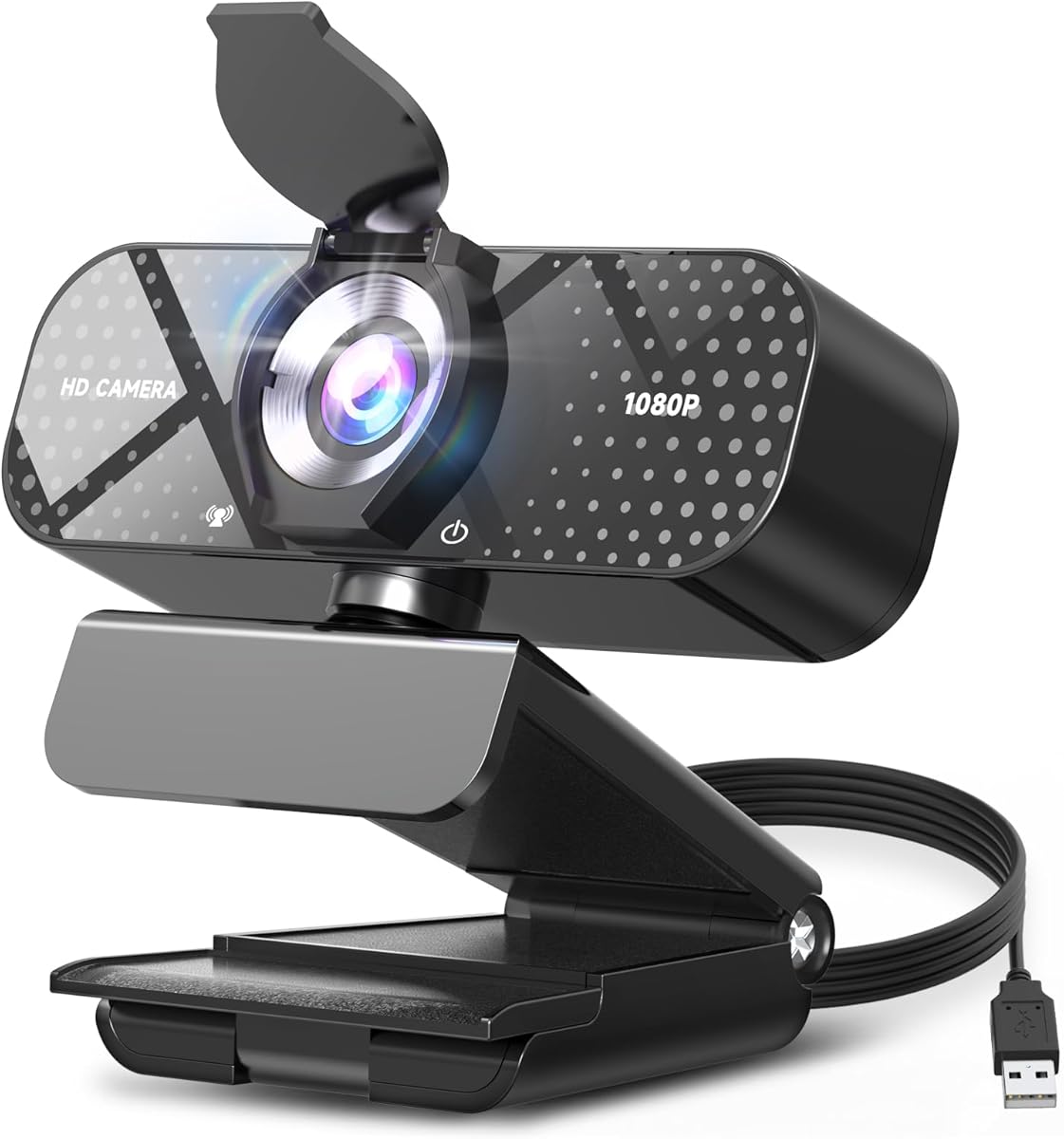
The TRAUSI 1080P FHD Webcam offers exceptional clarity for video calls with auto light correction ensuring you look your best in any lighting. Its noise-canceling mic keeps audio crisp even in noisy rooms.
We may earn a commission when you buy through this link, at no additional cost to you.
Wide-angle lens captures more details making it great for presentations. The privacy cover adds security when the camera is not in use which is vital for remote work.
Its only downside is a USB cord which limits placement flexibility. But plug and play compatibility with multiple devices makes setup effortless.
This webcam is perfect for upgrading laptop video quality affordably. It is a reliable accessory for anyone seeking better visual communication.
Auto light correction adjusts brightness dynamically so you remain visible even in dim or overly bright environments.
The included shield slides over the lens to block unauthorized access giving peace of mind during breaks.
We may earn a commission when you buy through this link, at no additional cost to you.
The Zoom Lighting for Computer uses edge-lit technology to provide soft uniform light reducing eye strain. Its high CRI ensures colors look natural on video making you appear professional.
We may earn a commission when you buy through this link, at no additional cost to you.
Adjustable height and 360 rotation let you customize the light for any setup. The sturdy metal base ensures stability during use without slipping.
Though it occupies desk space its versatility as a reading lamp is a plus. The USB power keeps it energy efficient and portable.
This light is ideal for home offices needing better lighting. It enhances Zoom calls by providing consistent professional illumination.
High CRI of 97.8 ensures skin tones and colors appear true to life during video recordings.
Rotatable head and height adjustment allow perfect placement behind or next to your monitor.
We may earn a commission when you buy through this link, at no additional cost to you.
The Ring Light for Computer Video Conference features a 6-inch curved design that avoids glare and protects eyes. It delivers high CRI lighting making videos look vivid and realistic.
We may earn a commission when you buy through this link, at no additional cost to you.
Multiple modes and ten dimming levels let you tweak brightness for any scenario. The clip on mount is secure and easy to attach to most monitors.
Plastic build keeps it light but may feel less durable. However the performance is strong for the price point making it a great value.
This light suits influencers or workers needing quick setup. It improves video quality instantly without cluttering your desk.
The curved lampshade diffuses light to prevent glare while providing sufficient brightness for clear video.
Switch between warm cold or mixed light easily to match different lighting conditions throughout the day.
We may earn a commission when you buy through this link, at no additional cost to you.
The HP 14 Business Laptop Computer offers solid performance with Office 365 included for productivity. Its micro-edge display expands vertical space for efficient browsing during Zoom prep.
We may earn a commission when you buy through this link, at no additional cost to you.
With various ports including USB-C and HDMI it handles peripherals well. The lightweight chassis makes it easy to transport to meetings.
Screen resolution is modest and storage is limited. But these trade-offs are acceptable given the price and bundled software.
This laptop is great for students or small business users. It balances affordability with essential features for remote work.
One year Office 365 access means you can create documents and manage tasks immediately without extra cost.
Multiple USB and HDMI ports simplify connecting external monitors or accessories for presentations.
We may earn a commission when you buy through this link, at no additional cost to you.
The HP New Everyday Slim Laptop emphasizes cloud storage with 1TB included for seamless file access. Its Copilot AI key enhances navigation making it useful for quick task execution.
We may earn a commission when you buy through this link, at no additional cost to you.
With up to 11 hours battery playback it supports long workdays. The sleek design ensures comfort during travel.
Lower ratings suggest variability in performance. But cloud focus suits users needing remote access to data and files.
This laptop fits those prioritizing cloud workflows. It is a practical choice for remote teams using shared drives.
1TB storage ensures you can store and retrieve large video files or documents from anywhere.
Dedicated Copilot key provides quick access to AI tools streamlining workflows during busy meetings.
We may earn a commission when you buy through this link, at no additional cost to you.
The yAyusi Dual-lamp Video Conference Lighting offers brighter even light with two bars for professional effect. Remote and touch controls let you adjust settings without reaching.
We may earn a commission when you buy through this link, at no additional cost to you.
Rotatable design covers wider areas making it versatile for different setups. The eye protection tech reduces strain during long sessions.
Setup may be slightly complex but results are worth it. The warranty adds confidence in the product reliability.
This kit is ideal for serious content creators needing high-quality light. It elevates Zoom calls with studio-quality illumination.
Two light bars provide even coverage reducing shadows and improving face visibility on video.
Remote and touch controls allow precise adjustments without disrupting your work flow.
We may earn a commission when you buy through this link, at no additional cost to you.
Selecting the right laptop for Zoom calls involves considering performance, display, battery life, and accessories like webcams or lighting.
A capable processor ensures smooth multitasking during video meetings. Look for Intel N150 or better to handle background apps without lag.
Prioritize processors with multiple cores for stable performance over time.
At least 4GB RAM is needed for basic Zoom calls but 16GB offers better multitasking. Storage should include SSD or cloud options.
Choose SSD storage for faster boot times and smoother application launches.
A clear display with anti-glare coating reduces eye strain. Resolution should be HD or higher for sharp visuals.
Look for screens with high color accuracy for better video clarity.
Built-in cameras like True Vision 720p help video quality. Dual microphones reduce noise for clearer audio.
Consider external webcams if built-in quality is insufficient.
Long battery life is vital for uninterrupted meetings. Aim for at least 8 hours of usage.
Portable chargers are useful for travel but native battery matters most.
Multiple USB ports HDMI and SD slots help connect peripherals. Wi-Fi 6 or better ensures stable internet.
Avoid dongles by choosing laptops with sufficient native ports.
Lightweight laptops reduce strain during travel. Models under 4 lbs are ideal for commuters.
Slim profiles fit easily in backpacks for everyday transport.
Good lighting improves video quality. Ring lights or desk lamps with adjustable color help.
Add privacy covers for security and microphones for clear audio.
Always position your camera at eye level for a natural angle. Use a stable surface or mount to avoid shaking during calls.
Clean your screen and keyboard regularly with a microfiber cloth. Avoid liquids and harsh chemicals that may damage components.
Keep your software updated to ensure compatibility with Zoom features. Restart your device weekly to clear cache and improve performance.
A good laptop for Zoom has a strong processor at least 4GB RAM and a clear webcam. Good battery life and stable Wi-Fi are also essential for uninterrupted meetings.
Most laptops have built-in cameras but external webcams offer better clarity. Use one if your internal camera is low quality or you need 1080p video.
4GB RAM is the minimum for basic Zoom calls. For multitasking with many apps 16GB is recommended to prevent slowdowns during meetings.
Yes apps like Camo let you use your phone as a high-quality webcam. This is a cost-effective upgrade if your laptop camera is poor.
Natural light is best but ring lights or desk lamps with adjustable color temperatures work well. Ensure light comes from in front not behind you.
Use a headset with a dedicated mic or an external microphone. Mute when not speaking and avoid noisy environments for clearer sound.
Chromebooks run Zoom but may lack full features. They are suitable for light use but Windows laptops offer better compatibility and performance.
Update Zoom immediately when notifications appear. Regular updates improve security and add new features for smoother meetings.
The top picks like the NIMO laptop and HP Everyday Slim offer excellent video performance. Accessories such as ring lights and external webcams enhance the experience.
Prioritize performance, display quality, and battery life based on your needs. Consider accessories for better lighting and audio if your laptop falls short.
Prices and availability change frequently so check current deals before buying. This guide helps you find the perfect setup for seamless video conferencing.