
Dell UltraSharp 27 4K Thunderbolt Hub Monitor – U2725QE
3.8Editor score
Thunderbolt 4 connectivity
Daisy chain support
Built-in Thunderbolt hub
Finding the right display for high-resolution work requires careful consideration of connectivity and color accuracy. Thunderbolt technology offers a streamlined solution for modern workflows. It ensures fast data transfer and reliable power delivery through a single cable connection for your setup.
We evaluated ten leading models to identify the best options for professionals. Our analysis focused on resolution, color coverage, port selection, and build quality. Each product was chosen for its ability to handle demanding creative tasks efficiently without compromising on performance or usability standards.
Every pick highlights specific strengths for different user needs and work environments. You will find detailed breakdowns of features and performance metrics for each model. Prices fluctuate frequently so please verify the current cost before making your final purchasing decision today.
3.8Editor score

4.6Editor score

4.5Editor score
As an Amazon Associate we earn from qualifying purchases.
This table provides a side-by-side comparison of all ten selected monitors to help you quickly identify key specifications and differences between each model for your specific needs.

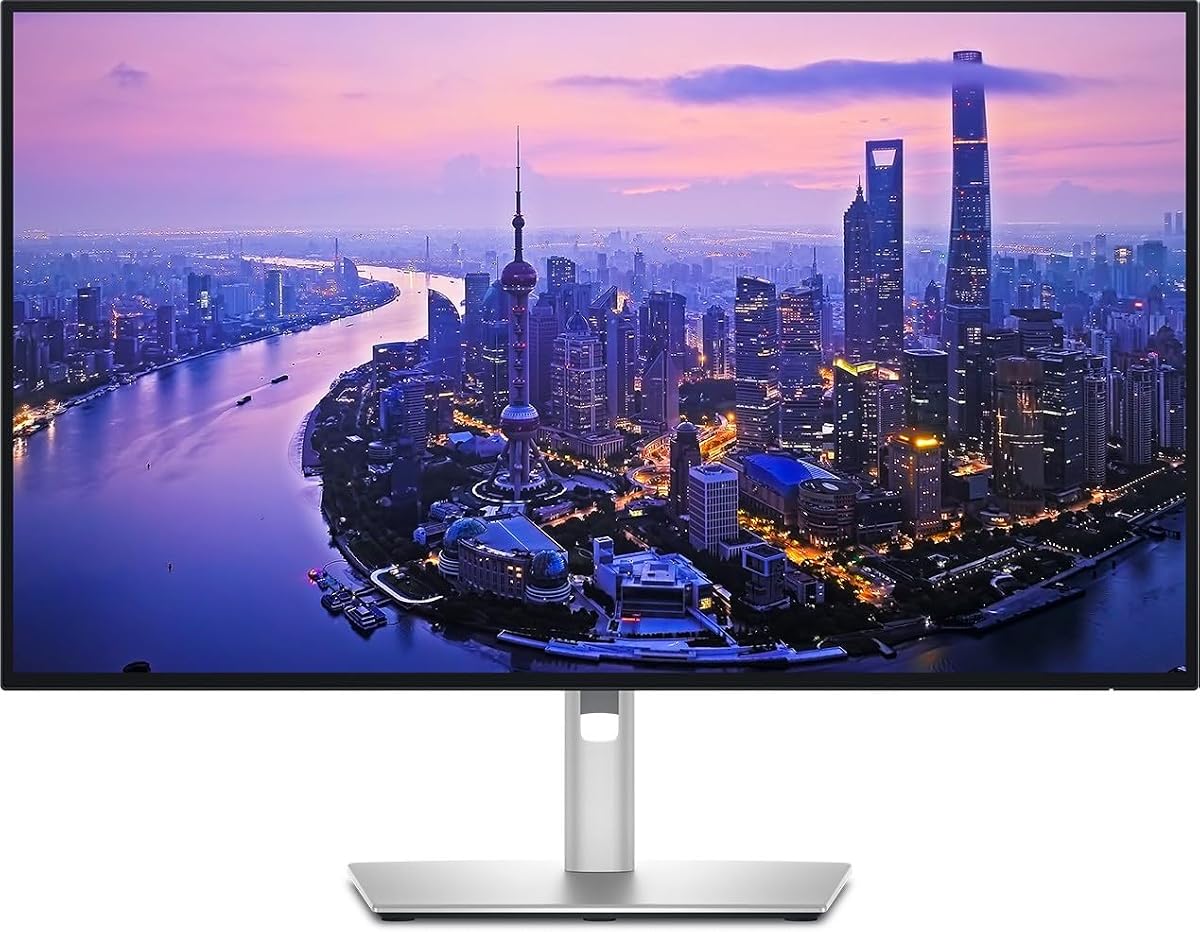


The Dell UltraSharp 32 Thunderbolt Hub Monitor stands out as a top choice for professionals seeking high fidelity visual performance. With a rating of 4.6 stars it delivers exceptional clarity and color precision across a spacious 32-inch workspace.
We may earn a commission when you buy through this link, at no additional cost to you.
Its IPS Black panel offers a remarkable 3000:1 contrast ratio ensuring deeper blacks and richer colors. The factory calibrated color accuracy at Delta E less than 1.5 makes it ideal for photo editing and design work where true-to-life reproduction is critical.
Users may find the price higher than standard models but the investment is justified by the premium build and features. The built-in KVM switch allows seamless switching between two machines using a single keyboard and mouse enhancing productivity significantly.
This monitor is perfect for creators and executives who need reliable connectivity and stunning visuals. It supports fast Ethernet and maintains a premium look with its near-borderless screen and refined light ash finish.
The 99% Display P3 coverage ensures your photos and videos look true to life from the first second.
Switch between a personal laptop and work device effortlessly with the integrated KVM functionality.
We may earn a commission when you buy through this link, at no additional cost to you.
This monitor delivers stunning 3840×2160 resolution with exceptional color accuracy for professionals. It covers 100% of sRGB and Display P3 color spaces ensuring true-to-life color reproduction for demanding creative tasks.
We may earn a commission when you buy through this link, at no additional cost to you.
The built-in Thunderbolt hub supports daisy-chaining and high-speed data transfer simplifying your desk setup. It transforms the monitor into a full connectivity hub allowing you to connect peripherals through a single display.
Some users report mixed feedback regarding specific unit performance or software compatibility. The price varies depending on the seller so checking current offers is recommended before purchasing this premium device.
It is suitable for photographers and designers needing reliable performance and aesthetic appeal. The fully adjustable stand supports height tilt swivel and pivot adjustments for personalized comfort.
Connect your laptops and accessories through a single display for a clutter-free and efficient workspace.
Dell’s commitment to sustainable materials ensures an energy-efficient operation for your office environment.
We may earn a commission when you buy through this link, at no additional cost to you.
The LG 27UP850K-W offers stunning image quality with up to 95% DCI-P3 color gamut expression. It features DisplayHDR 400 support for enhanced brightness and contrast in compatible content.
We may earn a commission when you buy through this link, at no additional cost to you.
With USB-C power delivery up to 90W it reduces the need for additional adapters and dongles. The built-in stereo speakers equipped with Waves MaxxAudio provide decent audio for media consumption.
While not professional grade it offers significant value for general productivity and entertainment. The ergonomic stand allows flexible adjustment of height tilt and pivot for optimal viewing positions.
Ideal for users seeking a versatile display at a competitive price point. The Switch app transforms your screen into a multitasking hub for work and gaming.
Enjoy vivid colors and HDR support without the high cost of professional reference monitors.
Connect peripherals and charge your laptop with a single USB-C cable for a streamlined setup.
We may earn a commission when you buy through this link, at no additional cost to you.
This monitor provides a smooth tear-free experience with AMD FreeSync Premium and 120Hz refresh rate. It features 99% sRGB coverage for vibrant colors and an improved ComfortView Plus for all-day comfort.
We may earn a commission when you buy through this link, at no additional cost to you.
The in-plane switching technology delivers excellent depth and detail with a 1500:1 contrast ratio. Re-engineered sound quality offers more detailed sound with spacious audio features.
It lacks native Thunderbolt support so check connectivity requirements for your specific laptop setup. The single USB-C cable supports up to 65W power delivery for streamlined desk management.
Best for users prioritizing refresh rate and comfort over maximum connectivity speed. Enjoy breathtaking 4K visuals suitable for work and play.
Reduced harmful blue light emissions help minimize eye strain during long work sessions.
The contrast ratio and HDR readiness provide excellent detail and depth for visual content.
We may earn a commission when you buy through this link, at no additional cost to you.
The Dell UltraSharp U2725QE offers a 4K UHD IPS Black Display with factory calibration to Delta E less than 1.5. It covers 99% DCI-P3 ensuring professional color accuracy for your content.
We may earn a commission when you buy through this link, at no additional cost to you.
Thunderbolt 4 Single Cable Solution transmits video data and up to 140W power simultaneously. It supports daisy chain for up to two additional 4K monitors for expandable setups.
The ambient light sensor auto adjusts brightness keeping the screen comfortable throughout the day. ComfortView Plus reduces harmful blue light to minimize eye strain during long sessions.
Ideal for professionals needing top-tier visual performance and high-power connectivity. Full ergonomic adjustability allows personalized comfort for any workspace.
Power delivery up to 140W ensures your high-demand laptops stay charged while working.
Factory calibration guarantees your work matches industry standards right out of the box.
We may earn a commission when you buy through this link, at no additional cost to you.
This model features a built-in Thunderbolt hub that supports daisy-chaining high-speed data transfer. It simplifies desk setup by transforming the monitor into a full connectivity hub.
We may earn a commission when you buy through this link, at no additional cost to you.
It offers a fully adjustable stand with tilt swivel height and pivot options for personalized comfort. The 27-inch 4K UHD display delivers stunning resolution and sharpness.
Users should verify the specific SKU details before purchase as ratings may be limited. The design incorporates Dell's commitment to sustainable materials and energy-efficient operation.
Best for IT setups requiring centralized connectivity management. Connect peripherals and accessories through a single display.
Reduce clutter by connecting all your devices through the monitor's integrated hub ports.
Sustainable design choices ensure an eco-friendly approach to your office environment.
We may earn a commission when you buy through this link, at no additional cost to you.
The ViewSonic VP2488-4K is a professional 4K UHD Mac-Ready Monitor with Thunderbolt 4 connectivity. It aligns perfectly with the visual performance and color standards of the Mac ecosystem.
We may earn a commission when you buy through this link, at no additional cost to you.
Pantone Validated color precision ensures pinpoint color fidelity for professional-tier creative outputs. The Thunderbolt 4 port delivers up to 100W of power to keep your MacBook charged.
While compact at 24 inches it offers vibrant true-to-life colors and deep contrast. Advanced ergonomic features achieve the perfect viewing angle and reduce neck strain.
Ideal for Mac users seeking precise color and reliable charging. Seamlessly connect your Mac and peripherals with versatile input options.
Pantone validation ensures your designs match print and web outputs accurately.
Power and data transmission through one cable reduces desk clutter significantly.
We may earn a commission when you buy through this link, at no additional cost to you.
Samsung’s 32 ViewFinity S7 provides exceptional clarity for professionals across all industries. It delivers visual excellence with high pixel density revealing greater levels of detail.
We may earn a commission when you buy through this link, at no additional cost to you.
HDR10 optimizes contrast offering a gamut of more than 1 billion accurate colors. Eye Saver Mode technology reduces eye strain by minimizing blue light and prevents screen flickering.
While it lacks Thunderbolt it offers HDMI and DP ports for convenient interface setup. Game Mode adjusts color and contrast to reveal more detail in scenes.
Best for large workspace environments needing immersive viewing. Create intricate designs and complex diagrams on a spacious 32-inch screen.
The 32-inch display provides ample real estate for multitasking and detailed work.
Certified technology protects your vision during extended work sessions.
We may earn a commission when you buy through this link, at no additional cost to you.
Experience stunning clarity on the 32 4K UHD LED display bringing your content to life. It benefits from an integrated Thunderbolt hub offering versatile connectivity options.
We may earn a commission when you buy through this link, at no additional cost to you.
Maximize your workflow with the expansive screen size reducing the need for multiple monitors. Enjoy exceptional visual performance with crisp text and sharp images.
Elevate your workspace aesthetic with the stylish design featuring a slim bezel. The monitor ensures comfortable viewing during extended work sessions or entertainment.
Ideal for those needing a single large screen for efficiency. The sleek modern design complements any professional environment.
A single large display simplifies your desktop management and reduces visual clutter.
LED HDR ensures vibrant colors and high contrast for all media types.
We may earn a commission when you buy through this link, at no additional cost to you.
With two Thunderbolt 3 ports you can connect to compatible Macs and PCs for a dual UHD setup. Transmit video and data at speeds up to 40Gbps while simultaneously charging devices.
We may earn a commission when you buy through this link, at no additional cost to you.
The VA panel offers wide 178° viewing angles and accurate replication of 1 billion hues. Split Screen Picture-by-Picture and Picture-in-Picture features allow viewing multiple sources simultaneously.
Users should note the 60Hz refresh rate limits gaming suitability. The fully adjustable stand supports swivel tilt and height adjustment for ergonomic comfort.
Best for complex setups requiring dual input flexibility. VESA compatibility makes wall mounting easy.
Thunderbolt 3 ports allow robust data and video transfer with charging.
Picture-by-Picture lets you manage multiple streams or tasks efficiently.
We may earn a commission when you buy through this link, at no additional cost to you.
Choosing the right display involves balancing several key factors to ensure it meets your professional needs.
Ensure the monitor offers 4K UHD resolution for sharp text and detailed visuals. Look for IPS panels for better color consistency and viewing angles compared to VA or TN types.
Prioritize resolution and panel type for your visual accuracy and comfort.
Check if your laptop supports Thunderbolt 3 or 4 for high-speed data and video. This allows single cable connectivity for power charging and data transfer.
Confirm Thunderbolt compatibility to simplify your desk setup effectively.
For creative work look for 99% or 100% sRGB and DCI-P3 coverage. Factory calibration and low Delta E values ensure reliable color representation.
Select models with high color accuracy for professional creative tasks.
Most professional models offer 60Hz which is sufficient for productivity. Higher refresh rates like 120Hz provide smoother scrolling and video playback.
Choose a refresh rate based on your specific workflow demands.
Integrated USB hubs allow you to connect peripherals directly to the monitor. This reduces cable clutter and centralizes device connections.
Look for a connectivity hub for a streamlined workspace experience.
Adjustable stands for height tilt swivel and pivot help maintain good posture. VESA mount compatibility allows flexible placement options.
Invest in ergonomic features to protect your long-term health.
IPS Black technology offers deeper blacks and better contrast than standard IPS. This improves visual depth especially for dark scenes.
Consider IPS Black for enhanced visual depth and contrast.
Balance features like Thunderbolt connectivity and resolution against your budget. Higher prices often reflect better color accuracy and build quality.
Choose a monitor that offers value for your specific requirements.
Start by connecting your Thunderbolt cable securely to both the monitor and your laptop. Ensure your operating system recognizes the display and set the resolution to 4K for optimal sharpness.
Adjust the monitor height and tilt to align with your eye level to reduce strain. Use software tools to manage window layouts if your monitor supports split screen features.
Clean the screen gently with a microfiber cloth to avoid scratches. Avoid using harsh chemicals or spraying liquids directly onto the display.
Not all Thunderbolt monitors provide power delivery. Some models may require a separate power source for your laptop. Check the specific wattage rating to ensure it matches your device needs.
Thunderbolt 4 offers consistent speeds and more stringent certification requirements. It guarantees at least 40Gbps speeds on both ports while 3 might vary. Most 4K monitors support either version effectively.
Yes the high resolution allows multiple lines of code to fit on screen. This improves readability and reduces the need for excessive scrolling. It is highly beneficial for developers working with complex projects.
Many models support daisy chaining to connect additional displays. This allows you to extend your workspace using a single cable connection. Verify the monitor supports this feature before purchasing.
For general use exact accuracy is less critical. However high accuracy improves image quality and visual comfort. It ensures consistent colors across different media.
Adjust settings as needed when moving locations or lighting changes. Regularly calibrate if you perform color-sensitive work. Most monitors maintain factory settings for years.
Thunderbolt is a faster standard than standard USB-C. If you need high speed data transfer Thunderbolt is essential. USB-C may suffice for basic charging and video.
Professional monitors typically last several years with proper care. Avoid leaving static images for long periods to prevent burn-in. Regular maintenance ensures longevity and performance.
We reviewed ten top models from Dell LG Samsung and ViewSonic for this guide. Each option offers unique strengths depending on your professional requirements and budget.
Prioritize color accuracy and connectivity speed if you work in design or development. Consider ergonomics and size if you spend long hours at your desk.
Prices for these high performance monitors change frequently so check current listings. Verify compatibility with your laptop before finalizing your purchase decision.