
Sceptre 24-inch Prime Monitor
4.6Editor score
99 percent sRGB color gamut coverage
Multiple HDMI and VGA input ports
Built in speakers for audio convenience
Finding the right HDMI LED monitor can transform your workspace or gaming setup. These displays offer crisp visuals, reliable connectivity, and energy efficiency for various tasks.
We evaluated ten leading models based on refresh rates, color gamut coverage, build quality, and user feedback. Our analysis focuses on value, performance, and versatility across different use cases.
Each pick highlights specific strengths like eye care features, speaker quality, or response times. Prices and availability may change, so verify current details before purchasing your next display.
4.6Editor score

4.7Editor score

4.6Editor score
As an Amazon Associate we earn from qualifying purchases.
The following table provides a side by side comparison of all ten selected HDMI LED monitors. Review each model specifications to identify the best fit for your specific requirements and budget constraints.






This Dell monitor stands out as a top contender in the HDMI LED category. With a high rating of 4.7 stars, it delivers fluid visuals suitable for both work and gaming.
We may earn a commission when you buy through this link, at no additional cost to you.
The 144Hz refresh rate ensures that fast moving content appears seamless without stuttering. The IPS technology maintains color accuracy across wide viewing angles, making it ideal for collaborative tasks.
While the stand lacks height adjustment, the tilt function provides some ergonomic flexibility. The lack of a USB hub is a minor trade-off for the performance offered at this level.
Anyone seeking a balanced display with high refresh rates should consider this model. It offers professional grade visual performance without sacrificing user comfort during long sessions.
The 144Hz refresh rate paired with 1ms response time minimizes motion blur effectively.
TÜV Rheinland 3-star certification helps reduce eye strain during extended use.
We may earn a commission when you buy through this link, at no additional cost to you.
This Sceptre model proves that budget friendly monitors can still offer strong performance. Users appreciate the 99% sRGB coverage which is rare at this price point.
We may earn a commission when you buy through this link, at no additional cost to you.
The inclusion of two HDMI ports and a VGA input provides great versatility for connecting multiple devices. Built-in speakers save desk space for users who do not want external audio.
While the build feels utilitarian compared to premium brands, it serves its purpose well. The lack of adaptive sync is a limitation for serious gamers but acceptable for casual use.
Budget conscious buyers will find this an attractive option. It delivers reliable visuals and connectivity without breaking the bank for home offices or secondary setups.
99% sRGB coverage ensures images and videos display with accurate and vivid tones.
Multiple ports allow easy switching between laptops, consoles, and older desktop PCs.
We may earn a commission when you buy through this link, at no additional cost to you.
This Dell P series monitor represents a robust choice for professional environments. It offers a solid viewing experience with reliable performance suitable for critical tasks.
We may earn a commission when you buy through this link, at no additional cost to you.
The stand allows full height tilt swivel adjustments ensuring comfort over long workdays. The contrast ratio provides clear differentiation between light and dark areas in documents and images.
The premium price reflects the build quality and adjustability. While it may lack gaming specific features like high refresh rates, it excels in stability and ergonomic design.
Professionals seeking a long term investment in their workspace should choose this. It combines comfort with consistent visual output for demanding office applications.
Adjustable stand positions help maintain proper posture during extended productivity sessions.
A high contrast ratio ensures text and graphics remain crisp and legible.
We may earn a commission when you buy through this link, at no additional cost to you.
For those needing a larger canvas without a high cost this Sceptre model delivers. The 27 inch size is ideal for multitasking or immersive media consumption.
We may earn a commission when you buy through this link, at no additional cost to you.
Adaptive sync technology helps reduce screen tearing which is a welcome addition at this price. The color accuracy remains consistent with other models in the brand.
The stand is minimal and may require a wall mount for stability. Users should note that while refresh rates are decent they do not match higher end gaming monitors.
Ideal for home entertainment or casual productivity this screen offers space and visual clarity. It balances size and features effectively for budget constrained buyers.
The 27 inch panel provides ample space for spreadsheets or split screen work.
Adaptive sync synchronizes the display with the graphics card for smoother visuals.
We may earn a commission when you buy through this link, at no additional cost to you.
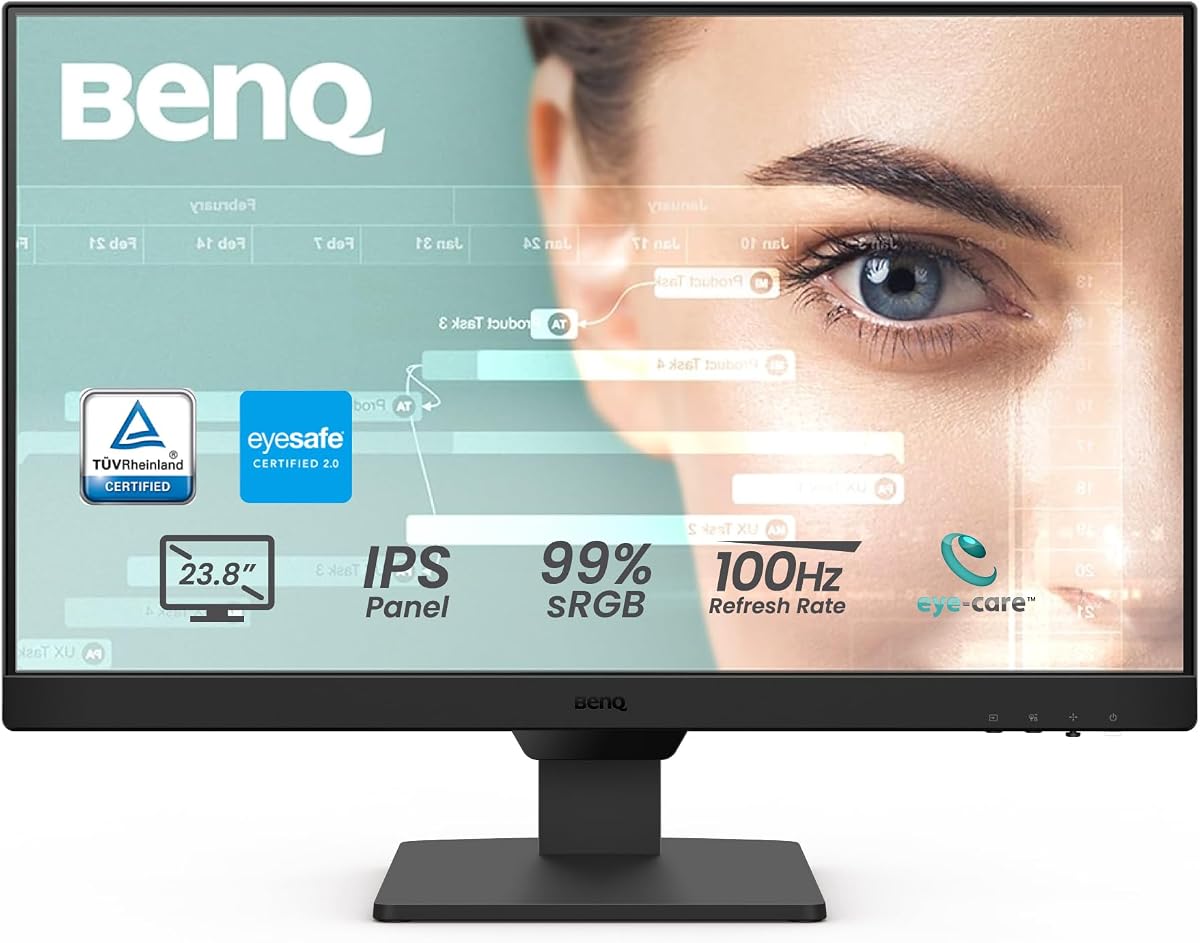
BenQ is known for eye comfort technology and this monitor reflects that strength. The Low Blue Light Plus filter reduces harmful radiation while maintaining color accuracy.
We may earn a commission when you buy through this link, at no additional cost to you.
Users benefit from a 100Hz refresh rate which offers smoother motion than standard 60Hz panels. The Input Hotkey allows quick switching between devices which boosts productivity.
The lack of height adjustment means using a VESA mount for better ergonomics. Speakers are present but lack bass response for music listening tasks.
If eye strain is a primary concern this model is highly recommended. It provides a comfortable viewing experience for students or office workers spending long hours at a screen.
Eye-Care Tech filters blue light to help reduce fatigue during long sessions.
Multiple ports and a dedicated hotkey make device switching quick and efficient.
We may earn a commission when you buy through this link, at no additional cost to you.
Philips delivers a visually striking monitor with a VA panel that produces deep blacks. This contrast makes images appear more vibrant and lifelike compared to standard panels.
We may earn a commission when you buy through this link, at no additional cost to you.
The flicker-free technology ensures that the screen does not emit rapid brightness changes. This feature helps maintain comfort during late night usage or dim lighting conditions.
Response times are slightly slower than IPS rivals which may affect fast gaming. The bezel-less design enhances immersion and looks modern in any workspace setting.
Media consumption and general productivity gain from the enhanced contrast ratio. It is a solid choice for users who prioritize image depth over fast refresh rates.
The VA panel delivers richer blacks which improve overall image quality and detail.
Flicker-free technology reduces eye strain during long hours of continuous use.
We may earn a commission when you buy through this link, at no additional cost to you.
This model has achieved a perfect user rating indicating high satisfaction among owners. It provides a reliable display for daily office tasks with clear text and sharp edges.
We may earn a commission when you buy through this link, at no additional cost to you.
The anti-glare coating is effective in reducing reflections from overhead lighting. Brightness levels are sufficient for most indoor environments ensuring visibility at any angle.
Input lag is not a priority for office work but the 5ms time is acceptable. The tilt only stand limits ergonomic flexibility but the display remains stable on a desk.
For professional environments requiring dependable visuals this monitor fits well. Its performance consistency and glare control make it a safe choice for business use.
The anti-glare coating ensures that bright lights do not obscure your view.
A perfect rating suggests that buyers find the reliability and value compelling.
We may earn a commission when you buy through this link, at no additional cost to you.
LG brings HDR capability to this affordable LED monitor enhancing visual quality for video. The IPS panel ensures vibrant colors that remain consistent across the entire screen.
We may earn a commission when you buy through this link, at no additional cost to you.
120Hz refresh rate provides smooth transitions for fast content while Reader Mode adjusts blue light for text. Motion blur reduction further sharpens moving images for a clearer view.
The slim stand offers a clean look but lacks height adjustment. Connectivity is standard but lacks advanced ports like USB-C which limits docking capabilities.
For streamers or casual gamers this display balances features and cost. It brings cinematic visual quality to everyday content without requiring expensive hardware.
HDR10 support enriches scenes with better contrast and more vivid colors.
Reader Mode shifts colors to a warmer tone to reduce eye fatigue.
We may earn a commission when you buy through this link, at no additional cost to you.
Acer focuses on usability with this compact monitor that features a ZeroFrame design. The minimal bezels maximize screen space making it great for dual monitor setups.
We may earn a commission when you buy through this link, at no additional cost to you.
100Hz refresh rate keeps motion fluid and input lag is low which helps in responsive tasks. The 1ms response time ensures clear transitions without smearing artifacts.
The smaller size fits well on tight desks or shared workspaces. While it may not suit large scale tasks it excels in general office productivity and light use.
Small business owners or users with space constraints will appreciate this design. It combines modern aesthetics with practical performance for a tidy workspace setup.
Minimal bezels allow for multiple screens to be placed side by side easily.
Fast response times ensure that moving cursors and windows appear crisp.
We may earn a commission when you buy through this link, at no additional cost to you.
This Dell Plus monitor stands out for offering full ergonomic adjustability alongside high performance. The ability to pivot and swivel makes it versatile for various work styles.
We may earn a commission when you buy through this link, at no additional cost to you.
144Hz refresh rate delivers smooth motion while integrated speakers reduce cable clutter on the desk. AMD FreeSync support ensures that gaming visuals remain stable and tear-free.
The higher price reflects the premium feature set including height adjustment. The white finish looks modern but requires regular cleaning to avoid dust accumulation.
Users needing a complete solution with ergonomic flexibility should look here. It merges productivity tools with entertainment features for a versatile home office hub.
Height tilt pivot and swivel options allow you to find a perfect viewing angle.
Dual 3W speakers deliver decent sound quality without needing external hardware.
We may earn a commission when you buy through this link, at no additional cost to you.
Selecting the right HDMI LED monitor involves weighing several technical factors against your specific needs and workspace constraints.
Refresh rate determines how many frames per second the screen displays. Higher rates like 100Hz or 144Hz provide smoother motion for gaming and scrolling.
Prioritize high refresh rates if you watch fast video or play games to reduce motion blur.
IPS panels offer better color accuracy and viewing angles while VA panels provide deeper blacks. TN panels are rare now but have fastest response times.
Choose IPS for creative work or VA for media consumption based on your priority.
Standard Full HD resolution works well up to 24 inches. Larger screens may benefit from higher resolutions to keep text sharp and clear.
Select a size that fits your desk distance to ensure comfortable viewing posture.
Modern monitors include Low Blue Light and Flicker-Free technology to reduce strain. Certifications like TÜV Rheinland verify these claims effectively.
Look for these features if you spend long hours in front of the screen daily.
HDMI is essential for most setups but having multiple ports helps connect several devices. DisplayPort offers higher bandwidth if needed for future upgrades.
Ensure the monitor has enough HDMI inputs for your consoles computers and laptops.
Adjustable stands for height tilt and swivel improve comfort and reduce neck pain. VESA mounts allow wall installation if the stock stand is limited.
Check stand flexibility early to avoid needing extra mounting hardware later.
Built-in speakers are convenient but often lack depth for music. External audio is better for high fidelity needs.
Consider integrated audio only for general alerts or casual media consumption.
Premium brands often offer better build quality and longer support periods. Check warranty terms before buying to ensure peace of mind.
Invest in reliable build quality to extend the lifespan of your display.
Always connect your monitor to a stable power source and use high quality HDMI cables for best performance. Ensure your graphics card drivers are updated to support the monitor's refresh rate.
Clean the screen gently with a microfiber cloth to avoid scratches. Do not use harsh chemicals or press hard on the panel as it can damage internal components.
Adjust brightness and blue light settings based on your room lighting. Enable night modes during evening hours to reduce eye strain and improve sleep quality.
HDMI is widely supported and ideal for most general use cases. It carries video and audio signals efficiently for computers and consoles alike. For very high refresh rates DisplayPort may offer more bandwidth in some scenarios.
100Hz means the screen refreshes its image 100 times per second. This results in smoother motion and less stuttering compared to standard 60Hz displays. It is beneficial for both gaming and scrolling through content smoothly.
Most modern integrated graphics can drive Full HD monitors effectively. However high refresh rate monitors may require more power for gaming. Check your GPU specs to ensure it supports the desired refresh rate.
Built-in speakers are adequate for system alerts and casual video watching. For music or immersive gaming external speakers or headphones are recommended. They provide better bass and clarity than compact monitor drivers.
Enable Flicker-Free settings in the monitor menu if available. Adjusting brightness to match your room lighting also helps reduce perceived flicker. Using stable power sources prevents electrical noise affecting display stability.
Many models support VESA mounting which allows wall installation. Check the product specs for the mounting pattern size before purchasing a wall mount. Not all budget models include the necessary brackets.
Our top picks cover various needs from budget friendly options to ergonomic premium displays. Each model brings unique strengths like high refresh rates or eye care features.
Prioritize refresh rates for gaming and eye comfort for office work. Balance these needs against your budget to find the ideal match for your setup.
Prices and availability shift regularly so verify details before purchasing. The right HDMI LED monitor will elevate your visual experience significantly.