
HP 17 Laptop
5.0Editor score
AMD Ryzen 5 7520U Processor
8GB DDR5 RAM and 512GB SSD
17.3 inch Full HD Display
Choosing the right laptop for vlogging requires balancing power portability and screen quality. Creators need devices that handle video editing software smoothly while remaining light enough to carry on location shoots daily.
We evaluated ten top models based on processor speed graphics performance display accuracy and battery life. Our analysis focuses on real world workflow needs for solo creators and small teams producing high quality content regularly.
Each pick highlights key strengths like color accuracy processing power or upgrade options. Prices and availability change frequently so check current listings before buying to ensure you get the best value for your specific needs.
5.0Editor score

4.9Editor score

4.3Editor score
As an Amazon Associate we earn from qualifying purchases.
The following comparison table lists all ten selected laptops with their core specifications side by side. This overview helps you quickly identify which model meets your performance budget and portability requirements.





This laptop stands out as a highly capable budget option for vloggers starting their journey. With a 5.0 rating it delivers reliable daily performance for video editing and content management tasks.
We may earn a commission when you buy through this link, at no additional cost to you.
The AMD Ryzen 5 6600H processor provides six cores and twelve threads which handles multitasking smoothly. It supports DDR5 memory and PCIe 4.0 SSD for fast load times when working with large video files.
While it lacks a dedicated GPU the integrated Radeon 660M graphics handle light editing well. The main limitation is extended 4K rendering but it suffices for casual creators on a tight budget.
Buyers seeking an affordable machine that can grow with their needs will appreciate the upgrade options. You can add more RAM or storage later making it a practical long term choice.
Dual SO-DIMM slots and M.2 slots allow you to expand memory to 64GB and storage to 4TB as your workflow grows.
Multiple ports including USB-C HDMI and SD card reader let you connect cameras and monitors without dongles.
We may earn a commission when you buy through this link, at no additional cost to you.
The GEEKOM X14 Pro impresses with its 2.8K OLED screen that offers deep blacks and vibrant colors ideal for color grading. Its featherlight build at 2.2 lbs makes it perfect for vloggers on the move.
We may earn a commission when you buy through this link, at no additional cost to you.
Powered by Intel Core Ultra 9 processor it handles demanding video editing tasks with ease. The dedicated NPU supports AI features like noise reduction and background blur which streamline remote recording sessions.
While the battery life is impressive up to sixteen hours the premium price may deter budget conscious buyers. Also reliance on USB-C for most connectivity requires dongles for older peripherals.
This model is ideal for creators prioritizing visual fidelity and portability above all else. If you edit on the go and need accurate colors this laptop delivers professional results.
100% DCI-P3 color coverage and 120Hz refresh rate ensure smooth scrolling and precise color accuracy for creative work.
Aerospace grade magnesium alloy chassis keeps weight down without sacrificing durability for daily travel.
We may earn a commission when you buy through this link, at no additional cost to you.
This HP laptop offers a spacious 17.3 inch screen that provides ample workspace for timeline editing. It rates 4.4 and includes useful accessories like a mouse and tablet stand for immediate use.
We may earn a commission when you buy through this link, at no additional cost to you.
The Ryzen 5 7520U processor beats older Intel Core i7 models in multi-core tasks. This makes it efficient for running video editing software alongside browser tabs and communication apps.
The main drawback is 8GB of RAM which may struggle with heavy multi tasking. However for casual creators or students this screen size and performance combo offers excellent value.
Ideal for users who need a desktop replacement experience at a portable price. The privacy shutter on the webcam adds security for video calls and remote work.
The 17.3 inch Full HD display gives more horizontal space for timelines and tool palettes during editing.
Physical camera shutter and Windows 11 Pro enhance privacy and security for sensitive content work.
We may earn a commission when you buy through this link, at no additional cost to you.
Rated 5.0 this variant comes with similar accessories like a mouse and stand to streamline setup. The large screen and strong processor make it a solid choice for stationary editing work.
We may earn a commission when you buy through this link, at no additional cost to you.
Its Ryzen 5 7520U processor delivers high efficiency multi-tasking that surpasses older models. Combined with DDR5 RAM and fast SSD storage boot times and application launches are quick.
The 8GB RAM is the primary constraint for heavy video editing but remains adequate for HD content. The keyboard includes a numeric keypad which helps with data entry and timeline navigation.
This model fits creators who prioritize screen space over portability. It is a reliable workstation for home studios or classrooms where mobility is less critical.
Multi-core benchmark scores exceed Intel Core i7-1165G7 ensuring smooth rendering of video content.
Wi-Fi 6 and Bluetooth 5.3 provide fast and stable internet for uploading files and video conferencing.
We may earn a commission when you buy through this link, at no additional cost to you.
The Dell 16 offers a 16:10 aspect ratio which gives more vertical space for editing software timelines. Its Intel Core 7 150U processor balances power and efficiency for daily workflows.
We may earn a commission when you buy through this link, at no additional cost to you.
Dell ComfortView Plus reduces blue light exposure making long editing sessions easier on the eyes. Adaptive thermals adjust performance based on surface stability to prevent overheating during travel.
While not optimized for high-end rendering it handles HD video and photo editing comfortably. The 1-year onsite service adds peace of mind for professionals relying on their device.
This laptop suits business users and vloggers needing a reliable daily driver. Its large screen and service support make it a solid choice for consistent productivity.
The 16-inch screen with FHD+ resolution delivers crisp visuals for detailed work.
Up to FHD camera with temporal noise reduction ensures clear video calls in various lighting.
We may earn a commission when you buy through this link, at no additional cost to you.
This NIMO model earns the Editor's Choice badge for its exceptional balance of power and price. With a Ryzen 7 8745HS processor and 32GB RAM it handles 4K editing and streaming tasks efficiently.
We may earn a commission when you buy through this link, at no additional cost to you.
The RDNA 3 graphics support discrete GPU-level performance for gaming and rendering. A 1TB PCIe 4.0 SSD provides ample space for media files and rapid access during project work.
Its 180-degree lay-flat hinge facilitates screen sharing during meetings or presentations. The 100W PD charger ensures fast power replenishment so you stay productive throughout the day.
Creators needing desktop-level power in a portable form factor will find this ideal. The upgradeable design ensures it remains relevant as your workflow evolves.
45W TDP processor delivers stable performance for heavy code compiling and video exports.
Dual slots allow RAM expansion to 64GB and storage to 4TB for future-proofing.
We may earn a commission when you buy through this link, at no additional cost to you.
This Acer model stands out for its AI-powered features and massive storage capacity. The Intel Core Ultra 7 258V processor includes a dedicated NPU for Copilot+ PC tasks like video effects.
We may earn a commission when you buy through this link, at no additional cost to you.
With 32GB RAM and 2TB SSD it handles large media libraries and multitasking effortlessly. The touchscreen interface allows intuitive photo retouching and precise editing with stylus support.
Its lightweight design under three pounds makes it easy to carry while maintaining robust performance. Wi-Fi 6E ensures stable connections for fast file uploads during on location shoots.
Creative professionals needing AI tools and plenty of storage will appreciate this configuration. The balance of features makes it a versatile tool for diverse content creation.
NPU enables real-time background blur and noise reduction running locally for privacy.
2TB SSD provides ample space for raw video footage and large project archives.
We may earn a commission when you buy through this link, at no additional cost to you.
The Yoga 7i offers a versatile 2-in-1 design with four modes for laptop and tablet use. Its 16-inch 2K touchscreen provides excellent color and clarity for creative tasks.
We may earn a commission when you buy through this link, at no additional cost to you.
Powered by a 12-core Intel Core Ultra 7 processor it delivers smart performance with energy efficiency. Lenovo Transition automatically adjusts apps to full screen when changing modes for seamless interaction.
While heavier than standard ultrabooks its portability is enhanced by flexible form factors. The Gigabit LAN port ensures strong connectivity for high-demand tasks like gaming or uploads.
This laptop suits creators who value flexibility and touch input for sketching or editing. The multiple ports reduce dongle dependency making it practical for diverse setups.
1920×1200 resolution and IPS tech provide vivid colors and wide viewing angles.
Multiple USB Type-A and Type-C ports plus HDMI allow direct peripheral connection.
We may earn a commission when you buy through this link, at no additional cost to you.
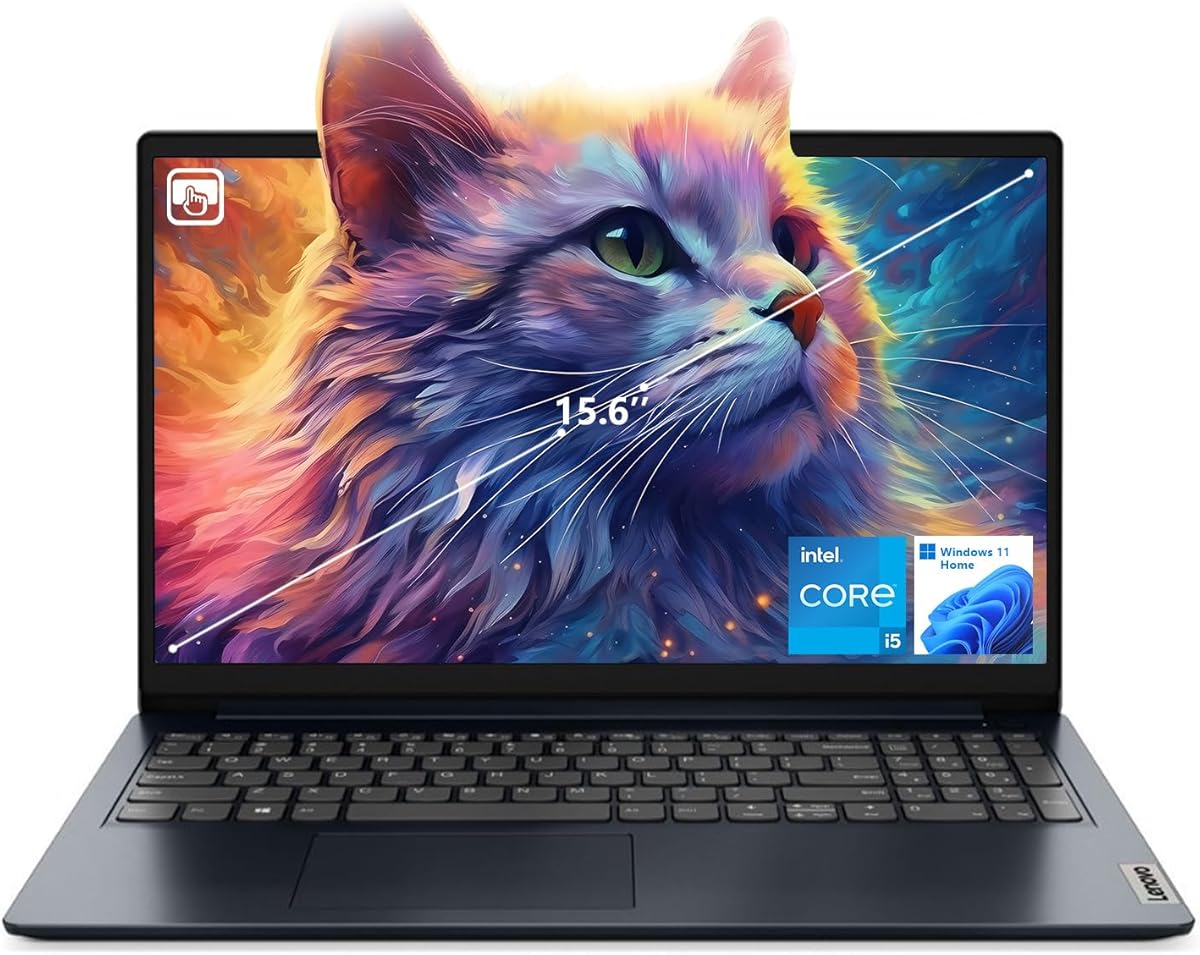
This IdeaPad model offers a 15.6-inch FHD touchscreen at a competitive price. The Intel Core i5 processor paired with 16GB RAM ensures smooth multitasking for basic video editing.
We may earn a commission when you buy through this link, at no additional cost to you.
Its anti-glare display with 300 nits brightness provides decent visibility for daily tasks. PCIe NVMe SSD ensures rapid boot times and data transfer for improved productivity.
While it lacks advanced features it remains a solid budget option for entry-level creators. The inclusion of touchscreen adds versatility for navigation and media playback.
Ideal for students or hobbyists needing reliable performance without breaking the bank. Its lightweight design makes it easy to carry between classes or work.
Intel Core i5-1235U with 10 cores handles multitasking across apps efficiently.
USB-C USB-A and HDMI ports support essential peripherals without dongles.
We may earn a commission when you buy through this link, at no additional cost to you.
This NIMO variant emphasizes long-term usability with hardware upgrade options and a generous warranty. It features a powerful AMD Ryzen 7 8745HS and 32GB RAM for demanding workflows.
We may earn a commission when you buy through this link, at no additional cost to you.
The 180-degree lay-flat hinge is ideal for sharing designs or video with partners directly. USB4 port support allows connection to external GPUs or multiple high-resolution monitors.
With 1TB SSD storage and fast DDR5 RAM it handles 4K rendering and streaming smoothly. The backlit keyboard ensures comfortable typing during late-night editing sessions.
For users needing a durable expandable machine this model is a strong contender. The two-year warranty and US-based support add significant value and reliability.
2-year official manufacturer warranty and 90-day returns reduce purchase risks.
180-degree hinge design simplifies sharing content with clients or teammates.
We may earn a commission when you buy through this link, at no additional cost to you.
Selecting the right laptop involves balancing multiple factors like performance display quality and portability. Consider your editing needs and budget to find a device that supports your workflow.
A powerful multi-core processor like Ryzen 7 or Core Ultra 7 ensures smooth video rendering and multitasking. Look for newer generations to handle 4K editing and AI tools efficiently.
Prioritize at least 6 cores and high clock speeds for responsive performance during heavy editing sessions.
At least 16GB RAM is recommended for editing software to run alongside other apps without lag. Larger projects benefit from 32GB especially if using multiple browser tabs and background tools.
SSD storage of 1TB or more ensures fast access to large video files and room for project archives.
Accurate color reproduction is crucial for grading your content. Look for OLED or high-quality IPS panels with 100% sRGB coverage and high brightness for outdoor use.
A larger screen improves timeline visibility while touchscreens offer intuitive editing options.
Integrated graphics can handle basic editing but dedicated GPUs or powerful RDNA 3 iGPUs accelerate rendering. Consider models with USB4 ports for eGPU support if dedicated graphics are not available.
Hardware acceleration features like AV1 encoding improve export times and streaming quality.
Vloggers often travel so weight under 3 pounds and a battery lasting 8 hours or more are key. Lightweight alloys and slim designs enhance mobility without compromising durability.
Fast charging support like 100W PD ensures quick power replenishment between shoots.
Multiple USB-C HDMI and SD card ports reduce the need for dongles. Reliable Wi-Fi 6E and Bluetooth 5.3 ensure stable transfers and connections to peripherals.
Check for Ethernet ports if you need stable wired internet for uploads.
Laptops with accessible RAM and SSD slots offer long-term value. Avoid soldered-only configurations if you expect to increase capacity over time.
Modular designs let you adapt the machine to growing storage and memory needs.
A robust warranty and local support service protect your investment. Look for models with onsite repair options or extended coverage for peace of mind.
Responsive customer service ensures quick resolution of hardware issues.
Always back up your video projects to external drives or cloud storage regularly. Use multiple copies to prevent data loss during editing or transfer.
Clean the screen with a microfiber cloth and avoid harsh chemicals. Keep the device in a padded case to protect it from bumps while traveling.
Update drivers and firmware regularly to maintain performance and security. Monitor thermal management by using the laptop on flat hard surfaces during heavy workloads.
For 4K editing look for at least a Ryzen 7 or Core Ultra 7 processor with 16GB RAM or more. A dedicated GPU or RDNA 3 integrated graphics and 1TB SSD storage help render and export smoothly.
OLED screens offer excellent color accuracy and contrast ideal for grading. However they may be heavier and more expensive so consider your budget and portability needs.
16GB is the minimum for comfortable multitasking with editing software. For heavy use with multiple apps and projects 32GB is recommended to prevent lag.
Many models like NIMO offer dual RAM and SSD slots for upgrades. Check the product specifications before buying to ensure expandability for future needs.
Both AMD Ryzen 7 and Intel Core Ultra 7 perform well for video work. AMD often offers better integrated graphics while Intel provides strong AI acceleration features.
Aim for at least 8 hours of real-world use. Fast charging support helps you quickly recharge between locations or shoots when outlets are scarce.
A touchscreen adds convenience for navigation and touch-based tools but is not essential. Most software works fine with mouse and keyboard controls.
High brightness above 400 nits helps visibility in sunlight. It ensures you can see the screen clearly when editing outdoors or in bright environments.
These ten laptops offer strong options for creators ranging from budget entry to premium performance. Choose based on your editing needs and portability preferences.
Prioritize performance and display quality to ensure smooth workflows. Also consider battery life and warranty support for long-term reliability.
Check current listings for the latest pricing and availability before buying to get the best deal for your setup.