
Lightning to HDMI Adapter for iPhone
4.4Editor score
Affordable Price Point
Includes Charging Port
Wide iOS Support
This guide compares the top 10 HDMI Lightning Adapter for iPhone models to help you find the best screen mirroring solution for your device and needs.
Connecting your iPhone to a larger display enhances your viewing and presentation experience significantly. The right HDMI Lightning Adapter for iPhone ensures seamless mirroring without compromising quality or stability during critical moments.
We evaluated ten top-rated adapters based on compatibility, build quality, and performance metrics. Our comparison focuses on real-world usage scenarios including travel, business meetings, and home entertainment setups.
Each selection highlights unique strengths and potential limitations to guide your decision. Please note that availability and pricing may fluctuate over time so verify current details before purchasing.
4.4Editor score

4.2Editor score
4.6Editor score
This side-by-side comparison evaluates all ten selected adapters across key performance metrics to help you identify the model that best fits your specific usage requirements.






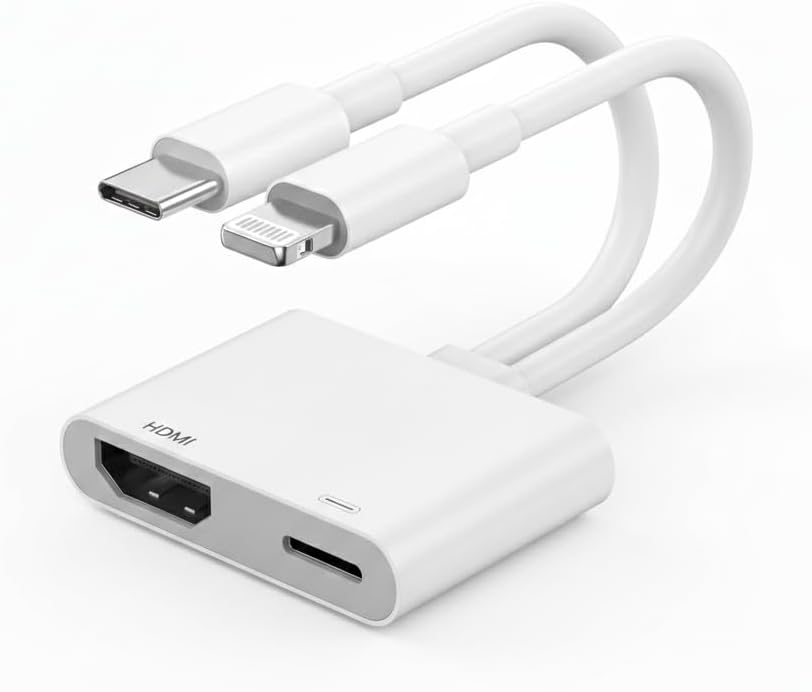
This adapter offers a cost effective solution for screen mirroring with a solid rating. It supports Full HD resolution and includes a charging port to keep your device powered during use.
We may earn a commission when you buy through this link, at no additional cost to you.
The MFi certification ensures stable performance across various iOS versions. Users report reliable connections for presentations and casual media streaming without significant lag.
While it supports many popular apps, it cannot handle HDCP protected content like Netflix. This is a standard limitation for this adapter type rather than a product defect.
Ideal for budget conscious buyers needing basic mirroring for work or home use. It provides essential features without unnecessary complexity or high cost.
Delivers reliable HD output at a competitive price point for everyday users.
Built in port allows continuous device charging while streaming content to larger screens.
We may earn a commission when you buy through this link, at no additional cost to you.
This adapter provides efficient mirroring capabilities with a focus on ease of use. It connects quickly to most HDMI enabled displays and supports a broad range of iPhone and iPad models.
We may earn a commission when you buy through this link, at no additional cost to you.
The certified chip ensures minimal delay during video playback and presentations. Users appreciate the straightforward setup that requires no additional software installation or complex configuration.
Content streaming is limited to non protected apps like YouTube. This constraint exists due to Apple policies rather than adapter limitations so check compatibility before purchase.
A practical choice for travelers or professionals needing quick presentation setups. The balance of features and simplicity makes it a strong contender for general users.
Connects instantly to displays without requiring manual adjustments or driver installations.
Compact size fits easily in pockets or bags for on the go presentations.
We may earn a commission when you buy through this link, at no additional cost to you.
KikoSaka delivers a straightforward adapter designed to work across all Lightning devices. The MFi certification guarantees consistent performance whether you are using an iPhone or iPad.
We may earn a commission when you buy through this link, at no additional cost to you.
Users report smooth mirroring for both static content and video playback. It handles presentations and local media files effectively without requiring external power sources.
The design focuses on core functionality without extra ports or complex features. This simplicity reduces potential points of failure and keeps the user experience clean.
Recommended for users seeking a no fuss connection for existing Lightning hardware. It is an excellent option for classrooms or offices with mixed device generations.
Works reliably with all Lightning interface devices across various iOS versions.
Prioritizes stable mirroring performance over additional ports or connectivity options.
We may earn a commission when you buy through this link, at no additional cost to you.
This model stands out with a built in cable that extends reach for flexible positioning. It supports 1080p HD output ensuring clear visuals for both work and entertainment.
We may earn a commission when you buy through this link, at no additional cost to you.
The integrated design reduces clutter compared to dongles that need separate cables. MFi certification ensures stable data transmission and minimal lag during high motion content.
While it lacks a charging port users can rely on the device battery for shorter sessions. The trade off is increased convenience in setup and cable management.
Suited for users who prioritize cable length and simplified setup. It works well for home theater setups where reaching the display is more critical than charging on the fly.
Built in six foot cable allows flexible device placement away from the display.
Eliminates need for separate HDMI cable purchase and reduces cable clutter.
We may earn a commission when you buy through this link, at no additional cost to you.
As the official Apple solution this adapter sets the standard for compatibility and reliability. It guarantees full support for all Lightning devices without risk of connection issues.
We may earn a commission when you buy through this link, at no additional cost to you.
Users trust the secure connection protocols that protect data during transmission. It handles all supported content types and audio channels with consistent performance across updates.
The higher cost reflects the premium build quality and official support network. While third party adapters work well the official one remains the safest long term investment.
Ideal for enterprise users or those prioritizing guaranteed performance over cost. It provides peace of mind for critical presentations and professional environments.
Manufactured by Apple ensuring maximum compatibility with all iOS devices.
Preferred solution for business environments requiring guaranteed hardware support.
We may earn a commission when you buy through this link, at no additional cost to you.
This adapter offers impressive specs at a very competitive price point. It claims support for higher refresh rates which benefits video content and gaming experiences.
We may earn a commission when you buy through this link, at no additional cost to you.
Users appreciate the compact design that fits easily in a phone case or pocket. The charging port ensures your device stays powered during extended media sessions.
While actual input resolution is limited to 1080p the output upscaling is effective. The external power requirement adds a slight step but ensures stable performance.
Best for budget conscious users who want modern features without paying a premium. It delivers strong performance for everyday streaming and casual presentations.
Supports smoother video playback for enhanced motion clarity during streaming.
Pocket sized build makes it highly portable for travel and on the go use.
We may earn a commission when you buy through this link, at no additional cost to you.
With thousands of verified ratings this adapter is a trusted option in the market. It focuses on zero lag mirroring for smooth playback and responsive interface interaction.
We may earn a commission when you buy through this link, at no additional cost to you.
Users report excellent results with presentations and local video files. The setup is intuitive and does not require internet connectivity or password entry for hotel TVs.
It supports older iOS versions making it a great replacement for aging devices. The design is simple but effective for core mirroring needs without extra fluff.
Recommended for users seeking a proven solution with strong community feedback. It is ideal for schools and offices needing reliable hardware across older devices.
Thousands of reviews confirm consistent performance across diverse user scenarios.
Works perfectly with hotel TVs without requiring complex login or network steps.
We may earn a commission when you buy through this link, at no additional cost to you.
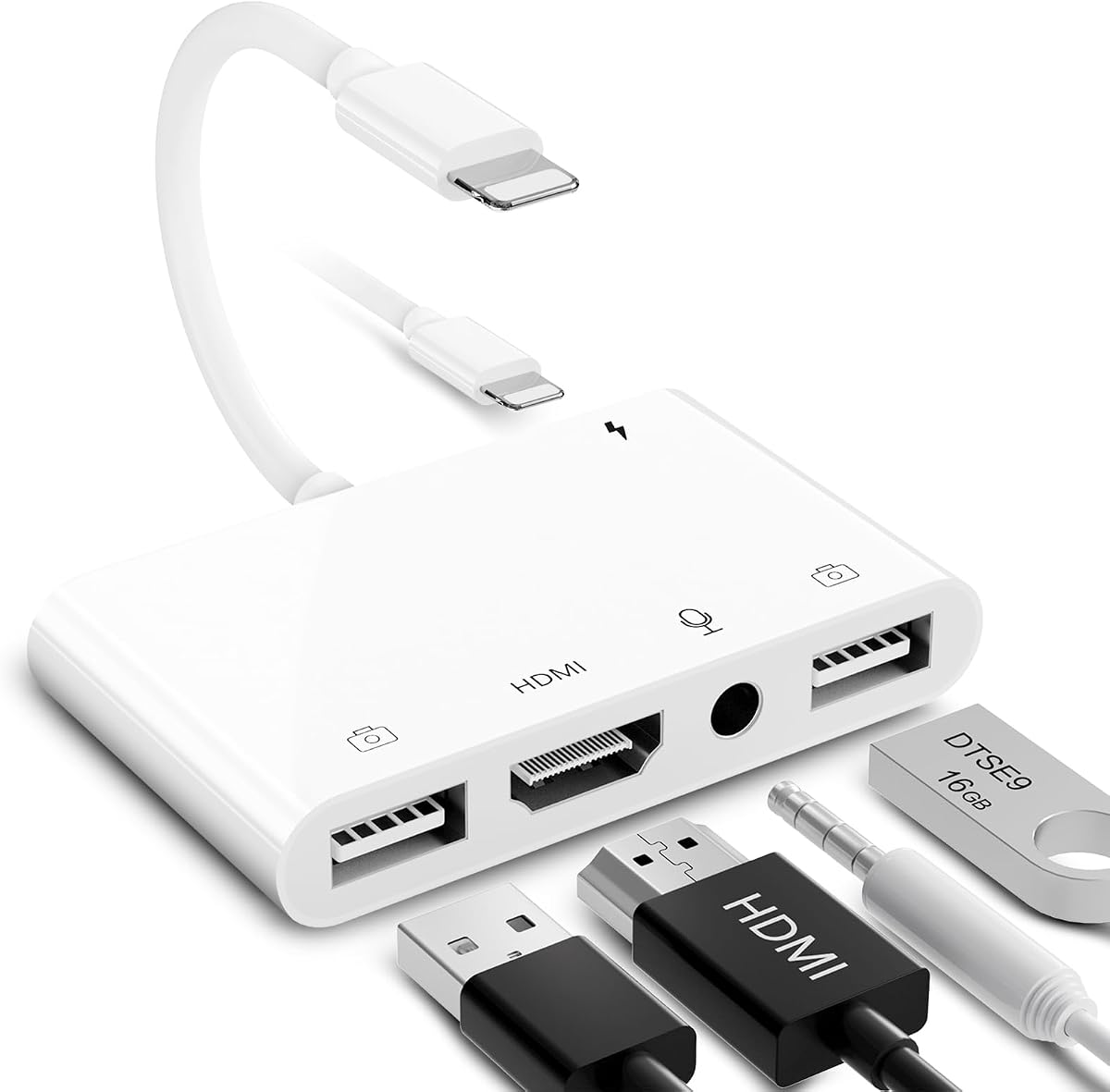
This 5 in 1 adapter expands your Lightning port capabilities with multiple USB ports. It supports keyboards and mice for productivity and data transfer for file management.
We may earn a commission when you buy through this link, at no additional cost to you.
The microphone jack allows for live streaming and voice input during presentations. Users value the ability to charge while connecting to multiple peripherals simultaneously.
It requires external power for stable performance which adds to the setup complexity. The expanded functionality makes it ideal for mobile workstations or content creators.
Best for power users needing more than just screen mirroring from one device. It transforms your phone into a versatile workstation capable of handling various tasks.
Connect physical keyboards and mice for efficient document editing on mobile.
Includes microphone jack for live streaming and audio recording capabilities.
We may earn a commission when you buy through this link, at no additional cost to you.
This hybrid adapter bridges the gap between legacy Lightning devices and modern USB-C hardware. It supports both connection types ensuring utility across different device generations.
We may earn a commission when you buy through this link, at no additional cost to you.
The 100W charging port ensures fast pass-through charging even while streaming 4K content. USB-C users can enjoy protected content like Netflix which is not possible on Lightning.
Lightning limitations remain due to Apple policies but USB-C performance is robust. The versatile design makes it a valuable tool for teams using mixed hardware ecosystems.
Ideal for users with both Lightning iPhones and USB-C MacBooks or Android devices. It offers a single solution for multiple devices making it a smart long term investment.
Connects both Lightning iPhones and USB-C devices to the same display setup.
100W pass-through charging keeps high drain devices powered during use.
We may earn a commission when you buy through this link, at no additional cost to you.
This classic Apple adapter maintains a high rating due to its consistent reliability over years. It remains the benchmark for compatibility with Lightning hardware worldwide.
We may earn a commission when you buy through this link, at no additional cost to you.
Users trust the official hardware to handle critical presentations without failure. The simple design focuses on core mirroring with secure encryption protocols.
It lacks modern conveniences like integrated charging but provides unmatched stability. For environments where failure is not an option this adapter remains the safest choice.
Best for organizations needing a reliable standard across multiple devices. It is a trusted legacy product that continues to perform well in professional settings.
Maintains consistent performance across years of iOS updates and changes.
Accepted globally as the standard adapter for professional presentations and AV.
We may earn a commission when you buy through this link, at no additional cost to you.
Selecting the right adapter requires understanding your device needs and usage environment.
Always verify that the adapter carries official Apple MFi certification. This guarantees that the internal chip communicates correctly with your iPhone preventing connection drops.
Check that the adapter supports your specific iOS version and hardware model to ensure stable output.
Most adapters support 1080p which is sufficient for most presentations and movies. Look for higher refresh rates if you plan to stream fast moving content like sports.
Remember that HDMI limitations often cap output even if the display supports higher resolutions.
Determine if the adapter needs external power or supports pass-through charging. Devices without charging ports will drain your battery faster during long sessions.
Selecting an option with a lightning port ensures you can keep your phone powered while using.
Consider whether you need a dongle or a cable with built in HDMI. Longer cables provide more flexibility but can be cumbersome in tight spaces.
A six foot cable often offers the best balance between reach and manageability for home setups.
Some adapters include USB ports for file transfer or connecting peripherals. This is useful for office workflows requiring keyboards or flash drives.
If you only need video mirroring a simpler model will suffice and cost less.
Look for adapters with reinforced connectors and durable housing materials. Frequent plugging can wear out fragile plastic components quickly.
Metal casings often dissipate heat better preventing overheating during extended use.
Check if the manufacturer offers responsive customer service and warranties. Technical issues may require firmware updates or troubleshooting assistance.
A longer warranty period indicates the manufacturer stands behind the product durability.
Connect the adapter firmly to your iPhone and attach an HDMI cable to the TV. Ensure the adapter is connected to power if required for stable output.
Select the correct HDMI input on your TV and accept the trust prompt on your iPhone. Most content will mirror automatically without additional software settings.
Keep connectors clean and store the adapter in a protective case when not in use. Avoid bending the cable sharply to prevent internal wire damage.
No standard Lightning adapters support Netflix or other paid streaming services due to copyright policies. This restriction applies to all brands and is enforced by Apple.
Some adapters work without extra power for short sessions. For stable performance during movies you should use the included charging port.
Yes most adapters support any iPad with a Lightning connector. Check the specific model list to ensure compatibility with your iPad version.
This usually happens when playing protected content like Netflix. It can also occur if the HDMI connection is loose or the adapter lacks power.
All standard adapters transmit audio through the HDMI connection to your TV speakers. This ensures you hear sound without needing extra cables.
Yes if they are MFi certified. Unbranded adapters may lack proper chips leading to connection issues and potential device damage.
Choosing the right adapter depends on your specific needs for power charging and build quality. Apple offers reliable official options while third party brands provide more affordable alternatives.
Prioritize MFi certification to ensure your device remains safe during extended use. Consider whether you need extra ports or longer cables for your setup.
Review current prices and availability before purchasing to ensure you get the best deal. Verify warranty details to protect your investment in the long term.