
HP Chromebook 14 Laptop
4.3Editor score
Up to 14 hours battery life
Intel Celeron N4120 processor
ENERGY STAR certified design
In today's digital landscape, finding a laptop that balances performance with energy efficiency is crucial. Low power consumption laptops offer extended battery life and reduced heat, making them ideal for travelers and remote workers who need reliability without constant charging.
We evaluated ten leading models based on processor efficiency, battery longevity, and real-world usage scenarios. Our analysis focuses on devices that deliver smooth multitasking while minimizing energy draw, ensuring you get the most out of every charge without sacrificing essential functionality.
Each selection in this roundup highlights specific strengths such as portability, display quality, or cloud storage integration. Please note that prices and availability fluctuate frequently, so verify current details before making your final purchase decision to ensure you get the best value available.
4.3Editor score

5.0Editor score

4.8Editor score
As an Amazon Associate we earn from qualifying purchases.
The following table provides a side-by-side comparison of all ten selected models. Review key specifications like processor type, storage capacity, and display size to quickly identify which device aligns best with your specific computing needs and budget constraints.

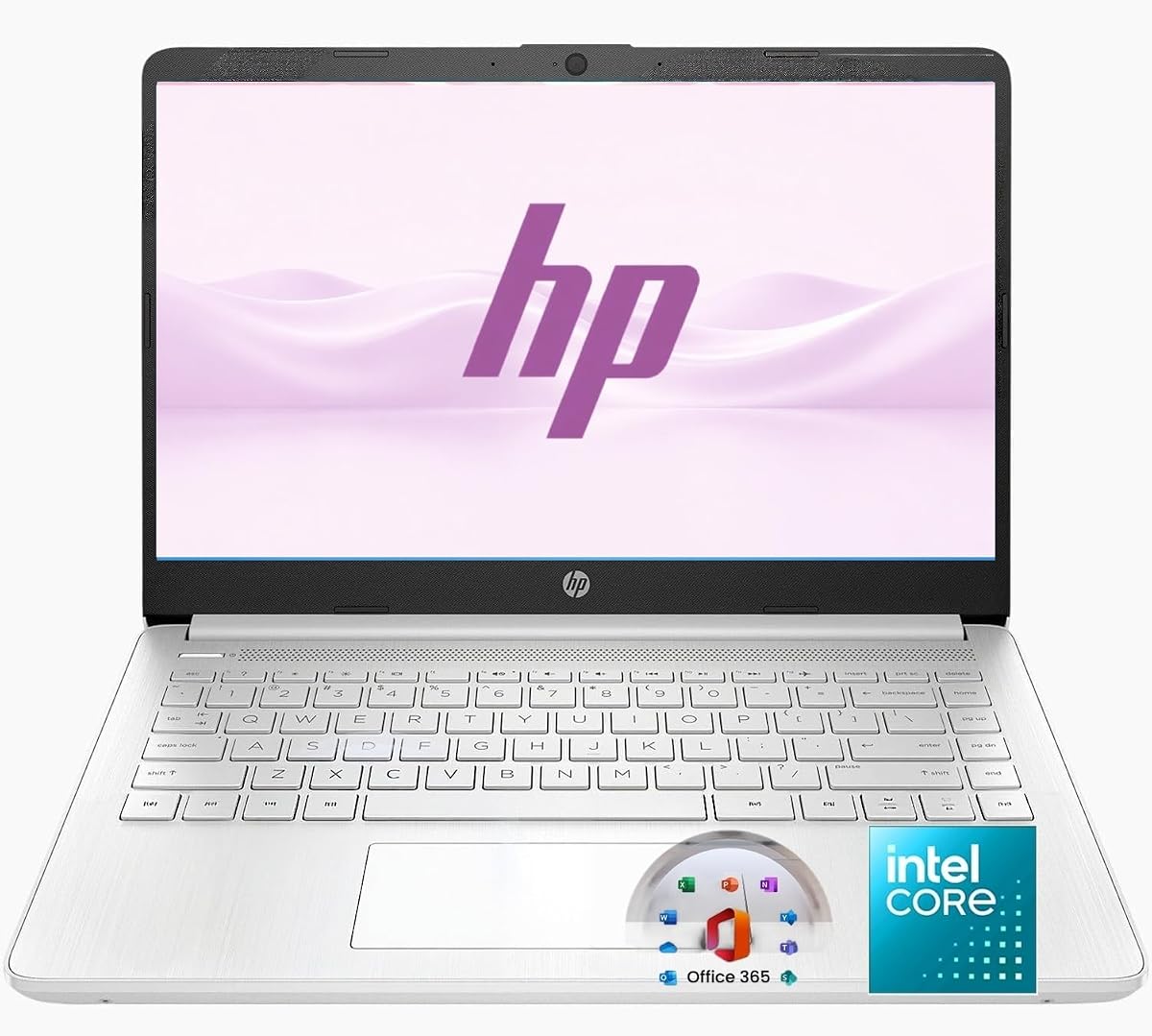


The HP Chromebook 14 stands out as a top contender for budget-conscious buyers seeking efficiency. With a 4.3 rating, it delivers reliable performance for everyday tasks while maintaining minimal power draw through its optimized Intel Celeron processor.
We may earn a commission when you buy through this link, at no additional cost to you.
Its quad-core architecture ensures smooth handling of web browsing and streaming without overheating. The 4K ready graphics allow for crisp video playback, and the anti-glare display reduces eye strain during long study sessions.
While storage is limited to 64 GB eMMC, cloud integration compensates for this. Users should note the HD resolution is adequate but not sharp. For basic computing needs, these trade-offs are perfectly acceptable given the price.
Ideal for students or casual users needing a secondary device. The up to 14 hours of battery life means you can leave the charger at home. This model is a smart choice for cost-effective low power computing.
With up to 14 hours of battery life, you can work or study all day without searching for an outlet.
HP Fast Charge technology charges from 0 to 50% in approximately 45 minutes for quick power top-ups.
We may earn a commission when you buy through this link, at no additional cost to you.
This laptop earns our Editor's Choice award with a flawless 5.0 rating. It combines the new Intel N150 processor with DDR5 RAM to deliver surprisingly snappy performance while keeping power consumption extremely low for all-day usage.
We may earn a commission when you buy through this link, at no additional cost to you.
The inclusion of 1TB OneDrive storage effectively solves local space limitations. You get a full Windows 11 Home experience with Microsoft 365, making it ready for work or school immediately. The Wisteria color adds a unique touch.
The display is HD rather than Full HD, which is a minor compromise for the price. The non-backlit keyboard works well in lit environments. Overall, the efficiency and storage balance make this a standout option for general users.
Anyone needing a portable primary computer will find this ideal. The battery lasts up to 11.5 hours for video playback. It is a highly recommended choice for those prioritizing efficiency and cloud integration over screen resolution.
The Intel N150 Processor provides up to 3.6 GHz speed while maintaining ultra-low power consumption.
Includes 1TB OneDrive cloud storage to keep your files accessible from anywhere without local clutter.
We may earn a commission when you buy through this link, at no additional cost to you.
This model offers premium specs for an entry-level price, earning a 4.8 rating. The massive 12GB RAM ensures smooth multitasking even with many tabs open, while the 256GB SSD provides rapid boot times and responsiveness.
We may earn a commission when you buy through this link, at no additional cost to you.
The Intel Celeron 5205U focuses on ultra-low power consumption for extended use. The 15.6-inch FHD IPS panel with blue light filtering reduces eye strain during long work hours. It is a powerful tool for productivity.
The fanless design ensures quiet operation but may limit sustained heavy workloads. However, for web tasks and document editing, it is perfect. The dual-band WiFi adds connectivity reliability that standard models often lack.
Best for users needing memory power without heat or noise. The expandable storage slot allows upgrades later. This laptop bridges the gap between budget and performance, offering premium features in a low power consumption package.
Equipped with 12GB high-speed RAM to accelerate program loading and enable seamless multitasking.
Blue light filtering eye protection reduces strain during long hours of streaming or working.
We may earn a commission when you buy through this link, at no additional cost to you.
The 2027 Edition HP 14 offers a modern experience with a 4.5 rating. It features an N150 processor capable of 4.4 GHz, ensuring quick app launches. The DDR5 RAM is a significant upgrade over older standards for efficiency.
We may earn a commission when you buy through this link, at no additional cost to you.
Its slim 0.71-inch profile and lightweight chassis make it easy to carry. The 250 nits brightness display is clear for indoor work. Connectivity is robust with USB-C and HDMI options for various peripherals.
The main limitation is the 4GB RAM, which may struggle with heavy multitasking. However, for standard browsing and document work, it holds up well. The cloud storage bundle adds value for file management.
Recommended for travelers needing a sleek machine. It balances speed with low power usage. Check the specific battery duration before purchase. This is a solid option for users who prioritize speed and portability.
Processor features up to 4.4 GHz frequency and 4 cores ensuring efficient multitasking capabilities.
Designed for mobility with a slim 0.71-inch profile and lightweight 3.24 lb chassis.
We may earn a commission when you buy through this link, at no additional cost to you.
This 2026 Edition brings AI features to the everyday user. Although new, it uses the efficient N150 processor. The dedicated Microsoft Copilot key provides quick access to AI tools for writing or analysis.
We may earn a commission when you buy through this link, at no additional cost to you.
The Natural Silver finish looks stylish and clean. The display offers anti-glare technology for comfortable viewing. Battery life includes 7.5 hours of wireless streaming, making it viable for travel days without a charger.
New models often lack established user reviews. The specs indicate solid build quality but rely on the cloud for storage. This could be a risk for offline users needing large local databases on a fixed SSD.
Ideal for early adopters of AI tools. It combines design with future-ready features. While battery streaming hours are moderate, the efficiency helps. This is a great pick for those who want modern AI capabilities.
Includes a dedicated Microsoft Copilot key for enhanced productivity and smart input features.
Features a soft Natural Silver finish with a clean and stylish look.
We may earn a commission when you buy through this link, at no additional cost to you.
The V15 Business delivers robust performance with a 4.3 rating. The UFS 3.1 storage is faster than standard eMMC, ensuring snappy file access. It includes a FHD display with Low Blue Light certification for eye protection.
We may earn a commission when you buy through this link, at no additional cost to you.
MIL-STD-810H testing means it can handle daily wear and tear. Wi-Fi 6 support ensures stable internet connections in busy environments. The 15.6-inch screen provides ample real estate for spreadsheet work.
The RAM is 4GB, which might slow down heavy multitasking. Windows 11 S mode restricts app installs to the store. However, these are common trade-offs for business-class durability and efficiency in this price range.
Perfect for students or office workers needing durability. The privacy shutter on the camera adds security. It is a balanced machine for professional tasks where reliability matters more than raw power.
MIL-STD-810H military-grade testing ensures durability against everyday wear and tear.
128GB UFS 3.1 storage provides faster read/write speeds for responsive system performance.
We may earn a commission when you buy through this link, at no additional cost to you.
This model stands out with 8GB of DDR5 RAM, a significant plus for multitasking. Rated 4.1, it handles multiple browser tabs smoothly. The N150 quad-core processor ensures efficient processing without high power draw.
We may earn a commission when you buy through this link, at no additional cost to you.
The 15.6-inch FHD screen is anti-glare, reducing fatigue. The privacy shutter protects your video calls when not in use. Ports include USB-C and HDMI for connecting external monitors easily.
The price is higher than some rivals, reflecting the RAM. Storage is limited to 128GB but uses fast UFS. For users who need more memory than 4GB, this is a great value proposition in the efficiency sector.
Ideal for users needing extra RAM for smooth switching. The military-grade tested design adds longevity. It is a strong competitor for those who want DDR5 speed in a low power consumption laptop.
Powered by 8GB LPDDR5-4800 RAM delivering smooth multitasking for web browsing and streaming.
HD 720p camera with built-in privacy shutter protects your privacy when not in use.
We may earn a commission when you buy through this link, at no additional cost to you.
This laptop offers a unique silent fanless design, rated 4.6 for performance. The fanless solid-state design ensures absolute silent operation and prevents internal dust accumulation over time. It is ideal for quiet libraries.
We may earn a commission when you buy through this link, at no additional cost to you.
It includes a compact 45W Type-C PD fast adapter for modern charging convenience. The display is FHD with anti-glare, perfect for visual clarity. Storage is expandable up to 1TB via a TF card slot.
The CPU is older but sufficient for basic tasks. While it lacks some modern ports, the speed is adequate for browsing. The lack of noise makes it stand out for office environments where silence is key.
Recommended for quiet work environments. It combines portability with efficient cooling. The 4.6 rating indicates high user satisfaction. This is a unique choice for those who prioritize silence over raw power.
The fanless solid-state design ensures absolute silent operation and prevents internal dust.
Includes a compact 45W Type-C PD fast adapter to power your laptop and phone.
We may earn a commission when you buy through this link, at no additional cost to you.
The ASUS Vivobook Go focuses on student usability with a 3.9 rating. It features the ErgoSense backlit chiclet keyboard for comfortable typing. The fast-charge battery gets you to 60% in just 49 minutes.
We may earn a commission when you buy through this link, at no additional cost to you.
Audio is boosted by Sonicmaster technology for clear sound. The display offers 1080p resolution with anti-glare coating. Wi-Fi 5 is standard but lacks the latest speeds of Wi-Fi 6 found in newer models.
The rating suggests mixed reviews, possibly due to performance limits. The storage is 128GB which is small for media. Still, the build quality and specific features like the shutter make it a viable student choice.
Ideal for students needing a keyboard-friendly machine. The battery charging speed is a major plus. It offers solid portability for dorms. Check reviews carefully before buying due to the average score.
ErgoSense backlit chiclet keyboard provides comfort for long study sessions and typing.
Sonicmaster audio with Super Linear speakers is 2x louder for immersive sound.
We may earn a commission when you buy through this link, at no additional cost to you.
This laptop is a complete productivity bundle with Office 365 included for a year. Rated 4.3, it offers 8GB RAM for reliable multitasking. The Intel N150 processor keeps power draw low for all-day battery life.
We may earn a commission when you buy through this link, at no additional cost to you.
The inclusion of a removable 256GB SD card expands storage instantly. You get an external CD/DVD drive and wireless mouse in the box. This makes it ready to use right out of the box without extra purchases.
The base storage is limited to 128GB but works well with cloud sync. It is designed for daily tasks like web browsing and document editing. The Wi-Fi 6 ensures you stay connected quickly in public spaces.
Best for families or students needing a complete package. The bundle adds significant value. The RAM is sufficient for standard schoolwork. This is a practical choice for those who want a ready-to-use productivity machine.
Includes 1 year of Office 365 with Word, Excel, and PowerPoint for school and office.
Wi-Fi 6 and Bluetooth 5.4 ensure seamless wireless networking and communication.
We may earn a commission when you buy through this link, at no additional cost to you.
Choosing a low power consumption laptop requires looking beyond just battery size. This guide breaks down the critical factors that impact efficiency and performance.
The processor is the heart of power consumption. Look for chips labeled as low voltage or part of the N-series for balanced performance and battery life. These processors handle daily tasks without draining energy quickly.
Always prioritize newer generation chips like N150 over older ones for better efficiency per watt.
8GB of RAM is generally recommended to prevent the system from constantly swapping data to storage. More RAM keeps apps running smoothly in the background without excessive CPU usage or frequent wake-ups.
If you multitask heavily, opt for 8GB to ensure stability without draining your battery faster.
Solid State Drives (SSD) use less power than mechanical hard drives. If the laptop uses eMMC or UFS storage, check for the speed tier to ensure it does not slow down performance.
Prioritize SSDs for faster boot times and lower energy consumption during file access.
Screens with lower brightness (around 250 nits) consume less power. IPS panels offer better viewing angles but might use slightly more energy than TN panels. Anti-glare coatings help reduce eye strain.
Look for displays with efficient backlighting technology to extend your usage time.
Modern operating systems like Windows 11 or Chrome OS are optimized for power management. They include sleep modes that save energy when the laptop is idle. S mode limits apps to improve stability.
Stick to updated OS versions to benefit from the latest power-saving patches and features.
Wi-Fi 6 allows for faster data transfer with less active time for the radio. Bluetooth 5.0 or higher ensures stable connections for peripherals. Efficient connectivity reduces the time your device spends searching for signals.
Choose models with Wi-Fi 6 for better network efficiency and longer battery life.
Fast charging support helps you get back to work quickly when you do need power. Look for USB-C Power Delivery adapters that provide sufficient wattage. Quick charge reduces idle time waiting for batteries.
Ensure the laptop supports USB-C PD for modern and efficient charging standards.
A durable chassis like MIL-STD-810H tested materials ensures the laptop lasts longer. A good build often correlates with better thermal management which prevents overheating and fan noise.
Invest in well-constructed devices to maintain efficiency over a longer lifespan.
Always update your operating system and drivers to ensure you have the latest power management features. System updates often include optimizations that reduce background battery drain and improve overall efficiency.
Use the built-in battery saver modes whenever you are away from a power outlet. These modes limit background activity and lower screen brightness to extend your usage time during travel.
Keep the laptop cool by avoiding direct sunlight or soft surfaces like beds that block air vents. Dust buildup can increase internal temperatures leading to higher power consumption and reduced performance.
Typically, these laptops offer between 8 to 14 hours of battery life depending on usage. Heavy tasks like video streaming will drain the battery faster than simple web browsing or document editing.
They are not slow for standard tasks like web browsing, email, and streaming. However, they are not designed for heavy video editing or high-end gaming. They excel at everyday computing efficiency.
Most of these models come with fixed eMMC or SSD storage that is not upgradeable. Some provide SD card slots to expand storage space without opening the laptop casing.
S mode improves security and performance by limiting apps to those from the Microsoft Store. You can switch out of S mode for free if you need to install desktop applications.
Many low power laptops have displays around 250 nits which work well indoors. Outdoor visibility is limited in direct sunlight due to lower brightness compared to premium models.
Yes, these laptops are excellent for online classes. They feature essential webcams and microphones. The battery life ensures you can attend lectures without worrying about charging.
These laptops generally stay cool due to efficient processors and sometimes fanless designs. They do not generate excessive heat like gaming laptops making them comfortable for long use.
We reviewed ten models ranging from Chromebooks to Windows laptops designed for efficiency. The HP Chromebook 14 remains a top budget choice while the HP Everyday Slim offers a perfect balance of speed and storage.
When selecting a model, prioritize battery life and RAM if you plan on multitasking. Consider the operating system and storage options to ensure it fits your workflow needs before purchasing.
Prices and availability change frequently so verify the current specs and deals on our links. Investing in the right low power consumption laptop will save you energy and ensure reliable performance on the go.