
Cosmo Mini 100 Copy Stand
4.3Editor score
Compact portable design
Adjustable column height
Floating magnet board included
Explore our expert guide comparing the top copy stands for film scanning and photo digitizing to help you choose the perfect tool for your archiving needs.
Finding the right copy stand for film scanning and photo digitizing is essential for preserving your memories with clarity and precision. A good stand ensures stability and alignment, which are crucial for high-quality digital copies of delicate originals like negatives and prints.
We have compared ten top-rated models based on build quality, adjustability, and compatibility with cameras and smartphones. Our analysis focuses on features that matter most to hobbyists and professionals looking to digitize their collections efficiently without professional equipment.
Each pick in this list highlights unique strengths and potential trade-offs to help you make an informed decision. Please note that product availability and pricing can change frequently, so verify current details before making your purchase through the links provided.
4.3Editor score
4.2Editor score

4.6Editor score
This side-by-side comparison highlights the key specifications and capabilities of each copy stand to help you identify the best fit for your specific digitizing workflow and equipment.


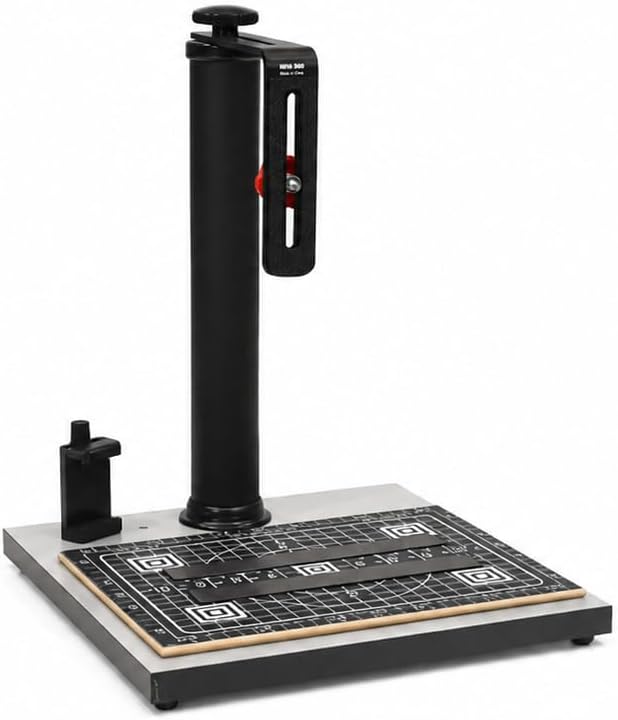


The Cosmo Mini 100 Copy Stand is designed for users who need a compact and portable solution for digitizing small photos and items. It holds a solid rating for its ease of use and affordability, making it an attractive option for casual archivists and students.
We may earn a commission when you buy through this link, at no additional cost to you.
Its standout quality is the floating magnet board which keeps originals flat and aligned during capture. The baseboard features specific holes for both cameras and smartphones, ensuring you can frame your shot accurately without additional accessories or complex setups.
However, this stand is not intended for heavy professional use or large format documents. The column height range is limited and the base size may be too small for oversized prints or complex 3D objects that require more working space.
You should buy this if you are digitizing small photos or checks and want a reliable USA-made tool without spending a fortune. It is a practical choice for occasional use where portability and simplicity are more important than industrial strength.
The side hole in the baseboard aligns your phone camera perfectly with the center of the board for consistent framing every time.
The included floating magnet board uses magnetic strips to hold pages flat without damaging them or leaving marks on the surface.
We may earn a commission when you buy through this link, at no additional cost to you.
The Cosmo Mini 300 is a step up from the 100 model with a larger base and increased height range for more flexibility. It is designed for hobbyists who want to use high pixel cameras or smartphones to digitize old photos without buying a professional scanner.
We may earn a commission when you buy through this link, at no additional cost to you.
Its key strengths include the adjustable bracket that allows for significant vertical and horizontal movement. The steel column provides stability for cameras up to three pounds while the floating magnet board ensures originals stay flat during the digitizing process.
On the other hand the weight of this stand makes it less portable than the smallest models. The baseboard design is solid but it does not offer the expansive working area needed for very large documents or art pieces.
This model is ideal for users who need more height adjustment than the mini series offers but still want a compact footprint. It balances durability and flexibility well for home archivists and photography enthusiasts.
The column is made from a durable steel tube with powder coating to resist wear and maintain stability during repeated use.
Grid lines on the floating magnet board help you frame and size your shots accurately for consistent results across all images.
We may earn a commission when you buy through this link, at no additional cost to you.
This copy macro stand is specifically engineered for film digitization tasks such as scanning 135 and 120 negatives with high precision. It features a sturdy aluminum base and leveling feet to eliminate camera shake which is critical for detailed film work.
We may earn a commission when you buy through this link, at no additional cost to you.
The main benefit is its heavy duty full metal construction that supports DSLR and mirrorless cameras with macro lenses. The quick release plate allows you to mount and unmount your camera quickly without needing to re-secure the entire setup every time.
One trade-off is that it does not include a floating magnet board like other models in this list. This means it may require external accessories if you are digitizing flat documents instead of film strips or slides.
If your primary goal is digitizing film and you use a DSLR camera this stand is an excellent choice. It prioritizes stability and alignment which are the most important factors for capturing sharp and accurate digital copies of negatives.
Leveling feet and a solid base ensure your camera remains steady during exposure to avoid blurring your delicate film negatives.
The quick release clip works with DSLRs and mirrorless cameras to provide fast and secure mounting for your specific lens setup.
We may earn a commission when you buy through this link, at no additional cost to you.
The Kaiser 205411 Copy Stand represents a premium option for users who require precise control and professional build quality for their digitizing projects. It features a non-reflective base and scales on both the column and baseboard to facilitate accurate measurements.
We may earn a commission when you buy through this link, at no additional cost to you.
Its standout feature is the rotatable column which allows you to angle your camera easily without moving the entire stand. This flexibility combined with adjustable horizontal distance makes it versatile for various shooting scenarios from flat documents to small 3D items.
However the price is significantly higher than the consumer models listed here. Additionally the maximum load capacity is lower which means it may not support heavier telephoto lenses or large DSLR bodies as well as more robust stands.
This stand is best suited for professionals or serious hobbyists who value precision engineering and brand reputation. If you need a reliable tool for consistent high-quality results and have the budget for it this is a worthy investment.
Rotating the column 180 degrees lets you adjust your camera angle quickly without disturbing the subject on the baseboard.
Inch and centimeter scales printed on the column and base help you set exact distances and scales for your digitizing work.
We may earn a commission when you buy through this link, at no additional cost to you.
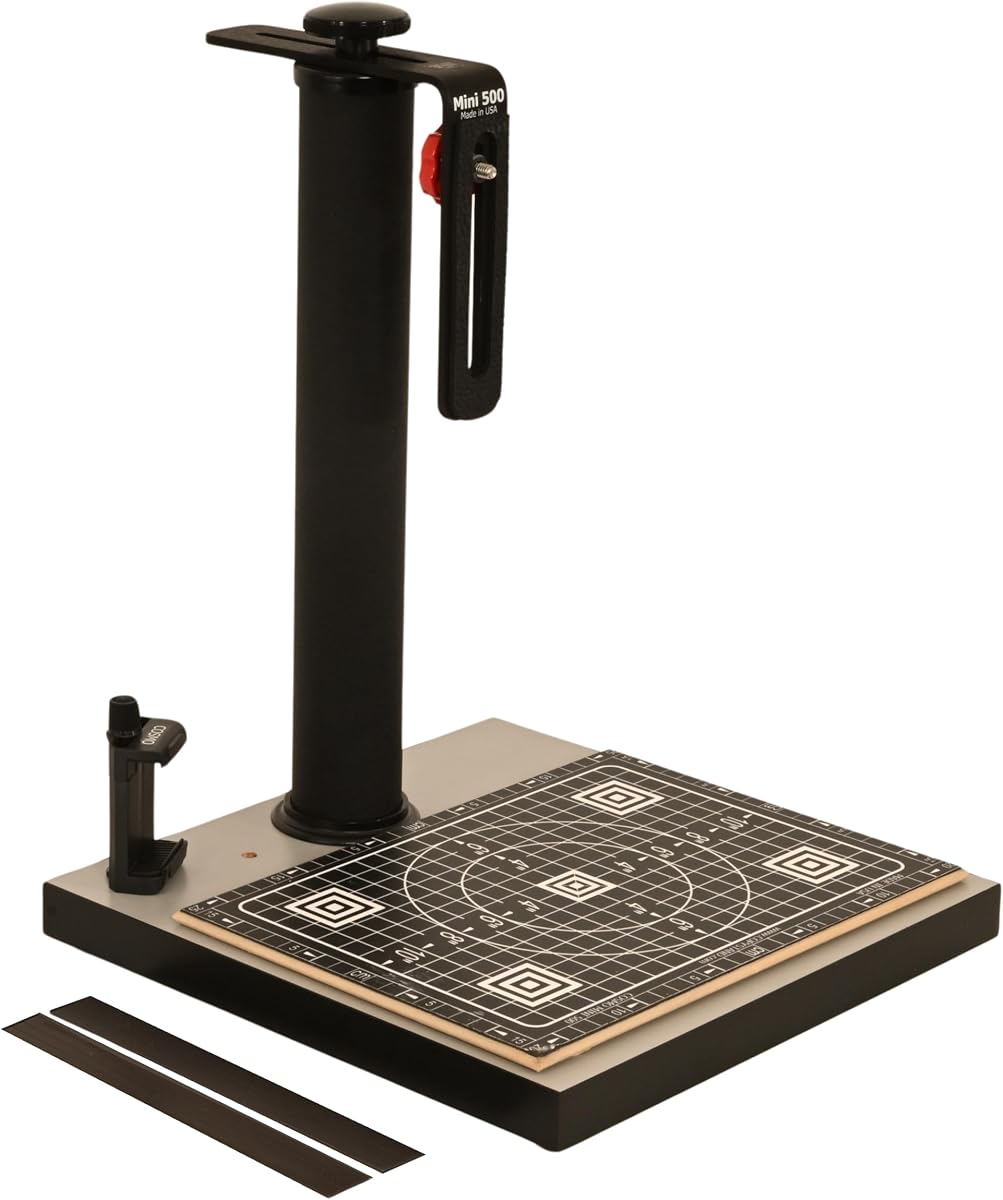
The Cosmo Mini 500 offers a solid mid-range option with a square base design that provides stability for both cameras and smartphones. It maintains the popular floating magnet board feature from earlier models while adding a more rigid steel column structure.
We may earn a commission when you buy through this link, at no additional cost to you.
Its strengths lie in the wide device compatibility and the adjustable aluminum L bracket that allows for significant horizontal travel. This lets you position your camera precisely over the center of the board regardless of the equipment you are using.
A potential downside is the fixed column which may limit vertical range compared to other adjustable options. The weight of the stand is also notable at nine pounds which might make it less ideal for frequent transport.
You should consider this model if you want a durable and stable stand for home use that supports a variety of devices. It is a great balance between affordability and the features needed for consistent and accurate photo digitizing.
The 12 by 12 inch baseboard provides a larger and more balanced surface area for holding various sizes of originals securely.
The half-inch grid on the floating magnet board helps you center and size your shots accurately every time you work.
We may earn a commission when you buy through this link, at no additional cost to you.
This variant of the Cosmo Mini 500 features slightly larger base dimensions which accommodate bigger documents and photos more comfortably. It retains the same solid build quality and floating magnet board technology that users expect from the Cosmo brand.
We may earn a commission when you buy through this link, at no additional cost to you.
The key advantages include the extended vertical range and the robust support system that keeps your camera steady. The aluminum bracket offers multiple positioning options and the baseboard includes dedicated holes for both camera and smartphone setups.
One consideration is that this model is still not intended for professional heavy-duty work. The fixed steel column provides rigidity but lacks the adjustment range of some other premium stands in the market.
If you need a bit more space for your digitizing projects and value USA manufacturing this variant is a strong candidate. It provides reliable performance for creative projects and archiving tasks without complicating the setup process.
The 13 by 12.5 inch base gives you extra room to work with larger prints or multiple items at once efficiently.
Adjusting from 9 to 19 inches vertically lets you find the ideal distance for framing your shots regardless of camera size.
We may earn a commission when you buy through this link, at no additional cost to you.
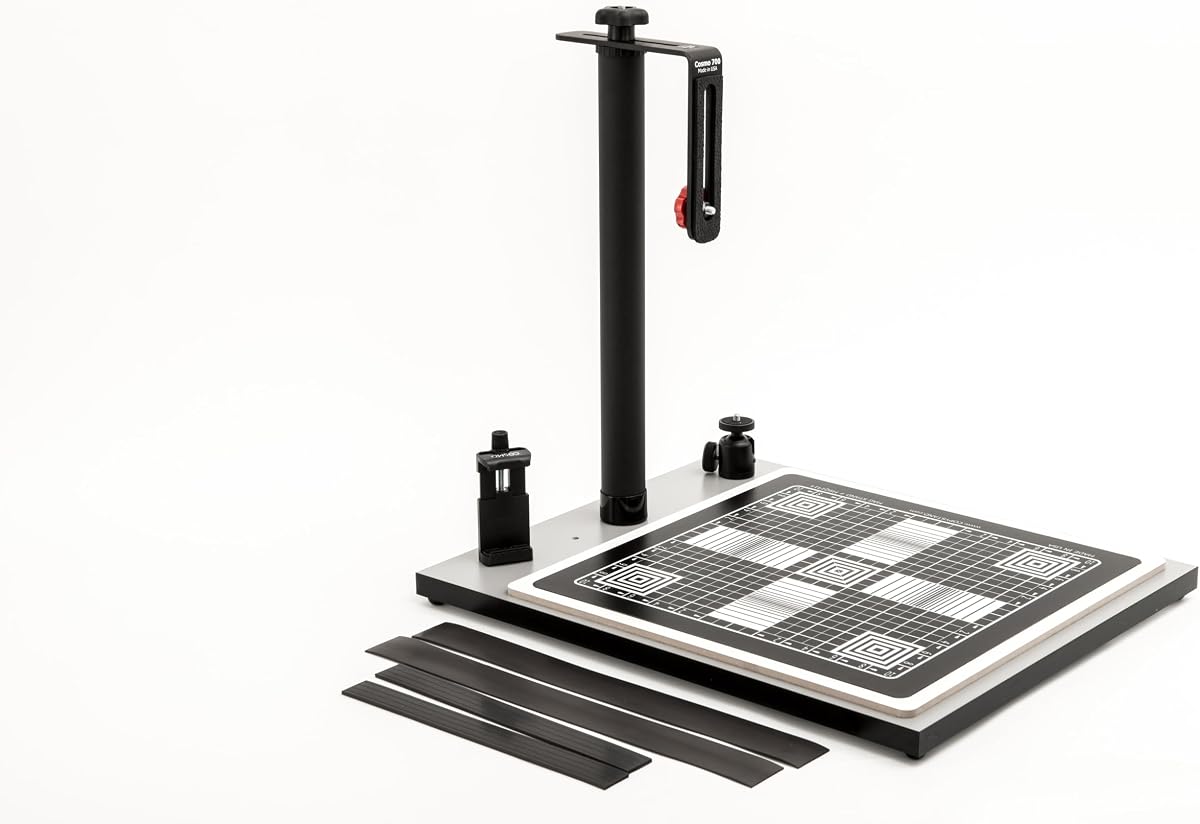
The Cosmo Mini 700 is designed for those who need to digitize large pictures or even 3D objects like food plates and art. It features a significantly larger baseboard and includes a ball head for precise angle adjustments which adds to its versatility.
We may earn a commission when you buy through this link, at no additional cost to you.
Its standout features are the large floating magnet board and the ability to handle diverse subjects from documents to collectibles. The ball head ensures smooth adjustments so you can frame your subject perfectly without moving the base or the object.
However this stand is quite heavy and costs more than smaller models. It is not strictly a professional copy stand but offers more utility than typical consumer stands making it a middle ground for advanced users.
Choose this model if you frequently work with large or 3D objects and need extra stability and adjustment capabilities. It is a versatile tool for content creators who want high-quality overhead shots without renting professional studio equipment.
The included ball head allows for smooth angle adjustments so you can capture 3D items at the best lighting angle.
The 15.5 by 18.5 inch base accommodates oversized documents and artwork that would not fit on smaller stands.
We may earn a commission when you buy through this link, at no additional cost to you.
This variant of the Cosmo Mini 700 is particularly well-suited for content creators who need to shoot meals or products for social media. It combines a large base with a sophisticated support system that accommodates both DSLR cameras and modern smartphones.
We may earn a commission when you buy through this link, at no additional cost to you.
The primary strength is its versatility for e-commerce and food photography. The large floating magnet board ensures flat items stay in place while the ball head allows precise control over the angle of 3D items like plated dishes.
It is worth noting that the weight and cost might be higher than needed for simple document scanning. However for users focused on high-quality visual content the features justify the investment for professional looking results.
If you are an online seller or food photographer looking for a reliable overhead shooting solution this stand is an excellent choice. It simplifies the setup process and ensures consistent lighting and framing across all your product images.
The large board and flexible mounting let you capture product photos that look professional and consistent for your online store.
Multiple positioning options on the bracket allow you to fine-tune your shot for specific lighting or framing requirements easily.
We may earn a commission when you buy through this link, at no additional cost to you.
The Kaiser RS1 Copy Stand is built for industrial and professional use where stability is non-negotiable. It features an extra-wide column that resists vibration and a roll-off spring mechanism to compensate for weight when adjusting height.
We may earn a commission when you buy through this link, at no additional cost to you.
Its key strengths are the vibration-resistant design and interchangeable bushings that allow for different camera connections. This makes it a top choice for archival work where every detail must be captured without any risk of movement or blur.
The main trade-off is the high cost and specialized design which may be overkill for casual users. The weight and build quality are exceptional but come with a significant financial commitment compared to consumer alternatives.
You should consider this stand if you are working in a professional environment and need the highest level of stability. It is a long-term investment for organizations that digitize sensitive or high-value materials regularly.
The spring mechanism compensates for the weight of your camera so you can adjust height smoothly without sudden drops.
The extra-wide column design minimizes vibrations to ensure sharp and clear images when scanning delicate documents.
We may earn a commission when you buy through this link, at no additional cost to you.
This Photography Copy Holder is a compact magnetic document holder that can sit on a desk or on the base of another copy stand. It is designed to help you capture images of documents quickly without needing a full stand system for every task.
We may earn a commission when you buy through this link, at no additional cost to you.
Its key strength is simplicity and affordability. The magnetic strips hold papers in place and the grid lines help you align them correctly which is useful for quick scans or video panning where a full stand might be cumbersome.
However it does not provide the height adjustment that a full copy stand offers. You will need to hold your camera manually or use it with another stand which might limit its usefulness for consistent high-resolution digitizing.
If you need a quick and easy way to capture documents on the fly this holder is a great addition to your desk. It is an inexpensive way to improve your alignment and workflow without buying a complete stand setup.
You can place this holder on any desk to start capturing images immediately without setting up a complex camera stand.
The printed half-inch grids help you position documents accurately so your digital copies are properly framed and sized.
We may earn a commission when you buy through this link, at no additional cost to you.
Choosing the right copy stand depends on what you plan to digitize and how often you will use the equipment. Understanding the key factors will help you select a stand that offers the best value for your specific needs.
The baseboard provides the foundation for your originals so its size and material matter for stability and flexibility. Look for sturdy materials like melamine or MDF that resist warping and offer a surface large enough for your largest documents. A larger board is helpful if you plan to digitize oversized prints or work with multiple items at once.
Choose a base that matches your typical workload to ensure originals stay flat and secure without extra clamps.
The column determines how high you can place your camera which affects the field of view and focus distance. Adjustable columns give you flexibility to use different cameras or lenses while fixed columns offer more rigidity. Consider the minimum and maximum height to ensure it fits your workspace and equipment height requirements.
Opt for an adjustable column if you use multiple devices and need to switch between cameras and smartphones often.
Your stand must support the devices you use for capture whether that is a DSLR, mirrorless camera, or smartphone. Check the load capacity to ensure it can hold your equipment safely and look for features like L brackets or ball heads for flexibility. Phone holders are a valuable addition if you rely on mobile apps for digitizing.
Verify that the mounting thread and brackets match your camera type to avoid compatibility issues during setup.
Precision alignment is critical for consistent digitizing results so look for stands that include grids or alignment tools. Floating magnet boards or printed grid lines help you position originals correctly and maintain framing across multiple images. These tools save time and reduce errors when you are working on large batches of photos.
Prioritize models with built-in alignment aids to simplify your workflow and ensure professional looking output.
If you plan to move the stand between rooms or locations consider its weight and design. Compact models are easier to store and transport while heavier stands provide more stability for high resolution work. A balance between portability and weight is key depending on how frequently you need to set up and pack away the equipment.
Choose a lighter model if you travel with your gear but opt for a heavier stand for permanent desk setups.
A well-built stand will last longer and perform better over time so check the materials used for construction. Aluminum and steel components usually offer better durability than plastic parts and powder coatings protect against wear and corrosion. Investing in a robust stand ensures you do not have to replace it soon after purchase.
Select stands made from metal alloys and with protective finishes for long-term reliability in your workflow.
The cost of copy stands varies widely so determine a budget that aligns with your expected usage and needs. Entry-level models are affordable and suitable for occasional use while premium models offer features that justify higher prices for professionals. Compare what is included such as magnet boards or heads to understand the total value.
Balance the upfront cost with the features you actually need to avoid overspending on capabilities you will not use.
Manufacturers with a good track record often provide better quality control and customer support for their products. Researching the brand and reading reviews from other users can reveal potential issues or strengths not obvious from the product description. Choosing a reputable brand can also ensure easier access to spare parts or replacements if needed.
Go with established brands known for quality to gain peace of mind and reliable long-term support.
To start using your copy stand properly set it up on a flat stable surface and secure any originals using the provided magnets or grids. Ensure the column is locked in place at the desired height before attaching your camera to avoid accidents.
During digitizing keep your hands away from the area where the camera and stand interact to prevent bumps. Take test shots to check focus and alignment before starting a full session and use the grids to maintain consistency across images.
To care for your stand regularly clean the baseboard and magnet board with a soft cloth to remove dust and debris. Check all screws and knobs occasionally to make sure they are tight and lubricate moving parts if the manufacturer recommends it.
Yes many copy stands include phone holders or adjustable brackets that let you use smartphones for high pixel camera or smartphone models. Ensure the holder matches your phone width so it stays secure during shooting. This flexibility lets you use mobile apps for editing and sharing directly after digitizing.
Some stands are optimized for negatives by including leveling feet and stable bases to prevent camera shake. For best results use a macro lens or light box to ensure negatives are evenly lit. Dedicated film stands provide more precision but general copy stands can work with the right lighting.
Grid lines help you align your originals quickly and consistently so every photo has the same framing. They save time when scanning multiple documents or photos in a row. Without grids you might end up with crooked shots that require extra editing afterward.
A floating magnet board is a magnetic surface that holds your original flat without using clamps or tape that could damage it. It is especially useful for delicate old photos that should not be marked. The magnets hold pages in place but allow you to move the board easily to find the best shot.
You need to loosen the column lock and raise the bracket until your camera lens aligns with the center of the baseboard. Tighten the lock securely and check the level to make sure your camera is not tilted. Always test the setup with a camera to confirm the height is right before starting.
Most professional copy stands have threads or clamps for attaching light kits to illuminate documents evenly. Consumer models may not include ports so check the specs before buying lights. Proper lighting prevents glare and shadows for clearer and more accurate digital copies.
An adjustable column is better if you use different cameras or want flexibility in framing your shots. Fixed columns are more rigid and often cheaper but limit you to one height setting. For most users the added flexibility of an adjustable column is worth the small extra cost.
You should wipe down the baseboard and magnet board regularly to remove dust and keep the magnets effective. Check all screws and locking knobs to ensure they are secure after each use. Storing the stand in a dry place helps prevent rust on any metal parts.
The right copy stand can transform how you preserve memories and documents by making digitizing easier and more accurate. From the affordable Cosmo Mini 100 to the professional Kaiser RS1 there is a model for every level of experience and need.
Prioritize stability alignment tools and device compatibility when making your decision to ensure you get high-quality results. Investing in a quality stand saves time and frustration compared to trying to balance equipment manually on a desk.
Please check current prices and availability before purchasing since deals and stock can change frequently. With the right setup you can digitize your collections efficiently and preserve them for future generations to enjoy.