
Vilros Raspberry Pi 5 AI Kit
5.0Editor score
Includes dedicated AI accelerator card
High performance processing unit
Complete preloaded system setup
This comprehensive guide compares the top AI Raspberry Pi kits available in October 2026 to help you select the perfect hardware for your next machine learning
Artificial intelligence has transformed from a futuristic concept into a tangible reality accessible to hobbyists and developers alike. Choosing the right hardware platform is crucial for turning abstract algorithms into functional, interactive projects that solve real-world problems efficiently.
We evaluated ten leading kits based on sensor variety, processing power, documentation quality, and community support. Our analysis focuses on how well each package supports beginners while offering enough depth for advanced engineers exploring computer vision and language models.
Each selection highlights specific strengths like voice interaction, object tracking, or modular expandability to match diverse learning goals. Please note that inventory levels and pricing fluctuate frequently, so verify current availability before making your final purchasing decision today.
5.0Editor score

4.6Editor score
4.5Editor score
The following table provides a side-by-side overview of the ten selected kits to help you quickly identify the most suitable option for your specific technical requirements and learning objectives.


The SunFounder AI Fusion Lab Kit stands out as the premier choice for anyone looking to dive into artificial intelligence with a Raspberry Pi. With a strong community rating and robust feature set, it provides a complete ecosystem for learning voice, vision, and sensor integration without overwhelming the user.
We may earn a commission when you buy through this link, at no additional cost to you.
Its ability to support multiple large language models simultaneously allows users to experiment with different AI architectures. The included Pan-Tilt HAT and camera enable dynamic object tracking projects that bring theoretical concepts to life immediately. Video tutorials by Paul McWhorter ensure that complex topics are explained clearly.
While the kit excludes the Pi board itself to reduce costs, the quality of the sensors and modules justifies the investment. The Fusion HAT+ simplifies power management and voice interaction, making it easier to build complex systems. Some users may find the sheer number of sensors initially daunting.
This kit is ideal for educators and serious hobbyists who want a unified platform for AI exploration. Whether you are building a robot or a voice assistant, the hardware versatility and software support make it a top recommendation for your next project.
The built-in microphone and speaker on the Fusion HAT+ make creating voice assistants straightforward without extra wiring.
Integrated support for YOLO and OpenCV allows for sophisticated object detection projects right out of the box.
We may earn a commission when you buy through this link, at no additional cost to you.
The Vilros Raspberry Pi 5 AI Kit is the ultimate premium solution for developers who need maximum performance right from the start. It includes the latest Raspberry Pi 5 board along with a dedicated AI accelerator, ensuring that complex neural networks run smoothly without external bottlenecks.
We may earn a commission when you buy through this link, at no additional cost to you.
This kit is designed for users who demand the highest TOPS capabilities available on the platform. The inclusion of an active cooler, metal case, and preloaded SD card means you can start coding immediately. The seamless integration of the Hailo accelerator with Raspberry Pi OS makes it easy to access NPU resources.
While the cost is significantly higher than basic kits, the performance gains justify the expense for serious developers. The active cooling system ensures stability during long training sessions or heavy inference tasks. However, beginners might not fully utilize the advanced capabilities immediately.
We recommend this kit for professionals or advanced students working on real-time vision tasks or local LLM inference. The comprehensive hardware package ensures you will not need to upgrade components soon, making it a reliable long-term investment.
The Hailo-8 accelerator provides dedicated compute power specifically optimized for neural network inference tasks.
Everything from power supply to cooling is included to get you running in minutes without extra purchases.
We may earn a commission when you buy through this link, at no additional cost to you.
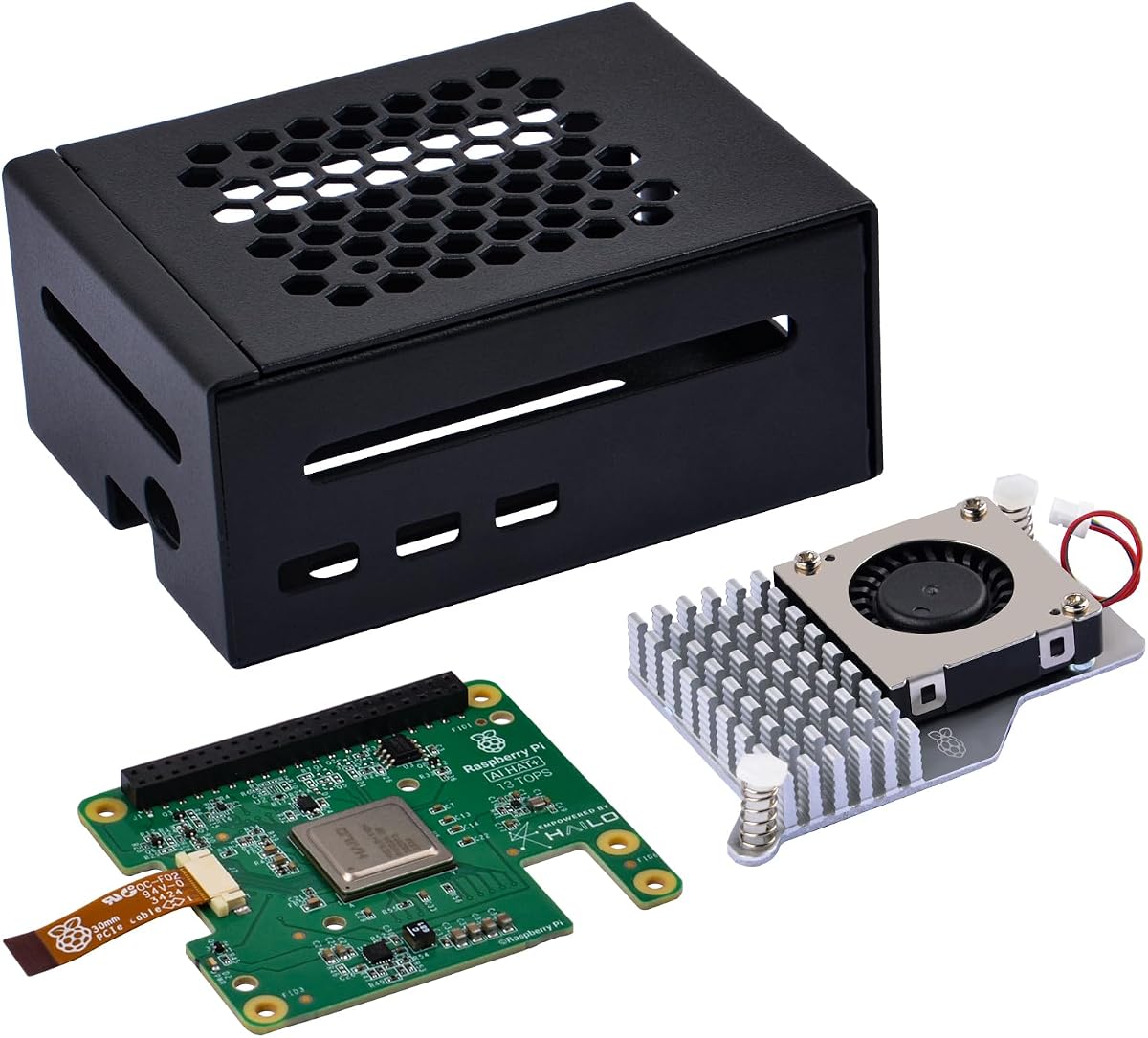
The GeeekPi AI HAT+ Kit offers one of the most cost-effective ways to add dedicated AI acceleration to your existing Raspberry Pi setup. By focusing on the essential hardware needed for neural network tasks, it provides excellent value without the fluff of extensive sensor arrays.
We may earn a commission when you buy through this link, at no additional cost to you.
The AI HAT+ features a 13 TOPS accelerator that integrates directly via the PCIe interface, ensuring low latency for vision projects. The included metal case and active cooler maintain optimal operating temperatures, which is crucial for sustained AI workloads. The hardware detection works automatically on supported OS versions.
While it lacks the extensive sensors of a full learning station, it is perfect for those who already have a Pi or want to build custom sensor setups. The thermal design is particularly robust, preventing throttling during intensive operations. It is a smart choice for focused performance needs.
We suggest this kit for makers who need to upgrade their Pi 5 with AI capabilities quickly and affordably. It bridges the gap between general computing and dedicated machine learning without breaking the bank or requiring complex installation steps.
The active cooler with heatsink ensures the Pi stays cool even under heavy neural network processing loads.
The HAT stacks directly onto the GPIO pins with no soldering or complex wiring required for setup.
We may earn a commission when you buy through this link, at no additional cost to you.
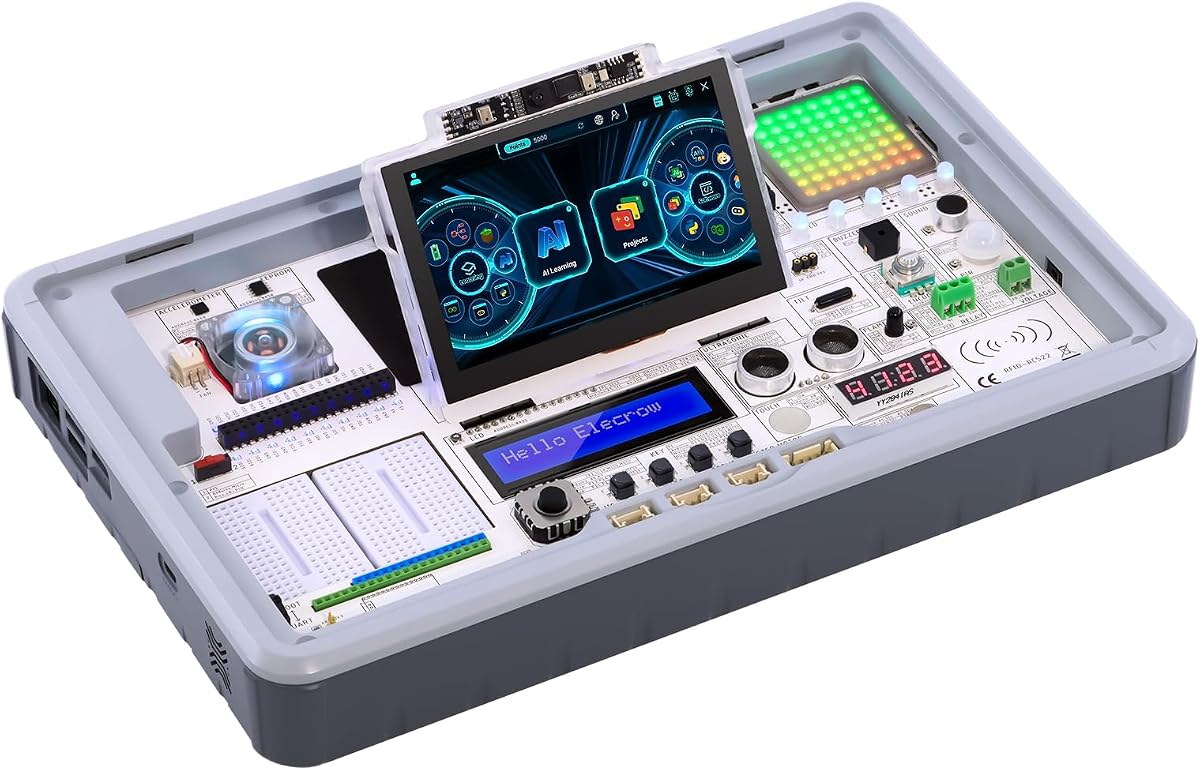
The ELECROW CrowPi3 Basic Kit is designed as an all-in-one educational workstation that eliminates the need for external monitors and breadboards. It integrates a touch display and dozens of sensors directly onto a single board, making it incredibly convenient for structured learning sessions.
We may earn a commission when you buy through this link, at no additional cost to you.
With 41 different sensors and modules ready to use, learners can experiment with everything from temperature to motion without extra wiring. The 200 lessons provide a clear path from basic electronics to advanced AI applications. The touch screen allows for immediate feedback on code execution and visual outputs.
While the resolution is standard and does not replace a full monitor, it is perfect for portable testing and debugging. The lack of a Pi board keeps the cost lower for those who already own one. The organized layout reduces the risk of connection errors common with loose modules.
We recommend this kit for schools or students who need a self-contained environment for STEM education. It removes the physical complexity of wiring so you can focus on the logic and application of AI concepts immediately.
The 4.3-inch touch display removes the need for a separate screen or HDMI setup during testing.
Step-by-step instructions cover reading code and running terminal commands for a complete learning experience.
We may earn a commission when you buy through this link, at no additional cost to you.
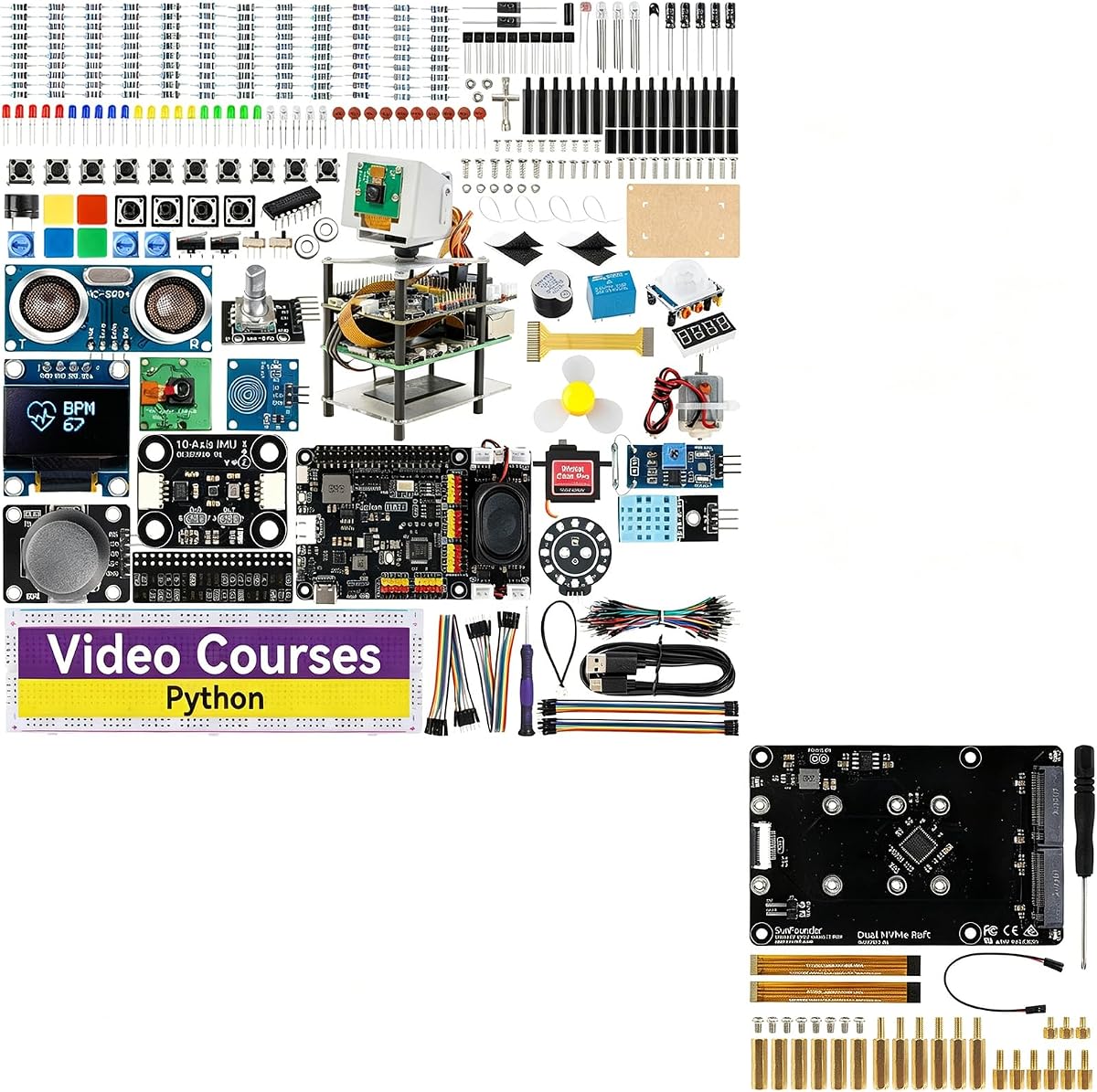
The SunFounder AI Fusion Lab Kit with Dual NVMe Raft is an excellent option for users who need massive storage bandwidth for large AI datasets. It builds on the standard Fusion Lab by adding two M.2 slots that can be used for RAID configurations or massive SSD storage.
We may earn a commission when you buy through this link, at no additional cost to you.
This setup is perfect for developers building home servers or NAS systems that double as AI workstations. The PCIe Gen 2.0 support ensures data transfer speeds are sufficient for real-time video processing and model training. It also supports combining storage with a Hailo-8L accelerator effectively.
While it adds weight to the system and increases the power load, the benefits for data-heavy projects are substantial. The kit includes all standard Fusion components, so you get the full AI learning experience plus the storage expansion. Power management is handled well by the included pack.
We suggest this kit for advanced users planning to run local LLMs or media servers alongside AI experiments. The ability to configure RAID ensures reliability, making it a robust foundation for a home AI lab setup.
The raft supports both RAID 0 for speed and RAID 1 for redundancy in data storage setups.
NVMe slots provide faster boot times and quicker access to large training datasets compared to SD cards.
We may earn a commission when you buy through this link, at no additional cost to you.
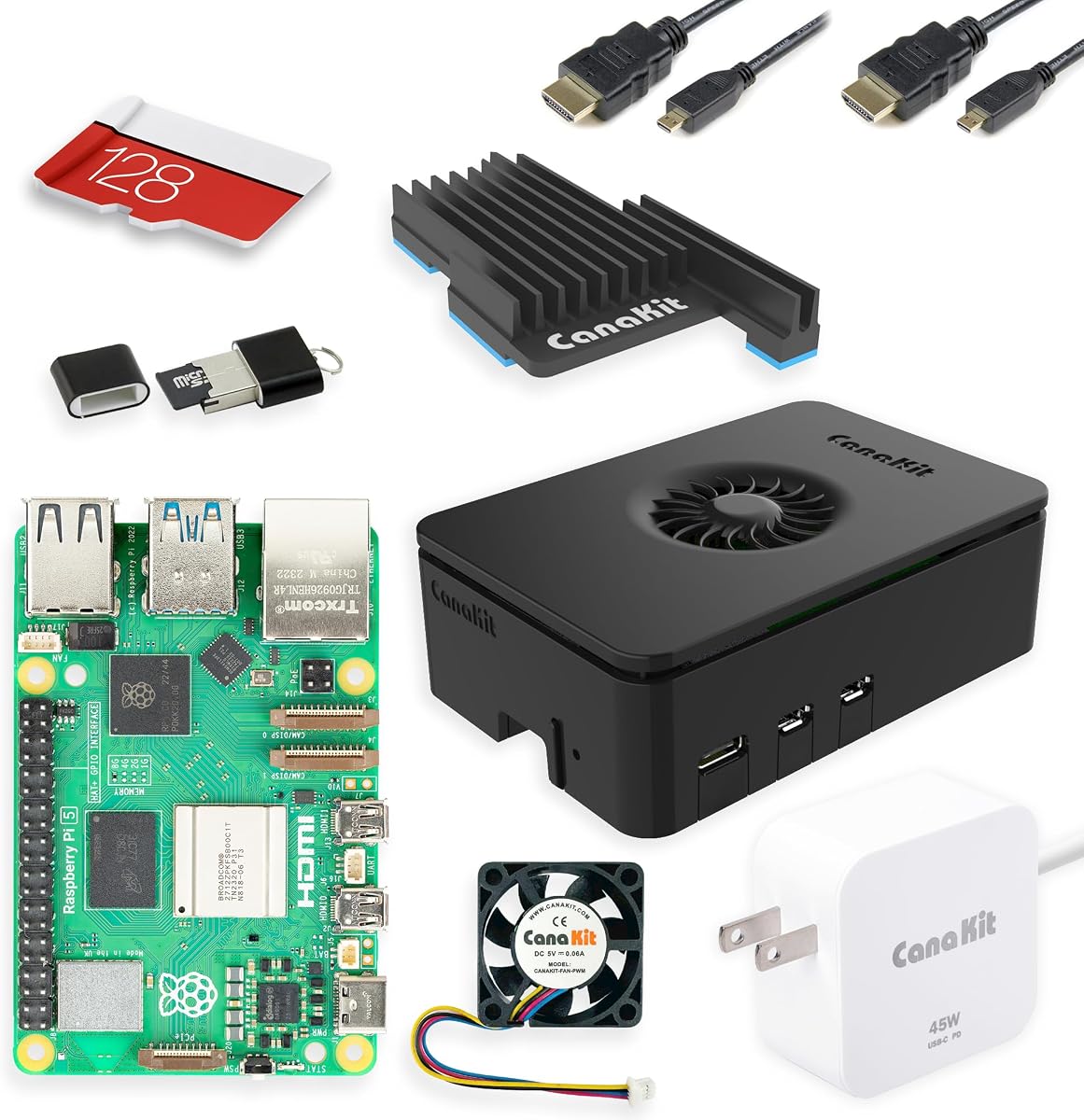
The CanaKit Raspberry Pi 5 Starter Kit PRO is a solid foundation for anyone needing a reliable, standard hardware base before adding AI expansions. It includes the 8GB RAM board, which is essential for running modern operating systems and heavy AI tasks smoothly.
We may earn a commission when you buy through this link, at no additional cost to you.
The 45W power supply is a significant upgrade over standard 27W adapters, ensuring you have headroom for power-hungry accessories like cameras or accelerators. The turbine case provides a sleek look while allowing airflow, and the included cables support high-resolution displays up to 4K.
While it does not include specialized AI sensors, its robust hardware makes it a great starting point for custom projects. The inclusion of the SD card reader simplifies OS flashing and data management tasks. It is a versatile option for those who prefer to assemble their own sensor kit.
We recommend this kit for developers who want to curate their own AI components rather than using a pre-bundled set. The high-quality power and cooling ensure your Pi stays stable during long-running AI experiments.
The 45W supply ensures stable voltage even when multiple USB devices are connected simultaneously.
The black turbine case offers a professional aesthetic while protecting the board from dust and damage.
We may earn a commission when you buy through this link, at no additional cost to you.
The Seeed Studio Pi 5 Essentials Kit is designed for users who prioritize official compatibility and immediate readiness. It features the official active cooling case and power supply, ensuring that the Pi 5 operates within safe thermal limits under heavy loads.
We may earn a commission when you buy through this link, at no additional cost to you.
Since the SD card comes preloaded with the OS, you can skip the setup phase and start working instantly. This makes it ideal for educational environments where time is critical. The official components guarantee that you won't run into compatibility issues with standard peripherals.
While it lacks specific AI accelerators, it provides a stable base for adding them later. The 1-year warranty and technical support from Seeed Studio add peace of mind for institutional buyers. It is a reliable choice for setting up a classroom or office station.
We recommend this kit for those who want a hassle-free experience with guaranteed hardware compatibility. It is perfect for deploying edge AI nodes where stability and support are more important than custom sensor arrays.
Using official cases and power ensures compliance with safety standards and optimal device performance.
The preloaded OS allows students to begin coding and testing within minutes of powering on.
We may earn a commission when you buy through this link, at no additional cost to you.
The SunFounder AI Robot Kit is designed for those who want to build a physically active robot that responds to voice and vision. It features 12 servos for realistic movement and includes a powerful sensor suite for navigation and interaction.
We may earn a commission when you buy through this link, at no additional cost to you.
With ChatGPT integration, the robot can understand complex queries and respond naturally, making it feel more intelligent than standard remote-controlled toys. The app control and FPV streaming allow you to pilot the robot from your phone while seeing exactly what it sees in real-time.
While the Pi Zero 2 W is compact, it may limit heavy AI processing compared to a Pi 5. However, for voice commands and simple vision tasks, it performs well. The kit includes detailed tutorials to help you understand the mechanics of servo control and sensor logic.
We recommend this kit for hobbyists interested in robotics and interaction design. It is a fantastic way to learn how hardware mechanics connect with software intelligence in a tangible, playful form.
ChatGPT integration allows the robot to understand and respond to spoken commands naturally.
Twelve servos enable the robot to perform complex actions like walking, shaking its head, and gesturing.
We may earn a commission when you buy through this link, at no additional cost to you.
The ELECROW CrowPi 3 AI Station is a compact, portable development tool that brings AI learning into a single package. It features a built-in display and touch interface, allowing you to code and test projects without any external monitor.
We may earn a commission when you buy through this link, at no additional cost to you.
With over 41 integrated sensors and 200+ course resources, it is perfect for self-paced learning. The layout is designed to be intuitive, removing the frustration of complex wiring. The course library covers everything from basic IoT to advanced computer vision tasks.
It is important to note that you must purchase the Pi 5 separately, which adds to the total cost. However, the portability makes it ideal for taking to workshops or classrooms. The high-sensitivity microphone and camera enable robust voice and vision projects.
We recommend this kit for students who need a self-contained lab that can travel with them. It simplifies the setup process so you can focus entirely on coding and logic development without hardware clutter.
The compact form factor makes it easy to carry your AI lab anywhere for learning on the go.
The 4.3-inch display allows for immediate visual feedback on sensor data and code outputs.
We may earn a commission when you buy through this link, at no additional cost to you.
The CrowPi 3 with Pi 5 16GB is the ultimate version of the learning station, offering the highest memory configuration available. This ensures that even memory-intensive AI models and large datasets can run locally without hitting bottlenecks.
We may earn a commission when you buy through this link, at no additional cost to you.
It combines all the benefits of the CrowPi3 hardware with the power of a 16GB board. The 200+ guided courses provide a complete path from beginner to advanced. The touch screen and audio inputs support interactive projects that need immediate human feedback.
While it is one of the more expensive options, it removes the need to buy a separate high-performance board later. It is ready for complex tasks like running LLMs locally. The comprehensive curriculum makes it suitable for both individual learners and institutions.
We recommend this kit for those who want the highest performance and complete setup without worrying about future upgrades. It is a premium learning environment designed to handle the full range of AI tasks.
The 16GB RAM board allows for running larger models and multiple containers simultaneously without lag.
Includes structured lessons for Python, IoT, and AI that guide you through every skill level.
We may earn a commission when you buy through this link, at no additional cost to you.
Selecting the right kit depends on your current hardware ownership, desired AI tasks, and budget constraints.
For basic AI tasks like object detection with OpenCV, a standard Raspberry Pi 4 or 5 is sufficient. However, for running local language models or heavy video processing, consider kits that include dedicated accelerators like the Hailo-8 or boards with more RAM.
Prioritize kits with at least 8GB of RAM to avoid memory bottlenecks during complex model loading and inference tasks.
Some kits include Neural Processing Units (NPUs) specifically designed to speed up machine learning inference. These are crucial for real-time tasks like face tracking or voice recognition without lag.
Check if the kit supports specific accelerators like the Hailo-8L if you need high performance without relying solely on the main CPU.
Computer vision is a core part of AI projects, so a high-quality camera module is essential. Look for kits that include the official Pi camera or support for third-party high-resolution sensors.
Ensure the kit includes a lens with a good field of view to capture scenes effectively for object detection and tracking projects.
If you are interested in building voice assistants, look for kits that include high-quality microphones and speakers. The presence of dedicated hardware simplifies the setup for speech-to-text and text-to-speech applications.
Verify that the kit includes a dedicated HAT or module with audio hardware to ensure clear input and output for voice commands.
The best kits come with structured lessons, video tutorials, and clear documentation. This is especially important if you are new to hardware programming or Python.
Look for resources that cover both software and hardware integration to ensure you understand how to combine code with physical sensors.
A wide range of sensors allows you to experiment with different inputs like temperature, motion, and light. Kits with integrated boards often have these built-in, which saves time and reduces wiring errors.
Ensure the sensors are well-documented and compatible with standard libraries like Python's GPIO and GPIO zero for easier programming.
Choose a kit that allows you to add more components later if you outgrow it. Look for standard GPIO headers and HAT compatibility to future-proof your setup.
A kit that supports standard accessories like NVMe drives or USB peripherals offers better flexibility as your skills advance.
Compare the cost of the kit against the individual price of components to ensure you are getting a good deal. Sometimes buying parts separately is cheaper, but kits offer convenience and verified compatibility.
Consider the total cost of ownership including any required boards or power supplies that might not be included in the package price.
Start by setting up the operating system on the SD card or NVMe drive. Most kits come with a preloaded image, but ensure your software is updated to the latest version to take advantage of new AI libraries and security patches.
Connect all sensors and HATs carefully according to the provided documentation. Avoid forcing connectors into ports and check the voltage ratings to prevent damage. Use a stable power source to avoid power surges that could corrupt data.
Keep the unit in a dry, well-ventilated area to prevent overheating. Dust and debris can clog fans and cause thermal throttling. Regularly clean the heat sinks and ensure that any active cooling components are working properly.
It depends on the kit. Some include the board in the package while others like the SunFounder Fusion Lab require you to buy the Pi separately. Always check the product details to confirm what is included before purchasing.
Yes, kits with high RAM boards like the Pi 5 16GB can run smaller local LLMs. For heavier models, consider kits with dedicated AI accelerators to speed up inference and reduce load on the CPU.
Common libraries include OpenCV for vision, PyTorch for deep learning, and TensorFlow Lite for edge devices. Many kits provide example code using these libraries to get you started quickly on your projects.
Yes, many kits like the SunFounder Fusion Lab include step-by-step video tutorials and beginner-friendly documentation. They break down complex concepts into manageable projects so you can learn at your own pace.
You can update the software using standard Linux package managers or the repository links provided in the kit documentation. Ensure you have an internet connection and follow the update instructions carefully.
Many kits like the SunFounder Fusion Lab support multiple models including Pi 5, 4, and 3B+. However, some advanced features require the Pi 5's PCIe interface. Check the compatibility list for your specific hardware.
Always use the recommended power supply to ensure stable operation. Most kits support USB-C adapters, but ensure the amperage matches the official recommendations to prevent power drops.
Choosing the right AI kit depends on whether you want a complete learning station or a specific hardware accelerator. The SunFounder Fusion Lab offers the best overall balance of education and hardware, while the Vilros and GeeekPi options provide specialized performance for advanced users.
Prioritize your specific goals such as voice interaction, vision tracking, or robot building to find the best fit. If you need maximum power for local models, opt for a kit with high RAM and an accelerator. For pure learning, a station with built-in sensors is ideal.
Remember that prices and availability can change quickly on Amazon. Always check the current details and customer reviews before buying to ensure the kit meets your expectations. Start your AI journey today with a platform that matches your vision.