
HP 14 inch Laptop
4.5Editor score
Intel N150 Processor
14 inch Display
4GB DDR5 RAM
Finding a laptop with no fan noise is essential for focused work and peaceful study sessions. Silent machines help you concentrate without auditory distractions from cooling systems.
We compared ten top models based on processor efficiency, thermal design, and user feedback. Our list highlights devices engineered for minimal acoustic output during daily tasks.
Each pick shows real specifications and standout features for quiet operation. Please note that prices and availability change frequently on retailer platforms.
4.5Editor score

4.0Editor score

4.4Editor score
As an Amazon Associate we earn from qualifying purchases.
This side-by-side comparison highlights the key specifications and features of ten quiet laptops and cooling accessories.




The HP 14 inch Laptop offers a reliable solution for users seeking a quiet computing environment. It receives high ratings for its efficient thermal management that keeps operations silent during standard usage.
We may earn a commission when you buy through this link, at no additional cost to you.
Its Intel N150 processor delivers stable multitasking capabilities without generating excessive heat. The slim profile and lightweight chassis enhance portability for students or professionals working remotely.
Trade-offs include modest RAM and storage which may require cloud reliance. These compromises ensure the device remains cool and quiet without active fan noise.
This model suits those prioritizing silence and mobility over raw power. It is an excellent choice for basic office work and web browsing.
Engineered to minimize noise output through efficient passive cooling systems.
Slim 0.71-inch profile and light weight make it easy to carry.
We may earn a commission when you buy through this link, at no additional cost to you.
Aurant 15.6 Inch Laptops provide a robust balance of performance and quiet operation. Users appreciate the stable AMD Ryzen R5 processor that handles daily tasks without loud cooling fans.
We may earn a commission when you buy through this link, at no additional cost to you.
The 8GB RAM supports smooth multitasking for web browsing and document editing. Physical security features like fingerprint unlock add convenience for protecting private data.
While storage is limited the SSD ensures quick startup speeds. The full size keyboard with backlight aids typing in low light environments comfortably.
This laptop is ideal for office work needing a quiet setup. It offers essential ports and reliable connectivity for everyday use.
4-core 8-thread design provides steady performance for multitasking.
Fingerprint unlock feature ensures private data protection easily.
We may earn a commission when you buy through this link, at no additional cost to you.
The ASUS Vivobook Go 15 delivers responsive performance with features designed for quiet study and work. Its AMD Ryzen 5 CPU ensures smooth operation for video streaming and remote tasks.
We may earn a commission when you buy through this link, at no additional cost to you.
AI Noise-Canceling Audio minimizes background noise during calls enhancing communication quality. The built-in Physical Webcam Privacy Shutter adds an extra layer of security.
Fast DDR5 memory and PCIe SSD storage ensure quick application switching. Wi-Fi 6 provides stable wireless performance in various environments.
This model stands out for its comprehensive productivity features. It suits students and professionals needing a reliable quiet laptop.
AI Noise-Canceling Audio filters background noise for clear calls.
Wi-Fi 6 and Bluetooth 5.3 ensure stable wireless performance.
We may earn a commission when you buy through this link, at no additional cost to you.
The HP OmniBook 3 16 combines powerful performance with advanced noise reduction features. Its Intel Core Ultra 5 processor accelerates AI workloads while maintaining a quiet thermal profile.
We may earn a commission when you buy through this link, at no additional cost to you.
The 16-inch WUXGA touchscreen offers vibrant visuals with an 88% screen-to-body ratio. Integrated AI Noise Reduction tracks your voice during calls filtering out distractions effectively.
Cutting-edge Wi-Fi 7 provides ultra-low latency for seamless wireless connections. The professional design resists fingerprints and looks elegant in any setting.
This device suits professionals needing high performance without loud fans. It is a top choice for those seeking a premium experience.
Intel AI Boost NPU accelerates AI workloads for faster productivity.
16-inch WUXGA touchscreen offers vibrant visuals and sharp details.
We may earn a commission when you buy through this link, at no additional cost to you.
The Kootek Laptop Cooling Pad helps reduce laptop heat without adding noise. It features five built-in fans designed to run silently while improving airflow effectively.
We may earn a commission when you buy through this link, at no additional cost to you.
The ergonomic design offers six adjustable height settings for comfortable typing. Dual USB hubs provide extra connectivity options for peripherals conveniently.
LED indicators allow visual monitoring of fan status and lighting. Secure stoppers prevent laptops from slipping during use safely.
This accessory is ideal for improving cooling silently. It complements any laptop that needs extra airflow during heavy use.
Five built-in fans enhance performance while operating quietly.
Six adjustable height settings ensure optimal comfort during use.
We may earn a commission when you buy through this link, at no additional cost to you.
The HP Everyday Slim Laptop focuses on portability and long usage times. Its efficient processor ensures that the device remains cool and quiet during daily activities.
We may earn a commission when you buy through this link, at no additional cost to you.
Users appreciate the long battery life which supports work on the go. The slim profile makes it easy to carry in bags effortlessly.
The clear camera enhances video call quality with noise reduction. A dedicated Microsoft Copilot key speeds up access to AI features.
This model suits travelers needing a lightweight quiet solution. It is perfect for basic tasks and extended travel periods.
Slim and thin profile makes it easy to carry around.
Clear 720p HD camera with temporal noise reduction.
We may earn a commission when you buy through this link, at no additional cost to you.
The havit HV-F2056 provides a simple way to keep laptops cool silently. It uses three ultra-quiet fans to create a noise-free environment for work.
We may earn a commission when you buy through this link, at no additional cost to you.
The slim profile ensures portability wherever you go to protect your investment. An extra USB port allows connection of additional devices conveniently.
Two adjustable height settings offer ergonomic comfort for typing. The metal mesh provides a stable carrying surface for your device.
This stand is perfect for light users needing quiet cooling. It adds a minimal layer of protection and airflow.
Three ultra-quiet fans create a noise-free working environment.
Slim and portable design protects investment wherever you go.
We may earn a commission when you buy through this link, at no additional cost to you.
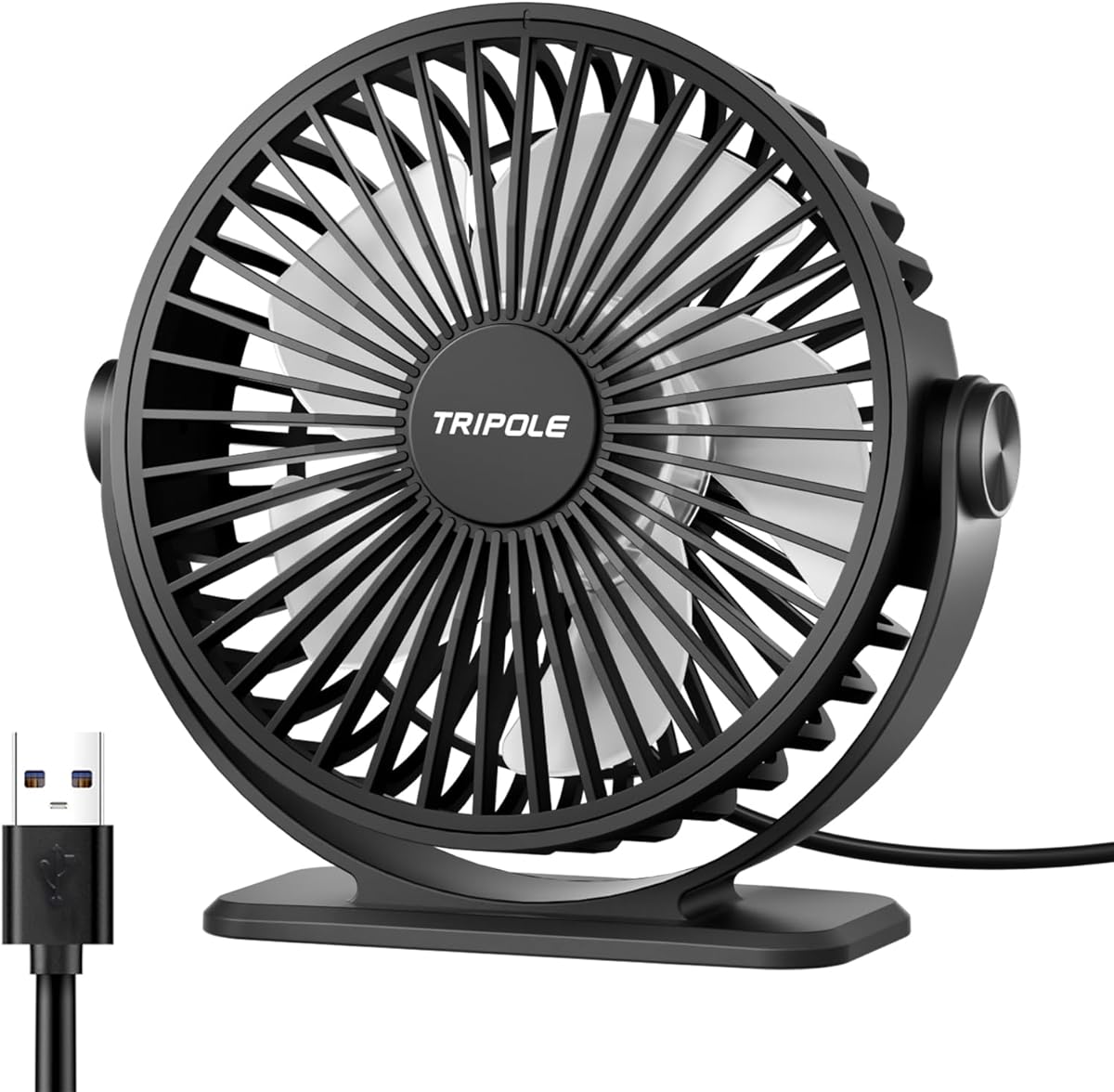
The TriPole USB Desk Fan offers quiet personal cooling for desks. It provides three wind modes that can be adjusted to suit your needs.
We may earn a commission when you buy through this link, at no additional cost to you.
Its compact size saves space on desktops or nightstands efficiently. The stable base with silicone pads reduces vibration and noise effectively.
USB powered operation allows flexible use with chargers or banks. The detachable cover helps prevent dirt buildup over time.
This fan is ideal for personal use without distracting noise. It adds a gentle breeze to your workspace quietly.
Three speed wind modes allow flexible airflow intensity.
Wide base with silicone pads reduces vibration and noise.
We may earn a commission when you buy through this link, at no additional cost to you.
The Targus Dual Fan Lap Chill Mat combines comfort with cooling. It uses dual fans powered by USB to disperse heat from your laptop.
We may earn a commission when you buy through this link, at no additional cost to you.
Soft neoprene material on the bottom provides cushioned comfort on your lap. The ergonomic tilt makes typing easy on hands and wrists.
An open mesh top allows airflow to move away from the device. Rubber stops help prevent the laptop from slipping during use.
This mat suits those needing comfort during lap work. It offers effective cooling while keeping your workspace stable.
Soft neoprene material provides cushioned comfort on lap.
Ergonomic tilt makes typing easy on hands and wrists.
We may earn a commission when you buy through this link, at no additional cost to you.
The HP 17 inch Business Laptop offers a large screen with efficient thermal design. Its AMD Ryzen 5 CPU ensures quiet operation during most office tasks.
We may earn a commission when you buy through this link, at no additional cost to you.
The large 17.3 inch FHD display provides immersive visuals for work. 16GB RAM supports heavy multitasking without slowing performance.
A long battery life keeps you productive throughout the day. The brushed full-size keyboard with numeric keypad aids data entry efficiently.
This model suits office users needing screen real estate. It balances performance with a relatively quiet and comfortable design.
Large 17.3 inch FHD display with sharp details.
Numeric keypad and long battery life aid productivity.
We may earn a commission when you buy through this link, at no additional cost to you.
Selecting a laptop with no fan noise requires understanding key factors like processor efficiency and thermal design.
Processors with lower TDP or advanced architectures generate less heat. This reduces the need for loud fans to cool the system.
Look for energy efficient CPUs designed for battery life and quiet operation.
Passive cooling systems eliminate fans entirely but may limit performance. Active cooling with high quality fans can also be quiet.
Check reviews regarding thermal management to ensure silence during use.
Adequate RAM prevents constant swapping which can stress the system. Fast SSDs help maintain efficiency without unnecessary heating.
Prioritize models with enough memory for your daily multitasking needs.
Long battery life often correlates with efficient power management. Efficient power use usually means less heat generation.
Check battery ratings to ensure the device lasts through your workday.
Lighter laptops may have smaller fans that run faster but quieter. Heavy devices often need more robust cooling systems.
Balance weight with performance requirements for your specific needs.
Modern USB and Wi-Fi standards reduce power draw on the system. Lower power draw means less heat to manage.
Ensure the laptop has the ports you need to avoid adapters.
High brightness displays can generate more heat than dim ones. Anti-glare screens also help manage internal temperatures.
Look for displays that balance visual quality with thermal efficiency.
Solid chassis materials help conduct heat away from internal components. This can reduce the load on active cooling fans.
Check reviews on chassis design for thermal management feedback.
Ensure your laptop has proper ventilation even if it is quiet. Do not cover vents or place it on soft surfaces that block airflow.
Keep software updates current to maintain system efficiency. Updates often include optimizations that reduce unnecessary heat generation.
Use a cooling pad if you run heavy tasks. This helps maintain silence by assisting the internal thermal management.
Silent laptops often use efficient processors that run slower than high performance ones. However they provide ample speed for most daily tasks and office work.
Laptops with passive cooling or fanless designs are the quietest. These often rely on solid state cooling and efficient components.
Cooling pads provide extra airflow to prevent internal heat buildup. This allows the laptop to stay silent even under heavier loads.
Some silent models have fans that only spin when needed. Others use fanless designs that rely on passive heat dissipation.
Basic gaming is possible but high performance gaming usually requires more cooling. Check the GPU and cooling specs for gaming suitability.
Look for reviews that mention decibel levels or quiet operation. User feedback is often the best way to assess real noise.
They can overheat under heavy load without proper ventilation. Always use on hard flat surfaces to maintain airflow.
Brands like HP and ASUS offer reliable quiet models. Compare specific thermal specs rather than relying solely on brand names.
The top picks offer a range of options for silent computing. From budget models to premium devices there is a choice for every need.
Prioritize thermal design and processor efficiency when choosing a model. These factors ensure the device remains quiet during daily tasks.
Remember to verify current availability and pricing on retailer sites. Conditions change frequently so check before purchasing.