
msi Gaming GeForce GT 1030 4GB DDR4 64-bit HDCP Support DirectX 12 DP/HDMI Single Fan OC Graphics Card (GT 1030 4GD4 LP OC)
4.5Editor score
Low Profile Design
4GB DDR4 Memory
DirectX 12 Support
This guide compares the top GPUs for Optiplex workstations, evaluating low profile designs, power efficiency, and performance for gaming and professional
Choosing the right GPU for Optiplex systems requires careful consideration of size and power constraints. These small form factor PCs demand cards that fit snugly without overwhelming the chassis or power supply.
We evaluated ten top options based on architecture, memory, connectivity, and physical dimensions. Each selection balances performance with the strict spatial limits found in Dell Optiplex tower and mini configurations.
Every pick highlights unique strengths for gaming, design, or office use. Prices vary by retailer and availability, so check current listings before making your final decision on hardware upgrades.
4.5Editor score

4.7Editor score

4.3Editor score
This table provides a side-by-side overview of every model discussed, focusing on key specifications like memory type, clock speeds, and physical form factor to help you compare at a glance.
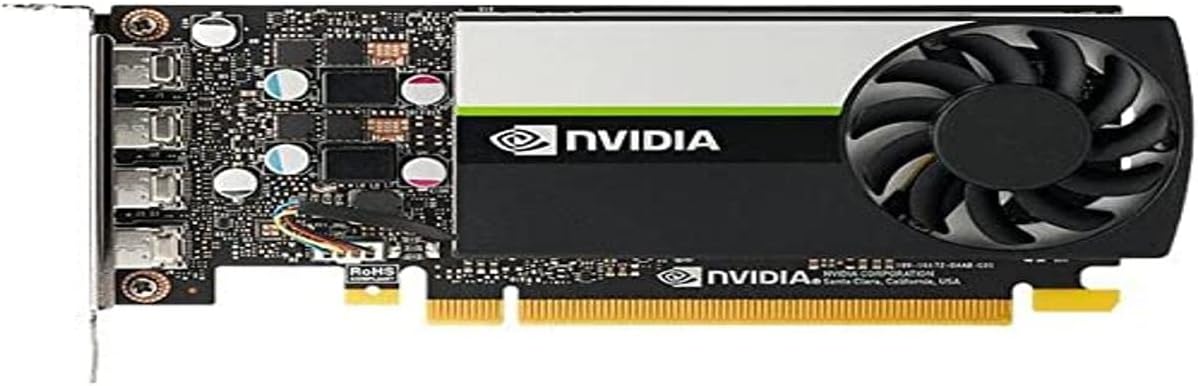


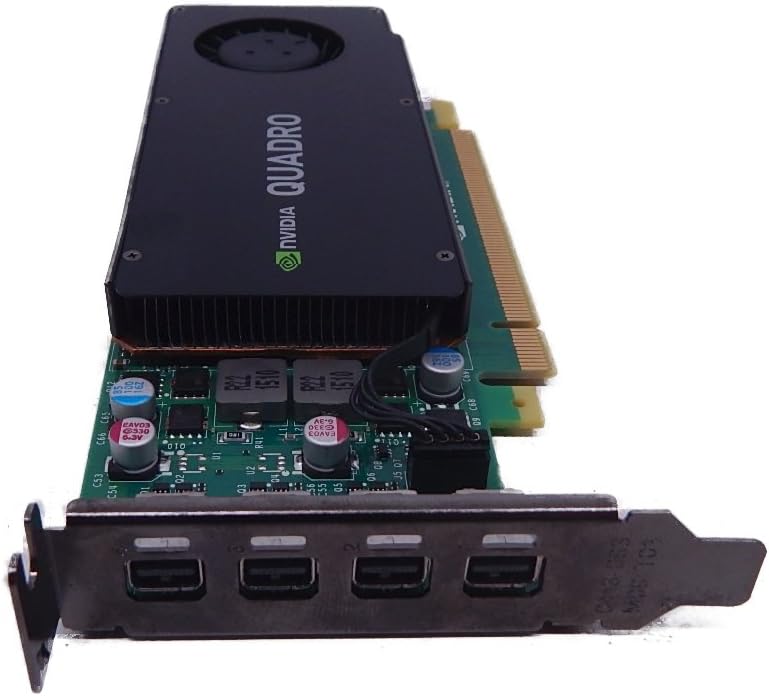
This card stands out for its slim profile and powerful architecture tailored for compact Optiplex systems. It holds a strong 4.3 rating for balancing gaming performance with physical constraints.
We may earn a commission when you buy through this link, at no additional cost to you.
Built on NVIDIA Ampere architecture, it includes Tensor Cores and RT cores for modern gaming features. The 6GB GDDR6 memory ensures smooth handling of textures in demanding titles.
While more expensive than entry options, its PCIe 4.0 bandwidth and HDMI 2.1 support justify the cost for future-proofing. The slim form factor ensures it fits even the smallest cases.
Buy this if you need top-tier low-profile performance in an Optiplex Mini or SFF model. It offers the best balance of raw power and physical compactness in this list.
With RT Cores and Tensor Cores, ray tracing and AI upscaling run efficiently on this compact card.
HDMI 2.1 and DisplayPort 1.4a support multi-monitor setups while fitting in narrow chassis.
We may earn a commission when you buy through this link, at no additional cost to you.
The T600 is tailored for professional workflows rather than gaming. It earns high praise for stability and certification across major creative and engineering software suites.
We may earn a commission when you buy through this link, at no additional cost to you.
Powered by Turing architecture, it handles 3D modeling and visualization tasks with ease. Support for up to four 5K displays makes it ideal for high-resolution editing workspaces.
Its hardware encoding engines ensure smooth video playback without overloading the CPU. While it lacks gaming features, its focus on stability makes it a reliable choice for business.
Select this for Optiplex workstations used in design or video production. It provides the professional-grade performance and certification required for daily business critical tasks.
Certified for over 100 professional apps, ensuring seamless compatibility with industry tools.
Capable of driving multiple 5K screens for expansive visual work environments.
We may earn a commission when you buy through this link, at no additional cost to you.
The A400 offers professional features in a very affordable package. It is rated highly for efficiency and fits easily into compact Optiplex cases without needing extra power connectors.
We may earn a commission when you buy through this link, at no additional cost to you.
Its Ampere architecture delivers strong compute performance for AI and rendering tasks. The 4GB GDDR6 memory ensures smooth data transfer for multitasking across demanding applications.
Four Mini DisplayPorts allow connection to multiple high-resolution screens. While the memory is modest, it suffices for most business graphics needs without excessive cost or heat.
Ideal for Optiplex SFF office PCs needing reliable professional graphics. It combines low power draw with enough performance to handle visualization and video production workloads.
Drawing only 50W, it runs cool and silent even in compact mini tower systems.
CUDA cores enable smooth performance for modeling, ray tracing, and AI workflows.
We may earn a commission when you buy through this link, at no additional cost to you.
This model brings gaming capabilities to smaller chassis with a robust build. Users praise its 4.7 rating for delivering reliable performance in space-constrained environments.
We may earn a commission when you buy through this link, at no additional cost to you.
The overclocked clock speeds boost gaming performance beyond standard models. Axial-tech fans provide effective cooling, ensuring stable thermal performance during long sessions.
While it uses a 2-slot design, it maximizes compatibility with many Optiplex towers. The steel bracket adds durability, protecting the card during installation and use.
Choose this for gaming on Optiplex machines that support 2-slot cards. Its balance of cooling, performance, and build quality makes it a solid choice for casual gamers.
OC mode pushes boost clocks to 1500 MHz for smoother frame rates in games.
IP5X dust resistance and a steel bracket protect against wear and environmental damage.
We may earn a commission when you buy through this link, at no additional cost to you.
A budget-friendly option for basic graphics acceleration in Optiplex systems. It holds a solid rating for users seeking minimal cost without sacrificing physical compatibility.
We may earn a commission when you buy through this link, at no additional cost to you.
With a low profile design, it fits most mini and small form factor cases. The single fan keeps it quiet while handling everyday tasks and light media playback.
Memory is DDR4 which limits heavy gaming but suits office and media needs. The low power draw ensures compatibility with standard Optiplex power supplies without extra cables.
Perfect for upgrading basic Optiplex office PCs for light video editing or casual use. It offers a simple plug-and-play upgrade path with minimal cost and energy impact.
Provides a cost-effective way to enable hardware decoding on older PCs.
Fits in slots without requiring additional power connectors or complex setup.
We may earn a commission when you buy through this link, at no additional cost to you.
This card features dual fans to improve cooling efficiency in tighter spaces. Its architecture supports modern gaming features with reliable performance in compact systems.
We may earn a commission when you buy through this link, at no additional cost to you.
The 6GB GDDR6 memory helps handle detailed textures in games. WINDFORCE fans provide consistent airflow, preventing thermal throttling under load.
While dual fans add width, the card fits many standard towers. It offers a balance of raw power and thermal management for users prioritizing performance.
Select this for Optiplex towers that can accommodate dual fan cards. It delivers strong gaming performance with effective thermal control for longer sessions.
Dual fan setup ensures heat is dissipated effectively to maintain boost clocks.
GDDR6 VRAM ensures high bandwidth for gaming and rendering tasks.
We may earn a commission when you buy through this link, at no additional cost to you.
This model is engineered specifically for compact cases with a low profile form. It earns solid marks for balancing gaming performance with strict spatial requirements.
We may earn a commission when you buy through this link, at no additional cost to you.
OC boost clocks provide extra power for games. The 6GB GDDR6 memory helps with texture handling, while HDMI and DP ports ensure broad monitor compatibility.
Its narrow length fits many mini towers where full cards fail. Users report reliable performance without excessive power draw or heat generation.
Choose this for gaming in Optiplex Mini or SFF models. It delivers strong performance in a form factor that fits without major case modifications.
Low profile length and slim design ensure compatibility with mini PC chassis.
Pre-overclocked boost speeds provide immediate performance gains out of the box.
We may earn a commission when you buy through this link, at no additional cost to you.
A legacy professional card suited for older Optiplex systems. It remains popular for its low profile design and compatibility with professional applications.
We may earn a commission when you buy through this link, at no additional cost to you.
The low profile fit allows installation in tight cases. It supports multiple displays through mini DisplayPort connectors, useful for multi-screen office setups.
While based on older tech, it is stable for CAD and design tools. The 3-year warranty adds confidence for business use where reliability matters most.
Use this to upgrade older Optiplex towers for basic 3D tasks. It is a reliable choice for maintaining productivity without major system changes.
Four DisplayPorts enable multiple screens without taking up extra case space.
ISV certified drivers ensure smooth operation with professional software suites.
We may earn a commission when you buy through this link, at no additional cost to you.
This model combines professional performance with compact dimensions. It holds a strong rating for reliability and support in demanding engineering and design workloads.
We may earn a commission when you buy through this link, at no additional cost to you.
Powered by Pascal architecture, it supports 4K and 5K displays. The low profile option allows installation in mini PCs without sacrificing power.
Memory bandwidth ensures smooth manipulation of large models. ISV certification means it works seamlessly with industry-standard software.
Choose this for Optiplex workstations needing reliable 3D performance. It fits well in small cases while delivering the stability required for business apps.
Support for 4K and 5K displays enables detailed visualization work.
Designed for low power consumption, ideal for compact and silent systems.
We may earn a commission when you buy through this link, at no additional cost to you.
A basic professional card suitable for legacy systems needing DVI support. It provides stable graphics acceleration for simple office and visualization tasks.
We may earn a commission when you buy through this link, at no additional cost to you.
The K1200 engine ensures compatibility with older displays and software. Its low profile design allows it to fit inside many small form factor cases easily.
PCIe 2.0 limits bandwidth compared to modern cards but suits basic use. It remains useful where cost and compatibility are the top priorities.
Use this for upgrading older Optiplex towers with DVI displays. It is a budget friendly way to add stable professional graphics to legacy systems.
DVI output supports older monitors without needing adapters.
Suitable for simple visualization and CAD tasks in older environments.
We may earn a commission when you buy through this link, at no additional cost to you.
Selecting a GPU for an Optiplex requires balancing physical size, power budget, and your specific workload needs.
Optiplex systems often have tight internal space. Check the maximum allowed height and length. Low profile brackets are essential for many models.
Measure your case height and length before buying to ensure a proper fit.
Most Optiplex power supplies are limited to 65W. Ensure the card draws power directly from the slot without needing extra cables.
Avoid cards requiring external power connectors to prevent boot failures.
GDDR6 offers significantly higher bandwidth than DDR4. For video editing or gaming, prioritize GDDR6 models over entry-level options.
More VRAM helps with higher resolutions and larger textures.
Verify you have the right ports. DisplayPort and HDMI are common. DVI may need adapters for older monitors.
Choose a card with ports matching your monitors to avoid extra costs.
Compact cards rely on airflow inside the case. Single fan or dual fan designs impact thermals. Ensure your case has adequate ventilation.
Good airflow prevents throttling and extends card life.
Quadro and RTX A-series cards offer certified drivers for stability. Consumer cards are better for gaming. Decide based on your workflow.
Professional cards reduce crashes in business software.
Newer architectures like Ampere or Turing provide better efficiency and features like DLSS. Older cards may struggle with modern software.
Newer chips offer better performance per watt.
Entry models save money but lack power. Higher-end options cost more but last longer. Set a budget based on your actual needs.
Don't overspend on features you don't use.
Before installing, disconnect power and press the power button to drain residual electricity. This prevents electrical shocks or damage to components.
Align the gold connectors with the slot and apply even pressure until it clicks. Secure it with a screw and connect any necessary displays.
Keep your PC in a clean, dust-free environment to prevent overheating. Regularly clean filters with compressed air for best performance.
Usually no. Most Optiplex power supplies are limited. Ensure your new card draws power from the PCIe slot without external cables to avoid overload.
Only low profile cards fit. Measure your case and confirm the card uses a low profile bracket. Full size cards won't fit due to height and length limits.
They offer certified drivers for stability in business software. They reduce crashes in apps like AutoCAD and Adobe tools compared to standard consumer cards.
Compatibility depends on size and power, not brand. Ensure the dimensions match and power draw stays within your PSU limits regardless of the manufacturer.
Modern GPUs will still work via backward compatibility. You may see slightly lower performance but full features will function in most scenarios.
4GB is enough for office tasks. For design or gaming, aim for 6GB or more. More memory helps with larger files and higher resolution textures.
These top picks show how to enhance Optiplex performance without breaking size or power limits. Each offers a unique balance of value and capability.
Prioritize physical fit and power draw first. Then choose between professional stability or raw gaming performance based on your daily needs.
Prices and stock change often. Always verify your specific model and specs on the retailer page before buying to ensure compatibility and savings.