
Apple Magic Keyboard: Keyboard and Case for iPad Air 11-inch
4.5Editor score
Floating Cantilever Design
Built-In Trackpad
USB-C Pass-Through
This guide compares the top ten iPad Air Folio Case with Keyboard options to help you find the perfect combination of protection and typing comfort for your
Finding the right iPad Air Folio Case with Keyboard transforms your tablet into a portable workstation. These versatile accessories offer protection while providing a comfortable typing experience for work and creativity.
We evaluated ten top models based on build quality, typing comfort, trackpad performance, and overall value. Each option was reviewed for compatibility with recent iPad Air generations to ensure a perfect fit.
Each pick highlights unique strengths and ideal use cases for students professionals and creatives. Keep in mind that stock levels and availability can change frequently so check current details before ordering your favorite choice.
4.5Editor score

4.5Editor score
4.3Editor score
The following comparison table breaks down the key specifications and features of each model to help you quickly identify the right fit for your workflow and budget needs.


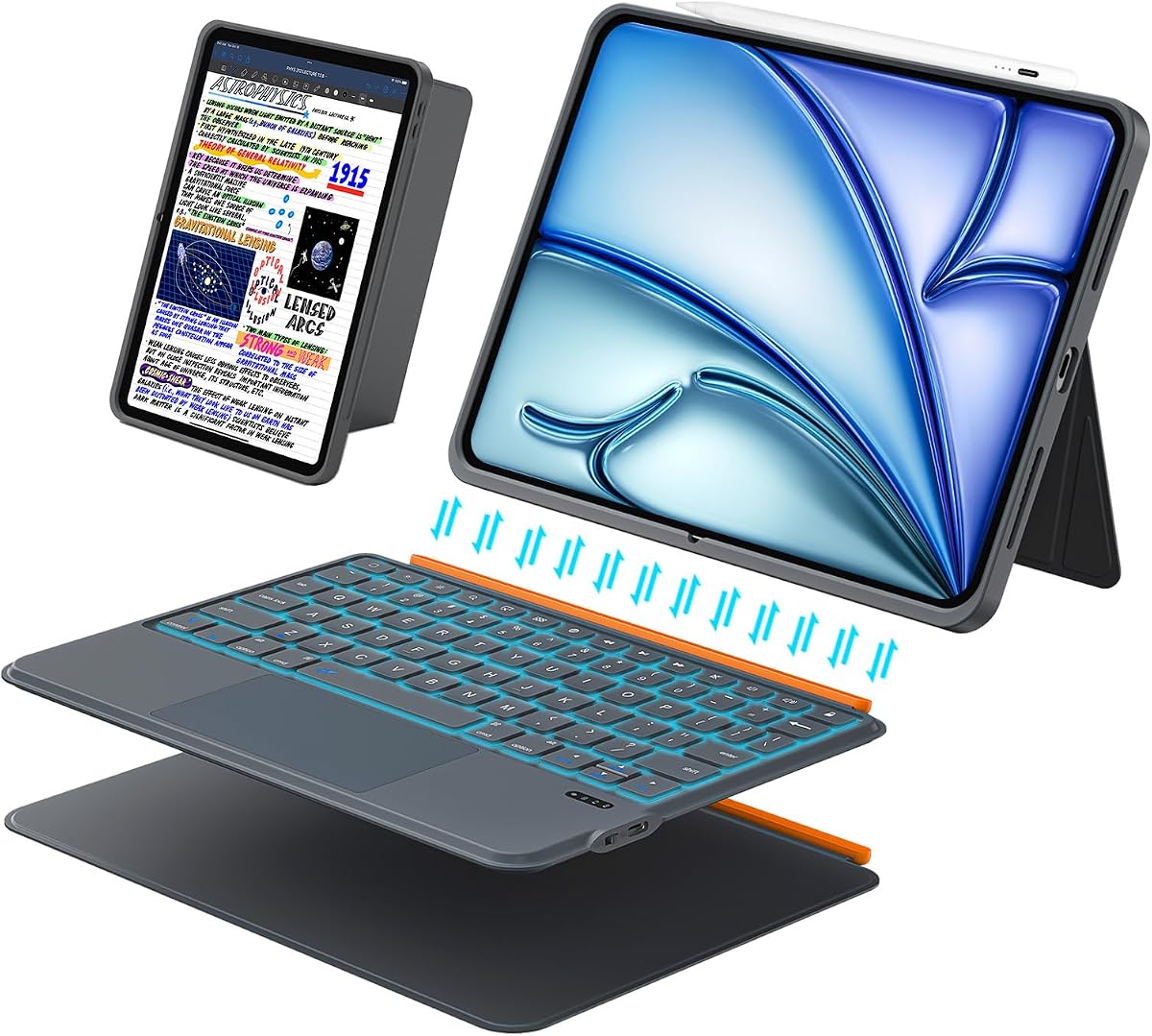


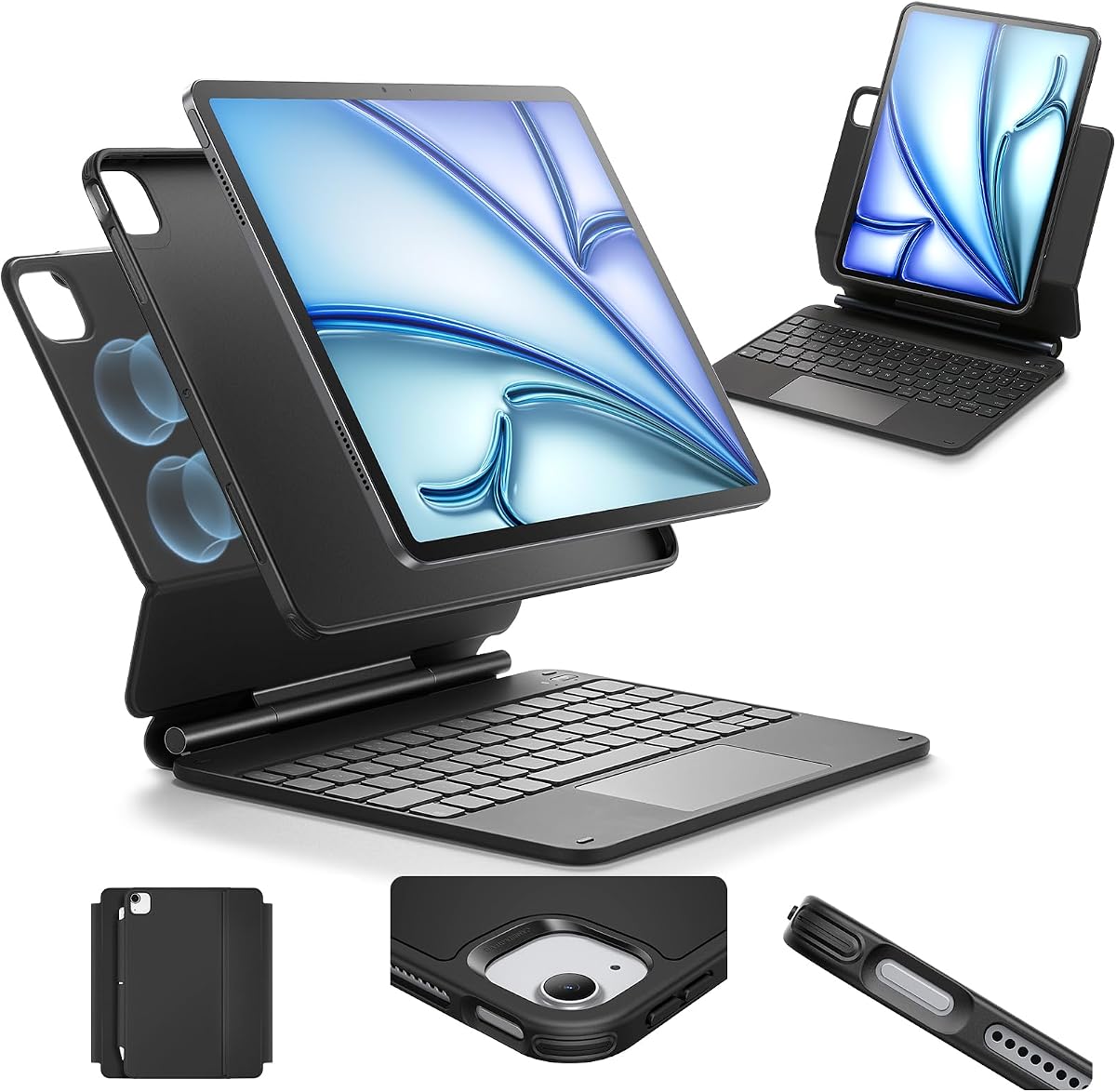
The Logitech Flip Folio Keyboard Case stands out as the top choice for users seeking a professional-grade typing experience with their iPad Air. It earned a strong rating for its seamless integration and robust features that cater to productivity needs.
We may earn a commission when you buy through this link, at no additional cost to you.
Its high-precision trackpad allows for intuitive navigation using multi-touch gestures like swipe and pinch. The backlit keys automatically adjust to your environment lighting ensuring comfort in any setting. The laptop-like typing experience is enhanced by well-spaced keys and iPadOS shortcut keys.
While it offers military-grade drop protection and a sturdy magnetic latch it comes at a premium price. The lack of extra color options may also limit personalization preferences for some users.
This case is ideal for professionals and students who prioritize typing accuracy and durability. If you need a reliable companion for daily work and want seamless connectivity without charging hassles this is the recommended pick.
The trackpad and shortcut keys streamline workflow making document editing and browsing significantly faster.
Powered directly via the Smart Connector the keyboard never needs a separate charge ensuring it is always ready.
We may earn a commission when you buy through this link, at no additional cost to you.
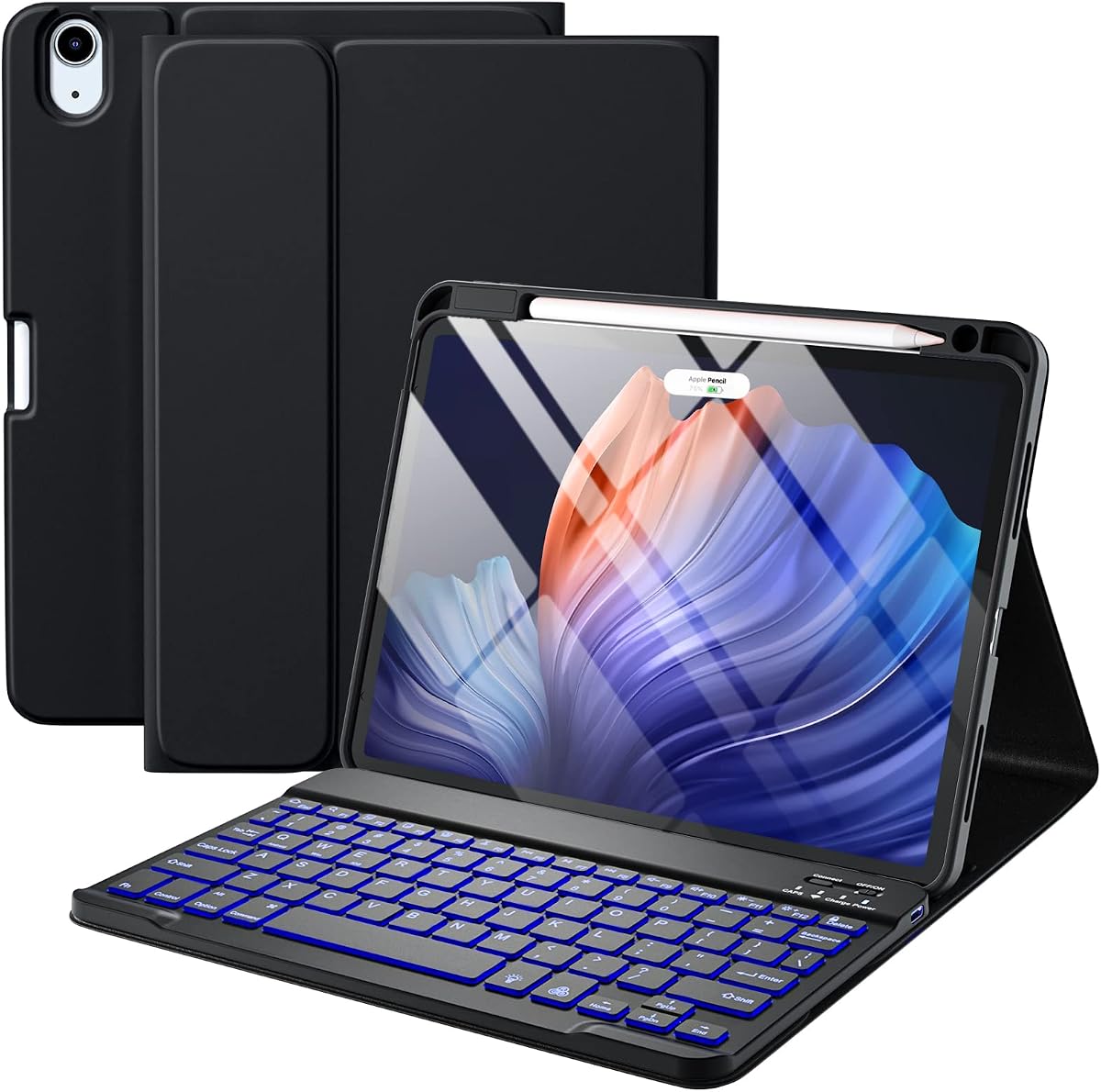
The Harvopu case offers a compelling mix of features at an accessible price point. It includes a detachable backlight keyboard and versatile viewing angles suitable for various tasks.
We may earn a commission when you buy through this link, at no additional cost to you.
Its Bluetooth connection ensures stability while the 7-color breathing backlight adds a touch of style. The adjustable viewing angle and built-in pencil holder make it practical for drawing and note-taking sessions.
The keyboard requires recharging which can interrupt workflow if not managed. The protection is good but lacks the premium feel of higher-end models.
This option is perfect for budget-conscious users or families needing a reliable case for school or casual work. It balances functionality with cost effectively.
Choose from seven colors to customize your typing environment whether you prefer warm or cool tones.
Strong magnets keep the keyboard firmly in place on the case for steady typing sessions.
We may earn a commission when you buy through this link, at no additional cost to you.
Apple's Magic Keyboard delivers a truly laptop-like experience with its floating cantilever design and precise trackpad. It is designed for users who demand the highest level of performance and build quality.
We may earn a commission when you buy through this link, at no additional cost to you.
The keyboard features a full 14-key function row and scissor mechanism keys for a comfortable typing feel. The design also provides front and back protection without compromising portability.
The high cost and added weight are the main drawbacks. However for power users the seamless integration justifies the investment.
This is the top choice for professionals who need a premium experience and want their iPad to feel like a laptop.
The adjustable hinge allows you to find the perfect angle for typing or watching videos effortlessly.
USB-C pass-through charging means you can charge your iPad while using the keyboard.
We may earn a commission when you buy through this link, at no additional cost to you.
The ESR keyboard case is designed for portability with an ultra-thin profile that keeps your iPad light. It features a detachable keyboard for flexible usage scenarios.
We may earn a commission when you buy through this link, at no additional cost to you.
Its extra-large precision trackpad enhances navigation efficiency. The triangular support ensures stability for reading or writing tasks.
The absence of backlighting makes typing in dark environments challenging. Also the limited angles might not suit all postures.
Ideal for travelers who prioritize minimal weight and easy transport this case offers reliable protection and utility.
Detach the keyboard to switch instantly to tablet mode for media consumption or sketching.
The large trackpad supports intuitive gestures making app switching and scrolling smooth.
We may earn a commission when you buy through this link, at no additional cost to you.
This keyboard case is versatile as it supports a wide range of iPad Air and Pro models. The magnetic cantilever design mimics premium options at a lower cost.
We may earn a commission when you buy through this link, at no additional cost to you.
It includes a multi-touch trackpad and backlight for productivity. The 750mAh battery offers long usage time on a single charge.
Fit consistency might vary between models due to its broad compatibility. The vegan leather is durable but less robust than synthetic options.
Best for users with multiple iPads or those seeking a budget-friendly alternative to Apple products.
Work daily for months or nightly for weeks without needing to recharge.
Access brightness and volume controls with a single tap for ease of use.
We may earn a commission when you buy through this link, at no additional cost to you.
This case features an adjustable stand that supports both vertical and horizontal viewing up to 160 degrees. It is compatible with a wide range of iPad models.
We may earn a commission when you buy through this link, at no additional cost to you.
The Bluetooth 5.3 connection ensures fast and stable pairing. The keyboard has a scissor structure for quiet and comfortable typing.
It can be bulky for users preferring ultra-light cases. The stand may need adjustment depending on the surface.
Suitable for office users who need flexible viewing angles and reliable connectivity for work tasks.
Find the perfect viewing position for reading or typing without straining your neck.
The scissor structure keys operate quietly making it ideal for shared spaces.
We may earn a commission when you buy through this link, at no additional cost to you.
This renewed version offers the classic Apple Smart Keyboard Folio design known for its simplicity and durability. It connects directly via the Smart Connector.
We may earn a commission when you buy through this link, at no additional cost to you.
It provides full-size typing without any need for pairing or charging. The fabric is durable and resists wear.
The absence of a trackpad requires on-screen navigation. Also it lacks modern features found in newer models.
Best for users who prefer a simple no-fuss keyboard solution and already own an iPad Air.
No batteries or Bluetooth pairing means setup takes seconds every time.
The fabric material is designed to withstand daily use and spills.
We may earn a commission when you buy through this link, at no additional cost to you.
This renewed model offers the Logitech Folio Touch features including a precision trackpad and backlit keys. It connects via Smart Connector to iPad Air.
We may earn a commission when you buy through this link, at no additional cost to you.
The trackpad enables gesture controls like swipe and scroll. Backlit keys ensure visibility in dim environments.
As a renewed product there may be signs of prior use. It also lacks extra color variants.
Great for users wanting high-end features without buying brand new but willing to accept minor wear.
Power comes directly from the iPad so you never need to plug in a cable.
A magnetic latch keeps the case shut protecting the device during transport.
We may earn a commission when you buy through this link, at no additional cost to you.
This Harvopu model features a 7-color backlit keyboard and multi-touch trackpad. It attaches magnetically for easy detachment and reattachment.
We may earn a commission when you buy through this link, at no additional cost to you.
The quick pairing via Bluetooth ensures a stable connection. The trackpad improves navigation efficiency significantly.
Build quality is average compared to premium models. Battery life is decent but not exceptional.
Perfect for users who want colorful lighting options and decent productivity features on a budget.
Switch lighting colors to match your mood or environment for a fun touch.
The trackpad lets you multitask faster than tapping on the screen.
We may earn a commission when you buy through this link, at no additional cost to you.
This ESR case offers multiple view modes including raised screen view for better posture. It features an extended trackpad for enhanced navigation.
We may earn a commission when you buy through this link, at no additional cost to you.
The magnetic stand allows quick setup and easy transition to different modes. It supports various iPad models.
The complexity might confuse new users. Weight can be an issue for travel.
Best for users needing varied usage modes for work and casual use.
Switch between typing and viewing modes quickly using the magnetic hinge.
The extended trackpad supports full gestures for efficient browsing.
We may earn a commission when you buy through this link, at no additional cost to you.
Choosing the right accessory depends on your needs including typing experience protection and design preferences.
Connectivity determines how the keyboard attaches to your iPad. Options include Bluetooth wireless connection which allows detachable use or Smart Connector which provides instant pairing and power without batteries.
Consider whether you prefer the flexibility of a detachable keyboard or the convenience of a always-on Smart Connector setup.
Some models include a precision trackpad supporting gestures like pinch and swipe. This significantly enhances navigation efficiency compared to touch-only screens.
Prioritize models with a trackpad if you need precise cursor control for productivity tasks.
Backlit keys adjust to environmental lighting or offer customizable colors. This feature is crucial for working in low-light environments.
Choose a model with adjustable brightness if you often type at night or in dim spaces.
Materials range from synthetic vegan leather to high-grade polycarbonate. Premium materials offer better durability and a more refined look.
Select materials based on your need for durability versus a lightweight design.
Wireless keyboards require charging via USB-C while Smart Connector models draw power from the iPad. Battery life impacts how often you must recharge.
Opt for models with long battery life if you need extended usage without interruptions.
An adjustable stand allows multiple viewing angles for typing and media consumption. Look for cases that offer a range of tilt angles.
A versatile stand improves ergonomics making typing more comfortable over time.
Ensure the case matches your iPad Air generation and model number. Mismatches can lead to poor fit or blocked ports.
Always verify model numbers before purchasing to guarantee compatibility.
Prices vary significantly between budget and premium options. Determine your budget while weighing features like trackpads and build quality.
Balance cost against essential features to find the best value for your needs.
To begin pairing a Bluetooth keyboard turn on Bluetooth on your iPad and activate the keyboard pairing mode until the device appears in your settings.
Clean the keys regularly using a soft microfiber cloth and compressed air to remove dust and debris that can affect typing performance.
When not in use fold the case closed to protect the keys and screen from scratches while stored in a bag.
Not all cases are universally compatible. Always check the specific model numbers listed in the product details to ensure they match your iPad Air generation before purchasing.
Smart Connector provides instant pairing and power from the iPad without needing batteries. Bluetooth requires separate pairing and charging for the keyboard.
A trackpad improves navigation efficiency significantly by allowing gesture control. It is highly recommended for productivity tasks like document editing.
Most cases include a slot or holder for the Apple Pencil. Always check if charging is supported if you need to keep the pencil charged.
Backlit keyboards allow typing in low-light environments comfortably. They adjust brightness automatically or manually depending on the model.
Battery life varies by model but typically lasts several weeks on a single charge. Some models offer hundreds of hours of usage time.
Use a soft cloth to wipe the keys and compressed air to remove dust. Avoid using liquids directly on the keys to prevent damage.
The Logitech Flip Folio leads as the best overall option for its trackpad and durability. Apple users may prefer the Magic Keyboard for its premium build.
Consider your daily typing needs and budget when selecting. A good case combines protection with productivity features like backlit keys and adjustable stands.
Prices and stock can change rapidly so check current availability and details before making your final purchase decision.